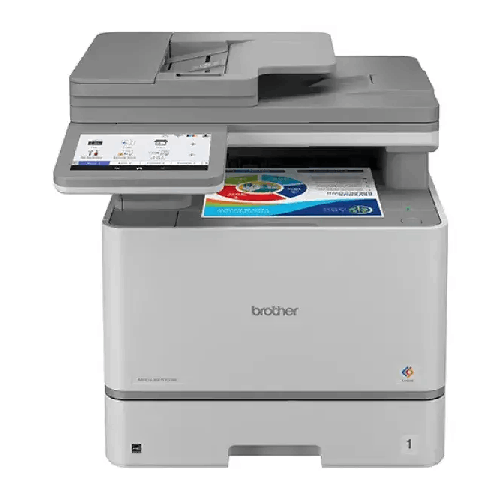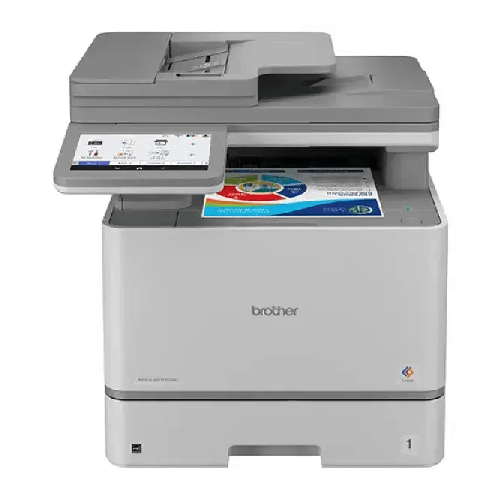
Brother MFC-L8970CDW Multifunction Color Laser Printer
Regular Price:৳100,000.00Availability: SKU: 1.3.75.9628
Quick Overview
-
Support
Saturday – Thursday: 09 AM - 06 PM. -
Payment
Cash on Delivery | Card | Online Payment -
Shipping Cost
Inside Dhaka 500tk | Outside Dhaka 999.98tk -
Warranty Policy
Read More
Description
Brother MFC-L8970CDW Multifunction Color Laser Printer in Bangladesh
The Brother MFC-L8970CDW is a multifunction colour laser printer specified for print, copy, scan and fax workflows. Its supplied specifications include print speeds of 31/33 pages per minute, a print resolution of up to 2400 × 600 dpi class, a 7-inch touchscreen, 1 GB memory and a 1,200 MHz processor. It also has built-in NFC, USB, wired and wireless LAN connectivity, Gigabit Ethernet, a 250-sheet paper tray and a 50-sheet multipurpose tray. These features make it a product to evaluate for offices with regular document-processing needs.
Specification note: The supplied information gives two different duplex scan-speed sets: 100/70 ipm in the specifications and 104/72 ipm in the accompanying description. This page uses the structured specification figures and flags the discrepancy for verification. The print-speed listing does not identify which of the 31/33 ppm figures applies to monochrome or colour. Confirm the current regional data sheet for exact test conditions and rates.
One Device for Everyday Office Work: As a multifunction device, the MFC-L8970CDW is described for printing, copying, scanning and faxing. Combining these tasks in one machine can simplify document handling at a shared office workstation, reception area or administrative department. Users can print business documents, digitise paper records, make copies and send faxes from the same device, subject to the functions and configuration available in the installed environment. Consider which of these workflows your team actually uses and how many people need to access the printer.
Colour Laser Printing: The printer uses electrophotographic laser technology, according to the supplied description. Colour laser printing is relevant to offices that produce a mix of text documents and colour business material. The stated resolution is up to 2400 × 600 dpi class; treat this as a product specification rather than a guarantee that every print will look identical on every paper type or setting. Paper selection, document design and print configuration also influence the final result. Check Brother’s guidance for suitable media and recommended settings.
Print Speed and Resolution: The supplied print speed is 31/33 ppm, with the description also referring to printing at up to 33 pages per minute. Since the information does not assign each speed to monochrome or colour printing, confirm the exact mode and measurement conditions in the current manufacturer documentation. The stated print resolution is up to 2400 × 600 dpi class. These figures are useful for comparison, but real print times can vary with document complexity, colour coverage, connection method, print settings and the time needed to process a job.
Automatic Duplex Printing: The supplied description identifies automatic duplex printing, which allows compatible print jobs to use both sides of a sheet without manually turning pages. This can be useful for office documents that suit two-sided output, such as reports or internal reference material. Duplex printing can help reduce paper use, but the result depends on document layout, paper choice and user settings. Confirm the feature and supported paper conditions in the manufacturer’s guide, and select duplex printing only when it suits the document.
Duplex Scanning: Duplex scanning is a notable part of the supplied product information. The description refers to a single-pass duplex scanner, while the structured specifications give scan speeds of 100 ipm for monochrome and 70 ipm for colour. The accompanying description instead gives 104 ipm and 72 ipm. Because these figures differ, verify the current regional specification before using a particular scan speed in a purchasing comparison. Actual scanning times also depend on resolution, document type, settings and the destination or software used.
Automatic Document Feeding: The supplied description mentions an 80-page automatic document feeder for handling multi-page originals. An ADF can help streamline scanning, copying or faxing batches of pages compared with placing each page individually on a flatbed. Confirm the feeder capacity and supported document types in the official data sheet for the exact model and region. For routine use, prepare originals correctly and follow the manufacturer’s guidance to reduce misfeeds or scanning interruptions.
Paper Input and Optional Expansion: The listed standard paper input comprises a 250-sheet tray and a 50-sheet multipurpose tray. This provides two stated sources for loading paper, though the multipurpose tray may serve different media or job needs according to the manufacturer’s instructions. The supplied description also says an optional tray can expand input capacity to 1,340 sheets. Verify the compatible tray accessory, the exact total capacity and whether that figure includes the standard trays before buying additional paper-handling hardware. The optional tray is not confirmed as part of the standard package.
Touchscreen and Shortcuts: A 7-inch touchscreen is listed for the printer, and the supplied description refers to a colour touchscreen with 64 shortcut keys for frequently used functions. A touchscreen interface can make it easier for users to select tasks directly at the machine, while shortcuts may help reduce repeated navigation for routine workflows. The exact menus and shortcut configuration can vary by setup. Review Brother’s user guide if your team needs a particular workflow, such as scanning to a chosen destination or accessing a frequently used function.
Memory and Processor: The supplied specifications list 1 GB of memory and a 1,200 MHz processor. These are hardware details for comparing the model with office printing requirements. How quickly a job completes also depends on the document, image content, print settings, network traffic and other factors, so these figures alone should not be interpreted as a guarantee of a specific job-processing time. If your office regularly prints large or complex files, consider those workflows when evaluating the printer and confirm any other requirements in the official documentation.
Wired, Wireless and USB Connectivity: The listed connectivity includes wired and wireless LAN, Gigabit Ethernet and Hi-Speed USB 2.0. The printer also has front and rear USB host ports according to the supplied information. Before choosing a connection method, consider where the printer will be placed, which computers or users need access and how the existing network is administered. Confirm the purpose of each USB port and supported network setup in the product guide. Do not assume that a particular USB workflow or network function is supported unless the manufacturer documents it.
Mobile Printing and Web Connect: Mobile printing and Web Connect are listed features. The accompanying description names Apple AirPrint, Mopria, Wi-Fi Direct and Brother Mobile Connect. These options may be relevant when staff want to print from supported phones, tablets or computers, but compatibility can depend on the device, operating system, app version, network setup and regional service availability. Confirm current support and setup instructions before relying on a particular mobile workflow. Mobile connectivity can complement, but does not replace, a suitable wired or wireless office network.
NFC and Security-Related Functions: Built-in NFC is listed, and the supplied description also mentions NFC authentication, Secure Print and Secure Function Lock. These are features to assess if an office wants to consider user access and control over printing tasks. The exact security options and authentication arrangements should be confirmed in the current product documentation. Do not assume that the printer provides a complete office security system; it should be configured as one part of an organisation’s broader device and network policies.
Inbox Toner Yield: The supplied specifications list inbox toner yields of 7,500 pages for black and 6,500 pages for colour. These figures can help buyers estimate initial consumable capacity, but page yield is not a promise that every user will print exactly that number of pages. Actual yield depends on print coverage, document content, settings and the manufacturer’s test method. Confirm the exact in-box toner configuration and whether the stated colour yield refers to each colour cartridge or another calculation before estimating ongoing costs.
Duty Cycle and Workload: The stated duty cycle is up to 80,000 pages. Treat this as a maximum duty-cycle specification, not a recommendation to print that volume regularly. The supplied details do not identify a recommended monthly print volume, so check Brother’s current documentation if you need to estimate a suitable ongoing workload. A sensible printer choice accounts for the office’s normal and peak monthly output, paper use, colour requirements and scan workload rather than relying on a maximum figure alone.
Office and Business Use: The MFC-L8970CDW may be considered for organisations that need colour printing alongside copy, scan and fax functions. Examples include administration teams, accounts departments, customer-service desks and shared office areas. The touchscreen and network connectivity may be useful where more than one person needs to access the device. Before selecting it, estimate the number of users, typical print volumes, need for duplex scanning and the office’s preferred connection method. The best fit depends on the team’s actual workflows, not only the list of features.
Bangladesh Office Planning: Buyers in Dhaka, Chattogram, Sylhet, Khulna, Rajshahi and other parts of Bangladesh can compare the MFC-L8970CDW with local office needs, including regular colour documents, shared printing and document scanning. Consider where the printer will be installed, how staff will connect to it and what consumables the office will need over time. Check the exact printer model, in-box toner details and warranty terms with BME. Do not assume current stock, local delivery or service conditions without confirming them with the seller.
Care and Ongoing Costs: For a laser multifunction printer, ongoing planning includes toner, paper and routine care in line with the manufacturer’s instructions. Keep the device’s documentation available and use compatible supplies as recommended by Brother. When calculating print costs, consider colour coverage, the mix of monochrome and colour jobs, duplex use and the yield method behind any quoted cartridge figure. Check the availability and exact model numbers of replacement consumables before committing to a long-term office workflow.
Installation and Compatibility: Before setup, verify that the chosen computer, mobile device and office network can connect using the intended interface. Confirm any required software, driver or app from Brother’s official resources. Check that the printer’s physical location provides suitable access for paper loading, toner replacement and routine use; dimensions and power requirements were not supplied here, so obtain them from the manufacturer if needed. If the printer will be shared across departments, decide how users will access it and which security options should be configured.
Product Selection Summary: The Brother MFC-L8970CDW combines colour laser printing with copy, scan and fax functions, a 7-inch touchscreen, 1 GB memory, a 1,200 MHz processor, NFC, USB and wired/wireless network connectivity. Its listed paper input is 250 sheets plus a 50-sheet multipurpose tray, with an optional expansion described in the supplied copy. Verify conflicting scan-speed figures, print-speed mode details, optional tray compatibility, toner configuration and warranty terms. If those confirmed details match your office workflows, it is a model to consider for shared document processing.
✅ Key Features
- Multifunction Office Workflow: Print, copy, scan and fax using one colour laser device.
- Colour Laser Output: Produces colour and monochrome documents using the listed electrophotographic laser technology.
- Automatic Duplex Printing: The supplied description lists two-sided printing for compatible jobs.
- Duplex Scanning: Handles both sides of compatible originals; verify the exact scan speed against the current specification.
- 7-Inch Touchscreen: Provides an on-device interface for selecting print and document functions.
- Network and USB Connectivity: Offers wired and wireless LAN, Gigabit Ethernet and Hi-Speed USB 2.0 connections.
- Built-In NFC: Provides an NFC feature for compatible workflows; confirm exact authentication requirements.
- Mobile Printing Options: The supplied description names AirPrint, Mopria, Wi-Fi Direct and Brother Mobile Connect, subject to compatibility.
- Flexible Paper Input: Includes a 250-sheet tray and a 50-sheet multipurpose tray.
- Inbox Toner Yield: Listed yields are 7,500 pages black and 6,500 pages colour; actual yield varies with use.
✅ Usage / Applications
- Office Document Printing: Produce routine colour and monochrome business documents.
- Scanning Paper Records: Digitise documents, with duplex scanning for compatible two-sided originals.
- Copying Office Documents: Make copies directly from the multifunction device.
- Fax Workflows: Use the listed fax function where an office still requires faxing.
- Accounts and Administration: Handle printing and document processing in shared office departments.
- Shared Workgroups: Connect through compatible wired or wireless network arrangements.
- Mobile Printing: Print from supported mobile devices using compatible services or apps.
- NFC-Related Workflows: Assess the built-in NFC feature for supported authentication or access workflows.
- Higher Paper-Input Needs: Consider compatible optional tray expansion after confirming the accessory and total capacity.
✅ Benefits of This Product?
- Fewer Separate Devices: Print, copy, scan and fax functions are combined in one office machine.
- More Convenient Two-Sided Workflows: Automatic duplex printing and duplex scanning are listed features, subject to model settings.
- Multiple Connection Choices: USB and network connectivity offer options for integrating with an office setup.
- Simpler On-Device Navigation: The 7-inch touchscreen provides a direct interface for common operations.
- Document-Batch Potential: The supplied description lists an 80-page ADF for multi-page originals; verify capacity before purchase.
- Initial Consumable Planning: Listed inbox toner yields give a starting point for estimating toner use.
- Shared-Office Suitability: Network features make it possible to assess the printer for use by multiple compatible users.
- Paper-Handling Flexibility: Standard trays and a described optional expansion help buyers plan for different workloads.
✅ Ideal For
The Brother MFC-L8970CDW is suited to offices and businesses that need a colour laser multifunction printer for printing, copying, scanning and faxing. Its listed network and USB connectivity, 7-inch touchscreen, built-in NFC, duplex capabilities and paper input may make it worth evaluating for a shared administrative, accounts or customer-service workspace. The supplied description also identifies mobile printing options and an automatic document feeder, which may suit teams handling digital and paper-based workflows.
It is best for buyers who verify the complete specification against their normal print volume, scan needs, connectivity and security requirements. Confirm the exact 31/33 ppm rate assignment, the conflicting duplex scan speeds, optional tray compatibility and in-box toner configuration. Do not treat the maximum 80,000-page duty cycle as a recommended monthly workload. Check the one-year brand warranty terms and replacement consumable details before ordering.
✅ Why Choose the Brother MFC-L8970CDW Multifunction Color Laser Printer?
The MFC-L8970CDW is worth considering if your office needs several document functions in one colour laser device. The supplied description identifies print, copy, scan and fax capabilities, together with automatic duplex printing and a single-pass duplex scanner. Combining these workflows can help a shared team handle both paper originals and digital documents from a central machine. Confirm the exact scan speeds and feeder capacity in Brother’s current documentation, since the information supplied includes different duplex scan-speed figures.
Its connectivity options offer another point for comparison. The listed interfaces include Hi-Speed USB 2.0, wired and wireless LAN, Gigabit Ethernet and front and rear USB host ports. The supplied description also names AirPrint, Mopria, Wi-Fi Direct, Brother Mobile Connect and Web Connect. These features may suit a mixed office environment, but the precise setup depends on devices, network configuration and regional service availability. Check compatibility before building a workflow around a particular app or connection method.
The 7-inch touchscreen, 1 GB memory and 1,200 MHz processor provide useful hardware details for buyers comparing multifunction printers. Built-in NFC and the described Secure Print and Secure Function Lock features are also worth assessing if user access and document handling matter to your organisation. Verify the exact security functions and configuration requirements rather than assuming they are enabled automatically.
Paper capacity and consumable yield matter to ongoing office planning. The stated standard input is 250 sheets plus a 50-sheet multipurpose tray, and inbox toner yields are listed as 7,500 black and 6,500 colour pages. Check the optional tray details, cartridge configuration and yield method before estimating costs. If the confirmed features match your team’s needs, the MFC-L8970CDW offers a substantial set of functions to evaluate in one office printer.
✅ Why Buy This Product from BME?
BME’s website gives buyers in Bangladesh a place to review the Brother MFC-L8970CDW listing and confirm current product and purchase information. Before ordering, check that the listing identifies the exact model and that its description matches the printer you need. This is useful when a purchase depends on a particular paper-handling setup, connection method, toner configuration or warranty term.
The information supplied for this product contains differences in duplex scan-speed figures and does not include every purchase detail. If the scan rate, optional tray, 80-page ADF, inbox toner configuration, included accessories or security functions affect your choice, verify those details against Brother’s current documentation and ask BME to confirm the listing. Confirm the one-year brand warranty coverage and claim process separately; the stated warranty period alone does not describe every term.
Before checkout, check the current price, availability and conditions that apply to your order. If you are buying for an office, prepare a short list of expected print volume, scanning needs, network connections and consumables. This can help you identify what to confirm before purchasing. Verify any delivery or other purchase terms for your location directly with BME.
✅ Buying Guide
- Confirm the Model: Check that the listing specifies Brother MFC-L8970CDW, not a similar multifunction printer.
- Match Print Speed to Your Need: The supplied speed is 31/33 ppm; confirm which figure applies to monochrome or colour and the test conditions.
- Verify Duplex Scan Speed: The specifications list 100/70 ipm, while the supplied description says 104/72 ipm. Check Brother’s current regional data sheet.
- Check Document Handling: Confirm the ADF capacity and duplex scanning details if you regularly process multi-page originals.
- Plan Paper Input: Standard capacity is 250 sheets plus a 50-sheet multipurpose tray. Verify the optional tray and stated 1,340-sheet expansion before buying accessories.
- Assess Connectivity: Confirm wired/wireless LAN, Gigabit Ethernet, USB and mobile-print compatibility for your office devices.
- Review Security Needs: Check how NFC, Secure Print and Secure Function Lock work and whether configuration is required.
- Estimate Consumables: Verify the inbox toner configuration and yield method; actual page yield varies with document coverage and use.
- Check Workload: Treat 80,000 pages as the stated maximum duty cycle, not a recommended monthly target; confirm recommended volume with Brother.
- Confirm Purchase Terms: Ask BME to confirm current price, availability, one-year brand warranty terms and package contents.
✅ Customers Ask About / Frequently Asked Questions
Q: What is the Brother MFC-L8970CDW price in Bangladesh?
A: Check BME’s current listing or contact BME to confirm the price and applicable purchase terms.
Q: Does the MFC-L8970CDW print, scan, copy and fax?
A: Yes. The supplied product description identifies print, scan, copy and fax functions.
Q: What print speed is listed?
A: The supplied specifications state 31/33 ppm. Confirm which rate applies to monochrome or colour printing and the test conditions.
Q: What is the duplex scan speed?
A: The specification table lists 100/70 ipm for monochrome/colour, while the description says 104/72 ipm. Verify the correct regional specification with Brother.
Q: What is the standard paper capacity?
A: The supplied specifications list a 250-sheet paper tray and a 50-sheet multipurpose tray.
Q: Can its paper capacity be expanded?
A: The supplied description says an optional tray can expand input capacity to 1,340 sheets. Confirm the compatible tray and exact total capacity before purchase.
Q: What toner yield is listed for the inbox cartridges?
A: The supplied information lists 7,500 pages for black and 6,500 pages for colour. Actual yield depends on use and print coverage; verify the cartridge configuration.
Q: Does it support automatic duplex printing?
A: Yes, automatic duplex printing is stated in the supplied product description. Check the user guide for supported paper and settings.
Q: Can I print from a phone or tablet?
A: The supplied description names AirPrint, Mopria, Wi-Fi Direct and Brother Mobile Connect. Confirm compatibility with your device and network setup.
Q: Does it have NFC?
A: Yes, built-in NFC is listed. The description also mentions NFC authentication; verify the supported workflow and configuration.
Q: What warranty is listed in Bangladesh?
A: The supplied information states a one-year brand warranty. Confirm coverage and the claim process with BME.
Q: Is 80,000 pages the recommended monthly print volume?
A: It is the stated duty-cycle figure, not a recommended monthly target. Check Brother’s documentation for a recommended monthly volume.
✅ Why Buy This Product
The Brother MFC-L8970CDW is worth considering if your office needs colour laser printing combined with copy, scan and fax functions. Its listed features include duplex printing, duplex scanning, a 7-inch touchscreen, NFC, Gigabit Ethernet, wired and wireless LAN, mobile-print options and a 250-sheet tray plus a 50-sheet multipurpose tray. These details provide a useful starting point for assessing a shared office workflow.
Before buying, verify the print-speed assignment, conflicting duplex scan-speed figures, ADF and optional-tray details, toner configuration and security features. Check that the available connections suit your office and that the stated duty cycle is appropriate for your workload. Confirm the one-year brand warranty terms with BME. If the verified specifications match your requirements, review the BME listing and contact BME to confirm the exact model and purchase terms before ordering.
What is the price of Brother MFC-L8970CDW Multifunction Color Laser Printer in Bangladesh?
Write a review
Question Answer
Have question about this product? Get specific details about this product from expert.


Brother HL-L3280CDW Color Laser Printer

Canon imageCLASS LBP746Cx Color Laser Printer