

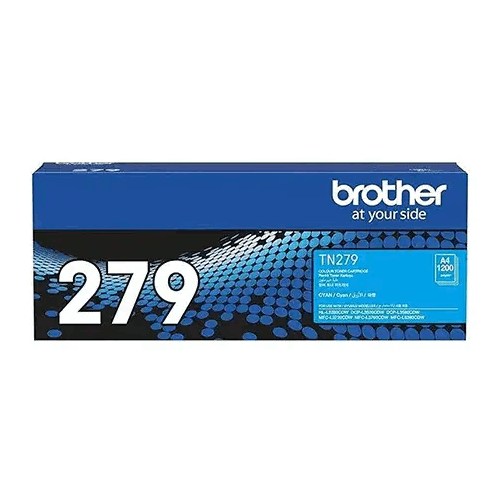
Brother TN-279C Cyan Toner
Regular Price:৳9,000.00Availability: SKU: 1.116.75.9633
Quick Overview
-
Support
Saturday – Thursday: 09 AM - 06 PM. -
Payment
Cash on Delivery | Card | Online Payment -
Shipping Cost
Inside Dhaka 100tk | Outside Dhaka 150tk -
Warranty Policy
Read More
Description
Brother TN-279C Cyan Toner in Bangladesh
The Brother TN-279C Cyan Toner is a cyan toner product for laser printing. Its product code, colour and listed printer compatibility are the main details to check when selecting a replacement supply. The supplied specifications state a yield of up to 1,200 pages and name seven compatible Brother printer models. They also state that a chip is not included. As compatibility and chip arrangements can affect whether the product suits a particular device, verify these details for the exact item before ordering.
The supplied compatibility list names the Brother HL-L3280CDW, DCP-L3560CDW, HL-L3220CW, DCP-L3520CDW, MFC-L3720CDW, MFC-L3760CDW and MFC-L8390CDW. Check the full model number on your printer or in its documentation, and compare it with this list before purchasing. A similar model name is not enough to establish compatibility; letter and number suffixes can distinguish different printer models and their consumables.
If your printer model is not among those listed, do not assume that the TN-279C will fit simply because it is a Brother device or uses toner. Consult the printer’s consumables information or ask BME to verify the exact model match. When contacting the seller, provide both the complete printer model number and the TN-279C code. This gives you a specific basis for confirming the item rather than relying on a general request for cyan toner.
The product details identify the printing technology as laser and the item category as printer toner. This distinguishes the TN-279C from inkjet cartridges, which are a different type of printer supply. The colour is listed as cyan, so the code is relevant when a compatible printer needs that specific colour. The supplied information does not describe the toner formulation, print modes or output-quality measurements, so these should not be inferred from the product name.
In a colour-printing workflow, cyan is one of the colour supplies used by the printer. The TN-279C should therefore be considered specifically when the required supply is cyan, not black or another colour. The related consumables listed with this product are Brother TN-279BK, TN-279Y and TN-279M. These are separate product codes; confirm which supply your printer needs rather than assuming that they are included with the TN-279C.
The stated page yield is up to 1,200 pages. “Up to” describes a maximum listed yield, not a promise that every user or every job will produce exactly that number of pages. The supplied information does not identify the test method, page coverage or other conditions used to determine the figure. Actual yield can vary with what is printed and how the printer is used, so consider your own printing history when planning replacement supplies.
For example, a team that prints frequently may use the 1,200-page figure as an initial planning reference, then compare it with how quickly its current toner supplies are consumed. Do not treat the number as a fixed replacement interval or a guaranteed page count for every document type. If yield is important for a purchase or budget comparison, ask BME whether additional information is available for the exact item and use the same basis when comparing other toner products.
The supplied feature description presents the TN-279C as suitable for home and office use, including high-volume printing. Whether it suits a particular workload depends on the printer, the user’s printing pattern and the toner’s confirmed configuration. For regular or shared printing, consider how often the printer is used, which colour supplies are needed and how the stated yield compares with your past consumption. This makes it easier to plan purchases without assuming a specific monthly output.
A particularly important detail in the supplied listing is “Chip Included: No.” The information does not explain what this means for the particular cartridge or printer setup. Before buying, ask whether any chip-related step, additional component or other setup is required for the exact item and your printer. Do not assume that a cartridge without an included chip will be recognised or installed in the same way as another toner product.
The chip specification may be especially relevant if the printer relies on a chip for product recognition or toner-status information. However, the supplied details do not describe the recognition process, any transfer procedure or whether a separate item is needed. Treat the absence of a chip as a point to verify with BME and against the relevant printer instructions. If the answer is unclear, confirm it before ordering rather than discovering a configuration mismatch when you are ready to install the toner.
The product details identify Brother as the brand and TN-279C as the model. They do not state whether the item is factory-original, compatible, remanufactured or another product type. If the product’s source or condition matters to you, ask BME to clarify exactly what is being offered. Do not infer that a listing identifies a particular product type unless it is expressly confirmed.
Likewise, no toner capacity, package contents, warranty period, country of manufacture or storage information has been supplied. These details can matter when planning a purchase, especially for a business that tracks supply costs or keeps replacement toner in reserve. Ask about any detail that affects your decision and check that the information applies to the exact TN-279C item being quoted.
Use the instructions for your specific printer when replacing toner. The installation process is not provided in the supplied product details and may depend on the printer model and the item’s configuration. Follow the relevant printer documentation and any instructions supplied with the product. Avoid forcing a toner component into the device if it does not appear to fit; recheck the product code and seek clarification about compatibility or setup.
If the printer does not recognise a replacement toner or displays a toner-related message, check the printer model and the TN-279C code first. Then consult the instructions for that exact device and ask the seller about any chip-related requirement. The information supplied here does not include troubleshooting steps, reset procedures or specific error-message guidance, so avoid applying instructions intended for another printer or toner model.
For a home office, a small business or a shared workplace, recording the printer model alongside the consumable code can help make future supply requests more precise. For example, noting the exact printer model and TN-279C together can reduce confusion where several Brother devices or different colour supplies are used. This is particularly useful when another person handles purchasing or when the toner is ordered as part of a regular stock check.
The listed related consumables—TN-279BK, TN-279Y and TN-279M—may also help buyers identify other toner codes associated with this product listing. They should be treated as separate products, not as items included with the cyan toner. Check the printer’s instructions and current supply needs to determine which colour or colours require replenishment. Do not substitute one colour code for another based on packaging appearance or a general description.
For buyers in Bangladesh, contact BME for a current quotation and confirm the exact product details before placing an order. Share your printer’s complete model number and ask about the chip-not-included specification, product condition, package contents and any other requirement that affects your setup. If delivery or another service is important, ask BME whether it is available for your location and what terms apply rather than assuming it is included.
The Brother TN-279C is a specific cyan laser-toner product, not a general-purpose supply for every Brother printer. Its key listed details are the model code, cyan colour, laser printing technology, compatibility list, yield of up to 1,200 pages and the fact that a chip is not included. Confirm that these points match your printer and expectations before ordering. That straightforward check can help you select the correct product and understand any setup requirements in advance.
✅ Key Features
- Cyan toner: Identified as a cyan printer toner for laser printing.
- Specific model code: TN-279C provides a clear reference when checking or requesting this toner.
- Listed compatibility: The supplied details name seven Brother printer models as compatible.
- Up to 1,200-page yield: Provides a maximum listed yield for supply planning; actual results can vary.
- Laser printing technology: Specified for laser printers rather than inkjet printers.
- Chip not included: The supplied listing states “Chip Included: No”; confirm any related setup requirements before purchase.
- Related toner codes: Brother TN-279BK, TN-279Y and TN-279M are listed as related consumables.
- Home and office use: The supplied feature description presents it for home and office printing, including higher-volume use.
✅ Usage / Applications
- Cyan toner replacement: Consider it when a compatible printer requires the TN-279C cyan supply.
- Office colour printing: Use it for colour-printing workflows on a listed compatible printer.
- Home-office printing: Check the printer model before ordering for home use.
- Shared printer supplies: Record the TN-279C code with the printer model to guide restocking.
- Business supply planning: Use the stated yield as one reference when planning purchases.
- Regular printing workflows: Compare your actual toner consumption with the listed maximum yield.
- Multi-colour supply management: Check the separately listed related toner codes when reviewing other colour supplies.
- Printer-specific replacement: Follow the instructions for the exact Brother printer when changing toner.
✅ Benefits of This Product?
- Clear colour identification: The cyan designation helps distinguish this toner from black, yellow and magenta supplies.
- Specific compatibility reference: The listed printer models give buyers a starting point for checking fit.
- Useful yield estimate: Up to 1,200 pages provides a reference for planning, while actual results may differ.
- Easier purchasing enquiries: The TN-279C model code makes it simpler to request the specific toner.
- More organised stock records: Pairing the toner code with the printer model can help prevent confusion.
- Laser-specific product details: The stated technology helps buyers distinguish toner from inkjet cartridges.
- Chip detail available upfront: Knowing that a chip is not included gives buyers a point to clarify before purchase.
- Related codes identified: The listing names other related toner models for supply checks.
✅ Ideal For
The Brother TN-279C Cyan Toner may suit users whose printer is one of the models named in the supplied compatibility list: HL-L3280CDW, DCP-L3560CDW, HL-L3220CW, DCP-L3520CDW, MFC-L3720CDW, MFC-L3760CDW or MFC-L8390CDW. It is intended for buyers who specifically need a cyan laser-toner supply, whether for a home office, business or shared workplace. Its model code and stated yield can also help with supply identification and basic purchasing plans.
Before ordering, verify your printer’s complete model number and ask about the “Chip Included: No” detail. The supplied information does not explain any chip-related setup requirements or confirm the item’s condition, toner capacity, package contents or warranty. Buyers who need those details—or whose printer model is not listed—should check with BME and consult the printer’s consumables information before purchase.
✅ Why Choose the Brother TN-279C Cyan Toner?
The Brother TN-279C is worth considering when you need a cyan toner with a specific product code and your printer matches one of the models listed for compatibility. The seven-model list provides a practical starting point for checking whether this toner is relevant to your device. Comparing the full model number on your printer with the supplied list is more reliable than choosing a product simply because it is a Brother toner or appears similar to another cartridge.
Its listed yield of up to 1,200 pages can help buyers think about replenishment, particularly in a workplace that tracks printer supplies. The figure is a maximum stated yield, not a guaranteed result for every print job. Your documents and usage conditions influence actual consumption, so use your own printing history alongside the stated figure when planning.
The cyan colour and laser-printing technology are clearly identified, and the product listing also names related toner codes: TN-279BK, TN-279Y and TN-279M. This can help buyers keep different colour requirements separate when checking supplies. The listing also states that a chip is not included. Rather than overlooking this detail, clarify whether your printer setup requires any additional step or component for the item being offered.
Choosing the TN-279C is most straightforward when the printer match, toner configuration and purchase details have all been confirmed. Ask about the item’s condition, package contents and any other specifications that matter to you, since those details are not established in the information supplied. This helps you compare the product with your actual printer and make a more informed purchase decision.
✅ Why Buy This Product from BME?
When enquiring about the Brother TN-279C through BME, provide your printer’s full model number as well as the toner code. The supplied compatibility list names seven Brother printers, but checking the exact model can help clarify whether the product matches your particular device. You can also ask BME to confirm the current quotation and that the item being offered is the cyan TN-279C.
The listing states that a chip is not included, so raise that point before ordering. Ask whether any chip-related requirement or additional setup applies to the exact product and your printer. You may also want to confirm the item’s condition, package contents, toner capacity and any written warranty terms, as these details are not included in the information supplied here.
If delivery or another service is important to your purchase, ask BME whether it is available for your location and what conditions apply. Do not assume that a service or warranty is included unless BME confirms it. Checking the model code, printer compatibility and purchase details before placing an order helps you make a more informed decision through BME.
✅ Buying Guide
- Identify your printer: Check the complete model number on the device or in its documentation.
- Match the compatibility list: The supplied list names HL-L3280CDW, DCP-L3560CDW, HL-L3220CW, DCP-L3520CDW, MFC-L3720CDW, MFC-L3760CDW and MFC-L8390CDW.
- Confirm the colour: TN-279C is identified as cyan; do not confuse it with TN-279BK, TN-279Y or TN-279M.
- Clarify the chip detail: The listing states “Chip Included: No.” Ask whether any chip-related setup or additional component is required.
- Review the yield carefully: Up to 1,200 pages is a stated maximum, not a guaranteed page count.
- Ask about product condition: Confirm whether the item is original, compatible, remanufactured or another type if this matters to you.
- Check package contents: These are not specified in the supplied information, so confirm what is included.
- Ask about other terms: Confirm toner capacity and any applicable written warranty terms before ordering.
- Follow printer guidance: Use instructions for your exact printer when replacing toner; do not rely on procedures for another model.
- Verify the quotation: Check that the quoted product code is TN-279C and the colour is cyan.
✅ Customers Ask About / Frequently Asked Questions
-
Q: What is the Brother TN-279C Cyan Toner price in Bangladesh?
A: Contact BME for the current quotation. -
Q: Which printers are listed as compatible?
A: HL-L3280CDW, DCP-L3560CDW, HL-L3220CW, DCP-L3520CDW, MFC-L3720CDW, MFC-L3760CDW and MFC-L8390CDW. -
Q: What colour is TN-279C?
A: It is identified as cyan toner. -
Q: What is the stated page yield?
A: The supplied information states a yield of up to 1,200 pages. Actual yield can vary. -
Q: Does the toner include a chip?
A: No. The listing says “Chip Included: No.” Confirm any related setup requirements with BME before buying. -
Q: Is this toner for laser or inkjet printers?
A: The supplied specifications identify it as toner for laser printing. -
Q: Which toner codes are listed as related consumables?
A: Brother TN-279BK, TN-279Y and TN-279M are listed as related products. -
Q: Is TN-279C compatible with every Brother printer?
A: No such broad compatibility is stated. The supplied list names seven models; check your exact printer model. -
Q: Is the product original Brother toner?
A: The details identify Brother as the brand but do not state the product’s source or condition. Ask BME to clarify. -
Q: Where can I check availability in Bangladesh?
A: Contact BME to ask about the exact product and current purchase arrangements.
✅ Why Buy This Product
The Brother TN-279C is a specific cyan laser-toner product to consider if your printer matches one of the seven models named in the supplied compatibility list. Its clearly identified colour and product code can help you distinguish it from black, yellow and magenta supplies. The stated yield of up to 1,200 pages is a useful planning reference, although actual yield can vary with use.
One important detail is that a chip is not included. Confirm whether this affects the toner’s setup for your printer and ask about any other relevant product details before ordering. Check the complete printer model and make sure the item offered is the TN-279C cyan toner you need.
Contact BME to confirm the exact product and purchase details, and proceed once the compatibility and chip requirements are clear.
What is the price of Brother TN-279C Cyan Toner in Bangladesh?
Write a review
Question Answer
Have question about this product? Get specific details about this product from expert.
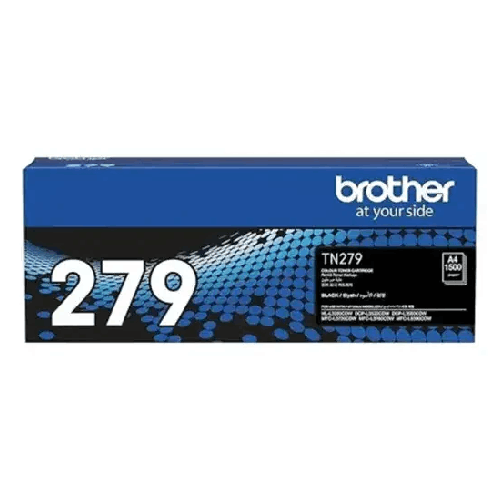
Brother TN-279BK Black Toner
Brother TN-279C Cyan Toner
Brother TN-279C Cyan Toner
Brother TN-279BK Black Toner

Brother LC472XL M Magenta Ink Cartridge


Brother LC472XL Y Yellow Ink Cartridge

Brother LC472XL C Cyan Ink Cartridge

Brother LC472XL BK Black Ink Cartridge


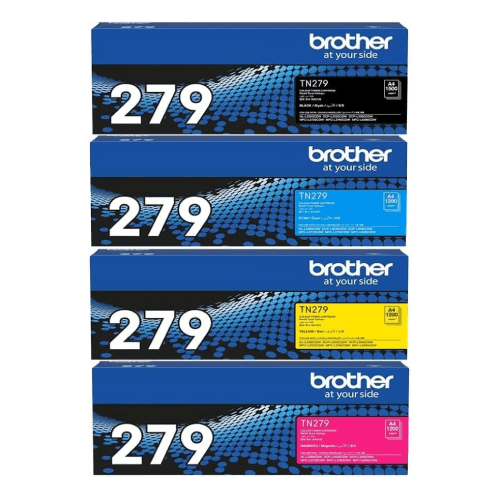
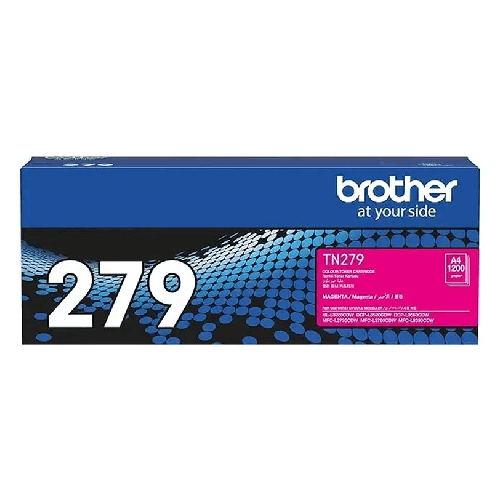
Brother TN-279M Magenta Toner
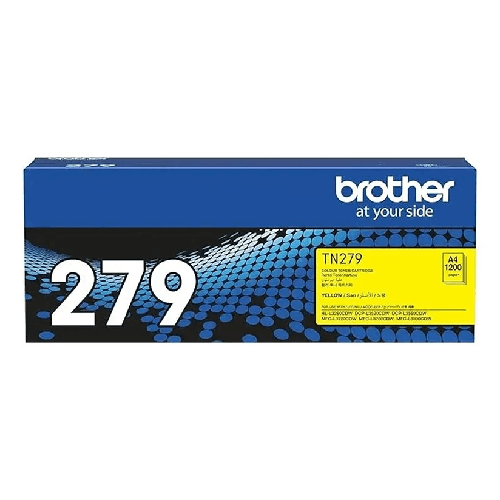
Brother TN-279Y Yellow Toner
Brother TN-279C Cyan Toner
Brother TN-279BK Black Toner

Brother LC3719XL-Y Yellow Ink Cartridge

Brother LC3719XL-M Magenta Ink Cartridge

Brother LC3719XL-C Cyan Ink Cartridge


