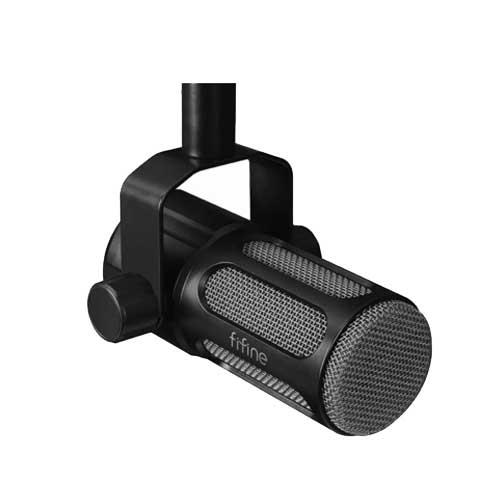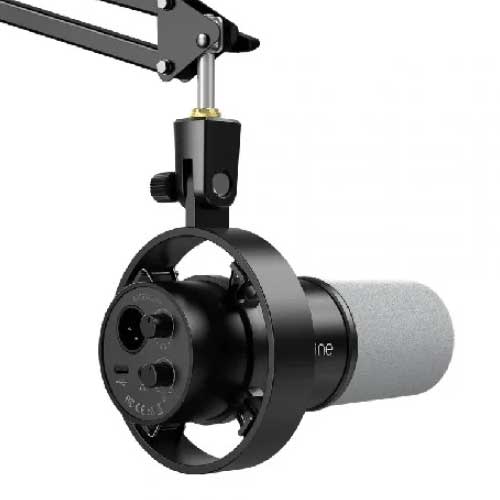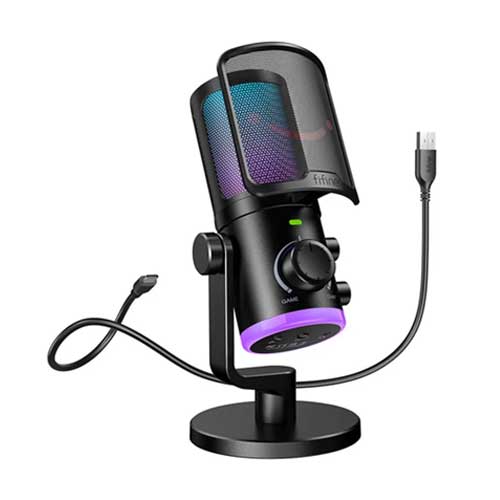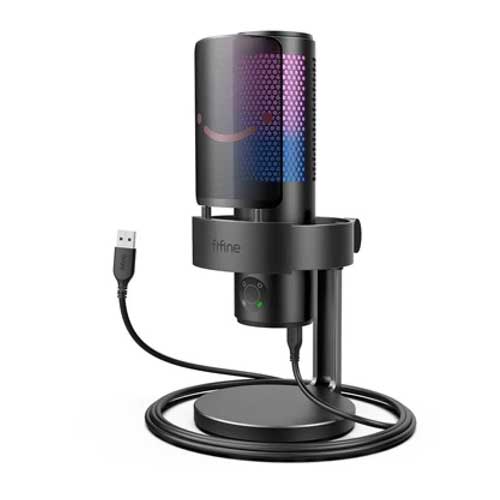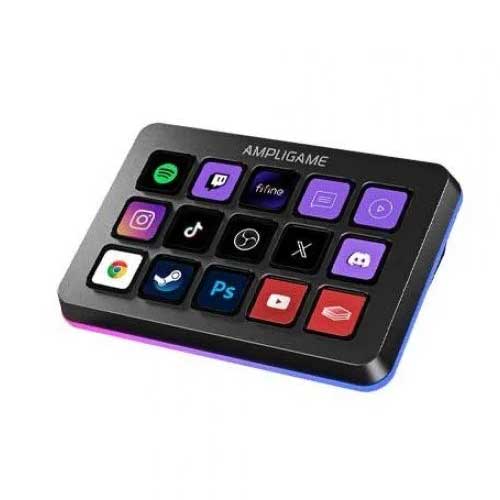
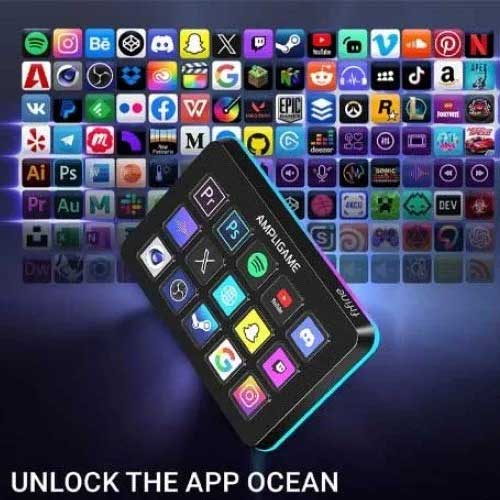
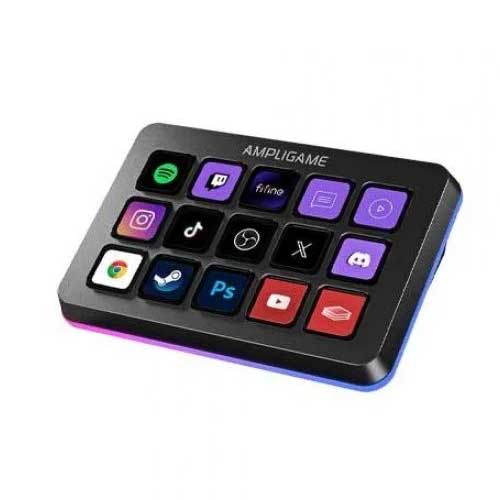
FIFINE AmpliGame D6 RGB Stream Controller
Regular Price:৳0.00Availability: SKU: 6.93.579.8694
Quick Overview
-
Support
Saturday – Thursday: 09 AM - 06 PM. -
Payment
Cash on Delivery | Card | Online Payment -
Shipping Cost
Inside Dhaka 100tk | Outside Dhaka 150tk -
Warranty Policy
Read More
Description
FIFINE AmpliGame D6 RGB Stream Controller in Bangladesh
we give you the tools to tear down that wall. Today, we invite you to step up to the conductor's podium. We are thrilled to introduce the FIFINE AmpliGame D6 RGB Stream Controller, a revolutionary command deck designed to bring order to your chaos and place the full, unbridled power of your creative universe directly at your fingertips. This is not just a peripheral; it is a fundamental shift in your relationship with your content. The D6 is your co-pilot, your audio engineer, and your production assistant, all housed in a sleek, customizable, and stunningly powerful device. For the ambitious creator in Bangladesh, the age of compromise is over. The age of command has begun.
The End of Alt-Tab: A Revolution in Workflow
What is the single greatest enemy of a live streamer or a creator in the flow state? It's the interruption. It's the moment you have to break character, look away from your camera, and navigate a complex web of windows and menus just to perform a simple action. The FIFINE AmpliGame D6 was born to assassinate this enemy.
At its core, the D6 is a macro command deck. It is a physical bridge between your intent and your computer's actions. It features 10 fully customizable buttons, each a gateway to a single action or a complex chain of commands. Imagine the power:
- A single press to start and stop your stream or recording.
- A single press to instantly switch from your "Live Gameplay" scene to your "Be Right Back" screen.
- A single press to trigger your signature sound effect or a shower of on-screen confetti after a huge donation.
- A single press to mute your microphone, disable your camera, or post a pre-written message to your chat.
- A single press to open your favorite application, a specific webpage, or a folder full of your stream assets.
Each button is a crisp, tactile switch beneath a clear cap. You can print your own custom icons—logos for OBS, Discord, Spotify, Twitter—and place them under the caps, creating a visual map of your entire workflow. Your commands are no longer abstract key combinations hidden across your keyboard; they are right there, illuminated, labeled, and waiting for your touch. This is more than convenience; it is a transformation. It turns a frantic, multi-step process into a single, confident press. It keeps you in the moment, engaged with your game, your camera, and most importantly, your audience.
The Tactile Advantage: The Revolutionary Control Knobs
If the buttons are the D6's army, the two revolutionary rotary control knobs are its special forces. This is the feature that elevates the D6 from a great stream controller to an indispensable audio command center, a feature that many far more expensive competitors lack.
For any creator, audio is a constant, dynamic battle. Your game volume, your background music, your Discord chat, and your own microphone are all fighting for space in the final mix. Traditionally, managing this requires a complex software mixer or a separate, expensive hardware unit. The FIFINE AmpliGame D6 puts this power directly into your hands with two smooth, endlessly rotating knobs.
Imagine you are in the middle of an intense multiplayer match. The in-game explosions are deafening, but you need to hear a critical callout from your teammate. With a simple, instinctive turn of a knob assigned to 'Game Volume', the chaos of the battlefield gracefully fades, allowing your teammate's voice to cut through with perfect clarity. A moment later, as you stalk an enemy, you can turn the 'Music Volume' knob down to listen for footsteps. During a quiet 'Just Chatting' segment, you can turn the 'Mic Gain' knob up slightly to speak more softly and intimately.
This is the power of tactile, analog-style control. It’s intuitive. It’s precise. It’s immediate. You can assign the knobs to a huge range of functions:
- Audio Mixing: Control individual volume levels for your mic, game, music, browser, and system.
- Creative Control: Scrub through a video timeline in Adobe Premiere, adjust brush size in Photoshop, or zoom in and out of a canvas.
- System Functions: Adjust screen brightness or system-wide volume.
The knobs turn what used to be a frantic mouse-clicking exercise into a smooth, satisfying, and deeply professional action. It’s like having a dedicated audio engineer at your beck and call, ready to adjust the mix at a moment's notice.
The Brains of the Operation: Powerful, Intuitive Software
A piece of hardware like this is only as powerful as the software that drives it. The FIFINE AmpliGame D6 is powered by an intuitive and user-friendly software suite that makes customization a breeze, not a chore. The interface is designed with a drag-and-drop philosophy, making it accessible even for those who are not tech-savvy.
You simply select a button or a knob in the software interface, and then choose from a vast library of pre-configured actions. There's deep, native integration with essential creator tools like OBS (Open Broadcaster Software), Streamlabs, Twitch, and more. Want a button to switch to your 'Intro' scene in OBS? Just drag the "Scene Switch" action onto the button and select your scene from a dropdown menu. It’s that simple.
But the power goes much deeper. You can create multi-action macros, where a single button press triggers a sequence of events: switch to a specific scene, play an intro video, unmute your microphone, and post a "Stream is LIVE!" tweet, all with one touch. You can also create different profiles. Have a "Streaming Profile" for when you're live, a "Video Editing Profile" with shortcuts for Premiere Pro, and a "General Work Profile" for your everyday applications. The D6 can automatically switch profiles when you open a specific application, meaning your command deck is always context-aware and ready for the task at hand.
The Soul of the Setup: A Symphony of RGB Light
In the modern creator's studio, aesthetics are not optional. Your setup is part of your brand, a visual backdrop that communicates your personality and professionalism. The FIFINE AmpliGame D6 is designed to be the vibrant, glowing heart of that setup.
The entire unit is wrapped in a stunning, customizable RGB lighting system. Using the software, you can paint your command deck with light. Choose from millions of colors to perfectly match the lighting of your PC case, your keyboard, and your mouse, creating a unified, harmonious look. Or, unleash the full dynamic power. Select a mesmerizing rainbow wave that flows across the device, a pulsing "breathing" effect, or a reactive mode that responds to your button presses.
This is more than just eye candy. For a streamer, it is an essential piece of production design. The vibrant glow looks incredible on a face-cam shot, adding a layer of visual interest and professionalism that sets you apart. It transforms your desk from a simple workspace into a dynamic, futuristic cockpit, a space that inspires you to create and captivates your audience when they see it.
Real-World Scenarios: The D6 Revolutionizing Workflows in Bangladesh
-
The Dhaka-Based Twitch Partner: Maria is a full-time streamer. The D6 has become the central nervous system of her broadcast. Her left knob controls her microphone gain, her right knob balances game vs. Discord audio. Her top row of buttons switches between her 5 primary OBS scenes. Her bottom row triggers sound effects, runs ad breaks, and clears chat. She never has to alt-tab. Her entire focus remains on her game and her community, leading to a more engaging and professional stream.
-
The YouTube Tech Reviewer in Chittagong: Karim edits his videos in DaVinci Resolve. He has configured a D6 profile specifically for editing. The knobs allow him to scrub through the timeline and zoom in for precise cuts. The buttons are mapped to his most-used functions: 'Cut,' 'Ripple Delete,' 'Add Default Transition,' 'Render.' He estimates the D6 saves him over an hour of editing time on every video by keeping his hands off the mouse and focused on the workflow.
-
The Online Educator in Sylhet: A professor teaches advanced mathematics via Zoom. She uses the D6 to manage her virtual classroom. One button shares her screen, another launches a poll, a third switches to her document camera, and a fourth plays a pre-recorded video example. The knobs control her system volume and microphone level. Her classes are smoother, more interactive, and far more professional than a standard slideshow presentation.
✅ Key Features
- 10 Fully Customizable Buttons: Assign single actions or complex macros to tactile buttons with clear caps for custom icons.
- 2 Revolutionary Rotary Knobs: Provides intuitive, tactile control over audio levels (game/chat/mic), creative tools, and system functions.
- 3 Profile Layer Keys: Instantly switch between three distinct layers of button assignments, effectively tripling your available commands.
- Deep Software Integration: Powerful yet user-friendly software with native support for OBS, Streamlabs, Twitch, and more for a seamless workflow.
- Stunning Customizable RGB: Bathe your command deck in millions of colors and dynamic effects to match your setup and brand aesthetic.
- Multi-Action Macro Support: Chain multiple commands together and execute them all with a single, powerful button press.
- Automatic Profile Switching: Create different profiles for different applications (gaming, editing, work) that load automatically.
- Sleek and Stable Design: A modern aesthetic with a sturdy, anti-slip base that stays firmly planted on your desk during intense sessions.
✅ Ideal For
The FIFINE AmpliGame D6 is the ultimate workflow upgrade for the power user in Bangladesh. It is an essential tool for Live Streamers and Content Creators on Twitch, YouTube, and Facebook Gaming who want to produce a more professional and interactive broadcast with less effort. Video Editors, Graphic Designers, and Audio Producers will find it a massive time-saver, using it as a powerful macro pad for their creative software.
Gamers who want to streamline their commands and communication will love the one-touch control. Furthermore, Business Professionals, Educators, and Presenters can use it to deliver dynamic, flawless presentations and virtual events on platforms like Zoom, Teams, and Google Meet. If you juggle multiple applications and demand a more efficient, tactile workflow, the D6 is your new command center.
✅ Why Choose the FIFINE AmpliGame D6?
In the emerging market of stream controllers, the FIFINE AmpliGame D6 establishes itself not just as an alternative, but as an evolution. Choosing the D6 is a strategic decision for innovation, value, and a more intuitive approach to creative control.
Its most significant advantage is its Innovative Dual-Knob Design. While most competitors focus solely on buttons, the D6's inclusion of two fully customizable rotary knobs is a game-changer. This acknowledges that some of the most crucial and frequent adjustments—audio mixing, timeline scrubbing, brush size—are analog in nature. Providing a tactile, rotary input for these tasks is a profoundly more intuitive and efficient experience. This single feature makes it a more versatile tool for a wider range of creative and professional tasks.
Secondly, the D6 delivers on the Quintessential FIFINE Value Proposition. It packs a feature set that directly competes with, and in the case of the knobs, exceeds that of premium-priced market leaders. By offering this level of control, customization, and aesthetic appeal at a more accessible price point, FIFINE continues its mission of democratizing professional-grade tools. You are getting a top-tier experience without the top-tier financial barrier.
Finally, the D6 is a Complete and Polished Ecosystem. The hardware is solid and stylish, the software is powerful yet approachable, and the deep integration with essential creator software is already in place. It is not an experimental product; it is a mature, well-thought-out solution designed to seamlessly integrate into and elevate your existing workflow from day one.
✅ Why Buy This Product
Stop being a slave to your keyboard. Stop letting clumsy alt-tabs and frantic mouse-clicks break your focus and ruin your flow. The time has come to ascend from a mere user to a true director of your digital domain. The FIFINE AmpliGame D6 RGB Stream Controller is your podium, your control panel, your personal production assistant.
This is your opportunity to seize a level of control that will fundamentally transform how you create, play, and work. The power to mix audio with a simple twist, to switch scenes with a single touch, and to execute complex commands with one button press is now within your grasp. For its innovative design, its powerful software, and its incredible value, the D6 is the smartest investment you can make in your own efficiency and professionalism.
Elevate your workflow. Master your content. Command your universe. Order the FIFINE AmpliGame D6 today and discover the profound difference between managing chaos and conducting a symphony.
What is the price of FIFINE AmpliGame D6 RGB Stream Controller in Bangladesh?
Write a review
Question Answer
Have question about this product? Get specific details about this product from expert.



FIFINE AmpliTank Ampli3 Audio Interface
Fifine AmpliGame SC8 Audio Mixer