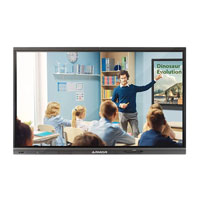
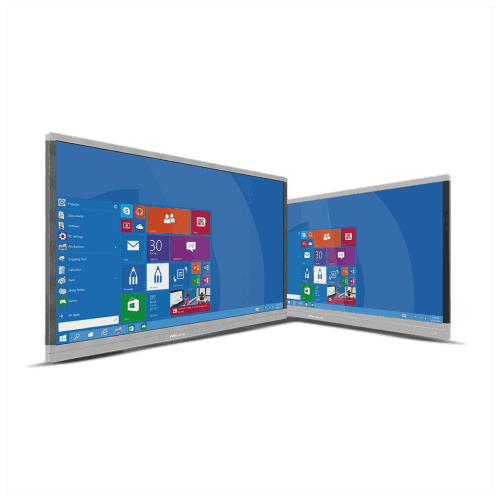
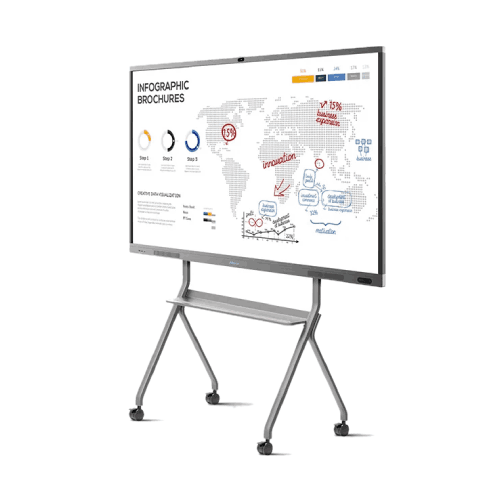
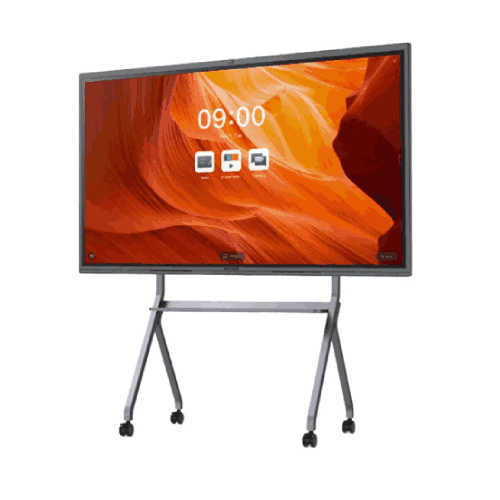
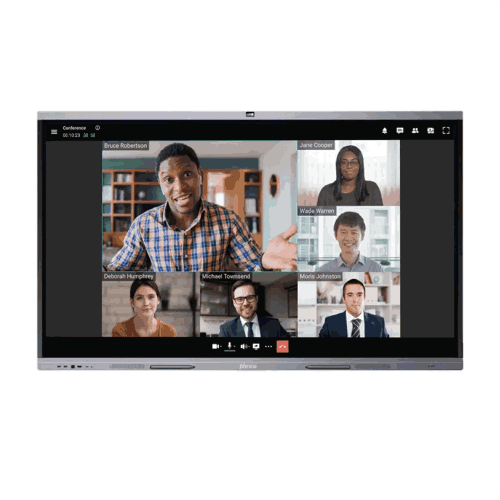
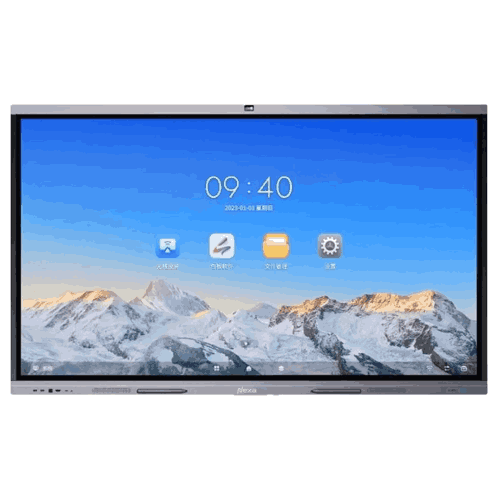
NEROX COLLAB X75 75-inch 4K UHD Interactive Display Panel
Regular Price:৳0.00Availability: SKU: 4.58.328.9447
Quick Overview
-
Support
Saturday – Thursday: 09 AM - 06 PM. -
Payment
Cash on Delivery | Card | Online Payment -
Shipping Cost
Inside Dhaka 250tk | Outside Dhaka 350tk -
Warranty Policy
Read More
Description
NEROX COLLAB X75 4K 75-Inch UHD Interactive Display Panel in Bangladesh
Make every presentation more engaging and every discussion more productive with the NEROX COLLAB X75 4K 75-Inch UHD Interactive Display Panel. Designed for corporate offices, educational institutions, banks, government organisations, hospitals, and professional training centres, this interactive flat panel brings digital presentation, touchscreen collaboration, and smart meeting-room functionality into one integrated platform.
Featuring a 75-inch Ultra High Definition display with a resolution of 3840 × 2160 pixels, the NEROX COLLAB X75 delivers detailed visuals for business presentations, financial reports, classroom lessons, technical drawings, and multimedia content. Its large interactive screen enables users to write, draw, annotate documents, and share ideas directly on the display.
The NEROX COLLAB X75 is designed to support modern workplace collaboration and interactive learning. Depending on the final hardware and software configuration, its capabilities may include Android-based applications, multi-touch writing, wireless screen sharing, digital whiteboarding, and video conferencing with compatible equipment.
For organisations in Bangladesh seeking a professional 75-inch interactive display, the NEROX COLLAB X75 is a practical option for meeting rooms, classrooms, training facilities, and collaborative workspaces where clear visuals and direct screen interaction are important.
Key Features of NEROX COLLAB X75
-
75-Inch 4K UHD Display: 3840 × 2160 resolution for detailed presentations, educational materials, business reports, and multimedia content.
-
Large Interactive Workspace: A spacious touchscreen for digital writing, annotation, drawing, and collaborative discussions.
-
Wide Viewing Angle: Designed to support group viewing from different seating positions; confirm the exact viewing-angle specification on the manufacturer datasheet.
-
Infrared Multi-Touch Technology: Supports interactive input from compatible fingers and styluses, with the actual number of simultaneous touch points depending on the supplied configuration.
-
Responsive Digital Writing: Designed for smooth writing, drawing, and on-screen annotation.
-
Digital Whiteboarding: Helps teams and educators explain concepts, develop ideas, and organise information visually through compatible software.
-
Smart Operating Platform: Android functionality may be available depending on the selected production model.
-
Optional Windows OPS: A compatible OPS computing module can provide a Windows environment where supported by the display.
-
Wireless Screen Sharing: Enables presentations from compatible computers, tablets, and smartphones through supported collaboration software.
-
Integrated Audio Options: Built-in speakers may be available depending on the confirmed hardware configuration.
-
Video Conferencing Compatibility: Supports meeting-room collaboration through compatible conferencing software and suitable camera and microphone equipment.
-
Professional Connectivity: HDMI, USB, LAN, USB-C, and other interfaces may be available depending on the final model configuration.
-
Business and Education Applications: Suitable for presentations, training sessions, interactive teaching, brainstorming, and collaborative work.
Note: Exact touch points, processor, memory, operating system, camera, microphone, speaker output, wireless standards, and port configuration must be confirmed against the official NEROX COLLAB X75 datasheet.
75-Inch 4K UHD Visual Performance
The NEROX COLLAB X75 provides a large 75-inch display area for organisations that need more working space than a conventional desktop monitor can offer.
Its 4K UHD resolution of 3840 × 2160 pixels is suitable for displaying detailed charts, spreadsheets, presentations, diagrams, photographs, and video content. The high-resolution screen helps presenters communicate complex information more clearly during meetings, lessons, and training sessions.
The 75-inch format offers a useful balance between screen size and room requirements. It can be considered for medium-sized conference rooms, university classrooms, management offices, training rooms, and collaborative workspaces.
For the best viewing experience, assess the room's dimensions, seating arrangement, ambient lighting, and typical viewing distance before installation.
Interactive Touchscreen and Digital Whiteboarding
Transform passive presentations into active discussions with the interactive capabilities of the NEROX COLLAB X75.
Users can write directly on the screen, highlight important information, annotate documents, draw diagrams, and explain ideas in real time. With compatible digital whiteboarding software, teams can organise brainstorming sessions, educators can illustrate lessons, and managers can review plans collaboratively.
The interactive writing surface is particularly useful for:
-
Classroom teaching and digital lessons
-
Business presentations and planning meetings
-
Project reviews and technical discussions
-
Employee training and professional development
-
Brainstorming and collaborative problem-solving
-
Document annotation and presentation feedback
The exact touch technology and number of simultaneous touch points should be verified for the selected X75 configuration.
Smart Computing and Operating-System Flexibility
The NEROX COLLAB X75 can be configured for interactive presentation workflows, subject to the manufacturer's available hardware and software options.
Where an Android platform is included, users can access compatible applications and interactive whiteboarding tools directly on the display.
For organisations that require Windows-based business applications, a compatible OPS computer module may provide a dedicated Windows computing environment, subject to hardware support and software licensing.
Before purchasing, confirm the supplied operating system, processor, RAM, internal storage, OPS compatibility, and support for the applications required by your organisation.
Wireless Collaboration and Screen Sharing
Wireless presentation can make meetings more convenient by allowing participants to share content without repeatedly connecting and disconnecting cables.
With compatible screen-sharing software and supported network connectivity, the NEROX COLLAB X75 can be used to present information from compatible laptops, smartphones, and tablets.
This can help teams compare documents, review reports, display training materials, and share ideas during collaborative sessions.
Actual wireless capabilities depend on the supplied hardware, installed software, network configuration, and source-device compatibility. Confirm supported operating systems, simultaneous screen-sharing limits, and available wireless standards before ordering.
Audio and Video Conferencing
The NEROX COLLAB X75 can serve as the central visual display in a modern meeting room or hybrid learning environment.
With compatible conferencing software and suitable camera, microphone, and audio equipment, users can conduct remote meetings, deliver online training, and communicate with participants in different locations.
Whether the selected X75 configuration includes integrated speakers, a camera, or a microphone array must be verified before publication. External conferencing equipment may be required depending on the intended application and room size.
Connectivity and Integration
A professional interactive display should integrate with the computers, networks, presentation sources, and peripherals already used by an organisation.
Depending on the supplied configuration, the NEROX COLLAB X75 may support interfaces such as:
-
HDMI for compatible video sources
-
USB-A for supported peripherals and touch-related functions
-
USB-C for supported data, display, or power functions
-
LAN for wired network connectivity
-
Audio interfaces for compatible equipment
-
OPS expansion for supported computing modules
Not every interface or function is guaranteed across all configurations. Buyers should obtain the manufacturer's official port diagram and technical datasheet before finalising procurement.
Applications of NEROX COLLAB X75 in Bangladesh
Corporate offices: Boardrooms, management meetings, presentations, and project discussions.
Educational institutions: Digital classrooms, interactive lessons, teacher training, and departmental meetings.
Universities and colleges: Lecture rooms, seminar rooms, research presentations, and collaborative learning.
Banks and financial institutions: Staff training, internal briefings, business presentations, and financial reporting.
Government organisations: Official presentations, departmental meetings, and professional training.
Hospitals and healthcare facilities: Medical education, staff seminars, and remote consultation setups with compatible conferencing equipment.
Training centres: Workshops, employee development, demonstrations, and interactive learning sessions.
Small and medium-sized businesses: Team meetings, customer presentations, planning sessions, and collaborative brainstorming.
Conference and seminar rooms: Presentations, hybrid meetings, and professional discussions.
Benefits of NEROX COLLAB X75
Clear, detailed visuals: The 75-inch 4K UHD screen provides a spacious display for reports, lessons, presentations, and multimedia content.
Interactive participation: Touchscreen writing and annotation help presenters explain information directly on the display.
More engaging teaching: Digital whiteboarding and interactive presentation workflows can make lessons and training sessions more participatory.
Flexible meeting-room use: The display can support presentations, collaborative discussions, and compatible conferencing applications.
Computing flexibility: Android and optional Windows OPS functionality may be available according to the supplied configuration.
Convenient content sharing: Supported wireless presentation tools can simplify collaboration between compatible devices.
Practical screen size: The 75-inch format is suitable for many meeting rooms and classrooms where a larger 86-inch or 98-inch panel may not be necessary.
Professional appearance: A large interactive display creates a dedicated presentation and collaboration space for employees, students, and visitors.
Why Choose NEROX COLLAB X75 4K Interactive Display?
The NEROX COLLAB X75 is intended for organisations that want a large interactive display for meetings, presentations, and digital learning.
Its 75-inch 4K UHD screen provides space for detailed visual content, while interactive touch functionality can help users write, annotate, and explain ideas directly on the display. With compatible software and hardware, it can become a central part of a classroom, conference room, or professional training environment.
Compared with selecting a display and separate presentation equipment independently, an appropriately configured interactive flat panel can help consolidate everyday presentation and collaboration activities.
For businesses and institutions in Bangladesh, the NEROX COLLAB X75 is a model to consider when planning an interactive meeting room, modern classroom, or collaborative workspace.
Why Buy NEROX COLLAB X75 from BME?
Business Machines & Equipment (BME), operated by BME Solutions (BD) Limited, has served Bangladesh's ICT and office-equipment market since 2003.
BME supplies technology products and solutions to businesses, educational institutions, financial organisations, government offices, and other professional customers.
When requesting a quotation for the NEROX COLLAB X75, customers can seek:
-
Product availability and commercial quotations
-
Technical consultation for display selection and room planning
-
Guidance on operating-system and OPS requirements
-
Assistance reviewing connectivity and installation needs
-
Procurement documentation for institutional purchases
-
Delivery coordination and installation arrangements
-
Details of applicable warranty and after-sales support
Product availability, delivery coverage, installation charges, warranty conditions, and service commitments should be confirmed in the written quotation.
Contact BME Bangladesh
Website: https://www.bmebd.com
Online Shop: https://www.bme.com.bd
Email: info@bmebd.com
Hotline: 0967 8814452
Buying Guide for NEROX COLLAB X75
1. Check the room size. Measure the wall space, seating distance, and viewing angles to determine whether a 75-inch display is appropriate.
2. Confirm the operating system. Identify whether you require a built-in smart platform, Windows OPS computing, or connection to an external computer.
3. Review touch requirements. Confirm the touch technology, simultaneous touch-point count, stylus support, and compatibility with your applications.
4. Evaluate conferencing needs. Determine whether the display includes a camera, microphone, and speakers or requires external AV equipment.
5. Check connectivity. Verify HDMI, USB, USB-C, LAN, audio, OPS, and any other interfaces required for your installation.
6. Review network compatibility. Confirm wireless connectivity, network access, screen-sharing software, and institutional IT policies.
7. Plan safe installation. Check the display's dimensions, weight, wall strength, mounting compatibility, electrical supply, and cable routing.
8. Confirm the commercial offer. Request written confirmation of the exact model, accessories, warranty, delivery schedule, installation scope, and support arrangements.
Frequently Asked Questions
Q1. What is the NEROX COLLAB X75?
The NEROX COLLAB X75 is the proposed model designation for a 75-inch 4K UHD interactive display panel intended for professional presentations, education, meetings, and collaborative work.
Q2. What is the display resolution?
The requested model is specified as a 75-inch 4K UHD display with a resolution of 3840 × 2160 pixels. Confirm this resolution on the manufacturer's official datasheet.
Q3. Is the display suitable for classrooms?
Yes, a 75-inch interactive display can be suitable for digital classrooms, training rooms, and seminar spaces, depending on viewing distance, seating layout, and room size.
Q4. Can it be used in corporate boardrooms?
Yes, it can be considered for presentations, meetings, brainstorming, and collaborative discussions. Confirm that its software and connectivity meet your requirements.
Q5. Does it support Android?
The exact operating system must be confirmed for the COLLAB X75 production model. Android availability should not be assumed from other screen sizes in the product family.
Q6. Can it run Windows applications?
Windows functionality may be available through a compatible OPS computer or an external Windows PC, depending on the supported configuration.
Q7. Does it include a built-in camera and microphone?
The camera and microphone configuration has not been independently confirmed for the X75. Check the manufacturer's datasheet and included-accessories list before ordering.
Q8. Can laptops and smartphones share their screens?
Wireless screen sharing may be available through compatible software and hardware. Confirm the supported devices, operating systems, and simultaneous sharing capabilities.
Q9. What accessories are included?
Accessories must be confirmed for the specific X75 model. Request a written package list covering interactive pens, remote control, cables, mounting hardware, and any wireless accessories.
Q10. Is the NEROX COLLAB X75 available in Bangladesh?
Contact BME Bangladesh for current availability, pricing, delivery arrangements, installation options, warranty details, and applicable commercial terms.
Technical Specifications
| Specification | Details |
|---|---|
| Brand | NEROX |
| Model | COLLAB X75 |
| Display size | 75 inches |
| Display category | UHD interactive display panel |
| Resolution | 4K UHD, 3840 × 2160 pixels, as specified by the requested model |
| Touch technology | To be confirmed |
| Simultaneous touch points | To be confirmed |
| Operating system | To be confirmed |
| Processor | To be confirmed |
| RAM | To be confirmed |
| Internal storage | To be confirmed |
| Wireless connectivity | To be confirmed |
| Bluetooth | To be confirmed |
| Camera | To be confirmed |
| Microphone | To be confirmed |
| Speaker output | To be confirmed |
| Video and data interfaces | Confirm the actual HDMI, USB, USB-C, LAN, and other available ports |
| OPS compatibility | To be confirmed |
| Mounting | Confirm compatible wall mount or stand |
| Intended applications | Corporate, education, government, healthcare, training, and collaboration |
Important: The technical configuration of the 75-inch COLLAB X75 has not been independently verified. Confirm all hardware specifications and included accessories against the manufacturer's official datasheet before publication, tender submission, or purchase.
What is the price of NEROX COLLAB X75 75-inch 4K UHD Interactive Display Panel in Bangladesh?
Write a review
Question Answer
Have question about this product? Get specific details about this product from expert.