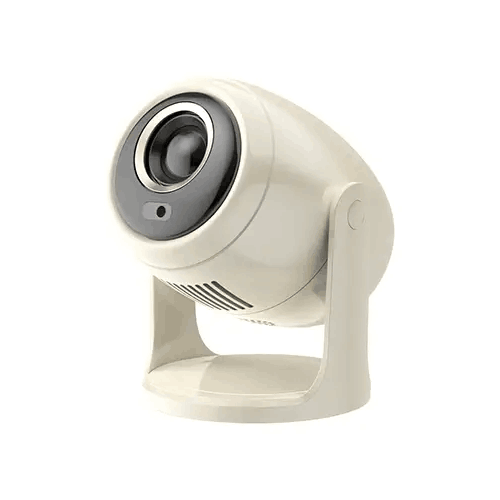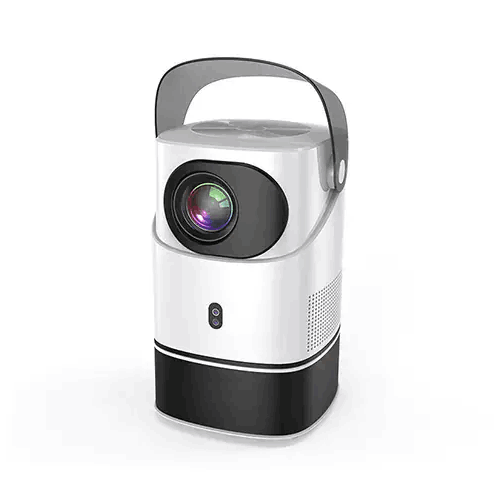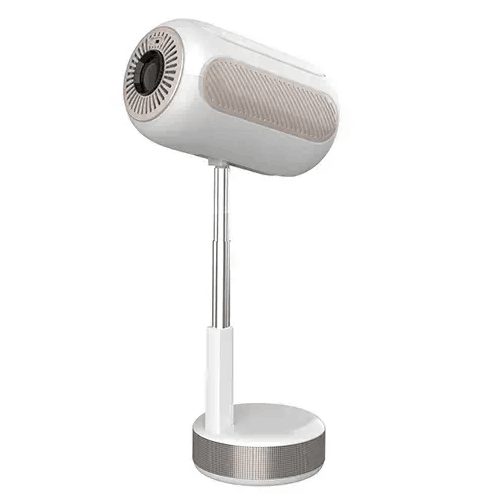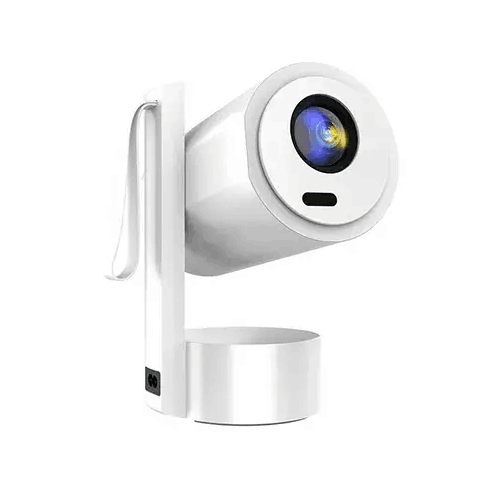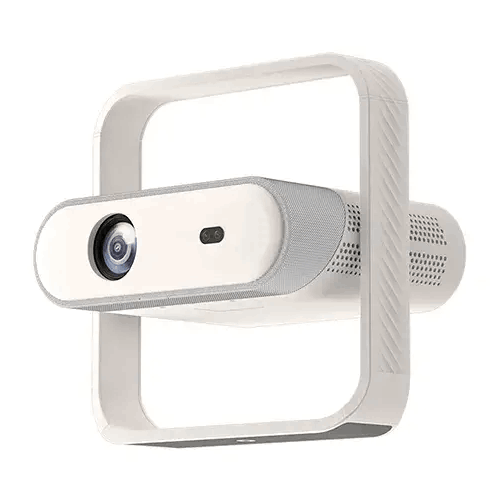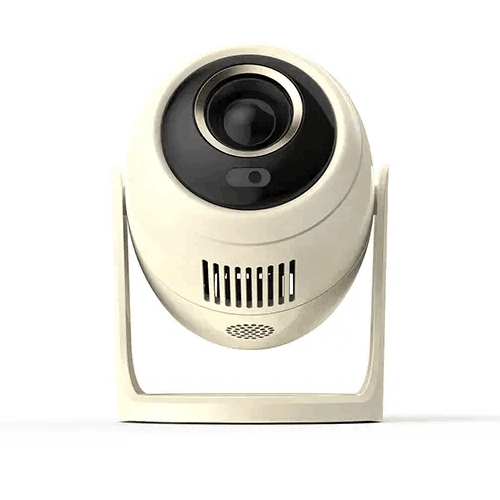
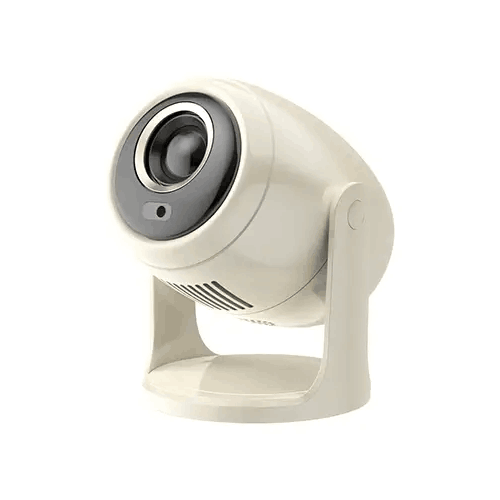
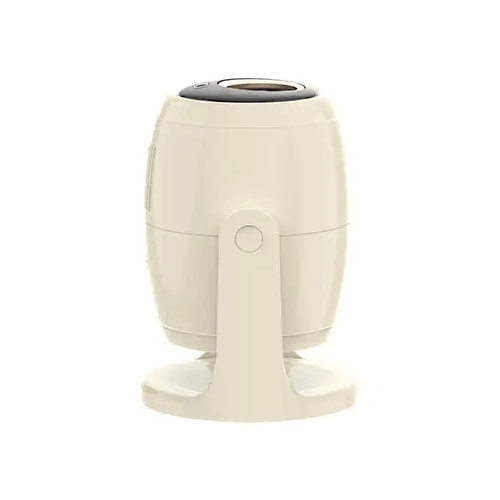
Blisbond B10 Multimode Portable Projector
Regular Price:৳13,500.00Availability: SKU: 4.40.580.9670
Quick Overview
-
Support
Saturday – Thursday: 09 AM - 06 PM. -
Payment
Cash on Delivery | Card | Online Payment -
Shipping Cost
Inside Dhaka 100tk | Outside Dhaka 150tk -
Warranty Policy
Read More
Description
Blisbond B10 Multimode Portable Projector in Banglades
The Blisbond B10 Multimode Portable Projector combines an LCD display, Android 12, dual-band Wi-Fi 6 and a 180° rotatable design. Its supplied specifications list HD 720P support at 1280 × 720, a 2.69-inch LCD, 230 ANSI lumens of brightness and a projected screen size of up to 150 inches. Autofocus and full auto keystone correction are also listed.
The B10 is described as a multimode projector, but the information supplied does not define what those modes are. This page therefore does not assume that “multimode” refers to a specific display, projection or operating mode. Confirm that detail if it matters to your intended use. Other listed features include Bluetooth 5.0, HDMI, USB, a 3.5 mm audio port, a built-in speaker and a stated LED lamp life of 30,000 hours.
Understand the listed resolution
The supplied specification says “HD 720P support (1280 × 720p).” It does not say whether this is the projector’s native resolution or a supported input resolution. That distinction matters: a source resolution and a projector’s native display resolution are not necessarily the same. Confirm the native resolution with BME or the product documentation if you need it for comparison.
The specification also lists a 2.69-inch LCD. This is a display-panel measurement, not the size of the projected image on a wall or screen. The projected image is listed as up to 150 inches. Ask whether the 1280 × 720 figure describes the projector’s display resolution, a supported signal or another specification before treating it as a native-resolution claim.
The source device, video format, focus and projection surface can all affect the picture. If you need the B10 for a particular laptop, media player or video file, check the source’s output and the projector’s supported formats before purchase.
Brightness and viewing conditions
The B10 is listed at 230 ANSI lumens. This figure can help when comparing projectors that use the same brightness measurement, but it does not guarantee the same viewing result in every room. Ambient light, image size and the surface onto which the projector shines all affect how visible the picture appears.
For a more comfortable image, consider reducing competing light where practical. Bright daylight or strong room lighting can make a projected image harder to see, particularly when using a large image size. The supplied information does not provide a recommended room size or explain how the brightness figure was measured, so consider your intended conditions before choosing the projector.
A larger image is not automatically better for every space. Think about viewing distance, room lighting and the content you plan to show. If picture visibility is important, ask about the recommended screen size for typical indoor lighting rather than relying only on the maximum screen-size figure.
Projected image size and the 150-inch maximum
The supplied specifications state that the Blisbond B10 can project an image up to 150 inches. They do not provide a projection distance or throw ratio, so the product details do not establish how far the projector must be from a wall or screen to achieve that size. Confirm the placement guidance if you have a specific room layout or screen size in mind.
Before setup, check the available space, the projection surface and where viewers will sit. Make sure the projector has a clear path to the screen and that the intended image does not extend beyond the usable area. The maximum figure is a stated capability, not a guarantee that a 150-inch image will suit every lighting condition or viewing distance.
The projector’s brightness rating should also be considered when deciding on image size. If you need a smaller image in a compact room, ask for the manufacturer’s distance-to-size chart to establish the appropriate position.
Autofocus and full auto keystone correction
Autofocus and full auto keystone correction are listed as setup features. Autofocus can adjust the image’s sharpness, while keystone correction is intended to address image shape when the projector is not aligned squarely with the projection surface. The supplied information does not state how these features detect the image, how quickly they operate or what correction range they offer.
Automatic adjustment can make setup more convenient, but it does not remove the value of careful placement. Start with a stable position and aim the projector toward the intended surface. Then check that the picture is focused and shaped as expected from the viewing area. If a particular angle or placement is important, confirm the adjustment limits before purchase.
The specifications do not describe manual controls, remote-control functions or whether focus and keystone settings can be adjusted separately. Ask for these details if the projector will be moved between rooms or used in different positions.
180° rotatable design
The B10 is described as having a 180° rotatable flexible design. This suggests that the projector can be turned to adjust its orientation, but the supplied information does not explain the rotation mechanism, supported positions or whether a stand or other accessory is required. Confirm the range and recommended use before planning an installation around a particular direction of projection.
Think about where the projector will sit and which surface it needs to face. Leave room for the projector’s body to rotate and check the cable route so connected cables are not pulled or obstructed when changing its position. The listed dimensions are 133 × 133 × 185 mm; their order is not labelled, so confirm the measurement orientation if you are checking shelf or storage space.
The 180° rotation figure should not be treated as a guarantee that the projector can be mounted in every orientation. Follow the manufacturer’s instructions for positioning and operation.
Android 12 and the stated app access
Android 12 is listed as the B10’s operating system. The supplied product information also states access to more than 700 apps and identifies Google CTS and XTS certification. These are claims in the supplied specification, not independently verified details in this draft. Confirm the exact certification and app access for the product version being sold in Bangladesh.
The phrase “access to 700+ apps” does not establish that every app is pre-installed, available in every region or compatible with the projector’s hardware. If you plan to use a particular streaming, education or presentation application, ask whether that exact app is supported and how it is installed. The supplied information does not list an app store, supported services or software update policy.
Android 12 can be one part of the viewing setup, but it does not guarantee access to every service or file format. You may also connect an external source through a compatible input. Confirm the available connection details and supported video modes for the device you intend to use.
Wi-Fi 6 and dual-band connectivity
The B10 is specified with dual-band Wi-Fi 6. This provides a wireless connectivity feature to consider when planning a home or presentation setup. The supplied details do not name the screen-sharing protocol, supported phones or computers, network requirements or whether additional software is needed.
Before relying on wireless sharing, check how the projector connects to your source device and whether both devices need to use the same network. Do not assume that Wi-Fi 6 means support for every screen-mirroring or casting standard. Ask about the supported method and compatible device operating systems if wireless projection is a priority.
Wi-Fi capability also does not by itself confirm access to a particular streaming service. App availability, network access and service requirements should be checked separately. If you prefer a wired source, the product lists HDMI, but the supplied information does not give its version or supported input formats.
Bluetooth 5.0 and speaker mode
Bluetooth 5.0 is listed as a connectivity feature. The B10’s product information also says that the projector can operate in Bluetooth speaker mode. The precise Bluetooth functions, pairing procedure, supported profiles and compatible device types are not described in the details supplied.
If you want to use the projector as a Bluetooth speaker, confirm how that mode is activated and which devices can send audio to it. The specifications do not state whether the projector can connect to external Bluetooth speakers or headphones, so do not assume those functions without confirmation.
Bluetooth speaker mode is distinct from projecting a video image. Check whether it can be used independently of projection and whether any operating conditions apply. This is particularly useful to verify if you plan to use the B10 for audio playback in addition to its projection function.
HDMI, USB and 3.5 mm audio port
The supplied specifications list HDMI, USB and a 3.5 mm audio port. The number and version of the ports, as well as the supported functions of USB and the direction of the audio connection, are not specified. Confirm these details before choosing cables or planning to connect external equipment.
For an HDMI source, check the projector’s supported input resolutions and formats against the output of your laptop, media player or other device. For USB, ask whether the port supports media playback, accessories or another use you need; the presence of a USB port alone does not establish which files or devices it accepts.
The 3.5 mm port is described as an audio port, but the supplied details do not say whether it is an input or output. Verify its function before connecting headphones, external speakers or another audio source. Also confirm which cables and adapters are included in the package.
Built-in speaker and Bluetooth audio
The B10 is specified with a built-in 4Ω, 3W speaker. Integrated audio can be convenient for personal viewing or simple playback, but the supplied information does not give a sound-pressure level, frequency response or room-size recommendation. Its suitability depends on listening distance, background noise and the number of people in the room.
The stated Bluetooth speaker mode offers another audio feature to check. Confirm which devices and functions are supported before relying on it. For a group presentation, a larger room or a noisy environment, consider whether a separate audio system may be required. If you plan to connect external speakers, first confirm the function of the 3.5 mm audio port.
Do not assume that built-in audio will provide the same coverage as a room sound system. Assess the speaker in the intended space if audio volume and clarity are important to your decision.
LED lamp life
The B10 is listed with an LED lamp life of 30,000 hours. This is a stated lifespan figure, not a guarantee that every unit will reach the same duration or maintain its original brightness throughout that time. The supplied information does not explain the test conditions or whether the LED light source is replaceable.
If long-term maintenance matters, ask whether the light source can be serviced and what care the projector requires. A stated lamp lifespan is not a warranty period. The specifications supplied list a 1-year official brand warranty separately; confirm its local terms and coverage before purchase.
Follow the manufacturer’s operating and care instructions once the projector is in use. The available product information does not provide ventilation requirements or maintenance intervals, so refer to the documentation for those details.
Dimensions and portable placement
The projector is listed at 133 × 133 × 185 mm. These dimensions provide a starting point for considering a shelf, table or storage space, but the supplied information does not label them by width, depth and height. Confirm the orientation of each measurement if it matters to your setup. No weight is provided.
Although the model is described as portable, check how it will be transported and positioned. The supplied specifications do not list a carrying case, mounting hardware, stand or power-adapter details. Confirm the package contents and the required power arrangement before planning to move it between locations.
Allow space for the projector’s ports and cables, and follow the manufacturer’s instructions for positioning. A stable surface and clear projection path can help avoid interruptions during use. Check that rotating the projector does not strain connected cables or block access to controls.
Possible uses for the Blisbond B10
The Blisbond B10 may be considered for home viewing, informal presentations, classroom content or occasional use in another room. Android 12, dual-band Wi-Fi and Bluetooth 5.0 are features to investigate if you want wireless options. Its listed 180° rotatable design may also be relevant if you need to adjust the direction of projection, subject to confirming how that feature works.
For a presentation, check that the source device connects through a supported method and that the room’s lighting suits the stated brightness. For home use, verify the apps, video formats and wireless-sharing method you plan to use. In a classroom or group setting, consider whether the image size and built-in 3W speaker suit the room and audience.
These are potential use cases, not guarantees of performance or app compatibility. Confirm the projector’s specifications against the actual room, source devices and content before choosing it.
Before completing your setup
Start by confirming the details that affect compatibility: whether 1280 × 720 is the native resolution or a supported input, what “multimode” means, which apps are accessible and how screen sharing works. Check the HDMI and USB capabilities, as well as whether the 3.5 mm audio port is an input or output.
Next, check the physical setup. Ask for the recommended projection distance and screen-size guidance, the supported rotation positions and any stand or mounting requirements. Verify the projector’s dimensions and package contents if you need to fit it in a specific location or transport it.
Finally, confirm the current price, availability and local terms for the stated 1-year official brand warranty with BME. These checks help ensure the B10 suits your setup without assuming that particular apps, accessories, ports or modes are included.
✅ Key Features
- HD 720P support: The supplied specification lists 1280 × 720 support but does not confirm native resolution.
- 2.69-inch LCD: An LCD panel size of 2.69 inches is listed.
- 230 ANSI lumens: The stated brightness provides a comparison point for projector selection.
- Android 12: The smart operating system is listed with access to 700+ apps, subject to confirming app availability.
- Automatic image adjustment: Autofocus and full auto keystone correction are specified.
- 180° rotatable design: The projector is described as having a flexible 180° rotation; its exact positioning range should be confirmed.
- Wi-Fi 6 and Bluetooth 5.0: Dual-band Wi-Fi and Bluetooth connectivity are listed.
- Built-in audio: A 4Ω, 3W speaker and Bluetooth speaker mode are specified.
- LED lamp life: The stated LED lamp lifespan is 30,000 hours.
- Compact dimensions: The supplied size is 133 × 133 × 185 mm.
✅ Usage / Applications
- Home viewing: Check that the supported resolution, apps and source devices suit your content.
- Informal presentations: Confirm HDMI or wireless compatibility with your presentation device.
- Classroom content: Assess brightness, image size and speaker suitability for the room.
- Training sessions: Verify the source connection and supported screen-sharing method before use.
- Occasional room-to-room use: Check the dimensions, power requirements and package contents for transport and placement.
- Wireless screen sharing: Confirm supported devices and protocols before relying on Wi-Fi.
- Bluetooth audio playback: Verify how Bluetooth speaker mode works with the device you plan to connect.
- Flexible projection setups: Check the 180° rotation range and any stand or mounting requirements.
✅ Benefits of This Product?
- Flexible placement potential: The stated 180° rotatable design offers an orientation option to investigate.
- Automatic setup features: Autofocus and full auto keystone correction are listed for image adjustment.
- Built-in smart operating system: Android 12 is specified, with app access claims to confirm for your region.
- Wireless connectivity options: Dual-band Wi-Fi 6 and Bluetooth 5.0 are listed.
- Compact listed dimensions: Its stated size can help with placement and storage planning.
- Integrated audio: The built-in 3W speaker offers an audio option without separate equipment for every setup.
- Multiple connection types: HDMI, USB and a 3.5 mm audio port are listed.
- Long stated LED life: The LED lamp is rated for 30,000 hours in the supplied information.
✅ Ideal For
The Blisbond B10 is ideal for buyers considering a compact projector with Android 12, wireless connectivity and automatic image-adjustment features. It may suit home viewing, informal presentations, classroom content or occasional use in different rooms, depending on the viewing conditions and connected devices. Its 230 ANSI lumens rating makes it important to think about ambient light and projected image size when deciding where to use it.
The 180° rotatable design may be useful to buyers who want flexibility in projector orientation, but the precise movement range and mounting requirements should be confirmed. Likewise, the supplied specification lists HD 720P support at 1280 × 720 but does not state whether that is the native resolution. Buyers should confirm that point, the meaning of “multimode,” app availability, screen-sharing compatibility and the functions of the HDMI, USB and 3.5 mm audio connections. The listed 1-year official brand warranty should also be checked for local terms.
✅ Why Choose the Blisbond B10 Multimode Portable Projector?
The Blisbond B10 brings together an Android 12 operating system, Wi-Fi 6, Bluetooth 5.0, autofocus, full auto keystone correction and a flexible 180° rotation design. These features make it worth evaluating for buyers who want a projector with wireless options and automatic image adjustment. The supplied specifications also list a built-in 4Ω, 3W speaker and Bluetooth speaker mode.
Its stated display information includes a 2.69-inch LCD and HD 720P support at 1280 × 720. The supplied data does not identify the native resolution, so clarify that point before comparing the B10 with projectors whose native resolutions are specified. The listed brightness is 230 ANSI lumens, which should be considered alongside room lighting and the desired image size.
Android 12 is listed with access to 700+ apps and Google CTS and XTS certification. Those claims should be confirmed for the exact model and Bangladesh market, especially if you plan to use particular applications. Similarly, check the screen-sharing method, functions of the physical ports and meaning of “multimode.”
Choose the B10 when its confirmed resolution, connectivity and placement features meet your needs. Verify the package contents and warranty terms before purchase.
✅ Why Buy This Product from BME?
Check BME’s product listing or contact BME for the current Blisbond B10 price and purchase details in Bangladesh. Because the supplied specifications do not answer every compatibility question, it is useful to confirm the details that matter to your setup before ordering.
Ask whether 1280 × 720 describes the B10’s native resolution or a supported input, and what functions are meant by “multimode.” If you plan to use Android apps, ask about the stated 700+ app access and Google CTS/XTS certification for the exact version being sold. You can also confirm how Wi-Fi screen sharing works and which devices are supported.
For installation planning, check the recommended projection distance, the meaning of the 180° rotation, the function of each port and any required stand, cable or power accessory. The supplied details do not list package contents. Confirm the local terms for the stated 1-year official brand warranty as well. These checks help you make a decision based on the actual product and your intended use.
✅ Buying Guide
- Confirm resolution: Ask whether 1280 × 720 is native resolution or supported input; the supplied information does not specify.
- Clarify “multimode”: Verify what modes the product name refers to rather than assuming particular functions.
- Assess room lighting: Consider the stated 230 ANSI lumens alongside your ambient light and intended image size.
- Plan projection distance: Ask for distance and screen-size guidance; only the 150-inch maximum is supplied.
- Check automatic adjustment: Confirm the operation and limits of autofocus and full auto keystone correction.
- Understand rotation: Ask how the 180° flexible design works and whether a stand or mount is required.
- Verify apps and certification: Confirm app availability and the stated Google CTS/XTS certification for the exact unit.
- Match wireless devices: Check screen-sharing compatibility and the intended functions of Bluetooth 5.0.
- Check port functions: Confirm what HDMI, USB and the 3.5 mm audio port support.
- Confirm purchase terms: Check package contents, current price and local warranty terms with BME.
✅ Customers Ask About / Frequently Asked Questions
- Q: What is the Blisbond B10 price in Bangladesh? A: The supplied information does not include a price. Check BME’s listing or contact BME for a current quote.
- Q: Is 1280 × 720 the projector’s native resolution? A: The supplied specifications say HD 720P support but do not identify the native resolution. Confirm this before purchase.
- Q: How bright is the B10? A: The listed brightness is 230 ANSI lumens.
- Q: What is the maximum listed screen size? A: The supplied information lists a screen size of up to 150 inches; projection distance guidance was not provided.
- Q: Does the projector have autofocus and keystone correction? A: Yes. Autofocus and full auto keystone correction are listed.
- Q: Which operating system does it use? A: Android 12 is listed. The supplied specification also claims access to 700+ apps.
- Q: Does it support Wi-Fi 6 and Bluetooth? A: Dual-band Wi-Fi 6 and Bluetooth 5.0 are listed. Screen-sharing methods and Bluetooth functions should be confirmed.
- Q: Can it work as a Bluetooth speaker? A: Bluetooth speaker mode is listed. Confirm its supported devices and operating method.
- Q: What connections are available? A: HDMI, USB and a 3.5 mm audio port are listed; the functions and port specifications are not provided.
- Q: What does “multimode” mean? A: The supplied information does not define the modes. Ask BME or consult the product documentation.
- Q: What warranty is stated? A: The supplied specifications list a 1-year official brand warranty. Confirm the local terms with BME.
✅ Why Buy This Product
Consider the Blisbond B10 if you want a compact projector with Android 12, dual-band Wi-Fi 6, Bluetooth 5.0, autofocus and full auto keystone correction. Its stated 180° rotatable design, built-in speaker and multiple listed connection types provide features to assess for home viewing or occasional presentations.
Before choosing it, confirm the native resolution: the supplied details list HD 720P support at 1280 × 720 but do not explicitly identify native resolution. Check what “multimode” means, which apps and screen-sharing methods are supported, and what each port does. Consider the 230 ANSI lumens rating and ask for projection-distance guidance for your room. For current product information and to confirm package contents and local warranty terms, contact BME before ordering.
What is the price of Blisbond B10 Multimode Portable Projector in Bangladesh?
Write a review
Question Answer
Have question about this product? Get specific details about this product from expert.