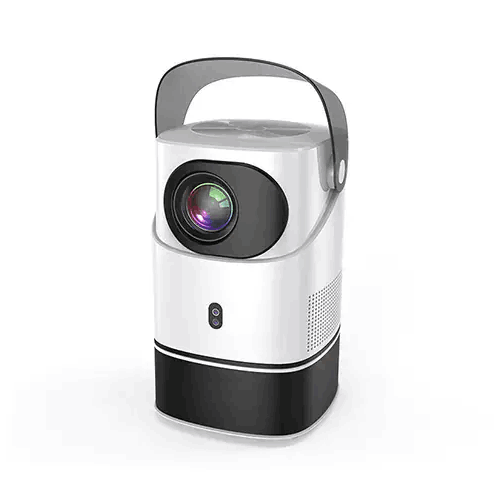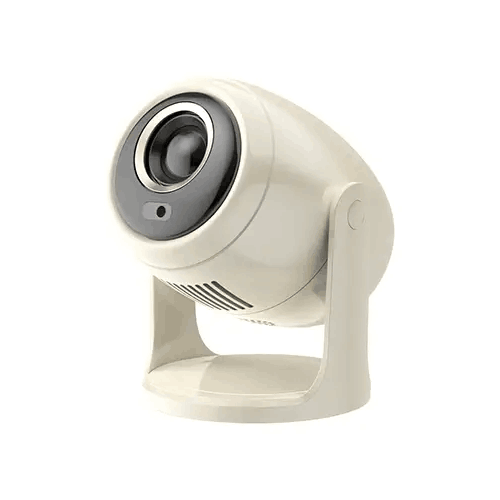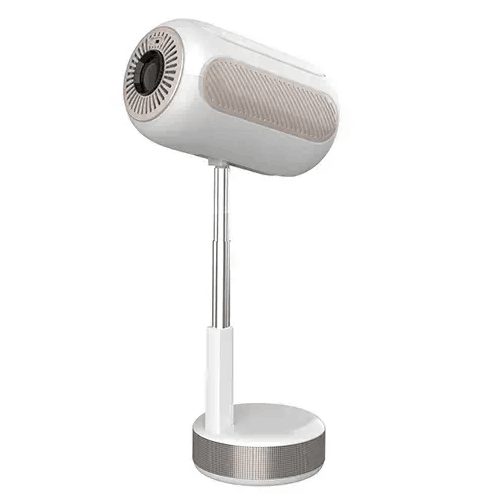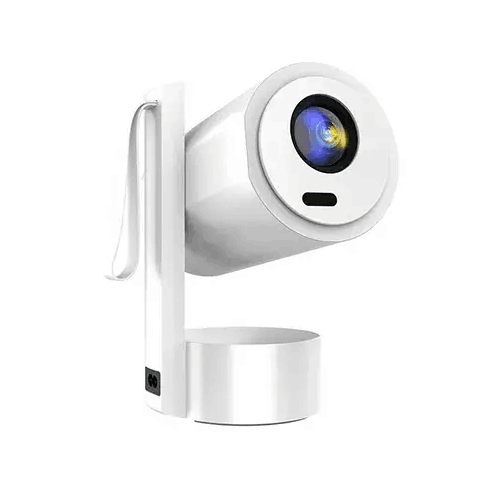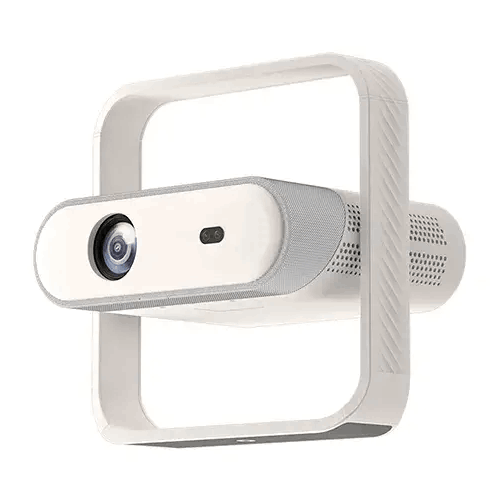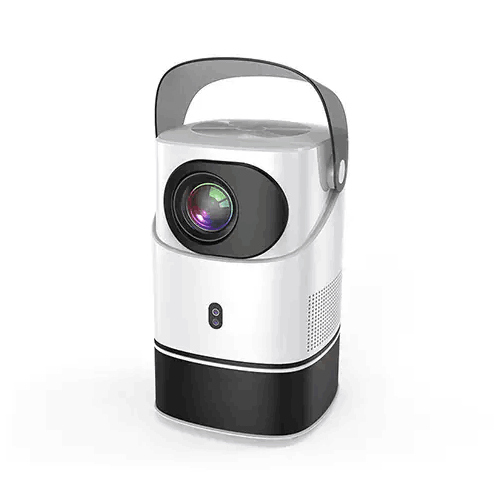
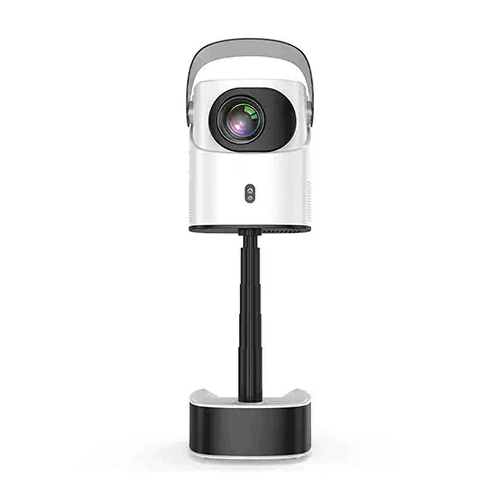
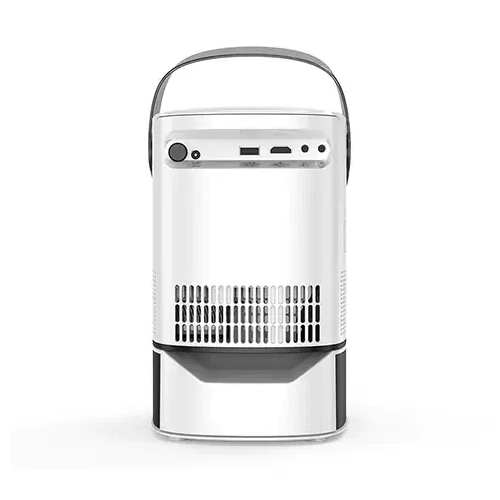
Blisbond Mirror 4K Gimbal Projector
Regular Price:৳22,990.00Availability: SKU: 4.40.580.9671
Quick Overview
-
Support
Saturday – Thursday: 09 AM - 06 PM. -
Payment
Cash on Delivery | Card | Online Payment -
Shipping Cost
Inside Dhaka 100tk | Outside Dhaka 150tk -
Warranty Policy
Read More
Description
Blisbond Mirror 4K Gimbal Projector in Banglades
The Blisbond Mirror 4K Gimbal Projector is specified with a Full HD display resolution of 1920 × 1080, support for 4K, 350 ANSI brightness, micro electronic focus and an infrared remote control. The supplied lamp specification is 42W, with a stated lamp life of 30,000 hours. Its product name identifies it as a gimbal projector, but the information provided does not give the gimbal’s movement range or explain its adjustment mechanism.
These specifications provide a starting point for comparing the Mirror with other projectors. They do not, on their own, establish which video formats it accepts, what connections it has or how it performs in a particular room. If you are choosing a projector for an existing setup, check the source device, screen size, room lighting and installation position before buying.
Understanding the listed resolution and 4K support
The supplied display resolution is FHD, or 1920 × 1080 pixels. “4K support” is also listed, but the details do not explain what that means for the Mirror. They do not specify whether it accepts a 4K signal, processes 4K files, supports particular 4K formats or displays an image at 4K resolution.
Keep these specifications distinct when comparing models. The listed FHD resolution is the clear resolution figure provided for the display. The 4K support claim needs clarification before you rely on it for a particular source or viewing workflow. Do not assume that a projector listing with “4K” in its name has native 4K resolution.
If 4K compatibility is important, ask which devices, inputs and formats are supported. Confirm how the projector handles that content and what resolution it displays. Also check the output settings on your laptop, media player or other source device. Matching the source and projector requirements before purchase can help avoid a setup that does not deliver the resolution you expected.
What 350 ANSI brightness means for your room
The Blisbond Mirror is listed at 350 ANSI lumens. This is a stated brightness rating that can be compared with other projectors using the same measurement. Perceived image visibility also depends on room lighting, screen size, projection surface and the content being shown.
Consider where you plan to use the projector and whether you can reduce competing light. Bright daylight or strong room lighting can make a projected image harder to see. The supplied information does not specify a recommended room size, viewing environment or image size. If image visibility is important, ask for guidance on suitable viewing conditions rather than relying on brightness alone.
It is also useful to consider brightness alongside image size. A larger projected image may be easier to view in one room than another, depending on ambient light and seating distance. The available specifications do not include a maximum image size or throw ratio, so confirm the placement guidance for your intended screen or wall before deciding how to set up the projector.
The gimbal design and projector placement
The product is named as a gimbal projector, which identifies the design as a feature to consider when planning projection direction. However, the supplied information does not state how far the projector can tilt or rotate, whether movement is manual or powered, or which orientations are supported. It also does not provide mounting or stand details.
Before planning the position, confirm the gimbal’s exact movement range and any restrictions on use. Think about where the projector will sit, which surface it needs to face and whether the desired image direction is possible. The gimbal description alone does not confirm a 180°, 270° or 360° range, so do not assume a specific angle.
Also plan the projector’s stability and cable access. The available details do not include dimensions or weight, so check those if you need to place it on a particular shelf or mount. Leave room for any required connections, and confirm whether a stand or mounting accessory is included. These checks are especially useful when the projector needs to fit into an existing room layout.
Micro electronic focus
“Micro Electronic Focus” is listed as the focus feature. This indicates that electronic focus is part of the supplied product description, but the specifications do not say whether focus adjustment is manual, automatic, remote-controlled or handled another way. They also do not provide a focus range or adjustment procedure.
When setting up a projector, focus affects how clearly text, images and other content appear from the intended viewing position. Confirm how the Mirror’s electronic focus is adjusted and whether it requires the remote control or another control method. If you plan to move the projector between rooms or use different projection distances, ask how focus is reset or adjusted after repositioning.
The focus feature should not be confused with keystone correction or automatic screen alignment. Neither of those functions was listed in the specifications supplied. If a particular adjustment feature matters to your setup, confirm it directly rather than inferring it from the focus description.
Infrared remote control
An IR remote control is listed for the Blisbond Mirror. It gives buyers a stated method of remote operation, but the supplied details do not identify which functions the remote controls, what batteries it uses or whether the remote is included in the package.
Before ordering, confirm the package contents and the remote’s supported controls. If you expect to adjust focus, source selection or other settings from the remote, ask whether those functions are available. The product information does not specify them.
Consider where the projector will be placed and how the remote will be used. The supplied information does not describe the location of the infrared receiver or its operating range. Check the instructions for the recommended way to use the remote in your intended setup.
The 42W lamp specification and stated lifespan
The product information lists a 42W lamp and a lamp life of 30,000 hours. These figures are useful points to compare, but the supplied details do not say whether 42W refers to the lamp alone or another power measurement. They also do not explain the conditions behind the stated lifespan or whether the lamp can be replaced.
Treat the 30,000-hour figure as the stated lamp-life specification, not as a warranty period or a guarantee that every unit will reach the same duration. Ask whether the lamp is serviceable and whether there are specific operating or care instructions if long-term maintenance matters to your purchase.
The supplied information does not identify the lamp technology, so this page does not describe it as LED or make assumptions about replacement parts. If you need to compare the projector’s power use, ask for the full power specification rather than using the lamp’s 42W figure as the projector’s total consumption.
Planning the screen and image size
No maximum projection size, throw ratio or projector-to-screen distance was supplied for the Mirror. This means the listed brightness and resolution are not enough to determine the size of image that will fit your room. If you already have a screen or a specific viewing distance in mind, ask for the manufacturer’s placement guidance before purchase.
Measure the available distance between the intended projector position and the projection surface. Check the usable width and height of the screen or wall, and consider where viewers will sit. Confirm how the projector is meant to be positioned and whether the gimbal can direct it to the required surface. These steps can help establish whether the projector fits the room before you arrange furniture or mounting hardware.
The projection surface matters too. A suitable screen or clean, appropriate wall provides a more predictable surface than an uneven or reflective one. The supplied information does not specify a screen type or projection ratio, so confirm any requirements if you are planning a fixed installation.
Checking video sources, ports and audio
The supplied specifications do not list HDMI, USB, wireless connectivity, an operating system, supported apps or built-in audio. Do not assume the Mirror has any of these features based on the words “4K” or “gimbal” in its title. If you plan to connect a laptop, media player, phone or other source, confirm the available inputs and supported signal formats first.
The same applies to sound. No built-in speaker, audio output or external-audio connection was included in the supplied details. If you need sound with video, ask how audio is provided and what equipment or cables are required. Depending on the setup, a separate audio device might be needed, but its compatibility cannot be determined from the specifications provided.
A short compatibility check can help identify the full equipment list: source device, projector input, any required adapter, screen and audio equipment. Confirm what comes in the box rather than assuming that cables, a remote, power accessories or mounting hardware are included.
Possible settings to consider
The Blisbond Mirror may be considered for home viewing, presentations, classroom content or other projection uses if its confirmed inputs and capabilities suit the setup. Its FHD display resolution, stated brightness, focus feature and gimbal design give buyers details to evaluate when comparing models.
For a presentation, confirm how a laptop or other source connects and whether the image size and brightness suit the room. For home viewing, check the source device and audio plan. In a classroom or meeting environment, consider the available lighting, audience position and required screen size. These are potential applications, not confirmation that the Mirror includes a specific operating system, streaming app, wireless connection or speaker.
The right use depends on the complete installation, not just the product name. Make sure the projector’s physical position, supported resolution and connections match the content and room before deciding.
What to confirm before purchase
Before ordering, confirm the exact meaning of “4K support” and the projector’s supported input formats. Ask how micro electronic focus works and what the gimbal’s range of movement is. If you need a specific screen size, request distance and throw-ratio information.
Check which ports and audio features are available, whether the projector has an operating system or wireless connectivity, and what is included in the package. The specifications supplied do not provide these details, nor do they state dimensions, weight or warranty terms.
Finally, confirm the current price and applicable purchase terms with BME. Checking these details in advance helps you select a projector that matches your sources, room layout and viewing requirements without relying on features that have not been specified.
✅ Key Features
- FHD display resolution: The supplied specification lists 1920 × 1080 resolution.
- Listed 4K support: 4K support is stated, but the accepted formats and display behaviour should be confirmed.
- 350 ANSI brightness: The specified brightness gives buyers a rating to compare with other projectors.
- Gimbal projector design: The product title identifies a gimbal design; its movement range is not provided.
- Micro electronic focus: Electronic focus is listed, with the adjustment method and range to confirm.
- IR remote control: An infrared remote control is listed; its functions and package inclusion are not specified.
- 42W lamp specification: The supplied lamp entry gives a 42W rating.
- 30,000-hour stated lamp life: The product information lists a lamp life of 30,000 hours.
✅ Usage / Applications
- Home viewing: Check that the source device, audio plan and room conditions suit the projector.
- Presentations: Confirm the required input and source-device compatibility before planning a presentation setup.
- Classroom content: Assess the stated brightness, available image size and room lighting for the space.
- Meeting rooms: Verify that the projector’s connections and image placement match the room equipment.
- Training sessions: Check how presentation content will reach the projector and whether separate audio is required.
- Projection onto a screen or wall: Confirm the throw distance, image size and surface requirements before installation.
- Gimbal-positioned layouts: Investigate the actual gimbal range to see if it suits the intended projection direction.
- Fixed installations: Confirm dimensions, mounting options, connections and power requirements before preparing the site.
✅ Benefits of This Product?
- Defined FHD specification: The listed 1920 × 1080 resolution gives buyers a clear figure to compare.
- 4K support to investigate: The supplied 4K claim gives buyers a point to verify against their intended source.
- Stated brightness rating: 350 ANSI lumens can be compared with projectors using the same brightness measure.
- Focus adjustment feature: Micro electronic focus is listed as a setup feature.
- Gimbal design to assess: The product’s gimbal designation offers a positioning feature to investigate for the room.
- Remote-control option: An IR remote control is listed for operation.
- Lamp details provided: The supplied information specifies both a 42W lamp and a 30,000-hour stated life.
- Clearer buying checks: Confirming missing connection and installation details helps match the projector to the complete setup.
✅ Ideal For
The Blisbond Mirror is ideal for buyers considering an FHD projector with a gimbal design, electronic focus and an IR remote control. Its listed 1920 × 1080 display resolution and 350 ANSI brightness provide useful starting points for comparing projectors for home viewing, presentations, classroom content or other projection needs. Suitability will depend on the lighting, screen size, source device and room layout.
Buyers interested in the product’s 4K support should confirm exactly what formats and input methods it accepts; the supplied information does not explain how that support works. Likewise, the gimbal’s movement range, focus controls, ports, audio, wireless features, dimensions and operating system are not specified here. Confirm these points if they matter to your setup. The stated lamp life is 30,000 hours, but no warranty terms were supplied, so check the applicable coverage separately.
✅ Why Choose the Blisbond Mirror 4K Gimbal Projector?
The Blisbond Mirror is worth considering if you are comparing projectors that list Full HD resolution, 4K support, a gimbal design and electronic focus. Its specified display resolution is 1920 × 1080, while the separate 4K support claim gives you a point to check against your video sources. The exact meaning of that claim is not supplied, so buyers should confirm supported formats rather than assume native 4K projection.
The projector is listed at 350 ANSI lumens. This gives you a brightness figure to compare with other models, while also reminding you to consider room lighting, projected image size and viewing distance. The product title identifies a gimbal design, but does not provide the gimbal’s movement range or mounting method. Confirm that the projector can be positioned as required in your space.
Micro electronic focus and an IR remote control are also listed. Their functions and operating details are not provided, so ask what the remote controls and how focus is adjusted. The lamp specification gives a 42W figure and a stated life of 30,000 hours; the 42W figure should not be treated as the projector’s total power consumption without confirmation.
Choose the Mirror when its confirmed specifications suit your setup. Before purchase, verify the inputs, audio, dimensions, installation requirements and package contents.
✅ Why Buy This Product from BME?
Use BME’s product listing or contact BME to check the current price and purchase details for the Blisbond Mirror in Bangladesh. The supplied specifications leave several points open, so confirming them can help you decide whether the projector suits your equipment and room.
Ask what “4K support” means for the exact model and which input formats it accepts. If the gimbal’s positioning range matters, request details about its movement and mounting requirements. You can also check the available ports, built-in audio, operating system, wireless features and source-device compatibility; none of these details were included in the information supplied for this page.
Before ordering, confirm the full package contents, including whether the IR remote and required cables or power accessories are included. Ask about the dimensions and weight if you need to plan a shelf or installation. No warranty period was supplied, so confirm the applicable warranty terms with BME. These checks help you make an informed choice without assuming that unlisted accessories or features are included.
✅ Buying Guide
- Check resolution: Confirm that the listed FHD resolution meets your needs; ask what the 4K support claim covers.
- Assess brightness: Compare 350 ANSI lumens with your room lighting and intended image size.
- Plan the projection position: Request the throw ratio, projection distance and supported image-size guidance.
- Clarify the gimbal: Ask for its movement range, positioning method and any mounting requirements.
- Understand focus: Confirm how micro electronic focus is controlled and whether adjustment is automatic or manual.
- Verify the remote: Check its functions and whether the IR remote is included.
- Check source connections: Confirm the available inputs and supported formats for your laptop or media device.
- Plan audio: Ask whether a speaker or audio output is provided and what external equipment may be needed.
- Confirm lamp details: Clarify what the 42W figure measures and how the stated 30,000-hour life is defined.
- Review purchase terms: Confirm package contents, dimensions and applicable warranty terms with BME.
✅ Customers Ask About / Frequently Asked Questions
- Q: What is the Blisbond Mirror projector price in Bangladesh? A: The supplied details do not include a price. Check BME’s listing or contact BME for a current quote.
- Q: What display resolution is listed? A: The supplied specification lists FHD at 1920 × 1080.
- Q: Is it a native 4K projector? A: Native 4K is not specified. The information lists FHD resolution and separate 4K support; ask what that support means.
- Q: How bright is the projector? A: Its stated brightness is 350 ANSI lumens.
- Q: What does the gimbal support? A: The product is titled a gimbal projector, but its movement range and mounting method were not supplied.
- Q: What focus feature does it have? A: Micro electronic focus is listed; the operating method and range are not specified.
- Q: Does it include a remote control? A: An IR remote control is listed, but package contents and remote functions should be confirmed.
- Q: Does it have Wi-Fi or Bluetooth? A: Neither is specified in the supplied details. Confirm connectivity before purchase.
- Q: Does it have a built-in speaker or audio port? A: Audio features and ports were not listed. Ask BME to confirm the available audio options.
- Q: What is the stated lamp life? A: The supplied specification lists a 42W lamp and a 30,000-hour lamp life.
- Q: What warranty is included? A: No warranty period was provided. Confirm the applicable terms with BME.
✅ Why Buy This Product
Consider the Blisbond Mirror if you are looking for a projector with a listed FHD resolution of 1920 × 1080, 350 ANSI brightness, micro electronic focus and an IR remote control. Its gimbal designation may also be relevant when planning projector positioning, but the exact movement range needs confirmation.
The product information lists 4K support, a 42W lamp and a stated lamp life of 30,000 hours. Before choosing it, clarify what 4K support means, check the gimbal’s adjustment range and confirm the connections, audio features and package contents. Consider the brightness alongside your room lighting and intended image size. For current product details and to check whether the Blisbond Mirror fits your setup, contact BME before ordering.
What is the price of Blisbond Mirror 4K Gimbal Projector in Bangladesh?
Write a review
Question Answer
Have question about this product? Get specific details about this product from expert.