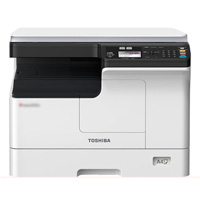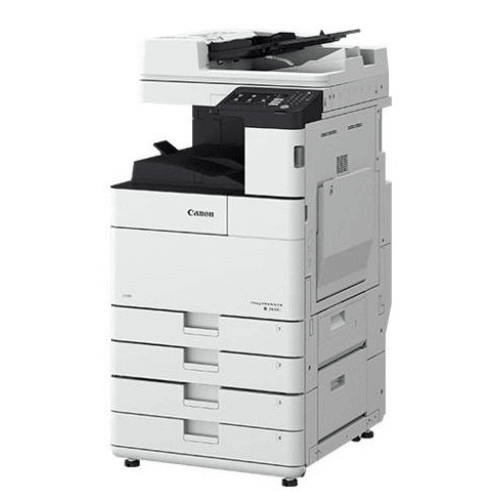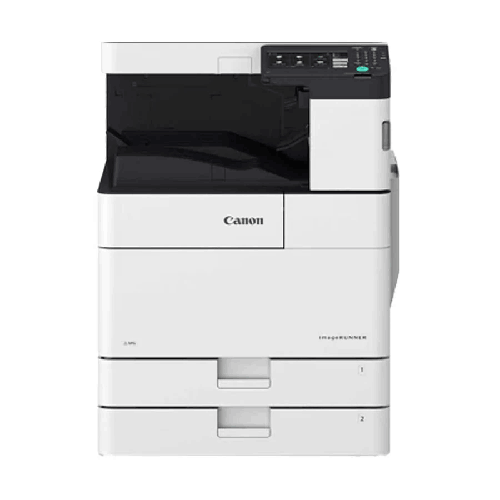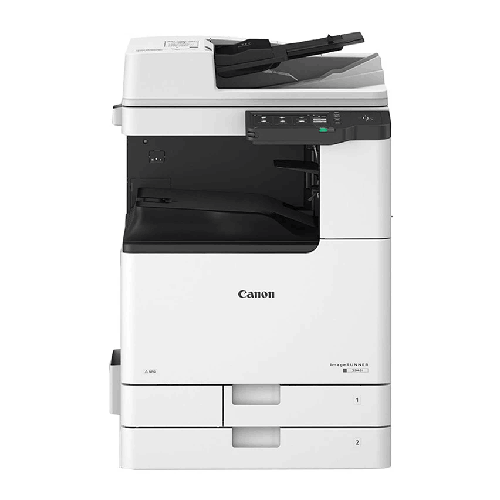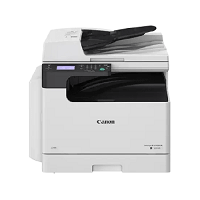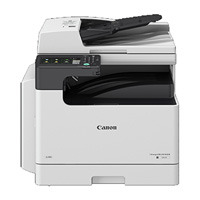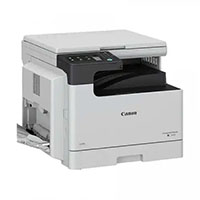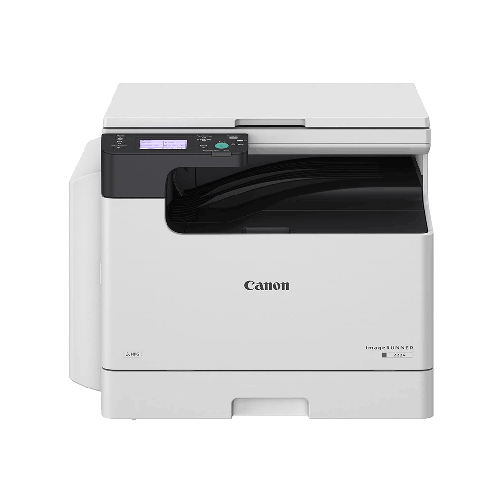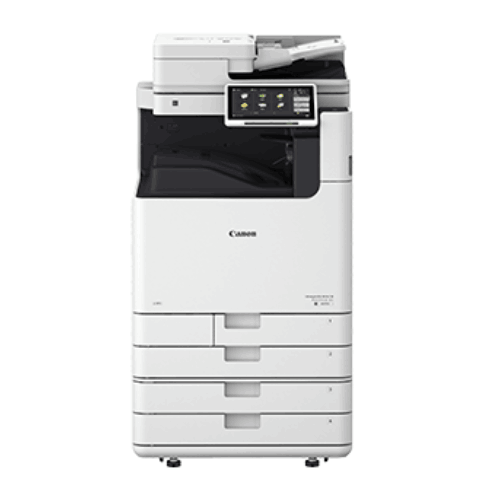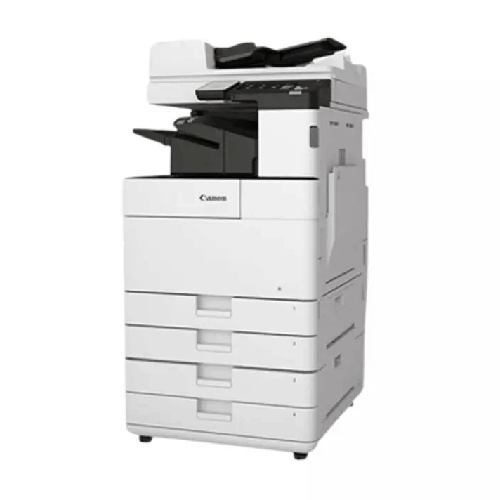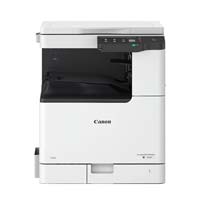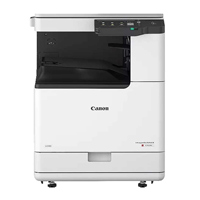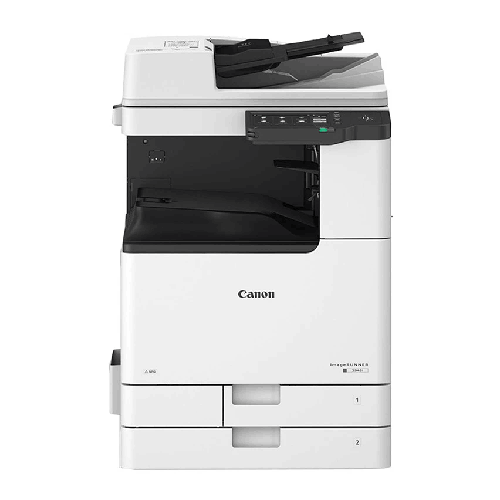
Canon imageRUNNER 2925i A3 Automatic Black & White Multifunctional Monochrome Laser Photocopier
Regular Price:৳0.00Availability: SKU: 1.1.7.9496
Quick Overview
-
Support
Saturday – Thursday: 09 AM - 06 PM. -
Payment
Cash on Delivery | Card | Online Payment -
Shipping Cost
Inside Dhaka 1000tk | Outside Dhaka 1500tk -
Warranty Policy
Read More
Description
Canon imageRUNNER 2925i A3 Automatic Black & White Multifunctional Monochrome Laser Photocopier in Bangladesh
The Canon imageRUNNER 2925i A3 Automatic Black & White Multifunctional Monochrome Laser Photocopier (25ppm, LAN, Wi‑Fi, USB, DADF) (Regional) is a versatile, office‑class document hub designed for Bangladeshi businesses, schools, coaching centres, clinics, NGOs, and copy corners that need an efficient and modern A3 monochrome solution.
With 25 pages‑per‑minute speed, true A3 capability, and connectivity options covering LAN, Wi‑Fi, and USB, plus a DADF (Duplex Automatic Document Feeder) for efficient scanning and copying of multi‑page documents, the imageRUNNER 2925i delivers a powerful blend of performance, convenience, and affordability.
If you’ve reached the limits of a small desktop printer or an old analogue copier, the Canon IR 2925i gives you a proper office‑grade imageRUNNER machine in a size and speed that make sense for small to mid-sized Bangladeshi setups.
A3 Multifunctional Workhorse for Everyday Documents
The Canon imageRUNNER 2925i is a true multifunctional photocopier, combining:
- Print – Laser printing in black & white up to A3
- Copy – Digital photocopying with automatic document feeding
- Scan – Document scanning for digital workflows (destination options depend on configuration/IT setup)
This three‑in‑one design makes it an ideal central document station for:
- Offices printing letters, bills, challans, reports, and forms
- Schools and colleges printing circulars, notices, question papers, and certificates
- Coaching centres printing notes, class tests, and model questions
- Clinics and labs printing and copying forms, prescriptions, and reports
- Small photocopy shops offering black & white copy/print services
By consolidating print, copy, and scan into one device, you simplify management, save floor space, and cut down on multiple cartridges or toners.
Monochrome Laser Output – Sharp and Economical
The IR 2925i is a monochrome laser system. That means:
- Output is black-and-white only, optimised for text and simple line art.
- You get crisp, business-grade quality on letters, contracts, invoices, or exam sheets.
- Running costs per page stay significantly lower than with inkjet or small colour devices.
In Bangladesh, where the majority of office and academic printing is straightforward black‑and‑white documents, this is exactly what most organisations need. You’re not paying for colour hardware and toner that you rarely use, but you still get professional results.
25 ppm Speed – Perfectly Balanced for Many Teams
With an engine speed of around 25 pages per minute (A4), the Canon imageRUNNER 2925i hits a sweet spot:
- Faster and more robust than basic home/SOHO printers
- Not as big, complex, or expensive as heavy enterprise units
In day‑to‑day Bangladeshi use, 25ppm is excellent for:
- Offices of 5–25 users sharing a single central copier/printer
- School or college admin offices handling regular publications and exam needs
- Coaching centres with moderate daily loads
- NGO field offices or branch offices that need dependable but not ultra‑high‑volume machines
- Small copy corners in markets, campuses, and near institutions
You get enough speed that people don’t feel stuck at the machine for every job, but not so much capacity that you’re overspending for your volume.
A3 Capability – Essential for Real-World Bangladesh Use
Unlike many small printers, the Canon IR 2925i supports A3 paper natively. This matters because in Bangladesh:
- Many ledgers, registers, and manual books are A3 or larger.
- Government departments and educational institutions use A3 for special forms and wall notices.
- Timetables, student lists, charts, and seating plans are easier to read at A3 size.
With an A3‑capable device:
- You can copy and print large sheets in-house.
- You don’t need to cut or fold documents to fit them into a smaller device.
- You can enlarge A4 content to A3 for display, or reduce A3 to A4 for filing.
This is a key difference between the IR 2925i and many desktop printers. For schools, coaching centres, offices dealing with registers, and general copy shops, A3 flexibility is a must-have.
LAN, Wi‑Fi & USB – Connectivity That Fits Any Office Layout
The Canon imageRUNNER 2925i (Regional) includes LAN, Wi‑Fi and USB connectivity options, giving you complete flexibility in how you deploy and use it:
- LAN (Ethernet) – Connect to your office network so all PCs and laptops on the LAN can print to it. This is the standard approach in most modern offices.
- Wi‑Fi – Great for offices that rely heavily on wireless networks, or where cabling is difficult. Staff can send print jobs from laptops and supported devices via Wi‑Fi (within network policies).
- USB – Ideal for direct connection to a single PC (e.g., in a small office or single-user environment), or as an emergency fallback.
In the Bangladesh context, where many smaller offices and coaching centres work from Wi‑Fi routers and mixed device fleets:
- Wi‑Fi lets teachers print from laptops without plugging in cables.
- Small business owners can place the copier in the most convenient location, not just near a network switch.
- A mix of LAN and Wi‑Fi can serve both fixed desktops and roaming laptops seamlessly.
This tri‑mode connectivity makes the IR 2925i particularly attractive to organisations that want a modern, flexible setup.
DADF – Duplex Automatic Document Feeder for Fast Multi-Page Jobs
The DADF (Duplex Automatic Document Feeder) in the model name is a big productivity boost. It allows the machine to:
- Automatically feed multiple pages for copying or scanning.
- Handle double-sided originals more efficiently (depending on specific DADF capabilities).
In practice, this means:
- You can place a stack of documents (e.g., 20‑50 pages) into the feeder and copy/scan them in one go.
- You don’t need to lift and place each page manually onto the glass.
- Duplex handling saves even more time when dealing with double-sided originals.
For Bangladeshi offices and institutions dealing with:
- Application forms and admission files
- Legal bundles and contracts
- Student records and academic files
- Business agreements and HR dossiers
…the DADF feature significantly reduces manual workload and time spent at the machine.
Network Printing & Shared Use
Once the IR 2925i is on your LAN or Wi‑Fi network:
- Multiple users can print to it from their PCs/laptops.
- You can designate it as the main office printer, especially for A3 and bulk black‑and‑white jobs.
- Basic policies (like encouraging double-sided printing) can be used to reduce paper waste.
This is particularly relevant for:
- Offices upgrading from several small printers to one shared device
- Institutions wanting to standardise print management
- NGOs and branch offices wanting better cost control and centralisation
The 2925i becomes the document hub, not just a stand-alone copier.
Scanning – Entry Point to Digital Workflows
While many buyers focus on printing and copying, the scan function of the Canon IR 2925i is an important part of modern workflows:
- You can scan paper documents into digital files.
- These files may be saved to a PC directly, shared folder, or used in other workflows depending on how your IT team configures the environment.
Real‑life examples in Bangladesh:
- An NGO field office scans completed survey forms to send to the Dhaka head office.
- A school admin office scans old student records to digital archives.
- A small business scans signed agreements for email sharing and electronic storage.
- A clinic scans prescription copies or referral notes.
The DADF makes these scanning tasks far more efficient because you don’t have to place each page individually.
User-Friendly Design for Everyday Staff
Canon designs imageRUNNER devices like the 2925i with everyday office users in mind:
- Clear, straightforward buttons or touch interface (depending on regional variant)
- Logical menus for copying and scanning
- Simple choices for number of copies, paper size, and duplex settings
- Clear error messages and indicators for paper jams or low toner
This means:
- Office assistants, teachers, and shop staff can quickly learn how to use it.
- You don’t waste time explaining complex operations every week.
- Basic issues can often be resolved by users following on‑screen guidance.
In Bangladesh, where staff technical skill levels can vary widely, this ease-of-use is practical and important.
Built for Real-World Conditions in Bangladesh
The Canon imageRUNNER 2925i A3 Monochrome Photocopier is intended as a business‑class machine, built to handle:
- Extended daily operation
- Frequent small to medium-size print and copy jobs
- Occasional bigger runs (e.g., exam papers, monthly reports)
To help it thrive in Bangladeshi conditions:
- Place it in a reasonably ventilated, clean space.
- Avoid direct sunlight and sources of excessive dust or moisture.
- Use a UPS and surge protector if your area is known for voltage instability or frequent load shedding.
With basic care, the 2925i can serve reliably for years.
Real-Life Usage Scenarios in Bangladesh
-
Medium-Sized Coaching Centre in Uttara
The centre prints class notes, weekly tests, and model exams. Teachers send prints over Wi‑Fi from their laptops; admin staff use the copier daily. The DADF helps quickly copy sets of question papers and answer keys. -
School Office in Dhanmondi
The school uses the IR 2925i to produce notices, circulars, fee slips, and certificates. A3 mode comes into play for exam schedules and seating arrangements displayed on notice boards. -
Small Corporate Office in Motijheel
A 20-person trading firm prints invoices, challans, and contracts. The 2925i serves as the main printer/copier. Documents needing signatures are later scanned for digital storage and emailing. -
NGO Field Office in Rangpur
Project staff print data collection forms; when forms return filled, they are fed through the DADF, scanned, and uploaded for analysis in Dhaka. The Wi‑Fi function supports a flexible office layout in a rented house. -
Copy Shop Near a Polytechnic or College
The shop uses the Canon IR 2925i to serve students with assignments, forms, and black‑and‑white print jobs. A3 is available for larger formats, and 25ppm ensures queues move at a reasonable pace.
These are the everyday, real‑world cases where the IR 2925i fits naturally.
Maintenance & Care
To keep your Canon imageRUNNER 2925i working at its best:
- Use decent paper: Choose reasonable quality A4/A3 stock to minimise dust and jams.
- Use appropriate toner: Stick with genuine Canon or high‑quality recommended alternatives; very cheap toner can shorten component life.
- Clean regularly: Wipe surfaces, clean scanner glass, and keep document feeder paths dust-free.
- Watch the alerts: Replace toner and address paper jams when indicated; don’t run devices at “empty” for long.
- Service when due: Periodic professional maintenance—especially in higher-use environments—prevents bigger breakdowns.
Good habits here directly translate into more uptime and fewer repair bills.
✅ Key Features
- A3 Monochrome Multifunctional Device: Print, copy, and scan in black & white up to A3 size from a single unit.
- 25 ppm Laser Engine: Solid, mid-range speed ideal for small and mid-sized teams with steady workloads.
- LAN, Wi‑Fi & USB Connectivity: Flexible connection options to fit wired, wireless, or simple single‑PC setups.
- DADF (Duplex Automatic Document Feeder): Automates feeding of multi-page and double-sided originals for efficient copying/scanning.
- Network-Ready Shared Printer: Designed to be used by multiple users across your office network.
- User-Friendly Operation: Simple control panel and clear menus reduce training needs and daily confusion.
- Compact Office Footprint: Smaller and more affordable than high-end enterprise units, yet more robust than SOHO printers.
- Regional Model Suitability: Tuned and packaged for markets like Bangladesh, supporting local office needs.
✅ Usage / Applications
- Small and mid-sized corporate offices in Dhaka and other cities
- Schools, colleges, and madrasas for notices, exam papers, and admin work
- Coaching centres and training institutes
- NGO head and field offices printing forms and scanning field data
- Clinics, diagnostic centres, and small hospitals
- Small photocopy and printing shops with moderate A3/A4 mono volume
- Real estate agencies and consultancy firms
- Local government and semi-government branch offices
✅ Benefits of This Product?
- Replaces Multiple Devices: One A3 MFP instead of separate printers, copiers, and scanners.
- Reduces Running Costs: Mono laser design and centralised usage drive down cost per page.
- Improves Productivity: 25ppm speed, DADF, and network/Wi‑Fi printing save time every day.
- Supports Digital Records: Scanning moves you towards better digital archive practices.
- Handles A3 Without Outsourcing: Manage large sheets for registers and notices in-house.
- Fits Budget & Space Constraints: Office‑class capability in a size and price range suitable for small to mid markets.
- Backed by Canon Reputation: Confidence in build quality, consistency, and service ecosystem.
✅ Ideal For
The Canon imageRUNNER 2925i A3 Multifunctional Monochrome Laser Photocopier is ideal for Bangladeshi organisations that need a real office‑class machine but are not yet at “large enterprise” scale. If you have outgrown desktop printers, but full-blown high‑end copiers feel overwhelming in size and cost, the 2925i meets you in the middle.
It’s particularly well-matched to coaching centres, school admin offices, NGOs, clinics, consultancy firms, and small to mid-sized companies that print and copy regularly, require A3 capability, and want the flexibility of LAN/Wi‑Fi printing and automatic document feeding. If your team needs a dependable “main photocopier/printer” without overcomplicating things, this is a strong candidate.
✅ Why Choose the Canon imageRUNNER 2925i A3 Automatic Black & White Multifunctional Monochrome Laser Photocopier (25ppm, LAN, Wi‑Fi, USB, DADF) (Regional)?
Choosing the Canon IR 2925i means selecting a balanced, future‑ready document hub tailored to everyday office realities. You get:
- A proper imageRUNNER‑class engine with A3 support
- Practical speed (25ppm) for modest but serious workloads
- Modern connectivity (LAN + Wi‑Fi + USB) to fit different IT environments
- A DADF that dramatically simplifies handling multi-page and two‑sided originals
Compared with a stack of cheap printers and a basic old copier, the IR 2925i reduces long‑term printing costs, cuts down on user frustration, and brings your office closer to more professional, digital‑friendly document practices. Compared with much larger and costlier enterprise MFPs, it’s easier to afford, install, and manage in smaller spaces.
As a regional model, it’s also aligned with the requirements and packaging expected in markets like Bangladesh—making deployment smoother.
✅ Why Buy This Product from BME?
Purchasing the Canon imageRUNNER 2925i from Business Machine & Equipment (BME) connects you with a local Bangladeshi specialist in office and business equipment. BME focuses on offering genuine Canon units that are suited to our environment and use cases.
When you work with BME, you can:
- Discuss whether the 2925i’s speed and duty class match your current and anticipated needs.
- Get practical guidance on LAN/Wi‑Fi configuration, physical placement, and consumables management.
- Receive formal quotations and documentation appropriate for corporate, institutional, or NGO procurement processes.
While specific installation and after‑sales support arrangements depend on agreement and location, BME’s intention is always to act as a reliable, long‑term partner, not just a box seller—especially when it comes to devices that underpin your daily operations like photocopiers and printers.
Buying through BME also helps mitigate the risk of accidentally purchasing refurbished or grey‑market units with uncertain history or support.
✅ Buying Guide
When considering the Canon imageRUNNER 2925i for your organisation, follow these steps:
1. Assess Your Volume
Estimate:
- Average daily pages printed/copied
- Monthly total volume
- Peak times (exam season, reporting deadlines, etc.)
If you’re beyond SOHO levels but below heavy industrial levels, 25ppm is often ideal.
2. Confirm A3 Use Cases
List when and why you need A3:
- Registers/logbooks?
- Notices, timetables, seating plans?
- Official forms or drawings?
If A3 is more than a rare exception, the IR 2925i’s capability will be crucial.
3. Decide on Connectivity Strategy
Work with IT/tech staff to plan:
- LAN connectivity for desktops
- Wi‑Fi settings for laptops and mobile devices
- USB use (if any) for standalone PCs
4. Plan Physical Placement
Choose a central location with:
- Easy access for all users
- Adequate space for paper handling and door openings
- Nearby power outlet and, if using LAN, Ethernet point
- Minimal exposure to dust, heat, and humidity
5. Budget for Total Cost of Ownership
Ask BME about:
- Toner yield and expected cost per page
- Typical drum/maintenance cycles
- Recommended service intervals
Plan OPEX accordingly.
6. Train Users Briefly
Introduce staff to:
- Basic printing, copying, and scanning
- Using the DADF correctly
- Simple issue handling (adding paper, clearing minor jams)
7. Avoid Common Mistakes
- Don’t underestimate your volume and end up with an underpowered device.
- Don’t skip network/Wi‑Fi setup and then use it like a basic standalone copier.
- Don’t place it in cramped, hot, or dusty locations.
- Don’t buy the cheapest possible consumables and then face breakdowns.
Good planning and BME’s guidance will ensure the IR 2925i delivers its full value.
✅ Customers Ask About / Frequently Asked Questions
Q1: Is the Canon imageRUNNER 2925i suitable for small and medium offices in Bangladesh?
Yes. Its 25ppm speed, A3 capability, and network/Wi‑Fi connectivity are ideal for small to mid-sized offices, schools, coaching centres, clinics, and NGOs.
Q2: Does the IR 2925i support A3 printing and copying?
Yes. It is an A3-capable monochrome multifunction device, supporting both A3 and A4 (and related) sizes.
Q3: What does DADF mean and why is it useful?
DADF stands for Duplex Automatic Document Feeder. It can automatically feed multi-page and double‑sided originals for copying or scanning, saving you from placing each page manually.
Q4: Can we print over Wi‑Fi from laptops?
Yes, once Wi‑Fi is configured and drivers are installed correctly, supported laptops on the same network can print to the device wirelessly.
Q5: Is this a colour copier?
No. The IR 2925i is a black‑and‑white (monochrome) copier/printer/scanner, optimised for text and line work.
Q6: Does it have scanning capability?
Yes. It can scan documents; specific scan‑to‑destination options (PC, folder, email) depend on your IT setup and configuration.
Q7: Is 25ppm enough for a coaching centre or school office?
For most small or mid-sized coaching centres and school offices with moderate volumes, 25ppm is adequate. For very heavy volumes, you might consider higher-speed models.
Q8: Are toner and spare parts available in Bangladesh?
Yes. Consumables and spares for Canon imageRUNNER series devices such as the 2925i are typically available from authorised channels and suppliers like BME.
Q9: Do we need a professional for installation?
You can handle basic setup, but for network/Wi‑Fi printing and scanning in an office, professional or IT assistance is recommended for best results.
Q10: How should we handle power issues?
Use a good UPS and surge protector to safeguard against power fluctuations and load shedding, which are common in many parts of Bangladesh.
✅ Why Buy This Product
The Canon imageRUNNER 2925i A3 Automatic Black & White Multifunctional Monochrome Laser Photocopier (25ppm, LAN, Wi‑Fi, USB, DADF) (Regional) is a smart, balanced solution for Bangladeshi organisations that need professional grade A3 printing, copying and scanning without stepping into the cost and complexity of very large enterprise systems.
It offers enough speed and robustness to handle everyday document tasks comfortably, modern connectivity to fit into your existing IT environment, and helpful automation (DADF) to significantly cut down manual handling of multi-page documents. Over time, it will reduce your cost per page compared to small printers, simplify your document infrastructure, and give your team a reliable, go-to device for daily work.
If you’re ready to upgrade from basic or outdated equipment and want a copier/printer that truly fits your office size, order the Canon imageRUNNER 2925i from BME today and build a more efficient, connected document workflow for your organisation.
What is the price of Canon imageRUNNER 2925i A3 Automatic Black & White Multifunctional Monochrome Laser Photocopier in Bangladesh?
Write a review
Question Answer
Have question about this product? Get specific details about this product from expert.