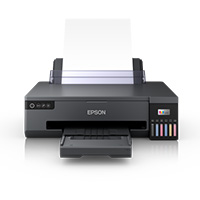
Canon PIXMA G570 Wireless Inkjet Photo Printer
Cash Price: ৳27,250.00 Regular Price:৳28,500.00Availability: In Stock SKU: 1.4.7.3091
Quick Overview
-
Support
Saturday – Thursday: 09 AM - 06 PM. -
Payment
Cash on Delivery | Card | Online Payment -
Shipping Cost
Inside Dhaka 300tk | Outside Dhaka 700tk -
Warranty Policy
Read More
Description
Buy Canon PIXMA MegaTank G570 6 Colour Photo Printer Price in Bangladesh.
Bring detailed, colourful photo printing into your home, studio or small business with the Canon PIXMA G570 Wireless Inkjet Photo Printer. This single-function MegaTank printer uses six dye-based ink colours—black, grey, cyan, magenta, yellow and red—to reproduce a broader range of tones for photographs and creative prints. The Canon PIXMA MegaTank G570 Wireless Single Function MegaTank, a 6-Color Photo Printer designed to deliver exceptional photo printing quality with the convenience of MegaTank technology. This printer is equipped with a large ink reservoir system, offering efficient and cost-effective printing for photo enthusiasts and creative individuals. The PIXMA Wireless Single Function MegaTank G570 employs a 6-color ink system, ensuring vibrant and accurate color reproduction for your photos. With the inclusion of additional color cartridges such as Photo Blue and Red, this printer goes beyond traditional CMYK configurations to capture a wider spectrum of colors, resulting in stunning, lifelike prints.
This printer features MegaTank technology, allowing for high-volume printing with minimal interruptions. The generous ink reservoirs can hold a significant amount of ink, reducing the frequency of cartridge replacements. This not only contributes to cost savings but also ensures you can tackle large photo printing projects without worrying about running out of ink. The PIXMA Wireless Single Function MegaTank G570 accommodates various paper sizes and types, including standard photo sizes, envelopes, and more. Its versatility allows you to explore different creative projects and print on different media, expanding your printing possibilities. Experience the convenience of wireless printing with the PIXMA Wireless Single Function MegaTank G570. Easily connect your smart devices, such as smartphones and tablets, to the printer for seamless photo printing. This wireless capability adds flexibility to your printing workflow, allowing you to print directly from your mobile devices without the need for a computer. Take advantage of the Canon Print app, which enhances your printing experience. The app provides easy navigation, allowing you to control the printer settings, select photo layouts, and monitor ink levels directly from your mobile device.
The PIXMA Wireless Single Function MegaTank G570 boasts a compact and stylish design, making it an excellent addition to any home or office space. Its space-saving form factor doesn't compromise on functionality, delivering professional-quality photo prints in a compact footprint. With Canon's advanced printing technology, the MegaTank G570 achieves high-resolution prints, ensuring sharp details and clarity in every photo. Whether you're printing landscapes, portraits, or other creative projects, this printer is designed to meet the demands of discerning photographers. Monitor your ink levels easily with the front-facing ink tanks, allowing you to see the remaining ink at a glance. This transparency enables proactive ink management, ensuring you're aware of when it's time to replenish your ink supply.
The refillable ink system is designed for regular photo printing, helping reduce the interruption of frequent cartridge changes. Canon estimates a yield of up to 3,800 4 × 6-inch photos from a set of GI-73 ink bottles under its test conditions; actual results vary with image content, print settings and paper. The printer supports borderless printing up to A4, and a 4 × 6-inch borderless photo takes approximately 47 seconds under Canon’s stated conditions.¹
Print over Wi-Fi or USB, and send jobs from compatible phones, tablets and computers using supported services such as Canon PRINT, AirPrint and Mopria. The G570 is designed for printing only, so it does not include a scanner or copier.¹
Key Features
- Six-colour photo ink system: Black, grey, cyan, magenta, yellow and red inks help produce nuanced colour and tonal detail in photo prints.
- Refillable MegaTank design: Large refillable tanks make it practical to print photos regularly without relying on frequent cartridge replacement.
- High estimated photo yield: Canon states up to 3,800 4 × 6-inch photos per set of GI-73 bottles under its test conditions, supporting higher-volume photo printing.¹
- High-resolution output: A maximum print resolution of 4,800 × 1,200 dpi helps preserve detail in photographs and graphics.¹
- Borderless photo printing: Print edge-to-edge photos up to A4 size for albums, frames, displays and creative projects.¹
- Wireless printing: Connect over 2.4 GHz Wi-Fi to print from compatible computers and mobile devices.¹
- Mobile print options: Supported services include Canon PRINT, AirPrint and Mopria, subject to device and network compatibility.¹
- Wireless Direct support: Send print jobs directly to the printer from compatible devices without routing through a standard wireless router.¹
- Wireless PictBridge: Print directly from compatible cameras that support Wireless PictBridge.¹
- Simple status and settings access: A two-line LCD helps with printer navigation and setting confirmation.¹
- Compact desktop footprint: At approximately 445 × 340 × 136 mm and 5.1 kg, it can fit on many home or studio work surfaces.¹
- Banner printing support: Canon lists printing on media up to 1.2 metres long, useful for selected decorative or promotional projects.¹
Usage and Applications
The Canon PIXMA G570 is suited to:
- Printing family photos, travel memories and photo albums
- Producing borderless 4 × 6-inch and A4 photo prints
- Small photography studios and event photographers with regular photo-printing needs
- Home-based creative businesses printing selected photo products
- Printing invitations, greeting cards and other compatible media projects
- Creating promotional images and display prints for small businesses
- Printing photos wirelessly from compatible smartphones, tablets and computers
For best results, choose compatible photo paper and the appropriate print settings for the media.
Benefits of Canon PIXMA G570
The G570 combines a six-colour ink setup with refillable tanks, making it a practical choice for users who print photos often and want control over ongoing ink use. Wi-Fi and mobile printing support make it easier to send prints from everyday devices, while borderless A4 output gives users room for more than standard snapshot sizes. Its single-function design is focused on photo and document printing; buyers who need scanning or copying should consider an all-in-one model instead.
Why choose the Canon PIXMA G570?
Choose the G570 if you want a dedicated photo printer with six refillable ink colours, wireless printing and borderless output up to A4. It is particularly relevant for households, creators and small studios that print photos regularly. Canon’s stated recommended monthly volume is 50–250 4 × 6-inch photos; use this as a reference point when comparing it with printers intended for heavier production workloads.¹
Why buy this product from BME?
BME is a Bangladesh-based retailer of printing devices and related products. Buying through BME lets you check local price and stock information and contact the retailer about purchase details. Before ordering, confirm the current price, stock status, warranty coverage, included accessories and availability of genuine GI-73 ink bottles directly with BME, as these details can vary.
Buying Guide:
- Estimate your monthly photo volume. Compare your needs with Canon’s recommended monthly volume of 50–250 4 × 6-inch photos.¹
- Check the print sizes you need. The G570 supports borderless printing up to A4; confirm that this covers your intended projects.
- Compare ink availability and cost. Ask about genuine GI-73 ink bottle availability in Bangladesh and check the current local cost before buying.
- Choose suitable paper. Photo quality depends on compatible media and the right driver settings; confirm the paper sizes and types you plan to use.
- Check connectivity requirements. The printer supports Wi-Fi and USB; verify that your devices and network are compatible.
- Decide whether you need more than printing. The G570 is single-function. If you need copying or scanning, look for an all-in-one model.
- Confirm local purchase terms. Ask BME to confirm current price, stock, warranty and what comes in the box before placing an order.
Frequently asked questions:
What is the Canon PIXMA G570 used for?
It is a single-function inkjet printer designed for photo and document printing, with a six-colour refillable ink system.
Does the Canon PIXMA G570 support Wi-Fi printing?
Yes. Canon lists Wi-Fi, Wireless Direct and Wireless PictBridge, as well as supported mobile printing services including Canon PRINT, AirPrint and Mopria. Device and network compatibility applies.¹
Can it print borderless photos?
Yes. Canon lists borderless printing up to A4 size.¹
How fast does it print a 4 × 6-inch photo?
Canon lists approximately 47 seconds for a 4 × 6-inch borderless photo using PP-201 paper under its stated conditions. Actual speed can vary with settings, device and media.¹
How many photos can a set of ink bottles print?
Canon estimates up to 3,800 4 × 6-inch photos per set of GI-73 bottles under its test conditions. Actual yield depends on the images and print settings.¹
Does the G570 scan or copy?
No. The PIXMA G570 is a single-function printer; it does not include scanning or copying.
Which ink does the Canon PIXMA G570 use?
Canon specifies GI-73 dye-based ink bottles in black, grey, cyan, magenta, yellow and red. It also lists the MC-G02 maintenance cartridge.¹ Confirm local consumable availability before purchase.
What is the Canon PIXMA G570 price in Bangladesh?
The current Bangladesh price and stock can change. Contact BME or check its current product listing for the latest price and purchase terms.
What is the price of Canon PIXMA G570 Wireless Inkjet Photo Printer in Bangladesh?
Topics products
Write a review
Question Answer
Have question about this product? Get specific details about this product from expert.

HiTi P525L Compact Mini Lab Photo Printer

Epson EcoTank L8050 Ink Tank Photo Printer

FujiFilm Frontier DE100-XD Inkjet Photo Printer