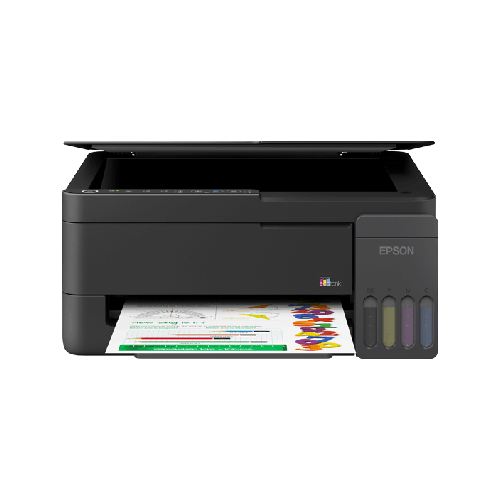
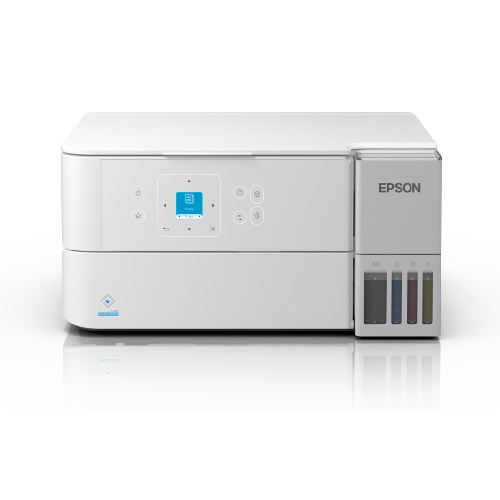
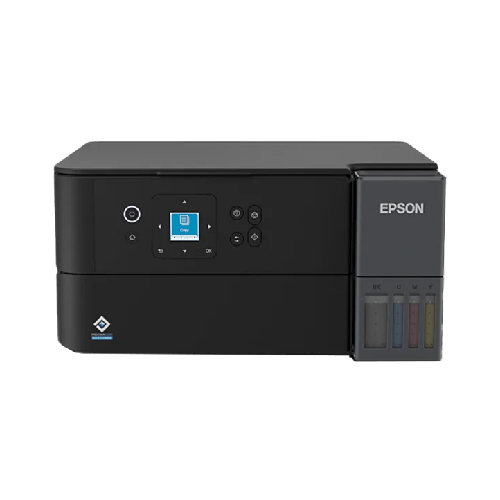
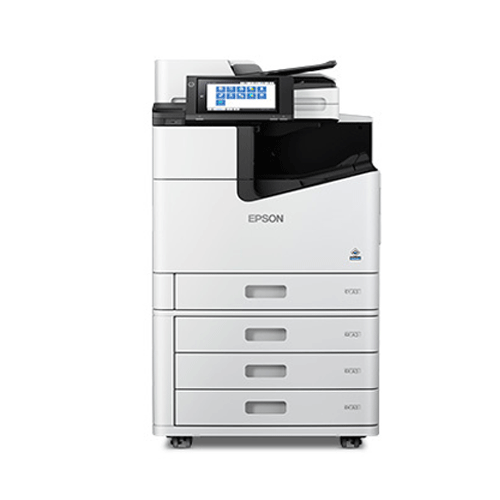
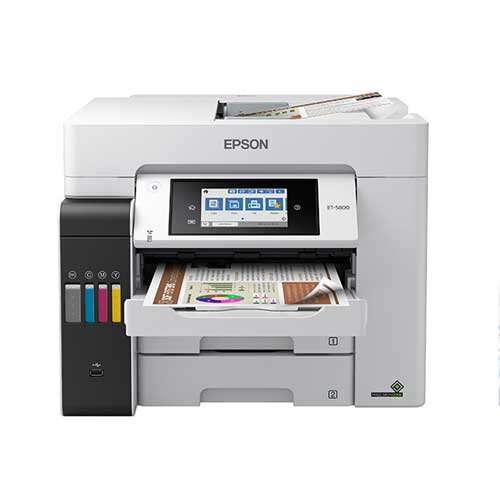
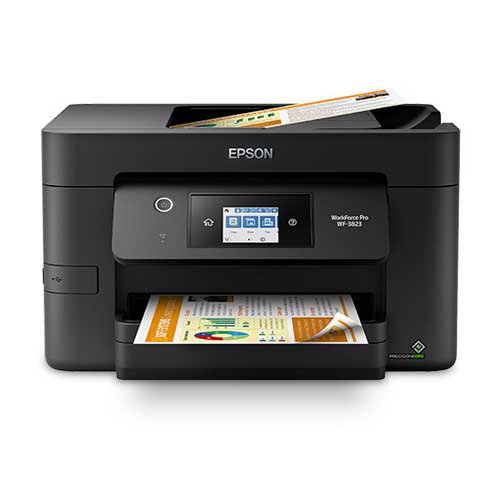
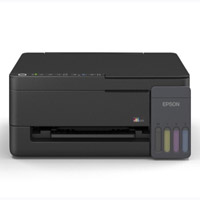
Epson WorkForce Pro WF-3823 Wireless All-in-One Printer
Regular Price:৳0.00Availability: SKU: 1.3.8.9055
Quick Overview
-
Support
Saturday – Thursday: 09 AM - 06 PM. -
Payment
Cash on Delivery | Card | Online Payment -
Shipping Cost
Inside Dhaka 200tk | Outside Dhaka 350tk -
Warranty Policy
Read More
Description
Epson WorkForce Pro WF-3823 Wireless All-in-One Printer in Bangladesh
The Epson WorkForce Pro WF-3823 Wireless All-in-One Printer is designed for users in Bangladesh who need more than a basic home printer. It’s built for busy homes, growing home offices, and small businesses that want sharp documents, professional colour, and the flexibility of wireless, all from a single compact machine.
In many Bangladeshi households and offices, a printer is no longer “nice to have”—it’s a daily tool. From printing school assignments and bank documents in Dhaka, to preparing invoices and reports for a small business in Chattogram or Sylhet, the need for a reliable all-in-one is growing fast. The Epson WorkForce Pro WF-3823 Wireless All-in-One Printer answers that need by combining printing, scanning, and copying into one intelligent, easy-to-use device.
Because official specifications can vary slightly by region and package, this description focuses on commonly known capabilities of the Epson WorkForce Pro WF series and the WF-3823 model class, without inventing any numbers. You get a realistic understanding of what this printer can do in real Bangladeshi conditions—crowded desks, mixed paperwork, and regular Wi‑Fi usage.
A Smart All-in-One Experience for Bangladesh
The Epson WorkForce Pro WF-3823 Wireless All-in-One Printer is built around a simple idea: your printer should help you work, not slow you down. Instead of juggling multiple devices for printing, scanning, and copying, this model puts everything in one compact footprint, ideal for apartments, small offices, and coaching centres where space is tight.
You can place it in a corner of your living room in Dhaka, set it on a counter in a small shop in Narayanganj, or keep it inside a director’s room in a corporate office. The wireless capability means you don’t have to keep it right beside your computer—just connect it to the network and print from different rooms.
Whether it’s a university student printing research papers, a freelancer preparing proposals for clients, or a small business owner publishing catalogues, the Epson WorkForce Pro WF-3823 Wireless All-in-One Printer is built to handle mixed tasks day after day.
Key Printing Technology & Real-World Impact
The Epson WorkForce Pro WF-3823 Wireless All-in-One Printer belongs to Epson’s WorkForce Pro family, which typically uses advanced inkjet technology designed for office-class performance. While we are not listing any unconfirmed technical terms, you can expect:
- Crisp text and sharp details: Ideal for official letters, agreements, CVs, tender documents, and academic reports. Text appears clear and easy to read, which is essential when you’re printing documents for submission to banks, embassies, or government offices in Bangladesh.
- Colour output for graphics and images: The printer is designed to handle colour as well as black-and-white documents, allowing you to print presentations, charts, marketing flyers, and school projects with visual impact.
- Ink efficiency orientation: WorkForce Pro models are typically engineered for better ink usage than regular consumer inkjet printers, focusing on office-style productivity. This can be an advantage for Bangladeshi users who print frequently and want more value from every ink cartridge.
For Bangladesh’s mixed climate—heat, humidity, and often dusty environments—inkjet technology is also attractive because it usually requires less warm-up time and can be more energy-efficient than traditional laser printers. You simply turn it on and get started quickly, which is important when you have time-sensitive print jobs.
Performance & Everyday Speed
The Epson WorkForce Pro WF-3823 Wireless All-in-One Printer is made for real work. In a busy household or small office, you don’t want to wait ages for documents. While exact print speeds can vary depending on the file and settings, this model class is known for:
- Quick first-page output: The first page typically comes out reasonably fast, so you’re not left standing at the printer, especially when you are in a rush before a meeting or class.
- Reliable text printing for bulk jobs: For stacks of invoices, drafts, or office memos, this printer is aligned towards consistent, reliable performance. Instead of sending files one by one to a small home printer, you can queue larger jobs with confidence.
- Balanced colour performance: For colour documents—like school projects, simple brochures, or sales proposals—the WorkForce Pro WF-3823 Wireless All-in-One Printer offers a blend of quality and speed that suits day-to-day business and educational needs.
Performance isn’t only about pure pages per minute. It’s also about how the printer behaves when connected via Wi‑Fi, how quickly it wakes from sleep, and how stable it is in a shared-office context. The Epson WorkForce Pro WF-3823 Wireless All-in-One Printer is intended to fit into such shared use scenarios, allowing multiple users in a home or small office environment to send jobs without constant intervention.
Wireless Printing & Smart Connectivity
One of the major advantages of the Epson WorkForce Pro WF-3823 Wireless All-in-One Printer for Bangladesh is its wireless capability. Instead of running long USB cables or relying on a single PC, you can integrate this model into your Wi‑Fi network and print from multiple devices.
Typical connectivity features for this printer class include:
- Wi‑Fi printing: Connect the printer to your existing router and print from desktops, laptops, and in many cases, smartphones and tablets that are on the same network.
- USB connectivity: For those who prefer a direct, wired connection to a single PC—like in some corporate environments or secure offices—you can usually connect via USB cable.
- Network printing suitability: The WorkForce Pro series is often deployed in small workgroups, making this model a solid candidate for shared use in a small office, coaching centre, or IT training lab.
For Bangladesh users juggling multiple devices—Windows laptops, Android phones, perhaps an iPad—the ability to print wirelessly is a major convenience. You can, for example, quickly print a PDF from your phone before heading to a visa appointment, or print a school assignment the moment it’s completed on a laptop, without searching for cables.
Scanning & Copying: All-in-One Convenience
The Epson WorkForce Pro WF-3823 Wireless All-in-One Printer is not just about printing. As an all-in-one, it also provides scanning and copying functions in one body, which is extremely useful in the Bangladeshi context where you often need photocopies or digital scans of NID cards, passports, certificates, and forms.
Typical experiences include:
- Flatbed scanning: Place a document, ID card, or photograph on the glass and capture a digital copy to your computer. This is especially useful for students submitting assignments online, job seekers uploading scanned certificates, or businesses storing digital records of signed contracts.
- Copy function: With simple front-panel controls, you can make one or multiple copies of a document without needing a computer. This is handy in homes and small offices that frequently copy application forms, utility bills, or official letters.
- Document archiving: Scan contracts, receipts, and agreements to create a digital archive. This is a growing practice for businesses in Bangladesh that want better record management but cannot invest in dedicated scanners.
By integrating printing, scanning, and copying, the Epson WorkForce Pro WF-3823 Wireless All-in-One Printer reduces the need to purchase multiple separate devices. This saves money, desk space, and power outlets—crucial for compact urban apartments and small commercial offices.
Design & Build Quality for Modern Bangladeshi Spaces
The Epson WorkForce Pro WF-3823 Wireless All-in-One Printer has a modern, professional look typical of the WorkForce Pro family. It’s designed to fit in both home and office environments without looking out of place.
Key design advantages include:
- Compact footprint for an office-class printer: While larger than a basic home-only printer, the WF-3823 remains suitably compact to sit on a desk, workstation, or small printer table. This suits homes in Dhaka, Gazipur, or Khulna where space is often at a premium.
- Front access to key areas: Loading paper, replacing ink cartridges, and accessing the control panel are all typically done from the front, making it easier to place against a wall or in a tight corner.
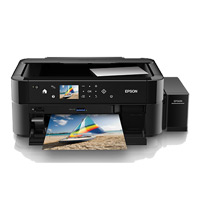
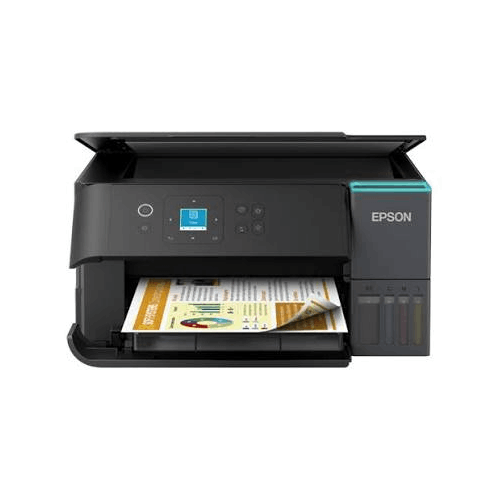
- Control panel with display: The Epson WorkForce Pro WF-3823 Wireless All-in-One Printer typically includes a user-friendly control panel with a display screen, navigation buttons or touch controls, and quick access functions. This makes on-device operations (like copying or network setup) more intuitive, even for less tech-savvy users.
The overall build is geared toward reliability and a professional feel—important if you plan to keep the printer visible to clients or guests in a reception area or director’s room.
Real-Life Usage Scenarios in Bangladesh
To understand the value of the Epson WorkForce Pro WF-3823 Wireless All-in-One Printer, picture how it fits into day-to-day life in Bangladesh:
-
Home & Family Use
- Parents print school homework, worksheets, project covers, and admission forms for children.
- University students print lab reports, thesis drafts, and journal articles.
- Families scan and store important documents like NID, birth certificates, property documents, and bank statements.
-
Home Office & Freelancers
- Freelancers print client invoices, proposals, and contracts.
- Remote workers participating in international projects print meeting notes and presentations.
- Small consultants scan signed agreements and send digital copies via email.
-
Small Businesses & SME Offices
- Shops and retailers print price lists, product sheets, VAT-related documents, and small signage.
- Accountants or auditors print and copy financial reports.
- Service providers like salons, gyms, and training centres share the printer among staff for administrative work.
-
Education Centres & Coaching
- Coaching centres print question sets, model tests, and handouts for students.
- Language institutes produce forms, feedback sheets, and certificates.
- IT training labs use the Epson WorkForce Pro WF-3823 Wireless All-in-One Printer as a central device for trainers and admin staff.
-
Load-Shedding & Power Considerations
While exact power ratings are not listed here, inkjet-based office printers like this generally consume less power than many laser printers. When used with a standard UPS or small backup system (commonly available across BD), you are more likely to keep basic printing and scanning operational during short load-shedding periods.
Compatibility & Ecosystem
The Epson WorkForce Pro WF-3823 Wireless All-in-One Printer is typically compatible with common operating systems such as modern versions of Windows and macOS. Many users also leverage mobile printing features through Epson’s ecosystem (where regionally supported), enabling printing from smartphones or tablets.
Important compatibility aspects to consider:
- Operating system support: Ensure official drivers are available for your version of Windows or macOS. This is important for stable performance in offices and schools.
- Network environment: The printer works best on a stable Wi‑Fi network. For offices with multiple rooms, a good router and signal coverage will improve wireless performance.
- Ink availability: Epson ink cartridges for the WorkForce Pro series are typically available through reputable IT and printer retailers in Bangladesh. Buying genuine ink helps maintain print quality and avoid damage caused by low-quality third-party ink.
If you are planning to integrate the Epson WorkForce Pro WF-3823 Wireless All-in-One Printer into a larger office environment with multiple PCs, speak with your IT team or BME’s sales team for advice on network setup and driver deployment.
Maintenance & Care Tips
To keep the Epson WorkForce Pro WF-3823 Wireless All-in-One Printer running smoothly in Bangladesh’s climate:
- Place on a stable, dust-free surface: Avoid keeping the printer on unstable tables or floors. A small dedicated printer stand or solid desk is ideal.
- Protect from direct sunlight and moisture: Long-term exposure to direct sun and humidity can impact plastic and internal components. Keep it in a dry, shaded area.
- Use regularly: Inkjet printers generally perform best when used regularly. Printing a few pages each week can help keep print heads in good condition.
- Use genuine ink cartridges: Non-genuine inks can potentially cause clogging and poor print quality. Genuine Epson supplies are recommended for best results.
- Cover when not in use: In dusty areas, covering the printer with a light cloth when powered off can reduce dust accumulation.
These are general best practices that help prolong the life of most inkjet all-in-one printers in local conditions.
✅ Key Features
- Wireless All-in-One Convenience: Combines printing, scanning, and copying in a single device, saving space and simplifying your home or office setup.
- Office-Class Print Quality: Produces sharp text and professional-looking documents suitable for official, academic, and business use across Bangladesh.
- Colour Printing Capability: Handles both black-and-white and colour documents, perfect for presentations, school projects, marketing materials, and reports.
- Network-Friendly Operation: Designed to be shared over a Wi‑Fi network, so multiple users in a home, coaching centre, or small office can print without cable clutter.
- User-Friendly Control Panel: On-device controls and display (where equipped) make it easy to copy, scan, and manage settings even without a computer.
- Compact Yet Professional Design: Fits comfortably on a desk or small cabinet while maintaining a modern, business-ready look.
- Efficient Inkjet Technology: Aims for better ink efficiency than basic consumer printers, making it a strong option for users who print frequently.
- Versatile Document Handling: Ideal for printing contracts, forms, school assignments, charts, flyers, and family photos in one machine.
- Suitable for Bangladesh Power Environment: Inkjet architecture is generally power-efficient, making it practical for use with UPS or backup power setups.
- Flexible Connectivity Options: Offers both wireless and wired connection options (model-dependent) to fit different office and home setups.
✅ Usage / Applications
- Printing school homework, assignments, and project reports at home.
- Producing invoices, quotations, and financial statements for small businesses.
- Creating training materials, handouts, and test papers for coaching centres and institutes.
- Scanning and archiving important personal documents like NID, passports, and certificates.
- Printing presentations, proposals, and reference documents for corporate meetings.
- Copying application forms, utility bills, and ID documents for bank or visa processing.
- Generating simple colour flyers, brochures, and promotional sheets for shops and SMEs.
- Supporting remote workers and freelancers who need reliable document output from home.
- Everyday household printing of photos, recipes, tickets, and online forms.
✅ Benefits of This Product?
- One device for multiple tasks: Reduces the need to buy separate printer, scanner, and copier units.
- Improved productivity: Supports faster, smoother handling of daily document tasks, ideal for busy homes and offices.
- Professional output at home: Lets you produce business-quality documents without visiting a print shop.
- Space-saving design: Compact form factor fits in limited spaces common in urban apartments and small offices in Bangladesh.
- Flexible device usage: Wireless printing allows multiple users and devices to share the printer easily.
- Cost-conscious performance: WorkForce Pro orientation focuses on efficiency, helping frequent users get more value from their printer.
- Better document control: On-site printing and scanning give you more privacy for sensitive documents.
✅ Ideal For
The Epson WorkForce Pro WF-3823 Wireless All-in-One Printer is ideal for Bangladeshi users who need more than a casual home printer but are not yet ready for a large corporate machine. If you run a small office, coaching centre, consultancy, or freelance business from your home, this printer fits right into your workflow. It allows you to print invoices, proposals, study materials, and reports without depending on outside print shops, saving you time and providing better confidentiality for sensitive documents.
Families with school-going children and university students will also benefit significantly. Assignments, presentations, and project reports can be printed on demand, while the scanning feature helps submit work online or store important certificates digitally. For remote workers and professionals working from apartments or shared flats in Dhaka, Chattogram, and other cities, the Epson WorkForce Pro WF-3823 Wireless All-in-One Printer offers the reliability and convenience of an office-class printer in a compact format. It’s a strong choice for anyone who prints frequently and wants a blend of quality, convenience, and long-term value.
✅ Why Choose the Epson WorkForce Pro WF-3823 Wireless All-in-One Printer?
Choosing the Epson WorkForce Pro WF-3823 Wireless All-in-One Printer means investing in a device that’s built with practical productivity in mind. Instead of a simple home-only printer, you get an office-oriented all-in-one that can keep up with regular, serious use. It combines printing, scanning, and copying to support a full range of document tasks from one central hub.
Compared to basic entry-level models, the WorkForce Pro WF-3823 focuses on a better balance of speed, efficiency, and print quality. This means you can handle more pages without sacrificing clarity, which is essential when printing financial documents, official letters, or academic papers. The colour capability further gives you the freedom to produce charts, diagrams, and simple marketing materials without needing a separate colour printer.
Wireless connectivity is another big reason to choose this model in Bangladesh. Instead of tying your printer to one desktop, you can share it across multiple laptops and mobile devices in your home or office. For modern households and small teams, this is a game-changer, especially where everyone uses their own laptop or phone for work and study.
The Epson brand is widely recognised in the printer segment for reliable inkjet technology, making the Epson WorkForce Pro WF-3823 Wireless All-in-One Printer a sensible, future-ready choice. As your printing needs grow—more assignments, more invoices, more reports—this model is designed to scale with you, rather than hold you back. For users who care about both immediate convenience and long-term usability, this printer stands out as a smart, well-balanced solution.
✅ Why Buy This Product from BME?
Business Machine & Equipment (BME) is a specialised office technology and equipment seller in Bangladesh, trusted by many organisations and individual buyers for quality products and informed guidance. When you buy the Epson WorkForce Pro WF-3823 Wireless All-in-One Printer from BME, you’re not just buying a box; you’re working with a team that understands how printers are actually used in Bangladeshi homes and offices.
BME focuses on sourcing genuine products from reliable channels, helping you avoid the risks of counterfeit or tampered units that can appear in the market. This is especially important for printers like the Epson WorkForce Pro WF-3823 Wireless All-in-One Printer, where build quality and compatibility with genuine consumables matter for long-term reliability.
If you are a business, school, coaching centre, or NGO, BME can support you with organised quotations and documentation suitable for procurement processes. Their team can also guide you on selecting the right printer category for your print volume, type of documents, and connectivity needs, so you make a well-informed decision instead of guessing.
BME’s focus on Bangladesh-ready customer support and guidance means you have a local partner to turn to for product-related queries, usage advice, and general after-purchase assistance. Whether you are setting up a single Epson WorkForce Pro WF-3823 Wireless All-in-One Printer at home or planning multiple units for a small office, buying from BME gives you the confidence that you’re backed by a knowledgeable, locally present supplier.
✅ Buying Guide
Choosing the right all-in-one printer like the Epson WorkForce Pro WF-3823 Wireless All-in-One Printer requires looking beyond just the brand name. Here are key points to consider before you buy, especially in the Bangladesh context:
-
Your Print Volume
Estimate how many pages you print per month. If you regularly print documents for a small office, coaching centre, or university work, a WorkForce Pro-class machine is more suitable than a basic home-only printer. The Epson WorkForce Pro WF-3823 Wireless All-in-One Printer is designed with productivity in mind, making it a good fit for moderate to high home and small-office use. -
Type of Documents
Think about what you print most:- Mostly text documents: Clarity of black printing should be a priority.
- Mixed text and colour graphics: You need a printer that can handle colour charts, diagrams, and occasional images with consistency.
The WF-3823 supports both, giving you flexibility.
-
Connectivity Needs
- If you mostly print from one desktop: USB connection may be sufficient.
- If multiple people use laptops and phones: Wireless printing becomes crucial. Confirm your Wi‑Fi router coverage where the printer will be placed.
-
Space & Placement
Measure where you will keep the printer—desk, side table, or dedicated stand. Leave space to open the scanner lid, load paper trays, and access the back or sides if needed. Avoid cramped, unstable placements that may cause vibration or paper jams over time. -
Ink & Running Cost
Check the availability and cost of genuine Epson ink cartridges compatible with the WorkForce Pro WF-3823 in Bangladesh. Consider how often you might replace them based on your print volume. Avoid ultra-cheap unofficial ink sources that could risk damaging the printer. -
Compatibility
Confirm that drivers are available for your computer’s operating system (Windows, macOS, etc.). If you rely heavily on smartphones or tablets, check recommended mobile printing methods for your environment. -
Common Mistakes to Avoid
- Buying a very basic printer when you actually need frequent, heavy printing.
- Ignoring Wi‑Fi capabilities when several users will share the printer.
- Using low-quality third-party ink to save short-term cost, which can affect print heads and quality.
- Placing the printer in extremely dusty or humid locations without basic protection.
By reviewing these points and discussing your needs with BME if required, you can confidently choose the Epson WorkForce Pro WF-3823 Wireless All-in-One Printer as a long-term solution rather than a temporary fix.
✅ Q&A
Q1: Is the Epson WorkForce Pro WF-3823 Wireless All-in-One Printer suitable for use in Bangladesh?
Yes. The Epson WorkForce Pro WF-3823 Wireless All-in-One Printer is suitable for typical office and home power environments in Bangladesh when used with the appropriate power connection and basic protection like a surge protector or UPS.
Q2: Does this printer support wireless printing?
The Epson WorkForce Pro WF-3823 Wireless All-in-One Printer is a wireless-capable model, designed to connect to your Wi‑Fi network so multiple devices on the same network can print.
Q3: Can it scan and copy as well as print?
Yes. It is an all-in-one model, which means it can print, scan, and copy, giving you comprehensive document handling in one device.
Q4: Is it a colour printer or black-and-white only?
The Epson WorkForce Pro WF-3823 Wireless All-in-One Printer is a colour inkjet model, capable of printing both black-and-white and colour documents.
Q5: What kind of users is this printer best for in Bangladesh?
It is ideal for families, home offices, freelancers, small businesses, coaching centres, and small corporate teams that need reliable, regular printing with scanning and copying capabilities.
Q6: Can I print from a laptop and a smartphone on the same printer?
Yes. Once the printer is connected to your Wi‑Fi network and drivers or recommended apps are installed, you can typically print from multiple laptops and compatible mobile devices.
Q7: What warranty should I expect with this printer?
Warranty terms may vary by region and distributor. When buying from BME, you can confirm the specific warranty coverage and period applicable to the Epson WorkForce Pro WF-3823 Wireless All-in-One Printer at the time of purchase.
Q8: How do I maintain print quality over time?
Use genuine Epson ink cartridges, keep the printer in a clean, dry place, print regularly to avoid ink drying in the nozzles, and follow basic cleaning and maintenance routines recommended by Epson’s documentation.
Q9: Is this printer good for small office documents like invoices and reports?
Yes. The Epson WorkForce Pro WF-3823 Wireless All-in-One Printer is particularly well-suited to routine office documents such as letters, invoices, statements, and reports.
Q10: Can BME provide a quotation for bulk or office purchase?
Yes. BME can support B2B customers with formal quotations and documentation for multiple units or corporate procurement. You can contact BME directly with your requirements.
✅ Why Buy This Product
Choosing the Epson WorkForce Pro WF-3823 Wireless All-in-One Printer means upgrading from basic printing to a complete document workstation. Instead of relying on print shops or juggling multiple devices, you bring professional-grade printing, scanning, and copying into your own space. For Bangladeshi homes, home offices, and small businesses, this shift can dramatically improve convenience and control over your documents.
The Epson WorkForce Pro WF-3823 Wireless All-in-One Printer is tailored to everyday reality: school assignments that need urgent printing, invoices that must be ready before a client visit, or scanned documents you must send quickly for an application. Wireless operation, office-class performance, and a compact design allow the printer to fit easily into your routine without demanding extra effort.
If you value reliability, flexible connectivity, and the ability to handle multiple document tasks from one device, the Epson WorkForce Pro WF-3823 Wireless All-in-One Printer is a compelling option. Order the Epson WorkForce Pro WF-3823 Wireless All-in-One Printer from BME to equip your home or office with a capable, future-ready all-in-one machine that keeps up with your work instead of slowing you down.
What is the price of Epson WorkForce Pro WF-3823 Wireless All-in-One Printer in Bangladesh?
Write a review
Question Answer
Have question about this product? Get specific details about this product from expert.
Aurora AS2030CD Paper Shredder Machine
AURORA AS2588CD Paper Shredder Machine
Aurora AS1219CE Paper Shredder Machine



Epson LQ-590II Dot Matrix Printer