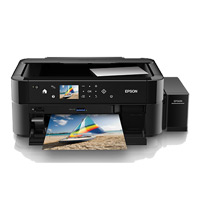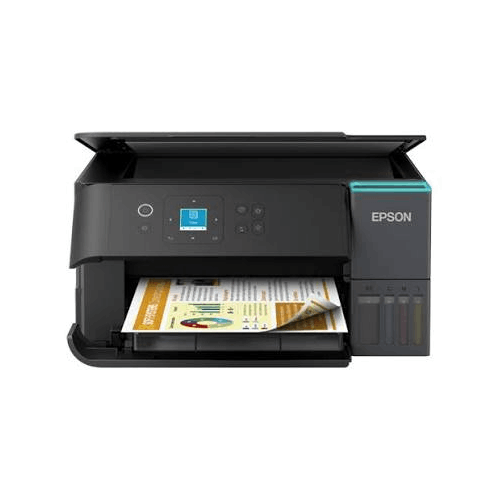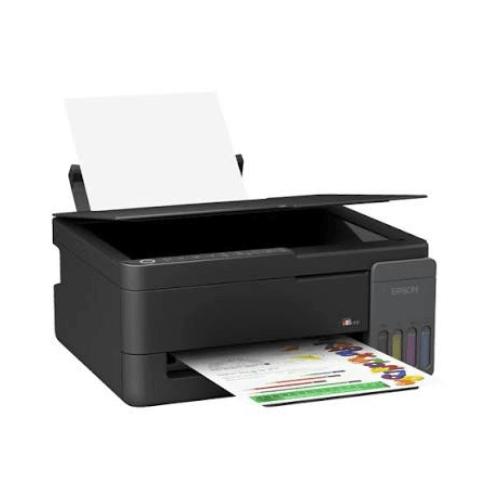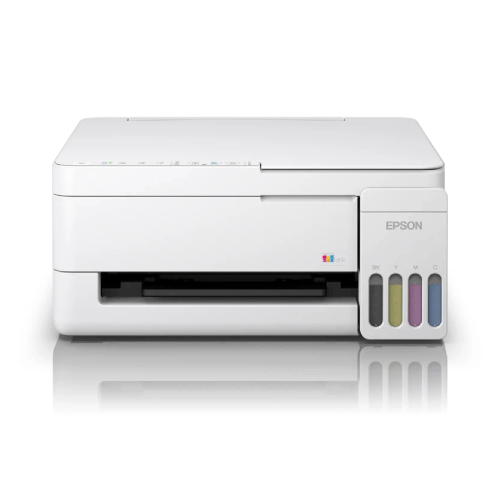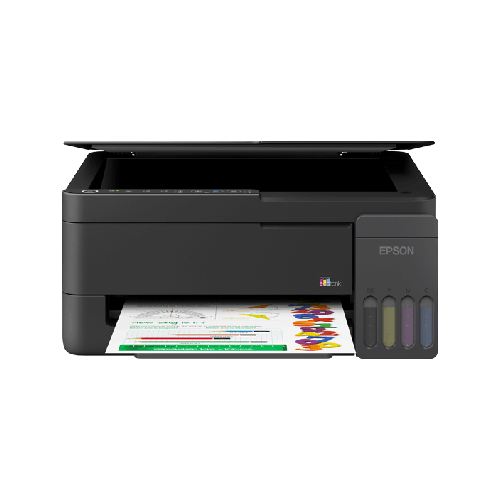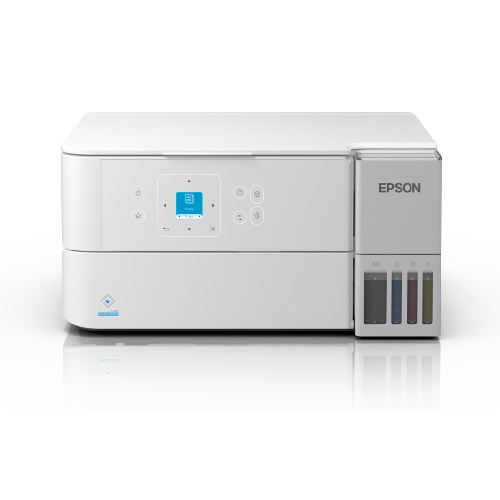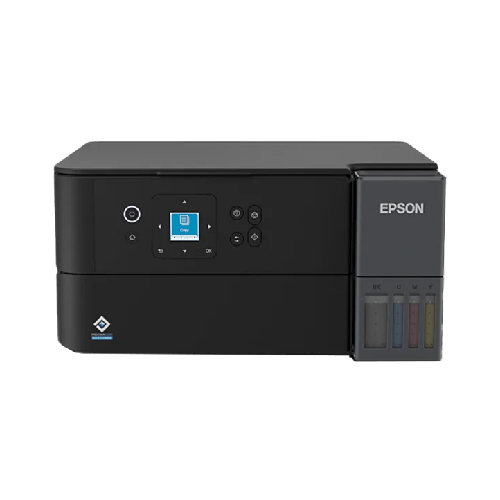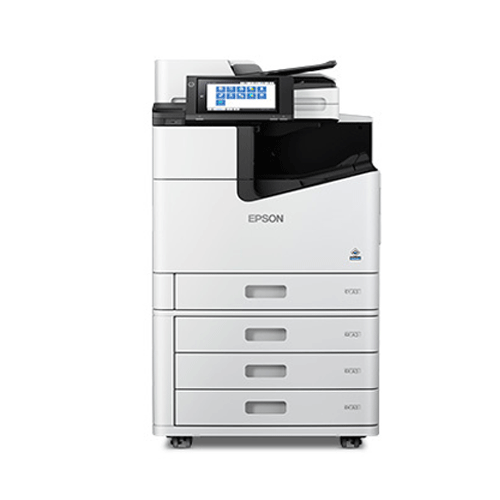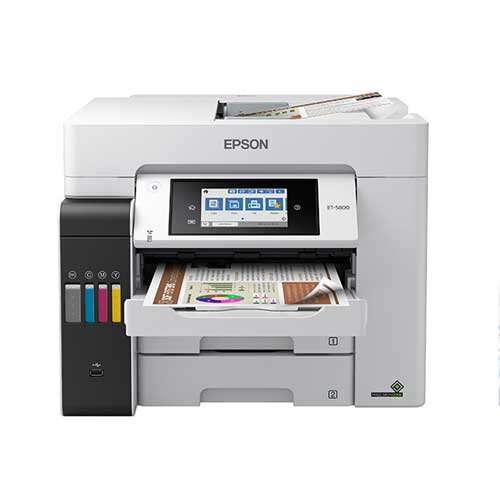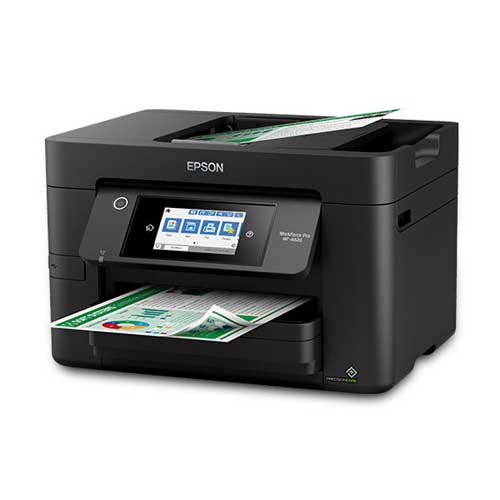

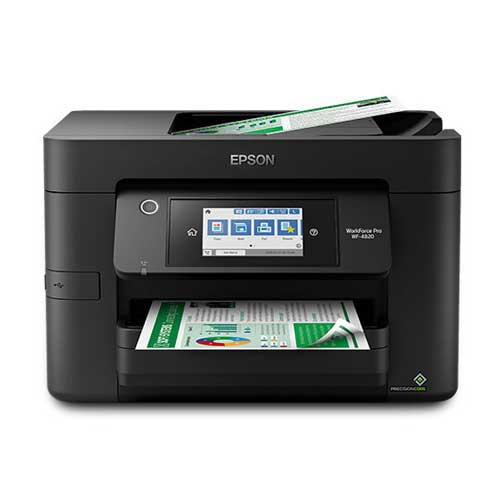
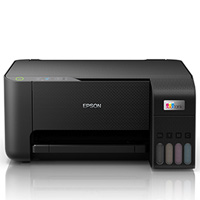
Epson WorkForce Pro WF-4820 Wireless All-in-One Printer
Regular Price:৳0.00Availability: SKU: 1.3.8.9056
Quick Overview
-
Support
Saturday – Thursday: 09 AM - 06 PM. -
Payment
Cash on Delivery | Card | Online Payment -
Shipping Cost
Inside Dhaka 200tk | Outside Dhaka 350tk -
Warranty Policy
Read More
Description
Epson WorkForce Pro WF-4820 Wireless All-in-One Printer in Bangladesh
The Epson WorkForce Pro WF-4820 Wireless All-in-One Printer is built for people and businesses in Bangladesh who are serious about productivity. It’s an office-class color inkjet all-in-one that blends fast printing, high-quality output, and flexible connectivity into a compact, desk-friendly device.
Where a basic home printer quickly feels limiting, the Epson WorkForce Pro WF-4820 Wireless All-in-One Printer is designed to keep pace with demanding households, home offices, and SME teams. Whether you are printing lengthy reports in Dhaka, training handouts in Chattogram, or school projects in Sylhet, this machine is made to handle frequent, mixed workloads with confidence.
Because specification sheets can vary by region, this description focuses on widely known capabilities of the Epson WorkForce Pro WF-4820 series and avoids inventing any unverified numbers. You get a clear, realistic overview of what this printer can offer in the real-world Bangladeshi environment—busy rooms, shared Wi‑Fi, and regular document tasks.
A High-Productivity All-in-One for Modern Bangladesh
For many homes and offices in Bangladesh, the line between “home” and “office” has blurred. Parents are working from home, children are attending online classes, and small businesses often operate out of apartments or compact offices. In this context, an all-in-one printer is not a luxury—it’s infrastructure.
The Epson WorkForce Pro WF-4820 Wireless All-in-One Printer is tailored for exactly this world. It’s more robust than lightweight budget printers, yet doesn’t take up as much space as huge corporate machines. You can place it on a sturdy desk in a living room, a side table in a manager’s cabin, or in a reception counter of a clinic or consultancy.
Because it’s wireless, you don’t need every device to sit next to the printer. Your family or office staff can stay where they are—at their desks, on the sofa, or in a nearby room—and still print reliably, as long as they’re connected to the same network.
Printing Technology & Output You Can Trust
The Epson WorkForce Pro WF-4820 Wireless All-in-One Printer is part of Epson’s WorkForce Pro line, known globally for office-focused inkjet printers. While exact proprietary technology names are not repeated here, the practical experience is what matters:
-
Professional-quality text
The WF-4820 is engineered to produce crisp, sharp text that looks clean on the page. This is essential when you’re printing official letters, agreements, CVs, financial statements, tender documents, or visa paperwork. Text must be easily legible and clear enough for government offices, embassies, banks, and corporate HR departments in Bangladesh. -
Rich colour documents
As a color inkjet model, the Epson WorkForce Pro WF-4820 Wireless All-in-One Printer can handle pie charts, bar graphs, infographics, presentations, and simple marketing flyers. When you need to impress clients or teachers with visually strong documents, this printer is ready. -
Designed for office-style workloads
WorkForce Pro models are typically tuned for frequent use, rather than just occasional home printing. The WF-4820 is positioned as a workhorse for small teams, home offices, and education environments, making it suitable if you print nearly every day.
Combined, these strengths mean you can centralize almost all your document printing around one reliable machine—no need to run to the local print shop for every job.
Performance & Everyday Speed
Performance in a Bangladesh context is more than just pages per minute; it’s about how well the printer fits into your daily rhythm.
The Epson WorkForce Pro WF-4820 Wireless All-in-One Printer is designed to:
-
Start printing quickly
You don’t want to wait several minutes just for a printer to wake up. This office-class inkjet is made to respond quickly when you send a job—vital when you’re between meetings or when your child’s submission deadline is in 10 minutes. -
Handle multi-page documents efficiently
Whether it’s a 20-page report, a set of training material, or multiple copies of exam questions, the WF-4820 is built to move through multi-page jobs more confidently than typical entry-level printers. -
Stay stable, even on shared networks
Many Bangladeshi offices and coaching centers share one printer among several PCs and laptops. The WF-4820 is intended for such shared environments, giving consistent output without constant restarts or connection drops when properly configured.
If your current small printer feels overwhelmed after a few heavy days of printing, upgrading to the Epson WorkForce Pro WF-4820 Wireless All-in-One Printer can noticeably change your work pace.
Wireless Printing & Smart Connectivity
Wireless capability is one of the biggest reasons people choose the Epson WorkForce Pro WF-4820 Wireless All-in-One Printer.
Common connectivity experiences you can expect:
-
Wi‑Fi network printing
Connect the printer to your Wi‑Fi router and allow desktops, laptops, and compatible mobile devices on the same network to print. This is perfect for shared apartments, offices, coaching centres, and small shops. -
USB connection (when preferred)
If you have a single desktop PC that you want directly attached to the printer, you can typically connect via USB cable. This is often preferred in secure environments or small counters where a dedicated PC handles all printing tasks. -
Mobile and cloud printing support (region dependent)
With Epson’s ecosystem and compatible apps (where available), you can often print from smartphones and tablets. This is particularly useful for printing PDF tickets, online forms, and email attachments directly from your phone.
In everyday Bangladeshi life, this means you can:
- Print bank forms from your laptop.
- Print exam question PDFs from your Android phone.
- Print invoices from a sales laptop in another room.
As long as your network is properly set up, the WF-4820 becomes a shared document engine for everyone around it.
Scanning & Copying: Digital and Physical Documents in One Place
The Epson WorkForce Pro WF-4820 Wireless All-in-One Printer’s scanning and copying functions matter more than many people expect—especially in Bangladesh, where physical documents are still central to daily life.
Here’s how these features help:
-
Flatbed scanning
Place ID cards, passports, photos, or formal documents on the flatbed glass to capture digital copies. This is invaluable for:- Students submitting scanned assignments or forms online.
- Job seekers uploading CVs and certificates.
- Families archiving critical documents like property papers, NID, and medical records.
-
Copying without a computer
Using the control panel, you can simply place a document and make copies instantly. This is very convenient for:- Extra copies of application forms, utility bills, trade licenses.
- Quick photocopies of letters or memos before meetings.
-
Digital archiving
Many small businesses and professionals are starting to store important documents electronically. The WF-4820 can become your gateway, converting physical paperwork into scanned files stored on a PC or cloud storage.
Having this functionality built into your printer means you don’t need a separate scanner or make constant trips to photocopy shops just for basic tasks.
Design & Build Quality for Professional & Home Spaces
The Epson WorkForce Pro WF-4820 Wireless All-in-One Printer combines a modern, business-ready design with compact practicality.
Key design aspects:
-
Desk-friendly but robust
While it’s larger than tiny home-only printers, the WF-4820 is still compact enough to fit on a standard office desk, side table, or small printer trolley. This makes it viable for apartments and small offices in Dhaka, Gazipur, Narayanganj, and beyond. -
Front-oriented usability
Paper loading, ink replacement, and most operations are designed from the front, allowing you to place the printer close to walls or partitions without constant rearranging. -
Intuitive control panel with display
The WF-4820 typically includes a colour or monochrome display and clear buttons or touch controls. This lets you manage print jobs, copying, scanning and network setup directly from the printer, which is useful when not every user is confident with PC-based settings.
Aesthetically, it looks professional enough to sit in a manager’s room, reception, or conference area, while still fitting comfortably in a modern home office.
Real-Life Usage Scenarios in Bangladesh
To see the full value of the Epson WorkForce Pro WF-4820 Wireless All-in-One Printer, imagine it in these common local settings:
-
Home & Study Use
- Parents print school homework, exam practice sheets, and project reports.
- HSC and university students print notes, research papers, and thesis drafts.
- Families scan and send documents for bank loans, visa applications, and insurance claims.
-
Home Office & Freelancers
- Graphic designers print colour drafts of brochures and logos.
- Digital marketers print reports and campaign summaries for client presentations.
- Consultants and freelancers print proposals, agreements, and invoices without going to a print shop.
-
SME & Small Business Environments
- Trading companies print purchase orders, invoices, and delivery challans.
- Clinics, dental practices, and diagnostic centres print patient documents and reports.
- Travel agencies print itineraries, booking confirmations, and visa support documents.
-
Education Institutes & Coaching Centres
- Coaching centres produce question sets, mock test papers, and class notes.
- English and skills training institutes print worksheets, feedback forms, and certificates.
- Computer training centres offer students printed step-by-step guides and course material.
-
NGOs & Project Offices
- Field offices print reports, meeting minutes, and project forms.
- Staff scan signed documents to send back to headquarters or donors.
-
Power & Load-Shedding Reality
As an inkjet printer, the Epson WorkForce Pro WF-4820 Wireless All-in-One Printer generally uses less power than many laser printers. When used with a basic UPS or backup, you can often complete urgent print or scan jobs even during shorter outages, a real advantage in many Bangladeshi areas.
Compatibility & Ecosystem
The Epson WorkForce Pro WF-4820 Wireless All-in-One Printer is typically compatible with commonly used systems and environments:
-
Operating systems
Designed to work with mainstream versions of Windows and macOS, subject to driver availability. Always download the correct driver/software for your OS version from official Epson sources. -
Network environments
Works best with a stable Wi‑Fi router. In multi-room offices or coaching centres, ensuring strong Wi‑Fi coverage will lead to a smoother printing experience for all users. -
Ink and consumables
Epson WorkForce Pro ink cartridges suitable for the WF-4820 are generally available from reliable IT and printer supply shops. To protect your investment and maintain print quality, it is strongly recommended to buy genuine cartridges suited to this model.
If you plan to connect several PCs in a small office, your IT person or BME’s team can advise on driver deployment and network printing best practices.
Maintenance & Care (General Best Practices)
To keep the Epson WorkForce Pro WF-4820 Wireless All-in-One Printer performing well in Bangladesh’s climate:
-
Keep it on a stable surface
Avoid wobbly tables or surfaces prone to vibration. Use a solid desk or printer stand. -
Avoid direct sunlight and moisture
Place the printer in a dry, shaded spot to help protect internal parts and external plastics. -
Print regularly
Most inkjet printers perform best when used regularly. Printing a few pages each week can help keep print heads in good condition. -
Use genuine ink
Genuine Epson cartridges are recommended. Very cheap third-party inks can lead to clogs or poor-quality output. -
Protect from dust
In dusty areas, lightly cover the printer when not in use. Clean around the machine periodically.
These are general guidelines and are applicable to most similar inkjet all-in-one printers used in Bangladesh.
✅ Key Features
- High-Productivity Wireless All-in-One: Combines printing, scanning, and copying into a single compact device, ideal for home offices and SME environments.
- Professional-Quality Color Printing: Produces crisp black text and vibrant colour documents suitable for business reports, presentations, and educational projects.
- Office-Focused Inkjet Design: Part of the WorkForce Pro line, oriented towards regular and demanding print workloads rather than occasional use only.
- Flexible Connectivity Options: Supports wireless network printing and typically offers wired connection options, making it easy to share in homes and offices.
- Easy-to-Use Control Panel: Intuitive display and control buttons help you manage copy, scan, and print jobs directly on the printer without needing a PC every time.
- Compact, Business-Ready Styling: Fits on standard desks and looks professional in offices, reception areas, and meeting rooms.
- Versatile Document Handling: Suitable for a wide range of print jobs—from invoices and contracts to training materials, schoolwork, and simple marketing pieces.
- Energy-Conscious Inkjet Technology: Inkjet architecture is generally power-efficient, well-suited for use with UPS or basic backup systems during power fluctuations.
- Reliable for Shared Use: Designed to operate as a shared device for multiple users on a network, supporting modern collaborative work environments.
✅ Usage / Applications
- Printing school and university assignments, reports, and presentations at home.
- Producing invoices, quotations, delivery challans, and office correspondence for SMEs.
- Creating training handouts, worksheets, and exam questions for coaching centres and institutes.
- Scanning and archiving important personal and business documents for digital storage.
- Copying forms, bills, and identity documents for bank, visa, and government processes.
- Printing colourful charts, slides, and proposals for client meetings and internal reviews.
- Supporting remote workers and freelancers who need daily access to a reliable printer.
- Printing routine documents and forms for clinics, travel agencies, and consultancies.
✅ Benefits of This Product?
- Replaces multiple devices with one solution: Print, scan, and copy without needing separate machines.
- Boosts daily productivity: Handles frequent, multi-page jobs better than basic home printers.
- Delivers professional document quality: Ideal for official, academic, and business submissions.
- Supports flexible work styles: Wireless printing lets family members or staff print from different rooms and devices.
- Optimised for frequent users: WorkForce Pro orientation is better suited for heavy home and small office workloads.
- Saves time and trips to print shops: You can handle urgent or sensitive print jobs on your own premises.
- Frees up space: Compact design and all-in-one functionality reduce clutter in small homes and offices.
✅ Ideal For
The Epson WorkForce Pro WF-4820 Wireless All-in-One Printer is perfect for Bangladeshi users who treat printing as a core part of their work or study, not an occasional task. If you are running a small office, consultancy, trading company, clinic, or coaching centre, this printer can be your central document hub—producing invoices, reports, letters, and training materials day after day.
It is equally suitable for serious home users. Families with school and university students will find it invaluable for assignments, project reports, and exam preparation sheets. Professionals working from home—such as consultants, designers, or IT specialists—can print presentations, contracts, and reference materials without relying on outside service providers.
For SMEs and organisations that can’t justify a large industrial machine but need more reliability and performance than an ultra-budget device, the Epson WorkForce Pro WF-4820 Wireless All-in-One Printer strikes a powerful balance. It is ideal for people who value consistent output, good colour quality, and the convenience of wireless, all integrated into one dependable printer.
✅ Why Choose the Epson WorkForce Pro WF-4820 Wireless All-in-One Printer?
The Epson WorkForce Pro WF-4820 Wireless All-in-One Printer stands out because it brings office-class capabilities to a size and price range accessible to many homes and SMEs in Bangladesh. Rather than simply upgrading your print speed a little, it upgrades the way you handle documents overall.
Compared to basic printers, the WF-4820 offers a more robust build, better-suited print engine, and a feature set designed for higher volumes and more serious usage. This means you can handle larger print runs—such as reports, manuals, and training material—without the frequent slowdowns and frustrations that many entry-level printers cause when pushed hard.
Another key advantage is its color printing strength combined with all-in-one versatility. You’re not limited to text; you can produce charts, marketing flyers, and colourful slides while also scanning and copying important papers from the same device. In an environment like Bangladesh, where you often need both digital and physical versions of documents, this integration becomes incredibly practical.
Wireless connectivity is especially vital right now. Families and small offices are packed with laptops, tablets, and smartphones. The Epson WorkForce Pro WF-4820 Wireless All-in-One Printer fits into this ecosystem smoothly, allowing different users to print without fighting over a single USB cable.
You’re also backed by the reputation of Epson in the inkjet and office printer space, which gives an added sense of reliability and continuity for supplies. Taken together, these strengths make the WF-4820 an excellent choice for anyone in Bangladesh who wants a single, capable machine to anchor their day-to-day printing and document management workload.
✅ Why Buy This Product from BME?
Business Machine & Equipment (BME) is a dedicated office equipment and technology supplier in Bangladesh, with experience serving corporate clients, SMEs, institutions, and serious home users. When you buy the Epson WorkForce Pro WF-4820 Wireless All-in-One Printer from BME, you benefit from more than just a shipment—you gain the support of a knowledgeable, locally-based team.
BME focuses on offering genuine products sourced through reliable channels. This is critical for printers like the WF-4820, where quality and authenticity directly affect performance, durability, and compatibility with original ink cartridges. By choosing BME, you reduce the risk of ending up with grey-market or tampered units.
For organisations—such as schools, coaching centres, consultancies, and NGOs—BME can provide formal quotations, invoices, and documentation suitable for procurement processes and internal approvals. Their team can help you understand whether the Epson WorkForce Pro WF-4820 Wireless All-in-One Printer is the right match for your expected print volume, document types, and connectivity environment.
BME also emphasizes Bangladesh-ready advice and after-sales guidance. While exact service arrangements and warranties depend on manufacturer and time of purchase, BME aims to help customers with product-related questions, basic setup direction, and practical usage tips. Whether you need a single Epson WorkForce Pro WF-4820 Wireless All-in-One Printer for home or several units for a small office or branch network, buying from BME means you’re working with a trusted, locally-aware partner that understands printing in the Bangladeshi context.
✅ Buying Guide
If you’re considering the Epson WorkForce Pro WF-4820 Wireless All-in-One Printer, it’s wise to walk through a few key points to ensure it’s the right fit for your needs in Bangladesh.
-
Assess Your Page Volume
Think about how many pages you print per week or month. If you often print assignments, office reports, invoices, or training sheets, a WorkForce Pro model like the WF-4820 is better suited than an ultra-basic home printer. If your printing is heavier, this machine offers the robustness you’ll appreciate in the long run. -
Decide on Document Types
- Mostly black text (letters, reports, forms): Prioritise clear text quality and reliability.
- Mix of text and colour (charts, brochures, slides): Colour capability becomes essential.
The WF-4820 is designed to handle both, offering flexibility if your needs grow or change.
-
Check Connectivity Requirements
- Single user with desktop PC: You can run via USB if that’s simpler.
- Multiple users across laptops and phones: Make use of Wi‑Fi. Check your router location and signal strength where the printer will sit.
-
Plan Space & Placement
Measure your available space. Consider access for:- Opening the scanner lid.
- Loading paper.
- Accessing ink cartridges.
Leave space on at least one side for ventilation and cable management. Avoid extremely crowded corners.
-
Review Ink Costs & Availability
Confirm which original Epson ink cartridges the WF-4820 uses and check availability from reputable sellers in Bangladesh. Genuine ink maintains print quality and reduces the risk of damage compared to some third-party alternatives. -
Confirm System & Network Compatibility
Make sure your PCs/laptops run supported versions of Windows or macOS for which drivers are available. If you rely heavily on smartphones or tablets, check the recommended printing method or app for your device type. -
Avoid Common Mistakes
- Don’t buy an ultra-cheap, low-spec printer if you regularly print a lot—it may slow down your work and wear out quickly.
- Don’t ignore wireless features if more than one person will use the printer.
- Avoid the temptation of extremely cheap non-genuine ink; it can cost more later.
- Don’t place the printer directly in humid or dusty areas without basic protection.
Walking through these considerations will help you confidently decide that the Epson WorkForce Pro WF-4820 Wireless All-in-One Printer is the right investment for your home or office, and BME can assist you in final selection and purchase.
✅ Q&A
Q1: Is the Epson WorkForce Pro WF-4820 Wireless All-in-One Printer suitable for Bangladeshi homes and offices?
Yes. The WF-4820 is well-suited to typical home, home-office, and small business printing environments in Bangladesh when used with appropriate power protection and proper installation.
Q2: Is the WF-4820 a color printer?
Yes. The Epson WorkForce Pro WF-4820 Wireless All-in-One Printer is a color inkjet printer, capable of both black-and-white and full-colour printing.
Q3: Can this printer scan and copy as well?
Yes. It’s an all-in-one device, so you can print, scan, and copy from the same machine, making it very convenient for everyday document tasks.
Q4: Does it support wireless (Wi‑Fi) printing?
Yes. The WF-4820 is a wireless-capable model. After connecting it to your Wi‑Fi network, compatible devices on the same network can send print jobs.
Q5: Is it good for small business use in Bangladesh?
Yes. The WorkForce Pro WF-4820 is designed with office-style workloads in mind, making it a strong choice for SMEs, coaching centres, clinics, consultancies, and other small organisations.
Q6: Can multiple users share the same printer?
Yes. Once set up on a network, multiple laptops, desktops, and compatible mobile devices can typically share the Epson WorkForce Pro WF-4820 Wireless All-in-One Printer.
Q7: What about warranty for the WF-4820 in Bangladesh?
Warranty terms can vary by region and time of purchase. When buying from BME, you should confirm the specific warranty details for the Epson WorkForce Pro WF-4820 Wireless All-in-One Printer at that time.
Q8: How should I protect it from power issues and load-shedding?
Using a quality surge protector or UPS is recommended, particularly in areas with unstable voltage or frequent outages. As an inkjet printer, the WF-4820 typically works well with standard UPS setups.
Q9: Is this printer suitable for heavy student use?
Yes. Students who regularly print notes, assignments, and project reports will find the WF-4820’s speed, quality, and scanning capabilities very useful.
Q10: Can BME help me choose between the WF-4820 and other models?
Yes. BME’s team can advise you based on your page volume, type of documents, and budget, helping you compare the WF-4820 with other printers in their lineup.
✅ Why Buy This Product
The Epson WorkForce Pro WF-4820 Wireless All-in-One Printer is an excellent investment if you want to move beyond basic printing and establish a reliable document centre in your home or office. Instead of juggling between print shops and improvised scanning solutions, you gain full control over printing, scanning, and copying in one well-designed device.
For Bangladesh’s busy students, professionals, and SMEs, this means faster turnaround on assignments, reports, invoices, client proposals, and forms. With its color printing capability and office-oriented performance, the WF-4820 lets you produce documents that not only meet requirements but also look professional—without leaving your premises.
Wireless connectivity enhances convenience further, allowing everyone in your home or small office to print from their own devices. Combined with the reputation of Epson’s WorkForce Pro line, you get a machine that is geared towards sustained, frequent use instead of occasional light printing.
If you’re ready to upgrade your productivity infrastructure, order the Epson WorkForce Pro WF-4820 Wireless All-in-One Printer from BME and bring professional-grade printing and document handling into your everyday workflow.
What is the price of Epson WorkForce Pro WF-4820 Wireless All-in-One Printer in Bangladesh?
Write a review
Question Answer
Have question about this product? Get specific details about this product from expert.
Aurora AS2030CD Paper Shredder Machine
AURORA AS2588CD Paper Shredder Machine
Aurora AS1219CE Paper Shredder Machine



Epson LQ-590II Dot Matrix Printer