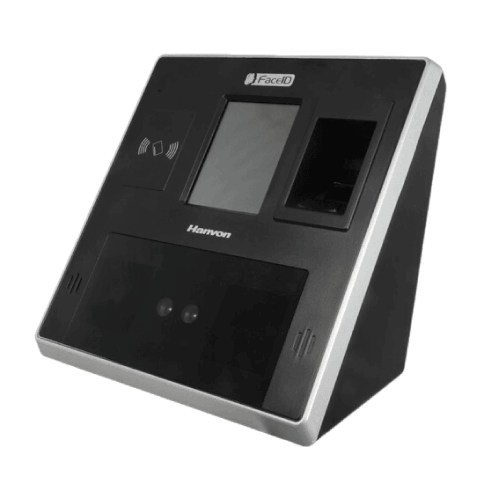
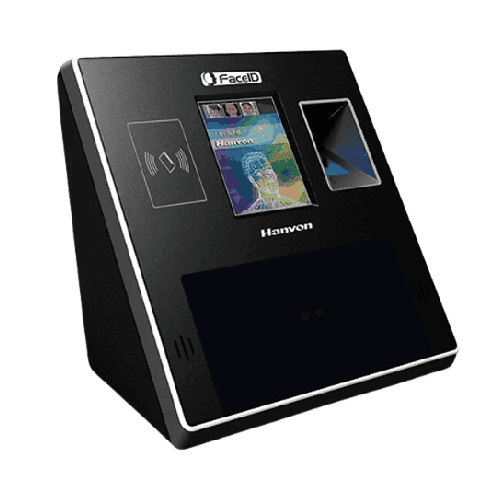
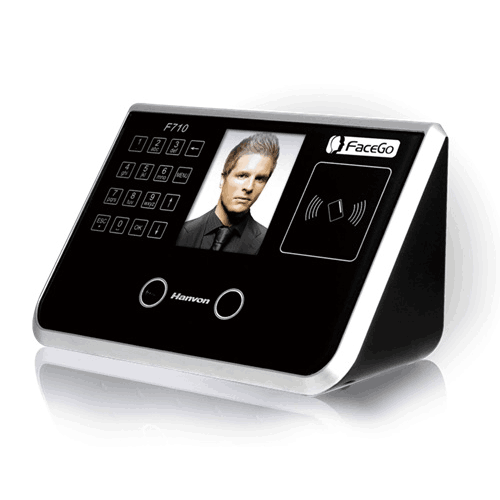
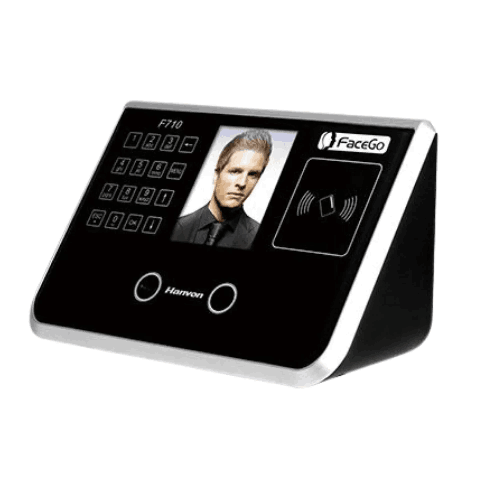
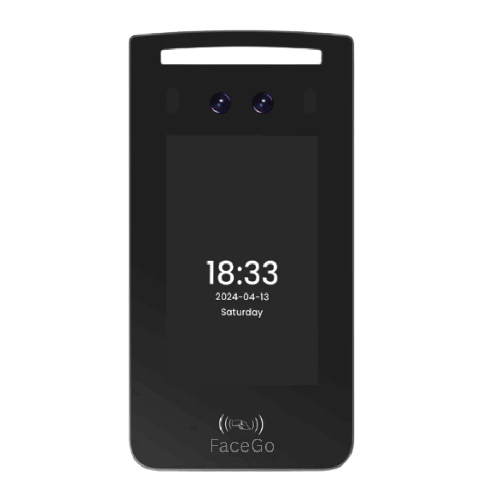
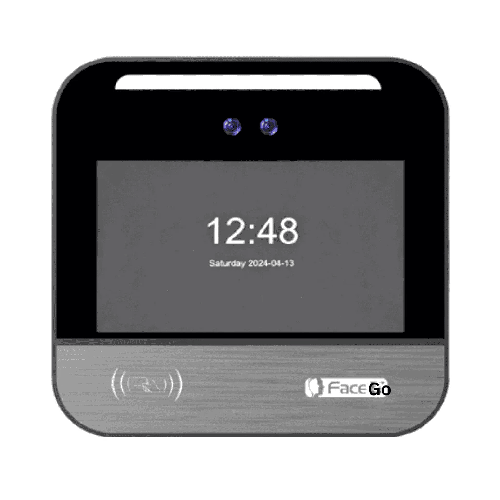
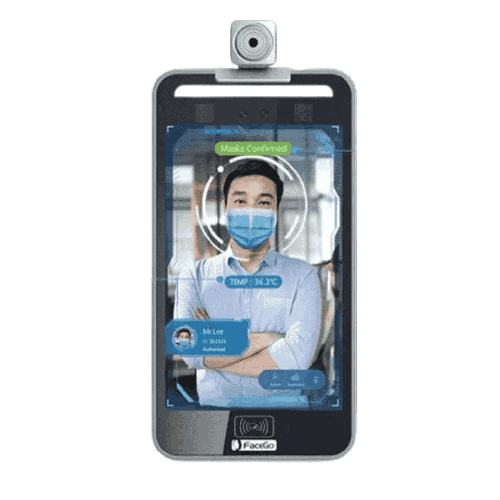
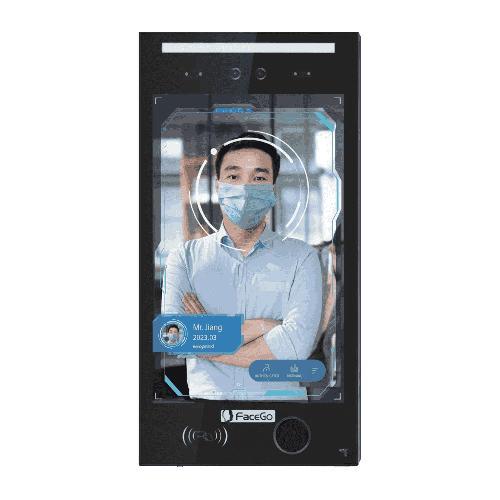
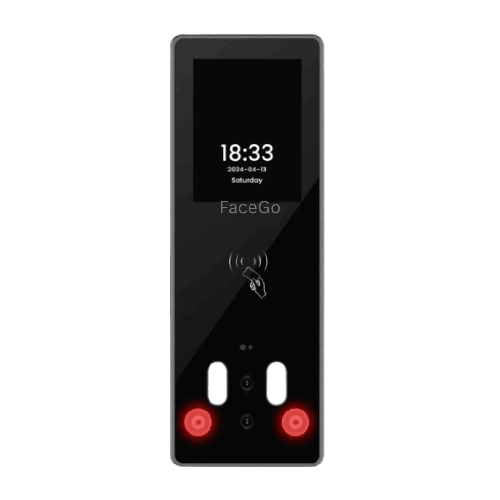
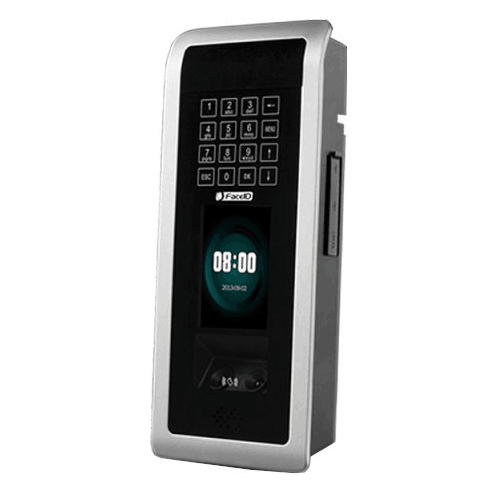
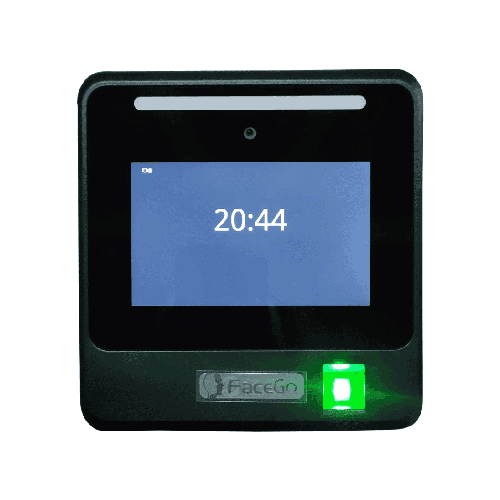
Hanvon FaceID M500 Facial Recognition Access Control Device
Regular Price:৳0.00Availability: SKU: 5.48.280.9253
Quick Overview
-
Support
Saturday – Thursday: 09 AM - 06 PM. -
Payment
Cash on Delivery | Card | Online Payment -
Shipping Cost
Inside Dhaka 150tk | Outside Dhaka 200tk -
Warranty Policy
Read More
Description
Hanvon FaceID M500 Facial Recognition Access Control Device in Bangladesh
The Hanvon FaceID M500 Facial Recognition Access Control Device is a high-security, next-generation entry control solution designed for organizations in Bangladesh that take physical security seriously. Built around 3D Facial Recognition Technology, it can store up to 2,000 faces and manage 3,000 users, making it an excellent choice for corporate offices, banks, hospitals, government buildings, data centers, and premium facilities across the country.
As Bangladeshi businesses move beyond simple RFID cards and PIN pads, 3D face recognition stands out as one of the most secure and convenient access control methods available today. With the FaceID M500 installed at your door, your staff and authorized users simply look at the device, and it analyzes their face in three dimensions—capturing depth, contours, and structure—before deciding whether to grant access.
This approach is far more sophisticated than basic 2D recognition or card-only systems. It significantly improves resistance against spoofing attempts using photos, videos, or printed images. In sensitive locations such as IT server rooms, vault areas, labs, or executive floors, this higher level of assurance is invaluable.
The Hanvon FaceID M500 is not positioned as a low-end attendance machine; its primary purpose is access control supported by robust 3D facial recognition. While it can be integrated with attendance systems when combined with appropriate software, its core value lies in providing strong, contactless identity verification at doors and gates.
3D Facial Recognition: A New Level of Secure Access
At the heart of the FaceID M500 lies its 3D facial recognition engine. Unlike 2D systems that analyze a flat image, 3D systems take into account:
- Depth of facial features
- Contours and structure of the face
- Geometric relationships between key points
This makes it significantly harder to deceive with simple printed photos, ID cards with photos, or basic screen-based images. For Bangladeshi environments where security risks vary—from corporate espionage concerns to simple unauthorized entry—this advanced recognition offers meaningful peace of mind.
The M500’s face capacity of 2,000 faces is deliberately sized for high-value but not necessarily massive environments. A single device can cover:
- All staff in a mid to large corporate office or branch
- Combined teams in a restricted building zone (e.g., IT floor, R&D wing, treasury area)
- Specialist staff in hospitals, labs, or secure industrial zones
With a 3,000 user database limit, you can also define users beyond purely face templates (e.g., user IDs, groups, access-level entries) depending on how your system is configured.
Designed for High-Security Doors and Critical Areas
While many face recognition devices are marketed as attendance first, the Hanvon FaceID M500 is clearly focused on access control:
- It’s ideal for use at high-security doors where you need strong assurance that the person entering is exactly who they claim to be.
- It removes dependence on keys, cards, or PINs that can be easily lent, lost, or shared.
- It supports centralized user management, so access rights can be updated from a security console or access server, depending on your system integration.
In Bangladesh, this makes the M500 particularly attractive for:
- Bank branches and head offices where vault, back-office operations, and server rooms must be strictly controlled.
- Telecom and IT companies that operate data centers, network operation centers (NOCs), or secure equipment rooms.
- Hospitals and healthcare providers managing high-value equipment rooms, drug storage, and authorized-only medical zones.
- Government and semi-government institutions protecting confidential archives or sensitive offices.
- High-end corporate offices seeking both a security upgrade and a premium, modern experience at the door.
The M500 is not just about stopping unauthorized people; it also simplifies management. Once faces are enrolled and access rules set, everyday access becomes smooth and automatic.
Contactless, Hygienic, and Convenient
One of the main advantages of face-based access control over fingerprints, PINs, or keypads is contactless operation. Users do not need to touch the device; they only present their face.
For Bangladesh, where humidity and dust are common and health concerns have increased awareness around hygiene, this offers several practical benefits:
- No shared touch surface to collect dirt or bacteria.
- Less wear-and-tear compared to fingerprint scanners or traditional buttons.
- Faster throughput during rush hours, as users don’t need to remove gloves, swipe cards, or type PINs.
In sectors like healthcare, food processing, pharmaceuticals, and corporate offices with many shared devices, this frictionless, non-contact access feels more modern and more sanitary.
User Capacity and Access Policies
The FaceID M500 is built to manage 2,000 faces and 3,000 total users, which gives you flexibility to:
- Enroll staff who are granted face-based access.
- Define additional user entries for future enrollment, visitors, contractors, or role changes.
- Support multiple user groups with different access levels and schedules (depending on the access control software you use).
In a typical Bangladeshi corporate or institutional setup, this capacity lets you separate users into categories, such as:
- General staff – access to building doors, floor entries, or common areas.
- Management and senior staff – extended access, possibly outside usual working hours.
- Technical/critical staff – access to server rooms, labs, or controlled areas.
- Contractors or temporary workers – time-limited or area-limited access.
By combining the M500 with a suitable access control backend, your security team or IT administrator can define these roles and policies centrally, then push them to devices as needed.
Performance in Real-World Bangladeshi Environments
Bangladesh presents a variety of working environments—air-conditioned corporate lobbies in Dhaka’s Gulshan and Banani areas; semi-conditioned industrial facilities in Narayanganj or Gazipur; and institutional campuses in Savar, Sylhet, or Chattogram.
The Hanvon FaceID M500’s 3D facial recognition is particularly advantageous in such mixed conditions because:
- It’s more tolerant of some lighting changes than purely 2D systems, thanks to depth information.
- It handles slight angle variations when users don’t stand perfectly straight in front of the camera.
- It improves recognition in environments where hallways or entrance doors might suffer from partial glare or changing light.
Proper installation and setup are important—choosing a stable mounting point, avoiding direct sunlight into the camera, and ensuring reasonable ambient light—but once correctly deployed, the M500 will reliably handle day-to-day foot traffic.
Integration with Access Control Infrastructure
While the basic information provided focuses on technology and capacity, devices like the FaceID M500 are typically engineered to integrate with standard access control infrastructure. Depending on your system design and chosen software, that often includes:
- Connection to door locks or controllers (EM locks, magnetic locks, strikes) through relay outputs or controllers.
- Integration with door sensors to verify door open/close status and support alarm conditions.
- Triggering alarms or events for unauthorized attempts or forced entry.
- Synchronization with a central access control server or software, where user databases and access rights are managed.
For organizations already using an access control platform, the FaceID M500 acts as a biometric terminal at key doors. For organizations just starting to implement access control, it can be the core device around which other components are planned.
In either case, its 3D facial recognition becomes your primary identity verification method, and the rest of the hardware (locks, sensors, alarms) enforces the physical side of security.
Deployment Scenarios in Bangladesh
Corporate HQ in Dhaka
A technology company in Gulshan deploys the FaceID M500 at the main server room door and the secure R&D lab. Only authorized engineers and admins are enrolled. When staff approach, the device verifies their face and unlocks the door. All access events are logged and reviewed by security or IT periodically.
Bank Branch Network
A bank uses M500 terminals for vault room access in key branches and at data center entry in the head office. Access is strictly limited to pre-approved personnel. 3D recognition helps ensure that even if an ID card is stolen or cloned, it cannot grant access without the correct face.
Hospital or Diagnostic Centre
A large private hospital uses the M500 to secure medicine storage, laboratory areas, or specialized operating theaters. Doctors, nurses, and authorized staff can enter quickly with their face, while unauthorized entry attempts are blocked and recorded.
Industrial Plant Control Rooms
In a gas, power, or heavy manufacturing plant, control rooms and high-risk zones are protected by FaceID M500 devices. Only properly trained operators and safety officers are enrolled, ensuring strong compliance with safety and security protocols.
In each case, the M500 serves as a trusted gatekeeper, combining the convenience of contactless access with the assurance of a strong biometric factor.
Maintenance & Best Practices
To keep the Hanvon FaceID M500 performing reliably in Bangladesh:
- Keep the camera lens clean: Dust and smudges can affect recognition quality; wipe gently with a soft, non-abrasive cloth.
- Install at an appropriate height: Mount so that an average user’s face is naturally within the field of view—usually around eye level.
- Avoid direct sun and harsh glare: Position the device away from direct sunlight and powerful spotlights to maintain stable recognition.
- Use stable power: Connect to a clean, stable power source; consider UPS/surge protection in areas with frequent voltage fluctuations.
- Educate users: Instruct staff to pause briefly in front of the device and face it directly for best results, especially during the initial weeks after deployment.
- Regularly review logs and access rules: Work with your security/IT team to ensure users, access zones, and schedules remain up to date.
- Plan periodic system checks: Confirm that lock control, sensors, and integration with your back-end access control system are functioning as expected.
With these practices, the M500 can provide years of consistent, high-level access control across your facilities.
✅ Key Features
- 3D Facial Recognition Technology: Uses depth-aware, three-dimensional facial analysis for stronger security and better anti-spoofing than basic 2D systems.
- 2,000 Face Capacity: Stores up to 2,000 face templates, ideal for high-value departments, branches, or buildings with significant but focused user groups.
- 3,000 User Capacity: Manages up to 3,000 user entries, allowing for staff, contractors, and multiple user groups with different access privileges.
- Contactless Authentication: Users gain access simply by presenting their face—no card swipes, PIN entries, or fingerprint scans.
- High-Security Door Applications: Built specifically as an access control device for critical doors, server rooms, labs, vaults, and restricted zones.
- Scalable for Multi-Door Deployments: Suitable for deployment at multiple doors or across multiple sites as part of a coordinated access control strategy.
- Modern Professional Design: Clean, technology-forward appearance matches corporate, banking, healthcare, and institutional environments.
- Future-Ready Platform: 3D face recognition aligns with global trends toward touchless, biometric-first access control.
✅ Usage / Applications
- Bank vaults, strong rooms, and back-office operations where high security is mandatory.
- Corporate server rooms, data centers, and network operation centers in Dhaka and other major cities.
- R&D labs and intellectual property-sensitive areas in technology and manufacturing companies.
- High-value storage rooms and controlled zones in hospitals, clinics, and pharmaceutical facilities.
- Restricted access floors or executive areas in corporate headquarters and high-rise buildings.
- Government and semi-government offices handling confidential data or sensitive operations.
- Industrial control rooms and safety-critical areas in plants and utilities.
✅ Benefits of This Product?
- Significantly Enhanced Security: 3D facial recognition makes it much harder to spoof the system using photos or simple impersonation.
- No Cards or PINs to Lose or Share: Eliminates the common weak points of card-based and keypad systems.
- Fast, Convenient Entry for Authorized Staff: Legitimate users experience smooth, contactless entry, even at busy times.
- Better Control Over Who Enters Where and When: Supports role-based, time-based, and zone-based access policies when integrated with your access control platform.
- Improved Audit and Compliance Posture: Detailed access logs tied to faces help satisfy internal audits, external regulators, and security investigations.
- Modern Image and User Confidence: A 3D face-based system at key doors signals that your organization invests in serious security and modern technology.
✅ Ideal For
The Hanvon FaceID M500 Facial Recognition Access Control Device is ideal for organizations in Bangladesh that prioritize high security at specific doors or areas, rather than just general attendance logging. It’s designed for environments where unauthorized entry could lead to serious financial, data, or safety risks.
Banks, financial institutions, multinational HQs, large telecom and IT firms, mission-critical industrial plants, and premium hospitals are prime candidates. Rather than installing basic card readers at sensitive doors, these organizations can deploy the M500 to ensure that only the right individuals, at the right times, can pass.
It’s also suitable for mid to large Bangladeshi companies that may already be using traditional access control but now want to upgrade key locations to 3D facial recognition for a higher level of assurance. If you’re an IT manager, security chief, or facility head responsible for protecting critical infrastructure, the M500 offers a well-balanced combination of strong security, contactless convenience, and scalable capacity.
✅ Why Choose the Hanvon FaceID M500 Facial Recognition Access Control Device?
Choosing the Hanvon FaceID M500 means choosing a device built specifically for serious, high-security access control using 3D facial recognition. While many devices on the market offer basic 2D face or card-only authentication, the M500 takes a step ahead by using depth and contours to recognize users, making it more resistant to simple spoofing attempts.
With 2,000 face capacity and 3,000 users, it’s designed for focused deployment at the places that matter most: vaults, server rooms, labs, secure floors, and critical zones. It’s not about putting a biometric reader at every door; it’s about putting the right reader at the most important doors.
Compared with older systems relying on keys, swipe cards, or PIN pads, the M500:
- Removes the risk of lost or borrowed credentials.
- Simplifies daily routines for authorized staff, who just walk up and get recognized.
- Delivers strong, biometric-backed records of who entered and when.
From a strategic standpoint, the FaceID M500 positions your organization as future-ready. As regulations, compliance expectations, and customer demands around security grow, having advanced, contactless, 3D face-based access at critical points will be a strength, not a burden.
If your organization in Bangladesh cannot afford weak spots in its physical security, the Hanvon FaceID M500 is a compelling, long-term investment.
✅ Why Buy This Product from BME?
Purchasing the Hanvon FaceID M500 Facial Recognition Access Control Device from Business Machine & Equipment (BME) gives you more than just a hardware box—you gain a local, knowledgeable partner focused on real-world Bangladeshi deployments.
BME specializes in business machines, security devices, and access control systems, and pays close attention to matching product specifications with customer needs. When you approach BME for the M500, you can discuss:
- Which doors and areas need this level of security.
- How many users and faces you plan to enroll.
- How you intend to integrate the M500 with your existing access control or security infrastructure.
For corporate, banking, healthcare, and institutional buyers, BME can provide detailed quotations and documentation that support internal procurement and compliance processes. This is crucial for large organizations that need to justify security investments and align them with IT and audit policies.
Because BME works with biometric systems regularly, they can also guide your planning—for example, thinking through device placement, integration sequence with your existing access control software, and potential expansion to multiple branches or doors over time.
While specific installation, configuration, and support terms depend on your project scope and agreement, BME’s overall aim is to help Bangladeshi customers deploy solutions that are appropriate, durable, and effective. By choosing BME for your Hanvon FaceID M500, you get a local partner you can talk to, who understands both the technical side and the realities of working in Bangladesh.
✅ Buying Guide
To decide if the Hanvon FaceID M500 is right for you and to deploy it effectively, follow this structured buying guide:
1. Identify Your High-Security Areas
- List doors or zones where unauthorized entry would have the highest impact (e.g., server rooms, vaults, labs).
- Prioritize these locations for M500 deployment rather than generic office entrances.
2. Confirm User and Face Requirements
- Estimate how many individuals need access to these critical areas.
- Ensure your total is within the 2,000 face / 3,000 user capacity, leaving room for future additions.
3. Review Your Existing Access Control Infrastructure
- Check if you already have controllers, locks, door sensors, and software in place.
- Plan how the M500 will integrate with or upgrade your current system.
4. Define Access Policies
- Decide which user groups can enter each secured area and during which time windows.
- Use your access control software strategy to set and maintain these rules once the M500 is in place.
5. Plan Power and Mounting
- Ensure suitable power and cabling routes are available at each target door.
- Choose mounting positions that provide a clear, stable view of users’ faces and avoid extreme lighting.
6. Develop Enrollment Procedures
- Create a controlled process for enrolling staff faces: who does it, where it is done, and how frequently data is updated.
- Integrate enrollment with HR onboarding/offboarding processes.
7. Coordinate With IT/Security Teams
- Align device deployment with network security, logging, and monitoring practices.
- Decide how access logs will be stored, reviewed, and backed up.
8. Avoid Common Mistakes
- Don’t deploy high-end biometrics without defining clear access policies.
- Don’t ignore lighting and installation height—these have a big impact on user experience.
- Don’t forget user education; even the best device performs poorly if people don’t know how to use it correctly.
Taking these steps ensures that your Hanvon FaceID M500 investment delivers the security and convenience you expect.
✅ Customers Ask About / Frequently Asked Questions
Q1: How many faces can the Hanvon FaceID M500 store?
The M500 can store up to 2,000 faces, making it suitable for securing high-value doors and areas with sizeable but controlled user groups.
Q2: How many users can the device manage in total?
It supports up to 3,000 users, allowing for different user profiles, access groups, and potential future additions.
Q3: What type of facial recognition does it use?
The FaceID M500 uses 3D Facial Recognition Technology, which analyzes depth and contours for stronger security and anti-spoofing.
Q4: Is the M500 mainly for time attendance or access control?
It is primarily designed as an access control device for secure doors and zones. It can be part of an attendance system when integrated with suitable software, but its core role is security.
Q5: Is it contactless?
Yes. Users gain access by presenting their face; no touching of the device is required during normal operation.
Q6: Is it suitable for high-security environments in Bangladesh?
Yes. With 3D facial recognition and focused capacity, the M500 is especially suitable for banks, data centers, labs, and secure corporate or government zones.
Q7: Can it integrate with our existing access control system?
In most professional setups, yes, provided your system or vendor supports integration with 3D face terminals like the M500. Integration details should be planned with your IT/security team and solution provider.
Q8: Does it work without constant internet?
Yes. Local recognition and access decisions do not depend on constant internet. Network connectivity is typically needed for central management and log synchronization.
Q9: What about warranty and support in Bangladesh?
Warranty and support depend on the seller. When you buy from BME, you can discuss available support and service terms at the time of purchase.
Q10: Is it difficult to enroll employees?
Enrollment involves capturing each person’s face and linking it to a user profile. With proper admin training and a controlled enrollment environment, the process is straightforward.
✅ Why Buy This Product
The Hanvon FaceID M500 Facial Recognition Access Control Device is the right choice for organizations in Bangladesh that cannot compromise on door-level security. Its 3D facial recognition delivers a higher level of protection than ordinary 2D or card-only systems, while its 2,000 face and 3,000 user capacity make it ideal for securing the doors that matter most—server rooms, vaults, labs, and executive or restricted areas.
By adopting the M500, you move away from vulnerable keys and shareable cards to a biometric-first model where the person’s unique face is the key. That not only strengthens your security posture but also simplifies daily operations for authorized users, who enjoy quick, contactless entry.
If your organization is looking to modernize its access control and align with global best practices in physical security, the Hanvon FaceID M500 is a powerful, future-ready option. Order the Hanvon FaceID M500 Facial Recognition Access Control Device from BME and upgrade your critical doors to true 3D biometric security.
What is the price of Hanvon FaceID M500 Facial Recognition Access Control Device in Bangladesh?
Write a review
Question Answer
Have question about this product? Get specific details about this product from expert.