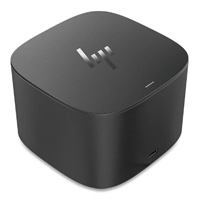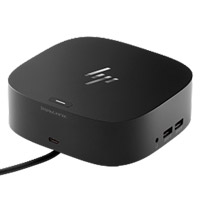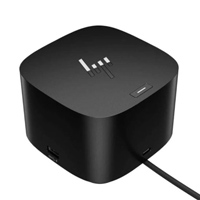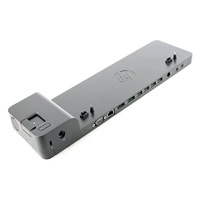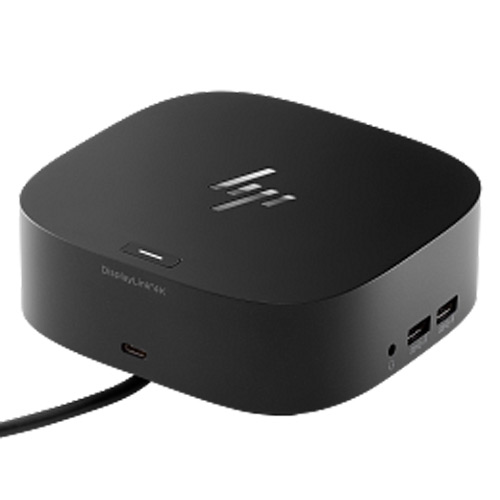
HP USB Type-C/A Universal Dock G2 Docking Station (5TW13AA)
Regular Price:৳0.00Availability: SKU: 9.105.5.5045
Quick Overview
-
Support
Saturday – Thursday: 09 AM - 06 PM. -
Payment
Cash on Delivery | Card | Online Payment -
Shipping Cost
Inside Dhaka 150tk | Outside Dhaka 300tk -
Warranty Policy
Read More
Description
Buy HP USB Type-C/A Universal Dock G2 Docking Station in Bangladesh
The HP USB Type-C/A Universal Dock G2 (5TW13AA) is a versatile laptop docking station designed to simplify connectivity in modern offices, hybrid workplaces, home offices and professional workspaces. It provides a practical way to connect compatible laptops to multiple displays, USB peripherals, wired networks, audio devices and other essential accessories through a single docking solution.
Its key advantage is universal connectivity. The dock is designed to work with compatible systems using USB Type-C and USB Type-A, making it particularly useful for organizations that operate a mixture of newer and legacy laptops.
Instead of connecting multiple cables individually every time you sit at your desk, the HP Universal Dock G2 allows compatible devices to connect through one central docking station. This can help reduce cable clutter and make switching between mobile and desktop-style working much easier.
For professionals who need multiple screens, wired networking, external keyboards, mice, storage devices and other peripherals, the HP Universal Dock G2 provides a convenient centralized connectivity platform.
Technical Description
The HP USB Type-C/A Universal Dock G2 Docking Station (5TW13AA) is built for users who need more connectivity from a laptop without constantly plugging and unplugging individual peripherals.
A laptop can be highly portable, but its limited number of built-in ports can become restrictive when used as a primary workstation. The HP Universal Dock G2 addresses this challenge by providing a central connection point for supported external devices.
With compatible USB-C or USB-A connectivity, users can connect their laptop to a broader range of workplace peripherals. Depending on the connected system, the docking station can support external monitors, USB accessories, wired Ethernet networking, audio equipment and other compatible devices.
For professionals working with spreadsheets, business applications, design software, financial dashboards, communication tools or large amounts of information, connecting multiple displays can make multitasking much more convenient. The dock supports dual 4K display configurations on compatible systems, helping users create a more productive multi-monitor workstation.
The docking station also supports up to 65W power delivery for compatible laptops, helping reduce the need for a separate laptop power connection where supported.
For business and IT environments, features such as PXE Boot, Wake-on-LAN and MAC Address Pass-Through can be particularly useful when the docking station is deployed as part of a managed workplace environment.
The integrated audio capability is also useful for modern work environments where video meetings, voice communication and online collaboration are part of everyday work.
Its compact desktop-oriented design keeps connectivity organized while allowing the laptop to remain the primary computing device. This makes the HP Universal Dock G2 suitable for offices, conference rooms, hot desks, hybrid workstations, remote work environments and professional home offices.
Key Features
Universal USB-C and USB-A Compatibility
Supports compatible laptops using USB Type-C or USB Type-A connectivity, making it suitable for mixed-device environments.
Dual 4K Display Support
Supports up to two compatible 4K displays, giving professionals more screen space for multitasking, reporting, design and business applications.
Up to 65W Power Delivery
Provides up to 65W power delivery to compatible laptops, helping reduce cable clutter on supported configurations.
Multiple Connectivity Options
Provides access to a broad selection of USB, display, networking and audio connections from a single docking station.
Wired Gigabit Ethernet
Provides a wired network connection for compatible systems, which can be useful where stable network connectivity is preferred over Wi-Fi.
Integrated Audio
Built-in audio functionality supports communication and conferencing requirements in compatible workstation environments.
PXE Boot Support
Supports PXE Boot in compatible managed IT environments, making it useful for enterprise deployment and system administration.
Wake-on-LAN
Wake-on-LAN support can help IT administrators manage compatible connected systems remotely.
MAC Address Pass-Through
MAC Address Pass-Through support can be useful for organizations that use network-based device identification and management.
Reduced Cable Clutter
Centralizes commonly used laptop connections through one docking station, helping keep the workstation cleaner and easier to manage.
Professional Compact Design
The desktop-friendly form factor fits naturally into office workstations, meeting rooms and home-office setups.
Suitable for Mixed Laptop Environments
Its USB-C and USB-A connectivity makes it a practical option for organizations managing laptops from different generations.
Connectivity and Expansion
The HP Universal Dock G2 is designed to act as a central connectivity point between a compatible laptop and external workplace equipment.
Depending on the host device and configuration, users can connect devices such as:
- External 4K monitors
- Full HD monitors
- Keyboard and mouse
- USB storage devices
- USB accessories
- Wired Ethernet network
- Headsets and audio equipment
- Other compatible USB peripherals
This makes the dock especially useful when a laptop needs to function more like a traditional desktop computer.
Usage / Applications
Corporate Offices
Ideal for employees who use laptops as their primary business computers but require multiple monitors, network connectivity and USB peripherals at their desks.
Hybrid Work
Useful for professionals who regularly move between home and office and want a consistent desktop-style workstation.
Home Office
Allows compatible laptops to connect to external displays, wired networking, keyboards, mice and other accessories from one location.
IT Departments
Suitable for organizations looking for a standardized docking solution across compatible laptop fleets.
Financial and Accounting Workstations
Multiple monitors can help users simultaneously view spreadsheets, financial software, email and reporting dashboards.
Business Administration
Useful for employees who regularly work with documents, presentations, web applications, communication platforms and databases.
Creative Professionals
Additional display connectivity can provide more workspace for compatible graphics, video and content-creation applications.
Meeting Rooms
Can help connect compatible laptops to external displays and other meeting-room equipment.
Educational Institutions
Suitable for computer labs, administrative offices, training rooms and faculty workstations where laptop connectivity is required.
Benefits of the HP Universal Dock G2
One Central Connection Point
Instead of repeatedly connecting several individual peripherals, users can centralize workstation connectivity through the docking station.
Better Multitasking
Dual-display support provides additional screen real estate for users who work with several applications simultaneously.
Cleaner Workspace
A docking station can reduce the number of cables directly connected to the laptop and help organize the workstation.
Flexible Laptop Compatibility
USB-C and USB-A connectivity makes the product useful across different laptop generations and device environments.
More Desktop-Like Laptop Experience
A compatible laptop can be connected to external monitors, network, keyboard, mouse and other peripherals for a more traditional workstation setup.
Convenient Hybrid Working
Users can establish a dedicated workstation at home or office without changing their primary laptop.
Enterprise-Friendly Management
PXE Boot, Wake-on-LAN and MAC Address Pass-Through can provide useful capabilities for compatible business IT environments.
Why Choose the HP USB Type-C/A Universal Dock G2?
The main reason to choose the HP Universal Dock G2 is flexibility.
Many modern docking stations focus primarily on USB-C devices. However, organizations often have a mixture of newer and older laptops. The USB Type-C/A Universal Dock G2 is designed around this mixed-device reality.
It can help organizations standardize workstation connectivity without immediately replacing every laptop simply because of different port configurations.
For professionals, the ability to connect external displays, USB peripherals, network and audio through one central docking station can make the daily workstation considerably more convenient.
If your requirement is a universal HP docking station for office, business, hybrid work or multi-monitor use, the HP Universal Dock G2 is a practical option to consider.
Why Buy HP USB Type-C/A Universal Dock G2 from BME?
BME Bangladesh provides ICT products and office technology solutions for businesses, organizations and individual customers across Bangladesh.
When purchasing the HP Universal Dock G2 from BME, customers can benefit from:
- Product availability and quotation support
- Bangladesh-focused sales assistance
- Support for corporate and institutional requirements
- Genuine product sourcing
- Business and bulk purchase support
- Product specification guidance before purchase
- Nationwide delivery support
- After-sales assistance according to applicable product terms
- Support for office, enterprise and individual requirements
For organizations purchasing multiple docking stations, BME can also assist with bulk requirements, corporate quotations and institutional procurement.
Buying Guide
Before purchasing the HP USB Type-C/A Universal Dock G2, consider the following:
1. Check Your Laptop Port
Confirm whether your laptop supports the required USB Type-C or USB Type-A connection and the relevant docking functionality.
2. Check Display Compatibility
If you plan to use two 4K monitors, verify that your laptop's graphics capability and supported display technology can provide the required configuration.
3. Check Power Requirements
The dock can provide up to 65W power delivery for compatible systems, but laptop-specific power requirements should be checked before purchase.
4. Consider Your Workstation
Determine how many monitors, USB accessories, network connections and audio devices you need to connect.
5. Check Operating System Compatibility
Confirm compatibility with your laptop's operating system and required drivers or firmware where applicable.
6. Consider Business Deployment
For corporate environments, check whether features such as PXE Boot, Wake-on-LAN and MAC Address Pass-Through fit your IT management requirements.
7. Confirm the Exact Model
Before ordering, verify the product model 5TW13AA and included accessories with the seller.
Customers Ask About / Frequently Asked Questions
What is the HP USB Type-C/A Universal Dock G2?
The HP USB Type-C/A Universal Dock G2 is a universal docking station designed to expand the connectivity of compatible laptops, providing connections for displays, USB peripherals, wired networking, audio and other accessories.
What is the model number of this HP docking station?
The model number is 5TW13AA.
Does HP Universal Dock G2 support USB-C?
Yes. The HP Universal Dock G2 is designed to support compatible USB Type-C systems.
Does the HP Universal Dock G2 support USB-A?
Yes. Its universal design also supports compatible USB Type-A laptop configurations.
Can it connect two monitors?
Yes, the dock supports dual 4K displays on compatible systems and configurations. Actual display capability depends on the host laptop, ports, graphics hardware and configuration.
Does it support 4K resolution?
Yes. The HP Universal Dock G2 supports compatible 4K display configurations, including dual 4K use where supported by the host system.
How much power can the dock provide?
The docking station provides up to 65W power delivery for compatible laptops.
Can I use Ethernet through this docking station?
Yes. The HP Universal Dock G2 provides wired Ethernet connectivity for compatible systems.
Is it suitable for office use?
Yes. It is particularly suitable for corporate offices, business workstations, hybrid work, home offices and IT-managed environments.
Can I use it with a non-HP laptop?
The Universal Dock G2 is designed to support compatible systems beyond HP, but actual functionality can vary according to the laptop's USB, display and operating-system capabilities.
Does it support Wake-on-LAN?
Yes, Wake-on-LAN is among the enterprise-oriented capabilities supported in compatible configurations.
What is MAC Address Pass-Through?
MAC Address Pass-Through allows a compatible system to present a specific MAC address through the docking connection, which can be useful in managed enterprise network environments.
Is HP 5TW13AA a good docking station for dual monitors?
It can be a strong option for compatible dual-monitor workstations, particularly where 4K display support, wired networking and multiple USB peripherals are required.
Where can I buy HP Universal Dock G2 in Bangladesh?
You can purchase or request a quotation for the HP USB Type-C/A Universal Dock G2 (5TW13AA) from BME Bangladesh, subject to current stock and availability.
HP USB Type-C/A Universal Dock G2 (5TW13AA) is a versatile universal docking station for compatible USB-C and USB-A laptops. It helps transform a laptop into a complete desktop-style workstation with support for external displays, USB peripherals, wired Ethernet, audio and other essential connections. With dual 4K display support on compatible systems, up to 65W power delivery and enterprise-friendly features such as PXE Boot, Wake-on-LAN and MAC Address Pass-Through, it is well suited for business offices, hybrid workstations, IT environments and professional home offices.
What is the price of HP USB Type-C/A Universal Dock G2 Docking Station (5TW13AA) in Bangladesh?
Write a review
Question Answer
Have question about this product? Get specific details about this product from expert.