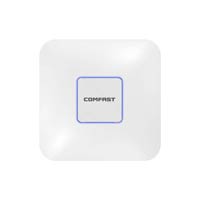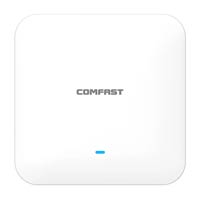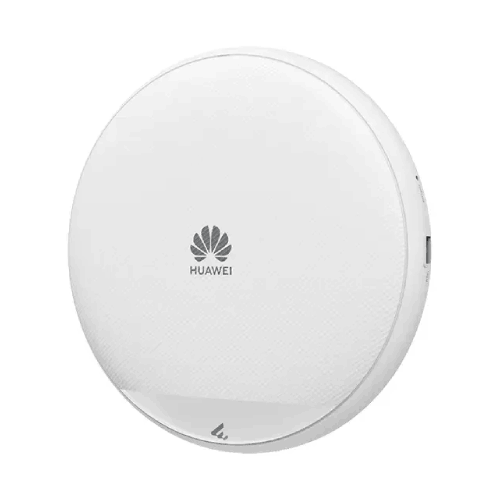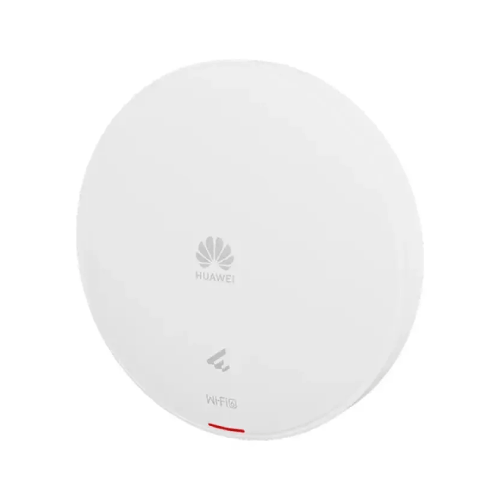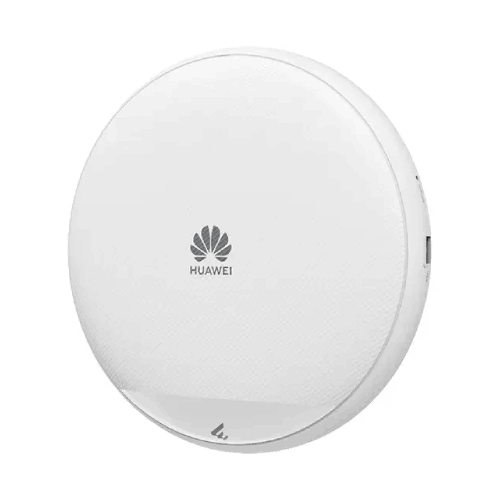
Huawei eKitEngine AP673E Wi-Fi 7 Dual-Radio Smart Antenna Managed PoE Ceiling Access Point
Regular Price:৳0.00Availability: SKU: 6.53.130.9177
Quick Overview
-
Support
Saturday – Thursday: 09 AM - 06 PM. -
Payment
Cash on Delivery | Card | Online Payment -
Shipping Cost
Inside Dhaka 100tk | Outside Dhaka 150tk -
Warranty Policy
Read More
Description
Huawei eKitEngine AP673E Wi-Fi 7 Dual-Radio Smart Antenna Managed PoE Ceiling Access Point Price in Bangladesh
The Huawei eKitEngine AP673E Wi-Fi 7 Access Point is an indoor wireless networking solution designed for businesses and professional environments that need high-capacity wireless connectivity. Built around the IEEE 802.11be standard, the AP673E combines tri-radio operation, built-in smart antennas, multi-gigabit Ethernet connectivity, and flexible wall or ceiling installation. It is designed for business networks where wireless performance, coverage planning, and reliable connectivity are important considerations.
Huawei specifies a maximum device rate of 7.89 Gbps for the AP673E. This aggregate theoretical rate is supported by its three-radio architecture, which operates across the 2.4 GHz band and two 5 GHz radio bands. Unlike a Wi-Fi 7 access point that uses 2.4 GHz, 5 GHz, and 6 GHz, the AP673E’s documented configuration uses two separate 5 GHz radios. This distinction matters when planning channel allocation, client compatibility, and the overall wireless network design.
Wi-Fi 7 Technology for Business Networks
Wi-Fi 7, officially known as IEEE 802.11be, introduces improvements designed to increase wireless throughput, reduce latency under suitable conditions, and improve the way compatible devices use available wireless resources. The AP673E is designed for deployments where modern wireless clients and demanding applications place greater requirements on the network.
The AP673E supports the 802.11be standard on its 2.4 GHz and 5 GHz radios, alongside compatible earlier Wi-Fi standards. This allows supported clients to connect according to their own wireless capabilities. A Wi-Fi 7 access point does not automatically make every connected device a Wi-Fi 7 client; the client device must support the relevant standard and features to benefit from them.
Huawei’s published maximum device rate of 7.89 Gbps is a theoretical aggregate figure across the access point’s radio configuration. It should not be interpreted as the guaranteed speed of a single wireless connection, a wired port, or an internet subscription. Actual throughput depends on client capabilities, radio conditions, channel utilization, network configuration, and the capacity of the wired infrastructure.
Tri-Radio Architecture with Two 5 GHz Radios
One of the defining characteristics of the AP673E is its tri-radio design. It includes a 2.4 GHz radio, a high-frequency 5 GHz radio, and a low-frequency 5 GHz radio. This arrangement gives network administrators additional flexibility when planning wireless channels and distributing client traffic.
The 2.4 GHz radio supports channel bandwidths up to 40 MHz. The high-frequency 5 GHz radio supports channel bandwidths up to 80 MHz, while the low-frequency 5 GHz radio supports channel bandwidths up to 160 MHz. The radios use different MIMO configurations: 2×2 on 2.4 GHz, 2×2 on the high-frequency 5 GHz radio, and 4×4 on the low-frequency 5 GHz radio.
This architecture can be useful in environments where 5 GHz connectivity is important and where channel planning needs to account for multiple groups of wireless clients. The actual benefit depends on the available channels, regulatory requirements, client capabilities, interference, and the way the network is configured.
The AP673E should not be confused with a tri-band 2.4 GHz, 5 GHz, and 6 GHz access point. Huawei’s AP673E specifications list 2.4 GHz and two 5 GHz radios; they do not identify a 6 GHz radio for this model.
Built-In Smart Antenna Technology
The Huawei eKitEngine AP673E includes built-in smart antennas. Huawei’s documentation describes the antenna system as part of the access point’s wireless design, helping support signal coverage and interference management.
A smart antenna system can contribute to wireless performance by adapting its operation to the surrounding radio environment. The actual result in a particular installation depends on the device configuration, the connected clients, the location of the access point, nearby wireless networks, and the building’s construction.
For offices, classrooms, hotels, and other indoor environments, antenna performance should be considered alongside access point placement and channel planning. Walls, floors, glass, metal structures, and other physical obstructions can affect wireless propagation. A site survey can help identify suitable mounting locations and determine whether additional access points are needed.
Multi-Gigabit Ethernet Connectivity
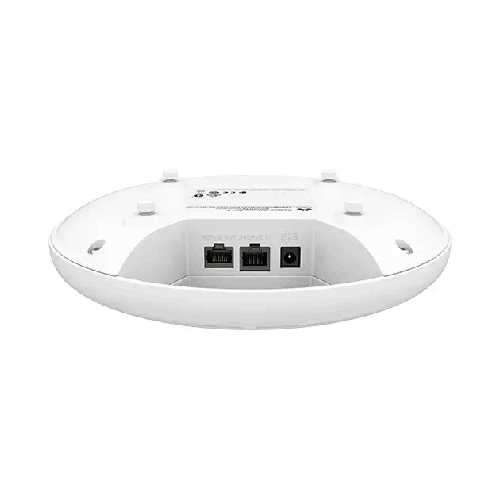
The AP673E provides two Ethernet interfaces with different capabilities. Its primary port supports 100 Mbps, 1 Gbps, 2.5 Gbps, and 5 Gbps auto-sensing Ethernet. This is the 5GE RJ45 port, which supports PoE input. A second RJ45 interface supports 10 Mbps, 100 Mbps, and 1 Gbps Ethernet and is specified for PoE output.
The 5GE interface provides a multi-gigabit wired connection to compatible network equipment. This is relevant when the wireless capacity of the access point exceeds what a conventional Gigabit Ethernet uplink can provide under suitable operating conditions. A 5GE uplink can offer more wired capacity than a 1GbE interface, provided the connected switch, cabling, and upstream network support the required link speed.
The second Gigabit Ethernet interface can provide an additional wired connection for compatible equipment. Huawei’s documentation notes that the GE electrical ports support PoE output. However, PoE output and the availability of other functions depend on the power supply mode and device configuration. Confirm the relevant limitations before designing the installation around downstream power delivery.
PoE Power and Installation Planning
The AP673E supports PoE input according to IEEE 802.3bt, 802.3at, and 802.3af. It can also be powered through a DC input. Huawei specifies a maximum power consumption of 22.3 W, excluding USB and PoE output.
The available functionality can vary with the power source. Huawei’s datasheet notes that operation with an 802.3at power supply may restrict some functions, including USB availability. As a result, the PoE standard alone should not be the only consideration when selecting a power source. The intended radio configuration, USB requirements, and PoE output needs should also be reviewed.
For a deployment that requires the full set of available functions, check Huawei’s current power-supply requirements and the capabilities of the selected switch or injector. The switch’s total PoE budget, the number of connected devices, cable quality, and the required Ethernet link speed should be included in the design.
Flexible Wall and Ceiling Installation
The Huawei eKitEngine AP673E is designed for indoor installation on walls and ceilings. Huawei lists supported mounting options that include solid walls, gypsum board, spring-tee structures, flat-edge T-rails, channel rails, beams, threaded rods, and specified junction-box formats.
Its circular housing measures 220 mm in diameter and 45 mm in depth. The unboxed weight is approximately 0.74 kg. These dimensions should be considered when selecting a mounting location and checking physical clearance.
The installation method should match the building structure and the manufacturer’s mounting requirements. The access point should be positioned to support the intended coverage area while allowing appropriate cable routing and access for maintenance. For a multi-access-point deployment, consistent placement and a planned channel layout can help improve the overall wireless experience.
Capacity for High-Density Wireless Environments
Huawei specifies 180 recommended access users and a maximum of 1,024 access users for the AP673E. These figures provide useful references for capacity planning, but they are not guarantees of performance for every application or environment.
A network with many lightly active clients has different requirements from one in which users frequently transfer large files, participate in video conferences, or use bandwidth-intensive applications. The number of simultaneous active clients, their wireless standards, and the available airtime all affect the experience.
For high-density environments, network planners should evaluate the number of users per area, expected application traffic, channel availability, interference, and the capacity of the wired network. Multiple access points may be required to provide appropriate coverage and capacity across a large building.
Suitable for Offices, Education, Hospitality, and Commercial Sites
The AP673E can be considered for professional indoor networks in offices, educational facilities, hotels, healthcare administration areas, and commercial premises. Its Wi-Fi 7 support, tri-radio design, smart antennas, and 5GE Ethernet interface make it relevant to installations where wireless performance and wired backhaul capacity are important.
For organizations planning a network upgrade, the AP673E offers a combination of wireless and wired capabilities that can be evaluated against current and future project requirements. Before purchasing, confirm the exact model, management compatibility, PoE power mode, mounting requirements, and client-device capabilities.
✅ Key Features
- Wi-Fi 7 Standard: Supports IEEE 802.11be for compatible wireless clients.
- Tri-Radio Architecture: Uses one 2.4 GHz radio and two 5 GHz radios.
- 7.89 Gbps Maximum Device Rate: Manufacturer-specified aggregate theoretical rate.
- Built-In Smart Antennas: Integrated antenna system for wireless communication.
- 2×2 MIMO on 2.4 GHz: Supports two spatial streams on the 2.4 GHz radio.
- 2×2 MIMO on 5 GHz-H: Supports two spatial streams on the high-frequency 5 GHz radio.
- 4×4 MIMO on 5 GHz-L: Supports four spatial streams on the low-frequency 5 GHz radio.
- 5GE Ethernet Port: Supports 100M/1000M/2500M/5000M auto-sensing Ethernet.
- Gigabit Ethernet Port: Includes a separate 10M/100M/1000M auto-sensing RJ45 interface.
- PoE Input: Supports IEEE 802.3bt/at/af, subject to power-mode limitations.
- Flexible Installation: Supports specified wall, ceiling, and junction-box installation methods.
- 180 Recommended Access Users: Manufacturer-recommended access-user capacity.
- Up to 1,024 Access Users: Manufacturer-specified maximum access-user count.
- 22.3 W Maximum Power Consumption: Excludes USB and PoE output.
- 220 mm Circular Housing: Measures 220 mm in diameter and 45 mm in depth.
✅ Usage / Applications
- Business Offices: Provide Wi-Fi 7 connectivity for compatible laptops, phones, and other devices.
- High-Density Workspaces: Support wireless deployments with substantial client-device populations.
- Educational Institutions: Provide connectivity in classrooms, staff areas, and learning spaces.
- Hotels and Hospitality: Support indoor Wi-Fi access in suitable guest and shared areas.
- Meeting and Conference Rooms: Serve compatible devices used for collaboration and presentations.
- Commercial Buildings: Extend wireless connectivity across selected indoor areas.
- Healthcare Administration: Support wireless access in suitable administrative and staff environments.
- Retail Businesses: Connect compatible wireless business devices and employee equipment.
- Training Centres: Provide wireless access for participants, instructors, and staff.
- Enterprise Wireless Upgrades: Add Wi-Fi 7 capability to a compatible network architecture.
- Multi-Gigabit Network Deployments: Use the 5GE interface with compatible upstream infrastructure.
- Indoor Wireless Coverage Projects: Support planned access point deployments across offices and commercial properties.
✅ Benefits of Huawei eKitEngine AP673E
- Wi-Fi 7 Connectivity: Provides support for the IEEE 802.11be standard.
- Three-Radio Design: Offers one 2.4 GHz radio and two 5 GHz radios for network planning.
- High Aggregate Device Rate: The specified 7.89 Gbps rate provides a reference for wireless capacity comparisons.
- Smart Antenna System: Incorporates built-in smart antennas.
- Multi-Gigabit Uplink: The 5GE port can connect to compatible multi-gigabit switching infrastructure.
- Additional Ethernet Interface: Includes a separate Gigabit Ethernet port.
- PoE Flexibility: Supports multiple PoE standards, with functionality dependent on the selected power mode.
- Flexible Mounting: Supports specified wall, ceiling, and junction-box installation options.
- Capacity Planning Reference: Manufacturer access-user figures assist preliminary network design.
- Professional Indoor Use: Designed for offices, educational facilities, hospitality, and other suitable indoor environments.
✅ Ideal For
The Huawei eKitEngine AP673E Wi-Fi 7 Access Point is ideal for organizations planning an indoor wireless network that requires Wi-Fi 7 support, multi-radio operation, and a multi-gigabit Ethernet connection. Businesses with compatible Wi-Fi 7 client devices can evaluate it for offices, meeting rooms, and shared workspaces where wireless traffic may include video conferencing, cloud applications, collaboration tools, and large file transfers.
Educational institutions can consider the AP673E for suitable classrooms, training facilities, and staff areas. Hotels and commercial properties may evaluate it for indoor coverage where access point placement, wired backhaul, and power infrastructure can support the intended service level.
The AP673E is particularly relevant to deployments that can make use of its 5GE Ethernet interface and tri-radio architecture. Its 180 recommended access users provide a manufacturer reference for capacity planning, while the maximum access-user figure should not be interpreted as a guarantee of consistent throughput for every connected client.
Before selecting the AP673E, assess the expected user load, client Wi-Fi capabilities, channel availability, building layout, wired network capacity, and PoE requirements. A site survey and capacity plan can help determine the appropriate number and placement of access points.
✅ Why Choose Huawei eKitEngine AP673E?
The Huawei eKitEngine AP673E combines Wi-Fi 7, tri-radio operation, built-in smart antennas, and a multi-gigabit Ethernet interface in an indoor access point. These features make it a candidate for organizations evaluating wireless upgrades or designing new networks for compatible client devices.
Its 7.89 Gbps maximum device rate provides a manufacturer-specified reference for aggregate wireless capacity. The three-radio architecture uses 2.4 GHz and two 5 GHz radios, giving network planners additional options for allocating clients and channels. This is an important distinction from Wi-Fi 7 access points that include a 6 GHz radio.
The 5GE RJ45 port supports link speeds up to 5 Gbps, which can provide more wired uplink capacity than a conventional Gigabit Ethernet interface when the connected network equipment supports it. A second Gigabit Ethernet port adds another wired interface, while PoE input supports several IEEE power standards. The available functions depend on the selected power mode, so the power supply should be chosen according to the deployment requirements.
The built-in smart antennas are part of the AP673E’s wireless design, and the device supports wall and ceiling installation. This allows it to be considered for a range of indoor environments, subject to mounting and coverage requirements.
For organizations seeking a Wi-Fi 7 access point with tri-radio operation, 5GE connectivity, smart antennas, and PoE options, the AP673E offers a defined technical feature set for evaluation.
✅ Why Buy from BME?
Selecting an access point for a business network requires checking both the device specifications and the installation requirements. The Huawei eKitEngine AP673E offers Wi-Fi 7, three radios, smart antennas, a 5GE port, a separate Gigabit Ethernet interface, and multiple PoE input options. These specifications can help determine whether it fits a planned wireless deployment.
Before purchasing from BME, confirm the exact model and part number, product condition, warranty terms, included accessories, stock availability, and any installation or configuration services offered. These commercial details should be verified for the specific offer.
For a professional deployment, also check the network switch’s port speeds, PoE budget, cable requirements, mounting hardware, and management compatibility. The AP673E’s 5GE uplink can only operate at the appropriate speed when the connected network equipment and cabling support it.
It is also important to plan for the intended wireless workload. The number of users, application types, client capabilities, and coverage requirements all influence the number of access points needed. Reviewing these factors before ordering can help align the selected hardware with the project’s actual requirements.
✅ Buying Guide
1. Confirm the Exact Model
Check that the product is the Huawei eKitEngine AP673E. Do not confuse it with the Huawei AP673 or AP673H, which have different specifications.
2. Understand the Radio Configuration
The AP673E is a Wi-Fi 7 tri-radio model using 2.4 GHz and two 5 GHz radios. It is not a 2.4 GHz, 5 GHz, and 6 GHz tri-band access point.
3. Check Client Compatibility
Review the wireless standards supported by the devices that will connect. Wi-Fi 7 features require compatible client hardware and suitable network settings.
4. Verify the Ethernet Uplink
The 5GE port supports 100M, 1G, 2.5G, and 5G Ethernet. Confirm that the switch port and cabling support the intended link speed.
5. Review PoE Requirements
The AP673E supports 802.3bt, 802.3at, and 802.3af PoE. Some functions may be restricted under certain power modes. Check the manufacturer’s power-supply documentation before selecting a switch or injector.
6. Plan the PoE Budget
Huawei specifies 22.3 W maximum power consumption, excluding USB and PoE output. Account for the access point’s requirements and the total power needs of all devices connected to the PoE switch.
7. Choose the Installation Location
The AP673E supports specified wall and ceiling mounting options. Verify the mounting surface, installation hardware, cable routing, and physical clearance.
8. Assess Wireless Capacity
Huawei recommends 180 access users. Estimate the number of simultaneously active clients and the applications they will use rather than relying only on the maximum user count.
9. Plan Coverage and Channels
Consider building materials, interference, channel availability, and the placement of nearby access points. A site survey can help determine suitable locations and channel settings.
10. Confirm Purchase Terms
Verify the exact part number, warranty, included accessories, stock status, and any additional services directly with the seller.
✅ Frequently Asked Questions (FAQ)
1. What is the Huawei eKitEngine AP673E?
The Huawei eKitEngine AP673E is an indoor Wi-Fi 7 access point with tri-radio operation, built-in smart antennas, a 5GE Ethernet port, a Gigabit Ethernet port, and PoE support.
2. Does the AP673E support Wi-Fi 7?
Yes. It supports IEEE 802.11be, commonly known as Wi-Fi 7.
3. What is its maximum device rate?
Huawei specifies a maximum device rate of 7.89 Gbps. This is an aggregate theoretical rate, not a guaranteed single-client speed or internet speed.
4. Is the AP673E dual-radio or tri-radio?
Huawei specifies the AP673E as a tri-radio access point. It has one 2.4 GHz radio and two 5 GHz radios.
5. Does it support 6 GHz Wi-Fi?
The published AP673E specifications identify 2.4 GHz and two 5 GHz radios. They do not list a 6 GHz radio for this model.
6. How many Ethernet ports does it have?
It has one 5GE RJ45 port supporting up to 5 Gbps and one Gigabit Ethernet RJ45 port.
7. Does the AP673E support PoE?
Yes. It supports IEEE 802.3bt, 802.3at, and 802.3af PoE input. Available functions may vary with the power supply mode.
8. What is the maximum power consumption?
Huawei specifies 22.3 W, excluding USB and PoE output.
9. How many users are recommended?
Huawei lists 180 recommended access users and a maximum of 1,024 access users. Actual performance depends on traffic, client capabilities, radio conditions, and network configuration.
10. Can the AP673E be ceiling-mounted?
Yes. Huawei lists ceiling and wall installation options, including several specified mounting surfaces and structures.
11. What are the dimensions?
The access point measures 220 mm in diameter and 45 mm in depth.
12. What is the part number?
Huawei lists the part number as 50088144.
✅ Why Buy This Product?
The Huawei eKitEngine AP673E Wi-Fi 7 Access Point is designed for indoor networks that need modern wireless capabilities, flexible radio planning, and a multi-gigabit Ethernet connection. Its Wi-Fi 7 support provides an IEEE 802.11be platform for compatible client devices, while the tri-radio architecture combines a 2.4 GHz radio with two 5 GHz radios.
The built-in smart antennas form part of Huawei’s wireless design, and the 5GE Ethernet port supports wired link speeds up to 5 Gbps when connected to compatible equipment. A separate Gigabit Ethernet interface provides additional wired connectivity. PoE input supports IEEE 802.3bt, 802.3at, and 802.3af, although available functions can vary according to the power mode.
With a manufacturer-specified maximum device rate of 7.89 Gbps and 180 recommended access users, the AP673E provides useful technical references for network planning. Its wall and ceiling mounting options support deployment in suitable indoor environments, including offices, educational facilities, hotels, and commercial properties.
For businesses evaluating a Wi-Fi 7 access point with tri-radio operation and multi-gigabit Ethernet, the AP673E offers a combination of wireless and wired capabilities. Confirm the radio requirements, client compatibility, PoE power mode, mounting arrangement, and network-management requirements before purchasing.
What is the price of Huawei eKitEngine AP673E Wi-Fi 7 Dual-Radio Smart Antenna Managed PoE Ceiling Access Point in Bangladesh?
Write a review
Question Answer
Have question about this product? Get specific details about this product from expert.