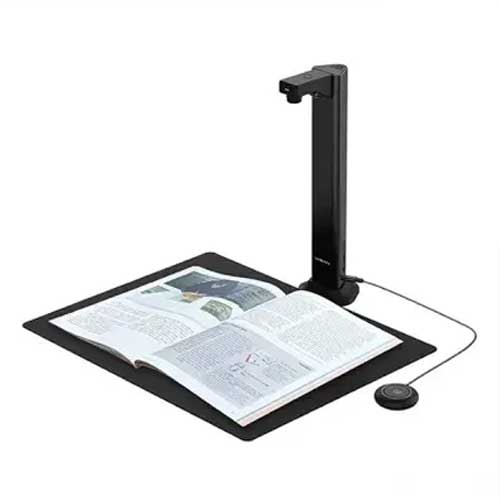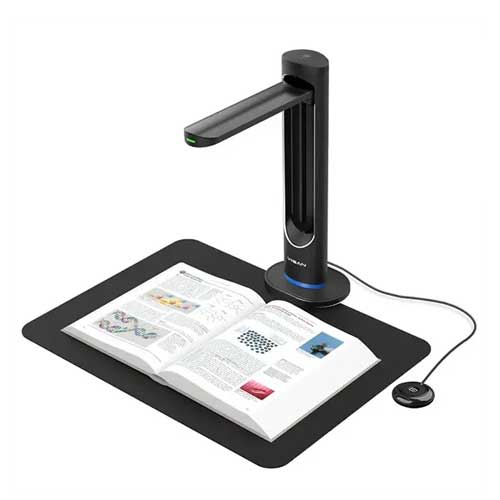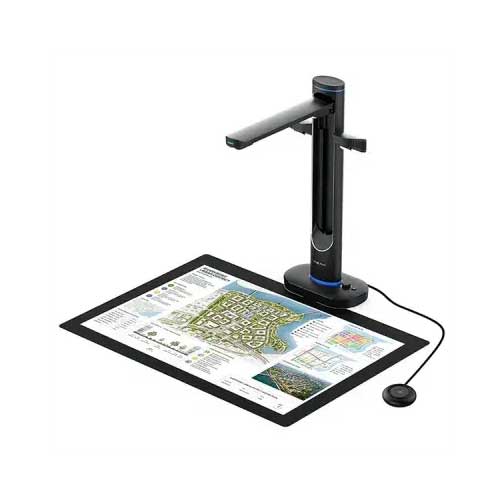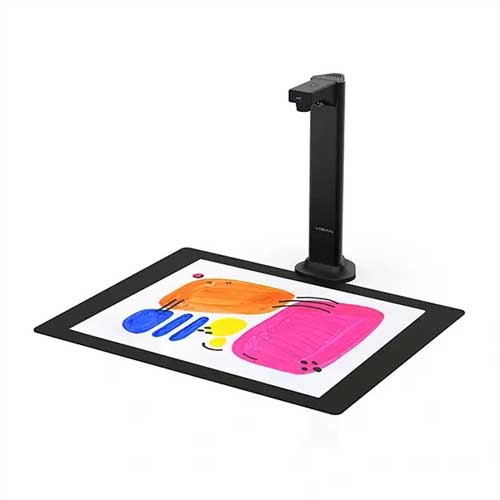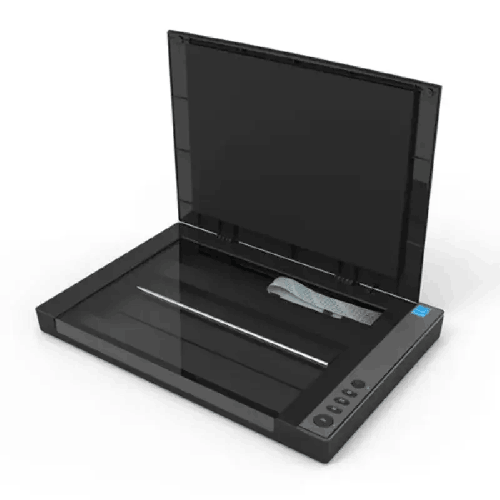
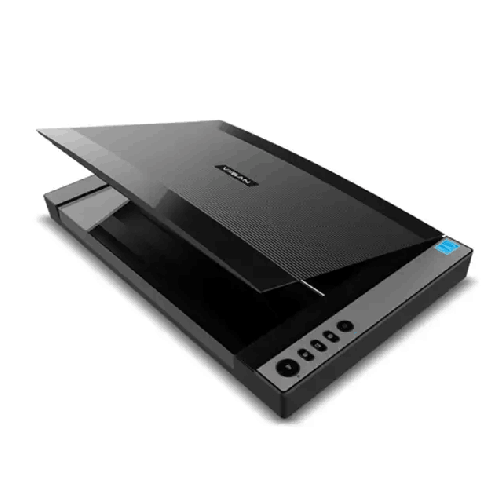
Viisan VF3120 A3 High-Speed Flatbed Scanner
Regular Price:৳0.00Availability: SKU: 7.29.575.9216
Quick Overview
-
Support
Saturday – Thursday: 09 AM - 06 PM. -
Payment
Cash on Delivery | Card | Online Payment -
Shipping Cost
Inside Dhaka 100tk | Outside Dhaka 150tk -
Warranty Policy
Read More
Description
Viisan VF3120 A3 High-Speed Flatbed Scanner Price in Bangladesh
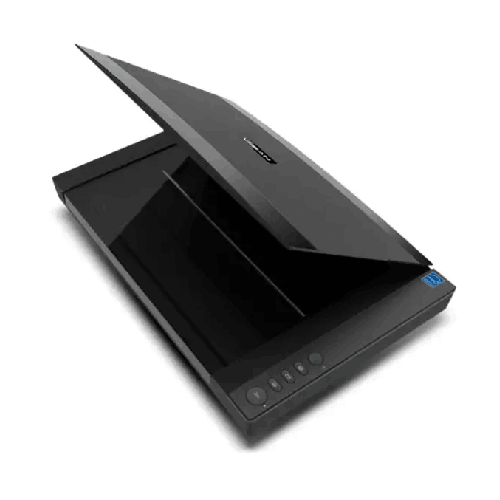
The Viisan VF3120 A3 High-Speed Flatbed Scanner is built for exactly these real-world needs. It’s an A3 flatbed scanner that focuses on dependable daily scanning, clear output, and practical workflow features like multi-page PDFs and one-touch buttons. If you’re looking for a scanner that handles large originals without folding, supports OCR-based digitization, and can keep up with a busy office routine, the VF3120 is a very sensible choice.
What makes the VF3120 particularly relevant in Bangladesh is not only the A3 size support—it’s the combination of flatbed control (gentler handling for delicate originals), a 2500 pages/day duty guidance for frequent scanning environments, and broad driver compatibility across Windows, macOS, and Linux. It fits into real offices where devices are shared, workflows are repetitive, and staff need a scanner that behaves consistently day after day.
A3 flatbed scanning: one pass, cleaner results, less stress
When you try to scan A3 on an A4 device, you end up doing one of three frustrating things: folding the paper, scanning in sections, or photographing it. All three methods reduce quality and increase errors. With the VF3120, the maximum scan area is confirmed as 304 × 426 mm (12" × 17"), which accommodates A3/ledger-size originals in a single pass.
This matters for:
- Engineering drawings and technical diagrams
- School/college registers and large-format notices
- Oversize certificates, posters, and marketing materials
- Legal documents that must stay flat and readable
- Client documents where you don’t want creases or cut-off edges
A flatbed also gives you a calmer workflow. You place the original, align it properly, close the lid, and scan. There’s less risk of jams, misfeeds, or skew compared to sheet-fed methods—especially with documents that are not perfectly uniform.
Resolution that balances clarity and practicality: 1200 × 1200 dpi
The VF3120 offers optical resolution of 1200 × 1200 dpi. For many A3 scanning tasks—records, drawings, forms, stamps—this is a very usable optical resolution range. It captures fine details far better than basic office MFP scanners, especially when you need to zoom in later.
There’s an important note included: WIA only supports up to 600 dpi. This is a practical detail for Bangladesh offices because WIA is commonly used by default in Windows scanning workflows. If you need higher-resolution scanning, you may choose a TWAIN-enabled scanning application to access full capability, depending on your workflow.
Production-minded duty rating: built for frequent scanning
Scanning becomes stressful when the device is designed for occasional use but you rely on it every day. The VF3120 provides a daily duty scan guidance of 2500 pages. That’s a strong signal that it’s intended for real office workloads—schools, admin departments, service centers, and firms that scan continuously.
In Bangladesh, many organizations don’t just scan documents—they scan for compliance: tender files, invoices, receipts, supplier documents, employee records, and approvals. A duty cycle guideline helps buyers choose a scanner that matches the reality of daily throughput.
Speed for A3: designed to keep your line moving
Flatbed scanning is often assumed to be slow. But the VF3120 is rated at 8 seconds per A3 page at 200 dpi. In practical terms, scanning speed depends on settings, but this gives a helpful baseline for productivity planning.
For routine office archiving, 200 dpi is often enough. When you need higher detail (stamps, fine text), you can raise resolution. The point is: the VF3120 is not meant only for occasional high-resolution image scanning—it’s intended for regular document throughput.
Color depth and grayscale handling: cleaner archives
The VF3120 supports:
- Color: 48-bit input / 24-bit output
- Gray: 16-bit input / 8-bit output
This supports better-looking scans for color documents, especially those with stamps, colored highlights, or mixed printing. In Bangladesh, it’s common for official paperwork to include colored seals and multiple stamp layers. Higher color depth can preserve those details better when compared with lower-end scanning solutions.
RGB LED light source: stable illumination
The scanner uses a three-color (RGB) LED light source. LED illumination is valued for consistent lighting and efficiency. In everyday office scanning, consistent illumination helps reduce uneven color and ensures the scan looks similar today and next month—important when you’re building an archive.
Output formats that match Bangladesh office workflows
The VF3120 supports:
BMP, PNG, JPEG, PDF, Multi-page PDF, TIF, Multi-page TIF
In Bangladesh business environments, multi-page PDF is often the star. Accounts teams want one PDF per supplier, per month, or per project. HR teams want one PDF per employee file. Education offices want one PDF per register. The ability to create multi-page PDFs directly simplifies storage and sharing.
TIFF and multi-page TIFF are also useful for archival workflows, especially where image integrity and long-term compatibility matter.
Simple physical control: one-touch buttons that staff actually use
The VF3120 includes function buttons:
- SCAN / PDF / E-Mail / PRINT
These buttons help reduce training time. In many Bangladesh offices, the person scanning may not be the most technical staff member—and scanning needs to be repeatable. One-touch buttons can become part of a routine: scan to PDF, save to folder, email to supervisor. Fewer steps reduce errors and speed up turnaround.
OCR engine included: move from images to searchable documents
Digitization becomes truly useful when your files are searchable. The VF3120 includes bundled software with an OCR Engine, along with Scanner Driver, ViiScan, and Event Utility.
This is valuable for:
- Searching by customer name, invoice number, reference ID
- Quickly finding a page inside long document sets
- Improving collaboration—files behave more like documents, not images
- Supporting compliance or audit readiness where retrieval speed matters
Driver support and operating system compatibility
Bangladesh organizations often have mixed setups. The VF3120 supports multiple driver protocols:
- Windows: TWAIN and WIA
- Mac OS: Image Capture (ICA) driver
- Linux: XSANE
Operating systems listed:
- Windows 11 / 10 / 8.1 / 7
- Mac OS 10.15 or later (ICA driver only)
- Linux Ubuntu 18.04 or 20.04
This cross-platform compatibility is a major advantage if your scanning station changes over time, or if you deploy the scanner in an environment where different teams use different systems.
Connectivity: High Speed USB 2.0 (simple, stable, common)
The VF3120 uses High Speed USB 2.0, which remains a reliable and universally compatible interface for scanners. In Bangladesh, where quick troubleshooting and simplicity are valuable, USB scanning is often preferred—connect to a PC and work without depending on network configurations.
Power and energy behavior: appropriate for offices
Power details:
- Power Supply: 12 VDC/2A, 24W
- Input: 100–120VAC or 200–240VAC, 50–60Hz
- Power Consumption: 8.5W
- Power Saving: 15 min auto power off
The wide AC input range supports Bangladesh power environments. Auto power-off is a practical feature for offices where devices may be left on unintentionally, and the modest consumption helps keep heat down in small rooms.
Environmental range: suitable for typical indoor use
- Operating Temperature: 10°C to 35°C
- Operating Humidity: 10% to 85%
These ranges are consistent with normal office conditions. For best results, keep the scanner away from excessive dust and moisture. In Bangladesh, dust is often the biggest enemy of scan clarity—especially for high-contrast document work.
Physical planning: space and portability
The VF3120 has:
- Dimensions: 565 × 394 × 61 mm
- Net Weight: Approx. 4.3 kg
An A3 flatbed needs a stable surface and a bit of room to open/close the lid comfortably. The weight is manageable for moving within an office, but it’s best used as a dedicated scanning station to reduce glass scratches and accidental knocks.
Bangladesh use-cases where the VF3120 shines
1) Education administration
Scan registers, large notices, certificates, exam paperwork, and archives. Multi-page PDF output helps keep year-based files organized.
2) Engineering and construction offices
Digitize drawings and approvals quickly without folding. Flatbed scanning protects important originals.
3) Corporate accounts and HR
Build searchable archives through OCR. Keep vendor paperwork, employee files, and approvals organized for audits.
4) Legal and compliance documentation
Capture stamps and signatures clearly, store long PDFs per case/client, and retrieve quickly when needed.
5) Creative and print environments
Scan A3 artwork, layouts, and templates with good optical clarity and consistent color capture.
Getting better results: workflow tips (general, safe, practical)
- Use 200–300 dpi for fast archiving and daily records.
- Use higher resolution when scanning small text, seals, or fine line drawings.
- Prefer PDF or TIFF for records; use JPEG mainly for casual sharing.
- Clean the glass regularly; dust shows up as lines or spots.
- Align documents carefully to reduce cropping and rework.
- Standardize file naming (date + department + reference number) to make archives usable.
What to expect from a compact A3 production flatbed
The VF3120 isn’t trying to be an over-complicated scanning station. Instead, it’s designed for practical productivity: a stable A3 bed, good optical resolution, a duty cycle appropriate for real office use, and a software bundle that supports OCR-based workflows.
For Bangladesh organizations that want to digitize properly—without constant scanning compromises—the Viisan VF3120 A3 High-Speed Flatbed Scanner is a clear, capable option.
✅ Key Features
- A3 Flatbed Scan Area (304 × 426 mm): Scans large originals in one pass for cleaner archives and fewer errors.
- 1200 × 1200 dpi Optical Resolution: Captures fine text and line details for better long-term readability.
- Daily Duty Scan up to 2500 Pages: Supports frequent, production-like scanning routines in offices and institutions.
- A3 Scan Speed (8 sec at 200 dpi): Helps maintain workflow pace during daily digitization tasks.
- 48-bit Color Input / 24-bit Output: Preserves richer color information for stamps, seals, and marked-up documents.
- RGB LED Light Source: Provides stable illumination for consistent scan output over time.
- One-touch Buttons (Scan/PDF/E-mail/Print): Simplifies use and speeds common tasks for staff.
- Multi-page PDF & Multi-page TIFF Output: Keeps multi-document sets organized in fewer files.
- Bundled OCR Engine + ViiScan Utilities: Helps convert scans into searchable content and smoother office workflows.
- USB 2.0 High Speed Connection: Ensures simple, reliable connection to a workstation.
- Cross-platform Driver Support: Works with TWAIN/WIA (Windows), ICA (macOS), and XSANE (Linux).
- Energy-saving Auto Power Off: Reduces unnecessary power use with 15-minute idle shutoff.
✅ Usage / Applications
- Scanning A3 drawings and plans for engineering, construction, and architecture teams.
- Digitizing school/college registers and A3 records for safer archiving and sharing.
- Accounts and admin paperwork scanning into multi-page PDFs for structured filing.
- Legal document preservation where stamps, signatures, and seals must remain clear.
- Tender and procurement document archiving to keep searchable, audit-ready records.
- Print shop and design studio scanning for artwork, layouts, and templates.
- Library or organization archive digitization for large-format materials and legacy documents.
- Service centers and back-office departments that handle daily scanning volumes.
✅ Benefits of This Product?
- Eliminates stitching work by scanning A3 originals in one pass.
- Improves clarity and legibility with 1200×1200 dpi optical resolution and high color depth.
- Boosts daily productivity with an 8-second A3 scan time baseline at 200 dpi.
- Supports heavy office routines with a 2500 pages/day duty guidance.
- Creates cleaner archives using multi-page PDF/TIFF formats for organized storage.
- Reduces staff training time thanks to one-touch buttons and straightforward workflow.
- Enables searchable digitization using the included OCR engine for faster retrieval.
- Fits mixed environments across Windows, macOS, and Linux with standard driver protocols.
✅ Ideal For
The Viisan VF3120 A3 High-Speed Flatbed Scanner is ideal for Bangladesh offices and institutions that need dependable A3 digitization without the complications of oversized sheet-feeders or constant scan stitching. It’s a strong fit for schools, colleges, and coaching centers that archive registers, notices, and large paperwork. Engineering and construction teams will appreciate the ability to scan drawings and approvals flat, in one pass, with clear detail retention. Corporate accounts and HR teams benefit from multi-page PDF output and OCR-assisted filing, especially when preparing for audits or fast document retrieval. It’s also well suited for print shops and creative studios that scan A3 layouts and artwork for reproduction or archiving. If your workflow includes frequent scanning and you want a practical scanner that works across Windows, macOS, and Linux, the VF3120 fits naturally.
✅ Why Choose the Viisan VF3120 A3 High-Speed Flatbed Scanner?
The VF3120 makes sense when your priorities are document size flexibility, consistent scan quality, and repeatable office workflows. A3 flatbed scanning removes the most common friction point—oversized pages—by allowing a single-pass scan without folding or stitching. That immediately improves accuracy and saves time, particularly for drawings, registers, and legal-size materials common in Bangladesh.
Its 1200 × 1200 dpi optical resolution strikes a strong balance: high enough for crisp archives and detail capture, yet practical for daily scanning. Add to that a 2500 pages/day duty guidance, and it becomes clear the VF3120 is designed for environments where scanning isn’t occasional—it’s routine.
Workflow features also matter. Multi-page PDF support helps keep files organized for accounts, HR, and administration. The included OCR engine supports searchable documentation, turning a scanned image into something you can actually find later. Finally, broad driver support (TWAIN/WIA/ICA/XSANE) makes it easier to fit into mixed computer environments—common in Bangladesh organizations.
If you need a dependable A3 flatbed that’s fast enough for daily work, clear enough for official records, and flexible enough for different OS environments, the VF3120 is a practical, long-term tool.
✅ Why Buy This Product from BME?
An A3 scanner is a workflow investment—your results depend on choosing the right model, setting up the right scanning process, and ensuring software compatibility with your computers. Buying the Viisan VF3120 from Business Machine & Equipment (BME) helps Bangladesh customers make that purchase with fewer uncertainties, especially when deploying scanners in offices, schools, and project environments.
BME can help you match the VF3120’s confirmed strengths—A3 scan area, duty guidance, OCR engine bundle, and cross-platform driver support—to your daily workload. If you’re planning an archiving project, BME can also guide you on practical steps like setting up a dedicated scanning station, choosing file formats for long-term storage, and deciding whether TWAIN or WIA workflow is better based on the resolution note provided. For organizations, BME can support procurement-friendly purchasing with quotation and documentation suitable for accounts and institutional requirements.
When you share your use case (education records, engineering drawings, office filing, legal scans), BME can help ensure you buy the right A3 flatbed for the job—so the scanner becomes a consistent productivity tool, not a trial-and-error expense.
✅ Buying Guide
- Step 1: Confirm the largest originals you scan: If A3/ledger is common, choose an A3 flatbed to avoid folding and stitching.
- Step 2: Choose practical scan settings: For daily archiving, 200–300 dpi is typically efficient; use higher resolution for fine text, seals, or drawings.
- Step 3: Plan OCR needs early: If you want searchable PDFs, use the bundled OCR engine and define where OCR fits into your workflow (per file or batch).
- Step 4: Pick your Windows driver approach: WIA is convenient, but note its 600 dpi limitation; TWAIN workflows may be preferable for higher resolution use cases.
- Step 5: Decide on output formats: Use multi-page PDF for office filing, multi-page TIFF for archival imaging, and JPEG/PNG for quick sharing.
- Step 6: Allocate workspace: Ensure enough desk space for an A3 flatbed and lid clearance for comfortable daily use.
- Step 7: Standardize file naming: Create a naming structure (date + department + reference number) so your archive stays usable.
- Step 8: Maintain scan quality: Clean the glass and lid edges regularly; dust becomes visible, especially in Bangladesh’s dusty seasons.
- Step 9: Consider power habits: Use the 15-minute auto power-off to reduce unnecessary power draw and heat.
- Step 10: Avoid common mistakes: Don’t rely on low-resolution scans for official records; don’t fold originals; don’t store everything as JPEG if PDFs are required for compliance.
✅ Customers Ask About / Frequently Asked Questions
-
Q: Can the Viisan VF3120 scan A3 documents?
A: Yes. It supports a maximum scan area of 304 × 426 mm (12" × 17"), suitable for A3/ledger. -
Q: What is the optical resolution?
A: The optical resolution is 1200 × 1200 dpi. -
Q: Is there any limitation when using WIA on Windows?
A: Yes. A note specifies that WIA only supports up to 600 dpi. -
Q: How fast does it scan an A3 page?
A: It is rated at 8 seconds per A3 page at 200 dpi. -
Q: Can it create multi-page PDFs?
A: Yes. Multi-page PDF output is supported. -
Q: Does it include OCR software?
A: Yes. Bundled software includes an OCR Engine, along with ViiScan and Event Utility. -
Q: What operating systems does it support?
A: Windows 11/10/8.1/7; macOS 10.15+ (ICA driver only); Linux Ubuntu 18.04 or 20.04 (XSANE). -
Q: What driver protocols are available?
A: Windows supports TWAIN and WIA; macOS uses Image Capture (ICA); Linux uses XSANE. -
Q: How does it connect to the computer?
A: It connects via High Speed USB 2.0. -
Q: Is it suitable for heavy daily scanning?
A: It lists a 2500 pages/day duty guidance, which is suitable for frequent office scanning routines. -
Q: What are the power requirements?
A: Power supply is 12 VDC/2A, 24W, with AC input 100–120VAC or 200–240VAC, 50–60Hz. -
Q: What is the scanner’s size and weight?
A: Dimensions are 565 × 394 × 61 mm, and net weight is approximately 4.3 kg.
✅ Why Buy This Product
If your scanning work in Bangladesh goes beyond standard A4—registers, drawings, large forms, legal paperwork, or creative layouts—then an A3 flatbed scanner can save huge time and reduce errors. The Viisan VF3120 A3 High-Speed Flatbed Scanner delivers A3 one-pass scanning, solid optical clarity at 1200 × 1200 dpi, and practical workflow features like multi-page PDF output and one-touch buttons that staff can use confidently. With a duty guidance of 2500 pages/day and an included OCR engine, it’s designed for organizations that scan every day and want an archive they can actually search and use.
Order the Viisan VF3120 from BME to build a cleaner, faster document workflow—one that preserves your records accurately and keeps daily scanning from becoming a bottleneck.
What is the price of Viisan VF3120 A3 High-Speed Flatbed Scanner in Bangladesh?
Write a review
Question Answer
Have question about this product? Get specific details about this product from expert.

Canon CanoScan Lide 300 Flatbed Scanner