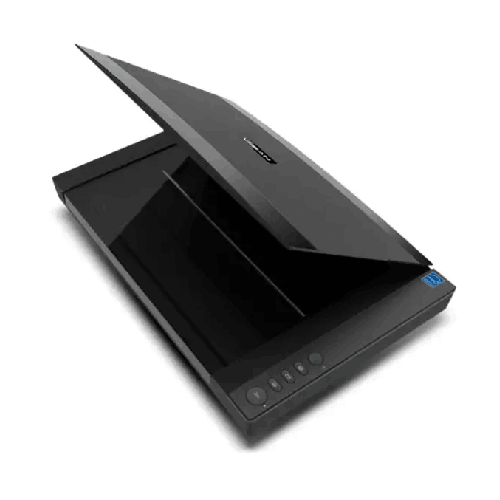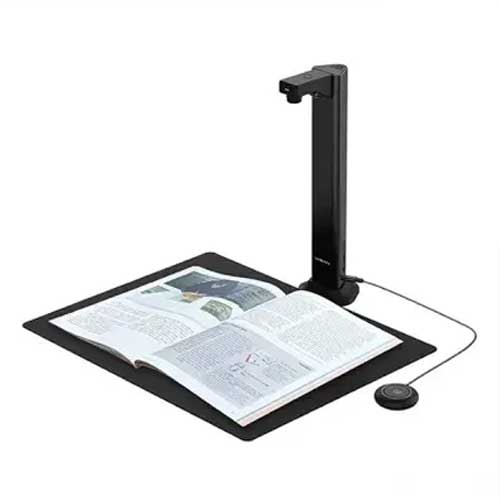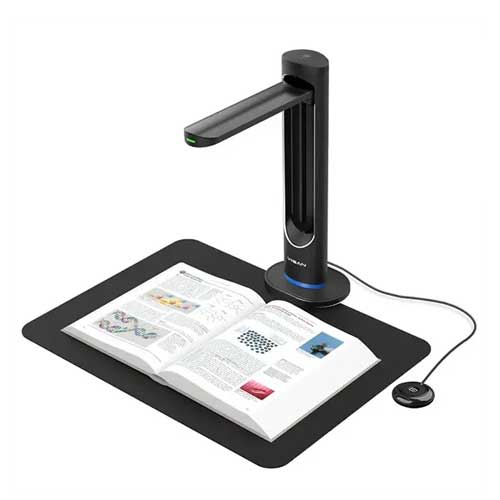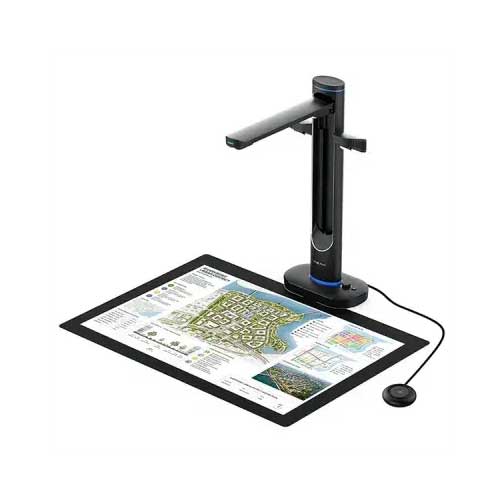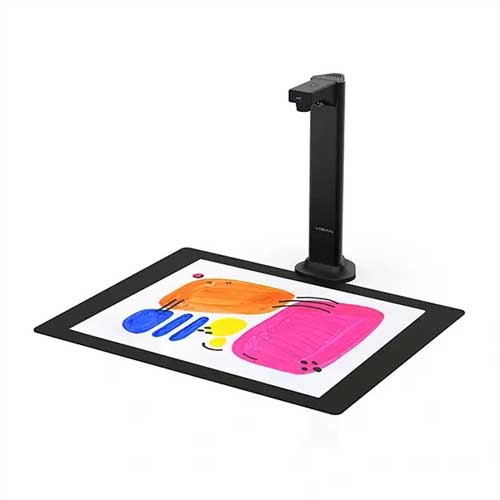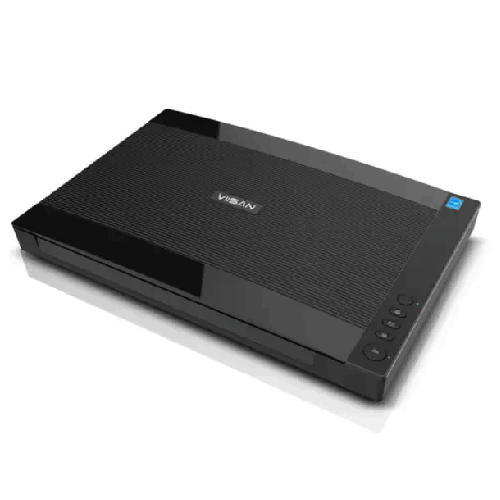
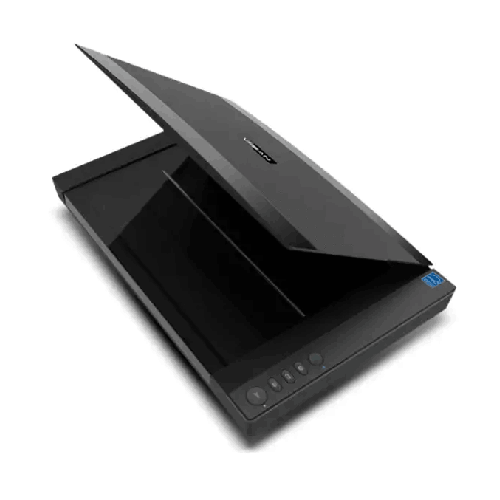
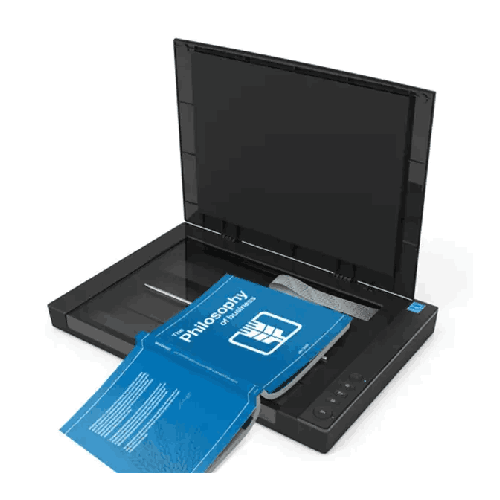
Viisan VF3240 A3 High-Speed Flatbed Scanner
Regular Price:৳0.00Availability: SKU: 7.29.575.9215
Quick Overview
-
Support
Saturday – Thursday: 09 AM - 06 PM. -
Payment
Cash on Delivery | Card | Online Payment -
Shipping Cost
Inside Dhaka 100tk | Outside Dhaka 150tk -
Warranty Policy
Read More
Description
Viisan VF3240 A3 High-Speed Flatbed Scanner Price in Bangladesh
The Viisan VF3240 A3 High-Speed Flatbed Scanner is built for users who regularly deal with A3-size originals (12" × 17"), need high optical resolution, and want consistent performance without the fragility and feeding limitations of sheet-fed-only devices. A flatbed scanner has a different personality: it’s calmer, more controlled, and far more forgiving with sensitive originals. When you combine that flatbed reliability with high scanning speed and practical software support, you get a device that fits real-world Bangladeshi office routines—where papers may be stapled, slightly curled, mixed in size, or simply too important to risk through rollers.
Why A3 scanning matters more than people expect
Many buyers start by thinking A4. Then reality hits. Schools and coaching centers handle larger registers. Architects and engineers deal with drawings and approvals. Businesses often receive legal-size and oversized forms. In Bangladesh, it’s also common to have documents that have been photocopied repeatedly, stamped, and stapled—making them unsuitable for fast sheet-fed mechanisms.
The VF3240 supports a maximum scan area of 304 × 426 mm (12" × 17"), which directly addresses those needs. That means you can scan:
- A3 artwork and posters used by educational institutes
- Engineering drawings and site layouts used by construction teams
- Large certificates and legal documents that shouldn’t be folded
- Ledger-style pages and oversize registers
- Product catalogs, menus, and marketing material in near-original form
If your work includes large pages even occasionally, owning an A3 flatbed saves you the frequent “workaround” of scanning in parts and stitching later.
Speed that fits daily workload pressure
Flatbed scanning is often stereotyped as slow. The VF3240 challenges that assumption with a specified speed of 4 seconds per A3 page at 200 dpi. In practical terms, that’s fast enough for busy environments where scanning is continuous, not occasional.
In a Dhaka head office, for example, the admin team may need to digitize signed paperwork daily. In a school, a staff member may scan question papers or internal forms. In a design studio, time matters when clients are waiting. Faster scan cycles reduce line-ups and keep the workflow smooth.
To support frequent scanning routines, the VF3240 is also rated for Daily Duty Scan (Sheets): 2500 pages. That number is useful as a planning indicator: it positions the scanner for organizations that treat scanning as a normal operational task, not a once-a-week activity.
Optical clarity: 2400 × 2400 dpi and CIS accuracy
Where a scanner truly proves its value is in clarity—especially when you need to zoom in, print later, or read faint text. The VF3240 offers max optical resolution of 2400 × 2400 dpi, backed by a Color CIS optical sensor. CIS (Contact Image Sensor) technology is widely used in modern flatbeds for sharp, consistent capture and compact designs.
For Bangladesh users, high optical resolution helps in:
- Preserving fine details in stamps and signatures
- Capturing small printed text from older forms
- Creating clean digital records that remain readable after years
- Scanning design drafts and line drawings with better definition
There’s also an important note provided: WIA only supports up to 600 dpi. That’s valuable transparency. Many Windows workflows use WIA by default; if your use case needs higher resolution, planning around driver choice and scanning software becomes important.
Color depth that supports professional archiving
When you scan documents for long-term storage or official use, color accuracy matters more than people expect. Stamps, seals, handwritten notes, and colored highlights can carry meaning. The VF3240 supports:
- Color: 48-bit input / 24-bit output
- Gray: 16-bit input / 8-bit output
This is useful for organizations that want clean, natural-looking scans. It can also help when you later run OCR or image enhancement, because richer input data can improve processing results (depending on workflow).
LED light source: stable, efficient scanning
The VF3240 uses a three-color (RGB) LED light source. LED-based scanning is valued for stable illumination, efficient operation, and consistent results over time. In busy Bangladesh offices where the scanner might run across multiple shifts, consistent lighting helps maintain scan quality without frequent recalibration habits from older technologies.
Output formats that match real office demands
A scanner’s usefulness often depends on what it can output easily. The VF3240 supports a range of formats:
BMP, PNG, JPEG, PDF, Multi-page PDF, TIF, Multi-page TIF
For Bangladesh businesses, multi-page PDF is often the most practical format for records, HR files, tender documents, and vendor paperwork. Multi-page TIFF remains useful for archival workflows and some publishing environments. The availability of both gives flexibility—without forcing you into one rigid output type.
One-touch function buttons: a simple productivity win
The VF3240 includes physical function buttons:
- SCAN / PDF / E-Mail / PRINT
This is more important than it sounds. In many Bangladesh offices, scanning is done by non-technical staff. A clear, one-touch workflow reduces mistakes, speeds up handover training, and improves consistency. Instead of needing to open a complex scanning app every time, staff can follow a repeatable routine—especially for standardized tasks like creating PDFs and sending them quickly.
OCR support: turning scanned pages into searchable work (Windows only)
When teams talk about “digitization,” what they really want is searchability. Scanning an image is only half the story; OCR (optical character recognition) is what makes a scanned document behave like a digital document.
The VF3240 provides:
- Support OCR Language: 138 languages (Windows only)
- Bundled Software (Windows): ViiScan Event Utility OCR Engine
- Bundled Software (macOS): ICA driver only
In practice, this means that Windows users can build a more complete scan-to-searchable-PDF workflow using the included OCR engine. That’s especially useful in Bangladesh for offices managing multi-language documents and printed records that need to be searchable by keywords, IDs, dates, or names.
Because OCR is Windows-only in the provided info, Mac users should plan differently: macOS support is noted as ICA driver only, which is functional but may rely on third-party OCR solutions if searchable text is required.
Driver and OS flexibility for mixed environments
Bangladesh organizations often have mixed systems—Windows PCs in admin, MacBooks in design, and Linux systems in technical departments. The VF3240 addresses this by supporting:
- Windows: TWAIN and WIA
- Mac OS: Image Capture (ICA) driver only
- Linux: XSANE only
This is practical coverage. TWAIN is widely used in office scanning applications, while WIA works with many Windows-native workflows. Linux support via XSANE helps education and technical environments where Linux machines are common.
The software section also lists mobile app requirements (not applicable here) for other products, but for the VF3240 the key point is that it’s built for computer-based workflows with standard driver protocols.
Connectivity: High Speed USB 2.0—simple and dependable
The scanner uses High Speed USB 2.0. In daily use, USB is straightforward: connect to a workstation, scan reliably, and keep control local. Many Bangladesh offices prefer USB scanning because it’s simpler to troubleshoot than network scanning when IT support is limited. USB also ensures stable throughput for high-resolution scans without depending on Wi‑Fi stability.
If you want “scan from multiple desks,” the common approach is to connect the scanner to a central PC and share workflows through folders or document management policies—keeping scanning consistent.
Power and energy behavior: suitable for office routines
Power details provided:
- Power Supply: 12 VDC/2A, 24W (Input: 100–120VAC or 200–240VAC, 50–60Hz)
- Power Consumption: 8.5W
- Power Saving: 15 min auto power off
The broad AC input range is useful for Bangladesh environments, and the auto power-off behavior is a practical energy saver in offices where devices are often left on unintentionally. Lower power draw also reduces heat—important when the scanner is placed in compact rooms or near other equipment.
Environmental suitability: made for daily office conditions
The VF3240 is specified for:
- Operating Temperature: 10°C to 35°C
- Operating Humidity: 10% to 85%
These ranges align well with typical indoor office environments in Bangladesh. For best results, as with any scanner, avoid placing it directly under AC airflow that creates condensation risk, and keep the glass surface clean to prevent dust artifacts—especially during dry seasons when dust accumulation increases.
Build and footprint: easier to plan your workspace
The scanner dimensions are 565 × 394 × 61 mm. This matters for planning. A3 flatbeds need real desk space. In Bangladesh offices where desk space is precious, you’ll want to allocate a stable table or scanning station. The benefit is operational: when the scanner has a dedicated place, your team scans more consistently and damages the glass less often.
How the VF3240 improves real workflows in Bangladesh
1) Office record digitization (HR, accounts, admin)
Staff can scan multi-page paperwork into searchable PDFs (Windows OCR) and store them in structured folders. Multi-page PDF support keeps each file organized.
2) Education workflows (schools, colleges, coaching centers)
Scan A3 materials, notices, registers, and student work. Flatbed scanning is ideal for fragile pages and stapled sets that shouldn’t go through feeders.
3) Engineering and construction documentation
Scan site drawings, approvals, and layout pages. A3 capture avoids folding documents or scanning in sections.
4) Print shops and design studios
Capture artwork, posters, and templates with high optical resolution and strong color depth, supporting better reproduction and archiving.
5) Government liaison and compliance paperwork
When document quality matters (stamps, seals, signatures), a flatbed helps preserve clarity and reduces misreads.
Scan quality isn’t just resolution—it’s consistency
Bangladesh businesses often scan documents that are not “clean.” There may be wrinkles, dust, stamps, and faded print. A flatbed design gives you more control: you can align the page properly, flatten it gently, and repeat scans with predictable results. This is especially important for legal and financial documents where clarity can prevent disputes.
Because the VF3240 offers both TWAIN and WIA on Windows, you can choose scanning software that matches your preference—simple office scanning apps or advanced tools used by professionals.
Practical care and maintenance (general, accuracy-safe)
To keep scan quality high:
- Clean the glass with a soft microfiber cloth and suitable screen-safe cleaner; avoid harsh chemicals.
- Keep the lid and edges dust-free; dust can show up as lines or spots.
- Don’t press too hard on the lid with thick books; treat the hinge gently.
- If you scan many stamped documents, check for ink transfer or residue and clean promptly.
- Use the power-saving features to reduce unnecessary heat buildup over long idle periods.
Choosing the VF3240: the right reason to buy
The best reason to buy an A3 flatbed isn’t only size—it’s control. The VF3240 is for teams that want:
- A3 scanning without stitching images
- Better handling of delicate originals
- Fast A3 scanning at practical resolution
- Multi-page PDF output for everyday document workflows
- OCR capability on Windows for searchable records
- A duty cycle appropriate for frequent daily scanning
If your environment in Bangladesh values clean records, efficient workflows, and the confidence of reliable A3 scanning, the Viisan VF3240 A3 High-Speed Flatbed Scanner is a sensible, productivity-focused upgrade.
✅ Key Features
- A3 Flatbed Scan Area (304 × 426 mm): Lets you scan oversized originals cleanly without folding or stitching scans.
- High Optical Resolution (2400 × 2400 dpi): Captures fine text, stamps, and line details for clearer archiving and reprints.
- Fast A3 Scanning (4 sec/A3 at 200 dpi): Speeds up daily workflows when many pages must be digitized quickly.
- Daily Duty Cycle up to 2500 Pages: Supports frequent scanning routines for busy offices and institutions.
- Color CIS Optical Sensor: Provides consistent, sharp capture for documents, photos, and printed materials.
- 48-bit Color Input / 24-bit Output: Preserves richer color information for better-looking digital records.
- Multi-page PDF & Multi-page TIF Support: Helps you create tidy file sets for accounts, HR, tenders, and archives.
- One-touch Function Buttons (Scan/PDF/E-mail/Print): Simplifies use for non-technical staff and speeds routine actions.
- OCR Support for 138 Languages (Windows Only): Converts scans into searchable content for faster retrieval and compliance needs.
- USB 2.0 High Speed Interface: Offers dependable connection to a workstation with simple setup and stable performance.
- RGB LED Light Source: Delivers stable illumination for consistent scan output over time.
- Broad Driver Support (TWAIN/WIA/ICA/XSANE): Fits mixed OS environments across Windows, macOS, and Linux.
✅ Usage / Applications
- A3 drawing and blueprint digitization for engineering, architecture, and construction documentation.
- School and college record archiving including registers, notices, and large-format papers.
- Office accounts and admin scanning to create organized multi-page PDFs for storage and email sharing.
- Legal and compliance paperwork scanning where stamp and signature clarity matters.
- Design studio and print shop capture for artwork, posters, and templates.
- Tender and procurement document digitization to keep searchable records for future reference.
- Library and archive work for preserving large printed materials.
- Healthcare admin documentation (forms, reports, referrals) requiring neat digital filing.
✅ Benefits of This Product?
- Reduces document loss risk by digitizing records into searchable files for long-term storage.
- Saves time on large pages by scanning A3 in one pass instead of piecing sections together.
- Improves scan reliability because flatbed scanning handles fragile or stapled papers gently.
- Creates cleaner digital archives with high optical resolution and strong color depth.
- Simplifies staff workflows through one-touch buttons and multi-page PDF output.
- Supports faster document retrieval with OCR on Windows for searchable text.
- Fits mixed IT environments with driver options across Windows, macOS, and Linux.
- Helps maintain consistent quality using stable RGB LED illumination and controlled flatbed placement.
✅ Ideal For
The Viisan VF3240 A3 High-Speed Flatbed Scanner is ideal for Bangladesh organizations that routinely handle documents bigger than standard A4 and need consistent results without risking originals in a feeder. It’s a strong fit for schools, colleges, and coaching centers that scan registers, notices, and large-format student materials. It also suits engineering firms, architects, and construction offices that need to digitize A3 drawings and approvals in a single pass. For corporate admin and accounts teams in Dhaka, the VF3240 is valuable when you want clean multi-page PDFs for archiving, audits, and fast email sharing. Print shops, designers, and marketing teams will appreciate the high optical resolution and color depth for capturing artwork and layouts. If your workflow depends on frequent scanning and you want OCR-enabled, searchable files on Windows, this scanner is a practical choice.
✅ Why Choose the Viisan VF3240 A3 High-Speed Flatbed Scanner?
The VF3240 is a smart choice when your scanning needs are defined by two realities: paper variety and workload volume. In Bangladesh offices, documents are rarely perfect. They’re stamped, folded, photocopied, stapled, or slightly damaged. A flatbed design handles these realities better than sheet-fed-only devices because you control placement and you’re not forcing sensitive originals through rollers.
What makes the VF3240 especially compelling is that it pairs flatbed reliability with performance. With 4 seconds per A3 page at 200 dpi, it’s fast enough for everyday production scanning without forcing you into a complex scanning station. Its 2400 × 2400 dpi optical resolution supports detailed archiving—useful for legal clarity, signature preservation, and design capture—while its color and grayscale depth supports better-looking digital records.
It’s also flexible in output and workflow. Multi-page PDF and multi-page TIFF support helps you keep long document sets tidy, while one-touch buttons reduce the learning curve for staff. For teams who need searchable archives, OCR support for 138 languages (Windows only) provides a direct path to converting scanned pages into usable, searchable documents.
In short, the VF3240 is for buyers who want an A3 flatbed that’s fast, detailed, and practical—an upgrade that improves both speed and control in real document workflows.
✅ Why Buy This Product from BME?
When you buy an A3 scanner in Bangladesh, the device is only part of the outcome—the rest depends on choosing the right model for your workflow and setting realistic expectations for software, drivers, and output formats. Business Machine & Equipment (BME) can help you purchase the Viisan VF3240 with clarity, especially if you’re planning a scanning workflow for an office, institution, or project environment.
BME can guide you on practical considerations such as workspace planning for an A3 flatbed footprint, choosing the right scanning approach (TWAIN vs WIA on Windows depending on your resolution needs), and building a smooth process for multi-page PDF archiving. For organizations, BME can also support purchasing steps that are common in Bangladesh—like providing a quotation and documentation for accounts and procurement—so institutional buying is easier.
If you tell BME your use case (A3 drawings, school records, legal documents, design work), they can help you align the VF3240’s confirmed capabilities—scan area, speed, resolution, OCR availability on Windows, and OS driver protocols—with your day-to-day needs. That reduces the chance of mismatch and helps ensure the scanner becomes a reliable workflow tool, not a trial-and-error purchase.
✅ Buying Guide
- Step 1: Confirm your document sizes: If you regularly scan A3 or ledger-size originals, an A3 flatbed like the VF3240 prevents time-wasting stitching and preserves original condition.
- Step 2: Decide on the resolution you truly need: For most office archiving, 200–300 dpi is practical and faster. For detailed drawings, stamps, or design capture, higher optical resolution can matter. Keep in mind the WIA note about 600 dpi support.
- Step 3: Plan your file output workflow: If you archive long document sets, prioritize multi-page PDF support for tidy storage and easier sharing.
- Step 4: Check OCR requirements: If you want searchable PDFs, plan to run OCR on Windows using the included OCR engine (as specified). Mac workflows may require alternative OCR solutions.
- Step 5: Verify software compatibility: Choose TWAIN/WIA-based applications on Windows, ICA-based use on macOS, and XSANE workflow on Linux as listed.
- Step 6: Estimate daily workload: If your team scans frequently, the 2500 pages/day duty guidance fits production-like routines without moving to expensive departmental scanners.
- Step 7: Allocate proper desk space: A3 flatbeds need a stable surface and room to open the lid comfortably; plan a dedicated scanning station if possible.
- Step 8: Avoid common mistakes: Don’t scan oversized pages by folding them (creases can hide content); don’t rely on JPEG for official archives if PDF/TIF is more appropriate; don’t neglect glass cleaning—dust becomes visible at higher resolutions.
- Step 9: Consider file naming and storage rules: A scanner improves productivity only when files are organized (date/project/client-based naming helps).
- Step 10: Plan for power and idle time: Use the auto power-off feature and stable power input, and keep the scanner away from heat and moisture.
✅ Customers Ask About / Frequently Asked Questions
-
Q: Can the Viisan VF3240 scan A3 size directly?
A: Yes. It supports a maximum scan area of 304 × 426 mm (12" × 17"), suitable for A3/ledger-size originals. -
Q: How fast is the VF3240 for A3 scanning?
A: It is specified at 4 seconds per A3 page at 200 dpi, which is fast for flatbed scanning. -
Q: What is the optical resolution of this scanner?
A: The maximum optical resolution is 2400 × 2400 dpi. -
Q: Does it support OCR for searchable PDFs?
A: Yes, OCR support is listed for 138 languages on Windows only, using the bundled OCR engine. -
Q: Does WIA support the full 2400 dpi on Windows?
A: A note states WIA only supports up to 600 dpi. For higher resolutions, TWAIN-based workflows/software may be more suitable depending on your setup. -
Q: What file formats can I save scans in?
A: It supports BMP, PNG, JPEG, PDF, Multi-page PDF, TIF, and Multi-page TIF. -
Q: How is it connected to the computer?
A: It uses High Speed USB 2.0. -
Q: Is it suitable for heavy daily use in an office?
A: It lists a daily duty scan guidance of 2500 pages, which fits frequent scanning routines. -
Q: What driver options are supported?
A: Windows: TWAIN and WIA. macOS: Image Capture (ICA) only. Linux: XSANE only. -
Q: Does it have one-touch buttons?
A: Yes. The function buttons are SCAN / PDF / E-Mail / PRINT. -
Q: What are the power requirements?
A: Power supply is 12 VDC/2A (24W) with AC input 100–120VAC or 200–240VAC, 50–60Hz, and power consumption is listed as 8.5W. -
Q: What are the operating environment limits?
A: Operating temperature is 10°C to 35°C, and operating humidity is 10% to 85%.
✅ Why Buy This Product
If your work in Bangladesh involves oversized documents, detailed records, or sensitive originals, an A3 flatbed scanner isn’t a luxury—it’s a workflow upgrade. The Viisan VF3240 A3 High-Speed Flatbed Scanner helps you digitize A3 pages in one pass, maintain clarity with 2400 × 2400 dpi optical resolution, and keep scanning moving with a fast A3 scan time at practical resolution. With multi-page PDF output and Windows OCR support for 138 languages, it’s built for organizations that want organized, searchable archives—not just image files.
For offices, schools, design studios, engineering teams, and admin departments that scan every day, the VF3240 can turn scanning into a predictable routine instead of a frustrating bottleneck. Order the Viisan VF3240 from BME to build a cleaner, faster document workflow and preserve important records with confidence.
What is the price of Viisan VF3240 A3 High-Speed Flatbed Scanner in Bangladesh?
Write a review
Question Answer
Have question about this product? Get specific details about this product from expert.

Canon CanoScan Lide 300 Flatbed Scanner