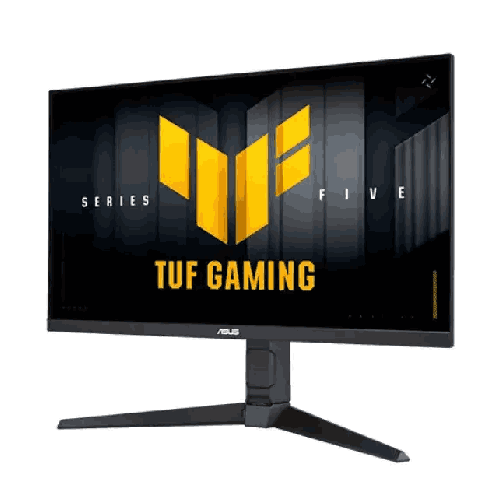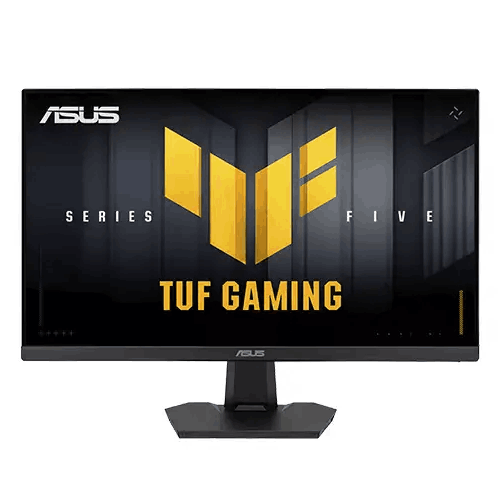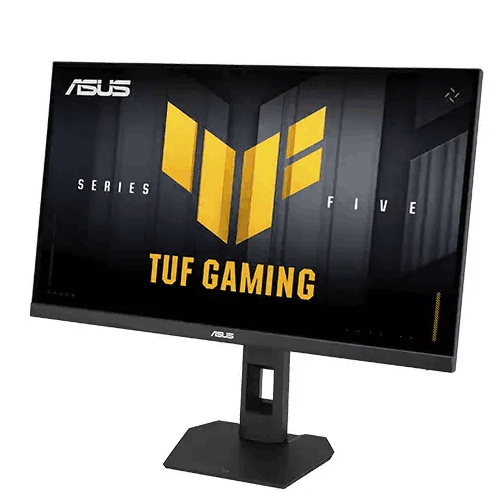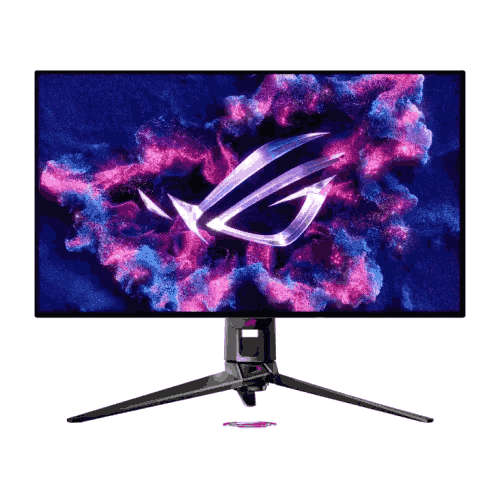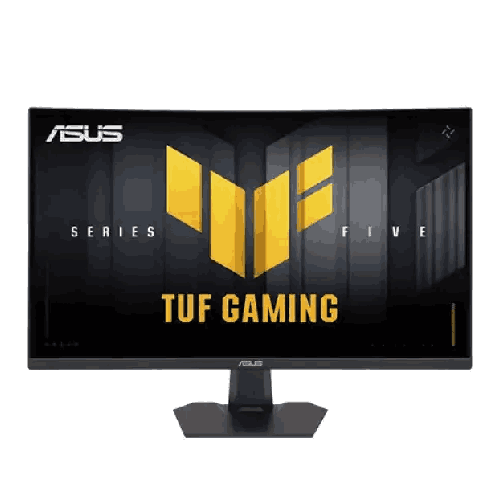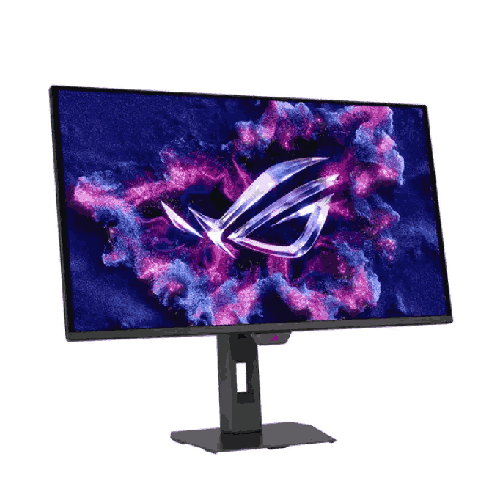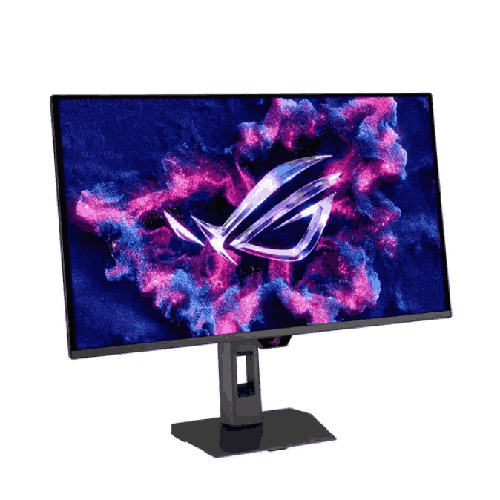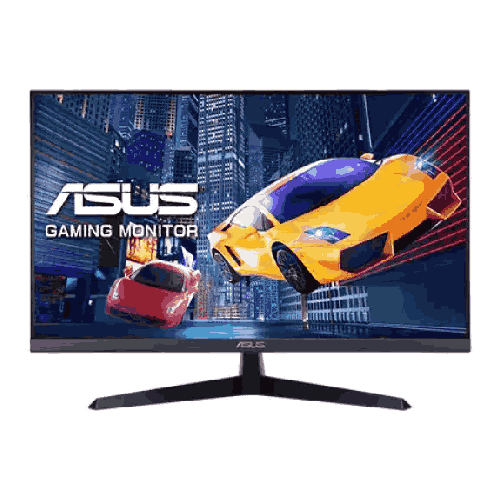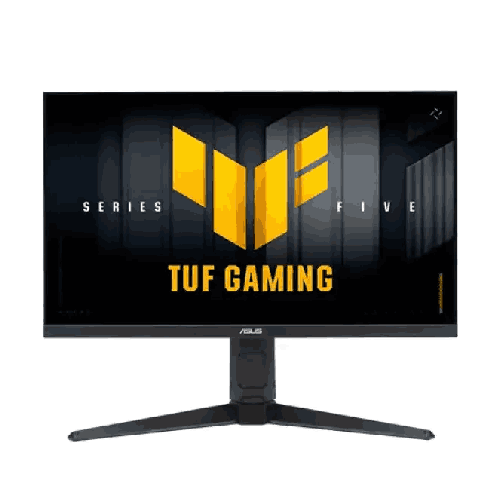
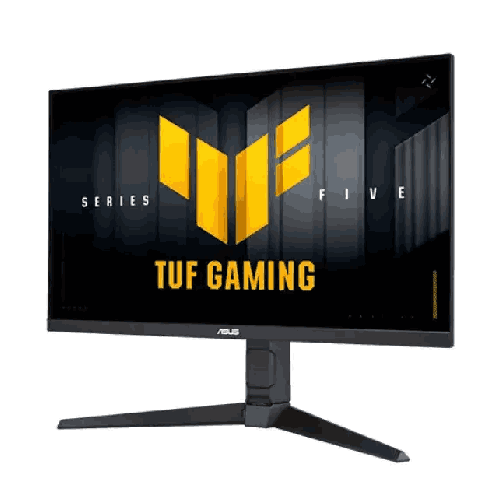
Asus TUF Gaming VG27UQEL5A 27" 4K UHD 310Hz Dual Mode IPS Gaming Monitor
Regular Price:৳45,500.00Availability: SKU: 9.60.13.9693
Quick Overview
-
Support
Saturday – Thursday: 09 AM - 06 PM. -
Payment
Cash on Delivery | Card | Online Payment -
Shipping Cost
Inside Dhaka 100tk | Outside Dhaka 150tk -
Warranty Policy
Read More
Description
Asus TUF Gaming VG27UQEL5A 27" 4K UHD 310Hz Dual Mode IPS Gaming Monitor Price in Bangladesh
The Asus TUF Gaming VG27UQEL5A 27" 4K UHD 310Hz Dual Mode IPS Gaming Monitor completely eliminates that trade-off by putting two distinct, uncompromising display personalities inside a single sleek frame.
Whether you are a freelance creative professional in Dhaka who edits 4K client timelines by day and grinds competitive Valorant ranks by night, a university student in Chattogram balancing software engineering with gaming, or a multi-genre enthusiast in Sylhet with space for only one monitor on your desk, this display adapts to your exact needs at the press of a hotkey.
Engineered around a fast, color-rich 27-inch IPS panel, the Asus TUF Gaming VG27UQEL5A 27" 4K UHD 310Hz Dual Mode IPS Gaming Monitor effortlessly shifts between ultra-detailed 4K UHD (3840 x 2160) at 80Hz and blistering Full HD (1920 x 1080) at an astonishing 310Hz. Backed by a rapid 1ms (GtG) response time, seamless G-Sync and FreeSync support, and built-in stereo speakers, it delivers the versatility of a dual-monitor setup without requiring double the desk footprint or double the budget.
Key Technology & Dual-Mode Mastery: 4K UHD @ 80Hz Meets FHD @ 310Hz
The headline innovation inside the Asus TUF Gaming VG27UQEL5A 27" 4K UHD 310Hz Dual Mode IPS Gaming Monitor is its hardware-level Dual Mode (Frame Rate Boost) architecture. Unlike standard monitors that simply stretch lower resolutions awkwardly without changing their maximum refresh ceiling, this display reconfigures its internal timing controller dynamically so you get true pixel-integer scaling and a massive jump in refresh speed whenever you switch modes.
In its native 4K UHD (3840 x 2160) mode, you get over 8.29 million pixels packed tightly into a 27-inch diagonal canvas—resulting in an ultra-crisp pixel density of roughly 163 pixels per inch (PPI). Furthermore, instead of capping out at the traditional 60Hz limit of standard 4K office screens, ASUS elevates the 4K refresh rate to a noticeably smoother 80Hz. That extra 33% frame rate headroom makes cursor movement, timeline scrubbing, web scrolling, and cinematic AAA gaming feel tangibly more fluid while retaining breathtaking 4K clarity.
The moment you launch a competitive multiplayer title where split-second target tracking decides the match, a simple toggle switches the monitor into Full HD (1920 x 1080) @ 310Hz mode. Because 3840 x 2160 divides cleanly into 1920 x 1080 by a precise 4:1 ratio, the scaling remains crisp while the refresh rate skyrockets to 310 frames per second. At 310Hz, the screen updates a new frame almost every 3.2 milliseconds, turning chaotic fast-flick gunfights into crystal-clear motion sequences where you spot peeking opponents fractions of a second before players stuck on standard 144Hz or 165Hz panels.
Performance, 1ms (GtG) IPS Speed & Tear-Free Adaptive Sync Engine
A 310Hz refresh rate is only as effective as the pixel transitions backing it up. If individual liquid crystal pixels cannot change color fast enough to keep pace with the refresh cycle, fast-moving objects leave behind muddy trails and ghosting artifacts. The Asus TUF Gaming VG27UQEL5A 27" 4K UHD 310Hz Dual Mode IPS Gaming Monitor solves this with a specialized high-speed IPS panel rated at a rapid 1ms Gray-to-Gray (GtG) response time.
By pairing wide 178-degree IPS viewing angles and vibrant color fidelity with aggressive overdrive tuning, the panel keeps moving edges razor-sharp whether you are whipping your crosshair 180 degrees in Counter-Strike 2 or tracking a speeding race car in Forza Horizon. Better still, integrated ASUS Variable Overdrive dynamically adjusts the pixel overdrive strength as your frame rates fluctuate, preventing the ugly bright "coronas" or inverse ghosting that plague cheaper monitors when frame rates dip in demanding scenes.
To banish screen tearing and micro-stuttering across both NVIDIA GeForce and AMD Radeon graphics cards, the monitor natively supports both G-Sync compatibility and AMD FreeSync Variable Refresh Rate (VRR) technology. Even if your GPU frame rate varies between 48 FPS and 80 FPS in ultra-heavy 4K ray-traced titles—or fluctuates between 200 FPS and 310 FPS in competitive esports—the monitor synchronizes its refresh intervals in real time with your graphics card output. Combined with ASUS Extreme Low Motion Blur (ELMB) technology, fast-paced visual action remains remarkably crisp, stable, and easy on the eyes.
Audio Convenience & Built-In Multimedia Experience
Modern desktop setups in Bangladesh often suffer from cable clutter, especially when external USB-powered desktop speakers take up valuable desk space and extra power strip sockets. The Asus TUF Gaming VG27UQEL5A 27" 4K UHD 310Hz Dual Mode IPS Gaming Monitor streamlines your daily workflow by integrating built-in stereo speakers directly into the chassis.
Whether you are jumping into a quick Zoom or Google Meet call with international clients, watching training tutorials on YouTube, reviewing rough audio cuts in a video timeline, or enjoying casual console gaming from across the room, the onboard speakers deliver clear, immediate stereo audio over a single DisplayPort or HDMI cable—without needing to wear heavy headphones all day long.
When it is time for late-night ranked matches where pinpointing enemy footsteps is critical—or when you do not want to disturb family members in the next room—a conveniently accessible 3.5mm Earphone Jack is built right into the monitor I/O bay. You can plug your wired gaming headset, studio headphones, or high-sensitivity In-Ear Monitors (IEMs) directly into the monitor for clean, low-latency analog audio pass-through from either your PC or a connected gaming console.
Smart Features, DisplayWidget Center & TUF Gaming AI Enhancements
Gone are the days of fumbling blindly behind the bottom bezel of your monitor to navigate clunky physical buttons every time you want to change brightness or switch display modes. The Asus TUF Gaming VG27UQEL5A 27" 4K UHD 310Hz Dual Mode IPS Gaming Monitor integrates seamlessly with ASUS DisplayWidget Center, an intuitive Windows software utility that lets you adjust every monitor setting directly with your mouse and keyboard.
With DisplayWidget Center and onboard TUF smart technologies, you unlock a powerful suite of tactical and visual tools:
- Instant Dual-Mode Hotkey Switching: Transition smoothly between 4K 80Hz mode and FHD 310Hz mode without digging through endless menus.
- Dynamic Shadow Boost: Automatically brightens dark corners and shadowed hallways in games without overexposing bright skies or blowing out highlights—giving you a huge tactical edge when spotting campers hiding in dim areas.
- ASUS GamePlus Overlay Suite: Includes hardware-level Dynamic Crosshairs that automatically shift color to stay visible against bright backgrounds, an on-screen FPS counter, a tactical sniper zoom mode, and display alignment grids.
- GameVisual Presets: Offers tailored color and contrast profiles optimized for FPS, Racing, MOBA, RTS/RPG, Cinema, and sRGB creative workflows, with automatic app-based profile switching inside DisplayWidget Center.
- TÜV Rheinland-Certified Eye Care: Hardware-calibrated Flicker-Free backlighting and multi-level Low Blue Light filtration minimize eye strain, dry eyes, and fatigue during marathon 10-hour coding, editing, or gaming sessions.
Gaming, Content Creation & Hybrid Work Capabilities
What truly sets the Asus TUF Gaming VG27UQEL5A 27" 4K UHD 310Hz Dual Mode IPS Gaming Monitor apart in real-world daily use is how effortlessly it serves two completely different lifestyles on the exact same machine.
During work and study hours, switching to 3840 x 2160 (4K UHD) at 80Hz transforms your 27-inch screen into a high-resolution productivity powerhouse. Text in Microsoft Word, Google Docs, VS Code, and PDF research papers looks as sharp as a printed page. Video editors working in Adobe Premiere Pro or DaVinci Resolve can preview native 4K 16:9 footage at 100% pixel accuracy while still having room for timeline tracks and scopes. Graphic designers and UI/UX specialists benefit from the IPS panel’s rich color gamut and consistent shade reproduction from edge to edge.
When work wraps up, you have two ways to game depending on your mood:
- Scenario A — Cinematic Single-Player Immersion (4K @ 80Hz): Boot up Black Myth: Wukong, Cyberpunk 2077, Red Dead Redemption 2, Elden Ring, or Ghost of Tsushima in full 4K UHD. Even with DLSS or FSR enabled, hitting 60 to 80 FPS at 4K is the sweet spot for modern mid-to-high-range GPUs (like the RTX 4070 Super, RTX 4070 Ti, or RX 7800 XT), and the 80Hz refresh ceiling with G-Sync/FreeSync lets you enjoy every frame of that extra headroom with jaw-dropping texture fidelity.
- Scenario B — Hyper-Competitive Esports Dominance (FHD @ 310Hz): Switch to 1080p @ 310Hz for Valorant, Counter-Strike 2, Apex Legends, Overwatch 2, or Rainbow Six Siege. Lowering the rendering resolution to 1920 x 1080 immediately frees up your GPU to pump out 300+ frames per second, reducing system latency to the absolute minimum and delivering ultra-fluid 310Hz motion clarity that gives you a tangible competitive advantage.
Design, Build Quality & Space-Saving Ergonomics
True to the ASUS TUF Gaming lineage, the Asus TUF Gaming VG27UQEL5A 27" 4K UHD 310Hz Dual Mode IPS Gaming Monitor combines rugged structural durability with a modern, understated stealth aesthetic that looks right at home in both a professional corporate studio and an RGB-lit gaming bedroom.
Three-sided ultra-slim bezels frame the 27-inch anti-glare IPS panel, maximizing your screen-to-body ratio and minimizing visual distraction if you ever place a secondary vertical monitor beside it. The matte anti-glare screen coating is particularly valuable in Bangladeshi homes and offices, effectively diffusing harsh reflections from overhead tube lights or nearby sunny windows without making the image look grainy.
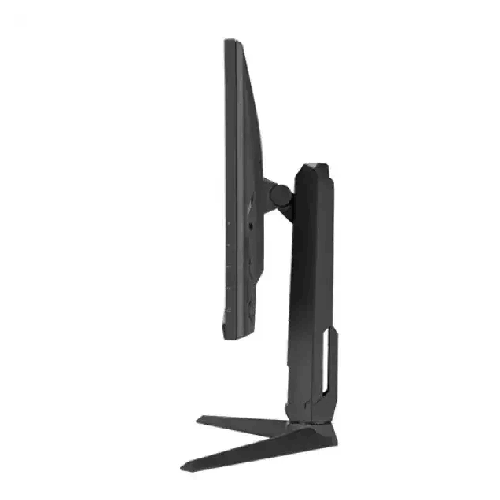
The sturdy, low-profile base is engineered to sit securely on compact computer desks without eating up the valuable surface area you need for large esports mousepads and low-DPI mouse sweeps. Ergonomic tilt adjustment lets you angle the screen comfortably to match your seating posture, while full VESA (100 x 100mm) wall and arm mount compatibility allows you to mount the display onto an articulated gas-spring monitor arm for floating desk ergonomics.
Real-Life Usage Scenarios Tailored for the Bangladesh Context
Buying a monitor in Bangladesh involves practical considerations around room size, electricity backup, and multi-purpose family or freelance usage that make this Dual-Mode monitor an exceptionally smart investment:
- Solving Dhaka & Chattogram Desk Space Constraints: Most computer desks in Bangladeshi apartments and dorm rooms are 3.5 to 4 feet wide—nowhere near wide enough to comfortably fit a separate 27-inch 4K productivity monitor alongside a separate 24-inch 240Hz+ esports monitor. The Asus TUF Gaming VG27UQEL5A 27" 4K UHD 310Hz Dual Mode IPS Gaming Monitor gives you both displays in a single 27-inch footprint.
- The Perfect Companion for Bangladeshi Freelancers & Remote Workers: Thousands of professionals across Bangladesh earn a living through Upwork, Fiverr, and remote software agencies by day—demanding crisp 4K text clarity and color-accurate IPS visuals—before unwinding with friends in competitive multiplayer lobbies at night. Instead of compromising on your professional workspace or your gaming hobby, this single screen excels at both.
- UPS & IPS Power Backup Friendliness During Load-Shedding: Running two separate monitors during a power outage drains your UPS battery twice as fast and often triggers overload alarms on standard 650VA to 1200VA UPS units. Consolidating your 4K workstation and 310Hz gaming screen into one energy-efficient LED-backlit IPS monitor keeps your power draw low so your PC stays running safely during load-shedding.
- Getting Maximum Value Out of Mid-Range GPUs: In Bangladesh, graphics card prices represent a huge portion of a PC build budget. Many gamers own capable cards like the RTX 4060, RTX 4060 Ti, RTX 4070, or RX 7700 XT that can easily push 300+ FPS in 1080p esports and 60–80 FPS in 4K media/AAA titles with upscaling, but cannot push 144+ FPS in native 4K. This monitor’s 4K 80Hz / FHD 310Hz pairing matches the real-world capabilities of mainstream and upper-mid-range GPUs far better than overpriced 4K 240Hz monitors that require an ultra-expensive flagship GPU.
Compatibility & Multi-Device Connectivity Ecosystem
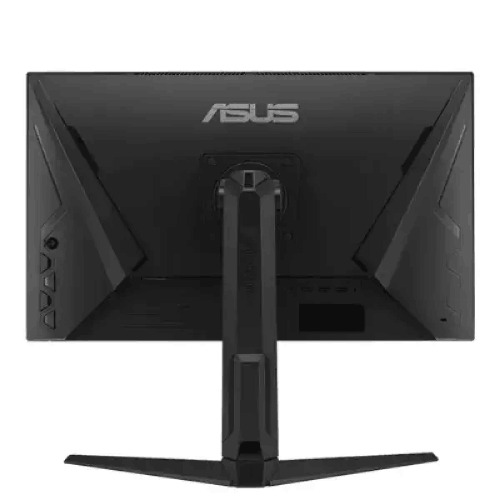
The Asus TUF Gaming VG27UQEL5A 27" 4K UHD 310Hz Dual Mode IPS Gaming Monitor is equipped with a versatile I/O hub designed to keep your gaming PC, work laptop, and entertainment consoles connected simultaneously without constantly swapping cables behind your desk:
- 1x DisplayPort 1.4: Your primary high-bandwidth connection for desktop gaming PCs and workstation GPUs, unlocking full resolution, maximum 80Hz (4K) and 310Hz (FHD) refresh rates, 10-bit color depth, and G-Sync / FreeSync variable refresh rate performance.
- 2x HDMI 2.0 Ports: Allows you to keep two additional devices plugged in permanently—such as a MacBook or Windows office laptop for dual-screen work alongside a PlayStation 5, Xbox Series X/S, Nintendo Switch, or Android TV streaming box for 4K UHD entertainment.
- 1x 3.5mm Earphone Jack: Provides direct analog audio output for headphones, gaming headsets, or external desktop soundbars across any active DisplayPort or HDMI input source.
Maintenance & Care for Long-Term Panel Brilliance
To keep the anti-glare IPS panel of your Asus TUF Gaming VG27UQEL5A 27" 4K UHD 310Hz Dual Mode IPS Gaming Monitor pristine in Bangladesh’s humid and dusty climate, follow these simple, safe maintenance habits:
- Always Dust Dry First: Before wiping the screen, gently brush away loose dust particles using a clean, dry microfiber optical cloth. Wiping heavy dust with pressure can cause micro-scratches on the anti-glare polarizer layer.
- Never Use Alcohol, Glass Cleaner, or Ammonia: For stubborn smudges, lightly dampen a microfiber cloth with distilled water or specialized alcohol-free LCD screen cleaner. Never spray liquid directly onto the panel where droplets could trickle down inside the bottom bezel.
- Use a Surge Protector or Voltage-Regulated UPS: Connect the monitor’s power cord through a quality surge-protected power strip or AVR-equipped UPS to safeguard internal power circuitry against sudden voltage spikes when grid electricity returns after load-shedding.
- Keep Rear Vents Unobstructed: Ensure the top and rear ventilation slots remain clear of dust buildup and away from direct wall contact so internal electronics stay cool during warm summer months.
✅ Key Features
- Revolutionary Dual-Mode Resolution & Refresh Switching: Seamlessly toggles between ultra-sharp 4K UHD (3840 x 2160) at 80Hz for detailed creation and cinematic worlds, and hyper-fast Full HD (1920 x 1080) at 310Hz for competitive esports superiority.
- 27-Inch Fast IPS Panel Technology: Combines wide 178-degree viewing angles and vibrant color accuracy with rapid pixel responsiveness suitable for both professional creative tasks and intense gaming.
- Ultra-Fast 1ms (GtG) Response Time: Eliminates smearing, motion blur, and trailing ghosts during high-velocity camera pans and rapid crosshair flicks.
- NVIDIA G-Sync & AMD FreeSync Support: Synchronizes the monitor’s refresh rate dynamically with your GPU frame output for tear-free, stutter-free gameplay across both NVIDIA and AMD graphics cards.
- Multi-Device Connectivity Hub: Features 1x DisplayPort 1.4 and 2x HDMI 2.0 ports alongside a 3.5mm Earphone Jack, allowing simultaneous connection of your desktop PC, laptop, and gaming consoles.
- Integrated Stereo Speakers: Delivers convenient out-of-the-box audio for online meetings, video streaming, and casual gaming without cluttering your desk with external speaker wires.
- ASUS Variable Overdrive & Motion Clarity Tech: Automatically calibrates pixel overdrive across fluctuating frame rates from 48Hz all the way up to 310Hz to keep visuals razor-sharp without inverse ghosting artifacts.
- TUF Gaming AI & GamePlus Tactical Suite: Empowers gamers with Dynamic Shadow Boost for dark-corner visibility, color-adapting Dynamic Crosshairs, real-time FPS counters, and genre-specific GameVisual modes.
- ASUS DisplayWidget Center Software Control: Lets you switch between 4K 80Hz and FHD 310Hz modes, tweak brightness, and customize color profiles effortlessly using your mouse instead of physical monitor buttons.
- TÜV Rheinland-Certified Flicker-Free & Low Blue Light: Protects your vision against digital eye strain and headaches during extended workdays and late-night gaming sessions.
✅ Usage / Applications
- Competitive Esports & Tactical FPS Gaming: Switch into FHD 310Hz mode with 1ms (GtG) response time to gain split-second visual reaction advantages in Valorant, Counter-Strike 2, Apex Legends, Overwatch 2, and Dota 2.
- Cinematic AAA & Open-World Gaming: Switch into 4K UHD 80Hz mode to experience breathtaking detail, sharp textures, and smooth above-60Hz motion in scenic single-player masterpieces.
- 4K Video Editing & Motion Graphics Production: Preview native 3840 x 2160 video timelines accurately in Adobe Premiere Pro, DaVinci Resolve, and After Effects on a color-rich 27-inch IPS canvas.
- Software Engineering, Coding & Data Analysis: Enjoy razor-sharp 163 PPI text clarity in 4K mode that lets you view multiple side-by-side code editors, terminals, and financial spreadsheets without eye fatigue.
- Graphic Design, Photography & UI/UX Workflows: Rely on consistent IPS viewing angles and detailed 4K pixel density when retouching high-resolution photographs in Photoshop or designing interfaces in Figma.
- Console Gaming & 4K Home Entertainment: Connect a PlayStation 5, Xbox Series X, or streaming box via the dual HDMI 2.0 ports to enjoy crisp 4K UHD gaming and movie streaming with built-in speaker audio.
- Hybrid Work-From-Home & Freelance Setups: Use DisplayPort 1.4 for your main gaming rig and HDMI 2.0 for your work laptop, switching inputs and resolution modes effortlessly throughout the day.
✅ Benefits of This Product?
- Two Specialized Monitors in One Footprint: Saves you the expense, desk space, and cable mess of buying a separate 4K productivity monitor and a separate 300Hz+ 1080p esports monitor.
- Noticeably Smoother 4K Experience at 80Hz: Gives you a 33% smoothness upgrade over standard 60Hz 4K monitors, making everyday desktop navigation, editing, and 4K AAA gaming feel remarkably fluid.
- Tournament-Grade 310Hz Esports Speed: Puts you ahead of 144Hz, 165Hz, and even 240Hz competitors with ultra-low frame persistence and instantaneous input feedback in 1080p mode.
- Better GPU Synergy & Higher Frame Rates: Allows mid-range and upper-mid-range graphics cards to enjoy crisp 4K in story games and 300+ FPS in competitive shooters without requiring an overpriced flagship GPU.
- Clutter-Free Audio Flexibility: Built-in speakers handle everyday media and calls out of the box, while the 3.5mm earphone jack keeps your headphone cable neatly routed away from your PC tower.
- Zero Tearing Whether You Use NVIDIA or AMD: Full compatibility with both G-Sync and FreeSync ensures smooth frame delivery even if you switch graphics card brands in future PC upgrades.
- Reduced Eye Fatigue During Long Hours: Anti-glare IPS optics paired with Flicker-Free and Low Blue Light engineering keep your eyes comfortable across 12-hour hybrid work and play schedules.
- Lower Power Draw on UPS Backup: Running a single Dual-Mode 27-inch monitor instead of a dual-screen setup significantly extends your UPS battery runtime during power outages in Bangladesh.
✅ Ideal For
The Asus TUF Gaming VG27UQEL5A 27" 4K UHD 310Hz Dual Mode IPS Gaming Monitor is tailor-made for hybrid gamers, esports competitors, content creators, freelancers, and students across Bangladesh who use a single PC setup for everything they do. If you refuse to choose between competitive multiplayer shooters (like Valorant and CS2) and visually stunning 4K single-player RPGs, this monitor was built specifically for you.
It is also the ultimate choice for Bangladeshi video editors, graphic designers, software developers, and remote professionals who demand the sharp 163 PPI text clarity and expansive workspace of a 27-inch 4K IPS display during business hours, yet crave the adrenaline of a true 310Hz esports monitor when the workday ends. Finally, for apartment dwellers and dorm students in Dhaka, Chattogram, and across the country who want a clean, single-monitor desk setup that pairs effortlessly with both a desktop PC and a console or laptop, the VG27UQEL5A delivers unmatched all-in-one versatility.
✅ Why Choose the Asus TUF Gaming VG27UQEL5A 27" 4K UHD 310Hz Dual Mode IPS Gaming Monitor?
In the traditional monitor market, buying a 27-inch screen forced you into a corner: standard 4K 60Hz monitors feel sluggish in fast shooters, 1440p monitors do not offer true native 4K pixel density or cleanly scaled 1080p integer mapping, and ultra-expensive 4K 240Hz monitors cost a fortune while demanding a top-tier graphics card just to push high frame rates. The Asus TUF Gaming VG27UQEL5A 27" 4K UHD 310Hz Dual Mode IPS Gaming Monitor is a masterstroke of practical engineering because its 4K @ 80Hz and FHD @ 310Hz Dual-Mode architecture matches how real gamers and professionals actually use their computers.
In 4K mode, upgrading the refresh rate from 60Hz to 80Hz hits the exact sweet spot that modern graphics cards can realistically achieve in demanding AAA titles, while transforming daily productivity and 4K media viewing with crystal-clear 3840 x 2160 precision. Then, because 4K divides into 1080p by an exact 4-to-1 pixel ratio, switching to FHD @ 310Hz gives you a genuine tournament-grade esports panel with a 1ms (GtG) response time that leaves standard 165Hz and 240Hz monitors behind.
Combine that dual-resolution brilliance with G-Sync and FreeSync support, built-in stereo speakers, dual HDMI 2.0 ports plus DisplayPort 1.4, and ASUS TUF Gaming’s legendary build reliability, and the VG27UQEL5A stands out as one of the smartest, highest-value display investments in Bangladesh today.
✅ Why Buy This Product from BME?
Purchasing a high-resolution gaming and creative monitor like the Asus TUF Gaming VG27UQEL5A 27" 4K UHD 310Hz Dual Mode IPS Gaming Monitor is a long-term investment in your daily visual comfort and performance. When you choose Business Machine & Equipment (BME) as your technology partner in Bangladesh, you enjoy complete peace of mind from checkout to setup:
- 100% Authentic, Factory-Sealed Sourcing: BME sources ASUS monitors through authorized, verified distribution channels in Bangladesh, guaranteeing that you receive a genuine factory-sealed unit with original cables, accessories, and official manufacturer warranty eligibility.
- Expert Pre-Purchase & Setup Consultation: Unsure whether your graphics card has the right DisplayPort 1.4 output to unlock both 4K 80Hz and FHD 310Hz modes, or looking to pair this monitor with a new custom PC build? Our knowledgeable technical team provides clear, accurate advice tailored to your hardware.
- Secure Packaging & Nationwide Delivery: Monitors require careful handling in transit. Whether you are ordering inside Dhaka, Chattogram, Sylhet, Rajshahi, Khulna, or any district across Bangladesh, BME ensures protective packaging and reliable logistics coordination.
- B2B, Studio & Corporate Procurement Readiness: For creative agencies, game development studios, esports lounges, and corporate offices upgrading multiple workstations, BME offers competitive B2B quotations, VAT-compliant documentation, and dedicated after-sales warranty assistance.
✅ Buying Guide
To get 100% of the performance out of your Asus TUF Gaming VG27UQEL5A 27" 4K UHD 310Hz Dual Mode IPS Gaming Monitor from day one, keep these practical buying and setup tips in mind:
- Use the DisplayPort 1.4 Port for Your Primary Gaming PC:
- While the two HDMI 2.0 ports are fantastic for laptops, consoles, and secondary devices, always connect your primary gaming desktop GPU using the DisplayPort 1.4 interface. DisplayPort 1.4 provides the maximum uncompressed bandwidth required to seamlessly unlock 4K UHD @ 80Hz, FHD @ 310Hz, and full G-Sync / FreeSync Variable Refresh Rate functionality.
- Understand When to Use Each Dual Mode:
- Keep it in 4K UHD (3840 x 2160) @ 80Hz for Windows desktop work, web browsing, coding, photo/video editing, watching 4K movies, and playing scenic story-driven games. Set Windows Display Scaling to 150% for the most comfortable icon and text size on a 27-inch 4K screen.
- Toggle to Full HD (1920 x 1080) @ 310Hz right before launching competitive fast-twitch multiplayer games (Valorant, CS2, Apex Legends, Overwatch 2) where maximizing FPS and minimizing input latency is your top priority.
- Check Your Graphics Card Compatibility:
- Ensure your discrete graphics card (such as NVIDIA GeForce GTX 16-series / RTX 20, 30, 40, or 50-series, or AMD Radeon RX 5000, 6000, 7000, or 9000-series) includes a standard DisplayPort 1.4 output.
- Desk Depth & Ergonomic Positioning:
- A 27-inch monitor is ideally viewed from an arm’s length distance (roughly 60cm to 75cm from your eyes). In 4K mode, sitting at this distance makes individual pixels completely invisible to the naked eye. If your desk is shallow, you can easily attach the monitor to a 100 x 100mm VESA desk arm to push the screen further back and free up mousepad space underneath.
- Common Mistakes to Avoid:
- Forgetting to change the refresh rate in Windows Settings: After plugging in your monitor or switching Dual Mode, always verify under Windows Settings > System > Display > Advanced Display that your refresh rate is set to 80Hz (in 4K) or 310Hz (in FHD) rather than defaulting to 60Hz.
- Leaving G-Sync/FreeSync disabled in GPU drivers: Remember to enable G-Sync in the NVIDIA Control Panel (or FreeSync in AMD Software: Adrenalin Edition) so Variable Refresh Rate stays active in games.
✅ Customers Ask About / Frequently Asked Questions
1. How does the Dual Mode feature work on the Asus TUF Gaming VG27UQEL5A 27" 4K UHD 310Hz Dual Mode IPS Gaming Monitor?
Dual Mode (ASUS Frame Rate Boost) allows the monitor to operate in two native hardware timing configurations: 4K UHD (3840 x 2160) at up to 80Hz for ultra-sharp visual detail, or Full HD (1920 x 1080) at up to 310Hz for extreme esports speed. You can switch between the two modes quickly using the monitor’s shortcut hotkey or via the ASUS DisplayWidget Center software in Windows.
2. Can the monitor run 4K resolution at 310Hz at the same time?
No. In Dual-Mode monitor technology, you select between 3840 x 2160 (4K UHD) at 80Hz OR 1920 x 1080 (Full HD) at 310Hz. This gives you high-resolution 4K clarity for productivity and AAA games, and an ultra-fast 310Hz refresh rate in 1080p for competitive esports titles.
3. Which port should I use to get the full 310Hz refresh rate in FHD and 80Hz in 4K?
You should connect your PC graphics card using the DisplayPort 1.4 input. DisplayPort 1.4 provides the highest video bandwidth and full support for 4K @ 80Hz, FHD @ 310Hz, and G-Sync / FreeSync Variable Refresh Rate.
4. Does the Asus TUF Gaming VG27UQEL5A have built-in speakers, or do I need external speakers?
Yes, it comes equipped with built-in stereo speakers that receive digital audio directly through your DisplayPort or HDMI cable. It also includes a 3.5mm Earphone Jack so you can plug wired headphones or external powered speakers directly into the monitor.
5. Does 1080p look blurry on this 27-inch 4K monitor when switched to 310Hz mode?
Unlike 1440p (2560 x 1440) monitors that cannot divide evenly into 1920 x 1080, a 4K UHD (3840 x 2160) screen contains exactly four times the pixels of 1080p (a perfect 2x2 pixel grid for every 1080p pixel). Combined with the dedicated Dual-Mode timing switch, 1080p @ 310Hz looks clean, responsive, and purpose-built for fast esports tracking.
6. Is this monitor compatible with both NVIDIA and AMD graphics cards?
Yes. The monitor supports both NVIDIA G-Sync (G-Sync Compatible mode over DisplayPort) and AMD FreeSync, ensuring tear-free and stutter-free variable refresh rate performance regardless of whether your PC uses a GeForce or Radeon GPU.
7. Is the Asus TUF Gaming VG27UQEL5A good for professional video editing and graphic design in Bangladesh?
Absolutely. Because it uses a high-quality 27-inch IPS panel with a native 3840 x 2160 (4K UHD) resolution and wide 178-degree viewing angles, it delivers the sharp pixel density and color consistency needed for 4K Premiere Pro timelines, DaVinci Resolve grading, Photoshop retouching, and UI/UX design.
8. Can I connect a PlayStation 5 or Xbox Series X alongside my gaming PC?
Yes. With 1x DisplayPort 1.4 and 2x HDMI 2.0 ports, you can keep your gaming PC connected via DisplayPort while plugging a PS5, Xbox Series X/S, and a work laptop into the two HDMI 2.0 ports simultaneously.
9. Can I mount this monitor on a desk monitor arm or wall bracket?
Yes, the monitor supports standard VESA (100 x 100mm) mounting, making it compatible with almost all single and dual gas-spring monitor arms and wall brackets available in Bangladesh.
10. How well does this monitor run on a UPS during load-shedding in Bangladesh?
Because it uses modern energy-efficient LED backlighting and consolidates two monitor roles into a single 27-inch screen, it consumes minimal wattage compared to dual-monitor setups—allowing your desktop PC and monitor to stay running smoothly on standard Pure Sine Wave or interactive UPS backups during power cuts.
✅ Why Buy This Product
Why settle for a slow 60Hz work screen or a pixelated 1080p-only gaming screen when one intelligent display can give you the best of both worlds? The Asus TUF Gaming VG27UQEL5A 27" 4K UHD 310Hz Dual Mode IPS Gaming Monitor redefines desktop versatility by pairing the breathtaking clarity of 4K UHD (3840 x 2160) at 80Hz with the tournament-crushing speed of Full HD (1920 x 1080) at 310Hz inside one rugged, color-rich 27-inch IPS panel.
With a blistering 1ms (GtG) response time, seamless G-Sync and FreeSync synchronization, built-in stereo speakers, and versatile DisplayPort 1.4 plus dual HDMI 2.0 connectivity, it empowers you to edit 4K masterpieces by day and dominate competitive esports leaderboards by night. Stop compromising your desk space and your visual experience. Order the Asus TUF Gaming VG27UQEL5A 27" 4K UHD 310Hz Dual Mode IPS Gaming Monitor today from Business Machine & Equipment (BME) and elevate your workstation and gaming rig with genuine ASUS TUF innovation across Bangladesh.
What is the price of Asus TUF Gaming VG27UQEL5A 27" 4K UHD 310Hz Dual Mode IPS Gaming Monitor in Bangladesh?
Write a review
Question Answer
Have question about this product? Get specific details about this product from expert.

LG 27UP600-W 27" 4K UHD IPS Monitor

Xiaomi Redmi A27U 27" 4K UHD IPS Monitor


LG 27UP600-W 27" 4K UHD IPS Monitor