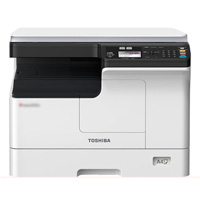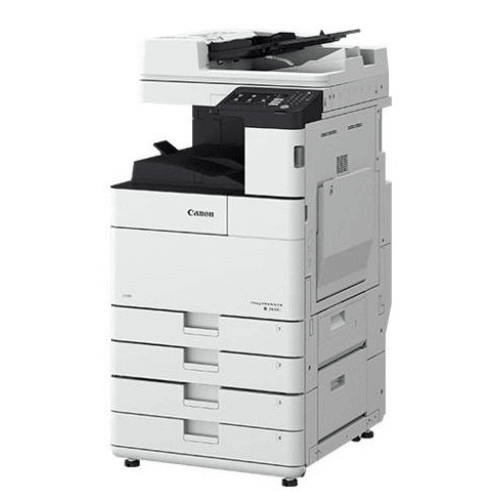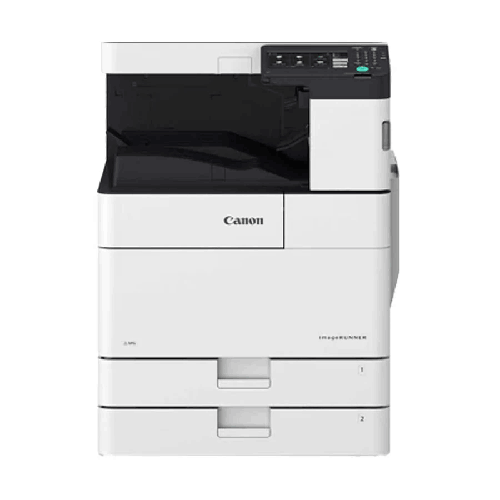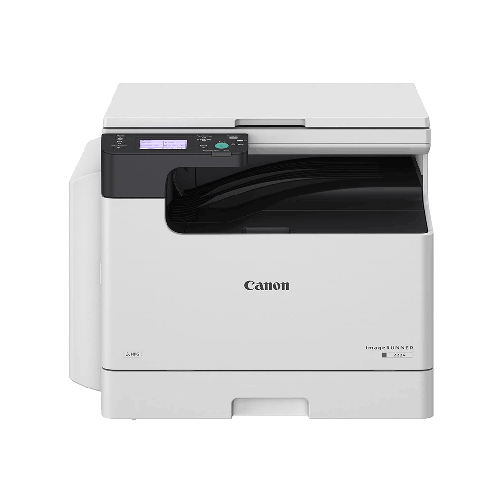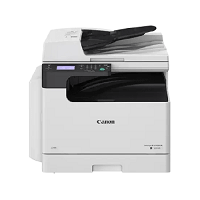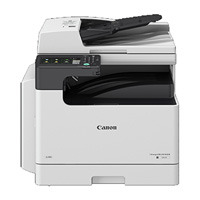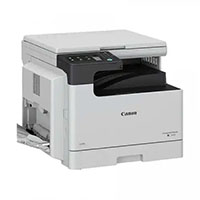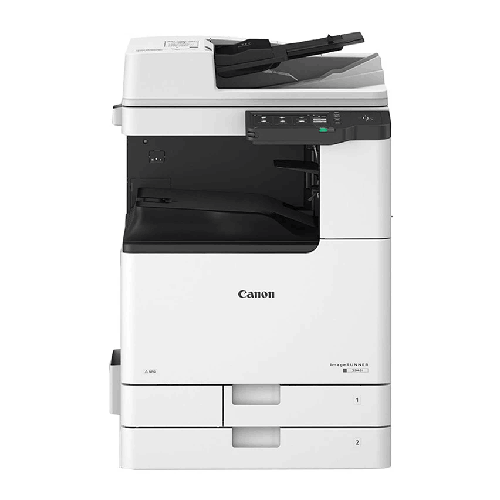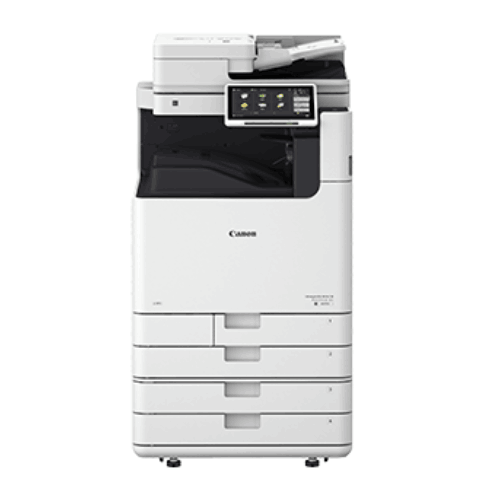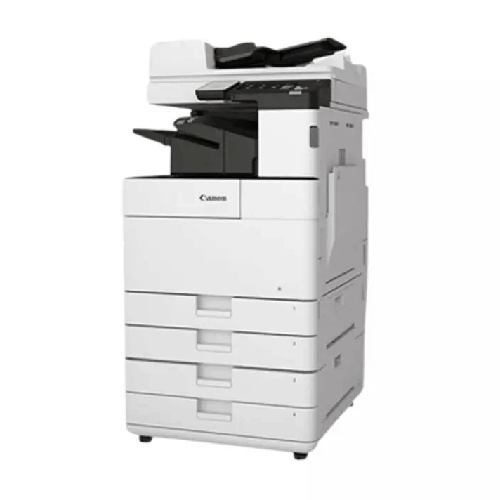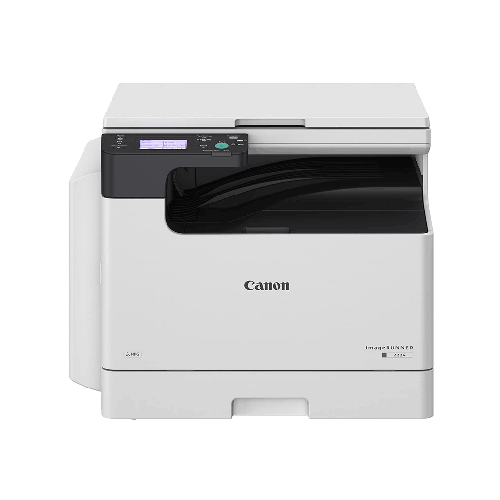
Canon imageRUNNER iR2224N A3 Multifunctional Monochrome Laser Photocopier
Regular Price:৳0.00Availability: SKU: 1.1.7.9495
Quick Overview
-
Support
Saturday – Thursday: 09 AM - 06 PM. -
Payment
Cash on Delivery | Card | Online Payment -
Shipping Cost
Inside Dhaka 1000tk | Outside Dhaka 1500tk -
Warranty Policy
Read More
Description
Canon imageRUNNER iR2224N A3 Multifunctional Monochrome Laser Photocopier in Bangladesh
The Canon imageRUNNER iR2224N A3 Multifunctional Monochrome Laser Photocopier (24ppm, LAN, Wi-Fi, USB) is a compact yet capable document hub designed for small to medium offices, coaching centres, schools, NGOs, and photocopy points across Bangladesh. It delivers A3 black‑and‑white printing, copying, and scanning together with modern connectivity—LAN, Wi‑Fi, and USB—at a very practical 24 pages-per-minute speed.
If you’ve been trying to handle serious document work with a small desktop printer or an old analogue copier, you already know the pain: slow output, frequent toner changes, limited paper sizes, and cables everywhere. The Canon iR2224N brings you into a modern, networked, wireless-ready world where your team can print over LAN or Wi‑Fi, copy A3 and A4 reliably, and scan documents for digital storage—all from one sturdy machine.
For Bangladeshi offices operating in limited space and on carefully controlled budgets, this model hits a sweet spot: professional imageRUNNER quality, A3 flexibility, and network/Wi‑Fi convenience, without the price or footprint of bigger corporate machines.
A3 Multifunction—Print, Copy, Scan in One Compact Workhorse
The Canon imageRUNNER iR2224N is a multifunctional A3 monochrome device, combining:
- Printing – Monochrome laser printing up to A3
- Copying – Digital photocopying from glass or feeder
- Scanning – Document scanning to digital formats (destination options depend on configuration)
Instead of buying a separate printer, copier, and scanner, you get one machine that sits in a corner and takes care of your everyday document work:
- Office letters, memos, and approvals
- Bills, invoices, challans, and vouchers
- Internal reports, meeting minutes, and HR forms
- Student handouts, question papers, and homework sheets
- Application forms, admission forms, and certificates
This consolidation is especially valuable for small Bangladeshi offices, schools and coaching centres where every square foot of space and every taka of budget counts.
Monochrome Laser Quality for Everyday Business Documents
The iR2224N is a monochrome (black-and-white) laser machine. It focuses on what most offices actually print: text and simple greyscale graphics. That focus gives you:
- Crisp text and fine lines – perfect for contracts, reports, and forms
- Clean grey areas for logos and basic charts
- Consistent quality page after page
Because it doesn’t do colour, running costs stay low and maintenance is simpler. For the vast majority of Bangladeshi users, colour printing is an occasional need; black-and-white is the everyday reality. The iR2224N is tuned to handle that everyday workload smoothly.
24 ppm Speed—Balanced for Small & Mid-Sized Teams
At around 24 pages per minute (24ppm) in A4, the Canon iR2224N is not a huge production monster—but it’s significantly faster and more robust than home-grade or low-end SOHO devices. In typical Bangladeshi use, this speed works very well for:
- Teams of 5–20 staff sharing a central device
- Coaching centres printing class notes and small batches of tests
- School offices handling circulars, letters, and admin forms
- Small photocopy counters where customers need quick service, but volumes are moderate
You don’t have to wait agonizingly for small print jobs, and you can clear decent copy runs without tying up the machine for hours. It’s a sensible, cost-effective choice when your volume is steady but not gigantic.
A3 Capability—Flexible Paper Sizes for Real Needs
One major advantage of the Canon imageRUNNER iR2224N over basic desktop printers is its ability to handle A3 paper in addition to A4 and other standard sizes. This matters a lot in Bangladesh, where A3 is used for:
- Register pages and logbooks
- Large government or institutional forms
- Timetables, seating plans, and wall notices
- Simplified drawings or layouts in black-and-white
With the iR2224N you can:
- Copy A3 originals directly—no need to cut or fold
- Enlarge A4 content to A3 for display
- Reduce A3 originals onto A4 for filing
This flexibility is particularly handy for:
- Schools and colleges preparing exam schedules or large notices
- Coaching centres displaying batch timetables
- Small businesses dealing with ledger pages and government forms
- Local photocopy shops needing A3 support in a compact footprint
LAN, Wi‑Fi & USB—Connectivity That Fits Modern Offices
One of the headline strengths of the Canon iR2224N is its triple connectivity: LAN, Wi‑Fi, and USB. That translates into very flexible installation and usage:
- LAN (Ethernet) – Connect the copier to your office network. Staff on desktop PCs and laptops inside the LAN can print directly to the device.
- Wi‑Fi – In environments where running cables is difficult or where laptops and mobile devices are common, Wi‑Fi provides wireless printing convenience (following proper setup and supported client devices).
- USB – Direct USB connection to a single PC if you want a simple setup in a very small office or home office, or as a backup connection.
In Bangladesh, where many smaller offices are now using Wi‑Fi as the main access network, this is a meaningful advantage. You can:
- Place the iR2224N in a convenient central spot, connect it to power and network, and then let staff print wirelessly from their desks.
- Reduce dependency on messy USB cables running across the floor.
- Support both traditional LAN-based desktops and modern Wi‑Fi connected laptops.
This connectivity mix makes the iR2224N especially attractive to startups, consultancy firms, coaching centres, and NGOs that want flexibility in how and where they work.
Network Printing & Shared Use
Once on the network (via LAN or Wi‑Fi), the Canon imageRUNNER iR2224N can serve as a shared printer:
- Multiple users send print jobs; the machine queues and prints them in order.
- You can set default options (like double‑sided printing) to save paper.
- Basic user-based tracking can be configured in some environments to monitor usage (depending on your IT setup).
For a small or mid-sized Bangladeshi office that previously relied on several personal printers, consolidating onto the iR2224N can:
- Reduce overall toner and cartridge costs.
- Centralize maintenance and support.
- Make the environment cleaner and quieter.
Scanning for Paper + Digital Workflow
Although the iR2224N is often purchased primarily as a printer/copier, its scanning function is a big bonus, especially as offices move towards digital recordkeeping. With correct configuration, you can:
- Scan documents to a connected PC via LAN/USB.
- Save scanned files for archiving, emailing, or attaching to applications.
This is particularly useful for:
- Keeping digital copies of signed agreements and application forms.
- Sending scanned documents from branch or field offices to head office.
- Storing student or client records in electronic form to reduce physical file overload.
For small organisations starting their digitization journey, the iR2224N offers a practical and affordable entry point.
User-Friendly Operation for Mixed Skills
The Canon imageRUNNER iR2224N is built with a simple, intuitive control panel, designed so that staff at any level can use it without lengthy training. Typically you get:
- Clear, labeled buttons or a basic display for key functions (copy, start, stop, settings).
- Easy selection of number of copies, paper size, and simple scaling.
- Simple access to status information: paper empty, toner low, jam location.
In a real Bangladeshi office or shop environment, that means:
- Office assistants, teachers, counter staff, and even students can use it with minimal guidance.
- You don’t waste time repeatedly explaining complicated menus.
- Common operations like single and multi-page copying become quick, everyday actions.
Optimised for Bangladesh Office Conditions
Bangladesh’s working environment—heat, humidity, dust, and occasional power instability—makes robustness crucial. The iR2224N, as part of the imageRUNNER line, is engineered as a business device, not a fragile home toy. With sensible care:
- Place it on a stable surface in a reasonably ventilated area.
- Keep it away from direct sun, open windows with heavy dust, or damp corners.
- Use a surge protector or UPS if your area suffers from frequent voltage dips and spikes.
Follow these guidelines and the machine can comfortably serve for years in offices, coaching centres, NGOs, and small shops.
Real-Life Usage Scenarios in Bangladesh
To picture how the Canon iR2224N fits everyday work, consider a few scenarios:
-
Small Trading Office in Motijheel
A team of 10 staff uses the iR2224N as their main copier and printer. Sales prints invoices and delivery challans; Accounts prints statements and reports; HR prints appointment letters and forms. Everyone prints over LAN/Wi‑Fi and uses the copier for documents and IDs. -
Coaching Centre in Mirpur
Two or three teachers and admin staff prepare A4 notes, short tests, and occasional A3 wall charts. The 24ppm speed is enough to handle daily needs; Wi‑Fi lets teachers print from their laptops without manually plugging in cables. -
School Office in Dhanmondi
Administration prints circulars, fee notices, and certificates. Sometimes A3 exam seating plans and schedules are required. The iR2224N’s A3 capability covers these needs without outsourcing. -
NGO Field Office in Khulna
The field office prints survey forms and reports. Field staff scan completed forms and send digital copies to the Dhaka head office, reducing document courier needs. Wi‑Fi connectivity works well with laptops in a small office setup. -
Small Photocopy & Print Corner near a College
The shop serves students needing assignments and forms copied/printed. Volumes are moderate, so a 24ppm iR2224N with A3 support and network printing from a PC is enough to run the daily business efficiently.
In all these cases, the device is not overkill—but a well-matched, right-sized solution.
Maintenance & Care
To keep your Canon imageRUNNER iR2224N in good condition:
- Use decent paper: Avoid very cheap, dusty paper that causes jams and mess.
- Use recommended toner: Genuine or trusted compatible toner helps protect internal components.
- Clean gently: Wipe the exterior and scanner glass with a soft cloth; don’t let dust accumulate heavily.
- Monitor alerts: Pay attention to toner low, paper jam, or maintenance warnings; address them promptly.
- Service periodically: Arrange for occasional check‑ups by a qualified technician, especially if usage is steady or increasing.
Basic good habits ensure that you get the maximum life and reliability from the machine.
✅ Key Features
- A3 Monochrome Multifunction: Print, copy, and scan black‑and‑white documents up to A3 size in one compact device.
- 24 ppm Laser Engine: Balanced speed suitable for small to medium teams and steady daily office use.
- Flexible Connectivity (LAN, Wi‑Fi, USB): Supports wired and wireless printing, ideal for modern Bangladeshi offices with mixed setups.
- Network-Ready Shared Printer: Easily serves multiple users as a central printer/copier over your office network.
- User-Friendly Operation: Simple control panel and logical menus so everyone can use it with minimal training.
- Suitable for Tight Spaces: Smaller footprint compared to heavy enterprise machines, great for small offices and shops.
- Part of Canon imageRUNNER Family: Built on Canon’s well-regarded office copier platform for reliability and consistent output.
✅ Usage / Applications
- Small and medium offices in Dhaka, Chattogram, Sylhet, Khulna and other cities
- Schools and colleges needing regular printing and copying of documents and notices
- Coaching centres and tuition homes producing notes, short tests, and course handouts
- NGO and project field offices printing forms and scanning documents back to HQ
- Small photocopy and print shops with moderate daily volume and A3 requirements
- Clinics, diagnostic centres, and small hospitals for forms, reports, and prescriptions
- Real estate, consultancy, and agency offices for contracts, proposals, and reports
- Startups and small firms looking for a network/Wi‑Fi ready A3-capable shared machine
✅ Benefits of This Product?
- Consolidates Devices: Replaces multiple small printers and scanners with one capable A3 multifunction.
- Saves Running Costs: Monochrome laser engine and shared usage lower long-term cost per page.
- Improves Team Efficiency: 24ppm speed and network/Wi‑Fi printing reduce waiting and cable hassles.
- Supports Hybrid Paper + Digital Workflows: Scanning functionality allows simple digitisation of key documents.
- Provides A3 Flexibility: Handles larger forms, posters, and registers that small A4-only printers can’t.
- Fits Limited Space & Budget: Offers serious office features in a compact and cost-conscious package.
- Backed by Canon Quality: Reliable performance builds confidence that day-to-day printing will “just work.”
✅ Ideal For
The Canon imageRUNNER iR2224N A3 Multifunctional Monochrome Laser Photocopier is ideal for small to mid-sized Bangladeshi organisations that need a reliable, affordable A3 copier/printer/scanner with modern connectivity—but don’t require the extreme speed and capacity of larger enterprise machines.
If you’re a small office, startup, consultancy, coaching centre, school office, NGO field office, clinic, or modest photocopy shop, and your daily volumes are moderate but regular, the iR2224N is an excellent fit. It gives you professional A3 multifunction capability, LAN and Wi‑Fi printing, and Canon imageRUNNER build quality—without oversizing your investment.
✅ Why Choose the Canon imageRUNNER iR2224N A3 Multifunctional Monochrome Laser Photocopier (24ppm, LAN, Wi‑Fi, USB)?
Choosing the Canon iR2224N means you’re investing in a machine that has been thoughtfully designed for real-world small and mid-sized offices, especially in markets like Bangladesh. Instead of compromising with a cheap desktop printer that struggles under daily use, you step up to a proper Canon imageRUNNER device—but in a configuration and speed (24ppm) that make sense for your scale.
The inclusion of LAN, Wi‑Fi, and USB connectivity out of the box (as specified) reflects how modern teams actually work—some wired, some wireless, some needing a simple local connection. A3 support makes sure you’re not stuck when faced with larger forms or notices, and scanning opens the door to basic digital workflows.
Compared to overpowered, expensive enterprise copier models, the iR2224N is more accessible in cost and size, while still providing business-grade reliability. Compared to low-end SOHO devices, it offers much better durability, lower cost per page, and shared use capabilities. It’s a thoughtful middle path for organisations that are serious about documents but mindful about budgets.
✅ Why Buy This Product from BME?
Buying the Canon imageRUNNER iR2224N A3 Multifunctional Monochrome Laser Photocopier from Business Machine & Equipment (BME) means partnering with a Bangladesh-based office technology specialist that focuses on real usability and long-term relationships.
BME can help you:
- Confirm that the iR2224N’s 24ppm speed and capacity align with your actual volume.
- Discuss LAN/Wi‑Fi installation, placement, and basic IT integration with your team.
- Plan for consumables and basic maintenance in a way that keeps your running costs predictable.
For corporate and institutional clients, BME supports formal quotations and procurement documentation, making internal approval easier. While specific installation and on-site support arrangements depend on location and agreement, our aim is always to provide clear information, careful handling, and practical guidance so your iR2224N deployment is smooth and effective.
By sourcing from BME, you also reduce the risk of encountering refurbished or non-genuine units that can lead to reliability or warranty issues. You get a trusted, local point of contact for a critical piece of your office infrastructure.
✅ Buying Guide
Here’s how to decide and deploy the Canon iR2224N effectively:
1. Estimate Print & Copy Volume
Think about:
- How many pages per day/week you currently print and copy.
- Whether your volume spikes at certain times (results, audits, exam seasons).
If you’re in the low-to-moderate range but still beyond home-printer scale, the 24ppm iR2224N is likely a good match.
2. Confirm A3 Needs
Do you:
- Use A3 registers, forms, or drawings?
- Need A3 posters or schedules occasionally?
If yes, A3 capability is important and a clear reason to choose this model.
3. Choose Connectivity Mode
Discuss with your IT or tech-savvy staff:
- Will you use LAN only, Wi‑Fi only, or both?
- Which PCs, laptops, and perhaps mobile devices need to print?
Plan IP addresses, Wi‑Fi security, and driver installation.
4. Plan Placement
Pick a spot that:
- Is central for most users.
- Has access to power and, if needed, Ethernet.
- Has some breathing space around for paper handling and service.
5. Budget for Running Costs
Ask BME for approximate toner yield and typical running costs for organisations like yours. Factor consumables and occasional service into your budget.
6. Brief User Training
Spend a little time to:
- Show staff how to print, copy, and scan.
- Explain simple troubleshooting (paper jams, adding paper, toner alerts).
- Demonstrate how to connect via Wi‑Fi if that’s part of your plan.
7. Avoid Common Mistakes
- Don’t expect a tiny home printer to do what an iR2224N can; choose correctly for your volume.
- Don’t neglect network configuration—Wi‑Fi/LAN benefits vanish if not set up well.
- Don’t place the machine in a hot, dusty corner.
- Don’t use very poor quality toner/paper that will shorten device life.
With a bit of upfront planning and BME’s input, the iR2224N can become a reliable backbone for your everyday document tasks.
✅ Customers Ask About / Frequently Asked Questions
Q1: Is the Canon iR2224N suitable for small offices in Bangladesh?
Yes. It’s specifically well-suited for small to medium offices that need A3 capability, moderate speed (24ppm), and shared printing over LAN/Wi‑Fi.
Q2: Does it support A3 printing and copying?
Yes. The iR2224N is an A3-capable monochrome multifunction device, able to handle both A3 and A4-sized documents.
Q3: Can we use Wi‑Fi to print from laptops?
Yes. With Wi‑Fi configured, supported laptops and devices on the same network can print to the copier, following normal driver installation and network rules.
Q4: Is this a colour photocopier?
No. It’s a monochrome (black-and-white) copier/printer/scanner, optimised for text-based office documents.
Q5: Can it scan documents to a computer?
Yes. It has scanning functionality that, when set up correctly, allows you to scan to PCs or specified destinations within your network environment.
Q6: Is the 24ppm speed enough for a coaching centre or school office?
For most small to mid-sized coaching centres and school offices with moderate daily volume, 24ppm is quite adequate. For very heavy daily loads, a higher-speed model may be worth considering.
Q7: Is toner available easily in Bangladesh?
Yes. Toner and consumables for Canon imageRUNNER devices like the iR2224N are generally available from Canon partners and suppliers such as BME.
Q8: Do we need professional installation?
For simple USB use, you may set it up yourself. For LAN/Wi‑Fi printing and scanning in an office, it’s wise to involve IT staff or a technician to configure everything properly.
Q9: How do we protect it from load shedding and power issues?
Use a UPS and surge protector to keep power stable and protect the machine from sudden outages or spikes.
Q10: What kind of warranty is available in Bangladesh?
Warranty terms depend on Canon’s current policy and distribution channel. Ask BME for up-to-date warranty details when requesting a quotation.
✅ Why Buy This Product
The Canon imageRUNNER iR2224N A3 Multifunctional Monochrome Laser Photocopier (24ppm, LAN, Wi‑Fi, USB) is a smart investment for Bangladeshi offices and institutions that need honest, everyday reliability without overspending on heavy enterprise hardware. It delivers exactly what most small and mid-sized teams need: A3 support, solid 24ppm monochrome performance, and flexible network/Wi‑Fi connectivity in a compact package.
By moving your core document workload onto the iR2224N, you streamline printing and copying, start digitising documents through scanning, and lower your long-term cost-per-page compared with home-grade printers. Staff waste less time fighting with unreliable devices and more time focusing on real work.
If you’re ready to modernise your document setup with a practical, network-ready A3 copier that fits Bangladeshi office realities, order the Canon imageRUNNER iR2224N from BME today and give your team a dependable, future-friendly multifunction hub.
What is the price of Canon imageRUNNER iR2224N A3 Multifunctional Monochrome Laser Photocopier in Bangladesh?
Write a review
Question Answer
Have question about this product? Get specific details about this product from expert.