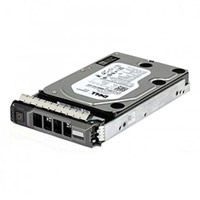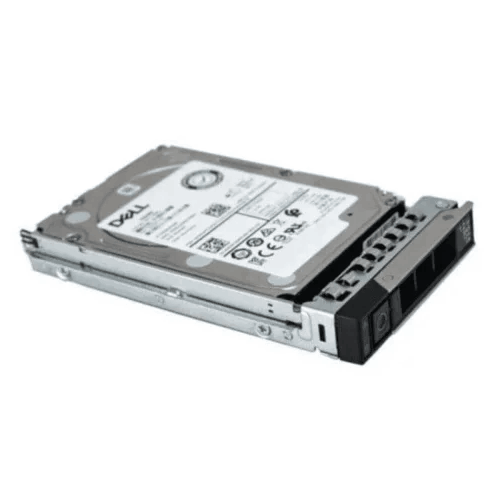
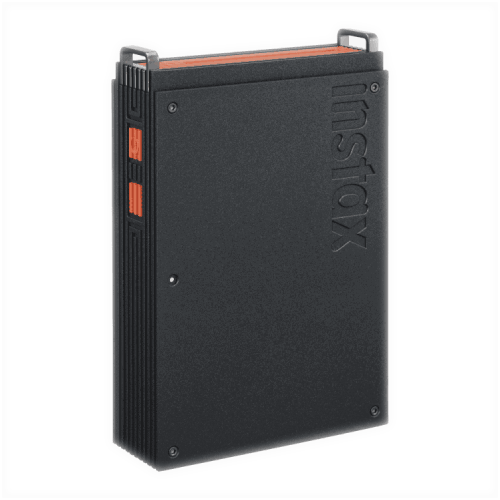
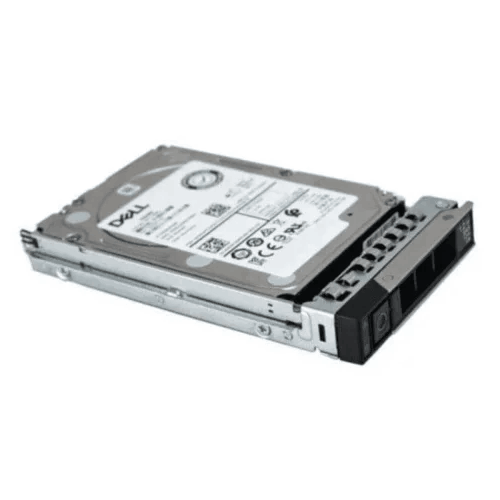
Dell EMC 1.92TB SATA Server SSD
Regular Price:৳70,000.00Availability: SKU: 9.63.4.9404
Quick Overview
-
Support
Saturday – Thursday: 09 AM - 06 PM. -
Payment
Cash on Delivery | Card | Online Payment -
Shipping Cost
Inside Dhaka 100tk | Outside Dhaka 150tk -
Warranty Policy
Read More
Description
Dell EMC 1.92TB SATA Server SSD in Bangladesh
The Dell EMC 1.92TB SATA Server SSD is a datacenter-grade solid-state drive designed specifically for enterprise servers and storage systems. It’s not a consumer SSD or a gaming drive; it is the kind of SSD Dell engineers expect to see in PowerEdge servers, storage arrays and virtualisation clusters in real production environments.
With 1.92TB of flash capacity, a 2.5-inch form factor, and a SATA III (6Gbps) interface, this drive is ideal for:
Hypervisor boot and system volumes (VMware, Hyper‑V, Proxmox, etc.),
Mixed-read workloads like databases and line-of-business applications,
Virtual machine datastores and application tiers,
Caching or hot data layers in hybrid storage architectures.
For IT teams in Bangladesh running critical workloads—ERP, CRM, banking applications, virtual desktop infrastructure (VDI), web and application servers—this Dell EMC 1.92TB SATA server SSD offers faster, more consistent I/O than spinning disks, with enterprise reliability and OEM integration.
Instead of watching CPU and RAM utilisation sit low while users complain the system is “slow,” you can tackle the real bottleneck: storage.
Enterprise SATA SSD vs Consumer Drives – The Crucial Difference
It’s tempting to use any SATA SSD in a server to save money, but enterprise SSDs like this Dell EMC 1.92TB model matter for several reasons:
Endurance & DWPD:
Datacenter SSDs are qualified for higher drive writes per day and larger total bytes written over their lifetime,
They’re built to handle continuous, multi‑year workloads.
Power-Loss Protection (on many enterprise models):
Enterprise drives include capacitors and firmware mechanisms to safely complete or roll back writes if power fails suddenly,
This significantly reduces risk of inconsistent data or corrupted file systems during outages.
Consistent Latency Under Load:
Firmware in enterprise SSDs is tuned for multi‑queue, multi‑threaded access typical of servers,
They maintain more stable latency even when many VMs or apps hammer the disk.
OEM Qualification:
Dell EMC‑labelled SSDs have been tested with Dell RAID/HBA controllers and backplanes,
They integrate into Dell OpenManage and similar tools for monitoring and diagnostics.
For Bangladeshi data centres and server rooms, using an SSD that is designed and qualified for servers is the difference between a quick win and an operational hazard.
1.92TB Capacity – A Practical Size for Many Server Roles
The 1.92TB class has become a sweet spot in enterprise SSDs:
Large enough to host:
OS + applications + logs + small databases,
A sizeable VM datastore for dozens of small/medium VMs,
Hot data portions of larger systems (indexes, logs, frequently-accessed tables).
Small enough to:
Be affordable per unit compared to 3.84TB or 7.68TB SSDs,
Fit easily into RAID 1, RAID 5, or RAID 10 sets without overcommitting budget.
In Bangladesh, typical deployment patterns include:
OS/Boot Pair: Two Dell EMC 1.92TB SSDs in RAID 1 for hypervisor or Windows/Linux OS on a PowerEdge host, keeping system and logs fast and independent from HDD arrays.
Mixed-Use Datastore: A RAID 5 or RAID 10 group of 1.92TB SSDs serving as a local datastore for important VMs—AD/LDAP, application tiers, small SQL instances—while less critical VMs sit on HDD.
Database Tier: Placing the primary database files or transaction logs on a RAID of these SSDs, while bulk cold data is on HDD.
This capacity makes it easier for IT teams to design hybrid storage tiers: SSD for speed where it counts, HDD for bulk.
SATA III (6Gbps) – Broad Compatibility and Easy Upgrades
The Dell EMC 1.92TB SATA Server SSD uses a SATA III (6Gbps) interface and a 2.5-inch drive form factor:
Almost every modern server—Dell, HPE, Lenovo, Supermicro—has support for 2.5" SATA bays,
Backplanes and PERC-style controllers that support SATA HDDs typically also support SATA SSDs,
SATA bandwidth is sufficient for many enterprise workloads at this drive size and performance profile.
For IT in Bangladesh:
Upgrading from HDD to SSD in existing servers often becomes a drop-in operation:
Remove the 2.5" HDD from its Dell carrier,
Insert the Dell EMC 1.92TB SSD in the same type of caddy,
Configure RAID and migration as appropriate.
You don’t need to overhaul your infrastructure for NVMe or SAS if your budget or platform doesn’t allow it.
It’s one of the fastest ways to breathe new life into existing servers, improving responsiveness without buying new hardware.
24/7 Datacenter Operation – Engineered for Server Workloads
Enterprise SSDs like this Dell EMC drive are intended to run:
24 hours a day, 7 days a week, year after year,
Under sustained multi‑queue read/write operations,
In environments with consistent (but controlled) temperature and sometimes less-than-ideal power.
In Bangladesh, storage is often stressed by:
Heat and humidity when server rooms aren’t optimally cooled,
Short and long power cuts where UPS and generators must take over,
Long hardware life cycles—servers may be kept running long after their original purchase.
This SSD is built for such conditions, assuming IT follows essential best practices:
Proper rack cooling and cable management,
Reliable UPS and generator-backed power,
Healthy RAID and backup strategies.
Performance Impact – Where You’ll See the Difference
Replacing HDDs with the Dell EMC 1.92TB SATA Server SSD shows up immediately in:
Boot and Patch Times
Servers running OS on HDDs can be sluggish to start and patch,
Moving to SSD shrinks reboot windows and patch cycles, free up maintenance time.
Virtual Machines and Containers
VMs hosted on SSD-backed datastores:
Boot faster,
Resume quicker,
Show less IO wait for guest OS updates or application tasks,
The overall “snappiness” of your virtual environment improves.
Databases & Transaction Systems
SQL/NoSQL databases:
See lower read/write latency,
Handle more IOPS before saturating storage,
Produce faster responses for queries and transactions.
For a Bangladeshi organisation, these improvements translate to:
Happier end users,
Fewer helpdesk complaints about slow applications,
Extra headroom to add more workloads on existing servers.
Balance of Cost and Benefit in Bangladesh Context
All‑flash arrays and NVMe-only nodes are powerful, but also expensive. The Dell EMC 1.92TB SATA Server SSD provides a middle path:
Higher performance and reliability than HDD,
Better endurance and predictability than consumer SSDs,
A price and capacity point that works for small to mid-sized deployments or critical tiers in larger ones.
You can:
Reserve HDDs for bulk backups and archives,
Use Dell EMC SSDs for “Tier 1” or “Tier 0.5” storage—OS, hot DB files, primary VM volumes,
Achieve a mix of performance and affordability that’s better suited to many budgets in Bangladesh.
Typical Deployment Scenarios in Bangladesh
1. Virtualisation Node in Dhaka
A Dell PowerEdge R740 in a city data centre runs 20–40 VMs,
OS and vSphere/Hyper‑V boot on a RAID 1 pair of 1.92TB SSDs,
A RAID 5 group of additional 1.92TB SSDs stores Tier-1 VMs (billing system, web frontend, critical DBs),
HDD arrays sit behind for lower‑priority workloads.
2. Branch Office All-in-One Server
A regional branch runs a single server hosting:
AD/DNS,
File shares,
A small business app,
Pair of Dell EMC 1.92TB SSDs in RAID 1 handle all these workloads,
HDDs used only for periodic backups or offline archives.
3. Database Appliance
A MySQL/PostgreSQL instance for a mid-sized company in Bangladesh uses:
A 4-SSD RAID 10 set with 1.92TB drives for main datafiles and logs,
Bulk cold data archived periodically to cheap disk or cloud,
Results in more predictable response times for OLTP loads.
4. VDI/Remote Desktop Host
A small VDI/RDSH deployment uses 1.92TB SSDs:
To store golden images and user profiles,
Deliver quick logon times and profile loads for staff working from home or branch offices.
Maintenance & Monitoring Best Practices
To maintain Intel‑class reliability:
Use controller/NMS tools to:
Watch SMART attributes,
Track wear indicators and error counts.
Keep firmware installed at Dell-recommended revisions,
Check RAID health routinely,
Replace any drive flagged as pre-fail early rather than late,
Maintain proper backups and replication—SSDs can fail, just as HDDs can, and no single device is absolute protection.
✅ Key Features
Enterprise SATA SSD: Built and qualified for Dell EMC servers and datacentre workloads.
1.92TB Capacity: Practical size for OS, applications, VM datastores and hot data tiers.
2.5" Form Factor, 6Gbps SATA: Simple, widely compatible interface for many server models.
24/7 Operation: Engineered to handle continuous, mixed read/write workloads.
Consistent Latency & Performance: Tuned firmware delivering predictable behaviour under load.
✅ Usage / Applications
OS/boot drive and system partitions for Dell EMC and other enterprise servers.
Primary storage for small to mid-sized databases and transactional systems.
VM datastores in virtualisation hosts (VMware, Hyper‑V, KVM).
Cache and log volumes offloading hot data from HDD arrays.
Local storage for branch office servers and appliances.
✅ Benefits of This Product?
Accelerates server responsiveness, reducing IO wait times and user complaints.
Improves reliability compared to using consumer SSDs or mechanical disks in server roles.
Easy drop-in upgrade for existing servers supporting 2.5" SATA drives.
Helps extend server lifecycle by refreshing only the storage tier instead of whole platforms.
Supports a wide range of workloads, from OS and VMs to DBs and line-of-business apps.
✅ Ideal For
The Dell EMC 1.92TB SATA Server SSD is ideal for:
SMEs and enterprises in Bangladesh using Dell PowerEdge or similar servers that need faster OS and application storage,
IT teams building or expanding virtualisation clusters and wanting reliable SSDs for core workloads,
Organisations with mixed storage tiers, combining SSD speed for important data with HDD capacity for archives,
Branch and distributed offices that need responsive, low-maintenance local servers.
If you want to upgrade your storage performance without completely rearchitecting your infrastructure, this SSD is a pragmatic, high-impact option.
✅ Why Choose the Dell EMC 1.92TB SATA Server SSD?
You choose this SSD because:
It is OEM-qualified for Dell EMC environments and often integrated into official configurations,
It delivers a solid mix of capacity, performance and endurance for mixed enterprise workloads,
SATA form factor ensures broad compatibility and straightforward deployment,
It aligns with best practices: using datacentre-class SSDs in servers rather than stretching consumer products beyond their role.
Compared to HDDs, you gain dramatic latency and throughput improvements. Compared to generic SSDs, you gain stronger assurance in high-write, 24/7 operations.
For a Bangladeshi business where system performance and uptime translate into revenue and reputation, this quality difference is material.
✅ Why Buy This Product from BME?
Buying the Dell EMC 1.92TB SATA Server SSD from Business Machine & Equipment (BME) provides:
High confidence of authentic Dell EMC hardware, reducing risk of grey-market or tampered drives,
Local consultation on where and how to deploy these SSDs in your actual server models and workloads,
Enterprise-ready procurement support—quotations, spec sheets, VAT-compliant invoices and delivery records suited to corporate, telco, banking and government tenders,
A partner mindset: BME aims to help you plan the right mix of SSD and HDD in your environment, not just sell you individual parts.
By working with BME, you ensure that your move to enterprise SSD is integrated into a coherent infrastructure plan.
✅ Buying Guide
Before purchasing the Dell EMC 1.92TB SATA Server SSD:
1. Verify Hardware Compatibility
Confirm your server:
Has 2.5" drive bays,
Supports SATA SSDs at 1.92TB capacity,
Uses carriers/caddies suitable for 2.5" drives.
2. Define Its Role
Determine whether it will serve:
As OS/boot volume,
As application/DB volume,
As part of a RAID array for VMs or logs.
3. Plan RAID & Redundancy
Don’t rely on a single SSD:
Use RAID 1 or RAID 5/6/10 as appropriate,
Consider hot spares if uptime requirements are stringent.
4. Size for Capacity & Performance
Evaluate:
Current data footprint,
Expected growth,
How many SSDs and what RAID level meet these needs.
5. Integrate into Backup/DR
Even with SSDs, maintain offsite/backups and DR plans,
Understand RPO/RTO and design accordingly.
6. Budget & Phasing
Decide whether to:
Upgrade all servers at once,
Or phase adoption starting with the most performance-sensitive workloads.
✅ Customers Ask About / Frequently Asked Questions
Q1: Can I use this Dell EMC 1.92TB SSD in non-Dell servers?
Technically yes, if the server supports 2.5" SATA SSDs, but you should verify compatibility and support stance with your hardware vendor.
Q2: Is this SSD hot-swappable?
In servers with hot-swap SATA bays, yes. Always follow your RAID/HBA vendor’s procedure for hot-swapping to avoid issues.
Q3: Is 1.92TB enough for my workload?
Depends. For OS/boot and small/mid-sized DBs or VM sets, yes. For large-scale data, you’d use multiple drives in RAID or combine with HDD tiers.
Q4: How does it compare to NVMe?
NVMe offers higher bandwidth and lower latency, but SATA SSDs like this still provide major gains over HDDs and are simpler to deploy in many existing servers.
Q5: Can I mix this SSD with HDDs in the same RAID?
Generally not recommended; performance drops to that of HDDs. Better to run separate RAID sets/tiers.
Q6: What is the expected warranty when buying from BME?
Warranty terms follow Dell EMC’s regional policies and BME’s arrangements. Confirm exact duration and scope when ordering.
Q7: Does the SSD support TRIM/UNMAP?
Most enterprise SATA SSDs support TRIM/UNMAP through the RAID/OS stack. Support specifics depend on your controller and OS configuration.
Q8: Will this SSD fix all performance problems?
It will significantly reduce storage-related bottlenecks. But overall system performance also depends on CPU, RAM, network and application design.
✅ Why Buy This Product
The Dell EMC 1.92TB SATA Server SSD is not just a spec sheet; it’s a practical tool for Bangladeshi IT teams to make servers feel modern and responsive again. It gives you:
A robust, enterprise-class replacement for slow HDDs,
Enough capacity to handle many core server roles,
Compatibility with existing SATA infrastructures,
And peace of mind that comes with OEM integration.
What is the price of Dell EMC 1.92TB SATA Server SSD in Bangladesh?
Write a review
Question Answer
Have question about this product? Get specific details about this product from expert.


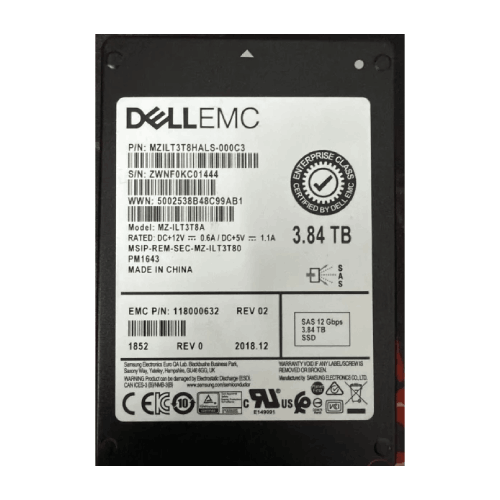
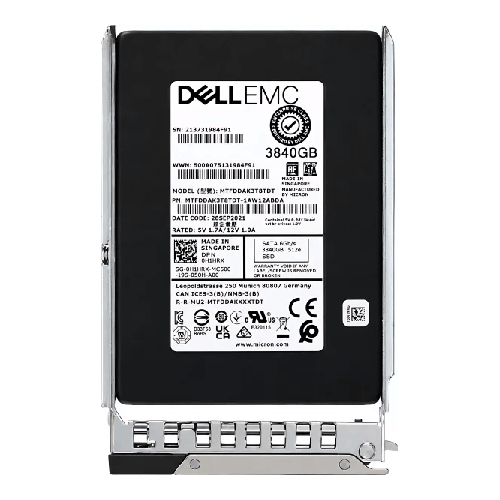
Dell EMC MZ-ILT3T8A 3.84TB 12Gbps SAS SSD
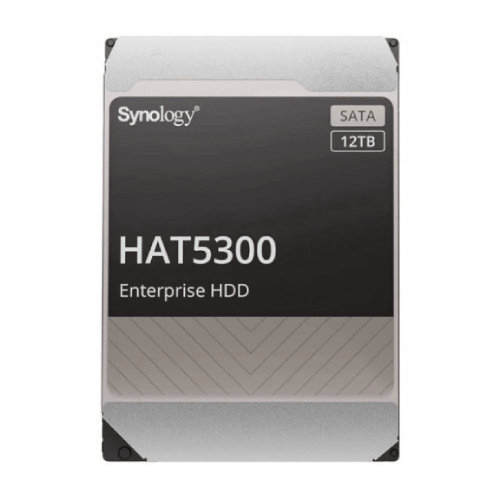
Synology HAT5300 12TB 7.2K RPM 3.5" SATA HDD
Dell EMC 1.92TB SATA Server SSD
Dell EMC MZ-ILT3T8A 3.84TB 12Gbps SAS SSD




Dell 1.8TB SAS Hot Plug Server Hard Drive

Dell 2TB SAS Hot Swap Server HDD