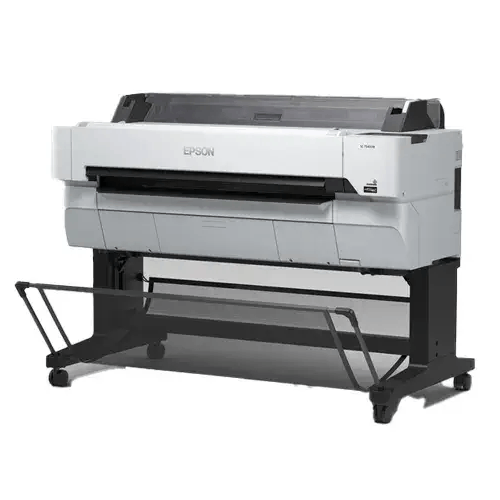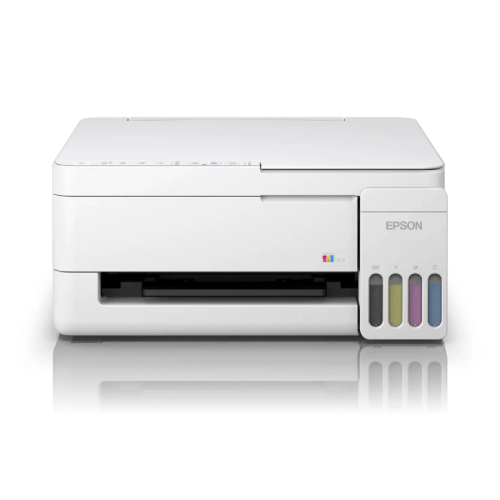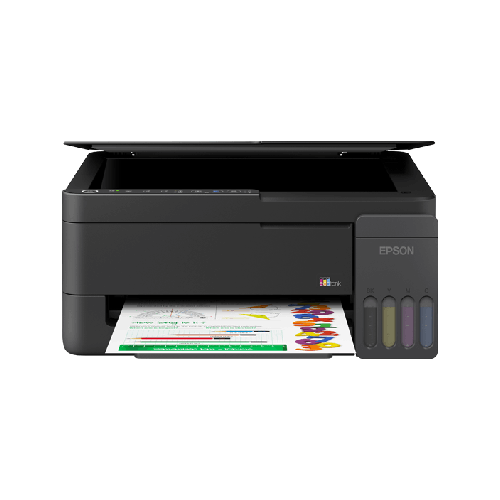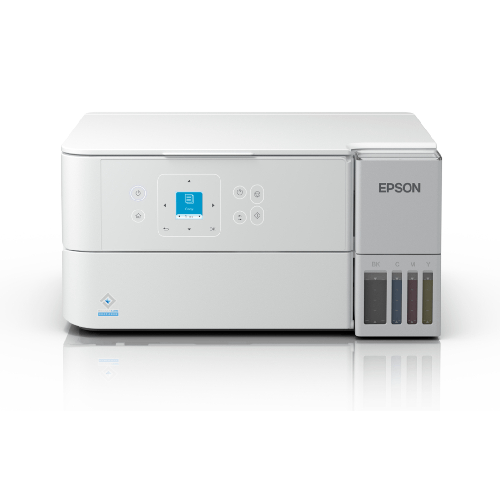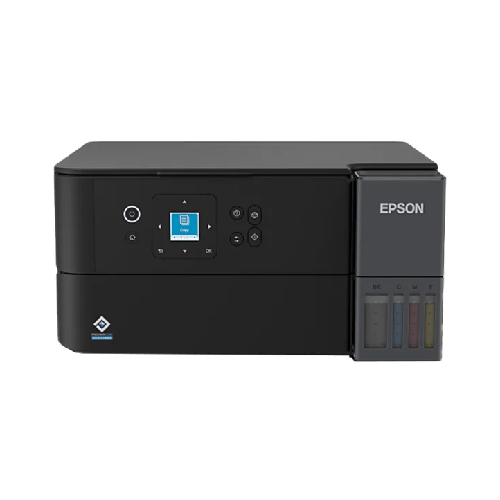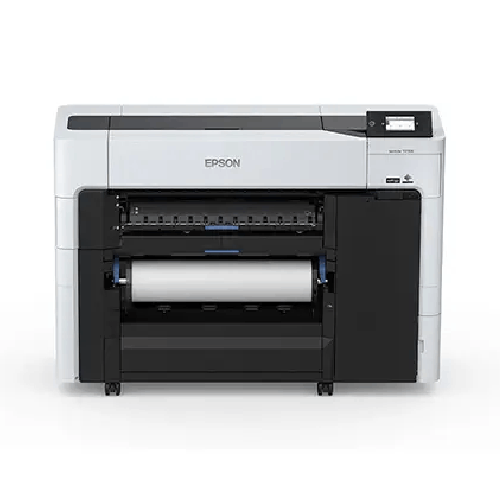
Epson SureColor SC-T3730E 24-inch Technical Printer
Regular Price:৳0.00Availability: SKU: 1.3.8.9630
Quick Overview
-
Support
Saturday – Thursday: 09 AM - 06 PM. -
Payment
Cash on Delivery | Card | Online Payment -
Shipping Cost
Inside Dhaka 500tk | Outside Dhaka 999.98tk -
Warranty Policy
Read More
Description
Epson SureColor SC-T3730E 24-inch Technical Printer in Bangladesh
The Epson SureColor SC-T3730E 24-inch Technical Printer is a single-function wide-format printer for workplaces that need to produce large technical drawings, posters and other printed materials. Its supplied specifications identify it as a print-only model: scanning and copying are not listed as functions. This is an important distinction for organisations comparing large-format equipment. The SC-T3730E is intended for print workflows; a team that also needs to scan or copy paper originals should plan for a separate device or consider a different model.
The printer is listed with a 24-inch (610 mm) width. That figure describes its format class, while the stated physical dimensions are 1,365 × 499 × 975 mm. Buyers should distinguish the document or media width they need from the printer’s external measurements and confirm the supported paper sizes and usable printable area for their intended work. Those details can matter when preparing a space plan, checking access routes or matching the printer to technical drawings and poster layouts.
At its core, the Epson SureColor SC-T3730E uses a PrecisionCore MicroTFP printhead. The provided specification lists 9,600 nozzles in a configuration of 400 nozzles × 24 channels × 1 head. It also gives a minimum ink droplet volume of 3.5 pL. These are useful technical details when comparing print systems for linework, labels, fine annotations or graphic material. They should be considered alongside the source file, media, print settings and the output requirements of each job rather than as a guarantee of a particular result in every situation.
The maximum listed print resolution is 2400 × 1200 dpi, and line accuracy is specified as ±0.1%. For organisations producing CAD drawings or other dimension-sensitive documents, both are relevant points to examine. The resolution describes a maximum supported setting, while actual output also depends on the artwork, driver, media and selected print mode. Likewise, the stated line-accuracy figure should be checked against the requirements and conditions of the intended workflow. If a drawing must meet a specific tolerance, evaluate a test print before relying on output for measurement-critical work.
The supplied print-speed figure is 16 seconds. However, it does not state the paper size, print mode, image coverage or job used for the timing. It should therefore be treated as a listed figure that needs clarification, not as a guaranteed time for every print. When comparing this model with another technical printer, ask what document size and settings the speed refers to, then compare like-for-like jobs. Actual printing time may differ according to the file, selected quality, media and connected workflow.
The ink system is specified as Epson UltraChrome XD3 pigment ink in six listed colours: Cyan, Magenta, Yellow, Red, Matte Black and Photo Black. This colour configuration is relevant to buyers who need to print technical or graphic material on a range of listed media. The supplied specifications do not state colour gamut, water resistance, permanence or other output-performance measures, so those should not be assumed. If a project has a specific colour-reproduction requirement, confirm the relevant information and assess a sample using the intended file and media.
Higher-capacity ink sets are described as available in 350 ml and 700 ml options. The information does not clarify whether those capacities apply per colour, which sizes are compatible with a particular configuration or whether any higher-capacity set is included with a purchase. Initial ink packs are listed among the box contents, but their capacity is not specified. Before ordering, ask BME to confirm the ink configuration for the exact unit, which supplies are included and which replacement options apply.
The listed media range includes plain paper, matte or glossy film paper, matte coated paper, glossy paper, premium glossy photo paper, presentation paper, tracing paper, poster board, CAD drafting paper and recycled bond paper. This gives buyers several media categories to consider for different kinds of work. Compatibility should still be confirmed for the specific size, thickness and finish required. A general media label does not establish that every product within that category is suitable, so check the exact paper or film type and the printer’s supported loading requirements before purchasing supplies.
For film work, the provided use cases include film negatives and positives, and matte and glossy film paper are included in the media list. Buyers considering this application should confirm the compatible film material, dimensions, print settings and required output characteristics for their process. The supplied details do not define a dedicated film workflow, software profile or handling procedure. Matching the media to the intended job—and testing it before an important production run—is a sensible way to check the printer’s suitability for the work.
The SC-T3730E is also listed for CAD use and CAD drafting paper. A 24-inch format, the stated maximum resolution and the listed line-accuracy figure give technical teams useful points to compare against their drawing requirements. The printer languages listed include ESC/R Raster, HP-GL/2 and HP RTL, with asterisks shown against the latter two in the supplied specification. Because driver versions and application support can affect how a file is printed, confirm compatibility with the CAD software and file workflow used by your organisation.
Poster printing is another stated application, including presentation materials and promotional posters. The media list includes coated, glossy, presentation and poster-board options, but the exact supported dimensions and media limits should be checked for each job. For office or production teams, it is useful to identify the range of poster sizes, media finishes and print settings needed before selecting the printer. The SC-T3730E’s listed ink colours and connectivity provide product-comparison details, but the final suitability depends on the project’s actual output requirements.
A 4.3-inch colour LCD is specified as the control panel. The connection options are USB, Ethernet, Wi-Fi and Wi-Fi Direct, giving buyers several listed ways to connect the printer to a computer or network. The supplied information does not specify wireless bands, security features or supported network-management functions. If the printer will be shared among multiple users, confirm the appropriate connection method and check that the chosen setup aligns with workplace IT policies and the computers that will send print jobs.
The listed printer languages are ESC/R Raster, HP-GL/2 and HP RTL, with asterisks included in the supplied details for HP-GL/2 and HP RTL. The meaning of those markers is not provided, so ask whether they indicate conditions, options or a particular compatibility limitation. No supported operating-system versions are specified in the information supplied. Before purchase, check current drivers, software requirements and application compatibility for the Windows or Mac computers—if applicable—that your team plans to use. Do not assume an operating system is supported simply because the device offers USB or network connectivity.
The memory entry is given as “4 GB + 960 GB (Option SSD).” That notation does not explain which component is standard or whether the 960 GB SSD is optional storage for a particular configuration. Confirm the intended meaning, the specification of the exact unit being offered and whether any SSD is included or optional. This is especially important for buyers comparing product configurations or relying on a specific internal storage arrangement. The listing should not be interpreted as confirmation that a 960 GB SSD is standard.
Physical planning is important for this model. Its listed dimensions are 1,365 × 499 × 975 mm and its listed weight is 118.1 kg. Measure the intended location and check the route through doors, lifts and corridors before arranging delivery or moving the unit. The supplied power-consumption figure is 75 W, but voltage and frequency are not stated. Confirm the electrical requirements for the exact printer before installation, and ask separately whether delivery, setup or other services are available for your location if they are needed.
The supplied country information lists Japan as the country of origin and China, the Philippines or Indonesia as possible manufacturing countries. Since several manufacturing locations are named, confirm the country for the specific unit using its label or product documentation. The information supplied does not state a warranty period or warranty conditions for this model. Ask BME to confirm the applicable written warranty terms before ordering rather than assuming coverage from the model name or another Epson product.
The listed box contents are the printer, initial ink packs, AC power cable, setup guide, software CD-ROM and maintenance box. Confirm that these items apply to the specific package being offered and ask whether any other supplies, cables or accessories are required for your planned setup. In particular, do not assume the initial ink packs are the same capacity as the separately described 350 ml or 700 ml options. Clear confirmation of the configuration and package contents can help avoid missing items when the printer is prepared for use.
The Epson SureColor SC-T3730E is best assessed against the documents and media a workplace actually prints. Start by confirming the required width and sizes, then check the media type, file workflow, operating system and connection method. For CAD work, review the application and printer-language compatibility; for posters or film, verify the specific material and output requirements. Clarify the 16-second speed reference, ink-set options and optional-SSD notation with BME. These checks help buyers decide whether this print-only 24-inch technical printer fits the job without assuming functions or configuration details that have not been confirmed.
✅ Key Features
- Print-only design: Provides printing as its listed function; scanning and copying are not specified.
- 24-inch format: The printer is listed with a 24-inch (610 mm) width.
- PrecisionCore MicroTFP printhead: Uses a listed configuration of 9,600 nozzles across one head.
- High stated resolution: Supports a maximum listed print resolution of 2400 × 1200 dpi.
- Fine droplet specification: The minimum ink droplet volume is listed as 3.5 pL.
- Six-colour pigment ink: Uses UltraChrome XD3 ink in Cyan, Magenta, Yellow, Red, Matte Black and Photo Black.
- Broad listed media selection: Supports a range of listed papers, films, poster board and CAD drafting paper.
- Technical and graphic applications: CAD, film negatives and positives, posters and presentation materials are listed use cases.
- Multiple connection options: USB, Ethernet, Wi-Fi and Wi-Fi Direct are specified.
- Colour LCD panel: Includes a 4.3-inch colour LCD control panel.
- Listed printer languages: ESC/R Raster, HP-GL/2 and HP RTL are included in the supplied specification.
- Optional SSD notation: The listing states “4 GB + 960 GB (Option SSD)”; confirm the exact configuration before purchase.
✅ Usage / Applications
- CAD drawings: Print technical drawings prepared in compatible CAD software, using supported file and driver settings.
- Engineering documents: Produce wide-format plans and diagrams for review or project documentation.
- Architectural layouts: Print building plans and other technical layouts on compatible media.
- Film positives and negatives: Consider the listed film use case after confirming media compatibility and workflow requirements.
- Promotional posters: Produce poster material using a supported media type and size.
- Presentation materials: Print large presentation graphics and supporting visuals.
- Technical charts: Produce wide-format diagrams or charts where the specified print width is suitable.
- Drafting work: Use the listed CAD drafting paper option for appropriate technical-print jobs.
- Graphic prints: Print on listed glossy, matte, coated or presentation media when the chosen media is confirmed compatible.
✅ Benefits of This Product?
- Purpose-built print workflow: A print-only design may suit teams that need wide-format output rather than an all-in-one device.
- Wide-format capability: The stated 24-inch format accommodates work that may not fit on standard office printers.
- Detailed specification for comparison: Resolution, nozzle configuration, droplet volume and line accuracy help buyers evaluate technical requirements.
- Six listed ink colours: The ink configuration includes Red and two black inks as well as Cyan, Magenta and Yellow.
- Choice of listed media categories: Buyers can compare different paper and film types against their intended application.
- Several connection methods: USB, Ethernet, Wi-Fi and Wi-Fi Direct are listed for setup planning.
- CAD and poster applications: Its listed use cases cover technical drawings as well as presentation and promotional materials.
- Configuration checks before purchase: Confirming ink, storage, media and warranty details helps buyers choose the right setup.
✅ Ideal For
The Epson SureColor SC-T3730E may suit technical departments, design teams and organisations that primarily need large-format printing. Architects, engineers, CAD users and drafting teams can compare its 24-inch format, stated resolution, line-accuracy specification and printer-language information against their drawing workflows. Businesses preparing posters, presentation materials or promotional graphics may also find its listed media range and six-colour UltraChrome XD3 pigment ink configuration relevant.
It may be considered by users exploring film-negative or film-positive printing, provided the intended film, dimensions, settings and output requirements are confirmed in advance. This model is not listed as a scanner or copier, so it is not the right match for a team that needs those functions integrated into the same device. Buyers should also check software and operating-system compatibility, clarify the optional-SSD notation, confirm ink-supply details and plan for the printer’s 118.1 kg weight and stated dimensions before ordering.
✅ Why Choose the Epson SureColor SC-T3730E 24-inch Technical Printer?
The Epson SureColor SC-T3730E is worth considering when the priority is producing wide-format prints rather than scanning or copying. Its 24-inch (610 mm) format is suited to buyers who need to assess a technical printer for drawings, posters, presentation materials or other large documents. Because the supplied specifications describe it as print-only, buyers can make that decision clearly: it is a potential fit for a print-focused workflow, but not a replacement for a scanner or multifunction printer.
Its print system offers several specifications that can be compared with job requirements. The PrecisionCore MicroTFP printhead is listed with 9,600 nozzles, the maximum resolution is 2400 × 1200 dpi, the minimum droplet volume is 3.5 pL and the stated line accuracy is ±0.1%. These figures may be relevant for CAD and technical output, but buyers should check them against actual application, media and tolerance requirements. The listed 16-second print speed also needs clarification because the reference print size and mode are not supplied.
The six-colour UltraChrome XD3 pigment ink configuration includes Cyan, Magenta, Yellow, Red, Matte Black and Photo Black. A broad range of media types is listed, from CAD drafting and recycled bond paper to film, poster board and glossy media. This creates useful options to investigate, but compatibility should be confirmed for the precise media and dimensions a job requires. The listed USB, Ethernet, Wi-Fi and Wi-Fi Direct connections and 4.3-inch colour LCD are also practical details to review when planning a workspace.
Before selecting the SC-T3730E, resolve the important configuration questions: which ink options are included, what “4 GB + 960 GB (Option SSD)” means, which operating systems and software are supported, and what warranty applies. Confirm the box contents and electrical requirements as well. Choosing it after these checks helps ensure that its listed format, media and print capabilities align with the actual work.
✅ Why Buy This Product from BME?
When considering the Epson SureColor SC-T3730E, use the purchase conversation to verify the details that affect your specific setup. The supplied information includes a 16-second print-speed figure without its reference job, a 350 ml/700 ml higher-capacity ink option without a stated configuration, and a “4 GB + 960 GB (Option SSD)” entry that needs clarification. Contact BME to request the current quotation and ask which configuration is being offered.
You can also ask BME to confirm the exact manufacturing country, included initial ink packs, package contents and current written warranty terms. The supplied information lists Japan as the country of origin and China, the Philippines or Indonesia as possible manufacturing locations, so check the details for the unit you are considering. If driver compatibility, a particular type of film or a specific media size is critical to your work, raise that requirement before ordering.
Do not assume that installation, delivery, warranty coverage or additional services are included. Ask BME whether any service you need is available for your location and what its terms are. Confirm the model, configuration and purchase conditions in writing before proceeding. This gives you a clearer basis for deciding whether the SC-T3730E matches your intended printing workflow.
✅ Buying Guide
- Confirm the device type: This model is listed as print-only. Do not buy it expecting built-in scanning or copying.
- Match the document width: It is listed as a 24-inch (610 mm) printer; confirm usable print width and supported media sizes.
- Check application compatibility: Verify that your CAD, design or document software works with the printer’s supported driver and languages.
- Clarify the print-speed figure: Ask what job size, mode and conditions the listed 16 seconds refers to.
- Select the right media: Confirm the exact paper, poster board or film type, size and finish for your work.
- Verify film suitability: If printing film positives or negatives, check the film, settings and output requirements before ordering.
- Confirm ink configuration: Ask whether 350 ml or 700 ml ink options are available for the offered configuration and what initial packs are included.
- Resolve the SSD entry: Confirm what “4 GB + 960 GB (Option SSD)” means and whether any SSD is included or optional.
- Plan placement and access: Allow for the listed dimensions of 1,365 × 499 × 975 mm and weight of 118.1 kg.
- Check connections and software: Choose USB, Ethernet, Wi-Fi or Wi-Fi Direct as appropriate, and verify operating-system support.
- Confirm power and warranty: Ask about electrical requirements and the written warranty terms; neither is fully specified in the supplied details.
- Review the package contents: Confirm the printer, initial ink packs, AC power cable, setup guide, software CD-ROM and maintenance box for the quoted unit.
✅ Customers Ask About / Frequently Asked Questions
-
Q: What is the Epson SureColor SC-T3730E price in Bangladesh?
A: Contact BME for the current quotation and to confirm the configuration being offered. -
Q: Where can I ask about the SC-T3730E in Bangladesh?
A: Contact BME to check the current purchase details for this model. -
Q: Does the Epson SC-T3730E scan or copy?
A: No scanning or copying function is listed in the supplied information. It is specified as a print-only model. -
Q: What is the printer’s listed width?
A: It is listed as a 24-inch (610 mm) printer. Confirm the usable printable width and supported media sizes for your work. -
Q: What is its maximum print resolution?
A: The listed maximum resolution is 2400 × 1200 dpi. Line accuracy is specified as ±0.1%. -
Q: How fast does it print?
A: The supplied specification says 16 seconds but does not identify the print size, mode or conditions. Ask for the basis of this figure. -
Q: Which ink colours does it use?
A: The listed UltraChrome XD3 pigment ink colours are Cyan, Magenta, Yellow, Red, Matte Black and Photo Black. -
Q: Are 350 ml and 700 ml ink sets included?
A: Higher-capacity 350 ml and 700 ml sets are described as available, but inclusion and configuration are not specified. Confirm with BME. -
Q: Can it print on film or poster media?
A: Film negatives and positives, poster printing and several film and poster media types are listed use cases. Confirm compatibility for the specific material and size. -
Q: What connections does the printer offer?
A: USB, Ethernet, Wi-Fi and Wi-Fi Direct are listed. Supported operating-system versions are not stated, so check compatibility before purchase. -
Q: Does the printer include a 960 GB SSD?
A: The specification says “4 GB + 960 GB (Option SSD),” but does not clarify the configuration. Ask whether an SSD is included or optional. -
Q: What are the warranty and manufacturing details?
A: Japan is listed as the country of origin, with manufacturing in China, the Philippines or Indonesia. A warranty period is not supplied; confirm the exact unit and written terms with BME.
✅ Why Buy This Product
The Epson SureColor SC-T3730E is a practical model to evaluate if your organisation’s main requirement is 24-inch technical and graphic printing. Its listed applications include CAD work, film negatives and positives, posters and presentation materials. The PrecisionCore MicroTFP printhead, 2400 × 1200 dpi maximum resolution, 3.5 pL minimum droplet volume and six-colour UltraChrome XD3 pigment ink give buyers concrete specifications to compare against their intended jobs.
It is important to match the printer to your workflow before ordering. This is a print-only model, and the supplied details leave several items to confirm, including the basis of the 16-second print-speed figure, the ink-set configuration, optional SSD details, operating-system support and warranty terms. Media and film compatibility should also be checked for the sizes and materials you plan to use.
If its format and print capabilities fit your work, contact BME to confirm the exact model configuration, package contents and purchase terms, then take the next step toward adding the Epson SureColor SC-T3730E to your printing setup.
What is the price of Epson SureColor SC-T3730E 24-inch Technical Printer in Bangladesh?
Write a review
Question Answer
Have question about this product? Get specific details about this product from expert.


Brother HL-L3280CDW Color Laser Printer

Canon imageCLASS LBP746Cx Color Laser Printer



Epson LQ-590II Dot Matrix Printer