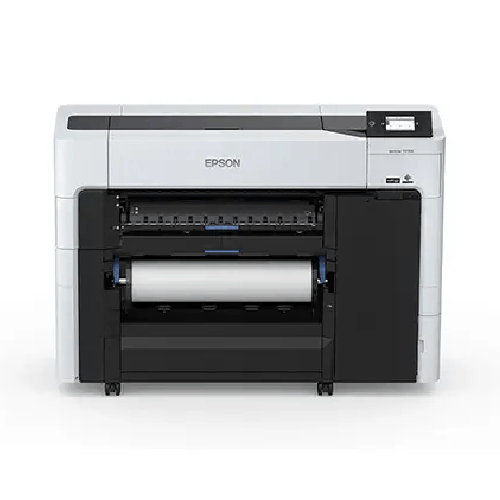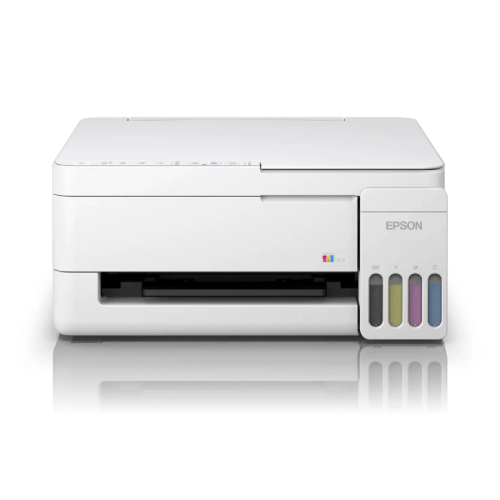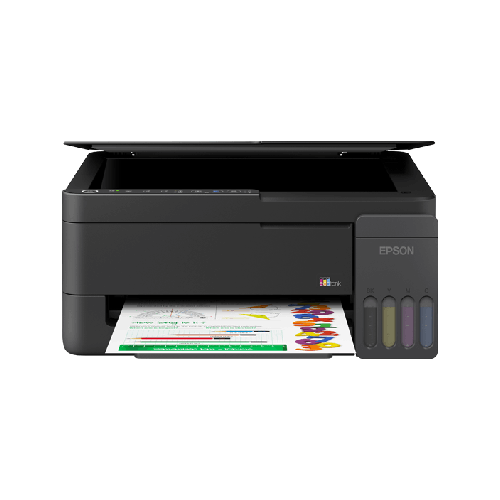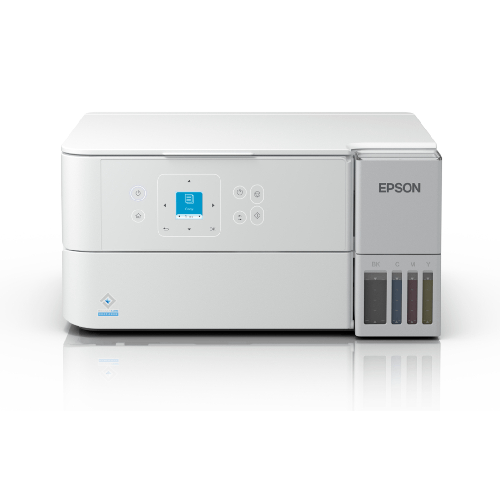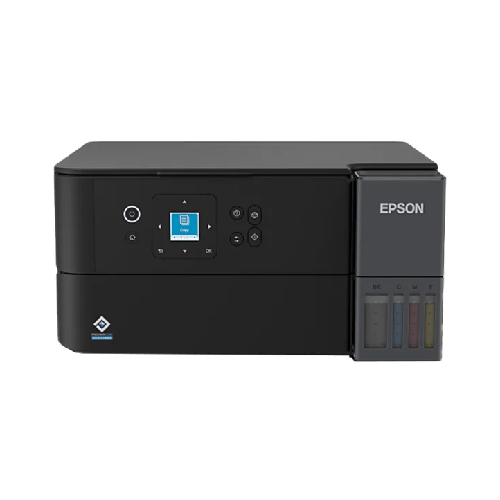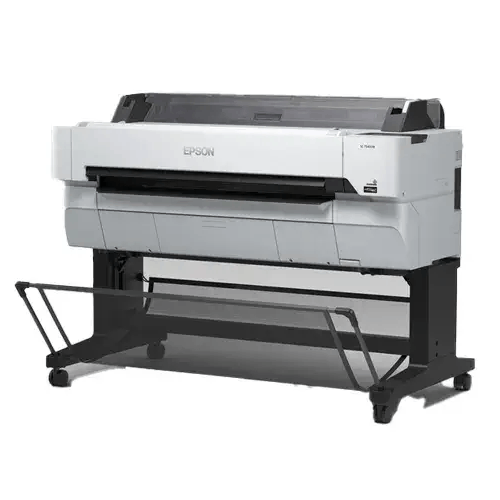
Epson SureColor SC-T5430M 36 Inch Multifunction Large Format Printer
Regular Price:৳0.00Availability: SKU: 1.3.8.9629
Quick Overview
-
Support
Saturday – Thursday: 09 AM - 06 PM. -
Payment
Cash on Delivery | Card | Online Payment -
Shipping Cost
Inside Dhaka 500tk | Outside Dhaka 999.98tk -
Warranty Policy
Read More
Description
Epson SureColor SC-T5430M 36 Inch Multifunction Large Format Printer in Bangladesh
The Epson SureColor SC-T5430M is a 36-inch multifunction large format printer designed for workplaces that need to print, scan and copy wide documents. Combining these functions in one device can help teams manage large drawings and other technical paperwork without treating printing and document capture as separate tasks. The specifications supplied for this model identify a 36-inch (914 mm) printer and a scanner with a maximum scan width of 36 inches (914 mm). Together, these capabilities make the SC-T5430M a candidate for offices that regularly work with full-size plans, diagrams and other wide-format originals.
A large-format device is useful when ordinary office printers cannot accommodate the dimensions of a document or when reducing a drawing to fit on smaller paper would make details harder to inspect. Possible work includes architectural plans, engineering diagrams, site layouts, facility plans, maps and technical charts. The right fit depends on the actual dimensions of your documents, the media you intend to use and the workflow your software supports. Check those requirements before ordering rather than relying on the “36-inch” label alone to establish the printable area or every compatible paper size.
At the centre of the print system is Epson PrecisionCore MicroTFP printhead technology. The listed nozzle configuration is 3,200 nozzles, described as 800 nozzles across each of four channels. A minimum ink droplet volume of 4 picoliters is also specified. These are useful reference points when evaluating a printer for detailed graphics and technical linework, where small marks, annotations and boundaries may matter. The resulting output will still depend on the source file, media, print settings and the requirements of the particular job.
The maximum stated print resolution is 2400 × 1200 dpi. For offices producing plans and diagrams, resolution is one factor in how clearly fine lines and small labels appear, but it is not the only one: original file quality, scaling and media selection also influence the final result. The supplied line-accuracy specification is ±0.1% or ±0.26 mm. If a job requires close dimensional reproduction, use the specification as a point for evaluation and check a test output using the intended media and workflow before relying on any print for measurement-critical work.
The listed print speed is approximately 22 seconds. The supplied information does not state the reference document size, quality mode or conditions used for that figure, so it should not be treated as a guaranteed time for every job. Actual output time can vary with the document, settings, media and connected system. When comparing the SC-T5430M with another large-format printer, ask for the basis of each quoted speed and compare equivalent print sizes and settings.
For ink, the supplied details identify Epson UltraChrome XD2 pigment ink in four colours: Cyan, Magenta, Yellow and Black. The stated ink capacity is 350 ml, but the information does not clarify whether that figure applies per ink container or to a different measure of the supply. Confirm that detail, as well as which inks are included with the unit and how replacement supplies are specified, before purchase. The stated colour set helps identify the printer’s ink configuration; the page does not claim a particular colour gamut, water resistance or archival life.
The listed media types are inkjet coated paper, tracing paper and plain paper. Media thickness is given as 0.8 mm. Because the supplied details do not explain whether 0.8 mm is a maximum, a supported-media limit or another measurement, confirm how it applies to the material you plan to print on. Also check the usable media widths, loading method and supported sizes for your specific work. A paper’s coating, thickness and intended use can affect handling and output, so do not assume that every paper described broadly as “plain” or “coated” will be suitable.
Scanning expands the device’s role beyond producing new prints. The scanner is specified with a CIS sensor using RGB filters and a dual LED light source, with optical resolution of up to 600 dpi. Its listed maximum scan width is 914 mm and minimum scan width is 6 inches. The maximum scan length is specified as 30.5 m. These dimensions may be relevant when choosing equipment for wide originals or long documents, but confirm that the sizes you need are supported by the included software and by the way you plan to process and store scans.
At 200 dpi, the stated scan speed is 4.5 inches per second for colour and 7.5 inches per second for monochrome. These figures are useful for an initial comparison, but scan speeds at other resolutions or with different settings may vary. The supported scan file formats listed are PDF, TIFF and JPEG. Teams should check which format best fits their filing, sharing or downstream editing needs, and confirm any software or operating-system requirements for saving and handling files. No other scan destinations or file formats are specified in the supplied information.
The copy function adds a way to reproduce documents directly on the device. Copy scaling is listed from 25% to 400%, with a maximum of 99 copies. Scaling gives users a specified range for reducing or enlarging a source, while the copy limit identifies the stated maximum number in a single job. Before making a large batch, check the source dimensions, intended output size and media settings. The supplied information does not describe every copy mode or provide a copying speed, so request clarification if a particular copy workflow is important to your office.
A 4.3-inch touchscreen serves as the listed control panel. The supplied memory specification reads “1 GB + 8 GB × 2”; because the notation is not explained, confirm what it represents for the exact configuration being offered. The listed printer languages are ESC/P Raster, HP-GL/2 and HP RTL. If your office relies on a particular CAD, design or document application, check that the relevant driver and software version work with the printer and support the files and print settings your team uses.
Connection options listed for the Epson SC-T5430M are USB, Ethernet, Wi-Fi and Wi-Fi Direct. This gives prospective buyers several connection types to consider when planning a workstation or shared office setup. The supplied operating-system information names Windows and Mac but does not specify versions. Check the supported driver versions for your computers, confirm how the device will connect to the network and make sure the intended connection method suits your workplace. Do not assume a particular wireless band, security feature or network-management function unless it is confirmed for the exact unit.
The printer’s operating power consumption is listed at approximately 38 W. Dimensions are 1,080 × 750 × 1,060 mm and weight is 89 kg. These physical specifications matter when planning where the device will be placed and how it will be moved into position. Measure the intended area, check access routes and make sure your installation plan accounts for the unit’s stated weight. The supplied specifications do not state voltage or frequency requirements, so confirm the electrical requirements for the unit before arranging its use.
The supplied product details list Japan as the country of origin and China, the Philippines or Indonesia as possible countries of manufacture. The manufacturing country may vary by unit, so check the carton, product label or sales documentation for the specific item being offered. The stated warranty is one year and includes the printhead; ask BME to confirm the written warranty terms, coverage conditions and claim process that apply to the exact unit. A product specification alone does not define exclusions or how a warranty claim is handled.
For a team that receives paper originals and needs both digital copies and new wide-format prints, the SC-T5430M brings several steps together. A scanned file can be saved in one of the listed formats, while copy scaling is available for jobs that call for a changed output size. The printer’s network and USB options also give an office several listed ways to connect it. The most suitable setup depends on how many people will use the device, what software they work with and whether their originals fit the scanner’s stated width and length limits.
Before choosing this model, resolve the specification details that affect your workflow. In particular, confirm what the 22-second print-speed figure represents, how the 350 ml ink-capacity figure is measured, what the 0.8 mm media-thickness entry means and how memory is described for the exact configuration. Confirm the printable area, supported media sizes, included package contents and operating-system versions as well. These checks help align the printer’s stated capabilities with the work your organisation actually needs to produce, scan and copy.
✅ Key Features
- Multifunction operation: Combines printing, scanning and copying in one large-format device.
- 36-inch format: The model is identified as a 36-inch (914 mm) large-format printer.
- PrecisionCore MicroTFP printhead: Uses a 3,200-nozzle configuration listed as 800 nozzles across four channels.
- High-resolution output: Supports a stated maximum print resolution of 2400 × 1200 dpi.
- Fine ink droplets: The minimum ink droplet volume is specified as 4 picoliters.
- UltraChrome XD2 pigment ink: Uses Cyan, Magenta, Yellow and Black inks.
- Wide-format scanning: Scans originals up to a listed maximum width of 914 mm.
- Multiple scan formats: Supports PDF, TIFF and JPEG formats as listed.
- Flexible copy scaling: Offers copy scaling from 25% to 400% and a stated maximum of 99 copies.
- Touchscreen control: Includes a 4.3-inch touchscreen panel.
- Multiple connections: Provides USB, Ethernet, Wi-Fi and Wi-Fi Direct connectivity.
- Technical printer languages: Lists ESC/P Raster, HP-GL/2 and HP RTL support.
✅ Usage / Applications
- Architectural documents: Print or copy plans, elevations and other wide-format drawings, subject to supported media and dimensions.
- Engineering drawings: Produce large technical diagrams and review copies for project teams.
- Construction paperwork: Scan or reproduce site layouts and plans that fit the scanner’s stated limits.
- Maps and layouts: Print wide maps, facility diagrams and planning documents prepared in compatible software.
- Document digitisation: Scan wide paper originals to PDF, TIFF or JPEG.
- Scaled copies: Use the specified 25%–400% copy range when a reduced or enlarged copy is required.
- Technical training materials: Produce large diagrams or charts where the selected dimensions and media are supported.
- Shared office workflows: Connect through USB or the listed network options when planning a suitable office setup.
✅ Benefits of This Product?
- Fewer separate devices to coordinate: Print, scan and copy functions are combined in one product.
- More space for wide documents: Its 36-inch format is intended for large-format work that may not fit standard office printers.
- Digital access to paper originals: The scanner supports wide-format capture to listed image and document formats.
- Flexible copy sizing: The stated scaling range supports a variety of reduced and enlarged copy jobs.
- Detailed print capability: The listed resolution and printhead configuration provide useful evaluation points for technical output.
- Choice of common media types: Inkjet coated paper, tracing paper and plain paper are listed as supported media.
- Several connection choices: USB, Ethernet, Wi-Fi and Wi-Fi Direct are available according to the supplied specifications.
- A single workflow reference: One model can serve teams that need to print, scan and copy wide-format documents.
✅ Ideal For
The Epson SureColor SC-T5430M may suit architecture, engineering, construction, facilities and design teams that regularly handle wide paper documents. Its print, scan and copy functions are relevant to offices that need to produce plans, capture marked-up originals or make resized copies without assigning those tasks to separate devices. The listed 914 mm maximum scan width and support for PDF, TIFF and JPEG are useful points for teams planning a digital document workflow.
It may also be considered by education providers, technical departments and reprographics environments that prepare diagrams, maps or large charts. Before selecting it, buyers should compare their typical document dimensions with the scanner limits, confirm the printable area and supported media sizes, and check software compatibility. The product’s 89 kg weight and stated dimensions also make site planning important. Organisations with a specific print-volume, speed or colour requirement should request clarification about the listed 22-second print time and test the intended workflow before committing.
✅ Why Choose the Epson SureColor SC-T5430M 36 Inch Multifunction Large Format Printer?
The key reason to consider the Epson SureColor SC-T5430M is its combination of large-format printing, scanning and copying. For a team that works with paper plans as well as digital files, that combination can make it easier to plan a single document area for producing output and capturing wide originals. Its scanner is listed for documents up to 914 mm wide, and the supplied scan formats include PDF, TIFF and JPEG. Copy scaling from 25% to 400% adds another option for teams that need copies at different sizes.
Its print specifications offer useful comparison points for technical work: a maximum resolution of 2400 × 1200 dpi, a PrecisionCore MicroTFP printhead, 3,200 listed nozzles and a minimum droplet volume of 4 picoliters. The stated line accuracy is ±0.1% or ±0.26 mm. The model uses four listed UltraChrome XD2 pigment ink colours and supports inkjet coated paper, tracing paper and plain paper. Buyers should still assess actual output on their chosen media, particularly where line placement or document dimensions are important.
The SC-T5430M also offers USB, Ethernet, Wi-Fi and Wi-Fi Direct connections, along with a 4.3-inch touchscreen. Its listed printer languages include ESC/P Raster, HP-GL/2 and HP RTL, which are useful details to compare against the applications and drivers already used in an office.
The best choice depends on the complete workflow, not one headline specification. Confirm the interpretation of the 22-second print speed, the 350 ml ink-capacity figure and the 0.8 mm media-thickness entry. Check supported media dimensions, operating-system versions, package contents and the written one-year warranty terms before ordering.
✅ Why Buy This Product from BME?
When considering a large-format multifunction printer, buyers should confirm more than the model name. The Epson SureColor SC-T5430M has specifications that merit clarification for a particular office, including its listed print speed, ink capacity, media thickness, memory notation and supported media dimensions. Contacting BME about this product gives you an opportunity to ask about the exact unit and purchase conditions before placing an order.
Ask BME to confirm the current quotation and whether the model being offered matches the SC-T5430M specification you need. The supplied product details list Japan as the country of origin and China, the Philippines or Indonesia as possible manufacturing countries; confirm the country for the specific unit. Also ask what is included in the package, whether ink is supplied and how the stated 350 ml capacity should be interpreted.
The listed warranty is one year, including the printhead. Request the applicable written terms, including coverage conditions and the process for warranty claims. If delivery, installation or other services are important, ask BME whether they are available for your location rather than assuming they are included. You can also confirm driver compatibility, supported media and connection requirements before purchase. These checks help you compare the product against your actual workflow and make an informed buying decision through BME.
✅ Buying Guide
- Define your work: List the documents you print, scan and copy, including their usual dimensions, colour needs and frequency.
- Check document width: The product is identified as 36-inch, and its scanner has a stated maximum width of 914 mm; confirm printable area, margins and supported paper sizes rather than assuming the full width is usable.
- Confirm media requirements: Inkjet coated paper, tracing paper and plain paper are listed, with a 0.8 mm thickness figure; ask how that figure applies and confirm loading method and compatible sizes.
- Evaluate print speed: The supplied figure is approximately 22 seconds, but its reference size and print mode are not stated; request a like-for-like speed comparison for your work.
- Review scanning needs: Check that the 914 mm maximum scan width, 30.5 m maximum scan length, 600 dpi optical resolution and listed PDF, TIFF and JPEG formats meet your requirements.
- Check copy workflow: Confirm whether the 25%–400% scaling range and maximum of 99 copies suit the sizes and quantities you expect to produce.
- Verify software compatibility: Windows and Mac are listed, but versions are not; check current drivers and compatibility with your applications and print files.
- Plan connections: Choose between the listed USB, Ethernet, Wi-Fi and Wi-Fi Direct options, and confirm the connection method your office can support.
- Prepare the installation location: The printer measures 1,080 × 750 × 1,060 mm and weighs 89 kg; check placement space and access routes before arranging installation.
- Clarify ink and package contents: The capacity is listed as 350 ml, but its measurement basis and included supplies are not specified; confirm both before purchase.
- Confirm electrical requirements: Operating consumption is listed at approximately 38 W, but voltage and frequency are not; check the requirements for the exact unit.
- Avoid assumptions: Do not treat the 22-second figure as a guaranteed time for every job, or assume that listed media, speed, wireless details and warranty terms cover needs that have not been confirmed.
✅ Customers Ask About / Frequently Asked Questions
-
Q: What is the Epson SureColor SC-T5430M price in Bangladesh?
A: Contact BME for the current quotation; no fixed price is stated here. -
Q: Where can I buy the Epson SC-T5430M in Bangladesh?
A: Contact BME to ask about the exact model, current purchase terms and availability for your location. -
Q: Does the SC-T5430M print, scan and copy?
A: Yes. The supplied specifications identify it as a print, scan and copy multifunction printer. -
Q: What is its stated print resolution?
A: The maximum listed print resolution is 2400 × 1200 dpi. -
Q: How wide can it scan?
A: The maximum scan width is listed as 914 mm, with a minimum scan width of 6 inches. -
Q: What scan speed is specified?
A: At 200 dpi, the listed speeds are 4.5 inches per second in colour and 7.5 inches per second in monochrome. -
Q: Which media types are listed?
A: Inkjet coated paper, tracing paper and plain paper are listed; the supplied media-thickness figure is 0.8 mm, so confirm how it applies. -
Q: Which file formats can it scan to?
A: The supplied specifications list PDF, TIFF and JPEG. -
Q: What connections and operating systems are listed?
A: USB, Ethernet, Wi-Fi and Wi-Fi Direct are listed, as are Windows and Mac; confirm supported OS versions. -
Q: What does the approximately 22-second print speed mean?
A: The supplied information does not state the reference document size or print mode, so ask for details before comparing speeds. -
Q: Is ink included, and what does 350 ml refer to?
A: The ink-capacity figure is listed as 350 ml, but the package contents and measurement basis are not specified; confirm both with BME. -
Q: What are the origin and warranty details?
A: The supplied information lists Japan as the country of origin, manufacturing in China, the Philippines or Indonesia, and a one-year warranty including the printhead; confirm the specific unit and written warranty terms.
✅ Why Buy This Product
The Epson SureColor SC-T5430M is worth considering when a workplace needs wide-format printing alongside scanning and copying. Its listed 36-inch format, 2400 × 1200 dpi maximum print resolution, 914 mm scan width and copy scaling range give buyers practical specifications to compare against plans, diagrams and other large documents. The listed UltraChrome XD2 pigment ink configuration and support for inkjet coated, tracing and plain paper add useful information when assessing whether it matches a team’s intended media and output workflow.
Its USB, Ethernet, Wi-Fi and Wi-Fi Direct connections provide several options to consider when planning how users will work with the device. Before buying, confirm the exact media sizes, operating-system versions, included supplies, speed conditions and warranty coverage. This is especially important because some supplied figures—such as the print-speed basis and the meaning of the 350 ml ink capacity—are not further explained.
If the printer’s capabilities fit your document sizes and software, contact BME to confirm the exact SC-T5430M configuration and purchase details, then proceed with an informed order.
What is the price of Epson SureColor SC-T5430M 36 Inch Multifunction Large Format Printer in Bangladesh?
Write a review
Question Answer
Have question about this product? Get specific details about this product from expert.


Brother HL-L3280CDW Color Laser Printer

Canon imageCLASS LBP746Cx Color Laser Printer



Epson LQ-590II Dot Matrix Printer