

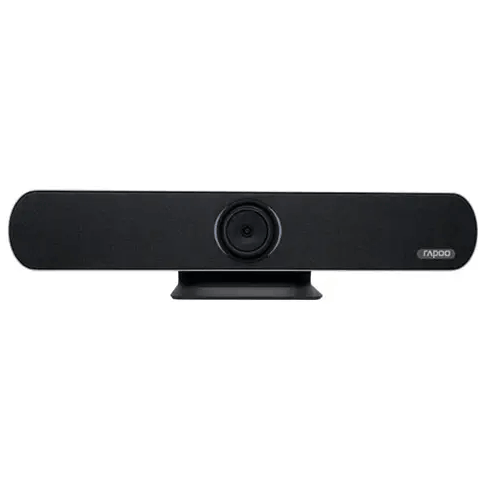
Rapoo C5305 4K UHD ALL-IN-ONE USB Camera
Regular Price:৳90,000.00Availability: SKU: 6.57.151.9664
Quick Overview
-
Support
Saturday – Thursday: 09 AM - 06 PM. -
Payment
Cash on Delivery | Card | Online Payment -
Shipping Cost
Inside Dhaka 100tk | Outside Dhaka 150tk -
Warranty Policy
Read More
Description
Rapoo C5305 4K UHD ALL-IN-ONE USB Camera in Bangladesh
The Rapoo C5305 4K UHD ALL-IN-ONE USB Camera combines a video camera, beamforming microphone array and full-frequency speaker in one conferencing device. The supplied specifications list 4K UHD video at 3840 × 2160, an 8.51-megapixel CMOS sensor, a wide-angle lens and 5x digital zoom. USB and HDMI connections provide options for connecting the camera to compatible meeting equipment.
An all-in-one design can make planning a small or medium meeting setup more straightforward when a single device is suitable for the room. It does not necessarily replace everything else a meeting needs: a compatible computer or conferencing endpoint, display, conferencing software, cabling and suitable power may still be required. Confirm how the C5305 connects to your intended system before purchase, particularly if you are adding it to existing equipment or need particular video, audio or control functions.
4K UHD video resolution
The C5305’s listed video resolution is 4K UHD, or 3840 × 2160. The supplied specifications also list 1080P and 720P video systems. This gives buyers several stated resolution options to compare against the capabilities of their computer, display, conferencing application and other connected equipment.
The structured specification identifies an 8.51-megapixel CMOS sensor. The product description also mentions a 1/2.5-inch sensor size, but that detail is not repeated in the structured specification supplied. Confirm the sensor size from product documentation if it matters to your comparison.
A camera’s stated resolution does not by itself determine the final image quality in a meeting. The selected output, connection, receiving device, software settings, room lighting and network or computer performance can all affect the result. The supplied information does not state a frame rate for the 4K mode, so check this if your application requires a particular frame rate or recording format. Do not assume a specific 4K frame rate from the resolution listing alone.
Wide-angle field of view
The lens is listed with a 121° diagonal field of view (DFOV) and a 110° horizontal field of view (HFOV). A wide field of view can help frame more of a room from a fixed camera position, which may be useful when several people need to appear in a meeting image.
The appropriate field of view depends on the room’s shape, camera placement and the distance between the camera and participants. A wide lens may include more of the room, but it does not guarantee that people at the far edges will appear at a preferred size or framing. Check the view from the planned installation position and consider what will be visible behind and beside participants. The supplied specification does not state a vertical field of view, so do not infer one from the diagonal and horizontal figures.
For a meeting room, training space or presentation area, the best approach is to evaluate the expected camera view before finalising the setup. Consider the number of people in frame, where presenters will stand or sit and whether the camera will be near a display or at the end of a table. A field-of-view figure is useful for planning, but it should be assessed in context rather than treated as a room-size guarantee.
Digital zoom and listed PTZ functions
The Rapoo C5305 lists 5x digital zoom. Digital zoom enlarges or crops the image electronically; the supplied specifications do not list optical zoom. Buyers comparing cameras should keep these technologies distinct, since the digital zoom figure does not indicate that the lens itself optically magnifies the view.
The PTZ entry is listed as “MPT+EPTZ,” and the lens information separately gives pan/tilt as ±15°. The supplied data does not explain exactly how those terms apply to mechanical movement, electronic framing or each axis. Confirm the control method, movement range and operating behaviour if camera movement is important to your installation. Do not assume that a particular tracking, auto-framing or presenter-following feature is included: none is listed in the supplied specifications.
When evaluating zoom or movement, consider how an operator will control the camera and whether the intended computer or conferencing equipment supports the required controls. A room that is always framed from one fixed position may have different requirements from a room where presenters move around. The right choice depends on how people will use the space, not just the zoom specification.
Beamforming microphone array
The device includes a beamforming microphone array, with a listed pickup distance of 6 metres. This can be useful in a room where participants need to speak from different positions without placing a separate microphone directly in front of each person. The actual pickup experience depends on room acoustics, microphone placement, background noise, participant distance and the connected conferencing system.
The supplied specification also lists USB audio at a 32 kHz sampling rate and UAC 1.0 support. Those details can help when checking the camera against a compatible host device or application. They do not confirm compatibility with every operating system, conferencing platform or audio workflow, so verify the intended setup.
An integrated microphone can simplify equipment planning, but it is not automatically the right choice for every room. A quiet huddle space may have different audio requirements from a long table, a classroom or a room with reverberant walls. If the meeting room is large, noisy or acoustically challenging, ask whether the supported extension microphone is suitable for the layout and confirm its requirements. The supplied information does not state that an extension microphone is included.
Integrated full-frequency speaker
A full-frequency speaker is listed as part of the C5305, with a sound-pressure figure of 96 dB SPL at 0.5 metres. This makes the device a combined camera-and-audio option to consider for compatible meeting setups where an integrated speaker may be appropriate.
The stated SPL figure should not be read as a guarantee of coverage for a particular room. The supplied data does not provide a frequency range, room-size recommendation or detailed acoustic performance conditions for that measurement. Room layout, background noise, seating distance and other sound sources can affect how participants hear the far end of a call.
Before choosing an all-in-one unit, consider how many people need to hear the meeting audio and where they will be seated. If the setup uses separate room speakers or an audio system, confirm how the C5305’s built-in speaker will work with that arrangement. The product details supplied do not explain speaker controls or simultaneous use with external audio equipment.
USB interfaces, video formats and UVC
The listed USB interfaces are one USB 3.0 Type-C port and one USB 2.0 Type-A port. The product information also lists USB video communication protocol support from UVC 1.1 to UVC 1.5. UVC support is relevant when checking whether a USB camera can work with a host device, but it does not establish that every operating system or application supports every camera mode.
The supplied video compression formats are H.264, MJPEG, YUY2 and NV12. These formats may matter when matching the camera with software or a conferencing endpoint that has specific video input requirements. Check the intended host’s supported formats, USB port type and any setup requirements before purchase. The product details do not state whether additional software or configuration is needed.
USB 3.0 and USB 2.0 are different interface specifications, so select the connection that suits the receiving equipment and the required workflow. The product information lists a standard USB 3.0 cable, but package contents and cable length should be confirmed with BME. Do not assume that the USB connection alone supplies the camera’s operating power: the supplied power specification lists DC 12V, 2A maximum.
HDMI output
The C5305 lists one HDMI output, version 1.4b. This may suit a setup where the camera needs to connect to compatible HDMI equipment. Check the receiving device’s input, supported resolution and any required cable or adapter before planning the installation.
The supplied specifications do not state that HDMI and USB outputs operate simultaneously, nor do they explain the available output modes for each interface. If you need multiple outputs at once, ask for confirmation of the supported combinations. Similarly, the HDMI version alone does not establish that every display, capture device or video system will accept the camera’s output in the intended mode.
When planning a room, identify where the camera’s video needs to go. A computer-based meeting setup, a direct HDMI connection to a display and a recording workflow may have different connection requirements. Confirm the complete signal path—from the camera to the receiving device and then to any meeting software—before ordering.
Image processing and backlight support
The supplied specifications list 2D and 3D digital noise reduction and backlight compensation. These image-processing features may be relevant in rooms with varied lighting or visible light sources behind participants. The camera’s stated video signal-to-noise ratio is at least 55 dB.
These specifications do not provide a minimum illumination figure or promise a particular result in dim conditions. Room lighting still matters. If possible, avoid positioning participants directly in front of a bright window, and assess image quality under the lighting conditions expected during meetings. Check whether lighting changes between daytime and evening use.
The listed shutter range is 1/30 second to 1/10000 second. The supplied information does not explain how shutter settings are selected or controlled, so confirm this detail if a specific capture workflow depends on it. Noise reduction and backlight compensation are features to consider, but they do not replace checking the image in the actual room.
Extension microphone and Bluetooth
The product information states that an extension microphone is supported. It does not confirm whether one is included, which model is compatible, how it connects or whether it changes the listed microphone pickup distance. If you need additional microphone coverage, verify the supported accessory and its package status before ordering.
Bluetooth 5.0 is also listed. The supplied details do not specify its intended use, supported profiles or which devices can connect through it. Do not assume that Bluetooth is for wireless microphone pairing, speakerphone audio or camera control unless the manufacturer’s documentation confirms that function. Ask for clarification if Bluetooth capability is important to your system design.
Clarifying these accessory and connectivity details early can help avoid planning around features that may require separate equipment or a particular operating mode. It is especially useful when the camera is part of a room with existing microphones, a separate sound system or a wireless-control setup.
Power, temperature and security
The supplied power specification is DC 12V, 2A maximum. Check the required power adapter and its included status with BME; the product data provided does not clearly state whether the adapter is part of the package. Although this is a USB camera, the specifications do not say that USB is an operating-power input, so do not assume the camera can be powered from a computer’s USB port.
The stated operating temperature is 0°C to 40°C, while the storage temperature is −40°C to 60°C. These figures can be useful when considering where the equipment will be used and stored. They do not indicate that the camera is suitable for outdoor exposure; no outdoor or ingress-protection rating has been supplied.
A security lock jack is listed. Confirm the compatible security accessory and installation arrangement if you plan to use it. The supplied product information does not specify a mounting bracket, wall mount, stand, cable-management accessory or other installation hardware, so verify what is included before planning the final position.
Physical dimensions and placement
The supplied physical specification lists the camera’s dimensions as 600 mm depth, 135 mm width and 117 mm height, with a weight of 2.5 kg. Because the table labels 600 mm as depth, confirm the dimension order with the seller or manufacturer before checking shelf space, mounting clearance or transport requirements.
Consider the camera’s position in relation to the display, participants and room lighting. A wide-angle view may capture more of the environment, so plan what will be visible in the background. Also check cable access for USB, HDMI and the DC power connection, and leave suitable room for the chosen setup. The supplied data does not specify mounting orientation or included installation accessories.
Where an all-in-one camera may fit
The Rapoo C5305 may be considered for business meetings, small-group collaboration, training sessions, classroom presentations and other conferencing setups that need a camera with integrated audio. The 4K UHD resolution, wide-angle lens and built-in microphone and speaker provide several details to assess for a room where a single integrated device may meet the requirements.
For a meeting room, think about the number and position of participants, the distance from the camera to the people speaking and the equipment used to host the call. In education or training, check whether the camera’s field of view captures both the presenter and the intended area of the room. For remote collaboration, verify that the conferencing application and host device accept the camera’s USB video and audio modes.
These are possible use cases, not a guarantee of platform certification or suitability for every room size. The supplied specifications do not name supported meeting applications or establish that a particular service is included.
What to confirm before purchase
Before ordering, match the C5305’s outputs to your planned system. Confirm whether you will use USB, HDMI or both, which device receives the video, and what resolution and frame rate that device supports. If more than one output is required at once, ask whether the exact combination is supported rather than assuming simultaneous output from the port list.
Check the audio plan as well. Confirm whether the built-in microphone and speaker suit your room, and whether a compatible extension microphone is available and included. If you intend to use Bluetooth, ask what function it supports. For power, verify the required 12V supply and whether it is included.
Finally, confirm the dimension order, box contents and local terms for the stated 1-year brand warranty. These checks are particularly important when integrating the camera into an existing conference room, because a camera can have the right headline specifications but still require a particular cable, power supply or compatible host device.
✅ Key Features
- 4K UHD video: The camera lists 3840 × 2160 resolution, with 1080P and 720P modes also specified.
- 8.51MP CMOS sensor: The stated sensor resolution provides a useful specification for comparing compatible camera options.
- Wide-angle lens: The listed 121° diagonal and 110° horizontal fields of view can help frame more of a room.
- 5x digital zoom: Digital zoom offers an additional framing option; optical zoom is not listed.
- PTZ functions: The supplied specifications identify MPT+EPTZ and list pan/tilt as ±15°, with the exact behaviour to confirm.
- Integrated beamforming microphone: The microphone array has a stated 6-metre pickup distance, subject to room conditions.
- Built-in speaker: The full-frequency speaker has a listed sound-pressure figure of 96 dB SPL at 0.5 metres.
- USB and HDMI connections: USB 3.0, USB 2.0 and HDMI 1.4b are listed for compatible system connections.
- Image processing features: 2D/3D digital noise reduction and backlight compensation are specified.
- Extension-microphone support: The product information lists support for an extension microphone; inclusion and compatibility should be confirmed.
- 1-year brand warranty: A 1-year warranty is listed in the supplied product information; confirm the local terms before purchase.
✅ Usage / Applications
- Business meetings: Consider it as a camera and audio device in a compatible meeting-room system.
- Small-group collaboration: Assess its wide-angle view and integrated microphone for a room where several participants meet together.
- Training rooms: Use it as a video input for compatible training and conferencing equipment.
- Classroom presentations: Check whether the field of view and audio suit the planned teaching layout.
- Remote interviews: Connect it to compatible host equipment after confirming software and audio requirements.
- Presentation spaces: Evaluate the HDMI or USB connection that best fits the intended display or computer workflow.
- Hybrid collaboration setups: Consider the camera as one component, while separately confirming the platform, host and audio setup.
- Rooms needing extension audio: Investigate supported extension microphones when the integrated microphone is not sufficient for the room.
✅ Benefits of This Product?
- One integrated unit to assess: Camera, microphone array and speaker are combined in the supplied product description.
- Multiple stated video resolutions: 4K UHD, 1080P and 720P are listed for comparison with host equipment.
- Broader room framing: The stated wide-angle field of view can help include more of a meeting space.
- Digital framing option: The 5x digital zoom provides an additional way to adjust the image.
- Built-in audio components: Integrated microphone and speaker may simplify equipment selection for suitable setups.
- Flexible connection choices: USB 3.0, USB 2.0 and HDMI are listed as connection interfaces.
- Image-processing options: Noise reduction and backlight compensation are listed for consideration in varied room lighting.
- Accessory potential: Extension-microphone support is stated, subject to confirming accessory compatibility and inclusion.
- Clear purchase checks: The supplied specifications provide a basis for checking resolution, audio, power and compatibility before buying.
✅ Ideal For
The Rapoo C5305 is ideal for organisations evaluating an integrated camera and audio device for a compatible meeting, training or presentation space. Its listed 4K UHD resolution and wide-angle lens may suit rooms where participants need to appear together in frame, while the built-in beamforming microphone and speaker are features to assess when planning the room’s audio. The actual result will depend on seating, acoustics, lighting, camera placement and the connected conferencing equipment.
It may also be worth considering for a USB-based meeting setup that needs HDMI as another listed connection option. Buyers should check the required resolution, frame rate, UVC support, video formats, power and software compatibility before choosing it. The C5305 is a component, not a complete conferencing service: a compatible host or endpoint, display, software and any extra audio equipment may still be needed. Confirm whether an extension microphone, power adapter, cable or mounting accessory is included and verify the local terms for the stated 1-year brand warranty.
✅ Why Choose the Rapoo C5305 4K UHD ALL-IN-ONE USB Camera?
The Rapoo C5305 brings together a 4K UHD camera, beamforming microphone array and full-frequency speaker. For buyers comparing room-conferencing equipment, this integrated design provides a practical set of specifications to consider without selecting a camera and audio components as separate product lines. Whether the built-in audio is sufficient depends on the room, the number of participants and the expected speaking distance, so assess those needs before purchase.
Its camera specifications include 3840 × 2160 resolution, an 8.51-megapixel CMOS sensor, a 121° diagonal field of view and a 110° horizontal field of view. A 5x digital zoom and listed MPT+EPTZ functions provide further features to check for framing. The supplied information does not list optical zoom or automatic presenter tracking, and the exact meaning of the ±15° pan/tilt entry should be confirmed.
Connection options include USB 3.0 Type-C, USB 2.0 Type-A and HDMI 1.4b. The camera also lists UVC 1.1–1.5 support and several video formats, which can help when checking compatibility with a computer or conferencing endpoint. Image processing features include 2D and 3D noise reduction and backlight compensation.
These features make the C5305 worth evaluating for compatible business and education setups. Before choosing it, verify the required frame rate, power supply, extension-microphone compatibility, package contents and warranty terms for the unit being sold in Bangladesh.
✅ Why Buy This Product from BME?
When considering the Rapoo C5305 from BME, use the product listing or contact BME to confirm purchase details and the technical points relevant to your installation. The supplied product information leaves several questions open, so checking them before ordering can help you decide whether the camera fits your system.
Ask BME to confirm the current price and availability, the exact package contents and whether the required 12V power adapter and USB cable are included. If you plan to use an extension microphone, ask which model is compatible and whether it is sold separately. Confirm the dimension order as well, because the supplied table labels 600 mm as depth.
For compatibility, describe how you plan to connect the camera—USB, HDMI or another intended route—and ask about any mode or accessory your setup requires. If Bluetooth, a particular UVC version or a specific video format matters, seek confirmation of its supported function rather than relying on the feature name alone. Also confirm the terms of the listed 1-year brand warranty that apply to the product sold through BME. These checks help you make an informed purchase without assuming that unlisted accessories, integrations or services are included.
✅ Buying Guide
- Identify your meeting setup: List the computer or conferencing endpoint, display, software and audio equipment you plan to use.
- Match video resolution: The supplied data lists 4K UHD, 1080P and 720P; confirm which modes the receiving device supports.
- Confirm frame rate: A frame rate is not specified, so ask if your conferencing, recording or presentation workflow requires a particular one.
- Check camera framing: Assess the 121° diagonal and 110° horizontal field of view from the intended position.
- Understand the zoom: The listed 5x zoom is digital; optical zoom is not specified.
- Clarify PTZ behaviour: Ask what MPT+EPTZ and ±15° pan/tilt mean for the exact unit and how movement is controlled.
- Plan the audio: Check whether the built-in microphone and speaker suit your room, and confirm extension-microphone compatibility if needed.
- Verify connections and formats: Match USB, HDMI, UVC and listed video formats with your host equipment.
- Confirm power and accessories: Verify the 12V power supply, cable contents and any mounting hardware before purchase.
- Check dimensions and warranty: Confirm the dimension order and the local terms for the listed 1-year brand warranty.
✅ Customers Ask About / Frequently Asked Questions
- Q: What is the Rapoo C5305 price in Bangladesh? A: The supplied details do not include a price. Check BME’s listing or contact BME for a current quote.
- Q: What resolution does the C5305 support? A: The supplied specifications list 4K UHD at 3840 × 2160, 1080P and 720P.
- Q: Does this camera have optical zoom? A: The specifications list 5x digital zoom; optical zoom is not specified.
- Q: What is its field of view? A: The supplied figures are 121° diagonal and 110° horizontal. A vertical field of view is not provided.
- Q: Does it include a microphone and speaker? A: The product description identifies an integrated beamforming microphone array and full-frequency speaker. Confirm package details with BME.
- Q: What is the microphone pickup distance? A: The supplied specification lists 6 metres. Actual pickup can vary with room acoustics, noise and placement.
- Q: Can I add an extension microphone? A: Extension-microphone support is listed, but the compatible model and whether it is included are not specified.
- Q: Does it support USB and HDMI? A: USB 3.0 Type-C, USB 2.0 Type-A and HDMI 1.4b are listed. Confirm the required output mode for your setup.
- Q: Does the camera support Bluetooth? A: Bluetooth 5.0 is listed, but its intended function is not stated in the supplied details.
- Q: What power supply does it require? A: The listed input is DC 12V, 2A maximum. Confirm whether the power adapter is included.
- Q: What warranty is listed? A: The supplied information states a 1-year warranty. Confirm the terms that apply in Bangladesh with BME.
✅ Why Buy This Product
Consider the Rapoo C5305 if you are looking for a conferencing device that combines a 4K UHD camera with a built-in microphone array and speaker. Its wide-angle lens, 5x digital zoom, listed PTZ functions and USB and HDMI interfaces give you several specifications to compare against your room plan and connected equipment.
The integrated audio may suit some meeting spaces, while extension-microphone support offers another point to investigate if the room needs broader audio coverage. The camera also lists UVC support, multiple video formats, noise reduction and backlight compensation. As with any conferencing device, fit depends on the host system, software, room lighting, sound conditions and required connection modes.
Before ordering, confirm the frame rate, PTZ behaviour, Bluetooth function, power adapter, accessory contents and dimension order. Check the local terms for the stated 1-year warranty as well. For current product details and to confirm whether the C5305 suits your setup, contact BME before purchasing.
What is the price of Rapoo C5305 4K UHD ALL-IN-ONE USB Camera in Bangladesh?
Write a review
Question Answer
Have question about this product? Get specific details about this product from expert.

Benq DVY23 PTZ Web Video Conference Camera


Logitech Meetup Video Conference Camera
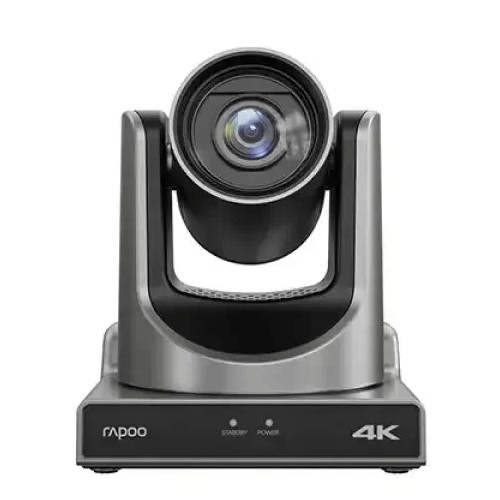
Rapoo C1630 4K AI UHD Video Conference Camera
Rapoo C5305 4K UHD ALL-IN-ONE USB Camera


Huion Kamvas 12 Graphics Drawing Tablet

Huion H430P Graphics Drawing Tablet

Huion H640P Graphics Drawing Tablet


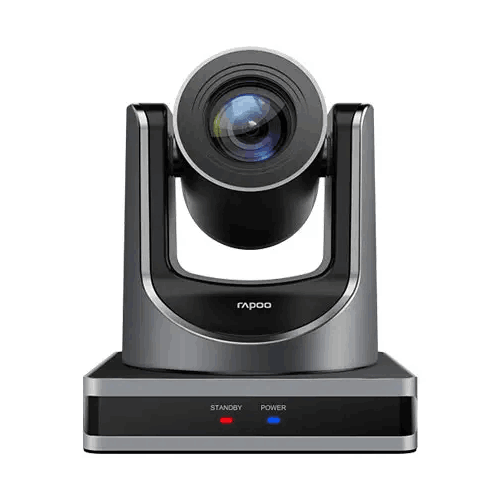
Rapoo C1612 HD Video Conference Camera
Rapoo C5305 4K UHD ALL-IN-ONE USB Camera
Rapoo C1612 HD Video Conference Camera

