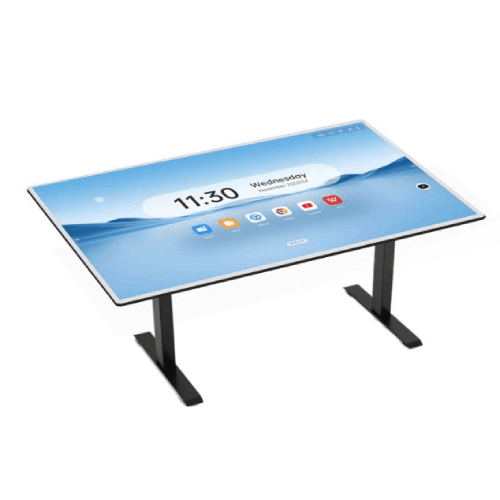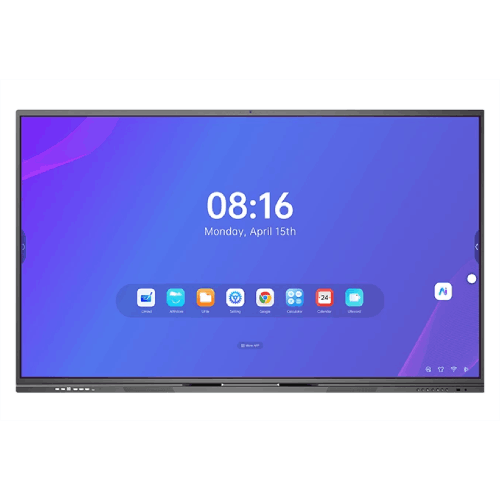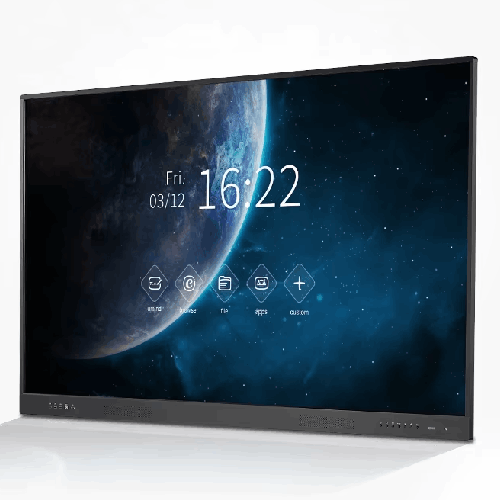
Riotouch LT65ADV311D2 8/64 (65-inch) Interactive Display
Regular Price:৳0.00Availability: SKU: 4.58.74.9572
Quick Overview
-
Support
Saturday – Thursday: 09 AM - 06 PM. -
Payment
Cash on Delivery | Card | Online Payment -
Shipping Cost
Inside Dhaka 100tk | Outside Dhaka 150tk -
Warranty Policy
Read More
Description
Riotouch LT65ADV311D2 8/64 (65-inch) Interactive Display in Bangladesh
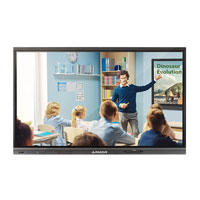
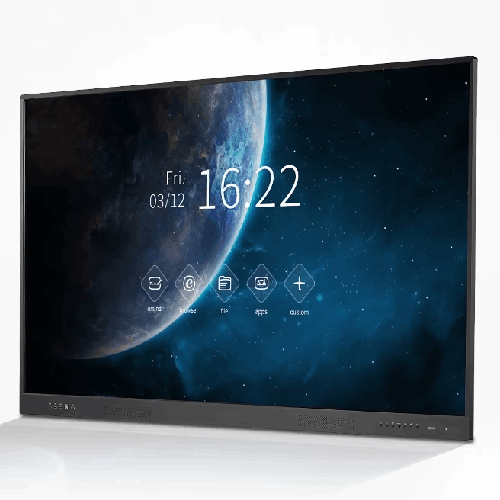
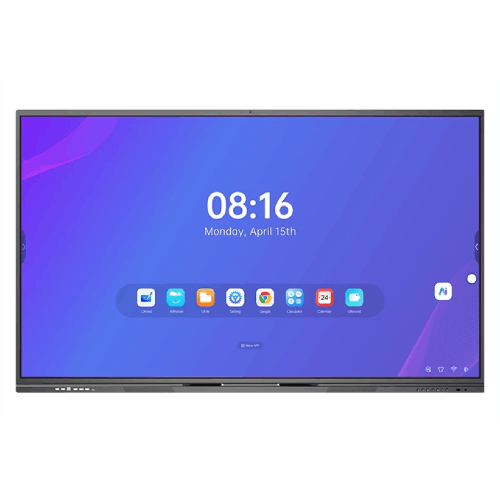
The Riotouch LT65ADV311D2 8/64 (65-inch) Interactive Display is a versatile 4K-ready touch panel designed for smart classrooms, small to medium meeting rooms, training labs, and coaching centres in Bangladesh. With a 65-inch LED-backlit screen, built-in Android system (8GB RAM / 64GB storage), advanced infrared touch, and a slim, professional design, it provides a complete front-of-room solution for teaching, presenting, and collaboration.
Think of it as an all-in-one replacement for your projector, whiteboard, and separate speakers—but with a more responsive, app-driven, and visually crisp experience.
Because your provided specs are partial (many items listed as “Yes” without numeric values), this content will stay accurate by focusing on what’s confirmed and describing capabilities qualitatively, without inventing missing numbers.
65-inch LED-Backlit UHD-Class Display for Clear Teaching and Presentations
Core panel details from the LT-ADV311D2 series:
- Diagonal display size: 65"
- Back light: LED backlight
- Active area (mm): 1428.48 × 803.52 (same family as other 65" Riotouch panels)
- Pixel pitch: 0.372 mm × 0.372 mm (typical for 65" 4K education displays)
- Aspect ratio: Widescreen (16:9)
- Contrast ratio: 4000:1
In practice, the 65-inch size is very well-suited for:
- Standard school classrooms with 20–35 students.
- Coaching rooms where seating is relatively close to the front.
- Meeting rooms and training rooms where participants sit within 3–5 metres of the display.
The LED backlight and high contrast ratio give:
- Clear, easy-to-read text for notes, lists, and equations.
- Good visibility for diagrams, charts, and images.
- Enough punch for normal school or office lighting conditions.
Combined with a 4K-class pixel structure (3840 × 2160 typical in this family), the LT65ADV311D2 makes small fonts and fine details legible, which is important for:
- Spreadsheets or dense tables.
- Detailed diagrams and maps.
- Presentations with annotations and bullet points.
For typical Bangladeshi classrooms and meeting rooms, this means everyone from the front row to the back gets a clear, professional-looking visual experience.
Built-in Android System (8GB RAM / 64GB Storage)
The “8/64” in the product name refers to its system memory and storage configuration:
- RAM: 8GB
- Flash storage: 64GB
With a built-in Android platform (exact version and SoC not fully specified in your snippet, but part of the ADV family), this means:
-
The panel can run Android apps, whiteboard tools, and media playback without needing a PC for many tasks.
-
8GB of RAM provides enough headroom for:
- Smooth UI navigation
- Running a whiteboard app, browser, and simple educational/office apps together
- Responsive switching between inputs and apps
-
64GB of internal storage allows you to:
- Save lesson materials, presentations, frequently used videos
- Store basic media and documents locally so you don’t always rely on network access
In everyday use in Bangladesh:
- Teachers or trainers can walk into the room, power on the LT65ADV311D2, open the built-in whiteboard app, and start teaching—no laptop required.
- They can then open a PDF, PowerPoint-equivalent app, or browser to show content, returning to whiteboard mode to summarise ideas.
- For meetings, facilitators can use pre-installed apps or quickly open files from a USB drive or cloud storage.
If you need Windows or macOS software, you can still plug in a laptop or PC for those sessions—but for many standard lessons and presentations, the internal Android is enough.
Infrared Touch Technology for Smooth Multi-Touch Interaction
The LT65ADV311D2 uses infrared (IR) touch, the same technology Riotouch uses across many of its interactive panels:
- Works with fingers and passive stylus pens.
- Covers the edges of the display with an IR sensor frame.
- Detects touch when something breaks the IR beams.
Typical characteristics:
- Multi-touch support – allows more than one person to interact at once (e.g., two students or two colleagues writing or manipulating content together).
- Fast response time – taps, swipes, and handwriting appear quickly and reliably.
- Good longevity – IR frames are robust and suitable for heavy daily use.
In actual use:
- Teachers can write and draw directly on-screen.
- Students can come to the front and solve problems, move labels, or match items in interactive exercises.
- Corporate teams can mark up slides, build mind maps, or quickly sketch processes during discussions.
IR touch is particularly practical in Bangladeshi classrooms because:
- It doesn’t require special, expensive pens.
- It tolerates normal dust and classroom environments reasonably well with basic cleaning.
- It allows natural gestures (pinch-to-zoom, drag, rotate in supported apps).
Designed for Smart Classrooms and Collaboration Spaces
This LT-ADV311D2 series is tailored to:
- Schools and colleges wanting to move from projector-based setups to cleaner, easier-to-manage interactive panels.
- Coaching centres and private institutes that want to offer premium, tech-enabled teaching.
- Corporate meeting rooms where flip charts and projectors can be replaced by a single interactive display.
Compared to projectors:
- No lamp replacements, no “washed-out” images in lit rooms.
- No shadow and glare issues when the teacher stands in front of the board.
- Faster startup and simpler cabling.
Compared to non-interactive TVs:
- Full touch interaction for writing, annotating, and controlling content directly at the screen.
- Integrated Android and possibly education/collaboration software out of the box.
This makes the Riotouch LT65ADV311D2 more than just a screen: it becomes the digital front-of-room hub.
Viewing Comfort and Surface Durability
Your spec snippet references:
- Bezel colour: Yes
- Glass hardness: Yes
- Screen surface: Yes
- Brightness: Yes
- Viewing angle: Yes
- Colors: Yes
These indicate that:
- The panel has a finished bezel in a professional colour, likely dark/black or aluminium-style, giving it a modern, classroom-friendly look.
- It uses hardened glass suitable for daily touch use and regular cleaning.
- The screen surface is treated (typically anti-glare or semi-matte) to reduce reflections and improve visibility under ambient lighting.
- Colour reproduction and viewing angles are tuned for typical education and business scenarios.
While the detailed numbers aren’t given, the design intent is clear: provide a robust, eye-comfortable display that students and meeting attendees can view from different positions in the room.
Integration with PCs, Laptops, and Networks
Riotouch interactive displays are generally equipped with:
- HDMI ports – for video from PCs, laptops, and media devices.
- USB-B “touch” ports – to send touch signals back to a connected computer.
- USB-A ports – for USB drives or peripherals.
- LAN and Wi-Fi – when the Android board is present, for network access and app updates.
In a typical LT65ADV311D2 installation in Bangladesh:
- Each classroom or meeting room has at least one fixed PC or teachers bring laptops.
- The PC connects via HDMI + USB to the Riotouch; the Android side is available when the PC is not in use.
- The panel may be connected to the school or office network via Ethernet for stable online access.
This flexibility supports various teaching and working styles:
- Use Windows or macOS for legacy software and heavy applications.
- Use Android for everyday teaching, simple presentations, and web access.
- Switch between them quickly via the input/source controls.
Real-World Scenarios in Bangladesh
1. School Classroom
- The teacher logs into the Android interface.
- Opens a whiteboard app, writes the day’s learning outcomes.
- Launches a PDF or slide deck explaining a concept.
- Annotates directly over slides to highlight key points.
- Switches back to whiteboard for summarising and then saves the session.
2. Coaching Centre
- The tutor connects a laptop and mirrors exam questions on the panel.
- Uses the touch screen to highlight tricky parts and solve them step by step.
- Saves or screenshots important derivations for later sharing with students.
3. Corporate Meeting Room
- A team member connects their laptop to present quarterly numbers.
- The team uses the board to circle issues, draw arrows, and brainstorm solutions.
- If using the built-in Android system, they can open cloud-hosted dashboards in a browser and annotate directly.
4. Training Room or Lab
- Trainers run interactive software (through PC or Android apps) and use the board for group exercises.
- Quick polls or interactive content help keep participants engaged.
Maintenance, Installation, and Daily Care
To get the most out of the Riotouch LT65ADV311D2:
-
Mounting:
- Use a wall mount or trolley stand rated for 65" interactive panels.
- Mount at a height that allows teachers and participants to reach the top writing area comfortably.
-
Power and networking:
- Use a dedicated power socket with a reliable surge protector or UPS.
- Provide LAN cabling where possible for stable connectivity.
-
Cleaning:
- Use a soft microfiber cloth, dry or slightly damp.
- Avoid strong chemical cleaners and abrasive sponges.
-
Usage:
- Encourage use of included styluses or fingers – avoid sharp-tipped objects.
- Train staff and teachers briefly on basic operations (source switching, whiteboard, saving notes).
✅ Key Features
- 65-inch LED-Backlit Interactive Display: Ideal size for standard classrooms and meeting rooms, providing clear visuals.
- 4K-Class Panel with 0.372 mm Pixel Pitch: Fine pixel structure across a 1428.48 × 803.52 mm active area for crisp content (based on family spec).
- Built-in Android (8GB RAM / 64GB Storage): Run whiteboard apps, media, and basic teaching tools without a PC.
- Infrared Touch Technology: Robust IR touch supports finger and stylus interaction for smooth writing and gestures.
- Education & Business-Oriented Design: Hardened glass and professional bezel for daily institutional use.
- All-in-One Front-of-Room Solution: Replaces projector, screen, and traditional whiteboard with a single integrated system.
✅ Usage / Applications
- School Classrooms (Bangla medium, English medium, madrasas with ICT) for day-to-day teaching.
- Coaching Centres for SSC, HSC, admission test, IELTS, and professional courses.
- College and University Tutorial Rooms for small-group teaching and seminars.
- Corporate Meeting Rooms for presentations, brainstorming, and planning sessions.
- Training Centres and Skill Development Labs for interactive training sessions.
✅ Benefits of This Product?
- Improves Lesson and Meeting Clarity: 65" LED panel makes content easier to see than classic projectors and boards.
- Enables Interactive Teaching & Collaboration: Touch and annotation transform static content into active learning material.
- Reduces AV Complexity: Fewer devices, less cabling – easy for non-technical teachers and staff to operate.
- Flexibility with Android + PC Use: Built-in Android 8/64 handles everyday tasks, while PCs and laptops connect when needed.
- Supports Digital Transformation Goals: Helps schools and organisations in Bangladesh move towards true smart classroom/meeting environments.
✅ Ideal For
The Riotouch LT65ADV311D2 8/64 (65-inch) Interactive Display is ideal for:
- Schools and colleges upgrading from projectors to interactive panels in typical classrooms.
- Coaching centres looking for a cost-effective 65-inch smart board that fits comfortably on classroom walls.
- Small and medium businesses that want a practical interactive display for meeting rooms without the size and cost of very large panels.
- NGOs, training NGOs, and government training units wanting a reliable, touch-enabled screen for workshops.
If your typical room size is modest and you need one panel to handle teaching, presenting, and collaboration, the LT65ADV311D2 hits the right balance between capability, simplicity, and cost.
✅ Why Choose the Riotouch LT65ADV311D2 8/64 (65-inch) Interactive Display?
The Riotouch LT65ADV311D2 stands out because it provides core interactive display features without unnecessary complexity:
- 65-inch size that fits most classrooms and meeting rooms.
- Strong contrast and LED backlight for clarity.
- Built-in Android with a practical 8GB RAM and 64GB storage configuration.
- Infrared touch suitable for heavy school and office use.
It’s not overloaded with exotic features that may go unused in many environments; instead, it focuses on what actually matters: clear display, reliable touch, straightforward apps, and flexible connectivity.
For many Bangladeshi organisations, this is exactly what they need to:
- Replace ageing projectors and boards,
- Standardise classrooms and meeting rooms,
- And support teachers and staff with a tool that is powerful but approachable.
✅ Why Buy This Product from BME?
Purchasing the Riotouch LT65ADV311D2 8/64 (65-inch) Interactive Display from Business Machine & Equipment (BME) means you get:
- Authentic Riotouch hardware – correct LT65ADV311D2 model with 8GB RAM and 64GB storage, not a mismatched configuration.
- Bangladesh-focused advice – BME can help you decide how many 65-inch panels you need, which rooms to prioritise, and what connectivity setup suits your infrastructure.
- B2B support – quotations, documentation, and planning for multiple-room or multi-branch deployments for schools, coaching networks, NGOs, and corporates.
BME’s familiarity with local power conditions, room sizes, and teaching/meeting patterns helps ensure:
- Correct mount choice and installation planning.
- Appropriate training and orientation for teachers and staff.
- Sensible phased rollout strategies that fit your budget and academic/fiscal schedules.
By choosing BME, you add local expertise and long-term support to a reliable Riotouch platform.
✅ Buying Guide
Before ordering the Riotouch LT65ADV311D2, consider:
1. Room Size and Viewing Distance
- Ideal when the furthest viewer sits roughly within 4–6 metres of the screen.
- For deeper rooms or larger audiences, consider multiple displays or a larger panel.
2. Mounting Location
- Choose a wall that offers clear visibility from all seating positions.
- Mount height so that a typical teacher can easily reach at least the top-middle of the writing area.
3. Connectivity Plan
- Decide which devices will connect most of the time: fixed PC, teacher laptops, or Android-only use.
- Prepare HDMI and USB cables of suitable length with proper cable management.
4. Network Access
- If using Android apps, OTA updates, or online resources, ensure a stable Wi-Fi or LAN connection.
- Discuss bandwidth and security with your IT team.
5. User Training
- Arrange basic sessions to teach staff:
- How to switch inputs.
- How to use the whiteboard.
- How to save or share notes.
6. Power Protection
- Use surge protectors or UPS units especially in areas prone to voltage fluctuations.
✅ Customers Ask About / Frequently Asked Questions
Q1: Is the 65-inch size enough for a classroom?
A: Yes, for small and medium classrooms (20–35 students), 65 inches is generally sufficient, especially if seating is reasonably close to the front.
Q2: What does 8/64 mean in this model?
A: It indicates 8GB of RAM and 64GB of internal storage in the built-in Android system.
Q3: Can I use this display without a PC?
A: Yes. The built-in Android system allows whiteboarding, basic apps, and media playback without a PC. For Windows/macOS software, connect a computer via HDMI and USB.
Q4: Does it support multi-touch?
A: Yes, the infrared touch frame is multi-touch capable, allowing more than one user to interact simultaneously.
Q5: Is the glass strong enough for student use?
A: Yes. The panel uses a hardened glass surface designed for regular touch use and cleaning in institutional environments.
Q6: Can BME help us determine how many panels we need?
A: Yes. BME can provide consultation and quotes for multi-room deployments, recommending screen sizes and quantities based on your layout.
✅ Why Buy This Product
The Riotouch LT65ADV311D2 8/64 (65-inch) Interactive Display is a smart, balanced choice for Bangladeshi classrooms, coaching centres, and meeting rooms that need interactivity, clarity, and simplicity in one device. It’s large enough to serve as the main teaching or presentation surface, powerful enough to run Android apps, and flexible enough to integrate with your PCs and network.
Order the Riotouch LT65ADV311D2 from Business Machine & Equipment (BME) to modernise your rooms with a dependable, easy-to-use interactive display that helps teachers teach better and teams collaborate more effectively.
What is the price of Riotouch LT65ADV311D2 8/64 (65-inch) Interactive Display in Bangladesh?
Write a review
Question Answer
Have question about this product? Get specific details about this product from expert.