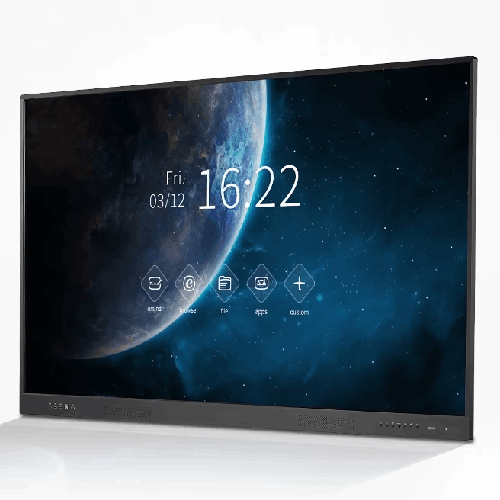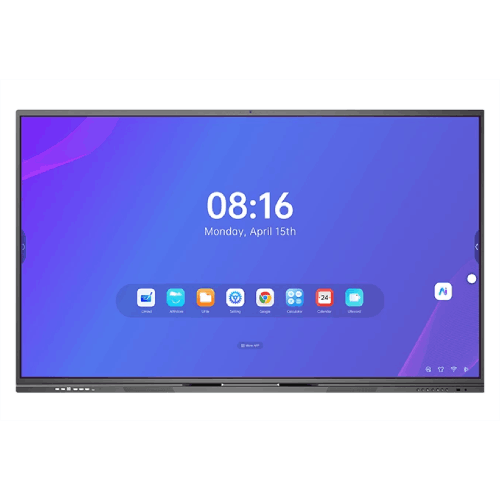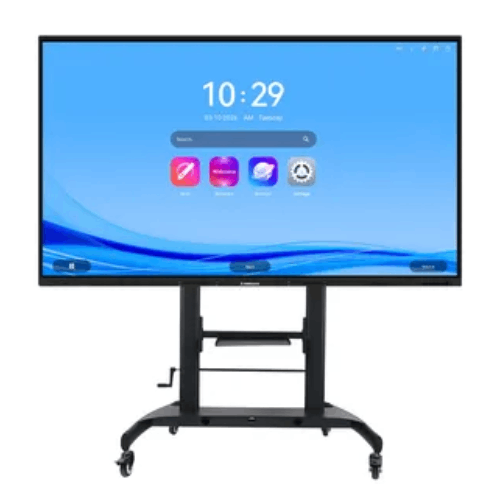
Riotouch LTS 75-Inch Smart Board for Home and Office
Regular Price:৳0.00Availability: SKU: 4.58.74.9579
Quick Overview
-
Support
Saturday – Thursday: 09 AM - 06 PM. -
Payment
Cash on Delivery | Card | Online Payment -
Shipping Cost
Inside Dhaka 100tk | Outside Dhaka 150tk -
Warranty Policy
Read More
Description
Riotouch LTS 75-Inch Smart Board for Home and Office in Bangladesh
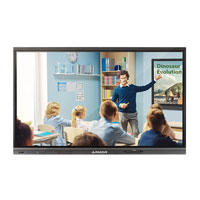
The Riotouch LTS 75-Inch Smart Board for Home and Office is part of Riotouch’s Edu Smart TV (LTS) series, created for classrooms, training rooms, meeting spaces and modern homes that need more than a basic smart TV. It blends a large, anti-glare MoHS 7 screen with WiFi 6, wireless screen mirroring, secure NFC-based login and education-focused Android apps, turning a regular room into a flexible digital environment for teaching, presentations and collaboration.
Sitting between conventional smart TVs and full-featured interactive whiteboards, the Riotouch LTS 75" offers the right combination of size, intelligence and durability for Bangladeshi schools, colleges, coaching centres, corporate offices and serious home users.
75-Inch Size: Perfect for Medium to Large Rooms
The 75-inch size is a major upgrade over 55" or 65" screens, especially in rooms where the last row sits further back. In many Bangladeshi classrooms and training rooms, 75" is the “sweet spot”:
- In a typical classroom or coaching room with 30–45 students, it provides clear visibility for students at the back without the screen feeling overwhelming at the front.
- In office meeting rooms that seat 10–20 people, it gives presenters enough screen real estate for detailed slides, dashboards and spreadsheets.
- In a home setting with a large living room or a combined living–dining space, it becomes a cinematic centrepiece that can also serve your work-from-home or online class needs.
By choosing the 75-inch model of the LTS series, you get a display that feels big enough for serious work and learning, but still manageable to mount on the wall or place on a sturdy trolley.
Anti-Glare Screen with MoHS 7 Tempered Glass
One of the most important features of the Riotouch LTS 75" Smart Board is its anti-glare screen combined with MoHS 7 tempered glass.
Riotouch highlights:
- Direct sunlight can still clearly present the picture.
- The surface is covered with MoHS 7 tempered glass, making it anti-collision, anti-explosion and anti-scratch.
- The anti-glare surface helps protect the eyes, and the 178° viewing angle allows easy viewing from anywhere in the room.
In Bangladeshi conditions, this matters tremendously:
- Many classrooms and offices have bright tube lights or side windows. A glossy TV would reflect these, but the LTS 75’s anti-glare finish reduces these reflections, keeping content more legible.
- The MoHS 7 rating indicates strong resistance to scratches from everyday items like pens, rings, or accidental contact with bags and markers. That’s vital in high-traffic environments like coaching centres and public institutions.
- The wide viewing angle ensures that students at the far left or right, or team members sitting around a meeting table, can all see what’s on screen without severe color distortion.
For home use, this means a more comfortable viewing experience throughout the day, whether you’re streaming a movie with the family or sharing your laptop screen for a remote meeting.
Edu Smart Board Experience: Tailored Android Apps
Riotouch describes this series as Riotouch Edu Smart TV and positions it as a classroom-enhancing solution:
“Riotouch Edu smart TV enhances the classroom experience with its superior display and tailored Android Apps. Educators can effortlessly share documents and mirror their PC screens, fostering an interactive learning environment. The intuitive, tablet-like interface is equipped with tools that engage students and spark creativity in the classroom.”
While exact app lists are not specified, the intent is clear:
- The user interface is tablet-like, making it easy for teachers and office users already familiar with Android phones to adapt quickly.
- The onboard apps and tools are designed around document viewing, presenting, sharing and mirroring, not just entertainment.
- The focus is on interactive learning through easy access to content and device-to-board connectivity.
In practice, a teacher in Dhaka or Chattogram can walk into class, switch on the LTS 75, quickly access stored materials or cloud files, and then mirror a laptop or share documents without complex setup.
In an office, the board can serve as a primary display for everything from sales presentations to internal town-hall meetings, with quick access to slides, PDFs and media.
WiFi 6: Next-Generation Wireless for Classrooms and Offices
The LTS series supports WiFi 6, which is a major advantage in modern networks:
“Super fast & stable WiFi 6 offers speeds up to 1501Mbps (2.4GHz 300Mbps; 5GHz 1201Mbps), providing a faster and lower latency wireless network experience.”
For Bangladesh, where WiFi is the backbone of many school and office networks:
- Higher throughput: WiFi 6 allows the board to handle high-bitrate streaming (like HD or 4K video), large file downloads and screen mirroring more smoothly.
- Lower latency: This helps reduce lag when you mirror your laptop, improving the responsiveness of your pointer and slides.
- Better performance with many devices: In a classroom where dozens of students are connected to the same access point, or an office with many employees on WiFi, WiFi 6 helps maintain stability.
If your school or office has already invested in a WiFi 6 router or access point, the Riotouch LTS 75" is ready to take advantage. If not, it is still backwards compatible with legacy WiFi, but it provides an upgrade path as your network modernises.
Quick File Transfer: From Teacher or Office PC to the Smart Board
Riotouch emphasises a valuable workflow feature: Quick File Transfer.
“Make managed file transfer and enterprise file sharing safer and easier. Send file from teacher’s PC to a classroom Smart TV or share them with others.”
In real terms:
- Teachers, lecturers or trainers can send lesson files directly from their PC to the LTS 75, without relying on USB drives or emailing themselves materials.
- In a corporate environment, a trainer or presenter can push updated slides, forms or videos straight to the board securely.
- Once files are stored on the board, they can be reused in later classes, sessions or meetings, centralising content in the room itself.
For Bangladesh’s busy coaching centres and training institutes, where multiple batches run back-to-back, this makes it much easier to switch between different teachers and courses without constant manual transfer.
Wireless Screen Mirroring with Reverse Control
The Riotouch LTS 75-Inch Smart Board supports wireless screen mirroring for common desktop OS platforms:
“Display your computer screen (Windows 7/8/10 and Mac OS) on a classroom smart TV without wires. Control the computer from the smart display in 1080P resolution for HD images. Reverse control allows users to control the computer on the smart interactive display.”
This functionality transforms how you use the board:
- Cable-free display: No need for HDMI cables running across the floor. Simply mirror your screen over WiFi.
- 1080p resolution for mirroring: Adequate for presentations, documents, and most teaching materials.
- Reverse control: You can walk up to the board and control the laptop or desktop as if you were standing next to it, advancing slides, opening applications and navigating web pages.
While the LTS series is framed as a “Smart TV”, features like reverse control bring it close to light interactive systems. For many institutions that don’t need full multi-touch annotation but want front-of-room control, this is a cost-effective and simple solution.
Teacher Key Pass: Security and Control in Shared Classrooms
Classrooms and training rooms are shared spaces. Riotouch adds Teacher Key Pass to bring structure and security:
- Fast remote activation lock on the web – administrators can lock or unlock displays centrally.
- Random keys for extra security – each authorized user can have unique credentials.
- Auto-lock screen during break time – the screen locks automatically when class is not in session.
In a Bangladeshi school, college or coaching centre:
- Teachers have confidence that students won’t misuse the board between classes.
- IT or AV administrators can manage multiple boards from a central interface.
- Sensitive settings, apps and content are better controlled, aligning with digital safety policies.
In offices, similar controls prevent unauthorised use of meeting-room boards after hours.
Auto Source Switching: Less Confusion, Faster Sessions
Riotouch LTS 75 also implements Auto Source Switching, a practical usability feature:
- Automatically switches to the last used source when the smart board is turned on.
- Previews input sources directly on the homepage.
- Automatically switches to a new source when a device is connected.
This matters because:
- Many users are not technically inclined; having the board “just go” to the right input reduces friction and time wasted.
- Previewing sources helps quickly spot which HDMI or input is active.
- For guest speakers or visiting trainers, plugging in a laptop and seeing it come up automatically makes a strong first impression.
In settings like government training institutes, NGOs or community centres—where different people constantly come in and out—this simplicity is worth a lot.
NFC Smart Interconnection: One-Touch Login and Cloud Access
NFC Smart Interconnection is one of the most advanced features in the LTS series:
“LTS uses NFC cards and fingerprints to log in to the machine's personal account, Google Drive cloud account and OneDrive cloud account, and sets multi-level accounts through different NFC cards to easily achieve machine security management.”
For multi-user environments, that is a game-changer:
- Teachers, trainers or staff can tap an NFC card to log in to their own profile.
- That profile can be linked with their Google Drive and OneDrive accounts, enabling direct access to their cloud materials from the board.
- Different types of NFC cards can be associated with different permission levels (e.g., admin, teacher, guest), supporting multi-level security management.
In a large private university in Dhaka with dozens of teachers sharing a room, the workflow becomes:
- Teacher enters the classroom.
- Taps their NFC card to log in.
- Gains access to personal drive content and settings.
- Teaches using those materials.
- Logs out automatically on leaving or via auto-lock.
In offices, the same setup allows department heads or trainers to access their corporate cloud drive quickly, without exposing passwords on a public screen.
At home, NFC could be used more simply—for example, to switch between a parent profile for work/conferences and a general entertainment profile for the family.
Designed for Home and Office Flexibility
Even though the LTS 75 is clearly optimised for educational and professional use, it is also positioned as a smart TV for home and office:
- At home, it can anchor a large living room for movies, sports and streaming from set-top boxes and OTT devices, while also supporting wireless mirroring for presentations, spreadsheets and remote work.
- In a home office or study, it can serve as a big screen for online classes, webinars and family learning sessions; WiFi 6 and anti-glare make it extra practical.
- In small to mid-sized meeting rooms, the 75" size is ideal for everyday corporate usage, showing slides, dashboards and remote participants clearly during video calls (via connected PC or conferencing device).
The key difference from a generic TV is the suite of Edu/business controls: NFC, Teacher Key Pass, quick file transfer and auto source switching – all oriented towards shared, managed use.
Compatibility and Ecosystem
From the supplied information:
- Wireless mirroring supports Windows 7/8/10 and macOS for PCs and laptops.
- NFC integration connects to Google Drive and Microsoft OneDrive accounts.
- The system runs a customised Android-based environment tailored for education and enterprise.
This aligns well with most device ecosystems in Bangladesh: Windows laptops, MacBooks, Android phones and cloud platforms commonly used in schools and offices.
You can extend the ecosystem by:
- Pairing the board with a WiFi 6 router or enterprise AP in each key room.
- Using small form factor PCs or media boxes when you need native Windows applications on the screen.
- Integrating the board into a central device management or scheduling system if your organisation already uses one.
Maintenance & Care for Long-Term Use
To keep the Riotouch LTS 75-Inch Smart Board in good condition:
- Clean the MoHS 7 glass with a soft, dry microfiber cloth; if necessary, use a slightly dampened cloth (water only), never harsh chemicals.
- Avoid pressing hard on the screen with sharp objects, even though the glass is scratch-resistant.
- Ensure good airflow around the back to prevent heat build-up, particularly if it’s in a small, enclosed space.
- In areas with frequent power fluctuations, use a quality surge protector or UPS to help protect the electronics.
- Train users not to leave static images (like logos) on-screen for excessively long periods to reduce risk of image retention (as with any large display).
These simple precautions are especially relevant in dusty or high-humidity environments common across parts of Bangladesh.
✅ Key Features
- 75-Inch Anti-Glare MoHS 7 Screen: Large, durable, scratch-resistant glass with a wide viewing angle and eye-friendly anti-glare for bright classrooms and offices.
- Edu Smart Android Interface: Tablet-like, education- and business-oriented Android UI with tools and apps focused on teaching and presenting, not just entertainment.
- WiFi 6 High-Speed Connectivity: Up to 1501Mbps (2.4GHz + 5GHz) for smoother streaming, faster downloads and more stable wireless screen mirroring.
- Wireless Screen Mirroring & Reverse Control: Mirror Windows and Mac laptops in 1080p wirelessly and control the PC directly from the smart board.
- Quick File Transfer from PCs: Secure, managed file transfer lets teachers and professionals send documents and media straight from their computers to the board.
- Teacher Key Pass Security: Web-based lock, random keys and automatic screen lock during breaks to prevent misuse in shared classrooms.
- Auto Source Switching & Source Preview: Automatically returns to the last used source and previews active inputs for easy, confusion-free operation.
- NFC Smart Interconnection: One-touch login with NFC cards and fingerprints, linking personal profiles and cloud storage (Google Drive, OneDrive) and enabling multi-level security.
- Home & Office Flexibility: Equally suited for smart classrooms, boardrooms and home offices, as well as family entertainment in larger living rooms.
- Robust, Institution-Ready Design: Built for frequent, multi-user use in education and enterprise environments across Bangladesh.
✅ Usage / Applications
- School and college classrooms needing a larger front-of-room display for slides, videos and PC mirroring.
- University tutorial and seminar rooms where 30–50 students gather for interactive sessions.
- Coaching centres and training institutes conducting exam prep or skills training in medium to large classrooms.
- Corporate meeting rooms and boardrooms for PowerPoint presentations, dashboards and hybrid discussions (via connected PC).
- Home offices and study spaces that double as family entertainment zones.
- Community training centres and NGO learning hubs delivering digital content and workshops.
- Library and resource centres for announcements, shared content, and interactive sessions with groups.
✅ Benefits of This Product?
- Better visibility for more people: The 75" size and anti-glare coating help ensure students and staff at the back of the room can see clearly.
- Effortless sharing and presenting: Wireless mirroring, quick file transfer and auto source switching reduce technical hurdles before each session.
- Higher network performance: WiFi 6 connectivity offers more stable, higher-speed wireless performance, ideal for streaming and mirroring.
- Controlled access in shared spaces: Teacher Key Pass and NFC-based multi-level accounts safeguard settings and prevent misuse between classes or meetings.
- Time savings for educators and staff: NFC login, cloud integration and familiar Android UI reduce setup time and allow lessons or meetings to start faster.
- Multi-role capability: Works as both a professional Edu smart board and a capable home smart TV, maximising utilisation of your investment.
- Cloud-ready workflows: Direct access to Google Drive and OneDrive encourages centralised, secure storage of lesson plans and corporate documents.
✅ Ideal For
The Riotouch LTS 75-Inch Smart Board for Home and Office is ideal for organisations and individuals who need a bigger, smarter screen that supports modern teaching, training and collaboration—without necessarily stepping up to a full interactive whiteboard.
It’s a particularly good match for schools and colleges upgrading from projectors or smaller TVs to a more stable, brighter and more secure solution. Medium to large classrooms with 30–45 students will benefit from the 75" size paired with anti-glare and wide viewing angles. Coaching centres and training institutes will appreciate the fast WiFi 6, quick file transfer and simple mirroring that keep classes on schedule.
In the business world, corporate offices, banks, and SMEs can deploy the LTS 75 in meeting rooms and training areas where multiple presenters come and go. The NFC login and Teacher Key Pass-style controls help IT teams manage access. At home, professionals with a large living room or dedicated work/study area can use it for everything—from Netflix and sports to Zoom calls and PowerPoint reviews—connecting seamlessly with their laptops and cloud drives.
If you want one screen that can comfortably handle learning, teaching, collaborating and entertainment in a medium to large room, this model is a strong candidate.
✅ Why Choose the Riotouch LTS 75-Inch Smart Board for Home and Office?
The Riotouch LTS 75" stands out because it treats the screen not just as a TV, but as a shared digital workspace. Many consumer smart TVs offer streaming apps and basic casting, but they seldom come with the classroom and office workflows the LTS series provides.
With WiFi 6, you get the bandwidth and stability needed for real-world usage in congested school and office networks. Wireless mirroring with reverse control means you can walk up to the screen and control your laptop from the front of the room, moving presentations and documents without standing behind a desk. Quick file transfer simplifies moving materials from teacher or staff PCs to the board, cutting down on pen-drive juggling and email clutter.
Where the LTS 75 truly differentiates itself is in security and user management. Features like Teacher Key Pass, NFC Smart Interconnection, and multi-level accounts are designed specifically for multi-user, shared spaces. Teachers, trainers and managers can log in and out easily, access their own cloud material, and ensure that students or unauthorised users cannot tamper with settings.
At the same time, the large 75" anti-glare MoHS 7 glass panel ensures the unit is durable and comfortable to view in brightly lit Bangladeshi rooms. It’s a carefully tuned balance: more powerful and classroom-ready than a generic smart TV, but simpler and often more budget-friendly than a full interactive whiteboard solution.
For institutions and homes looking for a larger, genuinely education- and business-aware smart board, the Riotouch LTS 75-Inch Smart Board is a compelling choice.
✅ Why Buy This Product from BME?
Business Machine & Equipment (BME) is focused on providing IT and AV products that work in the real conditions of Bangladesh—from city schools and universities to corporate offices and regional training centres.
When you buy the Riotouch LTS 75-Inch Smart Board for Home and Office from BME, you benefit from:
- Context-aware recommendations: BME understands typical classroom sizes, meeting room layouts and network setups in Bangladesh, and can advise whether the 75" LTS is the right match for your environment.
- Education and corporate experience: Having worked with schools, colleges, coaching chains, corporates, NGOs and government buyers, BME can align the product with your teaching or collaboration goals, not just sell a screen.
- Project and procurement support: For institutions rolling out multiple rooms, BME can provide quotations, model standardisation guidance and documentation suited to tenders or internal approvals.
- Emphasis on genuine products: BME focuses on sourcing authentic units and matching configurations to real-world requirements, helping to protect your investment.
- Local understanding: From power stability to room acoustics, BME considers local challenges when advising on mounting, network planning and complementary accessories.
Warranty coverage and after-sales service are provided according to BME’s policies and the manufacturer’s terms, ensuring that your purchase is backed by a Bangladeshi supplier committed to long-term customer relationships.
✅ Buying Guide
To decide if the Riotouch LTS 75-Inch Smart Board is the right solution and to deploy it effectively, consider the following points:
-
Room Size and Viewing Distance
- The 75" model is ideal when the farthest viewer sits around 5–8 metres away.
- For very small rooms or tight spaces, a 65" might be easier to fit; for very large lecture halls, consider bigger displays or projection.
-
Use Case: Edu Smart Board vs Full Interactive Panel
- Choose the LTS 75 if your primary needs are screen mirroring, file sharing, cloud access and basic front-of-room control.
- If your teachers or teams require heavy whiteboard-style annotation with multiple people writing simultaneously, look at Riotouch’s full interactive whiteboard ranges as a complement for specific rooms.
-
Network Readiness
- To make the most of WiFi 6, pair the board with a compatible router or AP; otherwise, ensure you have at least a strong dual-band WiFi signal in the room.
- Plan SSIDs and access controls so the board connects reliably to the right network (e.g., staff WiFi rather than guest WiFi).
-
Mounting and Physical Placement
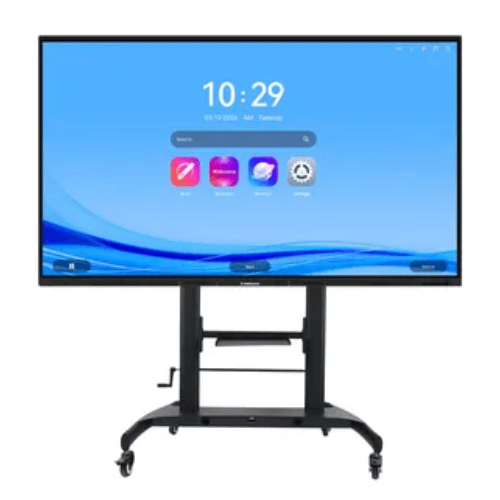
- Decide between a fixed wall mount and a mobile trolley. Wall mounts are great for permanent classrooms and meeting rooms; trolleys work better in multi-purpose spaces.
- Mount height should allow comfortable viewing and, if used for touch/control, easy reach for typical users.
-
Security and Account Strategy
- Plan how NFC cards and Teacher Key Pass will be distributed and managed.
- Define which profiles need admin-level access and which should be restricted (e.g., guest presenters, trainees).
-
Compatibility with Existing Devices
- Identify which devices will connect most often—Windows laptops, MacBooks, Android phones/tablets.
- Ensure they support wireless mirroring methods used by the board, or plan for HDMI backup where needed.
-
Cloud and Content Management
- If you’re using Google Workspace or Microsoft 365, map how teachers or staff will structure their Drive/OneDrive folders for easy in-class access.
- Consider central policies for what content should be stored locally on the board vs in the cloud.
-
Power Protection and Infrastructure
- Treat the power needs similar to other 75" smart TVs when sizing UPS and surge protection.
- In areas with frequent line voltage fluctuations, install a voltage stabiliser or UPS dedicated to AV equipment.
Avoid the common mistake of buying the biggest consumer TV you can afford and then struggling with cables, security and multi-user access. The Riotouch LTS 75 adds the workflows and controls that classrooms and offices actually need.
✅ Customers Ask About / Frequently Asked Questions
Q1: Is the Riotouch LTS 75-Inch Smart Board touch-enabled?
It is marketed as an Edu Smart TV/Smart Board with interactive features such as reverse control during mirroring and NFC login. For heavy multi-touch writing and annotation by many users at once, dedicated interactive whiteboards may be more suitable.
Q2: Can I mirror my laptop wirelessly to this board?
Yes. The LTS series supports wireless screen mirroring for Windows 7/8/10 and macOS laptops in 1080p resolution.
Q3: What is reverse control and how does it help?
Reverse control allows you to control the mirrored PC directly from the smart board interface. You can advance slides, open applications and interact with content without standing at the laptop.
Q4: Do I need WiFi 6 in my router to use this board?
No, it will work with older WiFi standards as well. However, a WiFi 6-capable router or access point will provide the best performance and stability, especially in dense networks.
Q5: How does NFC Smart Interconnection work in practice?
Authorised users tap an NFC card to log into their personal profile and linked cloud storage (Google Drive, OneDrive). This enables quick, secure access to personal teaching or work materials on a shared board.
Q6: Is this suitable only for classrooms, or can it be used at home too?
It is designed for both home and office/classroom use. Many of its features (WiFi 6, mirroring, NFC) are just as useful in home offices or family learning spaces as in schools.
Q7: Can I use this for Zoom or Microsoft Teams meetings?
Yes. You can connect a PC or small form factor computer running Zoom/Teams to the board (via HDMI and/or wireless mirroring) and use it as the main display for meetings.
Q8: How secure is it in a shared classroom environment?
Security features like Teacher Key Pass, web-based lock, auto-lock during breaks and NFC-based multi-level accounts all help ensure only authorised people can access settings and apps.
Q9: Does it require constant internet access?
For features such as cloud drive access, WiFi mirroring and streaming, an internet connection is needed. For simple HDMI input from a local PC, it can function without internet.
Q10: What kind of warranty and support does it have in Bangladesh?
Warranty duration and service conditions are provided according to BME’s current policies and the manufacturer’s terms. Contact BME for specific coverage details and support options.
✅ Why Buy This Product
The Riotouch LTS 75-Inch Smart Board for Home and Office is a powerful step up from regular smart TVs, tuned carefully to match the needs of modern classrooms, training rooms, meeting spaces and serious home users in Bangladesh. It combines a large 75" anti-glare MoHS 7 display with WiFi 6, wireless mirroring, quick file transfer, NFC login and education-focused apps to create a board that is as practical as it is impressive.
Instead of juggling cables, USB drives and ad-hoc security measures, you gain a central, managed display that supports cloud-based workflows, multi-user access control and simple, cable-free presenting. Whether you are a school upgrading from projectors, a coaching centre running multiple batches, a corporate team building smarter meeting rooms or a professional setting up a serious home office, this board provides the tools you need.
Order the Riotouch LTS 75-Inch Smart Board for Home and Office from BME to bring larger, smarter and more secure digital experiences into your classrooms, offices and homes across Bangladesh.
What is the price of Riotouch LTS 75-Inch Smart Board for Home and Office in Bangladesh?
Write a review
Question Answer
Have question about this product? Get specific details about this product from expert.