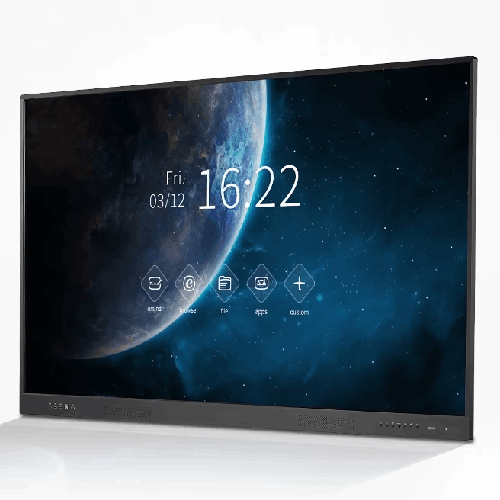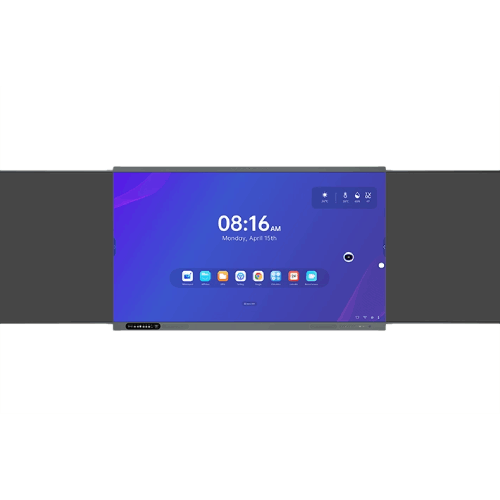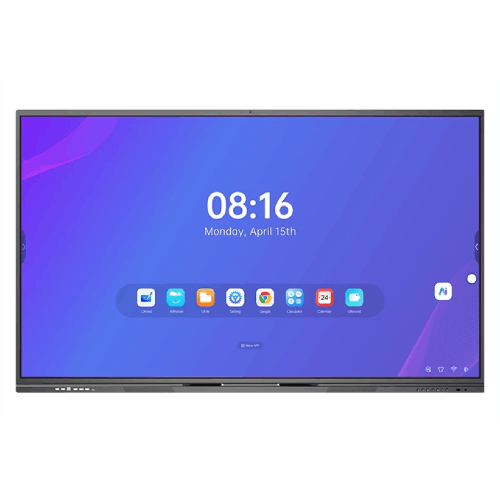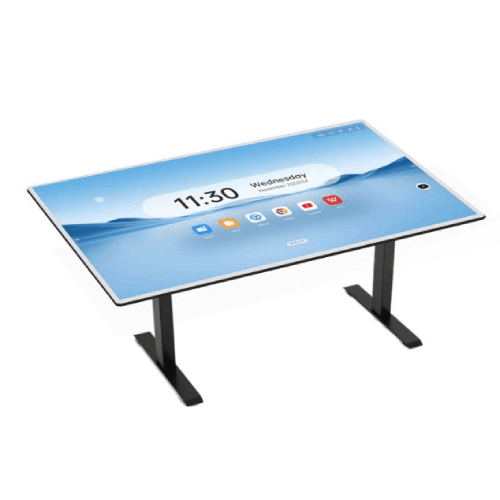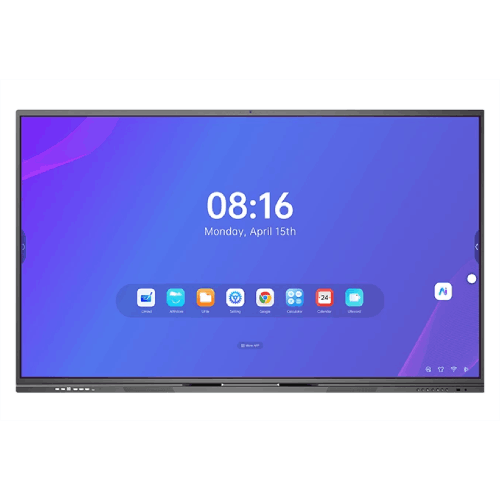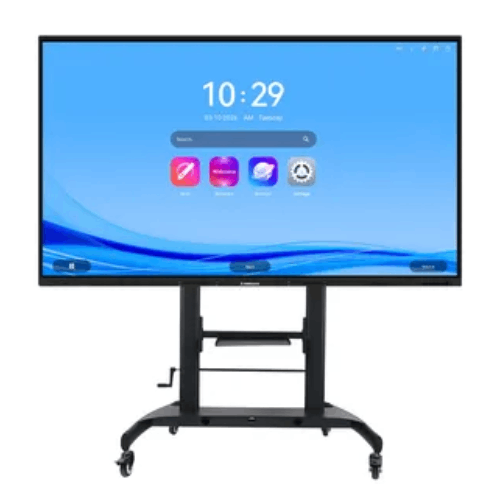
Riotouch LTS 65-Inch Smart Board for Home and Office
Regular Price:৳0.00Availability: SKU: 4.58.74.9578
Quick Overview
-
Support
Saturday – Thursday: 09 AM - 06 PM. -
Payment
Cash on Delivery | Card | Online Payment -
Shipping Cost
Inside Dhaka 100tk | Outside Dhaka 150tk -
Warranty Policy
Read More
Description
Riotouch LTS 65-Inch Smart TV for Home and Office in Bangladesh
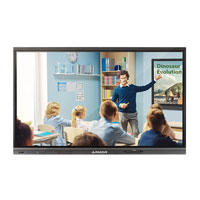
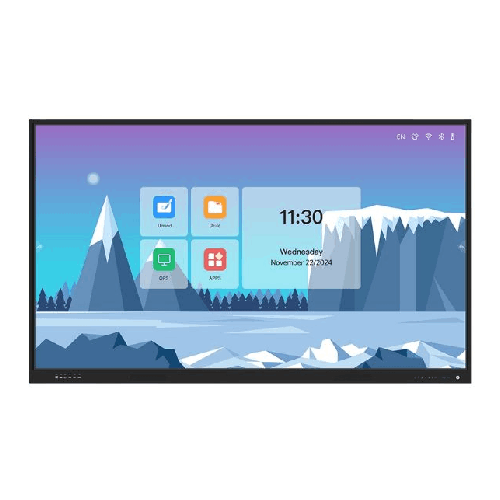
The Riotouch LTS 65-Inch Smart TV for Home and Office is a new-generation “Edu smart TV” designed to bridge the gap between a traditional television, a smart display, and a light interactive classroom or meeting solution. It is purpose-built for environments where you want a bright, durable screen with advanced smart features and classroom/enterprise tools, but you do not necessarily need a full-blown interactive whiteboard.
In Bangladesh, that makes the Riotouch LTS 65" a powerful choice for smart classrooms, coaching centres, staff training rooms, small conference rooms, and even home offices that double as online class or meeting studios. The LTS series focuses on display quality, networking, security, and ease of use, giving teachers, trainers and professionals a familiar “TV-like” experience with added capabilities for modern digital workflows.
A Versatile 65-Inch Smart Display for Classrooms and Offices
The 65-inch size hits a sweet spot. It is large enough to be clearly visible in typical Bangladeshi classrooms, meeting rooms and living rooms, while still fitting comfortably on most walls and stands. In a school classroom of 25–35 students, or a meeting room with 8–12 participants, this size provides a comfortable viewing experience without overwhelming the space.
The Riotouch LTS series is described as a Smart TV for home and office, but its feature set clearly targets education and professional scenarios:
- Strong anti-glare front glass for bright rooms.
- Wide 178° viewing angle for better visibility.
- Integrated smart features like wireless screen mirroring and quick file transfer.
- Classroom-ready controls such as Teacher Key Pass and Auto Source Switching.
- NFC-based login and security for multi-user environments.
That means you can use it for Netflix and cricket matches at home if you wish, but its real value appears when you bring it into a classroom, training room or office where collaboration and content sharing matter.
Anti-Glare Screen with MoHS 7 Tempered Glass
One of the headline features of the Riotouch LTS 65 is its anti-glare, MoHS 7 tempered glass front. In Bangladesh, sunlight and harsh indoor lighting are constant challenges. Projector screens often wash out, and glossy TVs reflect lights and windows, making content hard to see.
Riotouch addresses this with:
- Anti-glare coating: Helps cut reflections from tube lights or windows, so students and staff can see clearly from more angles and positions.
- MoHS 7 tempered glass: Significantly harder than standard glass, offering better protection against scratches, bumps, and daily wear. Riotouch describes this surface as anti-collision, anti-explosion and anti-scratch, designed to withstand demanding environments like classrooms and offices.
- 178° wide viewing angle: Ensures that even people sitting off to the side get a clear view of the screen, which is essential in crowded classrooms and boardrooms.
For home use, this means you can place the TV in a bright living room or open-plan office without constantly fighting reflections. For schools and offices, you get an extra layer of protection against accidental knocks from bags, chairs, markers or handheld pointers.
Edu Smart TV Experience: Tailored Android Apps
Riotouch markets this as an Edu Smart TV, not just a generic Android TV. That suggests a curated, education- and business-focused app environment. From the description:
“Riotouch Edu smart TV enhances the classroom experience with its superior display and tailored Android Apps. Educators can effortlessly share documents and mirror their PC screens, fostering an interactive learning environment. The intuitive, tablet-like interface is equipped with tools that engage students and spark creativity in the classroom.”
In practical terms for Bangladesh:
- Teachers get an interface that looks and feels like a large tablet or familiar Android device, lowering the learning curve.
- Pre-installed or supported apps are likely geared toward presentations, content viewing, document access and classroom tools rather than just entertainment.
- The focus is on sharing documents, mirroring PCs, and interacting with digital content, rather than just watching broadcast TV channels.
In an office, this means your meeting room display behaves more like a modern collaboration screen: quickly open slides, browse web dashboards, mirror someone’s laptop, or show internal videos, all from a single remote or touch UI.
Super-Fast WiFi 6 Connectivity
One of the standout technical features is WiFi 6 support. Riotouch specifies:
“Super fast & stable WiFi 6 offers speeds up to 1501Mbps (2.4GHz 300Mbps; 5GHz 1201Mbps), providing a faster and lower latency wireless network experience.”
For Bangladesh, where many institutions and homes now deploy dual-band routers and rely heavily on WiFi:
- WiFi 6 means higher throughput and more stable connections, especially when multiple devices are connected to the same access point.
- Lower latency is particularly helpful for real-time screen mirroring and online video streaming (e.g., YouTube classes, webinars, Zoom/Teams via a connected device).
- In a classroom or office, the TV can connect directly to the school or corporate network without needing an Ethernet cable, simplifying installation.
If your campus or office is upgrading its WiFi infrastructure, the LTS 65 is ready to leverage that extra speed and stability.
Quick File Transfer from Any Device
Riotouch emphasizes a feature many teachers and professionals will appreciate: quick file transfer from PCs and other devices.
The description highlights:
- Secure, managed file transfer for safer sharing.
- Ability to send files from a teacher’s PC to the classroom smart TV.
- Options to share files with others once stored on the TV.
Imagine a coaching centre in Mirpur or a private university in Dhanmondi: instead of copying materials to USB drives or emailing files to yourself, you send your slide deck or worksheet directly from your laptop to the LTS 65 in the classroom. It’s faster, reduces dependence on pen drives, and centralizes content on the classroom device.
In corporate environments, trainers or presenters can quickly push updated slides, PDFs or video snippets from their PCs to the meeting-room display without connecting cables.
Wireless Screen Mirroring with Reverse Control
The Riotouch LTS 65-Inch Smart TV includes wireless screen mirroring designed for education and professional use:
“Display your computer screen (Windows 7/8/10 and Mac OS) on a classroom smart TV without wires. Control the computer from the smart display in 1080P resolution for HD images. Reverse control allows users to control the computer on the smart interactive display.”
Key benefits:
- Cable-free presentations: Teachers, trainers and executives can mirror their laptop screens without HDMI cables.
- Cross-platform support: Works with Windows and macOS, which covers most laptops used in Bangladesh.
- Reverse control: When enabled, you can operate the PC from the smart TV itself. That means moving slides, opening apps or navigating documents from the front of the room, rather than being tied to the laptop.
Even though this is marketed as a Smart TV, the reverse control and interactive operation are very similar to what you’d expect from a light interactive display. For smaller institutions or offices that don’t need full multi-touch annotation but do need dynamic control, this is a strong middle ground.
Teacher Key Pass: Smart Security for Classrooms
Riotouch includes a useful security feature called Teacher Key Pass:
- Fast remote activation lock on the web.
- Random keys for extra security.
- Automatic lock screen during break times.
In a Bangladeshi school, university, or coaching centre:
- Admins or IT teams can lock the display when a teacher is not present, preventing misuse between periods.
- Different teachers may have individual keys or credentials, so only authorised staff can unlock and use the device.
- Auto-lock during breaks ensures students do not tamper with settings or access unwanted apps while unsupervised.
For offices, this provides an extra layer of access control in shared meeting rooms, preventing unauthorized use outside of official sessions.
Auto Source Switching for Simple Everyday Use
The LTS 65 also includes Auto Source Switching, a small but important convenience feature that makes the display easier for non-technical users:
- Automatically switches to the last used source when turning on the TV.
- Displays a preview of source channels directly on the home page.
- Automatically switches source when a new input device is connected.
Every teacher, manager, or trainer has experienced the frustration of hunting through “HDMI 1 / HDMI 2 / AV” inputs on a TV. Auto source switching reduces that friction:
- When you power up the TV, it goes back to the input you were last using (e.g., your laptop, media player or internal smart OS).
- If you plug in a new device, the TV can automatically detect and switch to that input, saving time and explaining less to guests or visitors.
For non-tech-savvy users in Bangladesh—senior teachers, visiting trainers, external speakers—this is a big usability advantage.
NFC Smart Interconnection: One Touch Login and Security
A highlight of the Riotouch LTS series is NFC Smart Interconnection:
“LTS uses NFC cards and fingerprints to log in to the machine's personal account, Google Drive cloud account and OneDrive cloud account, and sets multi-level accounts through different NFC cards to easily achieve machine security management.”
For multi-user environments:
- Teachers or staff can tap an NFC card (or in some configurations, use a fingerprint) to log into their personal profile on the device.
- Once logged in, they can access linked Google Drive or OneDrive cloud accounts, making it easy to open lesson plans, presentations or stored videos directly.
- Different NFC cards can be associated with different levels of access, implementing multi-level account control (for example, admin vs teacher vs guest).
In Bangladesh, where many schools and offices are moving towards cloud-based storage but still share devices across multiple users, this reduces friction:
- No need to manually enter email and passwords on a big screen every time.
- Better control over who can change settings or install apps.
- Faster lesson starts—tap, access your content, and begin.
At home, this could be used to separate work profiles from family entertainment profiles, or to keep children from changing settings easily.
Designed for Home and Office Flexibility
Although much of the feature set is clearly optimized for classrooms, the Riotouch LTS 65 is equally comfortable in modern homes and offices:
- Home use: It can serve as a central entertainment screen for movies, series, YouTube learning content, and casual game streaming—especially if connected to set-top boxes, consoles, or streaming devices.
- Home office / study room: Perfect for professionals and students who attend online classes, webinars, or video conferences in a dedicated space; wireless mirroring and anti-glare make shared viewing smoother.
- Office use: In small to mid-sized meeting rooms, it handles presentations, video calls (via connected PC/box) and collaborative sessions using WiFi mirroring and quick file transfer.
In all these contexts, the anti-glare surface and WiFi 6 connectivity play major roles in ensuring the screen remains practical and comfortable to use every day.
Compatibility and Ecosystem
While the provided information doesn’t list every port or OS version, we know:
- Wireless mirroring supports Windows 7/8/10 and macOS laptops.
- NFC login is designed to link with Google Drive and Microsoft OneDrive accounts.
- As an Edu Smart TV, it runs a customized Android-based environment with educational and enterprise apps.
That means it fits well into the typical device mix in Bangladeshi institutions—Windows PCs, Macs, Android phones/tablets, and cloud services used from Campus Google Workspace or Microsoft 365.
For best results, you can pair it with:
- A stable WiFi 6 router or dual-band AP in the room.
- A small form factor PC or OPS-style box (if you need local Windows apps constantly).
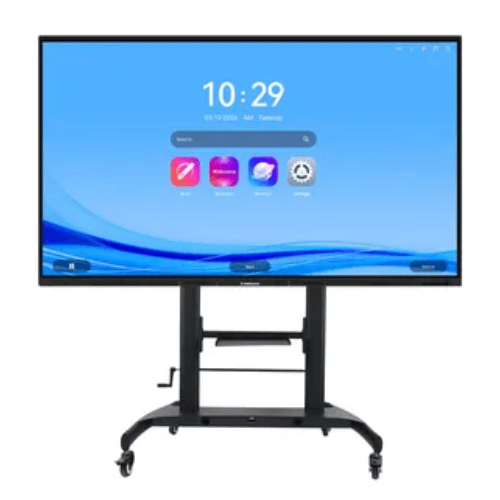
- Quality wall mounts or trolleys rated for 65-inch screens.
Maintenance & Care
As with any large smart display, a few basic care practices help extend the Riotouch LTS 65’s service life:
- Clean the screen with a soft, dry microfiber cloth; if necessary, use a lightly dampened cloth (water only) and never harsh chemicals or spray directly onto the glass.
- Ensure adequate ventilation around the TV; avoid covering vents and do not mount it too close to heat sources.
- Protect from direct rain or moisture; indoor use only.
- During prolonged electricity fluctuations, consider using a voltage stabilizer or UPS to minimize sudden power-related stress.
Following these simple steps is especially relevant in the Bangladeshi context, where dust and voltage irregularities are common.
✅ Key Features
- Anti-Glare MoHS 7 Tempered Glass: Delivers clear visibility even under strong light while resisting scratches, collisions and daily wear in classrooms and offices.
- 65-Inch Wide-View Display: Large 16:9 screen with 178° viewing angle ensures students and staff can see content easily from anywhere in the room.
- WiFi 6 Connectivity: Up to 1501Mbps wireless speeds (2.4GHz + 5GHz) for faster, more stable streaming, mirroring and cloud access.
- Wireless Screen Mirroring with Reverse Control: Cast Windows and Mac screens in 1080p without cables and control the PC directly from the smart display.
- Quick File Transfer from PC and Devices: Send documents and media from teacher or office PCs straight to the TV for faster, safer content sharing.
- Teacher Key Pass Security: Web-based remote lock, random keys and auto-lock functions prevent misuse during breaks and between classes.
- Auto Source Switching: Automatically picks the right input when powered on or when a device is plugged in, reducing confusion for non-technical users.
- NFC Smart Interconnection: Tap an NFC card to log into personal profiles and linked cloud storage (Google Drive, OneDrive) with multi-level access control.
- Edu-Focused Android Interface: Tablet-like, intuitive UI with tailored Android apps designed to enhance teaching, training and collaboration.
- Flexible Home and Office Usage: Suitable for smart classrooms, meeting rooms, home offices and living rooms needing both entertainment and work capabilities.
✅ Usage / Applications
- School and college classrooms as a smart teaching display for slides, videos, and mirrored PC content.
- Coaching centres and training institutes delivering digital lessons and exam prep in compact classrooms.
- Small to mid-sized corporate meeting rooms for presentations, file sharing and video calls (via connected PC).
- Home offices and study rooms for online meetings, webinars, and shared viewing of learning content.
- Living rooms as a primary smart TV that also supports occasional work and study mirroring from laptops.
- Library or resource rooms displaying announcements, tutorials and live sessions.
- Company training labs for onboarding, compliance training and skills-development sessions.
✅ Benefits of This Product?
- Simplifies digital teaching and presenting: Educators and professionals can easily share screens, transfer files and control PCs without complex cabling.
- Enhances visibility and comfort: Anti-glare MoHS 7 glass and wide viewing angle keep content readable in real-world Bangladeshi lighting conditions.
- Boosts wireless performance: WiFi 6 reduces lag and buffering, supporting smoother streaming and responsive screen mirroring.
- Improves security and control: Teacher Key Pass, NFC login and multi-level accounts help manage who can use the screen and how.
- Reduces setup time: Auto source switching and NFC login mean users spend less time on technical steps and more on teaching or collaborating.
- Fits dual roles (work and entertainment): Works equally well as a smart TV for home viewing and as an Edu smart display for classes or meetings.
- Supports cloud-centric workflows: NFC-linked Google Drive and OneDrive access make it easier to work directly from cloud-stored materials.
✅ Ideal For
The Riotouch LTS 65-Inch Smart TV for Home and Office is ideal for users and organisations that want a capable smart display with education- and business-oriented features, but do not need the full complexity or cost of a heavy interactive board.
It’s a strong fit for schools and colleges equipping normal-sized classrooms where 20–35 students attend and the teacher wants cable-free presentations, quick access to materials and simple security. Coaching centres and training institutes will appreciate how easily trainers can connect laptops, mirror content, and lock the screen between batches.
In the corporate world, SMEs, startups, and branch offices can install the LTS 65 in meeting rooms for day-to-day presentations, video briefings and collaborative sessions with remote teams. Home users who maintain a dedicated study or work zone can use it as both a large productivity monitor (via mirroring) and a high-quality entertainment screen for family use. If you’re looking for an all-rounder smart display that balances learning, work and entertainment in one 65-inch form factor, this model aligns well with those expectations.
✅ Why Choose the Riotouch LTS 65-Inch Smart TV for Home and Office?
The Riotouch LTS 65-Inch Smart TV stands out because it has been designed from the start as an Edu smart TV, rather than a generic consumer smart TV with a few extra apps. That difference shows up in features that matter in real classrooms and offices: WiFi 6, robust anti-glare MoHS 7 glass, NFC-based login, Teacher Key Pass security, quick file transfer and PC mirroring with reverse control.
Instead of forcing teachers or managers to juggle multiple cables and dongles, the LTS 65 makes it easy to walk into a room, power on the TV, tap an NFC card, and access your cloud files or mirror your laptop wirelessly. Auto source switching and a familiar, tablet-like Android interface keep the experience straightforward for non-technical users, which is crucial in institutions where many different people share the same room and device.
Compared to a basic smart TV, the Riotouch LTS 65 offers far better classroom and meeting control, stronger glass for institutional environments, and integrations with educational workflows such as cloud drives and teacher-specific security keys. At the same time, it remains flexible enough for home use, movie nights, and streaming, making it a truly multi-purpose screen.
If you want a 65-inch display that genuinely supports teaching, training and teamwork—without overcomplicating things or relying entirely on external hardware—the Riotouch LTS 65 is a compelling, future-ready option.
✅ Why Buy This Product from BME?
Business Machine & Equipment (BME) specialises in delivering IT and AV solutions that make sense in the Bangladeshi context. When you buy the Riotouch LTS 65-Inch Smart TV for Home and Office from BME, you’re working with a seller that understands both education and corporate deployment scenarios.
BME has experience supplying smart displays, interactive boards and AV equipment to schools, universities, NGOs, corporates and government offices. That experience allows the team to advise you whether the LTS 65 is the right fit for your room size, usage style and budget—or whether you might benefit from stepping up to a more interactive panel in certain spaces.
For institutional buyers, BME can provide formal quotations and documentation suitable for tender processes, framework agreements or project approvals, and help standardise model selections across multiple branches or campuses. The focus is on offering genuine products and matching device capabilities to actual needs, not just selling specifications on paper.
After purchase, BME supports customers according to its prevailing policies and the manufacturer’s warranty terms, helping you integrate the TV into your classroom or meeting workflow and use it with confidence over time.
✅ Buying Guide
Before you finalise your purchase of the Riotouch LTS 65-Inch Smart TV for Home and Office, consider the following points to ensure it’s the right fit:
-
Room Size and Viewing Distance
- For typical classrooms and mid-sized meeting rooms, 65 inches is usually sufficient if the farthest viewer is within 4–6 metres.
- If your room is significantly deeper or seats over 35–40 people, you may want to consider larger sizes in the LTS or interactive series.
-
Use Case: Edu Smart vs Full Interactive
- If you mainly need screen mirroring, content viewing, file transfer, and basic interaction, the LTS 65 is ideal.
- If your teachers or teams require heavy annotation, multi-touch writing by several people at once, or advanced interactive whiteboard features, you might compare it with Riotouch interactive whiteboards as well.
-
Network Environment
- To fully benefit from WiFi 6, check that your router or access point supports WiFi 6 or at least stable dual-band AC WiFi.
- Ensure good signal strength in the room; consider additional APs for large buildings or dense user environments.
-
Mounting and Placement
- Decide if you will wall-mount the TV or use a mobile trolley. Wall-mounting suits permanent classrooms and meeting rooms; trolleys help when you need to move the unit between rooms.
- Confirm that the wall or floor can safely bear the weight of a 65-inch display and bracket.
-
Security and Multi-User Management
- Plan how you will use Teacher Key Pass and NFC cards.
- Decide which staff will have admin-level access and which will have standard teaching or meeting profiles.
-
Device Compatibility and Connections
- Identify the primary devices users will connect: Windows laptops, MacBooks, Android phones, etc.
- Confirm that your preferred connectivity methods (wireless mirroring, HDMI, etc.) are available and supported.
- If some older PCs still rely on VGA, you may need additional adapters or a different display in specific rooms.
-
Cloud and Content Strategy
- If your institution uses Google Workspace or Microsoft 365, NFC integration with Google Drive and OneDrive can streamline content access.
- Plan where lesson files, presentation decks and videos will be stored, and who manages content on the TV.
-
Power and Protection
- Although exact power consumption is not specified here, treat it like a typical 65-inch smart TV when sizing UPS or surge protection.
- In areas with frequent voltage fluctuations, use a stabiliser or UPS to protect the device.
Avoid the mistake of choosing any random smart TV for classrooms or meeting rooms. The Riotouch LTS 65 is built to address educational and professional use cases; if those match your needs, it is likely a smarter long-term choice than a generic consumer TV.
✅ Customers Ask About / Frequently Asked Questions
Q1: Is the Riotouch LTS 65-Inch Smart TV a touch screen?
It is marketed as an Edu smart TV with interactive features such as reverse control during screen mirroring and NFC login. Full multi-touch whiteboard capabilities depend on the specific configuration; if you need heavy annotation by multiple users, a dedicated interactive whiteboard might be better.
Q2: Can I mirror my laptop without cables?
Yes. The LTS 65 supports wireless screen mirroring for Windows 7/8/10 and macOS laptops, allowing you to cast your screen in 1080p without HDMI cables.
Q3: Does it support controlling the PC from the TV?
Yes. With reverse control enabled, you can operate the connected PC from the smart display interface while mirroring.
Q4: What is the advantage of WiFi 6 on this TV?
WiFi 6 provides higher speeds and lower latency, which helps with smoother streaming, faster file transfers and more responsive screen mirroring—especially in environments where many devices share the same network.
Q5: How does NFC Smart Interconnection work?
NFC cards can be used to log into personal profiles and linked Google Drive or OneDrive accounts on the TV. Different cards can have different access levels, simplifying security and user management in shared environments.
Q6: Is this TV suitable for home use only?
No. It is designed for both home and office/classroom use. Many of its features—Teacher Key Pass, quick file transfer, NFC login—are specifically targeted at education and professional scenarios.
Q7: Can I still use this as a normal smart TV for movies and YouTube?
Yes. While the focus is on education and business, it can also be used as a normal smart TV for streaming and general entertainment, subject to the apps and inputs you connect.
Q8: How secure is the device in a classroom?
Features like Teacher Key Pass and auto-locking during breaks help prevent misuse. NFC-based multi-level accounts further enhance security and control in shared-use environments.
Q9: Does it need a constant internet connection?
An internet connection is required to fully use features like WiFi 6 networking, cloud access and online content. However, basic functions like HDMI input or local media playback (if supported) can work without internet.
Q10: What kind of after-sales support can I expect in Bangladesh?
Warranty and after-sales service for the Riotouch LTS 65-Inch Smart TV are provided according to BME’s current policies and the manufacturer’s terms. For specific support details, contact BME directly.
✅ Why Buy This Product
The Riotouch LTS 65-Inch Smart TV for Home and Office is a smart choice for anyone who wants more than a simple TV. It blends a robust, anti-glare MoHS 7 display with WiFi 6, wireless mirroring, NFC security and education-ready features into one elegant 65-inch screen.
For schools and coaching centres, it simplifies digital teaching by making it easy to mirror laptops, access cloud-based materials and secure the device between classes. For offices and small businesses, it turns a standard meeting room into a flexible collaboration space with less cabling and fewer technical hurdles. At home, it can serve as both a work/study companion and an entertainment hub.
If you’re looking to modernise your classroom, training room, office or home office without jumping into the cost and complexity of a full interactive whiteboard, the Riotouch LTS 65 offers a balanced, future-friendly solution. Order the Riotouch LTS 65-Inch Smart TV for Home and Office from BME to bring smarter teaching, presenting and viewing into your daily routine.
What is the price of Riotouch LTS 65-Inch Smart Board for Home and Office in Bangladesh?
Write a review
Question Answer
Have question about this product? Get specific details about this product from expert.