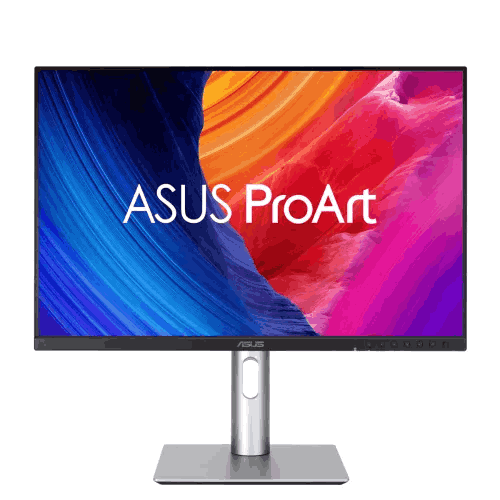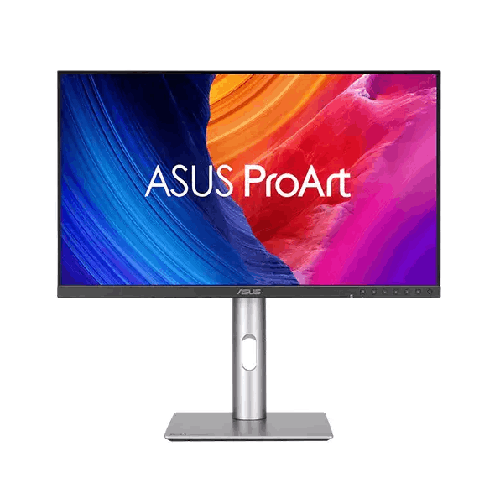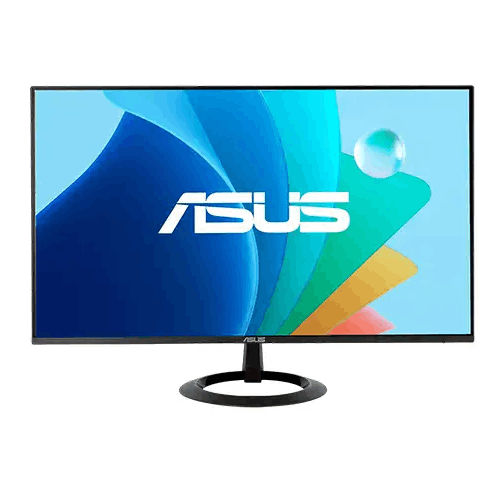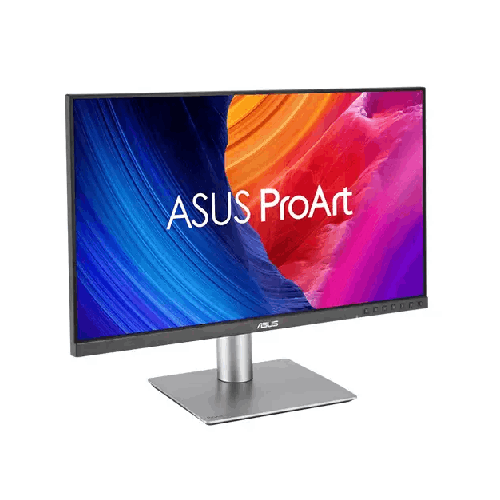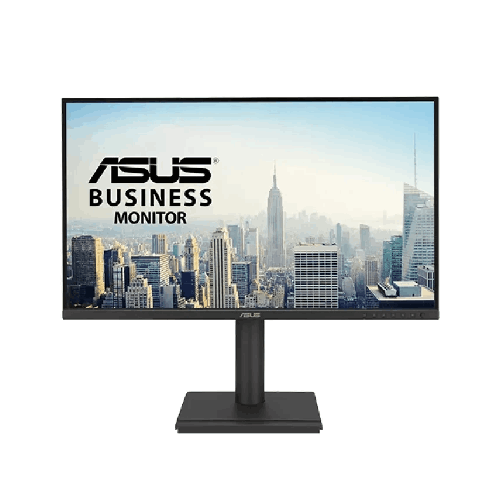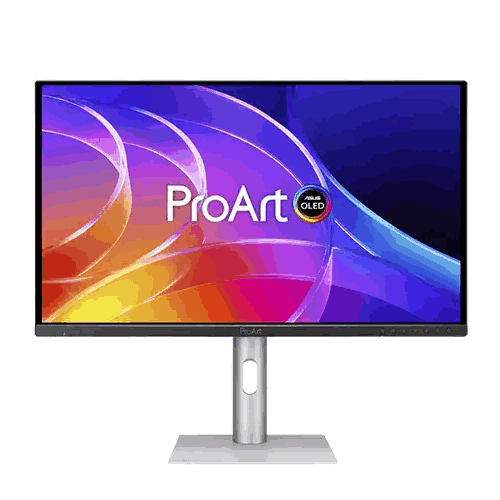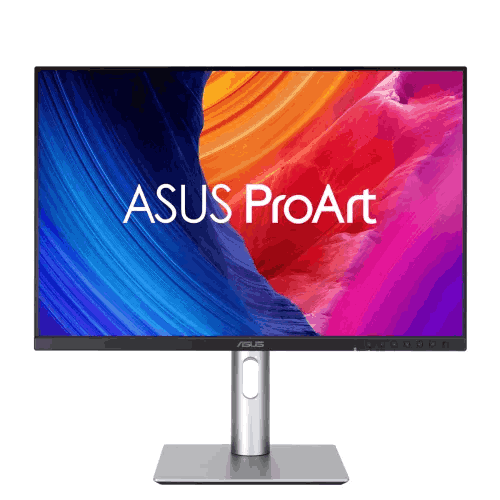
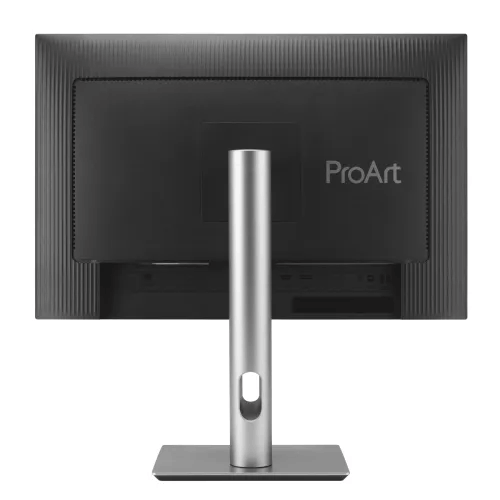
ASUS ProArt Display PA248QV Gen2 (PA248QFV) 24.1" 100Hz WUXGA IPS Monitor
Regular Price:৳0.00Availability: SKU: 9.60.13.9710
Quick Overview
-
Support
Saturday – Thursday: 09 AM - 06 PM. -
Payment
Cash on Delivery | Card | Online Payment -
Shipping Cost
Inside Dhaka 100tk | Outside Dhaka 150tk -
Warranty Policy
Read More
Description
ASUS ProArt Display PA248QV Gen2 (PA248QFV) 24.1" 100Hz WUXGA IPS Monitor in Bangladesh
the ASUS ProArt Display PA248QV Gen2 (PA248QFV) 24.1" 100Hz WUXGA IPS Monitor.
While standard consumer monitors squeeze your workspace into a narrow 16:9 Full HD window and distort colors with uncalibrated consumer profiles, the ASUS ProArt Display PA248QV Gen2 (PA248QFV) 24.1" 100Hz WUXGA IPS Monitor gives you a taller, roomier 16:10 aspect ratio with WUXGA (1920 x 1200) resolution—paired with a newly upgraded 100Hz variable refresh rate and Calman Verified (Delta E < 2) color precision right out of the box. Covering 100% sRGB and 100% Rec.709 color spaces, equipped with built-in stereo speakers, QuickFit Virtual Scale print grids, mouse-driven DisplayWidget Center control, and a full four-way ergonomic stand, this second-generation ProArt display is the smartest, most dependable productivity and creative upgrade you can make in Bangladesh.
Key Display Technology & The 16:10 WUXGA Advantage: 11% More Vertical Space + Calman Verified Color
Anyone who has ever tried to edit a multi-track video in Adobe Premiere Pro, retouch a full-length portrait in Photoshop, or scan a massive spreadsheet on a standard 1920 x 1080 screen knows how quickly vertical space runs out. Toolbars, ribbons, and timeline tracks swallow the top and bottom of the screen, leaving a cramped strip in the middle for your actual work. The ASUS ProArt Display PA248QV Gen2 (PA248QFV) 24.1" 100Hz WUXGA IPS Monitor solves this daily frustration at the hardware level.
- Expansive 24.1-Inch 16:10 WUXGA (1920 x 1200) Canvas: By adding 120 extra vertical lines of pixels over standard Full HD (1920 x 1080), the 1920 x 1200 WUXGA resolution delivers 11% more vertical screen area (~2.3 million total pixels vs. 2.07 million on 1080p). That extra vertical height fits two additional audio/video tracks in Premiere Pro, several extra rows in Excel, more lines of Python or JavaScript in VS Code, and allows two A4 document pages to sit side by side at near-actual size without constant vertical scrolling.
- Calman Verified & Factory Pre-Calibrated to Delta E < 2: In commercial design and photography, color accuracy is your professional reputation. Every single ASUS ProArt Display PA248QV Gen2 (PA248QFV) 24.1" 100Hz WUXGA IPS Monitor is individually calibrated at the factory and carries official Calman Verified certification with an average color difference of Delta E < 2—meaning the human eye cannot distinguish between the mathematical reference color and what appears on screen.
- 100% sRGB & 100% Rec.709 Color Gamut Coverage: Engineered specifically for digital media, web design, commercial photography, and HD/Full HD video post-production, the studio-grade IPS panel reproduces 100% of the sRGB and Rec.709 color standards with rich, uniform saturation across a wide 178-degree viewing cone.
- Precision Non-Glare Optical Surface: Bright overhead LED tube lights and sunlit windows in Bangladeshi offices and bedrooms never get in your way thanks to the finely textured matte anti-glare coating, which eliminates mirror reflections while maintaining razor-sharp text and tonal contrast.
Performance & Core 100Hz Motion Engine: Why Stepping Up from 60Hz/75Hz Transforms Daily Work
The single biggest generational leap in the ASUS ProArt Display PA248QV Gen2 (PA248QFV) 24.1" 100Hz WUXGA IPS Monitor is its upgrade to a fluid 100Hz refresh rate with Adaptive-Sync support. While traditional office monitors remain stuck at 60Hz and the first-generation model topped out at 75Hz, running your creative workspace at 100 frames per second makes every interaction feel noticeably faster and cleaner:
- Smoother Video Scrubbing & 2D/3D Animation: When scrubbing rapidly across a 60fps video timeline in DaVinci Resolve or Premiere Pro, previewing keyframe motion curves in Adobe After Effects, or orbiting a 3D model in Blender, 100Hz delivers silkier playhead tracking and eliminates viewport judder.
- Pin-Sharp Pen & Cursor Precision: Graphic artists using Wacom or XP-Pen drawing tablets in Illustrator and Photoshop immediately notice reduced cursor lag when sketching fast strokes or masking complex edges at 100Hz.
- Effortless Document & Code Scrolling: For software engineers, financial analysts, and university researchers in Bangladesh who spend hours scrolling through long PDFs, documentation, and codebases, 100Hz keeps moving text sharp and readable—dramatically reducing visual fatigue over an 8-to-12-hour workday.
- Tear-Free Adaptive-Sync for After-Hours Gaming: Supporting VESA Adaptive-Sync across its refresh range, the monitor synchronizes cleanly with your GPU to eliminate screen tearing during real-time 3D rendering previews as well as casual evening gaming sessions.
Audio & Everyday Studio Convenience: Integrated Stereo Speakers and Audio Pass-Through
Desk space in Bangladeshi apartments and agency cubicles is precious, and you do not always want to wear heavy studio headphones for eight hours straight in warm weather. The ASUS ProArt Display PA248QV Gen2 (PA248QFV) 24.1" 100Hz WUXGA IPS Monitor includes built-in stereo speakers (2W x 2) right inside the chassis. They provide clear, convenient audio for rough-cut video editing, checking voiceover sync, attending Zoom or Microsoft Teams client meetings, and watching YouTube tutorials without cluttering your desk with external speaker wires. When it is time for critical audio mixing or late-night focus, a dedicated 3.5mm earphone jack lets you plug in wired studio headphones or powered monitors effortlessly.
Smart Studio Features & Controls: ProArt Preset, ProArt Palette, QuickFit Plus, and DisplayWidget Center
ASUS equips the ASUS ProArt Display PA248QV Gen2 (PA248QFV) 24.1" 100Hz WUXGA IPS Monitor with an arsenal of professional workflow tools rarely found in this price category:
- ASUS ProArt Preset: Switch instantly between nine dedicated color modes—including Standard, sRGB, Rec.709, Scenery, Reading, Darkroom, Rapid Rendering (which boosts motion clarity for high-frame-rate previews), and two customizable User Modes—to match your exact project requirements in seconds.
- ASUS ProArt Palette: Take full command of your display’s color profile with independent six-axis color adjustment (R, G, B, C, M, Y), black-level tuning, four color temperature presets, and five selectable gamma curves (1.8, 2.0, 2.2, 2.4, and 2.6).
- QuickFit Virtual Scale & Physical Bezel Ruler: A massive time-saver for Bangladesh’s thriving print, publishing, and RMG garment/packaging sectors. Press the QuickFit hotkey to overlay real-size A4, B5, Ruler, and Alignment Grid templates directly onto your screen so you can inspect exact print layout dimensions at 1:1 scale before wasting ink and paper on test prints. Even better, the bottom bezel features embossed physical millimeter/inch ruler markings for quick real-world measurements right at the screen edge.
- ASUS DisplayWidget Center Software: Adjust brightness, contrast, ProArt Presets, QuickFit grids, and multi-frame window layouts directly from your Windows desktop using your mouse and keyboard instead of reaching for physical monitor buttons.
Creative Work, Coding, Corporate & Entertainment Capabilities in Bangladesh
Whether you are an independent freelancer on Upwork/Fiverr or equipping a 50-seat creative studio in Dhaka, the ASUS ProArt Display PA248QV Gen2 (PA248QFV) 24.1" 100Hz WUXGA IPS Monitor adapts to every professional discipline:
- Graphic Design, Print Media & RMG Apparel Design: With Delta E < 2 factory calibration, 100% sRGB coverage, and QuickFit A4/B5 print scales, textile designers, packaging specialists, and brand designers can trust on-screen colors and physical proportions before sending files to press.
- Wedding & Commercial Photography Retouching: View vertical 3:2 and 4:5 portraits substantially larger on the 16:10 canvas than on a cramped 16:9 screen while editing skin tones with Calman Verified precision in Lightroom and Capture One.
- Full HD Video Editing & Social Media Content Creation: Edit 1920 x 1080 video at full native 1:1 pixel resolution while still having 120 vertical pixels of extra space above and below the preview frame for timeline controls and status bars.
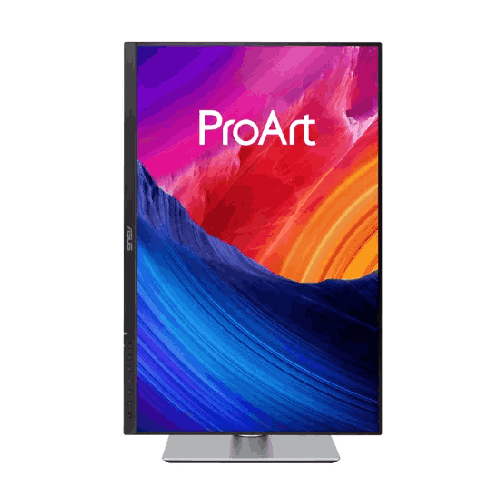
- Software Development, Accounting & Academic Research: Pivot the 16:10 screen 90 degrees into portrait (1200 x 1920) mode to enjoy a wider, far more natural vertical page layout than standard 1080-pixel-wide portrait monitors—perfect for reading A4 PDFs, auditing financial ledgers, and writing code.
Design, 4-Way Ergonomics & Build Quality: Studio Craftsmanship with a Compact Footprint
The ASUS ProArt Display PA248QV Gen2 (PA248QFV) 24.1" 100Hz WUXGA IPS Monitor features a sleek, three-sided frameless bezel design that makes dual-monitor side-by-side setups look virtually seamless. Its refined flat rectangular base occupies minimal desk depth and gives you a flat surface to rest your notebook, color swatch book, external SSD, or smartphone.
Creative work demands ergonomic flexibility. The included 4-way ergonomic stand offers full height adjustment (0–130mm), tilt (+35° to -5°), swivel, and 90-degree clockwise/counter-clockwise portrait pivot, complete with engraved degree markings on the stand joints so you can set reproducible viewing angles across multiple studio monitors. A quick-release latch also exposes standard VESA 100x100mm mounting holes for instant installation on desk-clamp monitor arms.
Real-Life Usage Scenarios in the Bangladesh Context
Built for real-world working conditions, the ASUS ProArt Display PA248QV Gen2 (PA248QFV) 24.1" 100Hz WUXGA IPS Monitor solves common challenges faced by professionals in Bangladesh:
- Ultra-Low Power Draw on UPS Backup During Load-Shedding: When a sudden electricity outage hits Dhaka, Chattogram, or Sylhet during an urgent client revision, your PC or laptop setup relies on your UPS or home IPS/sine-wave inverter. Consuming remarkably low power (under 15W–18W in typical operation), this 24.1-inch LED-backlit IPS panel places minimal drain on a standard 650VA or 1200VA UPS—giving you maximum backup time to save your Photoshop PSDs or Premiere projects safely.
- TÜV Rheinland Eye Care for 12-Hour Deadline Marathons: Long days staring at bright white canvases, code editors, or spreadsheets can cause severe eye strain and headaches. Hardware-certified TÜV Rheinland Flicker-Free backlighting eliminates invisible PWM flicker across all brightness settings, while ASUS Ultra-Low Blue Light technology offers smooth, adjustable blue-light filtering that protects your eyes during late-night shifts.
- Built to Endure Tropical Humidity and Urban Dust: Constructed with high-grade matte polymers and passive thermal ventilation, the monitor operates silently and reliably through warm, humid Bangladeshi summers without dust-trapping internal fans.
Compatibility & Studio Ecosystem: Effortless Digital Connectivity
The ASUS ProArt Display PA248QV Gen2 (PA248QFV) 24.1" 100Hz WUXGA IPS Monitor connects seamlessly with modern desktops, laptops, and Mac systems:
- DisplayPort Input: Connect desktop workstations, graphics cards, or laptops (via USB-C to DisplayPort cable) for native 1920 x 1200 resolution at the full 100Hz refresh rate with Adaptive-Sync active.
- HDMI Input: Connect Windows creator laptops, MacBooks, Mac mini systems, or DSLR/mirrorless camera HDMI outputs for instant big-screen studio monitoring at 100Hz.
- 3.5mm Earphone Audio Jack & Stereo Speakers: Route digital audio from either DisplayPort or HDMI straight to the built-in 2W x 2 stereo speakers or your wired studio headphones.
Maintenance & Care Tips for Long-Term Studio Accuracy in Bangladesh
To keep your ASUS ProArt Display PA248QV Gen2 (PA248QFV) 24.1" 100Hz WUXGA IPS Monitor performing with factory-calibrated precision for years in Bangladesh:
- Connect Through an AVR UPS or Surge Protector: Always plug the monitor’s power cord into a surge-protected power strip or a line-interactive UPS with Automatic Voltage Regulation (AVR) to shield internal circuitry from voltage spikes when grid power returns after load-shedding.
- Clean Gently with a Dry Optical Microfiber Cloth: Never spray glass cleaner, rubbing alcohol, or tap water directly onto the anti-glare IPS panel. Power off the display, let it cool, and wipe away dust gently with a clean microfiber cloth (lightly dampened with a few drops of distilled water only for stubborn smudges).
- Allow 15 Minutes of Warm-Up Before Final Color Sign-Off: Before exporting final print or color-graded files, allow the monitor to run for 15 minutes so the LED backlight reaches optimal thermal and chromatic stability.
✅ Key Features
- 24.1-Inch 16:10 WUXGA (1920 x 1200) IPS Display: Provides 11% more vertical screen space than standard 16:9 Full HD monitors along with wide 178-degree viewing angles.
- Calman Verified with Delta E < 2 Factory Calibration: Pre-calibrated at the factory right out of the box to guarantee industry-leading, trustworthy color accuracy for professional work.
- 100% sRGB & 100% Rec.709 Color Gamut: Reproduces the exact industry-standard color spaces required for web design, photography retouching, print layout, and HD video editing.
- Upgraded 100Hz Refresh Rate with Adaptive-Sync: Delivers noticeably smoother timeline scrubbing, 3D viewport navigation, cursor movement, and text scrolling than 60Hz or 75Hz monitors.
- Exclusive ASUS ProArt Preset & ProArt Palette: Offers nine one-click color modes (including Rapid Rendering and Darkroom) plus deep six-axis color and gamma (1.8–2.6) tuning.
- QuickFit Virtual Scale & Bezel Ruler Markings: Overlays real-size A4, B5, ruler, and alignment grids on screen so designers can preview actual print dimensions before printing.
- ASUS DisplayWidget Center Software: Lets you control color modes, brightness, and QuickFit overlays effortlessly using your mouse and keyboard inside Windows.
- Built-In Stereo Speakers (2W x 2) & 3.5mm Audio Jack: Provides clear, desk-saving audio for video editing, online meetings, and tutorials alongside headphone pass-through.
- Full 4-Way Ergonomic Stand & VESA Mount: Features 130mm height adjustment, tilt, swivel, and 90-degree portrait pivot on a compact flat base, plus quick-release VESA 100x100mm support.
- TÜV Rheinland-Certified Eye Care: Protects your vision during marathon agency and freelance shifts with verified Flicker-Free and Ultra-Low Blue Light technologies.
✅ Usage / Applications
- Graphic Design, Print & Packaging Layout: Ideal for Bangladeshi advertising agencies, publishing houses, and RMG apparel/packaging designers who rely on 100% sRGB accuracy and QuickFit A4/B5 virtual scales.
- Wedding & Commercial Photography Editing: The taller 16:10 aspect ratio displays portrait-oriented photographs significantly larger in Adobe Lightroom and Photoshop with verified Delta E < 2 color fidelity.
- Video Editing & Motion Graphics: Fit a full native 1920 x 1080 video preview alongside extra timeline tracks in Premiere Pro, DaVinci Resolve, and After Effects at a fluid 100Hz refresh rate.
- Software Engineering & Vertical Portrait Coding: Pivot the 1920 x 1200 screen 90 degrees into portrait mode to enjoy 1200 horizontal pixels of width—making side-by-side code comparison and document reading effortless.
- UI/UX Design & Web Prototyping: Preview smooth 100Hz interface animations and responsive layouts in Figma with accurate sRGB web colors.
- Corporate Finance, Accounting & Data Analysis: View more rows in Microsoft Excel, ERP dashboards, and financial statements without constant vertical scrolling.
- Dual-Monitor Workstation Setups: Three-sided frameless bezels and degree-marked ergonomic stands make it easy to align two PA248QV Gen2 monitors side by side for expansive multitasking.
- Laptop & Mac mini External Studio Display: Upgrade a 13-inch or 15-inch laptop into a full-scale ergonomic studio workstation via HDMI or DisplayPort.
✅ Benefits of This Product?
- See More of Your Timeline and Documents at Once: Those 120 extra vertical lines of resolution (1920 x 1200) save you thousands of scroll wheel movements every week.
- Client-Ready Color Accuracy Out of the Box: Calman Verified Delta E < 2 factory calibration eliminates color guesswork and prevents costly reprint or re-grading mistakes.
- Silky-Smooth 100Hz Workflow Fluidity: Upgraded from 75Hz to 100Hz, every mouse movement, brush stroke, and window scroll feels significantly faster and easier on your eyes.
- No Extra Expense on Basic Desk Speakers: Built-in 2W x 2 stereo speakers handle Zoom calls, voiceover edits, and reference audio cleanly right from the monitor.
- Perfect Portrait Mode Width for Coders & Writers: Unlike narrow 16:9 monitors that feel too skinny when rotated vertically, the 16:10 ratio feels natural and spacious like an A4 page in portrait orientation.
- Custom Posture Comfort All Day Long: Full height, tilt, swivel, and pivot adjustments keep the screen at your exact ergonomic eye level to prevent neck and back pain.
- Maximum UPS Runtime During Load-Shedding: Ultra-low power draw ensures your home or office UPS battery lasts much longer during Bangladeshi power outages.
- Proven ASUS ProArt Studio Durability: Built to rigorous professional reliability standards for years of consistent daily service.
✅ Ideal For
The ASUS ProArt Display PA248QV Gen2 (PA248QFV) 24.1" 100Hz WUXGA IPS Monitor is the ideal choice for graphic designers, photographers, video editors, RMG textile artists, software developers, and corporate professionals across Bangladesh who want genuine studio-grade color accuracy and superior 16:10 ergonomics at a sensible price point. It is a favorite for creative freelancers in Dhaka, Chattogram, Sylhet, and Rajshahi building their portfolios on Fiverr and Upwork who need a Calman Verified Delta E < 2 screen they can trust without buying a separate hardware colorimeter. Furthermore, programmers, accountants, and university researchers who work extensively with vertical documents and code will love how the 1920 x 1200 resolution and 90-degree pivot stand transform their daily reading and writing comfort.
✅ Why Choose the ASUS ProArt Display PA248QV Gen2 (PA248QFV) 24.1" 100Hz WUXGA IPS Monitor?
When shopping for a 24-inch class monitor in Bangladesh for creative or professional work, most buyers accidentally settle for generic 16:9 (1920 x 1080) consumer monitors that suffer from inaccurate factory color tuning, cramped vertical height, and basic tilt-only plastic stands. The ASUS ProArt Display PA248QV Gen2 (PA248QFV) 24.1" 100Hz WUXGA IPS Monitor outclasses ordinary 24-inch monitors in every single metric that matters to professionals.
First, you get the iconic 16:10 WUXGA (1920 x 1200) aspect ratio—giving you 11% more vertical workspace than any 1080p monitor on the market. Second, while the first-generation PA248QV ran at 75Hz, this Gen2 (PA248QFV) evolution boosts the refresh rate to a silky-smooth 100Hz with Adaptive-Sync and adds a dedicated Rapid Rendering preset alongside ASUS DisplayWidget Center software support. Third, every unit is Calman Verified and factory pre-calibrated to Delta E < 2 with 100% sRGB and 100% Rec.709 coverage—credentials that consumer gaming or office monitors simply cannot match. Add in QuickFit print scales, physical bezel rulers, built-in stereo speakers, and a rock-solid 4-way ergonomic stand, and the PA248QV Gen2 stands undefeated as the best-value professional 16:10 monitor in Bangladesh.
✅ Why Buy This Product from BME?
Investing in a calibrated professional studio monitor like the ASUS ProArt Display PA248QV Gen2 (PA248QFV) 24.1" 100Hz WUXGA IPS Monitor requires a technology partner in Bangladesh that values authenticity and professional service. Business Machine & Equipment (BME) is trusted by individual creators, agencies, and corporate enterprises nationwide:
- Authentic, Factory-Sealed ProArt Sourcing: BME places strict priority on sourcing 100% genuine ASUS ProArt monitors through legitimate distribution channels, ensuring your monitor arrives factory-sealed with its original factory calibration report and verifiable serial number intact.
- Expert Pre-Sales Technical Guidance: Need advice on connecting dual PA248QV Gen2 monitors to your workstation GPU or MacBook/laptop, or checking cable compatibility for 1920 x 1200 at 100Hz? BME’s knowledgeable specialists offer clear, practical guidance before you buy.
- Dedicated After-Sales & Official Warranty Support: BME stands beside you throughout your ownership journey, providing complete official invoice documentation and responsive assistance for brand warranty claims whenever needed.
- Safe Delivery Across Dhaka & All 64 Districts: Calibrated IPS panels deserve careful handling. BME ensures fast delivery inside Dhaka city and secure, protective courier shipping to Chattogram, Sylhet, Rajshahi, Khulna, Barishal, Rangpur, and across Bangladesh.
- Corporate, Agency & Institutional B2B Procurement: For design agencies, RMG corporate offices, software companies, and universities procuring multiple workstations, BME offers formal B2B quotations, VAT-compliant documentation, and dedicated corporate account support.
✅ Buying Guide: How to Choose and Configure Your 16:10 ProArt Studio Monitor
Before purchasing and setting up your ASUS ProArt Display PA248QV Gen2 (PA248QFV) 24.1" 100Hz WUXGA IPS Monitor, review these practical tips to maximize your productivity from day one:
- Understand 16:10 WUXGA (1920 x 1200) vs. 16:9 FHD (1920 x 1080): Both resolutions have 1920 horizontal pixels, so standard 1080p videos fit edge-to-edge horizontally without any stretching or cropping. However, the 16:10 WUXGA screen gives you 120 extra vertical pixels—allowing your editing timeline or playback controls to sit neatly below the video rather than covering up your footage!
- Set Your OS Resolution to 1920 x 1200 at 100Hz: After connecting your PC or Mac via DisplayPort or HDMI, open your system Display Settings, verify the resolution is set to native 1920 x 1200, and go to Advanced Display to select the 100Hz refresh rate.
- Select the Right ProArt Preset for Your Task: Use sRGB Mode for web graphics, social media creatives, and photography retouching; switch to Rec.709 Mode for HD video editing; enable Rapid Rendering Mode for smooth motion design; and switch to Reading or Darkroom Mode when reviewing documents late at night.
- Install ASUS DisplayWidget Center: Download the official ASUS DisplayWidget Center utility on Windows to switch color presets, activate QuickFit A4/B5 grids, and adjust brightness straight from your mouse cursor.
- Pair with an AVR-Equipped UPS: Always plug your workstation and ProArt monitor into a quality line-interactive UPS with Automatic Voltage Regulation (AVR) to protect against Bangladeshi load-shedding and grid voltage spikes.
✅ Customers Ask About / Frequently Asked Questions
1. What is the difference between the original ASUS ProArt PA248QV and the new PA248QV Gen2 (PA248QFV)?
The ASUS ProArt Display PA248QV Gen2 (PA248QFV) 24.1" 100Hz WUXGA IPS Monitor upgrades the refresh rate from 75Hz on the original model to a silky-smooth 100Hz with Adaptive-Sync, adds a Rapid Rendering preset in ProArt Preset for motion creators, and supports the modern ASUS DisplayWidget Center software for mouse-driven OSD control—while retaining the beloved 24.1-inch 16:10 (1920 x 1200) Calman Verified Delta E < 2 IPS panel.
2. Why do graphic designers, editors, and programmers prefer a 16:10 (1920 x 1200) monitor over a standard 16:9 (1920 x 1080) monitor?
A 16:10 WUXGA (1920 x 1200) screen provides 11% more vertical workspace (120 extra horizontal lines of pixels) than a standard 1080p screen. This gives video editors more room for multi-track timelines, graphic designers more canvas room between toolbars, and programmers a wider, much more natural A4-like page shape when the monitor is rotated 90 degrees into portrait mode.
3. Do I need to buy a color calibrator before using this monitor for professional design or photo editing?
No! Every single unit is factory pre-calibrated and Calman Verified to achieve a color accuracy of Delta E < 2 right out of the box with 100% sRGB and 100% Rec.709 coverage. You can trust its color accuracy immediately upon unboxing.
4. Does the ASUS ProArt PA248QV Gen2 (PA248QFV) have built-in speakers?
Yes, it features integrated 2W x 2 stereo speakers along with a 3.5mm earphone audio jack, allowing you to listen to timeline audio, client video calls, and online courses without needing separate desktop speakers.
5. Can I rotate this monitor vertically (90 degrees) into portrait mode?
Yes! The included 4-way ergonomic stand supports full 90-degree clockwise and counter-clockwise pivot rotation, along with 130mm height adjustment, tilt, and swivel—making it effortless to switch between landscape and portrait orientations.
6. How does the QuickFit Virtual Scale feature help print and packaging designers in Bangladesh?
By pressing the QuickFit shortcut (or clicking inside DisplayWidget Center), the monitor projects real-size A4, B5, ruler, and alignment grids directly on screen, complemented by physical millimeter/inch ruler markings along the bottom bezel. This allows designers to inspect exact 1:1 physical print dimensions before printing.
7. Which ports are available to connect my desktop PC, laptop, or Mac?
The monitor includes high-bandwidth digital DisplayPort and HDMI inputs (both supporting native 1920 x 1200 at 100Hz) along with a 3.5mm earphone jack, making it plug-and-play compatible with desktop PCs, Windows laptops, MacBooks, and Mac mini systems.
8. Is this monitor mountable on a VESA monitor arm?
Yes, the ergonomic stand features a quick-release latch that reveals standard VESA 100x100mm mounting holes for easy attachment to single or dual desk-clamp monitor arms and wall brackets.
9. What is the typical warranty coverage when buying from BME in Bangladesh?
ASUS ProArt series monitors in Bangladesh typically come with an official 3-year brand warranty covering manufacturing defects under official ASUS warranty terms. BME provides complete official invoice documentation and dedicated after-sales assistance to support your warranty claims.
10. Does BME deliver the ASUS ProArt Display PA248QV Gen2 (PA248QFV) outside Dhaka?
Yes, BME offers fast delivery across Dhaka city as well as safe, protective courier delivery to Chattogram, Sylhet, Rajshahi, Khulna, Rangpur, Barishal, and all 64 districts across Bangladesh.
✅ Why Buy This Product
When your creative work, code, or business productivity depends on seeing accurate colors and having room to breathe on your screen, a generic 16:9 office monitor simply holds you back. The ASUS ProArt Display PA248QV Gen2 (PA248QFV) 24.1" 100Hz WUXGA IPS Monitor takes the legendary 16:10 (1920 x 1200) studio form factor and elevates it with a fluid 100Hz Adaptive-Sync refresh rate, Calman Verified Delta E < 2 factory calibration, 100% sRGB/Rec.709 color fidelity, built-in stereo speakers, and a full 4-way ergonomic stand. Whether you are retouching portraits, designing print and RMG packaging in Dhaka, editing video timelines, or writing software in portrait mode, this monitor upgrades your comfort and precision every single day. Elevate your studio workflow with proven ProArt accuracy—order the ASUS ProArt Display PA248QV Gen2 (PA248QFV) 24.1" 100Hz WUXGA IPS Monitor today from Business Machine & Equipment (BME) for authentic hardware, expert local support, and dependable delivery anywhere in Bangladesh!
What is the price of ASUS ProArt Display PA248QV Gen2 (PA248QFV) 24.1" 100Hz WUXGA IPS Monitor in Bangladesh?
Write a review
Question Answer
Have question about this product? Get specific details about this product from expert.

LG 27UP600-W 27" 4K UHD IPS Monitor

Xiaomi Redmi A27U 27" 4K UHD IPS Monitor


LG 27UP600-W 27" 4K UHD IPS Monitor