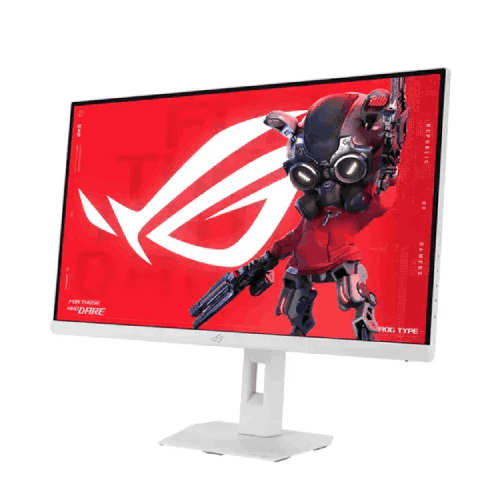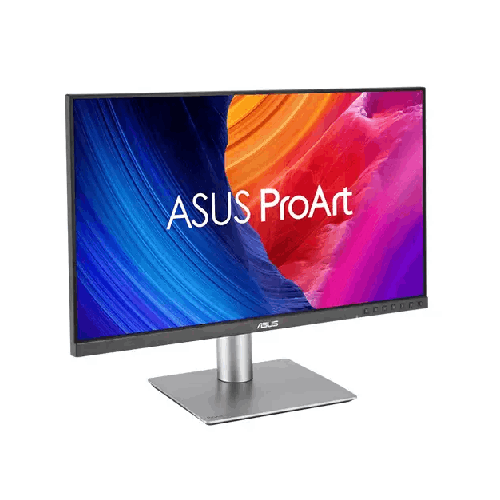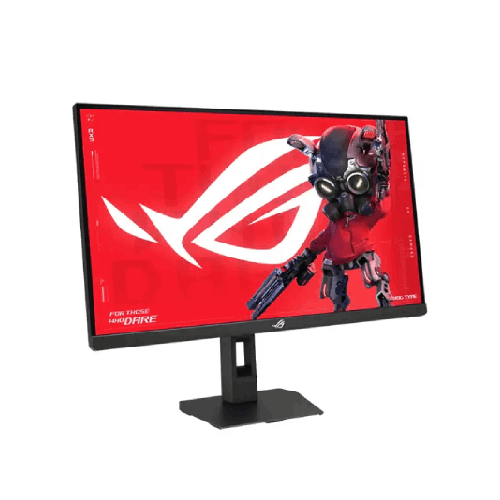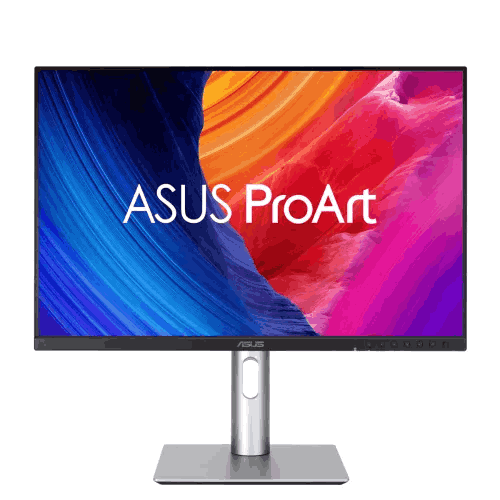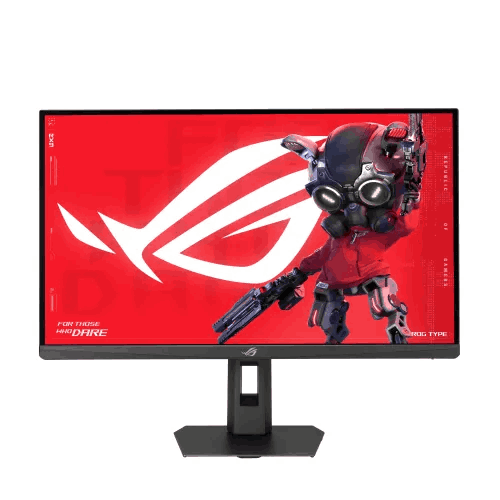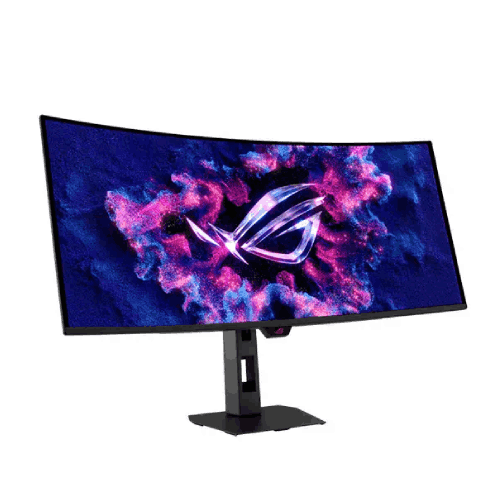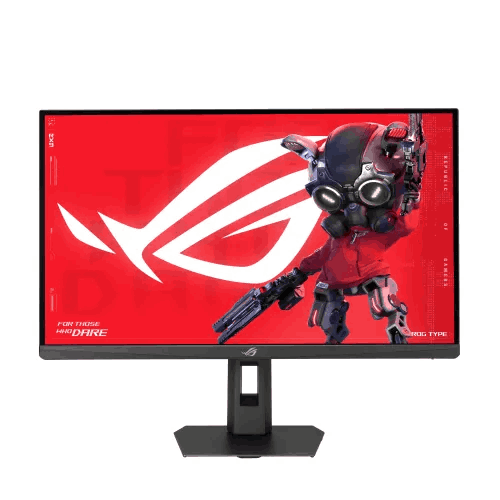
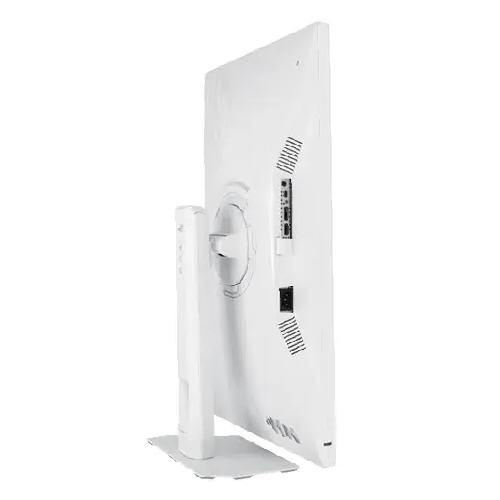
ASUS ROG Strix XG27ACMES-W 27-inch QHD Fast IPS Type-C Gaming Monitor
Regular Price:৳0.00Availability: SKU: 9.60.13.9709
Quick Overview
-
Support
Saturday – Thursday: 09 AM - 06 PM. -
Payment
Cash on Delivery | Card | Online Payment -
Shipping Cost
Inside Dhaka 100tk | Outside Dhaka 150tk -
Warranty Policy
Read More
Description
ASUS ROG Strix XG27ACMES-W 27-inch QHD Fast IPS Type-C Gaming Monitor in Bangladesh
The ASUS ROG Strix XG27ACMES-W 27-inch QHD Fast IPS Type-C Gaming Monitor solves that aesthetic dilemma while delivering elite Republic of Gamers (ROG) performance and modern single-cable USB Type-C connectivity.
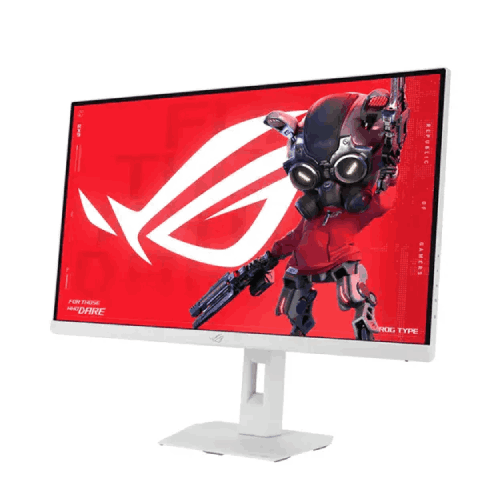
Finished in ASUS’s signature Moonlight White colorway from its ultra-slim bezels down to its space-saving square ergonomic base, the ASUS ROG Strix XG27ACMES-W 27-inch QHD Fast IPS Type-C Gaming Monitor is far more than a visual showpiece. Beneath its striking white exterior sits a tournament-grade 27-inch WQHD (2560 x 1440) ASUS Fast IPS panel engineered for ultra-high refresh rate fluidity, a genuine 1ms (GTG) response time, and simultaneous ASUS ELMB Sync motion clarity. Even better, its integrated USB Type-C port (supporting DisplayPort Alt Mode and Power Delivery) lets you switch effortlessly between your high-powered desktop gaming rig and your work laptop or MacBook Pro using a single cable. Whether you are climbing the competitive ranks in Valorant and Counter-Strike 2, immersing yourself in HDR open-world masterpieces, streaming to Facebook Gaming or YouTube Live with the stand’s built-in 1/4-inch tripod mount, or grading 4K video timelines by day, this white ROG Strix powerhouse is the ultimate centerpiece for your setup.
Key Display Technology & Visual Brilliance: 27-Inch 2K QHD Sharpness Powered by ROG Fast IPS Science
Stepping up from a standard 1080p screen to the ASUS ROG Strix XG27ACMES-W 27-inch QHD Fast IPS Type-C Gaming Monitor immediately elevates every frame you see. By packing 3.68 million pixels across a 27-inch viewable diagonal, this display achieves the industry’s sweet-spot pixel density of ~109 pixels per inch (PPI)—giving you 77% more screen real estate than Full HD (1920 x 1080) with razor-sharp text and textures at 100% native Windows scaling.
- Next-Generation ASUS Fast IPS Liquid Crystal Architecture: Ordinary IPS panels struggle to transition pixels fast enough for high-refresh competitive play, while curved VA panels suffer from distracting dark-level smearing in shadowy scenes. ASUS Fast IPS technology employs advanced liquid crystal elements that switch states up to four times faster than conventional IPS panels. You enjoy crisp, trail-free motion clarity paired with full 178-degree horizontal and vertical viewing angles so colors stay rich from any seating position.
- Cinema-Grade Wide Color Gamut (DCI-P3 & sRGB) with Factory Calibration: Tuned to exacting Republic of Gamers standards and individually factory color-checked, the panel covers a wide DCI-P3 and sRGB color space. From vibrant agent abilities in Valorant and neon-lit streets in Cyberpunk 2077 to color-critical assets in Adobe Photoshop, Premiere Pro, and DaVinci Resolve, colors appear saturated, accurate, and lifelike.
- High Dynamic Range (HDR) Brilliance: With VESA DisplayHDR 400-class high dynamic range readiness, the monitor renders brighter specular highlights alongside nuanced dark shadows—bringing cinematic depth to HDR-enabled PC and console games.
- Precision Non-Glare Matte Coating: Bright sunlit apartment windows and overhead fluorescent or LED lights in Bangladeshi homes and offices can easily wash out glossy displays. The finely engineered matte anti-glare surface diffuses ambient reflections cleanly without adding graininess to white backgrounds.
Performance & Core Motion Engine: Ultra-High Refresh Fluidity, True 1ms (GTG), and Simultaneous ELMB Sync
In competitive esports, the clarity of a moving target dictates how fast and accurately your crosshair lands. The ASUS ROG Strix XG27ACMES-W 27-inch QHD Fast IPS Type-C Gaming Monitor combines high-velocity refresh rates with proprietary ROG motion tuning to eliminate visual lag:
- Ultra-Fast High Refresh Rate at Native 2K QHD: Engineered for ultra-smooth competitive frame delivery well beyond standard 144Hz and 165Hz screens, the high-refresh Fast IPS engine keeps cursor movement feeling weightless and rapid camera flicks locked to your muscle memory—letting you spot jiggle-peeking opponents in CS2, Valorant, and Apex Legends crucial milliseconds earlier.
- Genuine 1ms (GTG) Response Time: Rapid 1-millisecond gray-to-gray pixel transitions banish ghosting and trailing smears behind fast-strafing players, race cars, and flying projectiles.
- ASUS Extreme Low Motion Blur Sync (ELMB Sync): On traditional gaming monitors, enabling backlight strobing to reduce eye-tracking motion blur forces you to turn off G-SYNC or FreeSync. With ASUS ELMB Sync, you can run Extreme Low Motion Blur and Variable Refresh Rate at the exact same time—eliminating both motion blur and screen tearing simultaneously during intense high-FPS firefights.
- Tri-Standard Adaptive-Sync & ASUS Variable Overdrive 2.0: Supporting NVIDIA G-SYNC Compatible, AMD FreeSync, and VESA AdaptiveSync standards, the display dynamically synchronizes its refresh rate with your GPU’s real-time frame rate across DisplayPort, HDMI, and USB Type-C. Meanwhile, ASUS Variable Overdrive automatically tunes pixel overdrive strength on the fly as frame rates fluctuate between 60 FPS in heavy AAA titles and 200+ FPS in competitive shooters, preventing inverse ghosting across the entire refresh spectrum.
Smart Features, USB Type-C Hybrid Workflow & ROG Gaming AI
What truly sets the ASUS ROG Strix XG27ACMES-W 27-inch QHD Fast IPS Type-C Gaming Monitor apart from conventional gaming screens is its blend of modern USB Type-C connectivity, intelligent ROG Gaming AI algorithms, and mouse-driven software control:
- All-in-One USB Type-C Connectivity (DP Alt Mode + Power Delivery): Modern gaming laptops, Windows ultrabooks, MacBook Pros, iPads, and handheld gaming PCs (like the ASUS ROG Ally) rely on USB Type-C. Using a single USB-C cable, you can transmit uncompressed 2K QHD high-refresh video to the monitor while simultaneously charging your connected device via USB Power Delivery—keeping your white aesthetic desk completely free of messy adapter dongles.
- AI-Powered Dynamic Shadow Boost: Dark corners and dimly lit corridors are prime ambush spots in tactical shooters. Powered by ROG Gaming AI scene detection, Dynamic Shadow Boost analyzes on-screen luminance zones in real time and selectively brightens shadowed regions without blowing out bright skies or flashbang highlights—revealing hidden enemies instantly.
- AI Dynamic Crosshair: Integrated into the hardware GamePlus overlay suite, the intelligent Dynamic Crosshair continuously detects the background color behind your aiming point and shifts the reticle’s hue in real time so your crosshair never blends into bright walls or foliage.
- ASUS DisplayWidget Center Software: Never reach behind your pristine white monitor bezel to press tiny OSD buttons again. With the intuitive ASUS DisplayWidget Center Windows app, you can adjust brightness, contrast, ELMB Sync, ROG Gaming AI tools, and GameVisual modes directly with your mouse—and even set automatic per-application profiles so your monitor switches from "sRGB Mode" in Photoshop straight to "FPS Mode" the instant Valorant launches.
Gaming, Live Streaming, Content Creation & Hybrid Work Capabilities
In Bangladesh, a flagship 27-inch QHD monitor is the command center for your entire digital lifestyle. Here is how the ASUS ROG Strix XG27ACMES-W 27-inch QHD Fast IPS Type-C Gaming Monitor empowers every user:
- The Perfect Centerpiece for All-White 1440p Gaming Rigs: Paired with modern graphics cards popular in Bangladesh—including white or standard editions of the NVIDIA GeForce RTX 4060 Ti, RTX 4070, RTX 4070 Super, RTX 5070, or AMD Radeon RX 7700 XT and RX 7800 XT—this 27-inch 2560 x 1440 panel hits the performance sweet spot, delivering ultra-high frame rates in esports titles and breathtaking 2K ray-traced visuals in AAA blockbusters.
- Single-Cable Laptop, MacBook & Handheld Docking: Work from home during the day by plugging your MacBook Pro or corporate laptop into the USB Type-C port for an instant 27-inch 2K QHD studio screen, then switch over to your DisplayPort desktop gaming PC at night with a single click—or plug in an ASUS ROG Ally or Steam Deck via USB-C to play handheld games on a massive 27-inch screen while keeping the handheld charged.
- Built-In Streamer Hardware on the Stand: Located right at the top of the white stand spine is an integrated 1/4-inch threaded tripod socket. Bangladeshi Facebook Gaming and YouTube Live streamers can mount a webcam, mirrorless DSLR camera, or LED key light directly above the monitor without clamping bulky black brackets onto their white desk.
- Professional Video Editing, Graphic Design & Coding: With wide DCI-P3 / sRGB color coverage and a sharp ~109 PPI QHD workspace, video editors in Premiere Pro and DaVinci Resolve get ample room for multi-track timelines, designers get true-to-life colors in Figma and Photoshop, and software developers can pivot the screen 90 degrees into portrait mode to inspect hundreds of lines of razor-sharp code.
Design, Ergonomics & Build Quality: Moonlight White ROG Craftsmanship for Compact Bangladeshi Desks
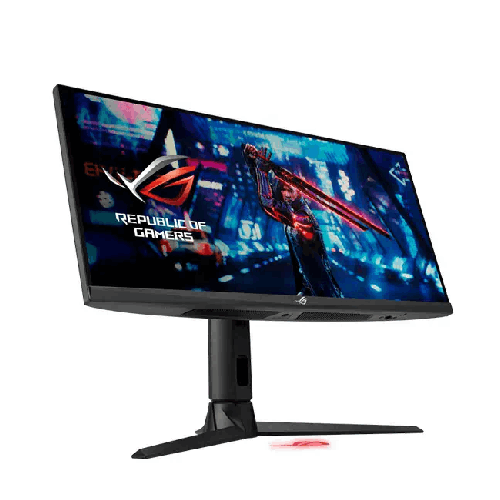
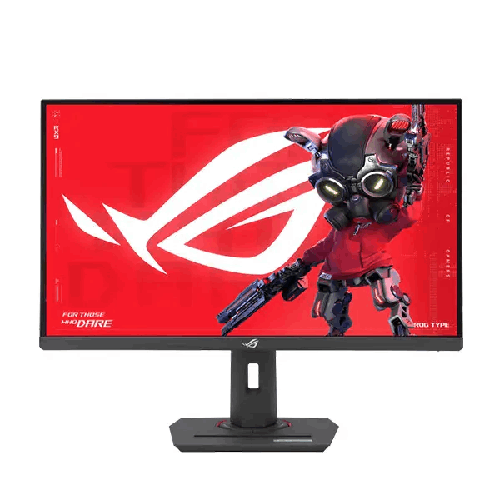
Every angle of the ASUS ROG Strix XG27ACMES-W 27-inch QHD Fast IPS Type-C Gaming Monitor exudes premium Republic of Gamers design. The Moonlight White matte chassis resists visible dust and fingerprints far better than glossy black plastic, accented by subtle silver-gray ROG cyber-text engravings and ultra-thin three-sided bezels.
Desk space is often tight in Dhaka and Chattogram apartments, student dorms, and home studios using 3.5-foot or 4-foot desks. Instead of bulky V-shaped tripod legs that eat up half your desk depth, ASUS engineered a compact square-footprint white base. This gives competitive FPS players maximum unobstructed desk mat room to tilt their keyboard and execute wide, low-DPI mouse sweeps without ever hitting the stand.
Right along the front of the white base sits a convenient built-in smartphone holder groove, allowing you to prop up your phone beneath the screen to monitor Discord, live stream chat, WhatsApp messages, or two-factor authentication codes hands-free. The stand also delivers full 4-way ergonomic adjustability—smooth height adjustment, tilt, swivel, and 90-degree clockwise/counter-clockwise pivot—alongside quick-release VESA 100x100mm compatibility for white gas-spring monitor arms.
Real-Life Usage Scenarios in the Bangladesh Context
Hardware in Bangladesh must perform reliably across local power infrastructure, climate, and long daily screen hours. Here is why the ASUS ROG Strix XG27ACMES-W 27-inch QHD Fast IPS Type-C Gaming Monitor excels in local conditions:
- UPS-Friendly Power Efficiency During Load-Shedding: When a sudden power cut hits your neighborhood in the middle of a ranked match or an urgent client deadline, every watt drawn from your UPS battery matters. Because the XG27ACMES-W utilizes a high-efficiency Fast IPS LED backlight architecture, it consumes modest power during normal display operation—helping your 1200VA/1500VA offline UPS or home IPS/sine-wave inverter sustain your system longer until grid electricity returns.
- TÜV Rheinland Eye Care for 12-Hour Work & Gaming Marathons: Many Bangladeshi students, remote engineers, and freelancers spend 8 hours working or studying during the day and 4+ hours gaming at night on the same screen. Hardware-certified TÜV Rheinland Flicker-Free backlighting eliminates invisible high-frequency flicker at all brightness settings, while adjustable Low Blue Light filters reduce harsh blue light wavelengths to prevent eye fatigue, dryness, and headaches.
- Dust-Hiding White Finish & Silent Passive Cooling: In dusty urban environments like Dhaka, matte black monitors show grey dust within hours of cleaning. The matte Moonlight White finish keeps dust virtually invisible between cleanings, while its fanless passive thermal vents dissipate summer heat silently without noisy internal fans.
Compatibility & Ecosystem: Future-Proof Triple-Interface Connectivity
The ASUS ROG Strix XG27ACMES-W 27-inch QHD Fast IPS Type-C Gaming Monitor connects seamlessly to every device on your desk:
- USB Type-C Port (DP Alt Mode + Power Delivery): Connect gaming laptops, MacBooks, ultrabooks, iPads, or handheld consoles for high-refresh 2K QHD video and charging over a single USB-C cable.
- DisplayPort 1.4 Input: Connect your primary desktop gaming GPU to unlock the full 2560 x 1440 resolution at maximum refresh rate with 10-bit color processing, Adaptive-Sync, and ELMB Sync active.
- High-Speed HDMI Input: Keep a PlayStation 5, Xbox Series X/S, or secondary PC connected permanently with support for native 1440p 120Hz console gaming and HDR.
- 3.5mm Earphone Audio Pass-Through Jack: Plug your white wired gaming headset, studio in-ear monitors (IEMs), or desktop speakers straight into the monitor for clean, short-cable audio routing.
Maintenance & Care Tips for Long-Term Durability in Bangladesh
To keep your ASUS ROG Strix XG27ACMES-W 27-inch QHD Fast IPS Type-C Gaming Monitor looking pristine and performing flawlessly for years in Bangladesh:
- Always Connect Through an AVR UPS or Surge Protector: Plug the monitor into a surge-protected power strip or a line-interactive/sine-wave UPS with Automatic Voltage Regulation (AVR) to shield internal power and USB-C PD circuitry from grid voltage spikes after load-shedding.
- Clean Gently with a Plush Microfiber Cloth: Never spray window cleaner, alcohol, or tap water directly onto the Fast IPS screen or white chassis. Power off the monitor, let it cool, and gently wipe the panel with a dry optical microfiber cloth (lightly dampened with a few drops of distilled water only if needed).
- Keep Top & Rear Ventilation Slots Unobstructed: Ensure the passive cooling vents on the back remain uncovered while the monitor is powered on so heat can escape naturally during warm summer months.
✅ Key Features
- Stunning Moonlight White ROG Aesthetic: Features a cohesive all-white chassis, slim white bezels, and a white ergonomic stand designed to match modern white PC builds and clean studio desks.
- 27-Inch 2K QHD (2560 x 1440) Fast IPS Panel: Delivers ~109 PPI visual sharpness with 77% more screen space than 1080p and liquid crystal switching speeds up to 4x faster than conventional IPS panels.
- Ultra-Fast Refresh Rate & True 1ms (GTG) Response: Provides tournament-caliber motion fluidity and genuine 1ms gray-to-gray pixel transitions for razor-sharp target tracking in fast-paced games.
- All-in-One USB Type-C Connectivity: Supports DisplayPort Alt Mode for high-refresh 2K video and USB Power Delivery to connect and charge laptops, MacBooks, or handhelds via one cable.
- ASUS Extreme Low Motion Blur Sync (ELMB Sync): Enables ELMB backlight strobing and Variable Refresh Rate to work simultaneously, eliminating ghosting and screen tearing at the exact same time.
- Tri-Standard Adaptive-Sync & Variable Overdrive: Certified for NVIDIA G-SYNC Compatible, AMD FreeSync, and VESA AdaptiveSync with dynamic overdrive tuning across all frame rates.
- Cinema-Grade Wide Color Gamut & HDR Support: Covers an expansive DCI-P3 and sRGB color space with factory calibration checks and HDR readiness for vibrant gaming and creative editing.
- ROG Gaming AI & DisplayWidget Center: Equips you with AI Dynamic Shadow Boost, Dynamic Crosshair, and mouse-operated Windows software for effortless OSD and profile control.
- Streamer-Ready 4-Way Stand with Tripod Mount & Phone Slot: Offers height, tilt, swivel, and 90-degree pivot on a compact base with a smartphone groove, 1/4-inch tripod socket, and VESA 100x100mm support.
- TÜV Rheinland-Certified Eye Care: Protects your vision during long Bangladeshi workdays and late-night gaming marathons with verified Flicker-Free and Low Blue Light technologies.
✅ Usage / Applications
- All-White Enthusiast Gaming Battlestations: The ultimate visual and performance centerpiece for Bangladeshi builders assembling snow-white gaming PCs with white GPUs, cases, and AIO liquid coolers.
- Competitive Esports at High-Definition 2K: Built for players grinding Valorant, Counter-Strike 2, Apex Legends, PUBG PC, and Overwatch 2 who demand 1ms Fast IPS speed and crisp long-range target clarity.
- Single-Cable MacBook Pro & Windows Laptop Docking: Use the integrated USB Type-C port to connect and charge your work laptop or MacBook for a clean, dongle-free 27-inch 2K QHD home office setup.
- Handheld Gaming PC Dock (ROG Ally & Steam Deck): Plug your portable gaming handheld directly into the USB Type-C port to play on a massive 27-inch QHD screen while keeping the device powered.
- Live Streaming & Content Creation Studios: Mount your webcam, DSLR, or key light directly onto the stand’s 1/4-inch tripod socket while keeping your phone propped in the base groove to read live stream chat.
- Professional Video Editing, Graphic Design & UI/UX: Leverage the spacious 2560 x 1440 canvas and wide DCI-P3 / sRGB Fast IPS panel for Premiere Pro editing, Photoshop retouching, and Figma design work.
- Software Development & Vertical Code Review: Pivot the 27-inch QHD panel 90 degrees into portrait mode to inspect hundreds of lines of sharp code, terminal logs, or research documents.
- PlayStation 5 & Xbox Series X 1440p 120Hz Gaming: Connect next-gen consoles over HDMI to enjoy native 1440p console gaming at smooth 120Hz frame rates with HDR support.
✅ Benefits of This Product?
- Completes Your Dream White Desk Setup Without Compromise: You no longer have to sacrifice competitive ROG performance just to get a true all-white monitor and stand.
- Seamless Switching Between Desktop PC and Laptop: Keep your gaming desktop on DisplayPort and your work laptop or MacBook on USB Type-C for a clutter-free hybrid desk.
- Simultaneous Tear-Free and Blur-Free Motion: Thanks to ASUS ELMB Sync, you get the benefits of G-SYNC/FreeSync variable refresh rate and motion-blur reduction at the exact same time.
- Maximized Desk Space for Low-DPI Mouse Sweeps: The compact square ROG base takes up minimal desk depth, giving competitive FPS players generous room across XL mousepads.
- Built-In Streamer & Multitasking Convenience: The integrated 1/4-inch tripod mount and front smartphone cradle save you from buying extra desk clamps and phone stands.
- Custom Ergonomic Comfort All Day Long: Full height, tilt, swivel, and 90-degree pivot adjustments align the screen with your natural eye level to prevent neck and back strain.
- Reduced Eye Fatigue During 12-Hour Sessions: TÜV-certified Flicker-Free backlighting and Low Blue Light filters keep your eyes refreshed from morning work to late-night gaming.
- UPS-Friendly Energy Efficiency During Load-Shedding: Modest display power draw helps preserve precious UPS battery backup runtime during power cuts in Bangladesh.
✅ Ideal For
The ASUS ROG Strix XG27ACMES-W 27-inch QHD Fast IPS Type-C Gaming Monitor is tailor-made for aesthetic-conscious PC builders, competitive gamers, live streamers, MacBook/laptop professionals, and content creators across Bangladesh. If you are building a show-stopping white-themed gaming PC in Dhaka, Chattogram, Sylhet, or Khulna—perhaps pairing it with a white ROG Strix liquid cooler and an RTX 4070 / 4070 Super / 5070 or RX 7800 XT—this Moonlight White monitor ties your entire room together. It is equally ideal for hybrid remote workers, software engineers, and freelance video editors who use a laptop or MacBook via USB Type-C during the day and switch over to a desktop gaming rig or PlayStation 5 at night.
✅ Why Choose the ASUS ROG Strix XG27ACMES-W 27-inch QHD Fast IPS Type-C Gaming Monitor?
Finding a genuine white gaming monitor in Bangladesh is already rare—and most white monitors on the market are basic 60Hz/100Hz office screens or entry-level 1080p displays that lack serious gaming credentials. The ASUS ROG Strix XG27ACMES-W 27-inch QHD Fast IPS Type-C Gaming Monitor stands in a class of its own by delivering flagship Republic of Gamers engineering inside a breathtaking Moonlight White chassis.
First, you get uncompromising 1440p competitive performance: a 27-inch 2K QHD (2560 x 1440) Fast IPS panel with a true 1ms (GTG) response time, ASUS ELMB Sync (simultaneous blur reduction and VRR), and Variable Overdrive. Second, the inclusion of a full-function USB Type-C port (with DisplayPort Alt Mode and Power Delivery) alongside DisplayPort 1.4 and HDMI makes it infinitely more versatile than standard gaming monitors that lack USB-C laptop connectivity. Third, ASUS equips the white stand with full 4-way ergonomics (height, tilt, swivel, 90-degree pivot), a compact square base featuring an integrated smartphone groove, and a top 1/4-inch tripod socket for streaming cameras. Combined with ROG Gaming AI features and mouse-controlled DisplayWidget Center software, choosing the XG27ACMES-W gives you unmatched aesthetics, speed, and hybrid utility.
✅ Why Buy This Product from BME?
Investing in a special-edition Republic of Gamers display like the ASUS ROG Strix XG27ACMES-W 27-inch QHD Fast IPS Type-C Gaming Monitor calls for a trusted, established technology partner in Bangladesh. Business Machine & Equipment (BME) is dedicated to providing gamers, creators, and corporate clients with a transparent, reliable buying experience:
- Authentic, Factory-Sealed ROG Hardware: BME places strict priority on sourcing 100% genuine ASUS ROG monitors through legitimate distribution channels, ensuring your Moonlight White monitor arrives factory-sealed with verifiable serial numbers.
- Expert Pre-Sales Technical Consultation: Have questions about using the USB Type-C port with your specific MacBook Pro, Windows gaming laptop, or ROG Ally handheld, or pairing DisplayPort 1.4 with your desktop GPU? BME’s knowledgeable specialists offer clear, accurate advice before you purchase.
- Responsive After-Sales & Official Warranty Assistance: BME stands beside you after the sale, providing complete official invoice documentation and smooth coordination for brand warranty servicing whenever required.
- Safe Delivery Across Dhaka & All 64 Districts: Special-edition 2K IPS monitors deserve careful transit handling. BME ensures fast delivery across Dhaka city and secure, protective courier shipping to Chattogram, Sylhet, Rajshahi, Khulna, Barishal, Rangpur, and nationwide.
- B2B, Studio & Esports Procurement Solutions: For design studios, architecture firms, esports organizations, and corporate buyers ordering multiple monitors, BME provides formal B2B quotations, competitive bulk pricing, and procurement-ready documentation.
✅ Buying Guide: How to Set Up Your White ROG Strix Type-C Monitor for Peak Performance
Before purchasing and setting up your ASUS ROG Strix XG27ACMES-W 27-inch QHD Fast IPS Type-C Gaming Monitor, review this practical checklist to get 100% out of your display from day one:
- Choose the Right Port for Each Device: Connect your primary desktop gaming PC using the DisplayPort 1.4 input to unlock native 2560 x 1440 resolution at maximum refresh rate with Adaptive-Sync and ELMB Sync active. Connect your work laptop, MacBook Pro, or handheld console to the USB Type-C port for single-cable 2K high-refresh video and Power Delivery charging, and use the HDMI port for your PlayStation 5 or Xbox Series X.
- Verify High Refresh Rate in Windows / macOS: After connecting your PC or Mac, open your system Display Settings > Advanced Display and confirm the maximum refresh rate is selected rather than defaulting to 60Hz.
- Install ASUS DisplayWidget Center: Download the official ASUS DisplayWidget Center app on Windows so you can toggle ELMB Sync, customize ROG Gaming AI Dynamic Shadow Boost, and set automatic per-app color profiles directly with your mouse.
- Optimize Your White Desk Ergonomics & Streamer Mount: Position the monitor at arm’s length (60cm–75cm) and adjust the stand height so the top third of the screen aligns with your eye level. If you use a streaming webcam or ring light, mount it directly onto the 1/4-inch tripod socket on top of the stand spine—or attach the panel to a white VESA 100x100mm gas-spring monitor arm for a floating setup.
- Protect with an AVR-Equipped UPS: Always plug both your PC and your ROG monitor into a quality line-interactive or pure sine-wave UPS with Automatic Voltage Regulation (AVR) to guard against Bangladeshi power cuts and grid voltage surges.
✅ Customers Ask About / Frequently Asked Questions
1. What makes the ASUS ROG Strix XG27ACMES-W stand out from standard 27-inch QHD gaming monitors in Bangladesh?
The ASUS ROG Strix XG27ACMES-W 27-inch QHD Fast IPS Type-C Gaming Monitor combines three highly sought-after features rarely found together: a stunning Moonlight White chassis and 4-way ergonomic stand for white PC builds, an ultra-fast 2K QHD (2560 x 1440) 1ms (GTG) Fast IPS panel with ELMB Sync, and a built-in USB Type-C port (supporting DisplayPort Alt Mode and Power Delivery) for single-cable laptop and MacBook connectivity.
2. How does the USB Type-C port work on this monitor?
The integrated USB Type-C port supports DisplayPort Alt Mode for high-resolution 2K QHD high-refresh video transmission alongside USB Power Delivery. This means you can plug in a compatible gaming laptop, Windows ultrabook, MacBook Pro/Air, iPad Pro, or ASUS ROG Ally handheld with a single USB-C cable to display video and charge your device simultaneously.
3. Can I connect both a desktop gaming PC and a work laptop at the same time?
Yes! You can keep your desktop gaming PC connected via DisplayPort 1.4, your work laptop or MacBook connected via USB Type-C, and a PlayStation 5 or Xbox Series X connected via HDMI—switching between all three devices effortlessly without ever unplugging a cable.
4. What is ASUS ELMB Sync and how does it help in competitive games like Valorant and CS2?
On ordinary monitors, turning on backlight strobing to reduce motion blur forces you to turn off G-SYNC or FreeSync. ASUS ELMB Sync allows Extreme Low Motion Blur and Variable Refresh Rate (G-SYNC Compatible / FreeSync) to work at the exact same time, giving you tear-free frames and pin-sharp motion clarity during fast-paced firefights.
5. Is the ASUS ROG Strix XG27ACMES-W suitable for professional video editing, graphic design, and coding?
Absolutely. Its Fast IPS panel delivers wide DCI-P3 and sRGB color coverage, 178-degree viewing angles, and sharp ~109 PPI pixel density at 2560 x 1440 resolution. Video editors and designers enjoy vibrant, accurate colors, while programmers can rotate the screen 90 degrees into portrait mode to view long blocks of code comfortably.
6. Does the white finish get dirty easily in Bangladesh’s dusty environment?
Actually, matte white hardware hides everyday grey household dust and fingerprints much better than glossy or matte black monitors! A quick gentle wipe with a dry microfiber cloth keeps the Moonlight White finish looking brand new.
7. How do the built-in 1/4-inch tripod socket and smartphone slot work?
Located at the top of the white stand spine is a standard 1/4-inch threaded socket where you can attach a webcam, DSLR camera, or LED light directly above your screen. Meanwhile, the compact square base features a front groove designed to cradle your smartphone within easy view for Discord, stream chat, or notifications.
8. Can I mount this monitor on a white VESA monitor arm?
Yes, the ergonomic stand detaches via a quick-release latch to reveal standard VESA 100x100mm mounting holes, making it 100% compatible with all standard single and dual gas-spring monitor arms sold in Bangladesh.
9. What is the typical warranty coverage when buying this ROG monitor from BME?
ASUS ROG Strix monitors in Bangladesh typically carry an official 3-year brand warranty covering manufacturing defects under official ASUS warranty terms. BME provides complete invoice documentation and dedicated after-sales assistance to support your warranty claims.
10. Does BME deliver the ASUS ROG Strix XG27ACMES-W outside Dhaka?
Yes, BME offers fast delivery across Dhaka city as well as safe, protective courier delivery to Chattogram, Sylhet, Rajshahi, Khulna, Rangpur, Barishal, and all 64 districts across Bangladesh.
✅ Why Buy This Product
Your all-white gaming rig and hybrid creator desk deserve a centerpiece that looks as extraordinary as it performs. The ASUS ROG Strix XG27ACMES-W 27-inch QHD Fast IPS Type-C Gaming Monitor blends unmistakable Moonlight White Republic of Gamers styling with razor-sharp 2560 x 1440 2K QHD clarity, instantaneous 1ms (GTG) Fast IPS speed, simultaneous ELMB Sync motion clarity, and single-cable USB Type-C laptop versatility. Topped off with a space-saving 4-way ergonomic stand featuring an integrated smartphone cradle and a 1/4-inch streaming tripod socket, it upgrades every moment you spend gaming, streaming, and creating. Complete your dream white setup without compromise—order the ASUS ROG Strix XG27ACMES-W 27-inch QHD Fast IPS Type-C Gaming Monitor today from Business Machine & Equipment (BME) for authentic ROG hardware, expert local support, and fast nationwide delivery across Bangladesh!
What is the price of ASUS ROG Strix XG27ACMES-W 27-inch QHD Fast IPS Type-C Gaming Monitor in Bangladesh?
Write a review
Question Answer
Have question about this product? Get specific details about this product from expert.

LG 27UP600-W 27" 4K UHD IPS Monitor

Xiaomi Redmi A27U 27" 4K UHD IPS Monitor


LG 27UP600-W 27" 4K UHD IPS Monitor