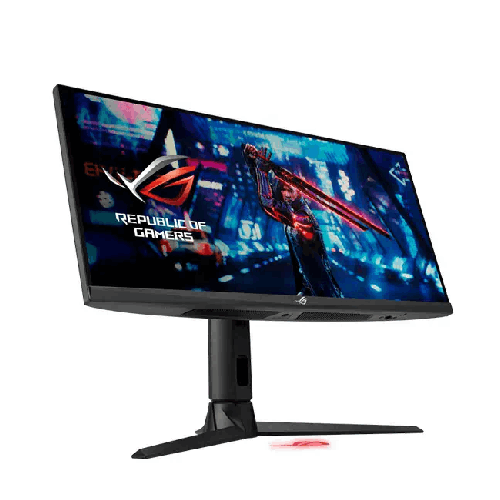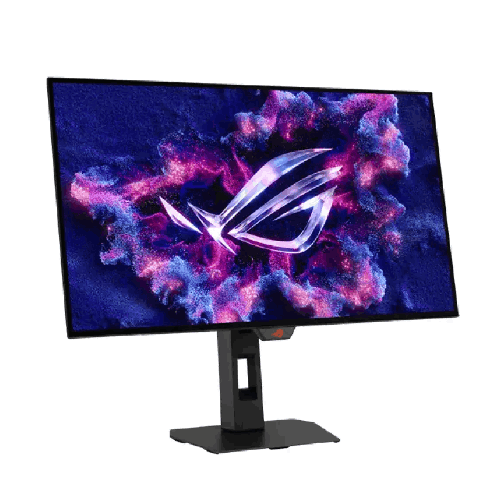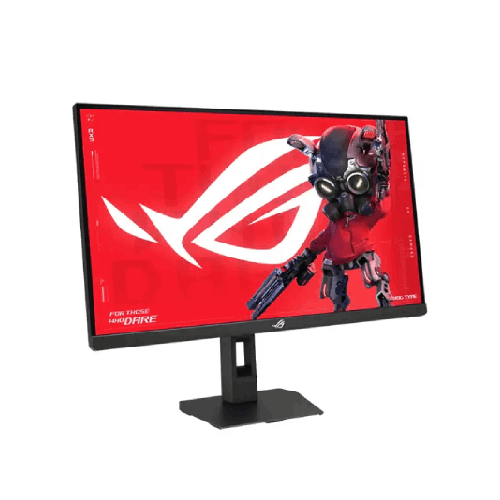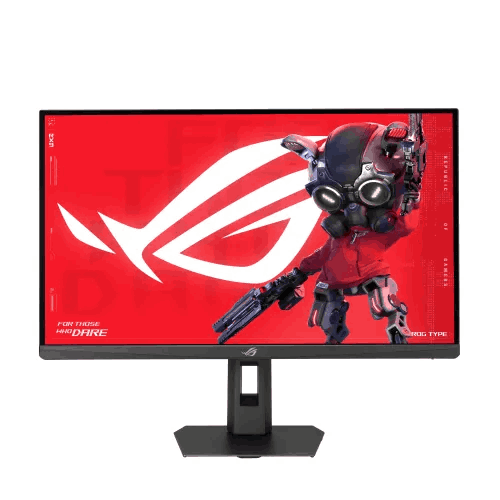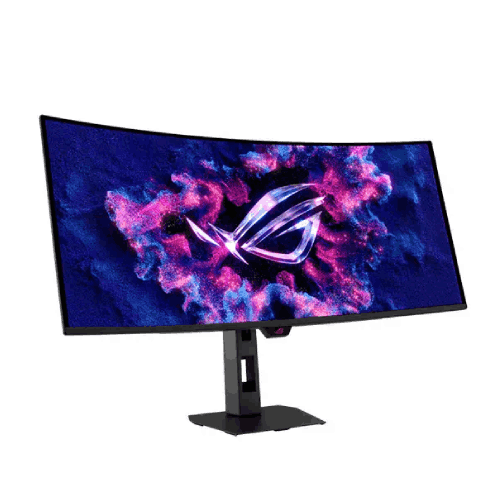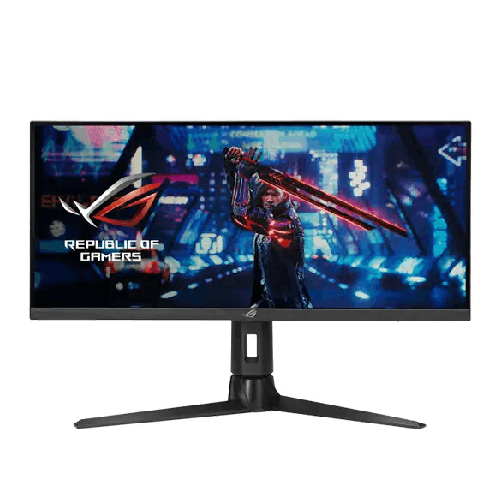
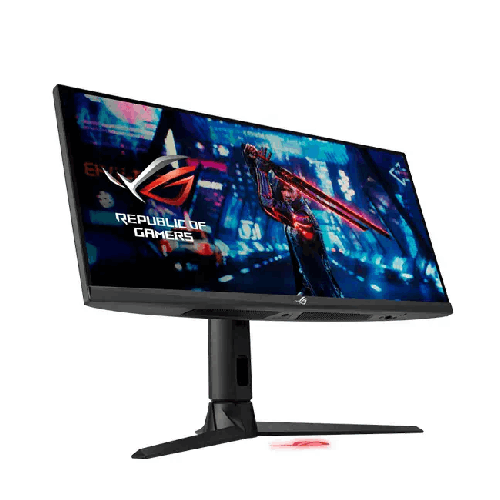
ASUS ROG Strix XG309CM 30-inch FHD Fast IPS Ultrawide Gaming Monitor
Regular Price:৳0.00Availability: SKU: 9.60.13.9714
Quick Overview
-
Support
Saturday – Thursday: 09 AM - 06 PM. -
Payment
Cash on Delivery | Card | Online Payment -
Shipping Cost
Inside Dhaka 100tk | Outside Dhaka 150tk -
Warranty Policy
Read More
Description
ASUS ROG Strix XG309CM 30-inch FHD Fast IPS Ultrawide Gaming Monitor in Bangladesh
The ASUS ROG Strix XG309CM 30-inch FHD Fast IPS Ultrawide Gaming Monitor shatters those limitations with true Republic of Gamers (ROG) engineering.
Built around a flat 29.5-inch viewable (30-inch class) Ultra-Wide Full HD (2560 x 1080) ASUS Fast IPS panel, the ASUS ROG Strix XG309CM 30-inch FHD Fast IPS Ultrawide Gaming Monitor combines panoramic 21:9 immersion with an exhilarating 220Hz overclockable refresh rate, a genuine 1ms (GTG) response time, and simultaneous ASUS ELMB Sync motion clarity. Because 2560 x 1080 requires far less GPU horsepower than 3440 x 1440 or 4K, mainstream gaming PCs in Bangladesh can effortlessly push 200+ frames per second while enjoying the tactical field-of-view advantage of 21:9! Topped off with an integrated KVM switch, USB Type-C laptop connectivity, a USB 3.2 hub, and a streamer-ready ergonomic stand featuring a built-in 1/4-inch tripod socket, it is the ultimate hybrid gaming and productivity centerpiece.
Key Display Technology & Visual Brilliance: 21:9 UWFHD Panorama Powered by ROG Fast IPS Science
When you sit in front of the ASUS ROG Strix XG309CM 30-inch FHD Fast IPS Ultrawide Gaming Monitor, your horizontal peripheral vision expands immediately. While a standard 16:9 Full HD monitor stops at 1920 horizontal pixels, this 21:9 Ultra-Wide Full HD (2560 x 1080) canvas gives you 640 extra columns of horizontal pixels—equivalent to 33% more horizontal screen space—while keeping the vertical pixel load light and fast for your graphics card.
- Flat ASUS Fast IPS Panel (Zero Curve Distortion): Unlike cheap ultrawide monitors that use curved VA panels—which suffer from dark-level smearing in games and distort straight horizontal lines in Adobe Premiere Pro, Photoshop, or AutoCAD—the XG309CM utilizes a flat ASUS Fast IPS panel. Liquid crystal elements switch up to four times faster than conventional IPS panels while delivering razor-straight geometry and 178-degree wide viewing angles.
- Vibrant 110% sRGB Color Gamut & HDR10 Support: Factory color-checked to Republic of Gamers standards, the panel covers 110% of the sRGB color volume with HDR10 high dynamic range support. From neon-lit rain streets in Cyberpunk 2077 and lush foliage in Red Dead Redemption 2 to color-critical assets in graphic design and video timelines, colors pop with rich saturation and lifelike contrast.
- Precision Non-Glare Optical Coating: Bright overhead LED tube lights and sunlit windows common in Bangladeshi bedrooms and offices are diffused cleanly by the matte anti-glare layer, preventing mirror reflections without dulling image sharpness.
Performance & Core Motion Engine: 220Hz Esports Velocity, True 1ms (GTG), and Simultaneous ELMB Sync
Most ultrawide monitors treat competitive gaming as an afterthought. The ASUS ROG Strix XG309CM 30-inch FHD Fast IPS Ultrawide Gaming Monitor is engineered from the ground up to compete head-to-head with dedicated esports screens:
- Blistering 220Hz Overclockable Refresh Rate: Refreshing the entire 2560 x 1080 canvas up to 220 times every single second delivers silk-smooth camera pans and instantaneous visual feedback. In titles that support 21:9—such as Apex Legends, Counter-Strike 2, PUBG PC, Call of Duty: Warzone, Dota 2, League of Legends, and EA Sports FC—you spot flankers entering the edges of your vision earlier and track their movement at 220Hz fluidity.
- Genuine 1ms (GTG) Response Time: Rapid 1-millisecond gray-to-gray pixel transitions eliminate ghost trails and blurry halos behind fast-moving players, race cars, and crosshairs.
- ASUS Extreme Low Motion Blur Sync (ELMB Sync): Ordinary monitors force you to choose between enabling backlight strobing (to reduce motion blur) OR enabling Variable Refresh Rate (to stop screen tearing). With ASUS ELMB Sync, you can run Extreme Low Motion Blur and Adaptive-Sync at the exact same time—eradicating both ghosting and tearing simultaneously for crystal-clear high-FPS action.
- NVIDIA G-SYNC Compatible & AMD FreeSync Support: Officially certified as G-SYNC Compatible and supporting AMD FreeSync / VESA AdaptiveSync across DisplayPort, HDMI, and USB Type-C, the monitor dynamically locks its refresh rate to your GPU output for stutter-free, tear-free gameplay from 48Hz all the way up to 220Hz.
Smart Hybrid Features: Built-In KVM Switch, USB Type-C Connectivity, and Streamer Tripod Mount
What truly sets the ASUS ROG Strix XG309CM 30-inch FHD Fast IPS Ultrawide Gaming Monitor apart for Bangladeshi power users, remote software engineers, and content creators is its built-in multi-system workstation hub:
- Integrated Auto KVM Switch (Control Two PCs with One Keyboard & Mouse): Do you have both a desktop gaming PC and a work laptop (or MacBook) on your desk in Dhaka? Instead of cluttering your desk with two keyboards and two mice, simply plug your mechanical keyboard and gaming mouse into the monitor’s built-in USB 3.2 hub. The integrated KVM switch lets you control both your desktop PC and your USB-C laptop seamlessly using that single keyboard and mouse set—switching control automatically whenever you change the display input or view both side by side!
- USB Type-C Port (DisplayPort Alt Mode + Power Delivery): Connect your work laptop, MacBook, ultrabook, or handheld gaming console (such as the ASUS ROG Ally) via a single USB Type-C cable for high-refresh 21:9 video output, upstream KVM USB hub data, and 15W power charging.
- Picture-in-Picture (PiP) & Picture-by-Picture (PbP) Modes: Take full advantage of the wide 21:9 screen by displaying two separate computer or console sources simultaneously side by side (PbP) or in a floating corner window (PiP).
- Built-In 1/4-Inch Tripod Socket on the Stand: Located right at the top of the ROG stand spine is an integrated 1/4-inch threaded tripod mount. Bangladeshi Facebook Gaming and YouTube Live streamers can mount a webcam, DSLR/mirrorless camera, or LED ring light directly above the monitor without clamping bulky brackets to their desk edge.
- ASUS DisplayWidget Software, Shadow Boost & GamePlus: Control brightness, GameVisual modes, KVM settings, Shadow Boost (which brightens dark in-game corners without overexposing bright highlights), and GamePlus hardware overlays (Crosshair, Timer, FPS Counter, Stopwatch) directly with your mouse inside Windows.
Gaming, Sim Racing, Video Editing & Multitasking Capabilities in Bangladesh
Here is why the ASUS ROG Strix XG309CM 30-inch FHD Fast IPS Ultrawide Gaming Monitor is a game-changer across gaming and professional disciplines in Bangladesh:
- High-FPS Ultrawide Gaming on Mainstream GPUs: Driving a 34-inch 3440 x 1440 monitor at 200+ FPS requires an expensive flagship GPU. Because 2560 x 1080 has only ~33% more pixels than standard 1080p (compared to 77% more on 1440p and 138% more on 3440 x 1440), popular Bangladeshi GPUs like the NVIDIA RTX 3060, RTX 4060, RTX 4060 Ti, or AMD Radeon RX 6600 / RX 7600 can easily push ultra-high frame rates up to 220Hz while giving you the full panoramic 21:9 experience!
- Sim Racing, Flight Sims & Football Games (EA Sports FC): In Assetto Corsa, F1, Forza Horizon 5, and Microsoft Flight Simulator, the 21:9 aspect ratio lets you see side mirrors and apex corners naturally. And in EA Sports FC (FIFA), the 21:9 field of view shows almost the entire football pitch at once so you can spot wide-open wingers instantly.
- Panoramic Video Editing & Audio Production: Video editors in Premiere Pro and DaVinci Resolve and music producers in FL Studio or Ableton Live love the flat 21:9 horizontal workspace because long multi-track timelines stretch cleanly across the screen without distortion or constant horizontal scrolling.
- Bezel-Free Dual-Window Coding & Financial Trading: Place two full-sized application windows plus a reference sidebar—such as VS Code, a live browser preview, and terminal logs, or multiple DSE/crypto live trading charts—side by side on one flat screen without an annoying center bezel splitting your view.
Design, 4-Way Ergonomics & Build Quality: Iconic ROG Strix Craftsmanship
Adorned with signature Republic of Gamers cyber-text detailing, a sleek matte-black chassis, and three-sided ultra-slim bezels, the ASUS ROG Strix XG309CM 30-inch FHD Fast IPS Ultrawide Gaming Monitor commands attention in any room.
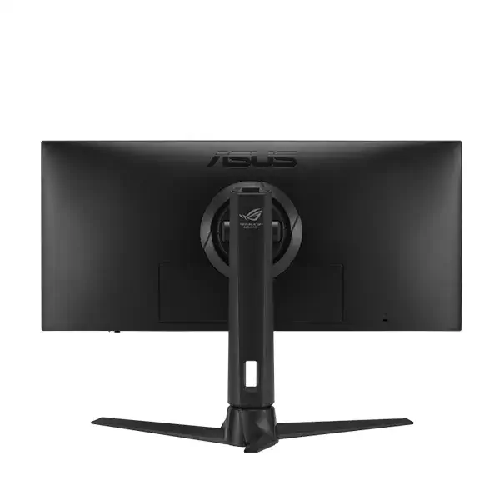
Despite its generous 30-inch horizontal span, the stand is engineered for personalized comfort and stability, offering full 4-way ergonomic adjustability: smooth height adjustment (0–110mm), tilt (+20° to -5°), swivel (+25° to -25°), and pivot, along with a cable-management pass-through slot in the stand spine and standard VESA 100x100mm mounting compatibility for gas-spring desk arms.
Real-Life Usage Scenarios in the Bangladesh Context
Technology in Bangladesh must perform dependably under local power conditions, climate, and long daily screen hours. Here is why the ASUS ROG Strix XG309CM 30-inch FHD Fast IPS Ultrawide Gaming Monitor thrives in Bangladeshi homes and studios:
- Replaces Dual Monitors While Saving UPS Battery During Load-Shedding: Running two separate 24-inch monitors during a power outage drains your UPS battery twice as fast and takes up two power sockets. By replacing a dual-monitor setup with one energy-efficient ASUS ROG Strix XG309CM (consuming under 27W in typical display operation), you cut display power consumption dramatically—helping your 1200VA/1500VA offline UPS or home IPS/sine-wave inverter keep your PC running much longer during load-shedding in Dhaka or Chattogram.
- TÜV Rheinland Eye Care for 12-Hour Work & Gaming Days: Staring at code, timelines, and games from morning until midnight can cause severe eye fatigue. Hardware-certified TÜV Rheinland Flicker-Free backlighting and four-level adjustable Ultra-Low Blue Light filters eliminate invisible screen flicker and harsh short-wavelength blue light, keeping your eyes refreshed and headache-free.
- Silent Passive Thermal Durability in Warm Climates: Engineered with generous rear ventilation slots and durable matte polymers without noisy internal cooling fans, the monitor dissipates summer heat naturally and resists urban dust buildup.
Compatibility & Ecosystem: Complete Multi-System Connectivity
The ASUS ROG Strix XG309CM 30-inch FHD Fast IPS Ultrawide Gaming Monitor serves as a unified connectivity hub for all your devices:
- DisplayPort 1.2: Connect your desktop gaming GPU to unlock the full 2560 x 1080 resolution at up to 220Hz with Adaptive-Sync and ELMB Sync active.
- USB Type-C (DP Alt Mode + 15W Power Delivery): Connect laptops, MacBooks, or handhelds for single-cable 21:9 video, KVM USB hub switching, and 15W power charging.
- HDMI 2.0 Input: Connect secondary PCs, consoles, or media players with ease.
- Built-In USB 3.2 Hub & 3.5mm Earphone Jack: Plug your keyboard, mouse, USB flash drive, and wired gaming headset or speakers directly into the monitor.
Maintenance & Care Tips for Long-Term Durability in Bangladesh
To keep your ASUS ROG Strix XG309CM 30-inch FHD Fast IPS Ultrawide Gaming Monitor looking and performing like brand new for years in Bangladesh:
- Always Use an AVR-Equipped UPS or Surge Protector: Route the monitor’s power cord through a quality surge protector or line-interactive/sine-wave UPS with Automatic Voltage Regulation (AVR) to shield internal power and KVM/USB-C circuitry from grid voltage spikes after load-shedding.
- Clean Gently with an Optical Microfiber Cloth Only: Never spray window cleaner, rubbing alcohol, or tap water directly onto the Fast IPS panel. Turn off the monitor, let it cool, and gently wipe away dust with a dry, plush microfiber cloth (lightly dampened with a few drops of distilled water only if needed).
- Keep Rear Ventilation Slots Unobstructed: Ensure the top and rear cooling vents remain uncovered while the monitor is powered on so heat can escape freely during humid summer weather.
✅ Key Features
- 30-Inch Class (29.5" Viewable) 21:9 UWFHD (2560 x 1080) Fast IPS Panel: Provides 33% more horizontal screen space than standard 16:9 Full HD monitors on a distortion-free flat IPS canvas.
- Blistering 220Hz Overclockable Refresh Rate & 1ms (GTG) Response: Combines panoramic ultrawide immersion with tournament-grade 220Hz frame fluidity and genuine 1ms gray-to-gray pixel speed.
- ASUS Extreme Low Motion Blur Sync (ELMB Sync): Enables ELMB backlight strobing and Variable Refresh Rate to work simultaneously, eliminating ghosting and screen tearing at the exact same time.
- NVIDIA G-SYNC Compatible & AMD FreeSync Support: Dynamically synchronizes refresh rate with your GPU output for stutter-free, tear-free gameplay across DisplayPort, HDMI, and USB-C.
- Built-In Auto KVM Switch & USB 3.2 Hub: Lets you control two connected computers (such as your desktop gaming PC and work laptop) using a single keyboard and mouse plugged into the monitor.
- USB Type-C Connectivity (DP Alt Mode + 15W PD): Transmits high-refresh 21:9 video, upstream KVM USB data, and 15W charging power over a single clutter-free USB-C cable.
- Vibrant 110% sRGB Color Gamut & HDR10 Readiness: Produces rich, factory-calibrated colors and enhanced contrast for immersive AAA gaming, 21:9 cinema movies, and video editing.
- Integrated 1/4-Inch Streamer Tripod Socket: Features a top-mounted 1/4-inch threaded socket on the stand spine to mount your webcam, DSLR camera, or LED key light cleanly above the screen.
- Full Ergonomic Stand & VESA 100x100mm Mount: Offers height adjustment (0–110mm), tilt, swivel, and pivot adjustments plus VESA wall and monitor-arm compatibility.
- ASUS DisplayWidget Software & TÜV Eye Care: Provides mouse-driven OSD and KVM control in Windows alongside hardware-verified Flicker-Free and Ultra-Low Blue Light eye protection.
✅ Usage / Applications
- High-FPS 21:9 Competitive & Battle Royale Gaming: Built for Bangladeshi players grinding Apex Legends, Counter-Strike 2, PUBG PC, Call of Duty: Warzone, Dota 2, and EA Sports FC who want a wider 21:9 field of view at 220Hz without overloading their GPU.
- Sim Racing & Flight Simulator Setups: Gives sim racers in Assetto Corsa, F1, and Forza Horizon 5 and virtual pilots in Microsoft Flight Simulator natural peripheral cockpit vision at 1ms Fast IPS speed.
- Dual-PC Hybrid Work & Gaming Desks (KVM Workflow): Switch seamlessly between your daytime corporate laptop or MacBook (via USB-C) and your nighttime gaming desktop (via DisplayPort) using one keyboard and mouse.
- Panoramic Video Editing & Music Production: View long horizontal multi-track timelines in Adobe Premiere Pro, DaVinci Resolve, FL Studio, and Ableton Live on a flat, distortion-free 21:9 screen.
- Live Streaming & Content Creation Studios: Mount your streaming camera or ring light directly onto the stand’s 1/4-inch tripod socket while keeping your game and OBS/Discord windows side by side on the 2560 x 1080 screen.
- Software Engineering, Data Analysis & Financial Trading: Replace a cramped dual-monitor setup with one bezel-free 30-inch canvas for side-by-side coding in VS Code, terminal debugging, and live stock/crypto charting.
- Widescreen 21:9 Movie & Cinema Entertainment: Watch theatrical 21:9 movies fullscreen with zero black letterboxing bars at the top and bottom.
✅ Benefits of This Product?
- 33% Wider Field of View Without Needing an Expensive GPU: Because 2560 x 1080 is much easier to drive than 3440 x 1440, mid-range GPUs like the RTX 3060, RTX 4060, or RX 7600 easily hit 200+ FPS in ultrawide!
- Control Two Computers with One Keyboard & Mouse: The built-in KVM switch saves desk space and money by eliminating the need for a second keyboard/mouse or external KVM box.
- Flat IPS Geometry with Zero VA Smearing: Unlike curved VA ultrawides that smear dark pixels and bend straight design lines, this flat Fast IPS panel keeps motion razor-sharp and lines perfectly straight.
- Simultaneous Tear-Free and Blur-Free Gameplay: Thanks to ASUS ELMB Sync, you get the benefits of G-SYNC/FreeSync variable refresh rate and motion-blur reduction at the exact same time.
- Built-In Camera Mount for Streamers & Remote Workers: The integrated 1/4-inch tripod socket on top of the stand saves you from buying separate desk clamps for your webcam or light.
- Lower Power Draw Than Dual Monitors on UPS Backup: Consuming under 27W, it draws far less battery power from your home UPS during Bangladeshi load-shedding than running two separate monitors.
- Customized Posture & Visual Comfort All Day: Full ergonomic stand adjustments and TÜV-certified Flicker-Free/Low Blue Light eye care prevent neck pain and eye fatigue.
- Authentic Republic of Gamers Build Quality: Engineered with premium ROG components and silent passive cooling for long-term durability in Bangladesh.
✅ Ideal For
The ASUS ROG Strix XG309CM 30-inch FHD Fast IPS Ultrawide Gaming Monitor is tailor-made for PC gamers, sim racers, live streamers, hybrid remote software engineers, and video editors across Bangladesh who want the panoramic advantage of a 21:9 ultrawide screen combined with true 220Hz esports speed. It is an exceptional match for gamers in Dhaka, Chattogram, Sylhet, and Khulna running popular mid-to-high-range graphics cards (such as the RTX 3060, RTX 4060, RTX 4060 Ti, RTX 4070, or Radeon RX 6600 / RX 7600 / RX 7700 XT) who want ultra-high frame rates without the heavy GPU tax of 1440p ultrawides. Furthermore, professionals who use both a work laptop/MacBook and a desktop PC at the same desk will love how the built-in KVM switch and USB Type-C port streamline their entire daily workflow.
✅ Why Choose the ASUS ROG Strix XG309CM 30-inch FHD Fast IPS Ultrawide Gaming Monitor?
In the Bangladeshi ultrawide monitor market, most 29-inch and 30-inch 21:9 displays are basic 75Hz/100Hz office monitors or budget curved VA screens that suffer from slow response times, dark-pixel ghosting, and tilt-only stands. The ASUS ROG Strix XG309CM 30-inch FHD Fast IPS Ultrawide Gaming Monitor stands in a league of its own by bringing flagship Republic of Gamers engineering to the 30-inch 21:9 form factor.
First, its 220Hz Fast IPS panel paired with a 1ms (GTG) response time and ASUS ELMB Sync delivers genuine tournament-caliber motion clarity—allowing backlight strobing and variable refresh rate (G-SYNC Compatible / FreeSync) to run simultaneously with zero VA smearing. Second, its flat IPS panel covers 110% sRGB, ensuring straight, distortion-free horizontal lines for Premiere Pro video editing and CAD design alongside vivid gaming colors. Third, ASUS packs in workstation features that even much more expensive monitors often omit: a built-in Auto KVM switch, USB Type-C (with DP Alt Mode and 15W PD), a USB 3.2 hub, Picture-in-Picture/Picture-by-Picture modes, and a full ergonomic stand with a top 1/4-inch streaming tripod socket. Choosing the ROG Strix XG309CM gives you unmatched 21:9 speed, dual-PC KVM convenience, and unmistakable ROG durability.
✅ Why Buy This Product from BME?
Investing in a specialized Republic of Gamers ultrawide display like the ASUS ROG Strix XG309CM 30-inch FHD Fast IPS Ultrawide Gaming Monitor calls for a trusted, established technology partner in Bangladesh. Business Machine & Equipment (BME) is committed to delivering an authentic, transparent, and worry-free buying experience nationwide:
- Authentic, Factory-Sealed ROG Hardware: BME places strict priority on sourcing 100% genuine ASUS ROG monitors through legitimate distribution channels, ensuring your ultrawide monitor arrives factory-sealed with verifiable serial numbers.
- Expert Pre-Sales Technical Consultation: Have questions about setting up the built-in KVM switch between your gaming desktop and USB-C work laptop, or unlocking the full 220Hz overclocked refresh rate on your GPU? BME’s knowledgeable specialists offer clear, accurate advice before you purchase.
- Responsive After-Sales & Official Warranty Assistance: BME stands beside you after the sale, providing complete official invoice documentation and smooth coordination for brand warranty servicing whenever required.
- Safe Delivery Across Dhaka & All 64 Districts: Wide 30-inch IPS panels require careful transit handling. BME ensures fast delivery across Dhaka city and secure, protective courier shipping to Chattogram, Sylhet, Rajshahi, Khulna, Barishal, Rangpur, and nationwide.
- B2B, Studio & Corporate Procurement Solutions: For software companies, financial trading desks, video production studios, and esports organizations ordering multiple monitors, BME provides formal B2B quotations, competitive bulk pricing, and procurement-ready documentation.
✅ Buying Guide: How to Unlock Full 21:9 220Hz & KVM Performance on Your Desk
Before purchasing and setting up your ASUS ROG Strix XG309CM 30-inch FHD Fast IPS Ultrawide Gaming Monitor, follow this practical checklist to get 100% out of its gaming and KVM workstation features from day one:
- Connect Your Devices for 220Hz & KVM Switching:
- Desktop Gaming PC: Connect your graphics card using the DisplayPort 1.2 input to unlock the full 2560 x 1080 resolution at 220Hz (with Overclocking enabled in the OSD) and attach the included USB Type-B to Type-A upstream cable from the monitor to your PC.
- Work Laptop / MacBook: Connect a single USB Type-C cable from your laptop into the monitor’s USB-C port. This carries both the 2560 x 1080 high-refresh video signal and the USB data for the KVM switch!
- Keyboard & Mouse: Plug your keyboard and mouse directly into the monitor’s downstream USB 3.2 Type-A ports. Now, whenever you switch inputs between your Desktop PC and Laptop, your keyboard and mouse switch over automatically!
- Enable 220Hz Overclocking & Set Refresh Rate in Windows: Open the monitor’s OSD menu (or ASUS DisplayWidget software) to toggle Overclocking ON, then right-click your Windows desktop, open Display Settings > Advanced Display, and select 220Hz at native 2560 x 1080 resolution.
- Utilize the 1/4-Inch Tripod Socket for Streaming/Calls: Thread your webcam, mirrorless streaming camera, or LED ring light directly onto the 1/4-inch tripod socket on top of the stand spine for a clean, clamp-free desk setup.
- Protect with an AVR-Equipped UPS: Always plug both your PC and your ROG ultrawide monitor into a quality line-interactive or pure sine-wave UPS with Automatic Voltage Regulation (AVR) to guard against Bangladeshi power cuts and grid voltage surges.
✅ Customers Ask About / Frequently Asked Questions
1. What is the advantage of a 30-inch 2560 x 1080 (21:9) ultrawide monitor like the ASUS ROG Strix XG309CM over a standard 16:9 monitor?
The ASUS ROG Strix XG309CM 30-inch FHD Fast IPS Ultrawide Gaming Monitor gives you 33% more horizontal screen space (2560 x 1080 vs. 1920 x 1080) than a standard 16:9 Full HD monitor. In games like Apex Legends, CS2, PUBG PC, EA Sports FC, and racing simulators, you get a much wider peripheral field of view without paying the heavy frame-rate penalty of 1440p or 4K—allowing mid-range GPUs to easily reach 220 FPS! In daily work, you can fit two or three full windows side by side on one bezel-free screen.
2. How does the built-in KVM switch work on the ASUS ROG Strix XG309CM?
The integrated KVM switch allows you to control two different computers connected to the monitor—for example, your desktop gaming PC (via DisplayPort + USB-B upstream) and your work laptop or MacBook (via USB Type-C)—using just one keyboard and one mouse plugged into the monitor’s built-in USB 3.2 hub.
3. Why did ASUS use a flat Fast IPS panel instead of a curved VA panel on this 30-inch ultrawide?
Curved budget VA ultrawide monitors suffer from slow dark-pixel response times (causing black smearing in games) and bend straight horizontal lines in video editing and design software. By using a flat ASUS Fast IPS panel with a true 1ms (GTG) response time and 178-degree viewing angles, the XG309CM delivers zero dark-level smearing in 220Hz esports games and keeps horizontal timelines and design lines 100% straight.
4. What is ASUS ELMB Sync and how does it improve gaming clarity?
On standard monitors, turning on backlight strobing to reduce motion blur forces you to turn off G-SYNC or FreeSync. ASUS ELMB Sync lets you keep Extreme Low Motion Blur and Variable Refresh Rate (G-SYNC Compatible / FreeSync) active at the exact same time—eliminating both screen tearing and motion blur simultaneously.
5. How does the USB Type-C port work on this monitor?
The integrated USB Type-C port supports DisplayPort Alt Mode (for native 2560 x 1080 high-refresh video), upstream USB data for the built-in KVM switch, and 15W USB Power Delivery to trickle-charge light devices or smartphones/handhelds over a single USB-C cable.
6. Is this monitor good for video editing, music production, and coding?
It is phenomenal for creators and programmers! The 21:9 horizontal canvas lets video editors in Premiere Pro/DaVinci Resolve and audio engineers in FL Studio/Ableton view long timelines without scrolling horizontally, 110% sRGB coverage ensures vibrant colors, and programmers can place multiple IDE code windows side by side on one screen.
7. How does the 1/4-inch tripod socket on the stand help streamers?
Located at the very top of the monitor stand spine is a standard 1/4-inch threaded socket where you can attach a webcam, DSLR streaming camera, or LED ring light directly above your screen without needing bulky desk clamps.
8. Can I mount this 30-inch ultrawide monitor on a VESA monitor arm?
Yes, the ergonomic stand detaches easily to reveal standard VESA 100x100mm mounting holes, making it fully compatible with standard gas-spring monitor arms and wall brackets sold in Bangladesh.
9. What is the typical warranty coverage when buying this ROG monitor from BME?
ASUS ROG Strix monitors in Bangladesh typically carry an official 3-year brand warranty covering manufacturing defects in accordance with official ASUS warranty policy terms. BME provides complete invoice documentation and dedicated after-sales assistance to support your warranty claims.
10. Does BME deliver the ASUS ROG Strix XG309CM outside Dhaka?
Yes, BME offers fast delivery across Dhaka city as well as safe, protective courier delivery to Chattogram, Sylhet, Rajshahi, Khulna, Rangpur, Barishal, and all 64 districts across Bangladesh.
✅ Why Buy This Product
Why crowd your desk with two separate monitors and messy cables when you can command a panoramic 21:9 battlefield and multi-system workstation on one blazing-fast screen? The ASUS ROG Strix XG309CM 30-inch FHD Fast IPS Ultrawide Gaming Monitor brings together an expansive 2560 x 1080 Ultra-Wide Full HD canvas, an exhilarating 220Hz overclockable refresh rate, a true 1ms (GTG) Fast IPS panel with simultaneous ELMB Sync, and a built-in KVM switch with USB Type-C connectivity. Complete with a full ergonomic stand featuring an integrated 1/4-inch streaming camera mount, it empowers you to game at 220Hz, stream effortlessly, edit long horizontal timelines, and control both your desktop PC and work laptop with a single keyboard and mouse. Upgrade your vision to Republic of Gamers ultrawide speed—order the ASUS ROG Strix XG309CM 30-inch FHD Fast IPS Ultrawide Gaming Monitor today from Business Machine & Equipment (BME) for authentic ROG hardware, expert local support, and fast nationwide delivery across Bangladesh!
What is the price of ASUS ROG Strix XG309CM 30-inch FHD Fast IPS Ultrawide Gaming Monitor in Bangladesh?
Write a review
Question Answer
Have question about this product? Get specific details about this product from expert.

LG 27UP600-W 27" 4K UHD IPS Monitor

Xiaomi Redmi A27U 27" 4K UHD IPS Monitor


LG 27UP600-W 27" 4K UHD IPS Monitor