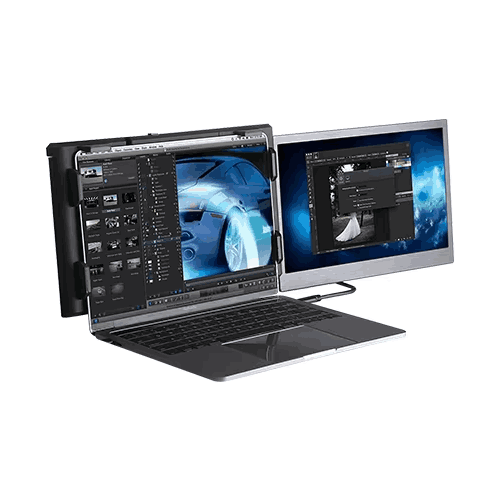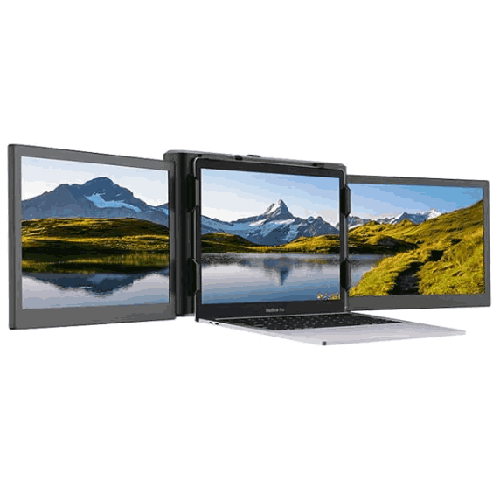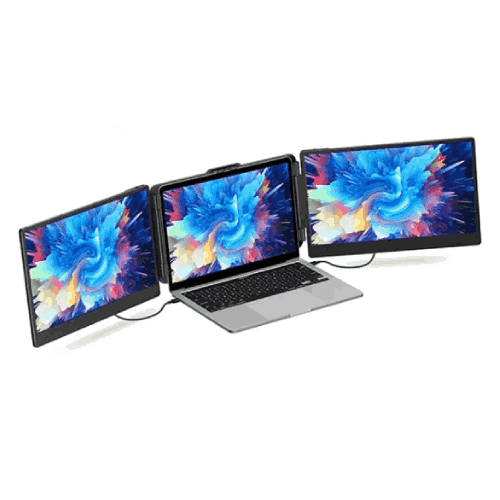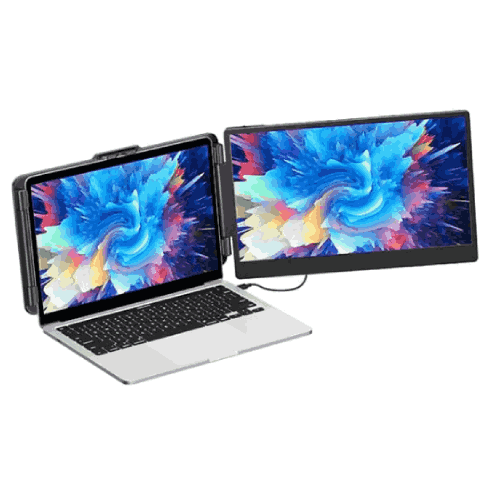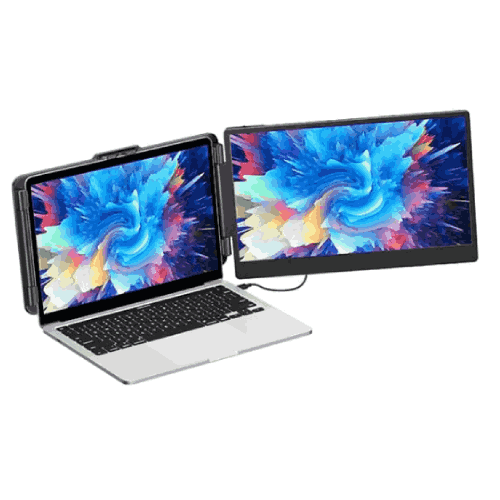
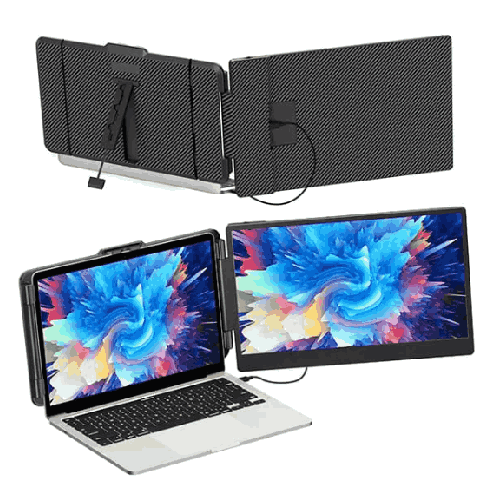
Eloam EL-S1 14-inch Portable Laptop Monitor and Screen Extender
Regular Price:৳0.00Availability: SKU: 9.60.154.9482
Quick Overview
-
Support
Saturday – Thursday: 09 AM - 06 PM. -
Payment
Cash on Delivery | Card | Online Payment -
Shipping Cost
Inside Dhaka 100tk | Outside Dhaka 150tk -
Warranty Policy
Read More
Description
Eloam EL-S1 14-inch Portable Laptop Monitor and Screen Extender in Bangladesh
The Eloam EL-S1 14-inch portable laptop monitor and screen extender, manufactured by Shenzhen Eloam Technology Co., Ltd., is designed for people in Bangladesh who want extra screen space from a thin, light, and easy-to-carry display. It gives you a 14" Full HD (1920 x 1080) IPS LCD panel with LED backlight, connected via Type-C, and includes a built-in speaker for a complete mobile office experience.
Instead of being stuck on a single laptop screen—constantly switching tabs and resizing windows—you can plug in the Eloam EL-S1 as a second display and immediately get a wider, more flexible workspace. It’s ideal for office professionals, students, freelancers, programmers, traders, and travelers who use Windows laptops and want plug-and-play mobile office capability.
Whether you’re working from home in Dhaka, studying in a dorm in Chattogram, freelancing from a café in Sylhet, or shuttling between client offices, the EL-S1 gives you a proper second monitor that fits in your bag.
14-inch Full HD Screen – Sharp, Comfortable Viewing
The 14" screen size of the Eloam EL-S1 is very practical:
- Large enough to comfortably display documents, spreadsheets, code editors, and videos.
- Similar in height to many 13"–15.6" laptops, creating a neat side-by-side alignment.
- Small enough to remain slim and ultra-portable.
With a Full HD (1920 x 1080) resolution and 16:9 aspect ratio, you get:
- Crisp text for reading reports and articles.
- Detailed visuals for spreadsheets, charts, and code.
- Smooth video quality for movies, tutorials, and meetings.
On a laptop-only setup, many Bangladeshi users feel cramped trying to work with multiple apps. Adding a 1080p, 14" monitor makes it easier to open two or three useful windows side by side without constant resizing.
IPS LCD Panel with LED Backlight – Wide Viewing, Better Colors
The Eloam EL-S1 uses an IPS LCD panel with LED backlight, which is a major step up from TN-based portable screens:
- Wide viewing angles: Colors and contrast stay consistent even when you’re not sitting directly in front.
- Better color reproduction: Photos, videos, and UI elements look more natural and vibrant.
- Stable brightness from the LED backlight, suitable for indoor work in homes, classrooms, and offices.
For Bangladesh’s typical multi-user scenarios—working with a friend, showing a client a draft, or studying with a group—the IPS panel ensures that side viewers can still see clearly. It’s also kinder on the eyes during long sessions compared to poor-quality panels.
Type-C Interface – Clean, Modern Connectivity
The Interface: Type-C makes the Eloam EL-S1 especially convenient for modern laptops:
- A single USB Type-C cable can (on supported laptops) carry video signal and power, minimizing cable clutter.
- It’s easier to connect than traditional HDMI + separate power arrangements.
- Many newer Windows laptops in Bangladesh already include Type-C ports—especially ultrabooks and mid-range business machines.
This aligns with the trend towards USB-C-based mobile setups, where one port can drive a portable monitor, making the EL-S1 ideal for:
- New office laptops used in corporate environments.
- University students’ lightweight notebooks.
- Freelancers’ and consultants’ modern ultrabooks.
If your laptop’s Type-C supports video (DisplayPort Alt Mode) and adequate power delivery, setup becomes as simple as plugging in a single cable.
Built-in Speaker – Extra Audio Without Extra Gear
The Eloam EL-S1 includes a built-in speaker, which adds convenience:
- You can route system audio to the monitor when desired.
- For meetings, quick video clips, or casual content, you don’t always need separate speakers or headphones.
- This is especially handy if your laptop’s built-in speaker is weak or muffled.
In a Bangladeshi home or small office setting, having another audio output built into your second monitor provides flexibility, particularly for online classes, YouTube tutorials, and quick video playback.
Plug-and-Play Mobile Office Design
The EL-S1 is described as a plug-and-play mobile office monitor. In practice, this means:
- Minimal or no complex driver installation under supported Windows systems.
- Quick recognition as an extended display once connected.
- Easy duplication or extension of your desktop via standard Windows display settings.
For busy professionals and students in Bangladesh:
- There is no need for long IT setup sessions.
- You can walk into a meeting room, client office, or co-working space, plug in, and immediately extend your display.
- When you’re done, you disconnect and pack it away—no fuss.
Applicable Systems: Windows / General Laptop Extension Compatible
The product notes Applicable Systems: Windows / general laptop extension compat, which implies:
- Windows laptops are the primary target; plug-and-play behavior is expected here.
- Other systems (like some macOS or other OS setups) may also work, but should be verified against current driver and compatibility info.
- Regardless of brand—HP, Dell, Lenovo, Asus, Acer, MSI, etc.—if your Windows laptop supports external display over Type-C, the EL-S1 is designed to work as an extension monitor.
This broad general laptop extension compatibility focus is perfect for Bangladesh where Windows is the dominant OS, and where mixed-brand laptop fleets are common in companies and universities.
Real-Life Usage Scenarios in Bangladesh
-
Work-from-Home Office in Dhaka
A mid-level manager in a software company uses the Eloam EL-S1 as a secondary display. The laptop’s main screen shows e-mail and Teams, while the EL-S1 displays Excel and PowerPoint. Multitasking becomes smoother, and meetings run without constant window flipping. -
University Student in Chattogram
A CSE student uses the EL-S1 to keep lecture slides open on one screen while coding on the other. During online classes, Zoom is on the EL-S1 and the coding environment is on the laptop. This reduces confusion and improves focus. -
Freelance Designer in Sylhet
A graphic designer doing remote projects keeps the design canvas open on the laptop, with reference images and client brief on the Eloam EL-S1. She can move between tasks easily without stacking windows on top of each other. -
Stock Trader in Motijheel, Dhaka
A part-time trader uses his laptop to run a main charting app, while the EL-S1 shows watchlists and news feeds. He can track markets more effectively even in a small home office. -
NGO Field Coordinator in Rangpur
On field trips, an NGO coordinator uses the EL-S1 for reviewing reports with local partners. Laptop on one side, EL-S1 facing the other participants with slides and charts mirrored so everyone can follow along.
Why a Portable Second Screen Makes Sense
Even with a powerful laptop, a single screen remains a bottleneck:
- You have to constantly juggle windows.
- Reference material and chat windows hide behind your main application.
- You lose seconds and mental flow every time you Alt+Tab.
The Eloam EL-S1 solves this by giving you a dedicated second workspace:
- You can permanently park your e-mail or reference tabs on the portable monitor.
- You can dedicate the main laptop screen to your primary task.
- It feels closer to a dual-monitor desktop workflow, but remains mobile.
For Bangladeshi professionals and students whose productivity often depends on digital multitasking, this can make a noticeable difference in daily output and comfort.
Thin, Light, and Bag-Friendly
While the exact weight and thickness are not specified, portable monitors in this class are typically:
- Slim enough to slide into a laptop compartment or separate pocket.
- Light enough that carrying them along with your laptop doesn’t feel like carrying a desktop monitor.
This fits well with the reality in Bangladesh:
- Many people commute via bus, rideshare, or walking, so device weight matters.
- Students carry heavy books and laptops already; the monitor should not add excessive load.
- Workers and consultants often move between floors or branches, so easy carry is essential.
With the EL-S1, you effectively carry “extra screen space” in your bag.
Maintenance and Care in Bangladesh Conditions
To keep the Eloam EL-S1 in top condition:
- Use a padded laptop sleeve or compartment: Protect the screen when in transit on crowded buses or rickshaws.
- Clean with a microfiber cloth: Gently wipe the IPS panel; don’t use rough cloths or strong cleaners.
- Avoid extreme heat and humidity: Don’t leave it in a hot car or in a damp area; store indoors after use.
- Handle the Type-C connector carefully: Plug and unplug straight; avoid side-pressure on the port.
- Don’t place heavy items on the monitor: Protect it from being squashed in bags.
These simple habits are especially important in a tropical, high-humidity environment like Bangladesh.
✅ Key Features
- 14-inch Full HD Display: 1920 x 1080 resolution on a 14" screen provides a clear, sharp picture for documents, media, and apps.
- IPS LCD with LED Backlight: Wide viewing angles and better color reproduction compared to basic TN panels, with consistent LED illumination.
- 16:9 Aspect Ratio: Standard widescreen format ideal for movies, presentations, and side-by-side document viewing.
- Type-C Interface: Modern USB-C connectivity for streamlined video/power connection to compatible laptops.
- Built-in Speaker: Integrated audio output for quick calls, videos, and casual media playback without extra speakers.
- Plug-and-Play Mobile Office Design: Designed for quick, easy setup as a second screen for Windows laptops and general laptop extension use.
- Manufactured by Shenzhen Eloam Technology Co., Ltd.: Backed by a brand with experience in visual and scanning products.
✅ Usage / Applications
- Office Work & Business: Extend your Windows laptop desktop to keep e-mail, documents, and spreadsheets open simultaneously.
- University & College Students: Use one screen for lectures or PDFs and the other for notes, coding, or assignments.
- Freelancers & Remote Workers: Improve workflow by dedicating one display to communication tools and another to core tasks.
- Developers & IT Professionals: Use the EL-S1 as a code or log monitor while main development tools run on the primary screen.
- Stock Traders & Analysts: Track charts, watchlists, and news on separate screens for faster decision-making.
- Online Classes & Training: Watch classes on one screen while following exercises or reading materials on the other.
- Media & Entertainment: Enjoy movies or series on a separate Full HD display while keeping the laptop free for browsing or background tasks.
✅ Benefits of This Product?
- Instant Dual-Screen Productivity: Expands your workspace beyond the limitations of a single laptop display.
- Better Multitasking: Reduces the need to keep switching between windows, making work and study more efficient.
- Portable and Flexible: You can carry your extended setup anywhere—home, campus, co-working, client sites.
- Improved Viewing Comfort: Full HD IPS panel delivers clearer text and better angles for prolonged usage.
- Minimal Setup Hassle: Type-C interface and plug-and-play design keep connectivity simple for Windows laptops.
- Integrated Audio Convenience: Built-in speaker offers quick sound output without cluttering your setup.
- Space-Saving Alternative to Desktop Monitors: Offers dual-monitor benefits without needing a large desk or fixed external monitor.
✅ Ideal For
The Eloam EL-S1 14-inch Portable Laptop Monitor & Screen Extender is ideal for a wide mix of Bangladeshi users who rely on laptops for serious digital work:
- Office employees and managers handling e-mail, Excel, and presentations all day.
- University and college students in engineering, CSE, business, and other fields that juggle lectures, assignments, and research.
- Freelancers in design, development, writing, and digital marketing who often work from shifting locations.
- IT professionals and developers who monitor logs, code, and documentation simultaneously.
- Traders and finance professionals wanting more visibility of market information without a full trading desk.
- Remote workers and hybrid staff who move between office and home setups and need consistent efficiency in both.
If your current laptop screen feels too small for the way you work or study, the EL-S1 is designed as a simple, practical upgrade.
✅ Why Choose the Eloam EL-S1 14-inch Portable Laptop Monitor and Screen Extender?
The Eloam EL-S1 offers a balanced combination of portability, display quality, and simple connectivity:
- The 14-inch IPS Full HD screen is big enough to be useful but compact enough to carry.
- The Type-C interface keeps connections neat and modern for compatible laptops.
- The built-in speaker and plug-and-play mobile office design make it genuinely convenient as a daily companion, not a complicated gadget.
For Bangladeshi professionals and students who frequently multitask, this monitor lets your laptop behave more like a dual-monitor desktop—without losing mobility or requiring a large, dedicated workspace. Compared to makeshift solutions like propping up a tablet or relying on cramped window tiling, the EL-S1 provides a purpose-built, reliable second screen that’s easy to deploy and pack away.
It’s an effective way to get more value from your existing laptop, extend its capabilities, and prepare yourself for modern workflows involving remote work, complex online learning, and multi-application workloads.
✅ Why Buy This Product from BME?
Buying the Eloam EL-S1 from Business Machine & Equipment (BME) connects you with a Bangladesh-focused supplier experienced in IT, productivity, and education hardware.
With BME, you benefit from:
- Genuine sourcing of Shenzhen Eloam Technology products, avoiding low-quality or unofficial imports.
- Assistance in checking laptop compatibility, especially around Type-C video support and Windows system requirements.
- Formal quotations and VAT-compliant invoices suitable for organizational procurement—schools, universities, NGOs, corporates, and government bodies.
- Local, practical advice on deployment: where to use it (office/home/field), how to pack and care for it, and how to integrate into your existing laptop–projector or laptop–TV setups.
While exact warranty terms and service coverage must be confirmed at purchase, working with BME gives you a reliable local point of contact for product-related questions and future planning.
✅ Buying Guide
Before purchasing the Eloam EL-S1 14-inch Portable Laptop Monitor, consider the following:
1. Laptop Port & Compatibility
- Does your laptop have a Type-C port that supports video output (DisplayPort Alt Mode)?
- Is your laptop running Windows, as noted in applicable systems?
If unsure, share your laptop model with BME for a compatibility check.
2. Your Use Cases
- Do you multitask frequently with multiple windows (e-mail, docs, browser, tools)?
- Will you use the second screen daily (for work, study) or only occasionally?
The more often you multitask, the more benefit you’ll see.
3. Mobility Requirements
- Do you move between home and office?
- Are you a student or freelancer working from campus, cafés, or client sites?
If yes, a portable monitor is more suitable than a fixed external monitor.
4. Desk Size & Setup
- Make sure your usual table can comfortably fit a laptop plus a 14" side monitor.
- Think about orientation: do you want the monitor on one side or move it around as needed?
5. Alternative Options
Compare with:
- A full-sized desktop monitor (less portable).
- A smaller screen extender, which might be more portable but less comfortable.
- Doing nothing and staying on a single laptop screen.
For many in Bangladesh, the EL-S1 hits a strong middle ground between big external monitors and cramped laptop-only setups.
✅ Customers Ask About / Frequently Asked Questions
Q1: What is the screen size and resolution of the Eloam EL-S1?
It has a 14-inch screen with Full HD 1920 x 1080 resolution.
Q2: What panel technology does it use?
The EL-S1 uses an IPS LCD panel with LED backlight, offering wide viewing angles and better color.
Q3: How does it connect to a laptop?
It connects via Type-C interface, which can carry video (and potentially power) from a compatible laptop.
Q4: Is it compatible with Windows laptops in Bangladesh?
Yes. The EL-S1 is designed for Windows / general laptop extension compatibility, with plug-and-play behavior expected on supported Windows systems.
Q5: Does it have its own speaker?
Yes. It includes a built-in speaker, useful for quick audio playback and online meetings.
Q6: Can I use it as a second monitor for multitasking?
Yes. It’s specifically intended as a portable screen extender, ideal as a second monitor alongside your laptop display.
Q7: Is it good for online classes and remote work?
Yes. It’s very useful for keeping Zoom/Meet on one screen and notes or tasks on the other.
Q8: Do I need extra drivers to use it?
It’s designed as a plug-and-play mobile office monitor for Windows, but driver requirements can depend on OS version. BME can provide updated information at purchase.
Q9: Is it suitable for gaming?
It can be used as a secondary display for chats, browsers, or media while gaming on the main laptop screen. For primary high-FPS gaming, your laptop’s main display or a dedicated gaming monitor is usually preferred.
Q10: Does it need an external power adapter?
The primary interface is Type-C; whether additional power is required depends on your laptop’s power output and the monitor’s power draw. Confirm power details with BME and current specs.
Q11: What about warranty in Bangladesh?
Warranty length and terms vary by batch and supplier. Please confirm the current warranty details with BME when purchasing.
✅ Why Buy This Product
The Eloam EL-S1 14-inch Portable Laptop Monitor & Screen Extender is a smart, practical way to give your laptop the screen space of a desktop—without losing portability or requiring a large, permanent workstation.
It delivers:
- A crisp 14" Full HD IPS display.
- Simple, modern Type-C connectivity.
- Plug-and-play operation on Windows laptops.
- Extra productivity and comfort in everyday tasks, from office work and study to trading and content creation.
What is the price of Eloam EL-S1 14-inch Portable Laptop Monitor and Screen Extender in Bangladesh?
Write a review
Question Answer
Have question about this product? Get specific details about this product from expert.