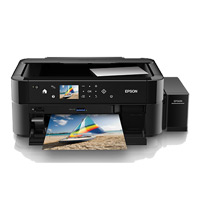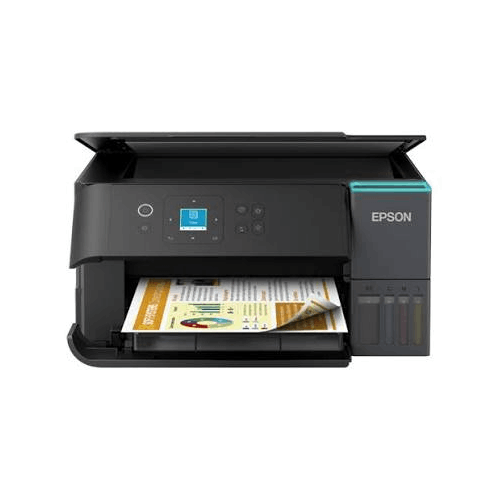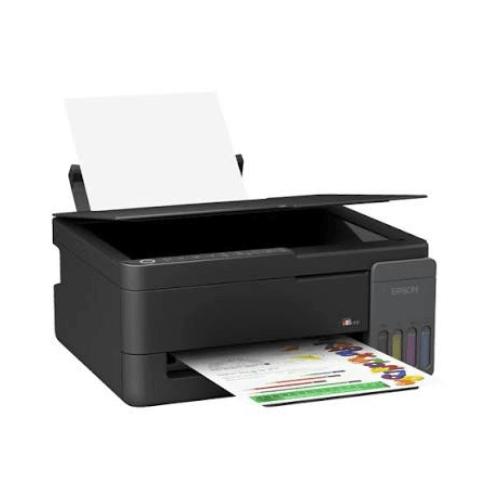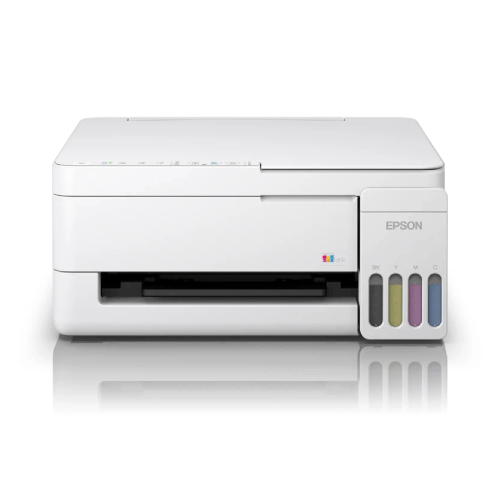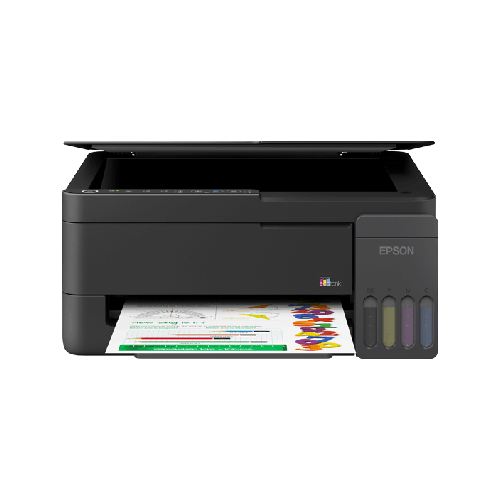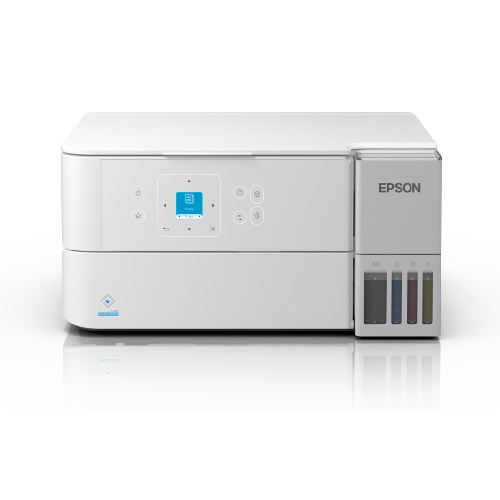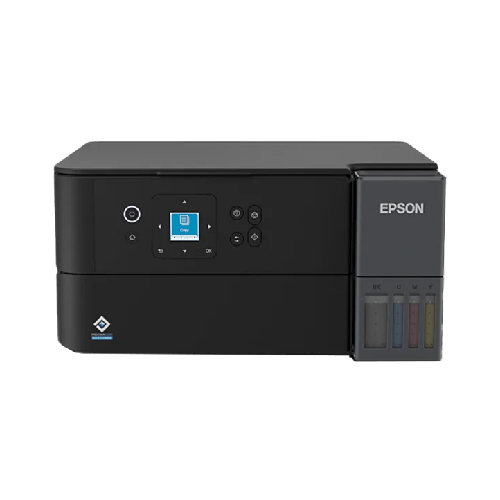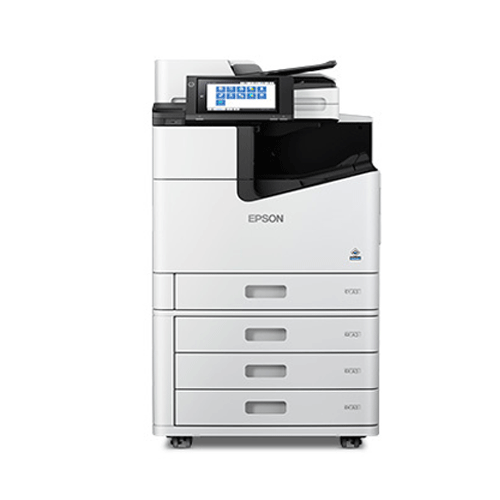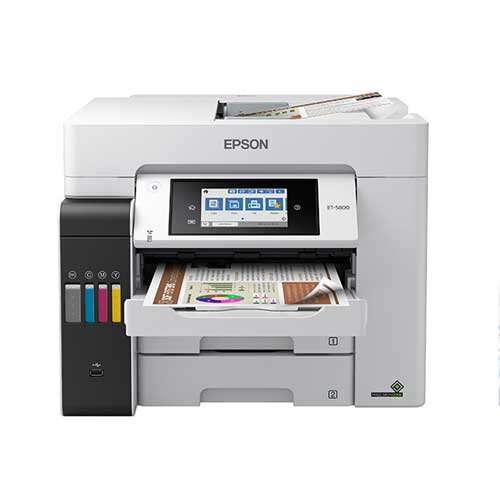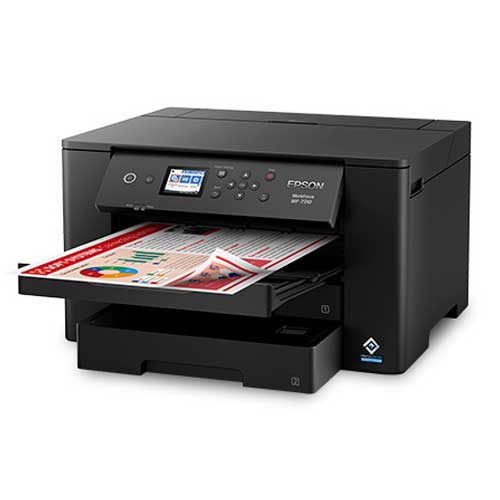

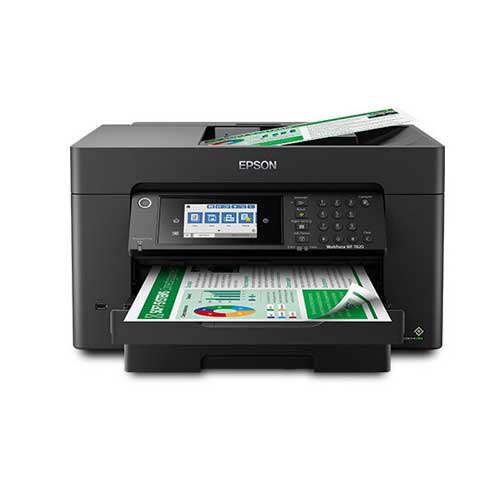
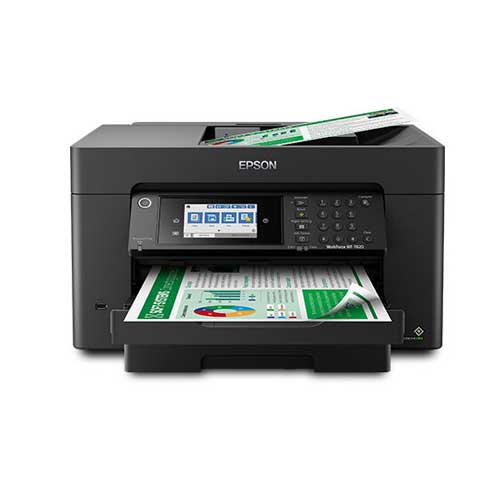
Epson WorkForce Pro WF-7820 Wireless Wide-format All-in-One Printer
Regular Price:৳0.00Availability: SKU: 1.3.8.9058
Quick Overview
-
Support
Saturday – Thursday: 09 AM - 06 PM. -
Payment
Cash on Delivery | Card | Online Payment -
Shipping Cost
Inside Dhaka 200tk | Outside Dhaka 350tk -
Warranty Policy
Read More
Description
Epson WorkForce Pro WF-7820 Wireless Wide-format All-in-One Printer in Bangladesh
The Epson WorkForce Pro WF-7820 Wireless Wide-format All-in-One Printer brings true A3 power into the everyday reality of Bangladeshi homes, offices, studios, and institutions. It’s more than just a printer—it’s a fully featured, wide-format document hub that can print, scan, copy (and, in many variants, fax), all the way up to A3 size.
In a country where businesses are growing quickly and the need for professional presentations, engineering drawings, posters, and marketing materials is increasing by the day, a standard A4 machine is often no longer enough. The Epson WorkForce Pro WF-7820 Wireless Wide-format All-in-One Printer solves that by combining wide-format (A3) capability with the convenience of an all‑in‑one device and the freedom of wireless connectivity.
Because manufacturer specifications can vary slightly by region and bundle, this description focuses on widely-known features of the Epson WorkForce Pro WF‑7820 family and avoids any made-up numbers. You’ll get an accurate, experience-focused overview of how this printer fits into real Bangladeshi workflows—whether that’s a design studio in Dhanmondi, an engineering office in Uttara, a coaching centre in Mirpur, or a small business in Chattogram.
Wide-format All-in-One Power for Bangladesh
Most printers you’ll find in homes and small offices around Bangladesh are limited to A4. That’s fine for letters and basic reports, but it’s restrictive for visual work or documents that really need more space. The Epson WorkForce Pro WF-7820 Wireless Wide-format All-in-One Printer changes the game by giving you A3 (and similar wide-format) printing and scanning in the same body.
This immediately opens up possibilities like:
- Printing large engineering drawings, floor plans, and wiring diagrams for architecture and civil or electrical engineering firms.
- Producing A3 posters, menus, and promotional banners for restaurants, retail shops, and small brands.
- Creating colourful classroom charts, science diagrams, maps, and noticeboard materials for schools and coaching centres.
- Printing and scanning full-size A3 reports, financial summaries, and project plans for corporate and NGO meetings.
Instead of depending on a print shop whenever you need an A3 layout or a big visual, the Epson WorkForce Pro WF-7820 Wireless Wide-format All-in-One Printer puts that power directly in your office or home.
Print Technology & Image Quality
The Epson WorkForce Pro WF-7820 Wireless Wide-format All-in-One Printer is part of Epson’s WorkForce Pro line of inkjet devices, which are oriented toward office and professional use rather than casual home-only printing.
From a real-world perspective, that means:
-
Crisp, business-grade text
Whether you’re printing a simple letter or a 30-page report, the WF-7820 produces sharp, clear text suitable for official submissions to banks, embassies, corporate offices, or universities. This matters when you’re preparing proposals, contracts, and tenders in Bangladesh. -
Strong colour performance
As a colour inkjet printer, the Epson WorkForce Pro WF-7820 Wireless Wide-format All-in-One Printer can handle vibrant charts, graphics, photos within documents, and visually rich layouts. That’s ideal for presentations, advertisements, posters, and classroom visuals. -
Engineered for office-class output
WorkForce Pro models are generally built for consistent, everyday use. This makes the WF-7820 suitable not just for occasional A3 posters, but also for daily A4 office work like invoices, memos, and reports.
The combination of large page support and high-quality colour output gives you a tool that can produce both routine documents and high-impact visuals from a single machine.
Performance & Productivity
Performance is about more than just speed numbers—it’s about whether the printer can keep up with your workflow. The Epson WorkForce Pro WF-7820 Wireless Wide-format All-in-One Printer is designed to support busy, multi-user environments:
-
Responsive first-page printing
In daily use, you’ll notice that documents start printing quickly after you hit “Print,” which is critical when you’re in a rush to catch a meeting or a class. -
Capable of multi-page and large-format jobs
Need to print multiple copies of an A3 chart? Or a long report? The WF-7820 is built to handle these scenarios more reliably than small, entry-level models. For schools printing exam sheets or SMEs printing product brochures, this reliability pays off. -
Balanced performance across modes
Printing, scanning, and copying all share the same engine. The printer is tuned to handle a variety of tasks—from black-and-white contracts to colourful teaching materials—without feeling overwhelmed.
In Bangladesh’s high-pressure environments—corporate offices, busy coaching centres, competitive universities—having a printer that can keep up with your pace can make a noticeable difference in productivity.
Wireless Connectivity & Smart Usage
The “Wireless” in Epson WorkForce Pro WF-7820 Wireless Wide-format All-in-One Printer is a big part of why it works so well in modern Bangladeshi homes and offices.
Typical usage you can expect:
-
Wi‑Fi printing from multiple devices
Once connected to your Wi‑Fi network, the WF‑7820 can be shared by multiple laptops, desktops, and compatible smartphones or tablets. This is perfect for households where each family member uses their own device, or offices where every staff member has a laptop. -
USB connection when needed
If you prefer a dedicated PC connected directly to the printer—say, in a reception desk or front office—you can typically use USB. This is common in environments where all print jobs are controlled by one administrator. -
Mobile printing support (where supported)
With Epson’s ecosystem and compatible apps (subject to regional availability), many users can print PDFs, documents, and images from their phone. This is particularly convenient when colleagues share files on WhatsApp, email, or cloud storage while you’re away from your desk.
In practical Bangladeshi terms, it means the accountant can print A4 financial reports, the designer can print A3 posters, and the teacher can print question sets—all to the same Epson WorkForce Pro WF-7820 Wireless Wide-format All-in-One Printer, without fighting over cables.
All-in-One: Print, Scan, Copy (and More)
The Epson WorkForce Pro WF-7820 Wireless Wide-format All-in-One Printer doesn’t just print wide-format pages—it also brings scanning and copying (and in many cases, fax) into the same device.
This is extremely useful in Bangladesh where physical documents still dominate processes:
-
Wide-format scanning
Scanning up to A3 size lets you digitise large documents, agreements, drawings, and charts. You can scan old paper plans, signed contracts, exam question papers, and store them as PDFs on a PC or server. -
Copying without a PC
Need a few extra copies of an A3 form or a letter? Just place the original on the glass or feeder (model-dependent) and use the control panel to copy. This saves constant trips to photocopy shops and lets you handle urgent tasks instantly. -
Digital archiving
For businesses and NGOs that are moving toward digital records, the WF‑7820 can become a central tool for archiving documents—especially where A3 scanning is required.
Instead of buying separate machines for printing, scanning, and copying, you can centralise everything into the Epson WorkForce Pro WF-7820 Wireless Wide-format All-in-One Printer and free both budget and desk space.
Design & Build: Wide-format Without a Huge Footprint
Wide-format equipment often sounds big and intimidating, but the Epson WorkForce Pro WF-7820 Wireless Wide-format All-in-One Printer is surprisingly manageable for what it does.
Design aspects that fit Bangladesh well:
-
Sturdy, office-ready design
Its footprint is larger than a basic A4 printer, but suitable for a strong desk, sideboard, or dedicated stand. It doesn’t require a separate room like some industrial plotters, making it usable even in apartments and small offices. -
Front-focused operation
Paper loading, control panel use, and most maintenance tasks are accessible from the front, which is ideal for tight office layouts where the printer may be near a wall or partition. -
Professional aesthetic
Visually, it looks like a serious office device. Whether you place it in a director’s cabin, reception, design lab, or teacher’s room, it fits in with a professional environment and reassures clients and visitors that you handle documents seriously.
For businesses in Dhaka, Chattogram, Sylhet, Rajshahi or beyond that want A3 capability but have limited space, the WF-7820 delivers a strong balance between size and power.
Real-Life Use Cases in Bangladesh
To understand the full potential of the Epson WorkForce Pro WF-7820 Wireless Wide-format All-in-One Printer, imagine it in these common local scenarios:
-
Architecture & Engineering Offices
- Print A3 and wide-format floor plans, structural drawings, and MEP layouts.
- Scan annotated drawings to share updates with clients and contractors.
- Copy plan sets for site engineers and supervising staff.
-
Graphic Design Studios & Agencies
- Print A3 posters, brochure spreads, and packaging mockups for client approvals.
- Produce in-house marketing materials and seasonal campaigns for your own agency.
- Scan sketches and hand-drawn ideas at large size for digital refinement.
-
Schools, Colleges & Coaching Centres
- Create classroom charts, visual aids, and noticeboard posters in A3 (e.g., periodic table, grammar charts, world maps).
- Print exam questions, answer keys, and model test sheets in larger, more readable formats.
- Scan and copy exam papers, attendance sheets, and administrative documents.
-
SMEs & Retail Businesses
- Print price boards, menus, promotional posters, and product information sheets.
- Produce in-store signage for new arrivals, discounts, and offers.
- Copy and scan contracts, supplier agreements, and HR documentation.
-
Corporate Offices & NGOs
- Print A3 financial reports, dashboards, organograms, and project timelines.
- Scan signed agreements, MoUs, and field reports for digital storage and emailing.
- Prepare large presentation charts for board meetings and donor interactions.
-
Home Offices & Freelancers
- Designers, photographers (for proofing), and content creators can prepare large samples and proofs without outsourcing.
- Remote workers can handle all needed printing and scanning for their corporate work, including large, complex documents.
Across these scenarios, the Epson WorkForce Pro WF-7820 Wireless Wide-format All-in-One Printer reduces dependency on external print/scan services and brings greater flexibility and control to your own premises.
Compatibility & Ecosystem
The Epson WorkForce Pro WF-7820 Wireless Wide-format All-in-One Printer is designed to integrate into common IT setups across Bangladesh:
-
Operating Systems
Commonly supports popular versions of Windows and macOS, provided you install the correct drivers and utilities from official Epson resources. Always verify compatibility for your specific OS version before deployment. -
Network Integration
Works best on a stable local network. In offices with many rooms, ensure your Wi‑Fi router or access points give a reliable signal where the printer is placed. For sensitive corporate environments, your IT team can manage access rights and printer sharing. -
Ink & Paper
Genuine Epson ink cartridges compatible with the WF‑7820 are usually available from reputable IT and printer supply stores in Bangladesh. For A3 work, you’ll also need appropriate A3 paper (normal office or coated paper, depending on your needs). Using original supplies helps maintain consistent print quality and reduce issues.
By planning your network and consumables in advance, the WF-7820 becomes a smooth part of your organisation’s everyday document infrastructure.
Maintenance & Care in Bangladeshi Conditions
To keep the Epson WorkForce Pro WF-7820 Wireless Wide-format All-in-One Printer running effectively:
-
Use a stable, strong surface
Because it handles A3 sheets and has moving scanning parts, place it on a solid table or dedicated printer stand that doesn’t flex. -
Avoid direct sunlight, dust, and humidity
Like most electronics, it’s best placed in a dry, relatively clean area. Avoid keeping it right next to windows that bring in dust and moisture. -
Print regularly
Regular use can help keep inkjet nozzles healthy. Even light printing every week is better than leaving the printer idle for long periods. -
Choose genuine ink
While cheap third-party cartridges may look attractive, they can compromise print quality and potentially cause clogs or other issues. Genuine Epson ink is recommended. -
Basic cleaning
Wipe exterior surfaces with a soft, dry cloth and periodically clear dust around vents and paper trays. In very dusty environments, covering the printer lightly when not in use can help.
These general precautions help ensure that your Epson WorkForce Pro WF-7820 Wireless Wide-format All-in-One Printer delivers consistent performance and longevity in local conditions.
✅ Key Features
- A3 Wide-format All-in-One: Prints, scans, and copies up to A3 size, ideal for large documents, posters, plans, and charts.
- Wireless Network Printing: Connects to your Wi‑Fi network so multiple users across home or office can print without cables.
- Professional Colour Inkjet Output: Produces sharp text and vibrant colour graphics suitable for business, education, and design work.
- WorkForce Pro Office Orientation: Built to handle regular workloads, making it suitable for SMEs, studios, schools, and NGOs.
- Integrated Scanner and Copier: Digitise and duplicate documents up to A3, replacing separate scanning and photocopying devices.
- Compact for a Wide-format Device: Offers A3 capability in a footprint manageable on a strong desk or stand, fitting typical Bangladeshi spaces.
- Flexible Connectivity Options: Supports wireless and USB connections (model-dependent), letting you choose between shared or dedicated setups.
- Ideal for Visual Presentations: Perfect for architectural plans, marketing posters, classroom charts, and corporate reports.
- Energy-conscious Inkjet Engine: Inkjet design is generally power-efficient and well-suited for use with UPS and backup power setups.
✅ Usage / Applications
- Printing A3 architectural, civil, and engineering drawings and layouts.
- Producing in-house A3 posters, menus, and promotional banners for shops and restaurants.
- Creating large classroom charts, maps, and subject diagrams for schools and coaching centres.
- Printing A3 financial reports, dashboards, and project timelines for corporate meetings.
- Scanning and copying wide-format documents like plans, charts, and exam papers.
- Generating marketing materials, mockups, and concept boards for design agencies and freelancers.
- Handling everyday A4 office tasks such as letters, invoices, memos, and forms.
- Supporting remote work and home offices that need both A3 and A4 all-in-one capabilities.
✅ Benefits of This Product?
- Replaces multiple machines by combining wide-format printing, scanning, and copying in one device.
- Enables in-house A3 production, saving time and money spent at external print and copy shops.
- Improves document impact, letting you present data and visuals in larger, clearer formats.
- Boosts team productivity, with wireless access for multiple staff or family members.
- Supports both creative and technical work, making it versatile for architects, educators, marketers, and managers.
- Offers long-term value for organisations that frequently use A3 and A4 documents.
- Helps protect document privacy, since sensitive plans and reports can be printed and scanned in your own office.
✅ Ideal For
The Epson WorkForce Pro WF-7820 Wireless Wide-format All-in-One Printer is perfect for Bangladeshi users who need serious A3 capabilities alongside everyday A4 tasks. Architectural and engineering firms can use it to print and scan detailed plans; graphic design studios and advertising agencies can prepare posters, concept boards, and brochures at near-final size; and schools or coaching centres can create eye-catching educational charts and exam materials.
It’s also an excellent fit for SMEs, NGOs, and corporate departments that handle a mix of text-heavy reports and visual content. For example, finance teams can print large-format dashboards and balance sheets for review meetings, while marketing teams prepare in-house campaign materials. Even home offices and freelancers stand to benefit if their work involves regular visual presentations, layouts, or wide-format documents.
If you find yourself frequently visiting print shops for A3 work—or struggling to squeeze complex information into A4 sheets—the Epson WorkForce Pro WF-7820 Wireless Wide-format All-in-One Printer is a strong, future-ready solution that brings both size and convenience under your own control.
✅ Why Choose the Epson WorkForce Pro WF-7820 Wireless Wide-format All-in-One Printer?
Choosing the Epson WorkForce Pro WF-7820 Wireless Wide-format All-in-One Printer means upgrading your entire document workflow, not just your printer. Where standard A4 machines limit how you can present information, the WF‑7820’s A3 capability and all-in-one functions give you a much wider toolkit.
Compared to basic printers, the WF‑7820 stands out first through its format flexibility. It can comfortably handle both everyday A4 office documents and demanding A3 visual work. This dual role is extremely valuable in Bangladeshi offices and institutions that must manage invoices and letters one moment, and large charts or plans the next.
Second, it integrates scanning and copying—up to wide-format sizes. That’s a big productivity gain: architects can scan A3 markups directly, schools can copy A3 exam papers, and NGOs can digitise large contracts and field documents without needing separate machines or external services.
Third, the WorkForce Pro orientation means it’s built for regular, frequent use. Many basic consumer printers struggle under continuous workloads and heavier usage patterns common in growing Bangladeshi businesses and schools. The WF‑7820 is designed with such usage in mind, providing a more stable and consistent experience over time.
Wireless connectivity is the final piece that makes this printer such an attractive choice. In a world where every team member or family member has their own laptop or mobile device, a shared Wi‑Fi printer dramatically simplifies work. You can print from different rooms and different devices without moving files manually or plugging cables.
If your goal is to build a more professional, scalable, and flexible printing environment—at home, in an office, or in an institution—the Epson WorkForce Pro WF-7820 Wireless Wide-format All-in-One Printer offers a compelling mix of wide-format power, versatility, and day-to-day practicality.
✅ Why Buy This Product from BME?
Business Machine & Equipment (BME) is a specialised provider of office and IT equipment in Bangladesh, making it a smart partner when you invest in a wide-format all-in-one like the Epson WorkForce Pro WF-7820 Wireless Wide-format All-in-One Printer. Buying this model from BME gives you the advantage of working with a local team that understands how such devices are actually used in Bangladeshi offices, schools, studios, and homes.
BME emphasises supplying genuine products through trusted channels. This is critical with a device like the WF‑7820, where authenticity directly impacts long-term reliability, compatibility with original Epson inks, and the overall performance of print, scan, and copy functions. With BME, you reduce your exposure to grey imports or unreliable sources.
If you’re purchasing for an organisation—such as an engineering firm, design studio, school, NGO, or SME—BME can provide proper quotations and documentation to suit your procurement and accounting requirements. Their sales consultants can help you assess whether the Epson WorkForce Pro WF-7820 Wireless Wide-format All-in-One Printer is the best match for your print volume, document formats, and workspace, or whether a different Epson model might be better.
Post-purchase, BME aims to support you with product-related advice, general setup guidance, and practical usage tips tailored to local conditions, such as managing power fluctuations and network setup. Whether you’re installing a single Epson WorkForce Pro WF-7820 Wireless Wide-format All-in-One Printer or planning multiple units across branches, buying from BME means you have a responsive, knowledgeable Bangladeshi partner behind your investment.
✅ Buying Guide
Before you decide on the Epson WorkForce Pro WF-7820 Wireless Wide-format All-in-One Printer, it’s useful to step through a few important points, especially for the Bangladesh market.
-
Clarify Why You Need A3
Ask yourself how often you really need A3 or wide-format output. If you frequently print plans, posters, large charts, or wide spreadsheets—and often visit copy shops for this—the WF‑7820 will likely save you substantial time and ongoing cost. -
Evaluate Monthly Print Volume
Estimate your monthly page count, including both A4 and A3. The WorkForce Pro line is better suited to moderate and higher usage compared to light home printers. If you only print a few pages per month, this model might be more than you need; if you print regularly, it becomes a strong asset. -
Consider Document Types
- Mostly text: Contracts, letters, reports—clarity and reliability matter most.
- Mixed text and graphics: Charts, marketing materials, teaching resources—colour performance becomes vital.
The WF‑7820 is designed to perform well with both categories.
-
Plan Space and Placement
Wide-format all-in-ones are larger than basic printers. Measure the area where you plan to keep it:- Ensure there’s room for paper trays and the scanner unit to move.
- Keep it on a solid table or stand that can comfortably bear the weight.
- Avoid cramping it in tight, poorly ventilated corners.
-
Check Connectivity Needs
- Single-user or one central PC: USB may be enough.
- Multiple users and devices: Use Wi‑Fi. Confirm that your router’s signal is stable near the printer’s location.
For offices, involve your IT team in planning network and permissions.
-
Review Ink and Paper Costs
A3 printing uses more ink and paper than A4. Confirm availability and pricing of genuine Epson ink cartridges for the WF‑7820 and suitable A3 paper in Bangladesh. Budget for this realistically. -
Confirm System Compatibility
Ensure drivers are available for the operating systems you use (Windows, macOS). If deploying across multiple PCs, plan how you’ll install software everywhere. -
Avoid Common Mistakes
- Don’t choose based purely on lowest price if you require frequent wide-format printing.
- Don’t ignore the need for a strong table or stand.
- Don’t rely on very cheap non-genuine ink, which can compromise quality and reliability.
By carefully considering these points—and discussing your situation with BME—you can confidently decide if the Epson WorkForce Pro WF-7820 Wireless Wide-format All-in-One Printer is the right partner for your documents.
✅ Q&A
Q1: Can the Epson WorkForce Pro WF-7820 Wireless Wide-format All-in-One Printer print A3 size?
Yes. The WF‑7820 is a wide-format printer designed to handle A3 and similar larger paper sizes, as well as standard A4 documents.
Q2: Is the WF‑7820 a colour printer?
Yes. It is a colour inkjet model capable of both black-and-white and full-colour printing, suitable for graphics, charts, and posters.
Q3: Does it also scan and copy?
Yes. The Epson WorkForce Pro WF-7820 Wireless Wide-format All-in-One Printer includes scanning and copying functions, so you can digitise and duplicate documents, including wide-format pages.
Q4: Does this printer support Wi‑Fi?
Yes. It is a wireless-capable printer. Once connected to your Wi‑Fi network, multiple compatible devices on the same network can usually print to it.
Q5: Is the WF‑7820 suitable for Bangladeshi power conditions?
Yes, when used with the appropriate voltage and recommended protection such as a quality surge protector or UPS. As an inkjet printer, its power consumption is generally manageable with common backup solutions.
Q6: Who should buy this printer in Bangladesh?
Architects, engineers, designers, schools, coaching centres, SMEs, NGOs, and home offices that regularly need A3 or wide-format printing and scanning will benefit most from the WF‑7820.
Q7: What warranty can I expect in Bangladesh?
Warranty terms depend on region and time of purchase. When buying from BME, you should confirm the exact warranty period and coverage for the Epson WorkForce Pro WF-7820 Wireless Wide-format All-in-One Printer at that time.
Q8: Can multiple users share this printer in an office?
Yes. Once installed on your network, multiple PCs, laptops, and compatible mobile devices can typically share the printer, subject to your network configuration.
Q9: Can it replace a photocopier in a small office?
For many small offices, yes. It can handle most everyday copying and scanning needs up to A3 size, though very high-volume environments may still prefer dedicated copiers.
Q10: Can BME help me decide between the WF‑7820 and other Epson models?
Yes. BME’s team can compare your usage requirements with the capabilities of the WF‑7820 and other models to recommend the best option for your budget and workload.
✅ Why Buy This Product
The Epson WorkForce Pro WF-7820 Wireless Wide-format All-in-One Printer is a powerful choice if you want to bring professional A3 printing, scanning, and copying into your own space in Bangladesh. Instead of relying on external print shops or juggling multiple smaller devices, you get one integrated machine that can handle everything from day-to-day A4 invoices and letters to large-format posters, layouts, and classroom charts.
For architects, designers, educators, SMEs, NGOs, and serious home offices, this means faster turnaround, better control over confidential documents, and the flexibility to experiment and reprint as needed—without per-page shop charges or delays. Wireless connectivity makes it easy for everyone in your home or office to share the printer, while its WorkForce Pro orientation is designed for regular, real-world workloads.
If you’re ready to take your document presentation and internal workflows to the next level, the Epson WorkForce Pro WF-7820 Wireless Wide-format All-in-One Printer is a smart, future-ready investment. Order the Epson WorkForce Pro WF-7820 Wireless Wide-format All-in-One Printer from BME to equip your workspace with wide-format capability and all-in-one convenience in one professional device.
What is the price of Epson WorkForce Pro WF-7820 Wireless Wide-format All-in-One Printer in Bangladesh?
Write a review
Question Answer
Have question about this product? Get specific details about this product from expert.
Aurora AS2030CD Paper Shredder Machine
AURORA AS2588CD Paper Shredder Machine
Aurora AS1219CE Paper Shredder Machine



Epson LQ-590II Dot Matrix Printer