Televic CONFIDEA WAP G4 Wireless Access Point
Regular Price:৳0.00Availability: SKU: 6.57.619.9654
Quick Overview
-
Support
Saturday – Thursday: 09 AM - 06 PM. -
Payment
Cash on Delivery | Card | Online Payment -
Shipping Cost
Inside Dhaka 100tk | Outside Dhaka 150tk -
Warranty Policy
Read More
Description
Televic CONFIDEA WAP G4 Wireless Access Point in Bangladesh
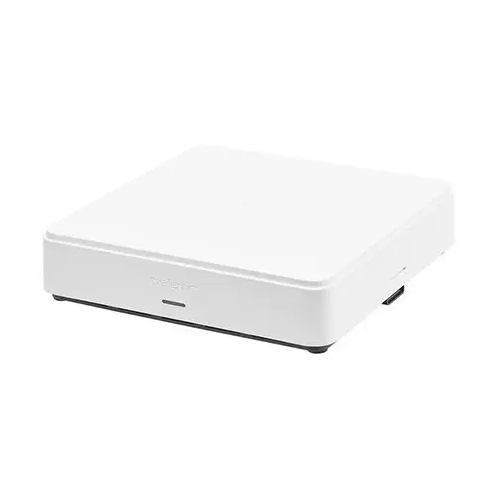
The Televic CONFIDEA WAP G4 Wireless Access Point is a core component of a compatible Televic wireless conference system. The supplied information lists Wi-Fi 5, operation in the 2.4 GHz and 5 GHz bands, a stated 40 m omni-directional range and support for up to 128 units, with a maximum of eight open microphones. It also identifies Mix-Minus mode and compatibility with Televic’s T-CAM camera-tracking solution. These features make the WAP G4 a product to assess as part of a complete conference design, rather than as a general-purpose office router.
Check the system fit first: The supplied details do not list every compatible conference unit, firmware requirement or system component. If you are adding the WAP G4 to an existing installation, confirm compatibility with the exact equipment and software already in use. For a new system, ask for a proposed equipment layout that accounts for the WAP, conference units, power source, network connections and any audio or camera equipment. A product’s Wi-Fi standard alone does not establish compatibility with every wireless device.
Wi-Fi and radio planning: Wi-Fi 5, IEEE 802.11ac, is specified, with 2.4 GHz and 5 GHz frequency bands. The supplied data also lists equivalent isotropically radiated power (ERP) below 24 dBm. These details can help with initial radio planning, but the information provided does not specify channel widths, channel-selection rules or the behaviour of the system in a busy wireless environment. Confirm the relevant configuration requirements with Televic or BME, particularly for venues with other wireless networks and equipment.
The description says the WAP G4 offers automatic channel management and interference avoidance. These are useful capabilities to ask about when planning wireless operation, but no details were supplied about how channels are selected, what conditions trigger a change or which settings an administrator can control. Do not assume that interference is eliminated in every venue. A site assessment and system test remain important where reliable coverage is required.
Stated 40 m range: The supplied key features describe an omni-directional range of 40 m. Treat this as the listed figure, not a guaranteed distance through every building. Walls, building materials, equipment placement, people and radio interference can affect actual coverage. Confirm where Televic recommends positioning the access point and test the system in the intended room. Larger or divided spaces may need a design that accounts for their layout rather than relying only on a single quoted range.
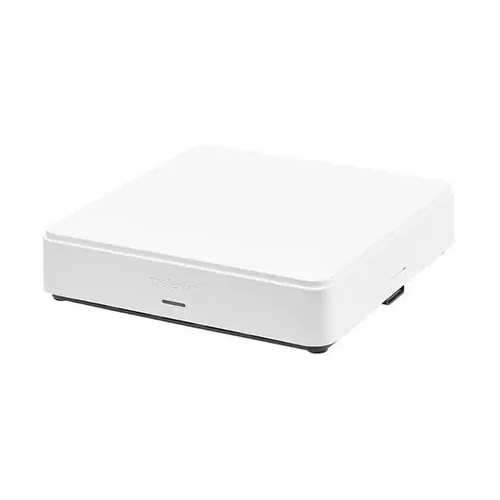
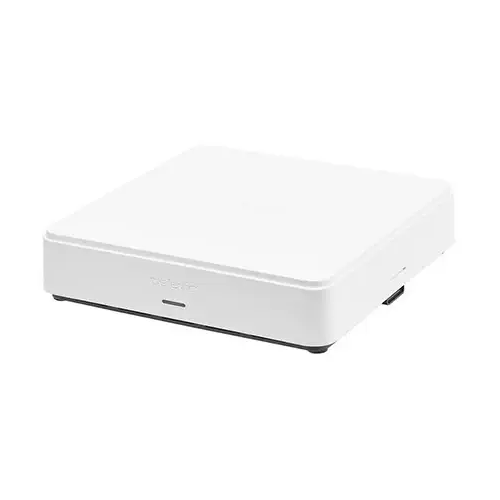
The WAP is listed with mounting options for a wall, ceiling, electrical box or microphone stand. This gives an installer several mounting types to investigate, but the supplied information does not say which brackets or adapters are included. Check the mounting method and accessories before ordering, especially if the installation depends on a specific ceiling, electrical-box or stand fitting. The white ABS casing and compact 191 × 45 × 191 mm dimensions may also be relevant when planning its position and appearance.
System capacity: The maximum number of units is listed as 128, with a maximum of eight open microphones. These are separate limits: the open-microphone figure is not the same as the total number of units the system can support. The supplied information does not explain the conditions under which either maximum applies, or how software configuration and other system components affect them. If your meeting design relies on a particular number of participants or simultaneous microphones, request confirmation for the exact configuration.
Mix-Minus mode: Mix-Minus is listed as a key feature. In a conference workflow, a mix-minus arrangement is generally intended to avoid sending a remote participant’s own incoming audio back to them in the return mix. The supplied details do not explain the WAP G4’s routing options or how Mix-Minus must be configured. If you need it for a hybrid meeting, ask how the audio is routed, which connections and components are required, and how the setup should be tested with the chosen meeting system.
Audio and Dante details to verify: The product description says the WAP G4 supports analog and digital (Dante) interfaces and refers to third-party audio systems such as Zoom and Teams. However, it does not specify which physical interface carries Dante, the available channel count, network requirements or the signal path to a computer or meeting platform. It also does not describe a native Zoom or Teams application or direct USB connection. Confirm exactly how the intended audio integration works before purchasing. The current product title does not say “with Dante,” so also confirm whether Dante is included, optional or associated with a particular configuration.
The listed audio specification is 48 kHz / 24 bit, with a 20 Hz–20 kHz frequency response. Total harmonic distortion is specified as below 0.02%, dynamic range above 90 dB and signal-to-noise ratio above 95 dBA. The stated latency is 16 ms for the path described as “microphone to WAP - WAP to loudspeaker.” The supplied wording does not clarify whether 16 ms applies to the full path or to a particular part of it. Ask for the measurement definition if latency is important to your design.
Analog audio connections: The balanced audio input uses a 3-pin Phoenix mini combicon connector. Its nominal input level is 0 dBV, maximum input level +10 dBV and input impedance above 10 kΩ. The balanced output uses the same listed connector type; nominal output is 0 dBV, maximum output +10 dBV and load impedance is above 600 Ω. These values provide a starting point for matching external audio equipment. The information does not include pin assignments, cabling diagrams or detailed routing, so check the relevant documentation before wiring.
The audio input and output each have a stated 20 Hz–20 kHz frequency response. The supplied total harmonic distortion figures are below 0.02% at nominal level, with dynamic range above 90 dB and signal-to-noise ratio above 95 dBA listed for the audio specifications. Use these as product references, not as a complete guarantee of end-to-end performance: the connected equipment, wiring, levels and room setup also affect the finished system.
LAN connection and security: The LAN interface is specified as Ethernet at 100 Mbps with an RJ45 connector. Shielded cable specified as greater than Cat5e is listed, with a maximum cable length of 100 m. Green is identified as the link LED and orange as link activity. The network-addressing entry lists DHCP, NTP or Manual; because NTP is normally a time-synchronisation term rather than an addressing mode, confirm the intended settings and terminology before configuring the network.
WPA2 Enterprise is listed as the encryption type. The security details also list 802.1X authentication using MD5, TLS or PEAP-MSCHAPv2 for the LAN port only. Do not assume that this LAN-port authentication statement describes every wireless security or authentication option. If the WAP G4 will connect to an organisation’s managed network, confirm supported settings and access requirements with the network administrator before installation.
Plixus interface: A separate Plixus Ethernet interface is listed at 100 Mbps with an RJ45 connector. The supplied cable requirement is shielded cable specified as greater than Cat5e, with a maximum length of 80 m. Its LEDs are described as green for status and orange for link speed. The Plixus specification also lists 48 V DC and a continuous output current of 2 A, but the supplied information does not explain the power direction or the exact connected-device requirement. Confirm how this interface is intended to be used; do not assume it is interchangeable with the LAN or PoE+ connection.
PoE+ power: The WAP is specified as an 802.3at Type 2 powered device (PD), with typical power consumption of 15 W and maximum consumption of 24 W. The description says it can receive power from a PoE+ switch or injector. Check that the selected source supports the required standard and has sufficient power available for the installation. This describes the WAP as receiving power; it does not establish that it supplies PoE to other devices.
Recording and storage: MP3 is listed as the recording format, with quality settings of 64, 128, 196 and 256 kbps. These rates are reproduced as supplied; confirm them if a particular recording quality or file-size estimate matters. The information also lists 4 GB internal storage and a USB 2.0 interface for external storage, with NTFS format and a maximum size of 500 GB. Check which storage devices and workflow are supported, and whether a USB device is included; the supplied information does not say that one is.
The product description refers to recording on internal or external storage. The supplied specifications do not explain the recording controls, available recording duration, how files are transferred or how storage limits apply to each location. If recording is part of a formal meeting workflow, test it with the intended storage setup and confirm the file-management procedure before the first important session.
Web software and licences: The description says the WAP G4 has built-in web-based software with setup wizards. It also names Confero for configuration and monitoring and Confero 360 for meeting preparation and reporting. In addition, the description says an additional licence unlocks meeting-management tools such as moderation, voting, participant identification and reporting. Confirm the software versions, included entitlements and licence requirements for the exact product offered. Do not assume that every listed management feature is available without a separate licence.
The description also mentions customizable user roles and meeting templates, identification badges linked to participants, and device discovery through a physical button or web software. These capabilities may be relevant to how an organisation prepares and runs meetings, but the supplied information does not specify the required software, licence tier or setup steps for each function. Check which features are included and what must be purchased or configured separately.
Televic T-CAM compatibility: Compatibility with Televic’s T-CAM camera-tracking solution is listed as a key feature. This is useful to consider in an installation that needs conference-room camera tracking, but the supplied information does not identify camera models, tracking behaviour, control interfaces or additional hardware requirements. Confirm the supported T-CAM configuration and system connections before planning camera operation. Compatibility should not be read as confirmation that a camera or tracking equipment is included with the access point.
Physical and environmental planning: The WAP G4 is specified as white ABS, measuring 191 × 45 × 191 mm and weighing 680 g. The packed dimensions are listed as 233 × 46 × 233 mm, and packed weight as 825 g. The supplied imperial packed-size line does not appear to match all the metric dimensions, so use the metric measurements for planning and request a confirmed drawing if package clearance is critical. The operating temperature range is 0–45°C; storage and transport are specified as −20–60°C. Humidity is listed as greater than 5% and less than 95%, with its measurement basis unspecified. No IP rating was supplied, so do not assume the unit is weatherproof.
The WAP G4 may suit a compatible Televic conference installation where the required wireless coverage, unit capacity, audio routing and mounting arrangement have been checked. Before ordering, confirm the exact configuration, Dante availability, software licences, network setup, PoE+ source and mounting accessories. This is particularly important if the system needs to work with external conferencing software or T-CAM. Matching the access point to the complete design is more reliable than choosing it on range or product name alone.
✅ Key Features
- Wi-Fi 5 Dual-Band Support: Uses the listed IEEE 802.11ac standard in the 2.4 GHz and 5 GHz bands.
- 40 m Omni-Directional Range: Provides a stated coverage figure to use as a planning reference, subject to site conditions.
- Conference-System Capacity: The supplied specifications list up to 128 units and eight open microphones.
- Mix-Minus Mode: Offers a listed audio-routing mode; confirm its configuration and hybrid-meeting requirements.
- T-CAM Compatibility: The product information lists compatibility with Televic’s T-CAM camera-tracking solution.
- PoE+ Powered Device: Accepts power as an 802.3at Type 2 PD, with maximum consumption listed at 24 W.
- Balanced Analog Audio I/O: Provides specified Phoenix mini combicon input and output connections.
- Recording Options: MP3 recording, 4 GB internal storage and USB storage support are listed.
- Web-Based Configuration: The description identifies setup wizards and Confero software; confirm included licences and features.
- Flexible Mounting Types: Wall, ceiling, electrical box and microphone stand are listed as mounting options.
✅ Usage / Applications
- Wireless Conference Rooms: Consider for a compatible Televic system after checking coverage and unit limits.
- Boardrooms: Plan its position and power connection as part of a complete meeting-room design.
- Hybrid Meetings: Evaluate Mix-Minus and third-party audio integration only after confirming the required signal path.
- T-CAM Setups: Check compatibility and required connections when using Televic’s camera-tracking solution.
- Moderated Meetings: Confirm the appropriate software licence for moderation and other management tools.
- Voting and Participant Identification: Consider these workflows only after verifying software entitlements and supported configurations.
- Audio-System Integration: Match the balanced analog connections and levels with the external equipment.
- Meeting Recording: Assess the listed MP3 options, internal storage and USB workflow against recording needs.
- Networked Installations: Plan the separate LAN and Plixus connections using their stated cable requirements and length limits.
- Different Mounting Locations: Investigate wall, ceiling, electrical-box or microphone-stand mounting for the venue.
✅ Benefits of This Product?
- More Informed Coverage Planning: The listed radio bands and 40 m range provide starting points for a site assessment.
- Capacity Reference for System Design: Unit and open-microphone limits help frame the discussion with an installer.
- Hybrid Audio Planning: Mix-Minus and listed audio I/O can be evaluated against the required meeting workflow.
- Camera-Tracking Integration Option: T-CAM compatibility is listed for systems designed around Televic camera tracking.
- Flexible Installation Planning: Multiple mounting types offer choices to investigate for different room layouts.
- Useful Recording References: Listed formats, rates and storage capacities help plan a recording workflow.
- Network Planning Detail: Separate LAN and Plixus specifications support more careful cable and connection planning.
- Licence Awareness: Confirming software entitlements in advance helps clarify which meeting-management features are available.
✅ Ideal For
The Televic CONFIDEA WAP G4 is ideal for organisations and AV integrators planning a compatible Televic wireless conference system. Its Wi-Fi 5 support, stated 40 m omni-directional range, limit of up to 128 units and maximum of eight open microphones provide useful starting points for a venue and capacity assessment. The listed Mix-Minus mode, T-CAM compatibility, recording options and balanced audio connections may also suit installations with hybrid-meeting, camera-tracking or external-audio requirements.
It is best suited to buyers prepared to check the full system design: exact conference-unit compatibility, wireless coverage, PoE+ power, network configuration, audio routing and required software licences. The product description references Dante and Zoom or Teams workflows, but the supplied details do not identify the exact interface or signal path. Confirm those requirements before purchase, along with which Confero features and licences are included. It may be less suitable for anyone expecting a standalone office router or a direct, licence-free integration with a particular online meeting platform without verification.
✅ Why Choose the Televic CONFIDEA WAP G4 Wireless Access Point?
The CONFIDEA WAP G4 offers a set of conference-focused features to assess when planning a compatible Televic wireless system. Wi-Fi 5 operation on 2.4 GHz and 5 GHz, a stated range of 40 m, and listed limits of 128 units and eight open microphones help establish useful planning questions. The description also identifies Mix-Minus mode and T-CAM compatibility, which may be relevant when the system needs hybrid audio routing or camera tracking.
The supplied specifications go beyond wireless details. They include balanced analog audio input and output, MP3 recording options, internal and USB storage references, and separate LAN and Plixus connection information. The PoE+ 802.3at Type 2 PD specification and 24 W maximum consumption are also important when selecting a power source. Wall, ceiling, electrical-box and microphone-stand mounting are listed, although included mounting hardware should be confirmed.
A key reason to evaluate this model is its potential role in a broader meeting setup, rather than any one feature in isolation. The title supplied here does not specify Dante, while the description says the access point supports Dante interfaces; the exact Dante configuration should therefore be checked. Likewise, verify which software licences unlock moderation, voting and participant-management tools. If these details align with your system and venue, the WAP G4 is a considered option for a Televic conference installation.
✅ Why Buy This Product from BME?
For buyers in Bangladesh, BME is a place to enquire about the Televic CONFIDEA WAP G4 and confirm current product and purchase details. No current price or availability is stated here, so contact BME for a quote and terms applicable to your order. Confirm any delivery or collection arrangements directly rather than assuming they are available.
Use your enquiry to verify the exact product configuration, particularly whether Dante is included or optional, and which Confero or Confero 360 features require additional licences. If you plan to connect the WAP G4 to Zoom, Teams or another external system, ask BME to confirm the required interfaces and signal path. You can also check compatibility with your Televic conference units, T-CAM setup, mounting requirements and PoE+ source.
The supplied specifications list a three-year brand warranty. Confirm its issuer, coverage, eligibility and terms applicable in Bangladesh before ordering. It is also useful to check which mounting accessories and other items are included. These discussions help you assess the exact unit against your project requirements without relying on assumptions about stock, services, software entitlements or included accessories.
✅ Buying Guide
- Verify the Exact Configuration: The title does not specify Dante, while the description mentions Dante interfaces; confirm what is included or licensed.
- Check System Compatibility: Ask whether the WAP G4 supports your exact Televic units, software and system version.
- Plan Coverage: Treat the 40 m range as a planning reference, not a guaranteed distance through walls or interference.
- Confirm Capacity: Check how the limits of 128 units and eight open microphones apply to your proposed setup.
- Choose the Right Power Source: The WAP is an 802.3at Type 2 powered device with up to 24 W consumption; verify the PoE+ source and available budget.
- Keep Network Connections Distinct: Confirm the roles of LAN and Plixus and respect their separate 100 m and 80 m cable limits.
- Check Hybrid-Audio Routing: Verify Mix-Minus, analog or Dante signal paths, and any equipment needed for Zoom or Teams.
- Review Software Licences: Confirm which Confero and Confero 360 functions are included and which require an additional licence.
- Confirm Recording Requirements: Check MP3 settings, NTFS support, maximum USB size and the intended internal or external storage workflow.
- Check Installation Details: Verify mounting hardware, network-security settings, T-CAM compatibility and applicable warranty terms.
✅ Customers Ask About / Frequently Asked Questions
Q: What is the Televic CONFIDEA WAP G4 price in Bangladesh?
A: Contact BME for the current price and purchase terms.
Q: What Wi-Fi standard does the WAP G4 support?
A: The supplied specifications list Wi-Fi 5 (IEEE 802.11ac) on 2.4 GHz and 5 GHz bands.
Q: What is its stated wireless range?
A: The key features list a 40 m omni-directional range. Actual coverage depends on the building, installation and radio environment.
Q: How many units and open microphones are listed?
A: The supplied specifications state up to 128 units and a maximum of eight open microphones. Confirm how these limits apply to your configuration.
Q: Does this listing include Dante?
A: The description mentions Dante, but the title does not specify it and the supplied details do not identify the Dante interface. Confirm the exact configuration with BME.
Q: Does it connect directly to Zoom or Teams?
A: The description refers to third-party systems such as Zoom and Teams, but does not specify a direct connection method. Ask what interfaces and equipment the intended setup requires.
Q: What does Mix-Minus mode do?
A: Mix-Minus is listed as a feature. Confirm the WAP G4’s routing setup and required connections for your intended hybrid workflow.
Q: Can the WAP G4 work with Televic T-CAM?
A: Compatibility with Televic’s T-CAM camera-tracking solution is listed. Confirm supported equipment and configuration requirements.
Q: What power source does it need?
A: It is specified as an 802.3at Type 2 powered device. Maximum power consumption is listed as 24 W.
Q: Which software and licences are included?
A: The description names Confero and Confero 360 and says an additional licence unlocks meeting-management tools. Confirm the software entitlements for the exact product offered.
Q: Can it record meetings?
A: The supplied details list MP3 recording, 4 GB internal storage and a USB 2.0 interface supporting NTFS storage up to 500 GB. Confirm the recording workflow and supported drive setup.
Q: What warranty is listed?
A: The supplied information lists a three-year brand warranty. Confirm its issuer, coverage and Bangladesh terms with BME.
✅ Why Buy This Product
The Televic CONFIDEA WAP G4 is worth considering when you need a wireless access point for a compatible Televic conference system and want to assess features such as Wi-Fi 5, Mix-Minus, T-CAM compatibility, audio connections and recording. Its listed capacity, mounting options, network interfaces and PoE+ power requirements provide useful details for planning a meeting-room installation.
Before choosing it, confirm the exact configuration and Televic system compatibility. In particular, verify Dante availability, the audio connection needed for a Zoom or Teams workflow, and which software features require an additional licence. Check the network, PoE+ source, storage and mounting requirements against your project. For current product information and ordering details in Bangladesh, contact BME with your system requirements and ask whether this WAP G4 configuration is suitable.
What is the price of Televic CONFIDEA WAP G4 Wireless Access Point in Bangladesh?
Write a review
Question Answer
Have question about this product? Get specific details about this product from expert.