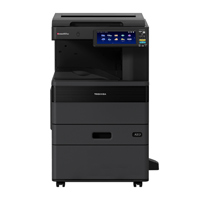
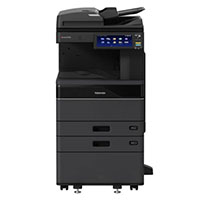
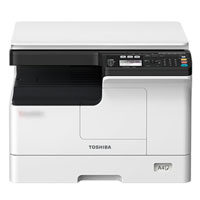
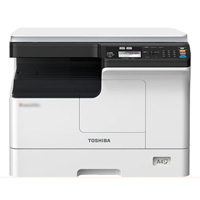
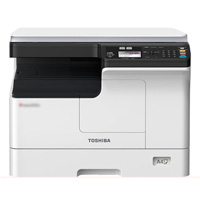
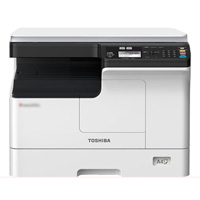
Toshiba e-Studio 2823AMW Multifunctional Wi-Fi Copier Machine
Cash Price: ৳82,500.00 Regular Price:৳84,500.00Availability: In Stock SKU: 1.1.2.1617
Quick Overview
-
Support
Saturday – Thursday: 09 AM - 06 PM. -
Payment
Cash on Delivery | Card | Online Payment -
Shipping Cost
Inside Dhaka 500tk | Outside Dhaka 1200tk -
Warranty Policy
Read More
Specification
General Information:
| Brand | Toshiba |
| Model | e-Studio 2823AMW |
| Imaging Principle | Indirect Electrostatic Imaging |
| Warm-Up Time / Start Time | About 15 seconds |
| Memory | 512MB RAM |
| Processor | ARM9 360MHz |
| Standard Interface | USB2.0, 10/100 baseT, Wi-Fi (Labeling) |
| Dimensions (Wide ×Deep×High) | 575×540×402mm |
| Power Consumption | ≤1.5KW (220-240V) |
| Weight | About 26KG |
Copying Features:
| First Copy OutTime | Less than 6.4 seconds A4) |
| Continuous Copying | 1~ 999 Copies |
| Copying Speed | 28 Pages/minutes |
| Copy Resolution | 2,400 × 600dpi(Smooth processing) |
| Reproduction Ratio (Zoom) | 25-400%( in 1%) |
| Main Function of Copy | Copy of one-click ID card, 2-in-1, 4-in-1, edge elimination, image displacement, staggered pages, department code, 150-page continuous copying. |
Printing Features:
| Print Speed | 28 Pages/minutes |
| Print Resolution | 400 × 600dpi(Smooth processing) |
| Printed Language | Mark GDI Network Printing |
| Operating System | Windows Server 2012/R2(64 bit), Windows Server 2016, Windows Server 2019(64 bit), Windows Server 2022(64 bit), Windows 10/11(64 bit), Galaxy Unicorn Desktop Operating System V10, Galaxy Unicorn Desktop Operating System V10SP1 Unified Desktop Operating Sys |
| Main Function of Print | N-in-one printing, water printing, neglect of blank pages, ink printing, staggered pages, etc. |
Scan Features:
| Max. Scan Speed | Up to 25 pages/minute (need to purchase automatic Document Feeder) |
| Scanning Resolution | 600/400/300/200/150dpi |
| TWAIN Scan | Marking ( Color ) |
| Color Scan | Support |
| File Format | Black and white: TIFF( single page/multi-page ), PDF( single page/multi-page ) Ash degree: JPEG, TIFF( single page/multi-page ), PDF( single page/multi-page ) Full color: JPEG, TIFF( single page/multi-page ), PDF( single page/multi-page ) |
| Main Function of Scan | Black and white color scanning, scanning to USB, ignoring blank pages, background adjustment, 150 consecutive scanning |
Paper Handling Features:
| Maximum Paper Sizes | A5-R to A3 |
| Standard Input Paper Capacity | 350 Sheets ( Tray: 250 pages + Bypass: 100 pages) |
| Standard Paper Path | 02 Path (Frist Tray + Bypass) |
| Available Paper Weight | Tray: 64-80g/m2 & Bypass: 52-216g/m2 |
Security Features:
| Standard Security | Department Code |
Warranty Information:
| Warranty | 01 Year Service Warranty (No Parts Warranty) |
Supplies Information:
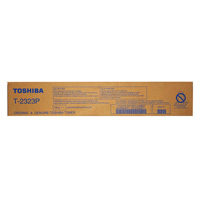
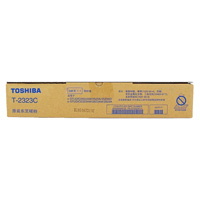
| Toner Cartridge | T-2323C |
Description
Buy Toshiba e-Studio 2823AMW Duplex Wi-FI Copier Price in Bangladesh.
The Toshiba e-Studio 2823AMW MultiFunctional WiFi Duplex Copier Machine Indirect Electrostatic Imaging Principle, 512MB memory (None Hard Drive) intelligent 28 pages per minute Black and white output A4 high-speed printing, 15 seconds quick start, A3 copy, network printing, network color scanninge, bypass A3 paper feed Applicable to the A4 output and the A3 output is supplemented, Support double-sided A3 processing Save paper & Optional Duplex Printing with Support for double-sided A3 processing, Support double-sided A3 processing: Marked with double-sided printing to easily achieve A3 double-sided copying/printing/scanning Support double-sided A3 processing, The labeling of wireless WIFI components supporting the hotspot model makes mobile applications more convenient Support wireless WIFI connection Marking WIFI components Realize mobile printing, Support network scanning and network printing, with the newly developed Toshiba Network scanning and printing, The mobile printing software (eBPC Entry) can achieve mobile printing and scanning, One-touch ID copying, 2-in-1, 4-in-1, edge elimination, image shifting, interleaved paging, department code, 350 pages Standard paper capacity, 150-page continuous copying and reversing paper feeder by the printing requirements.
The Toshiba e-Studio 2823AMW is a sophisticated and versatile multi-functional copier designed to meet the diverse needs of modern offices. This machine combines high-speed printing, copying, scanning, and network capabilities with a user-friendly design, ensuring efficient and reliable performance. The Toshiba e-Studio 2823AMW, a versatile and efficient copier machine, is available at competitive prices in Bangladesh. Known for its monochrome copy, print, and color scan functionalities, this desktop copier is designed to cater to small businesses and offices. In Bangladesh, the price for this model is marked at ৳82,500.00 for cash purchases.This product, known for its reliability and advanced features, offers great value for its cost.
In today's fast-paced professional world, the demand for efficient and reliable copier machines is more pressing than ever. Whether it's a bustling corporate office or a dynamic startup, the need for quick, high-quality copies remains a constant.
Enter the Toshiba e-Studio 2823AMW Copier Machine. This state-of-the-art machine isn't just another copier; it's a testament to Toshiba's commitment to excellence and innovation. One of its standout features is the auto duplex capability, ensuring seamless double-sided copying without manual intervention.
For those in Bangladesh seeking a top-tier copier solution, the Toshiba e-Studio 2823AMW is not only available but also promises to redefine your copying experience.
Key Features of Toshiba e-Studio 2823AMW Photocopier Machine
The Toshiba e-Studio 2823AMW brings a suite of impressive features tailored to meet the demands of modern workspaces in Bangladesh:
Monochrome Copy, Print & Colour Scan: Delivering crisp and clear documents every time.
Indirect Electrostatic Photographic Method: Ensuring high-quality imaging for professional outputs.
Standard Duplexing: Facilitating easy double-sided printing without manual hassle.
Memory of 512MB: Providing ample space for smooth and efficient operation.
ARM9 360MHz Processor: Guaranteeing fast processing speeds for all tasks.
6 Benefits of the Toshiba e-Studio 2823AMW Photocopier Machine
The Toshiba e-Studio 2823AMW stands out as a remarkable copier machine, offering a range of benefits tailored to enhance productivity and user experience:
1. High Efficiency:
Quick Warm-Up: The machine is ready to operate in approximately 15 seconds, minimizing waiting time and boosting productivity.
Fast Copying and Printing: With a copy speed of 23 cpm and print speed of 28 ppm, it ensures the timely completion of tasks.
2. Versatility:
Multi-Functional: It combines monochrome copying, printing, and color scanning, serving multiple needs with a single device.
Flexible Paper Handling: It accommodates various paper sizes from A3 to A5-R, making it suitable for diverse printing requirements.
3. User-Friendly:
Intuitive Interface: The USB2.0,10/100 baseT, Wi-Fi (Labeling) interfaces ensure easy connectivity and straightforward operation.
Standard Duplexing: The auto duplex feature simplifies double-sided printing, saving time and resources.
4. Quality Output:
High Resolution: With a copying resolution of 2,400 × 600 dpi and a print resolution of up to 2,400 × 600 dpi, it guarantees crisp and clear documents.
Indirect Electrostatic Photographic Method: This technology ensures consistent and professional-quality imaging.
5. Cost-Effective:
Energy Efficient: The power consumption is ≤1.5KW, making it an eco-friendly and cost-effective choice for businesses.
Competitive Pricing: The Toshiba e-Studio 2823AMW offers a range of features at a competitive price point in Bangladesh.
6. Reliable and Durable:
Sturdy Build: Originating from Japan and manufactured in China, the machine is built to last, ensuring long-term reliability.
By integrating these benefits into your workspace, the Toshiba e-Studio 2823AMW proves to be an invaluable asset for businesses and professionals alike.
7 Usage Guidance of Toshiba e-Studio 2823AMW Photocopier Machine
Operating the Toshiba e-Studio 2823AMW is designed to be user-friendly and efficient. Here's a step-by-step guide to help you make the most of this copier machine:
1. Initial Setup:
Positioning: Place the machine on a stable, flat surface with adequate space for ventilation.
Power Connection: Connect the copier to a power source using the supplied cable and turn on the machine.
2. Loading Paper:
Main Tray: Open the paper tray and adjust the guides to fit the paper size you're using. Load the paper and ensure it sits flat in the tray.
Bypass Tray: For different paper types and sizes, use the bypass tray, adjusting the guides as necessary.
3. Copying Documents:
Document Placement: Lift the scanner lid and place the document face down on the glass, aligning it with the guides.
Settings: On the control panel, select the desired number of copies, adjust the size, and choose other settings as needed.
Start Copying: Press the 'Start' button to initiate the copying process.
4. Printing and Scanning:
USB Printing: Insert a USB drive into the USB2.0 port and select the documents to print using the control panel.
Scanning: Place the document on the scanner bed, select 'Scan', and choose the output format (TIFF, PDF, JPEG) and destination (USB, mobile, etc.).
5. Duplexing (Double-Sided Printing):
Enable Duplexing: On the control panel, select the duplexing option to enable double-sided printing or copying.
Adjust Settings: Choose the orientation and other settings as required.
6. Maintenance and Troubleshooting:
Regular Checks: Periodically check for paper jams, and toner levels, and ensure the machine is clean.
Troubleshooting: Consult the user manual or seek customer support for any issues encountered.
7. Powering Down:
Turn Off: Once you're done, turn off the machine using the power switch to conserve energy.
Why Choose Toshiba e-STUDIO 2823AMW?
The strongest reason to choose the Toshiba e-STUDIO 2823AMW is the balance it offers.
You get A3 copying, A3 printing, colour scanning, automatic duplexing, network connectivity and Wi-Fi in one multifunction machine.
That combination makes the model especially attractive to businesses that want more than a basic photocopier but do not require a large production machine.
The 28 ppm class also makes it suitable for everyday departmental workloads. Toshiba's documentation confirms the 28 ppm performance and the model's duplex capability, while the AMW configuration adds wireless functionality.
Another advantage is the machine's flexibility.
It can sit in an office and handle ordinary A4 documents throughout the day, yet it remains ready when someone needs an A3 report, chart, notice or presentation.
The integrated colour scanner adds another layer of practicality.
For organizations moving toward digital document workflows, being able to scan colour documents without purchasing another scanner can simplify the equipment setup.
The Toshiba e-STUDIO 2823AMW is therefore best suited to customers looking for a practical A3 monochrome multifunction copier with Wi-Fi and automatic duplex rather than a high-end colour production system.
Buying Guide for Toshiba e-STUDIO 2823AMW
Before purchasing the Toshiba e-STUDIO 2823AMW, consider the following:
1. Determine Your Monthly Volume
Estimate how many pages your organization normally prints and copies each month.
2. Check Whether You Need A3
If your organization occasionally produces A3 documents, this model can provide useful flexibility.
3. Decide Whether Wi-Fi Matters
For offices where wireless connectivity is useful, the AMW configuration is worth considering.
4. Consider Duplex Printing
If you frequently print reports or multi-page documents, automatic duplex can make a meaningful difference to paper usage and convenience.
5. Consider Colour Scanning
If documents need to be digitized in colour, confirm that the colour-scanning capability meets your workflow requirements.
6. Ask About Installation
For a shared network copier, proper configuration can be important. Ask the supplier about installation and network setup.
7. Confirm Warranty and Service
Before ordering, confirm the exact warranty terms, service coverage and consumable availability for the machine supplied by BME.
8. Compare with the Right Models
If your workload is significantly higher, consider moving up to a higher-volume Toshiba model rather than overloading a desktop-oriented machine.
Why Buy This Product from BME?
Choosing the right copier is about more than the machine itself.
A copier becomes part of an organization's daily workflow, so installation, configuration, consumables and after-sales service all matter.
When purchasing the Toshiba e-STUDIO 2823AMW from BME, customers can discuss their actual document workload before choosing the configuration.
BME can help customers evaluate:
- Required monthly volume
- A3/A4 requirements
- Duplex requirements
- Wi-Fi and network setup
- Printing and scanning requirements
- Consumables
- Installation
- Warranty and service
- Spare-parts requirements
This approach is especially useful for businesses, schools, colleges, government offices, NGOs and corporate organizations purchasing a copier for long-term use.
For customers in Dhaka, BME can also be contacted through the company's current sales/service channels.
Frequently Asked Questions For Toshiba e-Studio 2823AMW
Is Toshiba e-STUDIO 2823AMW a colour copier?
No. The e-STUDIO 2823AMW is a monochrome copier/printer with colour scanning. It produces black-and-white copies and prints while supporting colour scanning.
Is Toshiba e-STUDIO 2823AMW an A3 copier?
Yes. The machine supports paper sizes up to A3.
What is the printing speed?
The e-STUDIO 2823AMW is listed at up to 28 pages per minute for A4 printing/copying.
Does Toshiba e-STUDIO 2823AMW support Wi-Fi?
Yes. The AMW model supports wireless connectivity, with Toshiba documentation identifying wireless support for the 2823AMW.
Does it support automatic duplex printing?
Yes. Automatic duplexing is built into the 2823AMW configuration.
Can it scan in colour?
Yes. Colour scanning is supported. Current Bangladesh listings specify colour scanning with scan resolutions up to 600 dpi.
What paper sizes does it support?
The documented range is from A5-R through A3, depending on the paper path.
How much paper can it hold?
The standard configuration has a 250-sheet cassette plus a 100-sheet bypass tray, giving approximately 350 sheets of standard input capacity.
How many copies can it make in one job?
The copier supports multiple copying of up to 999 copies.
Does it have LAN connectivity?
Yes. The model supports wired network connectivity in addition to USB, with Wi-Fi available on the AMW configuration.
Is it suitable for a small office?
Yes. Its A3 multifunction capability, 28 ppm class performance, duplexing and compact workgroup design make it suitable for many small and medium offices.
Is it suitable for schools and colleges?
Yes. It can be used for worksheets, examination documents, notices, administrative paperwork and other routine institutional documents.
Does it print A3 in colour?
No. A3 colour scanning is supported, but printing and copying are monochrome.
What is the Toshiba e-STUDIO 2823AMW price in Bangladesh?
The price can vary according to stock, warranty, configuration and supplier terms. BME's product page currently lists the Toshiba e-STUDIO 2823AMW at ৳82,500 cash price, with a regular listed price of ৳82,500.
How do I set up the Toshiba e-Studio 2823AMW for the first time?
Begin by placing the machine on a flat surface, connecting it to a power source, and loading paper into the tray. Turn on the machine and follow the on-screen instructions for the initial setup.
What should I do if I encounter a paper jam or other issues while using the machine?
For paper jams, open the cover and gently remove the jammed paper. For other issues, consult the user manual or contact customer support.
How long does it take for the product to be delivered?
Delivery times may vary based on location and availability. Please check the product page or contact BME for accurate delivery estimates.
How can I access customer support for the product?
Customer support can be accessed through BME's contact channels, including phone, email, or the official website.
Toshiba e-STUDIO 2823AMW is an A3 multifunction monochrome copier designed for office, education, business and institutional document workflows. It combines copying, black-and-white printing, colour scanning, automatic duplex printing and Wi-Fi connectivity, with output of up to 28 pages per minute and support for paper sizes up to A3.
This is the core description I would use across BME's product data, structured content and AI-search positioning because it clearly distinguishes the model from Toshiba colour copiers and from higher-volume Toshiba machines.
What is the price of Toshiba e-Studio 2823AMW Multifunctional Wi-Fi Copier Machine in Bangladesh?
Recommended products

Write a review
Question Answer
Have question about this product? Get specific details about this product from expert.

Toshiba e-Studio 2528A Monochrome Copier Machine

Toshiba E-Studio 2020AC Colour Copier Machine

Toshiba e-Studio 3028A Auto Duplex Mono Copier Machine (with RADF)

Toshiba e-Studio 4528A Auto Duplex Mono Copier Machine (with RADF)


Toshiba E-Studio 2020AC Multi-Function Color Photocopier Machine with Auto Duplex