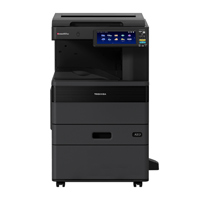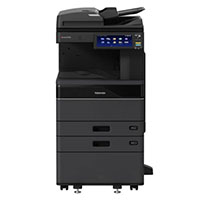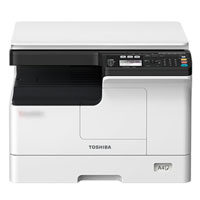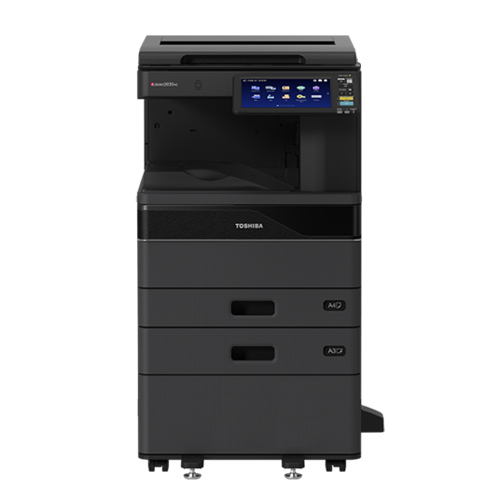
Toshiba e-Studio 2528A Monochrome Copier Machine
Cash Price: ৳144,500.00 Regular Price:৳149,500.00Availability: In Stock SKU: 1.1.2.727
Quick Overview
-
Support
Saturday – Thursday: 09 AM - 06 PM. -
Payment
Cash on Delivery | Card | Online Payment -
Shipping Cost
Inside Dhaka 1200tk | Outside Dhaka 2500tk -
Warranty Policy
Read More
Specification
General Information
| Brand | Toshiba |
| Model | e-Studio 2528A |
| Imaging Principle / Copy System | Indirect Electrostatic Imaging / Laser Printing |
| Display | 10.1 inch colour WSVGA touch screen tilting display |
| Memory | RAM: 4GB |
| Storage | SSD 128GB (Optional 320 GB HDD) Self-encrypting Drive |
| Processes | Intel Atom 1.33 GHz (Dual Core) |
| Toner Yield | 43.900 sheets, 5% coverage |
| Developer & Drum | 100.000 sheets |
Paper Handling
| Paper capacity | 1100 sheets, 100 sheets – bypass |
| Max paper capacity | 5200 trang |
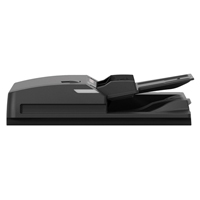
| Original Feed | 300 sheets DSDF, 100 sheets RADF |
| Paper Size | A3, A4, A5, Letters, Banners, Envelope and customs size |
| Paper weight (g/m2) | 60–256 |
| Preventive Maintenance | 100.000 pages |
Copy Features
| 25 ppm | Approx. 20 Seconds |
| Speed | 25 ppm |
| First copy out | 4.3 seconds |
| Resolution | 600 x 600 dpi, 1200 x 1200 dpi (PS) |
| Reproduction Ratio | 25%–400% in 1% steps |
| Multiple Copying | Max 999 Copies |
| Copy mode | Text, Text/Photo, Photo |
| Duplex | Standard |
e-BRIDGE Next print
| Speed | 25 ppm |
| PDL | PCL5e, PCL5c, PCL6 (PCL XL), PS3, PDF, XPS, JPEG |
| Resolution | 600 x 600 dpi (1bit), 1200 x 1200 dpi (1bit). |
| Interface | 2x RJ45 Ethernet (10/100/1000 Base-T), USB 2.0 (High- speed), Optional 802.11b/g/n, Wireless Lan/Bluetooth |
| Network Protocols | TCP/IP (IPv4, IPv6), NetBIOS trên TCP/IP, IPX/SPX cho Novell, Ether talk cho môi trường Macintosh |
| Wireless Device | Airprint, Mopria, app e-Bridge Print & Capture trên IOS và Android (download at Apple App or Google Play) |
| Devide management | Top Access, EFMS6.2 (e-BRIDGE Fleet Managerment ), e-Suite, PaperCut MF |
| Account Control | 10.000 Users or 1.000 department. Support User Authentication |
Scaning Features
| Resolution | 600 dpi, 400 dpi, 300 dpi, 200 dpi, 150 dpi, 100 dp |
| DSDF scan | 120 ipm simplex, (Monochrome or Colour) |
| RADF scan | 73 ipm (Monochrome or Colour) |
| File formats | TIFF, PDF, JPEG, XPS, Slim PDF |
| Scan mode | Full color, Auto color, Monochrome, Graysca |
| Image Compression | Color/Grayscale: JPEG (High, Middle, Low) |
e-FILING Information
| Operation Method | Control panel or Use Top Acceess from PC |
| Number of Boxes | 1 public box, 200 Private User Boxes |
| Capacity of Boxes | 100 folder per box, 400 files per folder, 200 (pages) per files |
Description
Buy Toshiba e-Studio 2528A Basic Copier Machine Price in Bangladesh
If you're looking for the Toshiba 2528A Basic Copier price in Bangladesh, you'll find various options to suit your budget. The cash price ৳144,500.00 for the Toshiba e-Studio 2528A MFP Copier Machine is a versatile and efficient office solution in Bangladesh. The regular price is yet to be announced. Additionally, EMI options are available for those who prefer to pay in installments. This multi-functional machine offers a range of features, making it a cost-effective choice for businesses and offices in Bangladesh.
The Toshiba e-Studio 2528A A3 Black and White Photocopier or Monochrome Multi-Function( Copy/ Print/Scan) MFP has efficient ideal Copier for small and medium work-group Clients, This MFP has 20 seconds warm-up time, 3.6 seconds first copy-out, 25 ppm A4, 15 ppm A3 Copy/Print speed, Standard Automatic Duplex Unit for Duplex Printing, 1200 standard Sheets Paper, 10.1 inch color WSVGA Touch Screen Tilting Display, Intel Atom 1.33 GHz CPU, 4GB memory, SSD 128GB self-encrypting Drive. Toshiba has Developed Customizable MFPs to make your job easier. Intuitive and smartly Integrated, our Products Simplify Complex Tasks and give you control while providing the reliability Toshiba is known for. Advanced Toshiba e-BRIDGE Next controller technology combined with an impressive resolution of up to 1,200 x 1,200 dpi, 100.000 Monochrome, sheets monthly duty cycle, Time-saving, high-speed, large-capacity 300-sheet Dual Scan Document Feeder - DSDF (Optional) & Also their Others Optional Items has RADF, DSDF, Finisher, LCF etc.
In today's fast-paced office environments, having an efficient and reliable copying and printing solution is not just a luxury—it's a necessity. If you're in Bangladesh and looking for a machine that can handle all your document-related tasks with ease, look no further. Introducing the Toshiba e-Studio 2528A, a multi-functional copier machine designed to meet all your office needs.
From its user-friendly interface to its speedy performance, the Toshiba e-Studio 2528A is the comprehensive solution you've been searching for. Whether you're running a small business or managing a busy office, this machine offers a range of features tailored to streamline your workflow and increase productivity.
So, if you're in Bangladesh and the market for a top-of-the-line copier machine, the Toshiba e-Studio 2528A should be at the top of your list.
Key Features Toshiba e-Studio 2528A Price in Bangladesh
When it comes to finding a multi-functional copier machine that offers both efficiency and reliability, the Toshiba e-Studio 2528A is a standout choice. Let's take a deeper look into its features and how they contribute to making this machine a top pick for various settings.
✅10.1" Colour WSVGA Touch Screen:
The large touch screen isn't just for show; it's a functional feature that simplifies navigation. With intuitive icons and easy-to-follow menus, you can access all functions effortlessly.
✅Intel Atom 1.33 GHz Dual-Core Processor:
A powerful processor means faster operations and less waiting time. Whether you're copying, printing, or scanning, the dual-core processor ensures that the machine can handle it all smoothly.
✅25 cpm Copy/Print Speed:
Time is money, and this machine saves you plenty of both. With a copy and print speed of 25 cpm, you can get through large tasks in no time.
✅Built-in Automatic Duplex Unit:
This feature is a game-changer for businesses looking to cut costs. Automatic double-sided printing reduces paper usage, contributing to both cost savings and environmental sustainability.
✅Maximum A3 Original Size:
The ability to handle A3 size originals makes this machine versatile enough for various document types, from booklets to large diagrams.
User Application
The Toshiba e-Studio 2528A MFP Copier Machine is not just another piece of office equipment; it's a versatile solution designed to fit a variety of settings. Whether you're a freelancer working from a home office, a small business owner, or a manager in a larger organization, this machine has something to offer you.
✅Small Offices:
Compact Design: The machine's compact dimensions make it a perfect fit for Small offices where space is at a premium.
User-Friendly Interface: The 10.1" touch screen ensures that even those who are not tech-savvy can easily navigate through the machine's various functions.
✅Small to Medium Businesses:
High-Speed Performance: With a copy and print speed of 25 cpm, this machine can easily handle the demands of growing businesses.
Cost-Effective: The built-in Automatic Duplex Unit and high daily copy capacity make it a cost-effective solution for SMBs.
✅Educational Institutions:
Bulk Copying: The machine's ability to handle up to 2500 pages daily makes it ideal for schools and colleges where bulk copying is a regular requirement.
Versatile Document Handling: With the ability to handle A3 size originals, this machine can accommodate a range of document types, from booklets to large diagrams.
✅Corporate Offices:
Robust Features: Advanced features like multiple copying options and a powerful dual-core processor make it suitable for corporate settings with high-volume needs.
Network Connectivity: Ethernet and optional wireless connectivity ensure that the machine can be easily integrated into larger network systems.
Benefits of Toshiba e-Studio 2528A MFP Copier Machine
The Toshiba e-Studio 2528A MFP Copier Machine isn't just another office appliance; it's a comprehensive solution designed to elevate your document management process. Here are some compelling benefits that make this machine a must-have for any modern office:
✅Efficiency at Its Best
Quick Warm-Up: Say goodbye to long waiting times. The machine warms up in approximately 20 seconds, ensuring you can start your tasks without delay.
High-Speed Copying and Printing: With a copy and print speed of 25 cpm, you can get more done in less time.
✅User-Friendly Interface
10.1" Colour WSVGA Touch Screen: The large touch screen offers an intuitive interface, making it easy even for first-time users to navigate through functions.
✅Versatility and Flexibility
Multiple Copying Options: Whether it's single-sided or double-sided, A4 or A3, the machine offers a plethora of options to suit your needs.
Versatile Interface Options: USB and network connectivity options offer the flexibility to fit into various office setups.
✅Cost-Effectiveness
Built-in Automatic Duplex Unit: Automatic double-sided printing not only saves paper but also contributes to a greener environment.
High Daily Copy Capacity: Capable of handling up to 2500 pages daily, this machine is a cost-effective solution for high-volume tasks.
✅Reliability
Intel Atom 1.33 GHz Dual-Core Processor: The powerful processor ensures that the machine can handle multiple tasks efficiently, making it a reliable choice for busy work environments.
Usage Guidance of Toshiba e-Studio 2528A MFP Copier Machine
Getting the most out of your Toshiba e-Studio 2528A MFP Copier Machine involves understanding how to set it up and use its various features effectively. Here's a quick guide to help you get started:
✅Initial Setup:
Unboxing and Placement: Carefully unbox the machine and place it on a stable, flat surface near a power outlet.
Power Connection: Plug the machine into the power outlet and turn it on using the power button.
Initial Configuration: Follow the on-screen prompts on the 10.1" touch screen to set the date, time, and other initial settings.
✅Connecting to a Computer or Network:
USB Connection: Use a high-speed USB cable to connect the machine directly to your computer.
Network Connection: For network connectivity, use an Ethernet cable to connect the machine to your local network.
Wireless Setup: If your network supports it, you can also set up a wireless connection through the machine's interface.
✅Driver Installation:
Driver CD: Insert the provided CD into your computer and follow the installation prompts.
Online Download: Alternatively, you can download the latest drivers from the Toshiba website.
✅Basic Operations:
Copying: Place the document on the scanner bed or in the Automatic Document Feeder (ADF) and select the 'Copy' function.
Printing: Send a print job from your computer or mobile device to the machine.
Scanning: Place the document you wish to scan on the scanner bed and select the 'Scan' function.
✅Advanced Features:
Duplex Copying: Use the built-in Automatic Duplex Unit to perform double-sided copying.
Multiple Copying: You can set the machine to make up to 999 copies of a single document.
Zoom/Magnification: Adjust the zoom settings according to the size of the document you are copying or scanning.
Toshiba e-Studio 2528A Pricing and Availability in BME
When it comes to investing in a multi-functional copier machine like the Toshiba e-Studio 2528A, understanding the pricing and availability is crucial. Here's what you need to know:
✅Presenting the Price:
The Toshiba e-Studio 2528A is competitively priced to offer you the best value for your investment. The cash price for this advanced machine is ৳165,500.00. For dealers, a special price of ৳146,500.00 is available. The regular price is yet to be announced, so stay tuned for updates.
✅Discounts and Offers:
While the machine already offers excellent value at its current price, keep an eye out for ongoing or upcoming promotions that could provide additional savings. EMI options are also available, offering a convenient way to spread the cost over several months.
✅Stock and Delivery:
Currently, the stock status is listed as "Request Stock," indicating that you may need to inquire about availability. Once confirmed, you can expect prompt delivery service to get your machine up and running as soon as possible. By offering a range of pricing options and flexible payment methods, the Toshiba e-Studio 2528A aims to be an accessible and cost-effective solution for businesses and individuals alike.
Benefits of Toshiba e-STUDIO2528A
1. Complete Multifunction Workflow
Print, copy and scan from one professional A3 office system.
2. Fast 25 ppm A4 Output
Suitable for regular departmental and workgroup document production.
3. A3 Document Support
Print and copy larger documents without using a separate A3 machine.
4. Automatic Duplex
Two-sided printing helps reduce manual work and paper consumption.
5. Large Paper Capacity
Standard 1,200-sheet capacity can be expanded up to approximately 5,200 sheets.
6. High-Speed Scanning
With the appropriate feeder, scanning can reach up to 240 IPM using Toshiba's DSDF configuration.
7. Modern Touchscreen
The 10.1-inch interface simplifies everyday operation.
8. Secure Storage
The standard 128GB security SSD provides storage for document workflows and security-related functions.
9. Network-Ready
Gigabit Ethernet provides a practical connection for multi-user office environments.
10. Mobile Printing
AirPrint, Mopria and Toshiba e-BRIDGE Print & Capture support modern mobile workflows.
Why Choose Toshiba e-STUDIO2528A?
The Toshiba e-STUDIO2528A is a good choice for organizations looking for a professional A3 monochrome copier with printing and scanning rather than a basic standalone photocopier.
It combines:
A3 + 25 ppm + Duplex + Network Printing + Scanning + Touchscreen + e-BRIDGE Next + 4GB RAM + 128GB SSD
This makes it particularly attractive for offices where multiple users need access to the same centralized document machine.
Toshiba also lists a comprehensive range of security functions including user authentication, data encryption/scrambling, disk overwrite, IP/MAC filtering, SSL/TLS, IPsec, IEEE 802.1X, role-based access control, secure PDF and job-log controls.
Why Buy Toshiba e-STUDIO2528A in Bangladesh?
The e-STUDIO2528A is particularly suitable for Bangladesh organizations that require an A3 black-and-white multifunction copier for daily office use.
Recommended for:
- Banks
- Insurance companies
- Corporate offices
- Government offices
- Universities
- Schools
- NGOs
- Engineering companies
- Architecture firms
- Manufacturing companies
- Garment factories
- Trading companies
- Law firms
- Hospitals and healthcare organizations
- Print and copy centers
- Large administrative departments
Main reasons to buy
- Genuine Toshiba A3 MFP platform
- 25 ppm A4 productivity
- 16 ppm A3 productivity
- Automatic duplex printing
- Professional document scanning
- 10.1-inch touchscreen
- 4GB RAM
- 128GB security SSD
- Network connectivity
- Mobile printing support
- Expandable paper capacity
- Advanced document security
- e-BRIDGE Next workflow platform
Buying Guide for Toshiba e-STUDIO2528A
1. Confirm Your Required Speed
The e-STUDIO2528A is rated at 25 ppm A4 and 16 ppm A3 in Toshiba's current European specifications.
If your monthly workload is substantially higher, consider moving to a faster e-STUDIO series model.
2. Choose the Document Feeder
This is one of the most important configuration decisions.
Top Cover / Platen
Suitable for occasional scanning and copying.
RADF
Useful for regular multi-page documents.
DSDF
Recommended for offices with heavier scanning workloads because Toshiba specifies up to 240 IPM at 300 dpi.
3. Check Paper Capacity
The standard machine provides 1,200 sheets. If the copier will be used heavily throughout the day, consider additional paper-feed options.
Maximum capacity can reach approximately 5,200 sheets.
4. Consider Network Printing
For offices with multiple employees, choose the appropriate network configuration and ensure Gigabit Ethernet connectivity is available.
5. Check Mobile Printing
If employees regularly print from smartphones, tablets or laptops, confirm that AirPrint, Mopria, WLAN and Wi-Fi Direct options are included in your specific configuration.
6. Consider Security Requirements
For banks, government organizations and corporate environments, review:
- User authentication
- Secure printing
- Data overwrite
- SSD security
- IP filtering
- Network encryption
- Role-based access
- Job logging
Toshiba offers a broad security feature set for the e-STUDIO2528A platform.
7. Calculate Total Cost of Ownership
Before purchasing, compare:
Machine price + toner + drum/developer + maintenance + service + spare parts + estimated cost per page.
For institutional procurement, this is more useful than comparing only the initial machine price.
8. Confirm Warranty & Service
For Bangladesh purchases, confirm:
- Local warranty
- Installation
- Service response time
- Technician availability
- Genuine consumables
- Spare-parts availability
- Preventive maintenance
- Toner supply
Customers Ask About / Frequently Asked Questions
How to Set Up the Machine?
Setting up the Toshiba e-Studio 2528A is simple. After unboxing, connect it to a power source and follow the on-screen prompts for initial configuration. For detailed steps, refer to the Usage Guidance section.
What is the Warranty Period?
The Toshiba e-Studio 2528A comes with a standard one-year warranty, which can be extended through various warranty plans.
How to Avail Customer Support?
For technical issues or other queries, you can reach out to customer support via phone, email, or through the official website's support section.
What is Toshiba e-STUDIO2528A?
It is an A3 monochrome multifunction copier/printer/scanner designed for professional office and workgroup use.
Is Toshiba e-STUDIO2528A a colour copier?
No. The e-STUDIO2528A is a monochrome / black-and-white print and copy system. Its scanner can scan in colour depending on configuration.
What is the print speed?
The official Toshiba specification lists 25 ppm for A4 and 16 ppm for A3.
Can it print A3?
Yes. It supports A3 printing and copying.
Does it support A4?
Yes. A4 is the primary rated speed format at up to 25 ppm.
Does it have automatic duplex?
Yes. Automatic duplex is standard and supports A5R through A3.
Does Toshiba e-STUDIO2528A have a touchscreen?
Yes. It has a 10.1-inch multi-touch colour panel.
How much RAM does it have?
The standard specification includes 4GB RAM.
Does it have an SSD?
Yes. A 128GB security SSD is specified as standard.
How much paper can it hold?
The standard configuration is 1,200 sheets, consisting of two 550-sheet cassettes and a 100-sheet bypass tray. Maximum capacity can reach approximately 5,200 sheets with optional equipment.
Does it have an ADF?
The document feeder configuration depends on the selected model setup. Toshiba offers RADF and DSDF options, with scanning speeds up to 73 IPM and 240 IPM respectively under specified conditions.
Can it scan in colour?
Yes. Toshiba specifies full colour, auto-colour, grayscale and monochrome scanning modes.
Can it scan to email?
Yes. Scan-to-email is supported.
Can it scan to USB?
Yes. Scan-to-USB is supported.
Does it support OCR?
Yes. Toshiba lists OCR scanning and searchable PDF functionality, with additional office document formats available depending on configuration.
Does it support network printing?
Yes. Gigabit Ethernet and Toshiba e-BRIDGE Next support network printing.
Does it support mobile printing?
Yes. Toshiba lists e-BRIDGE Print & Capture, Mopria and AirPrint.
Is Toshiba e-STUDIO2528A suitable for banks?
Yes. Its A3 monochrome document capability, network connectivity and extensive security functions make it suitable for many banking and corporate environments.
Is Toshiba e-STUDIO2528A suitable for government offices?
Yes. It is well suited to departments requiring centralized A3 document printing, copying and scanning.
Is it suitable for high-volume printing?
It is designed for professional workgroups and Toshiba lists a 100,000-page maximum monthly duty cycle for the 2528A in its U.S. specification sheet. Actual recommended monthly volume should be based on the workload, configuration and service conditions.
What is the Toshiba e-STUDIO2528A price in Bangladesh?
Current Bangladesh market listings vary by configuration and supplier. Recent listings show different prices and configurations, including units with and without RADF, so buyers should request a quotation for the exact e-STUDIO2528A configuration, feeder, warranty and service package rather than relying on one advertised price.
What is the price of Toshiba e-Studio 2528A Monochrome Copier Machine in Bangladesh?
Recommended products

Write a review
Question Answer
Have question about this product? Get specific details about this product from expert.




Toshiba e-Studio 2528A Monochrome Copier Machine

Toshiba E-Studio 2020AC Colour Copier Machine

Toshiba e-Studio 3028A Auto Duplex Mono Copier Machine (with RADF)

Toshiba e-Studio 4528A Auto Duplex Mono Copier Machine (with RADF)


Toshiba E-Studio 2020AC Multi-Function Color Photocopier Machine with Auto Duplex