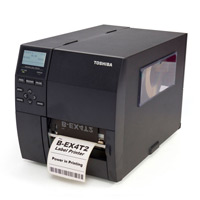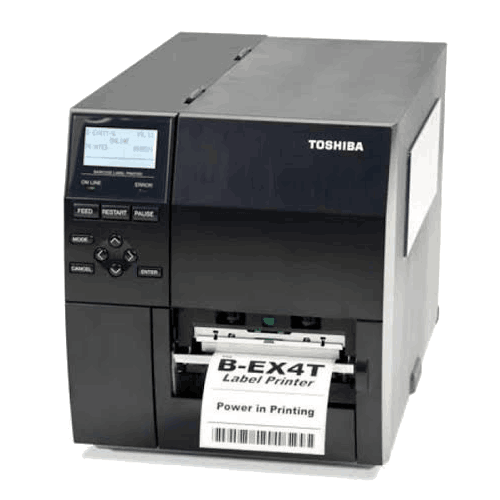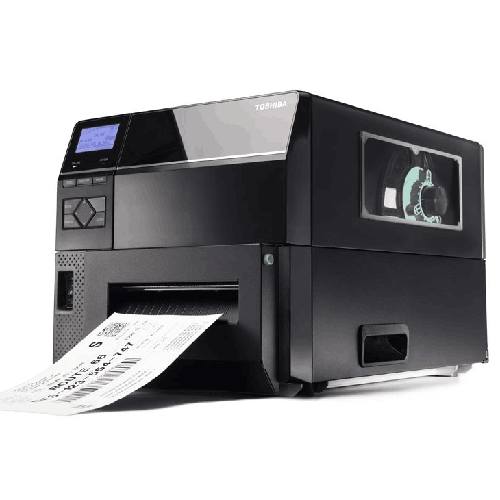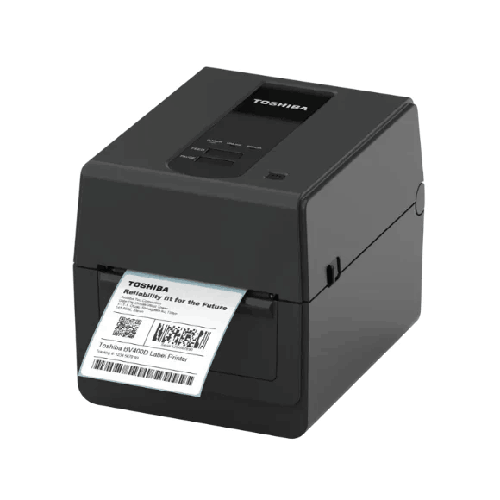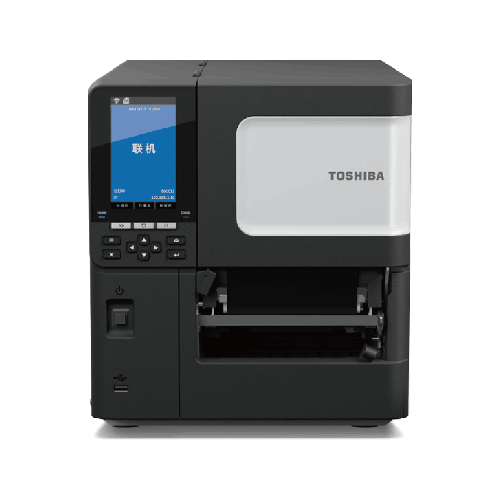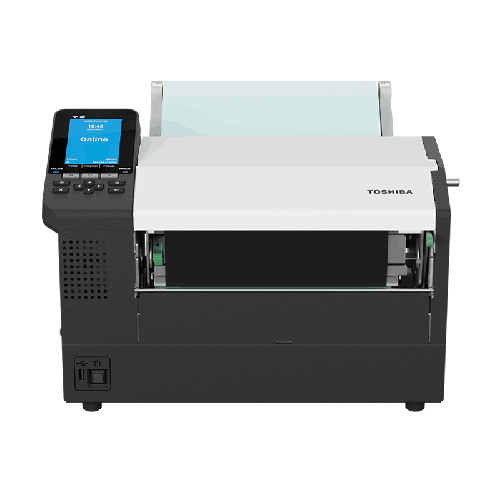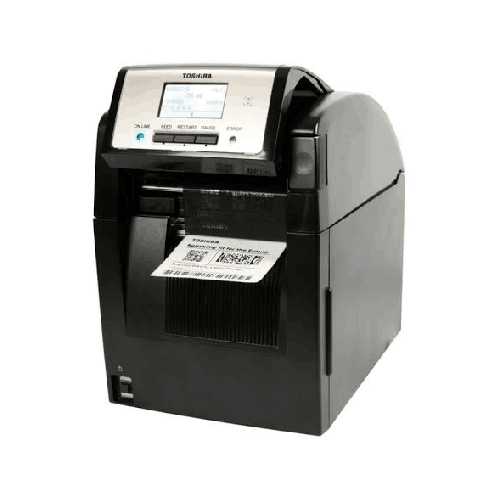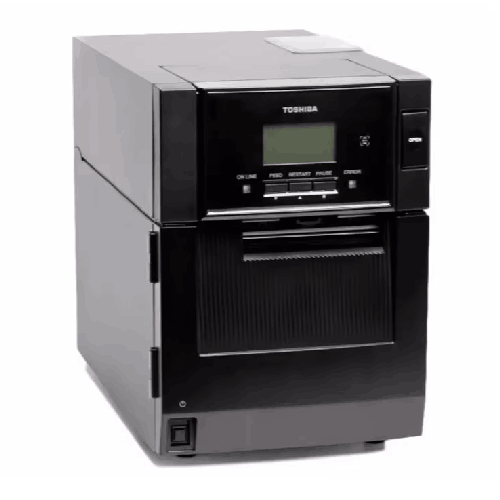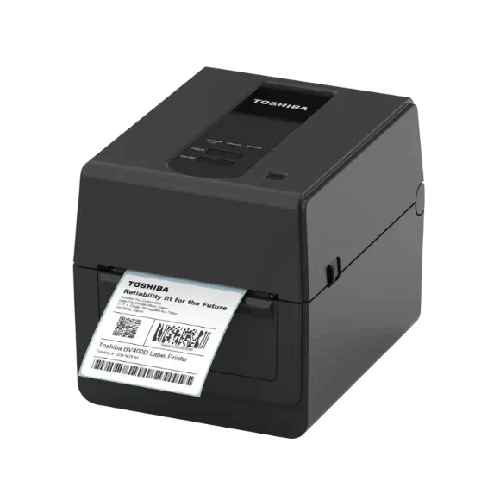
Toshiba BV420T-GS 203DPI Label Printer
Regular Price:৳0.00Availability: SKU: 1.6.2.9195
Quick Overview
-
Support
Saturday – Thursday: 09 AM - 06 PM. -
Payment
Cash on Delivery | Card | Online Payment -
Shipping Cost
Inside Dhaka 100tk | Outside Dhaka 150tk -
Warranty Policy
Read More
Description
Toshiba BV420T-GS 203DPI Label Printer in Bangladesh
The Toshiba BV420T-GS 203DPI Label Printer is built for businesses that want clean, readable barcodes and professional-looking labels without the complexity of oversized industrial systems. It’s a practical choice for the kind of labeling tasks that happen constantly in Bangladesh: price tags, product labels, stock labels, shelf labels, internal tracking labels, and routine shipping labels for eCommerce.
With 203 DPI print resolution, this printer targets the sweet spot for most common barcode and text requirements. In real-world use, 203 DPI is often ideal for standard barcodes, clear product names, SKUs, and basic branding elements. It keeps labels readable, scanning-friendly, and efficient for daily printing—especially when your goal is steady throughput rather than ultra-fine microtext.
Because you have not provided confirmed specifications beyond “203DPI” and the model name, this page is intentionally written to be accurate without guessing details like interfaces, memory, duty cycle, print speed, or supported media width. Instead, it focuses on what customers in Bangladesh actually need to know before buying: where this printer fits, what 203 DPI means, how to plan consumables, and how to select the right setup through BME.
Why Toshiba BV420T-GS is relevant for Bangladesh businesses
Most Bangladeshi businesses that shop for a label printer fall into a few common categories:
Retail and POS environments need barcode stickers and shelf labels that scan reliably at checkout. When barcodes are inconsistent, it leads to manual entry and customer line delays—small issues that hurt daily sales flow.
Warehouses and stock rooms need bin labels and stock tracking labels that remain readable as items move around. The goal is scanning first, not guessing.
eCommerce and courier preparation desks require consistent label printing during peak order hours. A printer that can produce repeatable labels without constant tuning makes packing faster and reduces dispatch errors.
Pharmacies and healthcare supplies often need clear item labels and internal tracking labels for organized inventory and safer picking.
In these scenarios, the Toshiba BV420T-GS 203DPI label printer is typically chosen because it supports a professional labeling discipline without pushing buyers into heavy industrial equipment. It’s the kind of model businesses consider when they want “serious” output quality, a recognizable brand, and a printer that can become a standard tool in daily operations.
Understanding 203 DPI: what you get in practical terms
DPI means “dots per inch,” and it directly influences how sharp printed text and barcodes look. A 203 DPI printer is widely used for common barcode labels because:
- 1D barcodes (common in retail and inventory) are generally very readable at 203 DPI when designed properly.
- Standard text sizes print cleanly for product names, SKUs, and pricing.
- Everyday label designs (logo + barcode + basic information) typically look professional without needing higher resolution.
Where 203 DPI may not be ideal is extremely small text, very dense 2D codes printed tiny, or labels requiring micro-level details. But for the vast majority of Bangladeshi retail and warehouse labels, 203 DPI is the practical standard that balances quality and efficiency.
The labeling “ecosystem” matters as much as the printer
Many first-time buyers in Bangladesh focus only on the printer model name. But real label performance depends on three things working together:
1) Printer + Print settings
Even a good printer will print poorly if settings are mismatched to the label material.
2) Label material and adhesive
Different workplaces require different label types. A warehouse may need stronger adhesive and more durable face stock than a retail shelf label.
3) Ribbon strategy (if using thermal transfer)
Many businesses prefer thermal transfer printing for durability, especially for labels that will be handled frequently. If your workflow requires durable labels, you should plan for the correct ribbon type that matches your label stock and application.
Since confirmed printing technology for this exact “BV420T-GS” variant was not provided, this page does not claim thermal transfer or direct thermal support. However, BME can help you verify the exact configuration and advise the correct label and ribbon combination for your use case.
How this printer supports real workflows in Bangladesh
A label printer becomes truly valuable when it reduces the friction in daily tasks. Here’s what that looks like with a Toshiba BV420T-GS 203DPI label printer setup:
Faster checkout and fewer scan errors
In retail environments, clean barcodes reduce the need for manual entry. That speeds up billing and improves customer experience, especially during rush hours.
Cleaner inventory control
When labels scan easily, staff can use barcode-based processes more consistently—receiving, put-away, counting, and issue—all become more structured.
More accurate dispatch
In eCommerce packing, the smallest label error can cause a wrong delivery. Consistent label printing supports correct order matching and fewer returns.
Better shelf discipline
Shelf and bin labels keep storage organized. When staff can find and identify items quickly, your whole operation becomes less dependent on “who remembers where things are.”
Design and usability: what to expect from a desktop label printer
Although we are not listing unconfirmed physical specs, a desktop label printer is typically selected for ease of placement in:
- POS counters and retail back rooms
- Small warehouse stations
- Packing tables
- Pharmacy stores
- Office storerooms and IT asset rooms
In Bangladesh, space is often tight. Choosing a printer that fits on a desk and can be operated by non-technical staff is essential. When your setup is simple, staff use it more consistently—meaning your labeling system actually gets adopted rather than being “one more machine in the corner.”
Common Bangladesh use cases for a 203 DPI label printer
The Toshiba BV420T-GS 203DPI label printer is typically used for:
- Price labels and barcode stickers for retail stores
- Product labels for small manufacturing or repackaging
- Inventory bin labels for storerooms
- Simple shipment labels for eCommerce
- Asset labels for office equipment
- Pharmacy stock labels
- File and document labeling for organized back offices
The key advantage is repeatability: you can standardize a label format and produce it consistently, day after day.
Compatibility: how to plan without guessing specs
Because interfaces (USB, Ethernet, etc.) and software compatibility details were not provided, here’s the safe way to plan:
- Decide where printing will happen: One PC workstation or shared across multiple users.
- Decide your label design tool: Many businesses use common label design software or print directly from ERP/POS systems.
- Confirm connectivity before you buy: Ensure the exact variant BME supplies matches your setup needs.
- Confirm label size requirements: Your label width and layout determine whether this printer is the right fit.
BME can help confirm these details against available stock so you don’t buy a printer that requires adapters or workflow changes.
Maintenance and care (general, safe guidance)
To keep a label printer producing sharp output:
- Keep the printer area dust-free, especially in warehouse environments.
- Use consistent label stock so settings remain stable.
- Avoid exposing label rolls to heat, moisture, or direct sunlight, as adhesives and coatings can be affected.
- If print quality reduces, check label/ribbon compatibility (if applicable) and clean the print path using proper cleaning methods recommended for thermal printers.
These steps help keep barcodes crisp, reduce reprints, and extend reliable daily use.
Where the Toshiba BV420T-GS fits best
The Toshiba BV420T-GS 203DPI label printer is a practical match for Bangladeshi businesses that need dependable daily labeling with strong barcode readability. It’s typically chosen by teams who want:
- A recognizable, business-grade brand
- 203 DPI resolution for standard barcode and text labels
- A setup that supports everyday retail, stockroom, and packing workflows
- A printer that can be standardized as part of routine operations
If you’re aiming to improve your labeling discipline—reduce manual entry, speed up scanning, and make inventory and dispatch more organized—the Toshiba BV420T-GS is worth considering.
Important note for maximum accuracy
To write a fully spec-rich product page (and to ensure there is no guesswork), BME should confirm: printing method (direct thermal vs thermal transfer), print speed, max print width, supported media/ribbon sizes, connectivity interfaces, and memory. With those details, the BV420T-GS page can be expanded into a complete technical reference for buyers. Until then, this content stays accurate and helpful without inventing specifications.
✅ Key Features
- 203 DPI Print Resolution: Produces clear barcodes and readable text for everyday labeling needs.
- Business-Ready Label Output: Designed for consistent printing that supports scan-based workflows.
- Retail-Friendly Barcode Printing: Ideal for price tags, SKU labels, and POS barcode stickers.
- Warehouse Labeling Support: Suitable for bin labels and stock labels to improve organization.
- eCommerce Packing Efficiency: Helps standardize labeling to reduce dispatch mistakes.
- Standard Barcode Clarity: Supports clean 1D barcode printing when label templates are designed properly.
- Template Standardization Potential: Works well when businesses create repeatable label formats.
- Practical for Daily Use: A strong match for routine, frequent label printing in Bangladesh businesses.
- Brand-Recognized Printer Line: Toshiba label printers are commonly selected for structured business labeling setups.
✅ Usage / Applications
- Retail price tags and barcode stickers
- POS product barcode labeling
- Warehouse bin, rack, and shelf labeling
- Inventory item labels for storerooms
- Basic shipping and packing labels for eCommerce
- Pharmacy stock labels and item identifiers
- Office asset tags for devices and equipment
- File and document organization labels
- Spare parts bin labels for workshops and service centers
- Repackaging and relabeling tasks for distribution
✅ Benefits of This Product?
- Helps reduce manual entry at checkout by improving barcode scan reliability
- Supports cleaner inventory processes with consistent label printing
- Makes packing and dispatch more accurate through standardized labels
- Delivers a practical balance of quality and efficiency with 203 DPI output
- Helps businesses scale labeling routines without complex industrial setups
- Improves shelf and storage organization, reducing time spent searching items
- Supports professional-looking labels for customer-facing packaging and logistics
- Reduces label reprints when templates and materials are standardized
✅ Ideal For
The Toshiba BV420T-GS 203DPI label printer is ideal for Bangladeshi businesses that need reliable barcode labels for daily operations—without stepping into heavy industrial printing. It’s a strong fit for retail stores and POS counters that want faster checkout and fewer scan errors, as well as small-to-mid warehouses that need consistent bin and inventory labels for better stock control.
This printer is also well suited for eCommerce sellers and packing desks printing routine labels during order spikes, pharmacies and healthcare suppliers that rely on organized item labeling, and service centers managing parts and job tracking. If your labels are mostly standard barcodes and readable text—and you want a practical, business-ready 203 DPI printer that supports disciplined, repeatable labeling—the Toshiba BV420T-GS fits the requirement well in Bangladesh.
✅ Why Choose the Toshiba BV420T-GS 203DPI Label Printer?
The biggest reason to choose the Toshiba BV420T-GS 203DPI label printer is that it targets the core requirement most businesses actually have: consistent, scannable labels produced day after day. In Bangladesh, many labeling problems come from unreliable prints—barcodes that scan sometimes, text that becomes faint, and labels that require frequent reprinting. A stable 203 DPI labeling workflow helps fix these problems by delivering clear, standard-resolution output for the barcodes and text used in retail, inventory, and dispatch.
This printer is also an upgrade in professionalism. Clean labels improve store operations, warehouse discipline, and customer experience. For eCommerce operations, standardized labeling means fewer mix-ups and better dispatch accuracy. For inventory management, it means faster cycle counts and cleaner location tracking.
Choosing the BV420T-GS is also about practical ownership: 203 DPI is a common standard that keeps consumables planning straightforward. You don’t need to redesign every label for ultra-high resolution—you can focus on building repeatable templates that work consistently across departments. For businesses aiming to grow their operations with simple, disciplined systems, the Toshiba BV420T-GS is a sensible, productivity-focused choice.
✅ Why Buy This Product from BME?
Buying a label printer becomes easier when you have a Bangladesh-based seller who can help you match the printer to your actual use case—label size, workflow, and printing frequency. Business Machine & Equipment (BME) supports customers by helping them choose the right labeling solution instead of guessing based on model names alone.
With the Toshiba BV420T-GS 203DPI label printer, BME can assist you in confirming the correct configuration for your business needs, including recommended label materials and a practical deployment plan for your counter, warehouse desk, or packing station. For business customers, BME can also support procurement communication by clearly identifying the model and intended application so internal approvals move faster.
If you want to buy the Toshiba BV420T-GS in Bangladesh with confidence and practical guidance, BME is a reliable source for structured eCommerce purchasing and product selection support.
✅ Buying Guide
Use this guide to choose the Toshiba BV420T-GS correctly and avoid the most common mistakes.
1) Confirm your label size and layout
Before ordering, decide the label width and height you need. Design a sample layout (barcode + SKU + product name). A 203 DPI printer is excellent for standard layouts, but you still need to confirm your label dimensions match your workflow.
2) Choose label lifespan: short-term vs long-term
If labels must last through storage and handling, plan for a durable labeling approach and confirm whether your BV420T-GS unit supports thermal transfer (ribbon use). If labels are short-term, direct thermal may be enough. Don’t assume—verify the exact configuration with BME.
3) Check your printing workflow
Will you print from a POS system, a PC, or inventory software? If multiple people will print, you may need network connectivity—confirm the interfaces of the specific unit you are buying.
4) Plan consumables early
Choose label material and adhesive based on where labels will be applied: carton, plastic polybag, glass, or shelf edges. Poor label stock causes peeling, smudging, and reprints.
5) Avoid common setup errors
- Using tiny barcodes to “fit more info” (hurts scan performance)
- Changing label materials frequently without updating print settings
- Storing labels in humid places where adhesive performance drops
- Buying a printer without confirming connectivity requirements
A printer works best when the entire labeling system—template, material, and workflow—is standardized.
✅ Customers Ask About / Frequently Asked Questions
1) Is 203 DPI enough for barcode printing in Bangladesh retail stores?
Yes. For standard retail barcodes and readable text, 203 DPI is widely used and typically performs well when templates are designed correctly.
2) Can the Toshiba BV420T-GS be used for eCommerce shipping labels?
It can be used for routine shipping and packing labels, especially when the label design is simple and standard. Confirm your required label size and connectivity before purchase.
3) Does the Toshiba BV420T-GS support thermal transfer or direct thermal printing?
You have not provided confirmed print-technology specs for this exact variant, so it’s best to confirm with BME to ensure it matches your durability needs.
4) What businesses commonly use the Toshiba BV420T-GS 203DPI label printer?
Retail shops, pharmacies, small warehouses, eCommerce packing stations, service centers, and back offices for inventory and asset labeling.
5) Is it suitable for warehouse bin labels?
Yes, for typical warehouse bin and shelf labels, 203 DPI printing is usually sufficient. For longer-lasting labels, verify the most suitable label material and printing method.
6) How do I keep barcodes scanning easily?
Use proper barcode sizing, keep contrast high, avoid crowding multiple barcodes too close, and use consistent label materials.
7) Will it work with Bangladesh voltage?
You did not provide power specs for this model, so the safest approach is to confirm the exact power input rating with BME before ordering.
8) What is the typical setup process?
Standard setup includes installing the printer, loading label media (and ribbon if required), installing drivers, and testing a sample template from your software.
9) Can I print product labels with Bangla and English text?
Most label design software can handle multilingual text if the font supports it, but exact behavior depends on software and driver settings. BME can help you test your required fonts.
10) What maintenance is needed for a label printer like this?
Keep it clean, avoid dust buildup, store labels properly, and periodically clean the print path using safe methods recommended for thermal printers.
✅ Why Buy This Product
If you want a dependable label printer that supports clean barcodes, consistent daily operation, and straightforward label printing for retail or inventory workflows, the Toshiba BV420T-GS 203DPI label printer is a strong choice for Bangladesh. It targets the most common business requirement: reliable 203 DPI output that scanners can read quickly, paired with a workflow that can be standardized across staff and shifts.
For retail, it improves checkout speed by reducing scan errors. For warehouses and storerooms, it improves organization with consistent bin and stock labels. For eCommerce, it supports packing discipline—fewer mix-ups, clearer labels, and smoother dispatch routines.
Order the Toshiba BV420T-GS 203DPI label printer today from BME to upgrade your labeling process with a business-ready solution designed for everyday performance—whether you’re organizing inventory, managing a POS counter, or scaling fulfillment operations.
What is the price of Toshiba BV420T-GS 203DPI Label Printer in Bangladesh?
Write a review
Question Answer
Have question about this product? Get specific details about this product from expert.