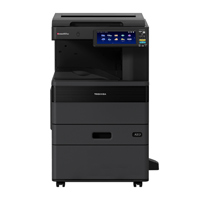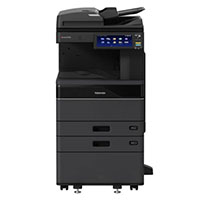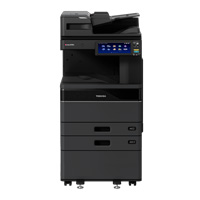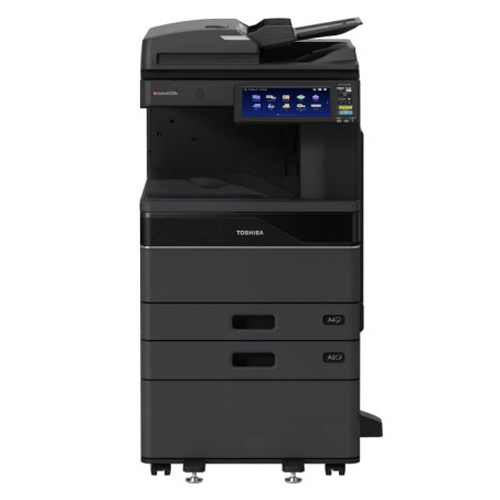
Toshiba e-Studio 3528A Auto Duplex Mono Copier Machine (with RADF)
Regular Price:৳345,500.00Availability: SKU: 1.1.2.387
Quick Overview
-
Support
Saturday – Thursday: 09 AM - 06 PM. -
Payment
Cash on Delivery | Card | Online Payment -
Shipping Cost
Inside Dhaka 1500tk | Outside Dhaka 3000tk -
Warranty Policy
Read More
Specification
General Features
| Brand | Toshiba e-Studio |
| Model | 3528A |
| Copy System | Laser printing |
| Display | 10.1 inch colour WSVGA touch screen tilting display |
| Memory RAM | 4GB |
| Storage | SSD 128GB (Optional 320 GB HDD) self-encrypting Drive |
| Warm Up time | 20 seconds |
| Toner Yield | 43.900 sheets, 5% coverage |
| Developer & Drum | 125.000 sheets |
Paper Handling
| Paper capacity | 1100 sheets, 100 sheets - bypass |
| Max paper capacity | 5200 sheets |
| Original Feed | 300 sheets DSDF, 100 sheets RADF |
| Paper Size | A3, A4, A5, Letters, Banners, Envelope |
| Paper weight (g/m2) | 60–256 |
| Preventive Maintenance | 125.000 pages |
Copy specification
| Speed | 35 ppm |
| First copy out | 4.3 seconds |
| Resolution | 600 x 600 dpi, 1200 x 1200 dpi (PS) |
| Reproduction Ratio | 25%–400% in 1% steps |
| Multiple copying | max 999 Copies |
| Duplex | Yes |
| Copy mode | Text, Text/Photo, Photo |
| Uniqe function | Template |
e-BRIDGE Next print specifications
| Speed | 35 ppm. |
| PDL | PCL5e, PCL5c, PCL6 (PCL XL), PS3, PDF, XPS, JPEG |
| Resolution | 600 x 600 dpi (1bit), 1200 x 1200 dpi (1bit). |
| Interface | 2x RJ45 Ethernet (10/100/1000 Base-T), USB 2.0 (High- speed), Optional 802.11b/g/n, Wireless Lan/Bluetooth. |
| Network Protocols | TCP/IP (IPv4, IPv6), NetBIOS trên TCP/IP, IPX/SPX cho Novell, Ether talk cho môi trường Macintosh |
| Wireless Device | Airprint, Mopria, app e-Bridge Print & Capture trên IOS và Android (download at Apple App or Google Play) |
| Devide management | Top Access, EFMS6.2 (e-BRIDGE Fleet Managerment ), e-Suite, PaperCut MF |
| Account Control | 10.000 Users or 1.000 department. Support User Authentication. |
Scan specifications
| Resolution | 600 dpi, 400 dpi, 300 dpi, 200 dpi, 150 dpi, 100 dpi |
| DSDF scan | 120 ipm simplex, (Monochrome or Colour). |
| RADF scan | 73 ipm (Monochrome or Colour). |
| File formats | TIFF, PDF, JPEG, XPS, Slim PDF |
| Scan to e-filing | USB, PC, SMB, FTP, Email, Twain, Files. |
| Scan mode | Full color, Auto color, Monochrome, Grayscale. |
| Image Compression | Color/Grayscale: JPEG (High, Middle, Low) |
e-FILING specifications
| Operation Method | Control panel or Use Top Acceess from PC |
| Number of Boxes | 1 public box, 200 Private User Boxes |
| Capacity of Boxes | 100 folder per box, 400 files per folder, 200 (pages) per files |
Description
Buy Toshiba e-STUDIO 3528A Auto Duplex Mono Copier Machine with RADF Price in Bangladesh
The Toshiba e-STUDIO 3528A Auto Duplex Mono Copier Machine with RADF is a professional A3 multifunction document system designed for organizations that need dependable black-and-white document production, network printing and scanning in one machine.
With 35 pages per minute A4 printing and copying, automatic duplex capability, A3 support, colour scanning, a large 10.1-inch touchscreen and a 100-sheet RADF, this model is positioned for medium to large workgroups that regularly handle business documents. Toshiba describes the e-STUDIO3528A as an A3 monochrome print, scan and copy system designed for medium to large workgroups.
For the Bangladesh market, the combination is particularly practical for corporate offices, manufacturing companies, garment factories, banks, NGOs, educational institutions, government departments and other organizations where document volume is too high for ordinary desktop printers.
The important point is that this is not simply an A3 photocopier. It is a multifunction office platform that brings copying, network printing and scanning together, while the RADF reduces manual document handling for multi-page originals.
35 PPM A4 Productivity
One of the main reasons to choose the Toshiba e-STUDIO 3528A is its 35 ppm A4 productivity.
The manufacturer's current specification lists 35 ppm for A4 and 25 ppm for A3.
That makes it a significant step above the 25 ppm e-STUDIO 2528A and 30 ppm e-STUDIO 3028A in the same family.
For an office environment, the difference becomes noticeable when several employees share one machine.
Accounts may be printing financial documents. HR may be preparing employee files. Administration may be producing reports. Management may need meeting documents. At the same time, another department may be scanning a multi-page file.
The 35 ppm engine gives the organization additional capacity for these overlapping workloads.
A3 Monochrome Multifunction Copier
The e-STUDIO 3528A supports A3 monochrome copying and printing, making it suitable for organizations that work with both standard A4 documents and larger-format office materials.
A3 is particularly useful for:
- Large spreadsheets
- Financial reports
- Charts
- Training materials
- Wide tables
- Engineering documents
- Business presentations
- Forms
- Administrative documents
The machine's standard cassettes support A5R to A3, while the bypass tray provides additional media flexibility. Toshiba specifies paper weights from 60 to 256 g/m² for the standard cassettes.
Automatic Duplex Printing and Copying
Automatic duplexing is standard on the e-STUDIO 3528A platform.
This allows users to produce two-sided documents without manually turning pages.
For businesses producing long reports, training manuals, meeting documents, internal policies and other multi-page materials, automatic duplex can reduce paper consumption and make finished documents more compact.
Toshiba specifies automatic duplex operation from A5R through A3, with supported paper weights of 60 to 256 g/m².
For an organization concerned with paper usage, duplex printing is more than a convenience. It can become an important part of the everyday document workflow.
100-Sheet RADF for Multi-Page Documents
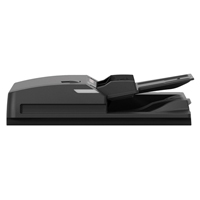
This BME configuration includes a 100-sheet Reversing Automatic Document Feeder, or RADF. BME also lists a 300-sheet DSDF as an alternative document-feeding option for this model.
The RADF is particularly useful when employees frequently work with multi-page originals.
Instead of placing every page individually on the scanner glass, the user can load a stack of documents into the feeder and allow the machine to process them automatically.
This can save considerable time when copying or scanning:
- Contracts
- Reports
- Invoices
- Statements
- Forms
- HR documents
- Training materials
- Government paperwork
- Office records
Toshiba's specification sheet lists RADF scanning at up to 50 images per minute, with colour or monochrome scanning supported.
Copy, Print and Scan from One Machine
The Toshiba e-STUDIO 3528A combines three major office functions:
Copy + Print + Scan
That makes it useful as a centralized document station.
An employee can print a report from a computer, copy a signed document and scan paperwork to a network destination using the same device.
This reduces the need for separate machines and makes document handling easier to organize.
For a growing Bangladesh office, that centralized approach can be particularly useful when several departments share the same document infrastructure.
10.1-Inch Colour Touchscreen
The e-STUDIO 3528A features a 10.1-inch colour WSVGA multi-touch panel.
Toshiba specifies a 26 cm colour touchscreen, while the BME listing identifies it as a 10.1-inch colour WSVGA tilting display.
A large touchscreen makes common functions easier to access.
Instead of navigating through a traditional collection of small physical buttons, users can select copy, scan and other functions from a visual interface.
This is particularly helpful when many employees use the same machine.
e-BRIDGE Next Controller
The e-STUDIO 3528A uses Toshiba's e-BRIDGE Next controller platform.
The machine supports common office print languages including PCL5e, PCL5c, PCL6, PS3, PDF and XPS, providing compatibility with a broad range of office printing workflows.
This allows the copier to operate as a proper network printer rather than being limited to standalone photocopying.
For organizations with multiple computers, this can simplify printer sharing across departments.
Network Printing
The machine supports 10/100/1000Base-T Ethernet and high-speed USB 2.0. WLAN, Bluetooth and Wi-Fi Direct are available depending on the selected configuration.
Gigabit Ethernet is particularly useful for offices where the copier is installed centrally and accessed by many users.
Instead of connecting the copier to one computer, it can be integrated into the organization's network.
This makes it suitable for corporate environments, educational institutions, factories and administrative offices.
Colour Scanning
Although the Toshiba e-STUDIO 3528A is a monochrome printer and copier, it provides colour scanning.
Toshiba lists scan modes including Auto Colour, Colour, Greyscale and Monochrome.
This is useful for organizations that mainly print black-and-white documents but still need to digitize colour originals.
For example, a company may need to scan a colour certificate, signed document, identification-related paperwork, presentation page or colour chart.
The organization does not necessarily need a separate colour printer just to perform those scanning tasks.
4GB RAM and 128GB Security SSD
The e-STUDIO 3528A is equipped with 4GB RAM and a 128GB security SSD in the standard configuration documented by Toshiba.
BME also lists an optional 320GB HDD self-encrypting drive configuration.
The internal storage supports document-processing functions and the e-BRIDGE Next controller environment.
For organizations where document security matters, the availability of security-oriented storage options is worth considering when configuring the machine.
1,200-Sheet Standard Paper Capacity
The standard paper configuration consists of:
- 550-sheet cassette × 2
- 100-sheet bypass tray
That provides a standard capacity of 1,200 sheets. Toshiba lists a maximum capacity of up to 5,200 sheets with optional paper-feed configurations.
The two standard cassettes can be useful for keeping frequently used paper sizes loaded.
The bypass tray adds flexibility for different media and special printing requirements.
For larger organizations, optional paper-feed units can be considered when the standard capacity is not sufficient.
High-Quality Office Document Output
The e-STUDIO 3528A uses a laser-based printing system and supports 600 × 600 dpi copying, with higher print-resolution capabilities depending on the selected print mode.
For everyday office documents, this provides clear text, sharp lines and professional-looking black-and-white output.
This is especially appropriate for document-heavy organizations where readability and consistency matter more than colour graphics.
Fast First Copy
The BME specification lists approximately 4.3 seconds for first copy output.
This matters for everyday office tasks.
Not every job involves hundreds of pages. Often an employee simply needs one or two copies of a document.
A fast first-copy response helps reduce waiting time for those smaller jobs.
Up to 999 Copies
The machine supports up to 999 copies in one copy job.
This can be useful when producing:
- Training materials
- Meeting documents
- Forms
- Examination papers
- Internal circulars
- Workshop materials
- Business reports
Users can enter the required quantity and allow the machine to process the job.
Flexible Scanning Workflow
The e-STUDIO 3528A supports modern scanning workflows including scan-to-email, scan-to-file, USB and network-based destinations.
Toshiba lists functions such as Scan to USB, Scan to E-Mail, Scan to File, Scan to Box/e-Filing, WIA and TWAIN in the series documentation.
This makes the machine useful in offices that are gradually moving from paper-heavy workflows toward digital document management.
Key Features
- 35 ppm A4 Speed: Provides strong workgroup productivity for busy business environments.
- 25 ppm A3 Speed: Handles larger A3 documents efficiently without requiring a separate A3 machine.
- 100-Sheet RADF: Automates multi-page original feeding for easier copying and scanning.
- Automatic Duplex: Produces two-sided documents automatically and helps reduce paper consumption.
- A3 Monochrome MFP: Combines copying, printing and scanning in one professional platform.
- 10.1-Inch Colour Touchscreen: Makes everyday operation easier through a large visual interface.
- 4GB RAM + 128GB Security SSD: Provides a capable hardware platform for multifunction document processing.
- 1,200-Sheet Standard Paper Capacity: Reduces interruptions caused by frequent paper loading.
- Colour Scanning: Digitizes colour originals while keeping printing and copying monochrome.
- e-BRIDGE Next: Provides a modern controller environment for networked office workflows.
- Gigabit Ethernet: Supports shared network printing in business environments.
- Up to 999 Copies: Handles repetitive document-copying jobs efficiently.
- Optional DSDF: Customers with heavier scanning requirements can consider the 300-sheet DSDF configuration.
Usage / Applications
Corporate Offices
Suitable for reports, contracts, invoices, presentations, HR documents and administrative paperwork.
Garments and Manufacturing
Useful for production documents, compliance records, purchase paperwork, HR files and internal reports.
Banks and Financial Institutions
Suitable for forms, statements, reports and document-heavy administrative operations.
Government Offices
Useful for applications, official forms, reports, circulars and administrative documents.
Schools and Colleges
Suitable for examination papers, notices, worksheets, training documents and administrative files.
NGOs
Useful for project documentation, training materials, field reports and internal paperwork.
Accounting Firms
The A3 platform and RADF are particularly useful for processing multi-page financial documents.
Legal Offices
Suitable for contracts, agreements, case documents and supporting paperwork.
Training Centres
Useful for producing and scanning training materials and course documentation.
Benefits of Toshiba e-STUDIO 3528A with RADF
Higher Productivity
With 35 ppm A4 output, the 3528A offers additional capacity for busy workgroups.
Faster Multi-Page Processing
The 100-sheet RADF reduces the need to manually place each original on the scanner glass.
Reduced Paper Usage
Automatic duplex functionality makes two-sided document production straightforward.
A3 and A4 Flexibility
One machine can handle regular A4 documents as well as larger A3 documents.
Centralized Printing
Network connectivity allows multiple employees and departments to share one professional MFP.
Digital Document Workflow
Colour scanning and multiple scan destinations help convert paper documents into digital files.
Expandable Configuration
The platform supports optional paper-feed units, document feeders and other accessories to match changing business requirements.
Professional Office Output
Laser printing and high-resolution output provide clean, readable text and business documents.
Why Choose Toshiba e-STUDIO 3528A Auto Duplex with RADF?
The Toshiba e-STUDIO 3528A Auto Duplex Mono Copier Machine with RADF is a strong choice for organizations that have a substantial document workload and need more capacity than a basic 25 ppm or 30 ppm office copier.
Its position within the Toshiba family is clear.
The 2528A is rated at 25 ppm A4, the 3028A at 30 ppm and the 3528A at 35 ppm. The 3528A therefore provides a useful productivity step for organizations where multiple users regularly share one machine.
The machine also balances speed with flexibility.
You get:
35 ppm A4 + 25 ppm A3 + RADF + Auto Duplex + Copy + Print + Scan + Colour Scan + Network Printing + 10.1-inch Touchscreen.
The combination is particularly attractive for organizations that need a centralized document system rather than a simple photocopier.
The RADF version is also a practical configuration for offices that frequently process multi-page originals. BME lists both the 100-sheet RADF and 300-sheet DSDF options, allowing organizations to choose the document feeder according to their workload.
Why Buy This Product from BME?
BME Bangladesh provides Toshiba multifunction copier solutions for different business workloads, including compact A3 models, medium-speed monochrome MFPs and higher-speed business systems.
The Toshiba e-STUDIO 3528A with RADF is particularly suitable for customers who need:
A3 + 35 ppm + Auto Duplex + RADF + Colour Scan + Network Printing.
BME's current listing identifies the e-STUDIO 3528A + RADF configuration and provides the model's specifications for Bangladesh customers.
Before purchasing, BME can help evaluate the configuration based on:
- Monthly print volume
- A3/A4 requirements
- RADF versus DSDF
- Duplex requirements
- Paper capacity
- Network environment
- Consumables
- Spare parts
- Installation
- Service support
For a copier intended to serve an organization for several years, selecting the correct configuration is more important than simply choosing the lowest initial price.
Buying Guide
1. Calculate Your Monthly Print Volume
Estimate your average monthly printing and copying requirement.
If several departments share the machine, combine their estimated volumes before selecting the model.
2. Choose RADF or DSDF
The 100-sheet RADF is suitable for normal multi-page document processing.
If your organization scans large numbers of two-sided documents, consider the optional 300-sheet DSDF.
3. Confirm A3 Requirements
If your organization regularly uses A3 reports, spreadsheets, charts or forms, an A3 MFP is more versatile than an A4-only machine.
4. Consider Duplex Requirements
Automatic duplex is important for organizations that frequently produce multi-page documents.
5. Check Paper Capacity
The standard configuration provides 1,200 sheets, while optional configurations can increase total capacity substantially.
6. Review Network Connectivity
Gigabit Ethernet is supported as standard. Wireless connectivity depends on the selected configuration.
7. Compare with the e-STUDIO 3028A
If your workload does not require 35 ppm, the 3028A may provide a more economical alternative.
If several users frequently send print jobs simultaneously, the 3528A's higher speed may make it the better long-term choice.
8. Compare with the e-STUDIO 4528A
For heavier workloads, compare the 3528A against the 45 ppm e-STUDIO 4528A before making a final purchase decision.
Frequently Asked Questions
Is Toshiba e-STUDIO 3528A a colour photocopier?
No. It is a monochrome printer and copier with colour scanning capability.
What is the printing speed of Toshiba e-STUDIO 3528A?
The manufacturer's current specification lists 35 ppm A4 and 25 ppm A3.
Does this model support A3?
Yes. The e-STUDIO 3528A is an A3 multifunction system.
Does this version include RADF?
Yes. The BME configuration specified here includes a 100-sheet RADF.
What does RADF mean?
RADF means Reversing Automatic Document Feeder. It automatically feeds multiple originals and reverses pages when required for two-sided document processing.
Does Toshiba e-STUDIO 3528A support automatic duplex?
Yes. Automatic duplex is a standard function of the e-STUDIO 3528A platform.
Can it scan in colour?
Yes. It supports colour, auto-colour, grayscale and monochrome scanning.
What is the touchscreen size?
The machine has a 10.1-inch colour multi-touch panel.
How much RAM does it have?
The standard specification lists 4GB RAM.
Does it have SSD storage?
Yes. The standard specification includes a 128GB security SSD.
What is the standard paper capacity?
The standard configuration provides two 550-sheet cassettes plus a 100-sheet bypass tray, for 1,200 sheets total.
What is the maximum paper capacity?
With optional paper-feed configurations, the machine can support up to 5,200 sheets.
Can it print over a network?
Yes. It supports 10/100/1000Base-T Ethernet and USB 2.0. Wireless functions are configuration-dependent.
What is the first-copy time?
BME lists approximately 4.3 seconds for first copy output.
How many copies can it make in one job?
Up to 999 copies can be specified.
What is the difference between the Toshiba 3528A Basic and 3528A with RADF?
The core MFP platform is the same, but the RADF configuration adds the 100-sheet Reversing Automatic Document Feeder, making multi-page copying and scanning considerably easier.
Is Toshiba e-STUDIO 3528A suitable for business use?
Yes. Toshiba specifically positions the model for medium to large workgroups requiring reliable document output.
Is it suitable for high-volume printing?
It is a professional workgroup MFP. However, organizations with exceptionally high monthly volumes should compare the 3528A with higher-speed Toshiba models such as the 4528A before purchasing.
What is the price of Toshiba e-Studio 3528A Auto Duplex Mono Copier Machine (with RADF) in Bangladesh?
Recommended products

Write a review
Question Answer
Have question about this product? Get specific details about this product from expert.
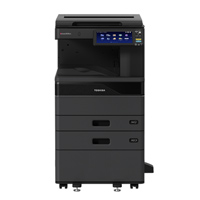
Toshiba e-Studio 2528A Monochrome Copier Machine



Toshiba e-Studio 2528A Monochrome Copier Machine

Toshiba E-Studio 2020AC Colour Copier Machine

Toshiba e-Studio 3028A Auto Duplex Mono Copier Machine (with RADF)

Toshiba e-Studio 4528A Auto Duplex Mono Copier Machine (with RADF)
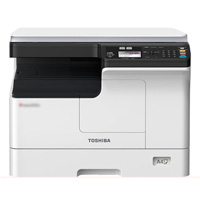


Toshiba E-Studio 2020AC Multi-Function Color Photocopier Machine with Auto Duplex