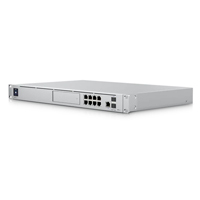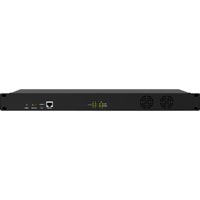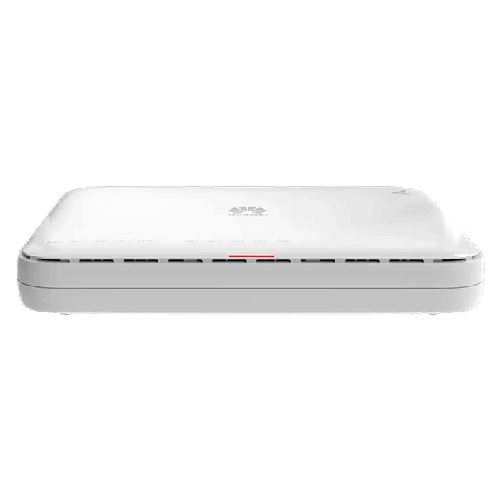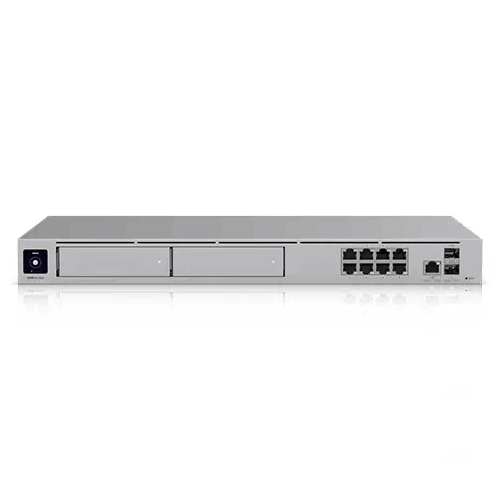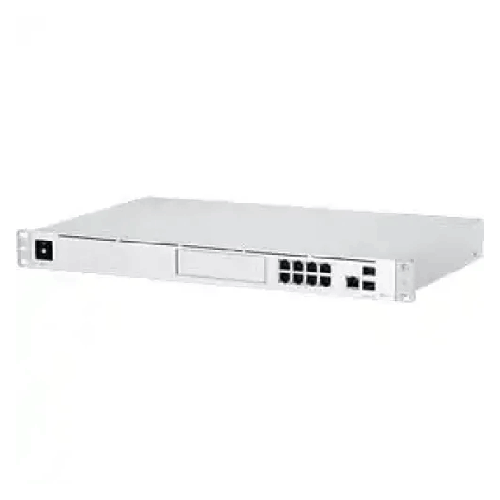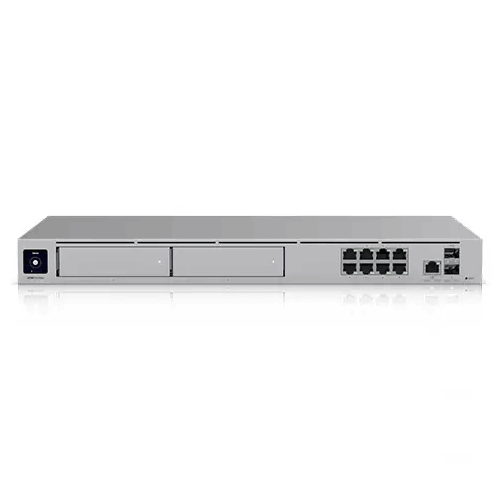
Ubiquiti UniFi UDM-Pro-Max 10G Cloud Gateway Dream Machine
Regular Price:৳0.00Availability: SKU: 6.54.287.9211
Quick Overview
-
Support
Saturday – Thursday: 09 AM - 06 PM. -
Payment
Cash on Delivery | Card | Online Payment -
Shipping Cost
Inside Dhaka 100tk | Outside Dhaka 150tk -
Warranty Policy
Read More
Description
Ubiquiti UniFi UDM-Pro-Max 10G Cloud Gateway Dream Machine Price in Bangladesh
The Ubiquiti UniFi UDM‑Pro‑Max 10G Cloud Gateway Dream Machine is designed for exactly this type of scenario: a modern, high-demand network where you want centralized management, clearer visibility, and a platform that can scale as your operations expand. Even if you’re already running UniFi access points and switches, the gateway is often the missing piece that ties your network together into one coherent system. With a UniFi cloud gateway at the center, you don’t just “connect to the internet”—you shape the experience of everyone using the network.
In Bangladesh, network expectations have changed. Teams collaborate on cloud apps all day, CCTV systems run 24/7, and even small companies host heavy online meetings while simultaneously transferring large files. If you’ve ever felt your network becoming unpredictable—fast one moment, laggy the next—it’s usually a sign that your gateway and overall management approach is not designed for the new reality. A high-capacity UniFi gateway helps you move from reactive troubleshooting to proactive control.
A gateway that feels like a control room, not a mystery box
Traditional routers often behave like sealed appliances. They work, until they don’t—and when something goes wrong, you end up guessing: Is it the ISP? Is it Wi‑Fi? Is it a switch loop? Is it a device consuming too much bandwidth? With a UniFi gateway approach, the goal is different. You want visibility. You want to know what’s happening across your users, VLANs, and segments, and you want to apply policies consistently.
The UDM‑Pro‑Max sits in that “serious networking” category where you typically expect better traffic handling, better segmentation options, and a stronger management experience. For IT teams, the benefit is not only raw throughput—it’s the ability to structure a network properly: isolate departments, prioritize business apps, separate guest users, and implement a cleaner security posture without turning management into a full-time headache.
Why 10G matters in Bangladesh networks—beyond internet speed
Many buyers see “10G” and assume it’s only meaningful if their internet line is 10Gbps. In reality, the 10G conversation often matters for internal network flow. In a typical office setup in Dhaka, your ISP connection might be far below 10G, but the internal traffic can still be heavy—especially with local servers, NVR storage, shared NAS, or a backbone that connects switches across multiple floors.
A 10G-ready gateway can help as you build a more modern network core where bottlenecks don’t happen at the gateway uplink. If you’re thinking long-term—new floors, more users, more access points, heavier surveillance, more cloud backup—then a 10G-capable gateway is part of building headroom into your infrastructure. In Bangladesh, this “headroom” is often the difference between a network that survives growth and a network that collapses under it.
Designed for UniFi ecosystems—one dashboard mindset
The Ubiquiti UniFi lineup is widely used because it gives businesses a unified approach. Instead of juggling multiple vendor interfaces, you can manage core networking from a centralized console. For organizations that need consistency—branches, multiple departments, or a campus-like setup—this style of management is often more practical than piecing together different brand routers and controllers.
In day-to-day work, the advantage looks like this: when someone reports slow internet, you can identify whether the issue is Wi‑Fi coverage, a saturated uplink, a misconfigured VLAN, or a single user device pulling excessive bandwidth. When a new team joins, you can create separate SSIDs and guest policies without re-architecting your network. When you want to enforce standards, you can replicate the same setup at a new location instead of re-learning a new interface every time.
This matters in Bangladesh because many businesses rely on small IT teams. The network must be powerful, but also manageable. A gateway that supports centralized monitoring and policy management can reduce downtime and speed up decision-making when things get busy.
A better fit for professional environments (SME to enterprise)
The UDM‑Pro‑Max is positioned for environments where you care about continuous operation and consistent policy. That can include:
- A growing SME in Dhaka with multiple departments and a need for guest Wi‑Fi isolation
- A school or training center with student networks separated from staff/admin networks
- A retail chain that wants similar policies across branches
- A logistics center that needs stable connectivity for scanners, ERP access, and CCTV
- A corporate office that wants to segment the network and monitor usage trends
In these cases, the gateway is not just “one more device.” It becomes the foundation layer: where you define segmentation, traffic handling, and network rules that remain consistent.
Real-world experience: what changes after upgrading your gateway
If you’re currently on a basic router—even a “good” one—moving to a UniFi cloud gateway tends to change your relationship with the network. You stop thinking of Wi‑Fi and routing as separate problems. You start seeing the network as one managed system.
In practice, users notice fewer “mystery slowdowns,” especially during heavy meeting hours. IT teams notice faster troubleshooting because they can diagnose user experience based on what the network reports, rather than relying only on complaints. Management notices fewer interruptions because the network becomes more predictable.
In Bangladesh offices, a common pain point is that network issues get blamed on the ISP even when the root cause is internal congestion, poor segmentation, or unmanaged device behavior. A more capable gateway makes it easier to separate these issues and make better upgrades. Maybe you need better AP placement. Maybe you need VLANs. Maybe you need to cap guest usage. A gateway that supports deeper management helps you make that call with confidence.
Bangladesh-specific use scenarios
Busy office hours in Dhaka: Around 10:30am to 2:30pm, networks often face the heaviest load—back-to-back meetings, cloud sync, file sharing, and guest visits. A stronger gateway helps keep traffic organized and policies consistent.
Multi-floor buildings: Many commercial buildings in Dhaka and Chattogram expand horizontally and vertically. You might start with one floor and then add more. A UniFi-based design with a capable gateway makes expansion cleaner—especially when you add more switches and access points later.
Mixed wired + Wi‑Fi users: Sales teams on Wi‑Fi, accounting on desktops, IP phones, printers, cameras—your gateway needs to handle the diversity. With proper segmentation and policy design (configured by your IT team), the experience becomes more stable.
Surveillance-heavy environments: Shops, warehouses, and offices increasingly deploy many cameras. Even if the UDM‑Pro‑Max is not described here as an NVR device (since storage/bay details weren’t confirmed), it can still play a strong role as the gateway that keeps camera traffic separated from staff devices.
Branch connectivity planning: Many organizations now want predictable connectivity between branches. A centrally managed approach helps standardize policies, and it also supports more consistent rollouts when new branches open.
Build & placement—what buyers should plan for
Because this product is commonly considered in professional setups, buyers often plan for a structured network space: a rack, cabinet, or at least a dedicated shelf with proper airflow. If you’re upgrading from a small home router placed near the TV, it’s worth rethinking placement. A gateway belongs close to your WAN entry point (ISP line) and close to the distribution switching—so you reduce cable clutter and improve maintainability.
In Bangladesh, it’s also smart to plan power stability. Businesses often use UPS for network equipment to reduce downtime during power fluctuations. While specific power and thermal figures are not confirmed here, the practical recommendation remains universal: protect core networking equipment with clean power, proper grounding, and stable ventilation.
Compatibility mindset: making the most of a UniFi gateway
A UniFi gateway typically shines when it sits inside a broader ecosystem: UniFi switches, UniFi access points, and a consistent network design approach. That doesn’t mean you can’t use it with other brands—many networks are mixed—but if your goal is centralized management, you’ll likely prefer a more integrated topology.
Before deployment, teams often prepare:
- A clear IP addressing plan
- VLAN structure for staff/guest/IoT/cameras
- SSID strategy (who gets what Wi‑Fi)
- Bandwidth expectations and prioritization policies
- A plan for scaling—more APs, more switches, more sites
Even if you start small, designing with structure prevents painful rework later.
Maintenance & care (general best practices)
For a gateway used in business environments, small habits can extend stability over years. Keep the device in a clean, dust-managed area. Ensure airflow isn’t blocked. Label cables to avoid accidental disconnections. Maintain a record of your network settings and admin access. If you change ISP or add a second connection, document it and update your network map.
Also, treat firmware updates as part of normal IT hygiene. Schedule changes for low-usage hours and confirm stability afterward. This approach is especially useful in Bangladesh where weekends and late evenings may be your safest maintenance window depending on your business type.
What you should not assume (and why this page avoids guessing specs)
“UDM‑Pro‑Max” is a model line that can have variations and regional packaging differences. Because you answered unknown to key spec questions, this page intentionally avoids stating port counts, storage details, included accessories, rack mount confirmation, RAM, internal SSD size, and exact interface types. This is not a limitation—it’s quality control. For business networking, accuracy matters more than hype. If you want, you can share a datasheet link or your supplier sheet, and we can enrich the specs section confidently.
What we can say, accurately and safely, is that the Ubiquiti UniFi UDM‑Pro‑Max 10G Cloud Gateway Dream Machine is aimed at users who want a higher-end UniFi gateway experience with a 10G positioning, and that it’s typically chosen for professional networks in Bangladesh that need stronger control and scalability.
If your next step is to build a network that feels organized rather than improvised, the UDM‑Pro‑Max is the kind of core device that helps you move in that direction—especially when paired with a structured switching and Wi‑Fi plan.
✅ Key Features
- UniFi Cloud Gateway Platform: Centralizes network control so your team can manage routing and policies from a unified UniFi environment.
- 10G-Positioned Gateway Design: Provides a performance-focused foundation for networks planning higher-capacity uplinks and future expansion.
- Designed for Scalable Business Networks: Helps you build a structured topology that can grow from a small office to a multi-floor or multi-branch setup.
- Centralized Visibility Approach: Makes it easier to understand where performance issues originate—WAN, LAN, Wi‑Fi, or specific client devices.
- Segmentation-Ready Architecture: Supports the idea of separating staff, guest, and device groups so one area doesn’t disrupt another (configuration dependent).
- Policy-Driven Networking Mindset: Encourages consistent rules for access and usage rather than relying on ad-hoc fixes.
- Professional Deployment Friendly: Suits environments where network equipment is planned, labeled, and maintained as business infrastructure.
- UniFi Ecosystem Synergy: Ideal for customers using (or planning to use) UniFi switches and access points for unified management.
- Future-Oriented Core Upgrade: A strong step when your current router is becoming the bottleneck in stability and manageability.
- Built for Always-On Use Cases: Fits organizations that need reliable, consistent connectivity throughout long operating hours.
✅ Usage / Applications
- SME office networking in Dhaka/Chattogram for stable day-long connectivity and structured policy control.
- Multi-floor corporate networks where you need a strong gateway at the core of your switching and access point layout.
- Retail chains and showrooms that want consistent network segmentation for staff and guest users.
- Education labs and training centers needing separated networks for admin, teachers, and students.
- Warehouses and logistics operations supporting barcode scanners, ERP access, and controlled device connectivity.
- Call centers and VoIP-heavy workplaces where stable routing and policy design supports better user experience.
- CCTV-heavy deployments where camera traffic should be isolated from office users (design dependent).
- Branch connectivity planning where a standardized gateway platform helps repeatable setups.
✅ Benefits of This Product?
- Cleaner network control so your IT team spends less time guessing and more time improving.
- Better growth readiness as you add users, access points, switches, and new sites.
- More predictable performance during busy hours when meetings and cloud usage peak.
- Improved network organization through segmentation planning (guest vs staff vs devices).
- Reduced downtime risk from misconfiguration sprawl by moving toward a unified management approach.
- More professional troubleshooting with a gateway designed for visibility and management.
- Long-term infrastructure value because the gateway becomes the stable base layer for future upgrades.
- Stronger fit for business environments compared to typical consumer-grade routers.
✅ Ideal For
The Ubiquiti UniFi UDM‑Pro‑Max 10G Cloud Gateway Dream Machine is ideal for Bangladesh buyers who want their network to feel like a managed system, not a collection of devices. It suits SMEs in Dhaka that are outgrowing basic routers, growing companies that need separate staff and guest networks, and organizations that want a cleaner way to standardize policies across floors or branches. It’s also a strong match for IT teams who already use UniFi access points or switches and want a gateway that aligns with that ecosystem mindset. If your workplace runs cloud-first workflows—Google Workspace or Microsoft 365, video meetings all day, file sharing, and always-on connectivity needs—this gateway fits the “core upgrade” category. It’s also well suited for environments where uptime matters, such as call centers, training institutes, retail operations, and logistics hubs that depend on reliable connectivity for daily operations.
✅ Why Choose the Ubiquiti UniFi UDM-Pro-Max 10G Cloud Gateway Dream Machine?
Choosing a gateway is less about buying “another box” and more about deciding how you want to run your network over the next few years. The UDM‑Pro‑Max 10G Cloud Gateway Dream Machine is a compelling choice for Bangladesh organizations because it aligns with a modern networking approach: centralized management, scalable design, and a performance-oriented core built for growth.
Compared to typical routers that are optimized for a small number of users, a UniFi gateway is often chosen because it supports structured network planning. That means you can build a network where guests don’t interfere with office work, where business-critical tools can be prioritized by design, and where expansion doesn’t force a complete redesign every time you add a new floor, new APs, or a new department.
The “10G” positioning also signals forward-looking capacity. Even if your current internet connection is far below 10Gbps, your internal network requirements may increase quickly—more cameras, more local servers, faster backups, and heavier file movement. Investing in a gateway that is intended for higher-capacity networking helps you avoid the expensive cycle of replacing the core whenever your usage evolves.
Finally, Ubiquiti’s UniFi ecosystem is popular because it’s built around a single-pane-of-glass concept. If your goal is to manage networking with clarity—without juggling multiple vendor interfaces—this gateway supports that direction. For teams in Bangladesh that want professional results with manageable overhead, that balance is exactly the point.
✅ Why Buy This Product from BME?
Buying networking equipment for business use in Bangladesh isn’t only about the device—it’s also about getting the right model for your plan, having a dependable seller, and ensuring you receive the correct unit for your deployment. Business Machine & Equipment (BME) focuses on supplying products for professional and business environments, which is important when you’re investing in a gateway that sits at the heart of your network.
From BME, you can expect a seller who understands that customers may need procurement-friendly support, such as a formal quotation for office purchase, documentation for accounts, and clear communication around ordering. If you’re building a full UniFi setup—gateway plus switches and access points—BME can also help you plan your purchase list so you don’t miss practical essentials like the correct uplinks, compatible switches, or the right approach for scaling.
Because model variants and regional packaging can differ, BME’s role is also to help confirm the exact unit you’re buying before you finalize—so your expectations match what arrives. If you want to share your deployment goal (small office, multi-floor, multi-branch), BME can guide you toward a practical setup path that makes sense for Bangladesh environments, where power stability, heat, dust, and real user density can all influence network performance.
✅ Buying Guide
- Step 1: Define your network goal clearly: Are you upgrading for speed, stability, centralized management, or future expansion? Write down the pain points first.
- Step 2: Map your users and devices: Count staff users, guest users, printers, IP phones, cameras, and IoT devices. Gateways are selected based on real load patterns, not just “internet package speed.”
- Step 3: Decide if you’re building a UniFi ecosystem: If you plan to use UniFi access points and switches, a UniFi cloud gateway can simplify management significantly.
- Step 4: Plan your uplinks and backbone: If your design includes 10G uplinks (for core switching, server/NAS, or future ISP upgrades), confirm the exact 10G interface type and port needs before purchasing.
- Step 5: Create a segmentation plan: Think in VLANs or logical separation—Staff, Guest, IoT/Cameras, Management. Even small offices benefit from this structure.
- Step 6: Consider placement and power: Keep the gateway near WAN entry and switching core. Use a stable power source/UPS and ensure airflow to reduce heat stress.
- Step 7: Confirm compatibility and accessories: Check what’s included in the box and what you may need separately (cables, rack accessories, modules for uplinks, etc.).
- Step 8: Avoid common mistakes: Don’t buy based only on brand name; don’t assume every “10G” port is the type you need; don’t skip planning for switching and AP coverage; don’t run business and guest traffic together without separation.
- Step 9: Think about growth: If you expect more users or more branches, prioritize a gateway that can handle expansion without redesigning everything.
✅ Customers Ask About / Frequently Asked Questions
-
Q: Is the UDM‑Pro‑Max suitable for offices in Bangladesh?
A: Yes—this type of UniFi cloud gateway is typically selected for professional networks where stability, segmentation, and centralized management are priorities. -
Q: Does it support 10G SFP+ or 10G RJ45?
A: The model name includes “10G,” but the exact 10G interface type and port count can vary by model/variant. Confirm the port type for your specific unit before ordering. -
Q: Is it a router, firewall, or controller?
A: It’s positioned as a UniFi cloud gateway—meaning it acts as the network gateway and is designed to sit at the center of a managed UniFi network experience. Exact features depend on configuration and the UniFi software environment used. -
Q: Can I use it with non‑UniFi switches or access points?
A: Many networks are mixed, but the strongest experience is typically achieved when paired with UniFi switches/APs for unified management. -
Q: Do I need a rack to use it?
A: Not strictly, but business deployments often place gateways in racks or network cabinets for cable management, airflow, and security. Confirm your unit’s form factor before planning a rack install. -
Q: Does it include built‑in storage for cameras/NVR?
A: Storage support varies by model/variant. Since this listing’s storage/bay details weren’t confirmed, verify storage capability if you intend to use surveillance features. -
Q: What warranty can I expect in Bangladesh?
A: Warranty coverage depends on the seller’s policy and the sourcing channel. Confirm warranty terms with BME at the time of purchase for the exact unit. -
Q: Can BME help me choose related UniFi equipment?
A: Yes—share your approximate area coverage, user count, and device list, and BME can help you build a practical purchase plan (gateway, switches, APs, and needed uplinks). -
Q: Is setup difficult for a small business?
A: Setup is manageable for a network-aware user or IT technician. The key is having a plan for IP addressing, segmentation, and AP placement rather than relying on defaults. -
Q: What should I confirm before ordering?
A: Confirm exact model/variant, port types (especially 10G), form factor, included accessories, and whether you need additional modules/cables for your uplinks.
✅ Why Buy This Product
A business network is no longer “just internet.” It’s the backbone for meetings, cloud software, messaging, sales operations, and customer service. The Ubiquiti UniFi UDM‑Pro‑Max 10G Cloud Gateway Dream Machine is built for buyers who want a more professional networking foundation—one that supports structured growth, clearer network control, and a cleaner management experience as your environment expands. If you’re upgrading from a consumer router, this is the kind of step that changes how stable and manageable your network feels day-to-day.
For Bangladesh businesses planning for more users, more devices, and higher expectations from every team, investing in a stronger gateway is one of the most practical upgrades you can make. Order the Ubiquiti UniFi UDM‑Pro‑Max 10G Cloud Gateway Dream Machine from BME to build a network core that’s ready for today’s workloads and tomorrow’s growth—whether you’re operating from Dhaka, Chattogram, or expanding across multiple sites.
What is the price of Ubiquiti UniFi UDM-Pro-Max 10G Cloud Gateway Dream Machine in Bangladesh?
Write a review
Question Answer
Have question about this product? Get specific details about this product from expert.

Grandstream GXW4232 32 FXS Port VoIP Gateway