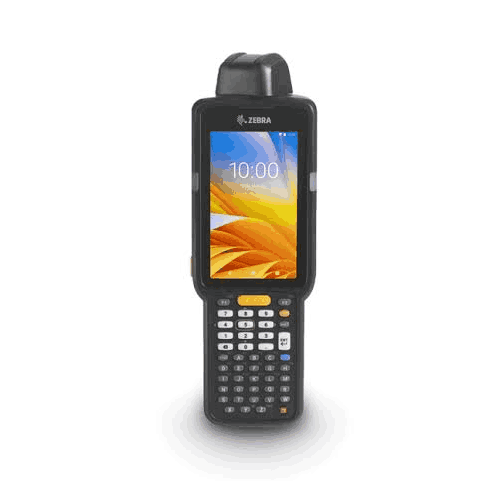
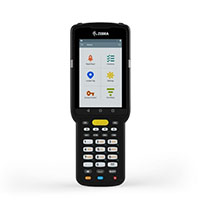
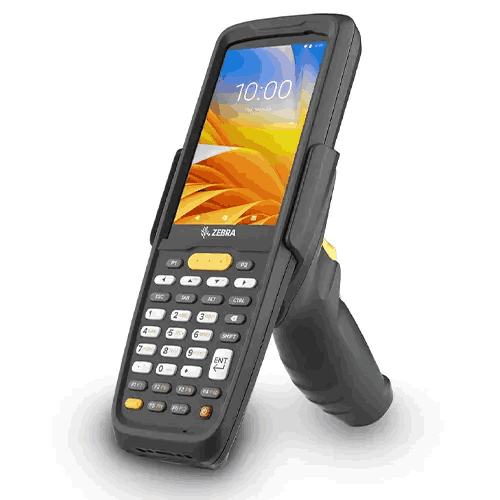
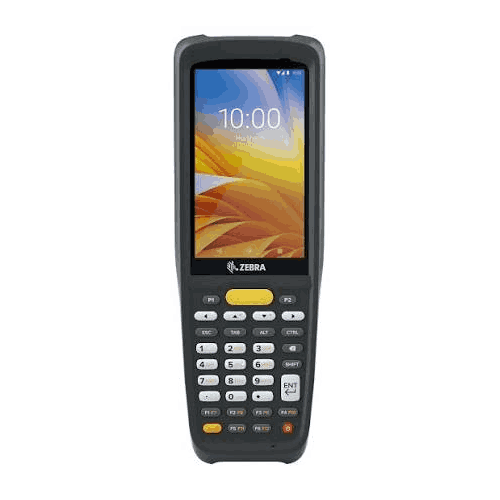
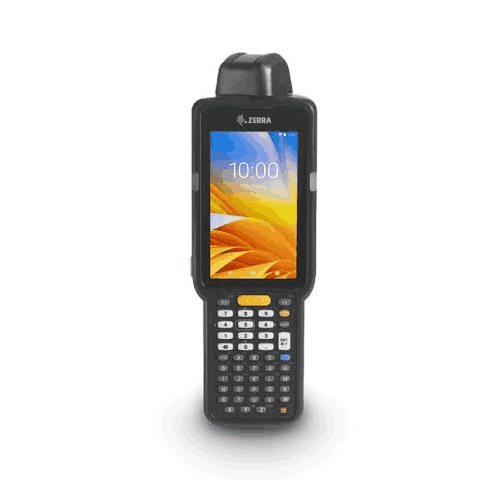
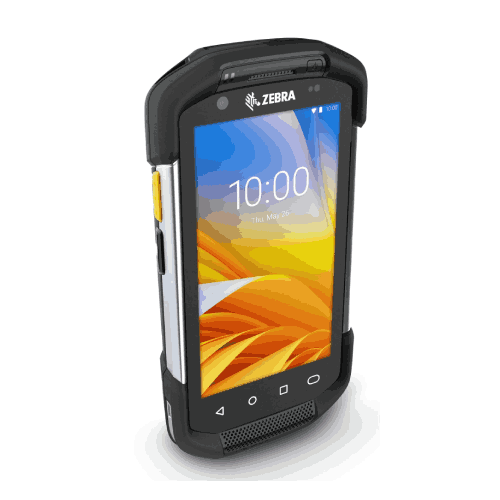
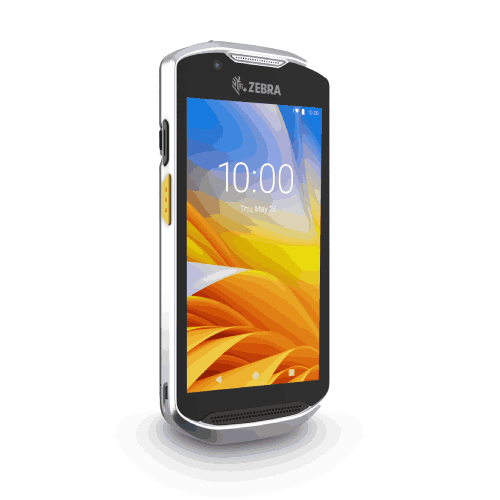
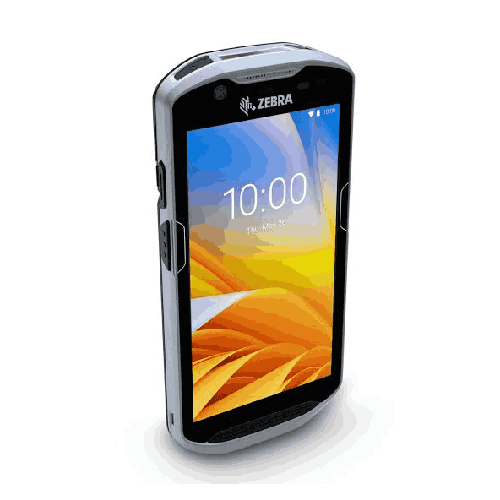
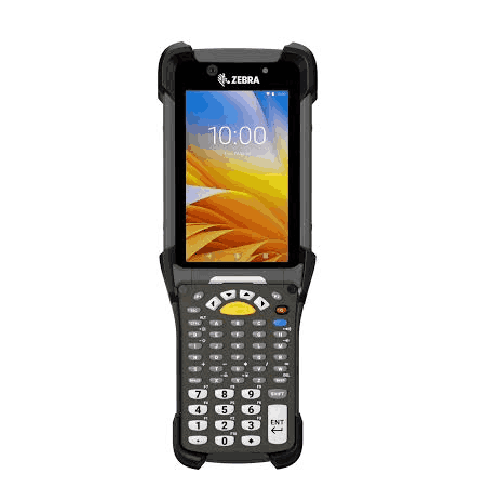
Zebra MC-3300 Handheld Mobile Computer (1D/2D) Barcode Scanner
Regular Price:৳0.00Availability: SKU: 7.31.19.9199
Quick Overview
-
Support
Saturday – Thursday: 09 AM - 06 PM. -
Payment
Cash on Delivery | Card | Online Payment -
Shipping Cost
Inside Dhaka 100tk | Outside Dhaka 150tk -
Warranty Policy
Read More
Description
Zebra MC-3300 Handheld Mobile Computer (1D/2D) Barcode Scanner in Bangladesh
The Zebra MC-3300 Handheld Mobile Computer (1D/2D) Barcode Scanner is built to support scan-first operations—where receiving, put-away, picking, cycle counting, and dispatch verification are executed with barcode discipline rather than memory and paperwork.
A device like the Zebra MC3300 is not just a barcode scanner. It’s a mobile computer designed to run warehouse apps, guide workers through tasks, and keep inventory data aligned with reality. When implemented properly, handheld terminals reduce wrong picks, speed up stock counts, improve traceability, and give managers more dependable visibility.
Important accuracy note (because specs were not provided): You only confirmed that the Zebra MC-3300 supports 1D/2D barcode scanning and that it is a handheld mobile computer. You did not provide verified specifications such as OS, CPU, RAM/storage, display size, ruggedness rating, battery, Wi‑Fi/cellular, scan engine model, or keypad type. To follow your rules, this product page avoids claiming any of those unconfirmed specifications. The content focuses on real-world usage, buying guidance, and Bangladesh-specific deployment considerations—without spec invention.
What the Zebra MC-3300 changes in daily warehouse work
If your operation currently uses basic Bluetooth scanners paired to a PC, you already know the biggest limitation: scanning happens at the counter, not where the work happens. Workers pick items, bring them to a desk, scan, then update—often later. That time gap creates mistakes.
With a handheld mobile computer like the Zebra MC-3300, the goal is to merge these steps into one flow:
- Scan and confirm during receiving instead of writing carton codes and typing later
- Scan and verify at put-away so items go to the correct bin every time
- Scan during picking to reduce wrong-item shipments
- Scan at dispatch to confirm order completeness
- Scan during stock count for faster cycle counts and fewer data-entry errors
In Bangladesh warehouses, this shift can immediately reduce “stock mismatch” problems and cut down the daily back-and-forth between warehouse floor and admin desks.
Why 1D/2D scanning matters for Bangladesh supply chains
A lot of Bangladesh businesses start with 1D barcodes only and later discover limitations. Suppliers change barcode formats. New products arrive with QR codes. Some cartons use 2D codes for richer information. When your scanner can’t read a code, your process breaks and manual entry returns.
A Zebra MC-3300 with 1D/2D scanning helps prevent these workflow exceptions. It’s a future-ready approach because it supports the widest range of common barcode use cases:
- Retail and FMCG product labels (often 1D)
- Warehouse location labels (often 1D or 2D depending on system design)
- Internal tracking labels (frequently 2D for dense data)
- Pharma distribution codes (increasingly varied by supplier)
This matters in Bangladesh because many organizations handle mixed inventories from different importers, local manufacturers, and distributors—each with slightly different labeling practices.
Bangladesh use cases where MC-3300-class handhelds excel
The MC-3300 is typically relevant when the operation is “warehouse-driven” and needs strong execution discipline.
1) High-volume picking for distribution and wholesale
When you pick hundreds or thousands of order lines daily, even a small error rate becomes expensive. A handheld terminal can enforce scan verification—confirming item identity before it goes into the order.
2) eCommerce fulfillment
In eCommerce, wrong shipments lead to returns and negative customer experience. Scan verification at picking and packing reduces these mistakes dramatically.
3) FMCG replenishment operations
Fast-moving items require frequent receiving and dispatch. Handheld workflows help maintain inventory accuracy even with rapid turnover.
4) Pharma and healthcare supply chains
Even without discussing specific compliance rules, it’s clear that pharma distribution values accuracy. Scan-driven workflows reduce human error.
5) Spare parts and technical inventory
When parts look similar, barcode verification helps staff avoid wrong picks, wrong issues, and costly delays in service operations.
6) Multi-branch stock transfers
Bangladesh businesses often move stock between branches. Handheld confirmation at dispatch and receiving helps keep transfer records accurate.
How to think about compatibility and integration
A handheld mobile computer delivers value when it works smoothly with your software. In Bangladesh, that might be:
- ERP systems
- WMS (Warehouse Management System) platforms
- POS + inventory solutions
- Custom warehouse apps
Before buying the Zebra MC-3300, confirm with your software vendor or IT team:
- Do you need a native app or will a web-based workflow work?
- Do you require offline operation with later sync?
- What barcode formats do you use?
- Do you need integration with printers for immediate label printing?
- How will user logins and access control be handled?
BME can help you plan these checks before purchase so deployment is smoother.
A practical implementation mindset for Bangladesh
Handheld terminals deliver the best ROI when rolled out with a simple process plan. Here’s a proven approach that works well in Bangladesh operations:
Step 1: Standardize labels first
If item labels and location labels are inconsistent, handheld projects struggle. Ensure you have readable, consistent barcodes.
Step 2: Start with one workflow
Begin with receiving or cycle counting. Once the team is comfortable, expand to picking and dispatch verification.
Step 3: Train for habits, not features
The best results come from consistent habits: always scan at each checkpoint.
Step 4: Create accountability
Assign devices to users or shifts, and create clear rules for charging and storage.
Step 5: Expand gradually
Once the first workflow proves stable, scale to other departments and branches.
Ergonomics: why warehouse teams care
In Bangladesh warehouses, handheld devices are used for hours, often by workers who walk long distances and scan repeatedly. A device must be comfortable to hold, easy to operate quickly, and practical for real movement.
While we are not listing physical dimensions and weight (not provided), the MC-3300 is widely categorized as a warehouse-class handheld designed for extended work cycles. If you share the confirmed MC-3300 specifications you sell (screen size, keypad type, battery options), this page can be expanded with a fully accurate ergonomics breakdown.
Maintenance and care (safe, general guidance)
To keep handheld terminals reliable in busy environments:
- Establish a charging routine at end of shift
- Keep scanning windows and screens clean
- Avoid leaving devices near water sources or high humidity zones
- Use accessories like holsters or protective handling routines where relevant
- Update device software as planned by IT, avoiding random changes mid-peak season
What to confirm before buying Zebra MC-3300 in Bangladesh
Because MC-3300 devices can come in different configurations, confirm these items before ordering:
- 1D/2D scan capability (you specified 1D/2D—confirm scan engine variant if needed)
- Operating system and version for app compatibility
- Connectivity (Wi‑Fi, Bluetooth, cellular if any)
- Memory/storage configuration
- Battery capacity and whether extended batteries are available
- Ruggedness requirements for your environment (dust, drops, humidity)
- Accessories you may need (cradle, holster, trigger handle)
These confirmations prevent buying the right “model name” but the wrong “configuration.”
Why the Zebra MC-3300 is a strategic choice, not just a device purchase
A handheld mobile computer is a process tool. When you deploy a Zebra MC-3300 properly, you’re building a system where inventory movement is recorded by scanning, not by assumption. That shift produces outcomes that matter in Bangladesh markets: faster dispatch, fewer errors, better stock visibility, and higher customer satisfaction.
If your business is reaching the point where paper-based counting and manual checking are creating operational drag, moving to a warehouse handheld platform is often the most impactful upgrade. The Zebra MC-3300 is designed for that kind of transition—building scanning discipline into everyday work.
✅ Key Features
- 1D/2D Barcode Scanning: Supports both traditional barcodes and modern 2D codes to keep workflows compatible and future-ready.
- Handheld Mobile Computer Platform: Enables scan-and-process tasks directly on the warehouse floor instead of returning to a desk.
- Warehouse Workflow Enablement: Designed for receiving, put-away, picking, packing, and dispatch verification routines.
- Inventory Accuracy Focus: Helps reduce manual entry and errors by enforcing scan-first operations.
- Faster Stock Counting Potential: Supports cycle counts and audits with fewer transcription mistakes.
- Better Picking Control: Enables scan verification to reduce wrong-item shipments and returns.
- Scalable for Growing Operations: Suitable for businesses expanding SKU count, order volume, or warehouse size.
- Professional Data Capture Approach: Ideal for organizations moving from informal processes to structured WMS/ERP execution.
- Multi-Department Fit: Can be used by receiving teams, pickers, dispatch teams, and supervisors.
- Supports Process Standardization: Helps implement consistent SOPs across shifts and locations.
✅ Usage / Applications
- Receiving and goods inward verification
- Put-away confirmation and bin location updates
- Order picking and packing verification for distribution
- eCommerce fulfillment picking accuracy improvement
- Dispatch staging and shipment confirmation
- Cycle counting and full stock-taking operations
- Retail chain stockroom and inter-branch transfers
- Spare parts warehouse bin control and issuing
- Returns processing and reverse logistics scanning
- Asset tracking and periodic audits (process-dependent)
✅ Benefits of This Product?
- Improves inventory accuracy by reducing manual entry and delayed updates
- Reduces wrong picks and shipment errors through scan verification routines
- Speeds up receiving and stock counts with structured mobile workflows
- Creates stronger accountability across shifts and staff rotation
- Supports operational scaling without losing control of stock movement
- Helps managers gain clearer visibility over warehouse execution
- Reduces rework and returns costs caused by identification mistakes
- Supports consistent warehouse SOP adoption across departments
✅ Ideal For
The Zebra MC-3300 handheld mobile computer (1D/2D) is ideal for Bangladeshi organizations that operate warehouses, distribution centers, or high-activity stockrooms and want to shift from manual checking to scan-driven execution. It’s particularly suitable for FMCG and wholesale distribution where daily picking volume is high, eCommerce fulfillment teams that need to reduce wrong-item shipments, and pharma and healthcare distributors that value accuracy during receiving and dispatch.
It also fits electronics and spare parts operations where items look similar and mistakes are costly, as well as retail chains managing stock transfers and back-office stock control. If your team needs a handheld that supports both 1D and 2D barcode scanning and you want to standardize warehouse processes across shifts, the Zebra MC-3300 is a practical, professional choice in Bangladesh.
✅ Why Choose the Zebra MC-3300 Handheld Mobile Computer (1D/2D) Barcode Scanner?
The key reason to choose the Zebra MC-3300 1D/2D handheld is that it supports a disciplined warehouse workflow. In Bangladesh, many inventory problems happen because data is captured late—or not captured at all. A handheld mobile computer changes that by allowing scanning and task execution directly where the work happens.
The MC-3300’s 1D/2D scanning support is particularly important for long-term compatibility. As suppliers and labeling practices evolve, 2D codes are becoming more common. Choosing a handheld that reads both 1D and 2D reduces future workflow exceptions and protects your investment.
Most importantly, the MC-3300 helps convert warehouse activities into repeatable routines: scan at receiving, scan at put-away, scan at picking, and scan at dispatch. Once that becomes the habit, businesses see real outcomes—fewer errors, faster fulfillment, and more trustworthy stock visibility. If your operation is growing and you need a professional platform to standardize execution, the Zebra MC-3300 is designed for that role.
✅ Why Buy This Product from BME?
Handheld mobile computers often come in multiple configurations. Even within the same model name, differences in OS version, memory size, scan engine, and connectivity can affect compatibility with your software and your warehouse environment. Business Machine & Equipment (BME) helps Bangladeshi buyers source the right Zebra MC-3300 configuration based on real requirements, not assumptions.
BME can support pre-purchase guidance: understanding your workflow (receiving vs picking), confirming your barcode formats (1D/2D needs), and aligning the device with your POS/ERP/WMS system. For procurement teams and business owners, BME also helps keep the buying process clear by providing proper product identification and use-case alignment for internal approval.
If you want to buy Zebra MC-3300 in Bangladesh with practical guidance and a smoother selection process, BME is a reliable seller to work with.
✅ Buying Guide
Use this step-by-step guide to choose the right MC-3300 setup.
1) Start with your workflow goals
Do you want to improve receiving accuracy, picking accuracy, stock counting speed, or dispatch verification? Choose configuration and accessories based on the main goal.
2) Confirm 1D/2D requirements
If your business uses QR codes or expects to use them later, 1D/2D scanning is the safer investment. You’ve indicated this model is 1D/2D; confirm any scan engine variant if your labels are challenging.
3) Check software compatibility
Confirm whether your software supports handheld workflows (native app or web app). Ensure barcode input format matches your system fields.
4) Plan connectivity coverage
If your warehouse has weak Wi‑Fi in some zones, fix coverage or plan workflow zones. Connectivity planning prevents “offline chaos.”
5) Choose battery and charging strategy
Even the best device fails if it’s not charged. Plan charging stations and shift routines before rollout.
6) Standardize labels and location codes
A handheld workflow needs reliable labels. Standardize item and location labeling for consistent scanning success.
Common mistakes to avoid
- Buying handhelds before standardizing labels
- Deploying without SOPs (scan sometimes, skip sometimes)
- Not planning charging routines and losing uptime
- Assuming any configuration will work with your software
✅ Customers Ask About / Frequently Asked Questions
1) Does the Zebra MC-3300 scan both 1D and 2D barcodes?
Yes, this model is specified as a 1D/2D handheld mobile computer barcode scanner.
2) Is the Zebra MC-3300 a scanner or a computer?
It’s a handheld mobile computer with barcode scanning capability, designed to run workflows on the device.
3) Can it be used for warehouse picking in Bangladesh?
Yes. Handheld terminals are commonly used for picking, packing, and dispatch verification workflows in warehouses.
4) Will it work with my ERP/WMS software?
Compatibility depends on your software workflow (app/web). Confirm app support and required OS/connectivity with BME before purchase.
5) Is it suitable for eCommerce fulfillment?
Yes, handheld scan verification can reduce wrong shipments and improve order accuracy in eCommerce operations.
6) Do I need Wi‑Fi to use it?
Many handheld workflows use Wi‑Fi for real-time updates, but requirements depend on your system. Confirm connectivity options for your configuration.
7) Can it help with stock taking?
Yes, handheld scanning reduces manual entry and speeds up stock counting.
8) Does it come with a charging cradle?
Accessories depend on the package/configuration. Confirm included items with BME at the time of purchase.
9) What is the difference between a handheld terminal and a Bluetooth scanner?
A handheld terminal runs apps and manages workflows on the device, while a Bluetooth scanner usually only sends scanned data to another device.
10) What should I confirm before ordering?
Confirm OS/app compatibility, connectivity needs, memory/storage configuration, battery strategy, and any required accessories.
✅ Why Buy This Product
If your warehouse or distribution operation is being slowed down by manual stock checks, wrong picks, and unreliable inventory data, the Zebra MC-3300 handheld mobile computer (1D/2D) barcode scanner is a practical step toward scan-driven control. It helps you bring scanning and task execution to the warehouse floor—where work happens—reducing delayed updates and transcription errors.
With 1D/2D scanning, it’s designed to stay relevant as barcode formats evolve across suppliers and industries in Bangladesh. Once deployed with consistent SOPs—scan at receiving, scan at picking, scan at dispatch—the MC-3300 can deliver the outcomes businesses want most: faster fulfillment, fewer errors, and more trustworthy stock visibility.
What is the price of Zebra MC-3300 Handheld Mobile Computer (1D/2D) Barcode Scanner in Bangladesh?
Write a review
Question Answer
Have question about this product? Get specific details about this product from expert.



ZEBRA DS4208 Handheld USB Barcode Scanner