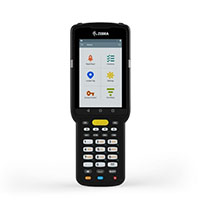
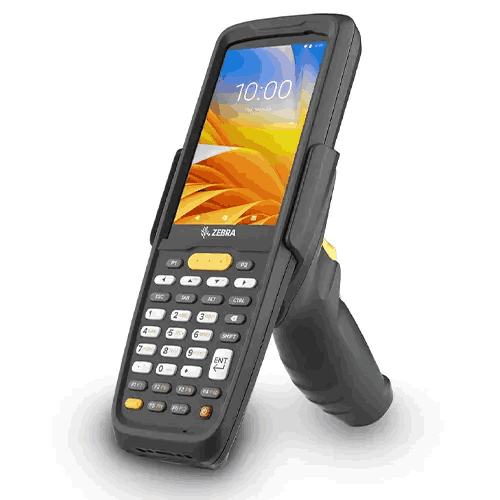
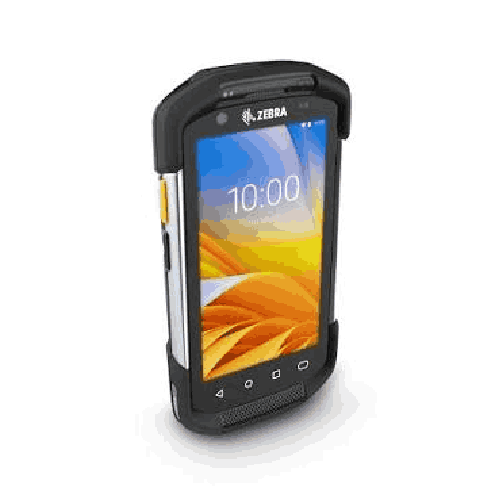
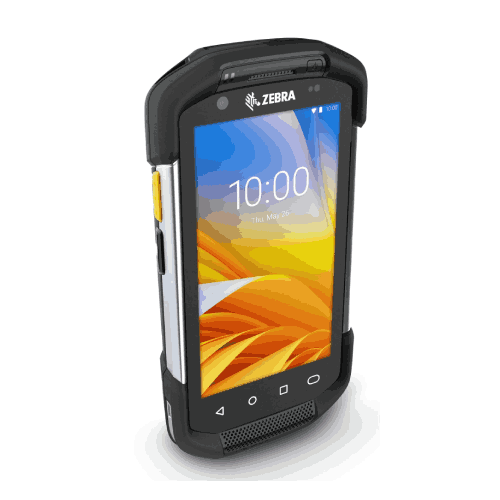
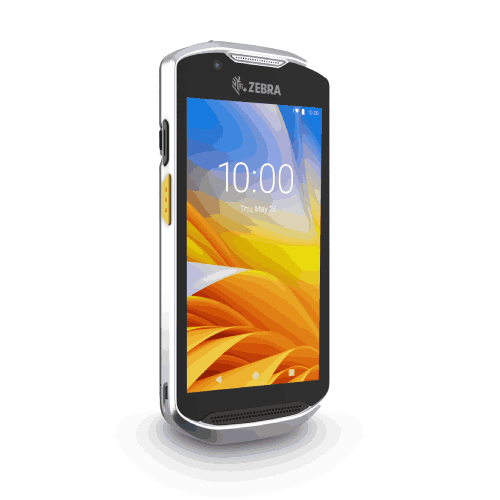
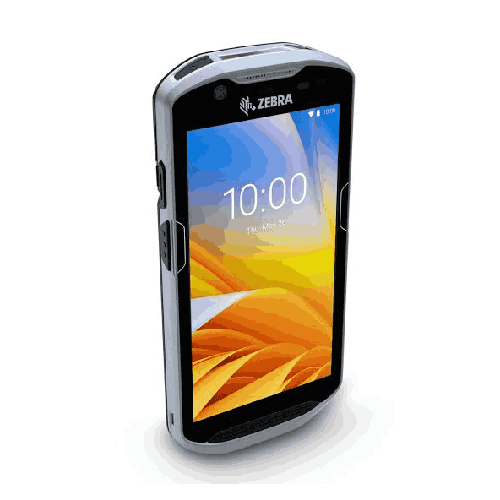
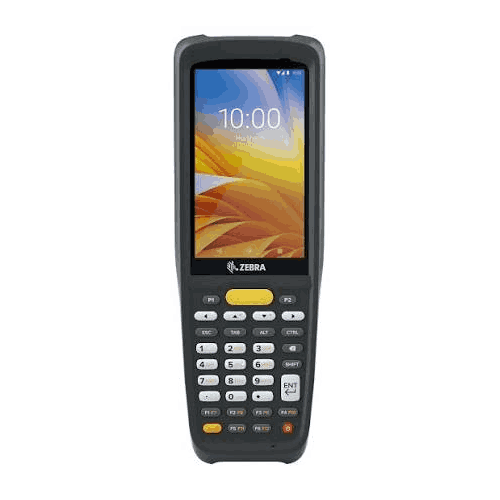
Zebra MC2200 Handheld Mobile Computer
Regular Price:৳0.00Availability: SKU: 7.31.19.9197
Quick Overview
-
Support
Saturday – Thursday: 09 AM - 06 PM. -
Payment
Cash on Delivery | Card | Online Payment -
Shipping Cost
Inside Dhaka 100tk | Outside Dhaka 150tk -
Warranty Policy
Read More
Description
Zebra MC2200 Handheld Mobile Computer in Bangladesh
The Zebra MC2200 Handheld Mobile Computer is built for the opposite type of workflow—where your team captures data as they work, right at the shelf, at receiving, at dispatch, or during stock counting. Instead of writing codes down to type later, staff can scan, check, and update instantly. That’s the real value of a mobile computer: fewer steps, fewer mistakes, and faster decisions.
For Bangladesh businesses that are scaling—more SKUs, more orders, more branches—the MC2200 fits the critical need to standardize operations without overwhelming staff with complicated tools. It’s designed to bring barcode-based discipline to inventory and logistics, helping teams work in real time.
Because you have not provided confirmed technical specifications (OS, processor, memory, battery, IP rating, scan engine type, Wi‑Fi/cellular, display size, etc.), this product page is written carefully to stay accurate without guessing. It focuses on practical buying intent, use-case fit in Bangladesh, and how the Zebra MC2200 typically supports warehouse and retail workflows.
What a handheld mobile computer changes in day-to-day operations
If you’ve only used basic barcode scanners connected to a PC, a handheld mobile computer feels like a major upgrade because it combines scanning and computing into one device. Your staff doesn’t need to stand at a counter to scan and then return to a PC to update the system. They can do the work at the exact point where the work happens.
In Bangladesh, that typically means:
Receiving becomes faster and cleaner
Instead of counting cartons, writing notes, and entering later, staff can scan items as they arrive, verify quantities, and reduce the time goods spend waiting to be recorded.
Stock counting becomes realistic
Manual cycle counts are slow, and they often get postponed. A handheld device allows staff to count shelves more quickly with fewer transcription errors.
Picking becomes more accurate
For eCommerce and distribution, wrong picks create returns, replacements, and customer complaints. Scan-based picking with a handheld device improves accuracy and makes training new staff easier.
Dispatch verification becomes dependable
Before cartons leave your warehouse or store, staff can scan to confirm the right items are in the shipment—reducing costly mistakes.
Shelf replenishment becomes data-driven
Retail back offices can identify fast-moving items and replenish shelves more consistently when stock data is updated on the move.
Why Zebra MC2200 is popular in warehouse and retail workflows
Zebra is a recognized global brand in enterprise mobility and barcode technology. The “MC” series is associated with warehouse-centric handheld devices used for scanning, data capture, and operational workflows. The Zebra MC2200 is typically considered when businesses want a professional handheld terminal that can support:
- Warehouse operations (receiving, put-away, picking, cycle counts)
- Retail back-office inventory tasks
- Distribution workflows and dispatch staging
- Field workflows where staff need mobility and data capture in hand
In Bangladesh, these needs are common in:
- Garments accessories and packaging supply chains
- FMCG distribution
- Pharma distribution and wholesale networks
- Electronics and spare parts warehouses
- eCommerce fulfillment and courier preparation hubs
Bangladesh-specific scenarios where the MC2200 adds immediate value
A handheld mobile computer becomes valuable when it reduces friction in repetitive tasks. Here are realistic examples:
1) Inventory accuracy in multi-branch businesses
Many businesses in Dhaka and outside maintain multiple branches and a central store. Without disciplined scanning, “system stock” and “actual stock” often drift apart. A handheld device helps teams reconcile faster and keep inventory updates consistent.
2) Faster receiving during busy delivery windows
When supplier trucks arrive, receiving teams are under pressure. A handheld device helps them log items quickly, reducing congestion at the receiving bay and improving same-day availability.
3) eCommerce order picking
For sellers shipping across Bangladesh, order volume spikes can overwhelm manual picking. A handheld device supports scan-verification workflows that reduce wrong shipments.
4) Warehouse bin location control
If your warehouse uses bin locations, handheld workflows help staff confirm put-away locations and reduce lost items.
5) Service parts and repair operations
Spare parts tracking becomes easier when technicians can scan parts in/out instead of writing numbers and updating later.
A mobile computer is only as good as your process
One important point for buyers: the Zebra MC2200 doesn’t automatically fix inventory issues by itself. The real change comes when you pair the device with simple operational rules:
- Always scan at receiving
- Always scan at put-away
- Always scan at picking/packing
- Always scan at stock count
- Always standardize item codes and barcodes
Once the process is in place, a handheld device helps maintain discipline across shifts and across staff experience levels.
Integration and compatibility: planning your rollout
In Bangladesh, handheld devices are usually introduced into one of these systems:
- POS + inventory software
- ERP systems
- Warehouse management systems (WMS)
- Custom-built inventory apps
Because the MC2200’s confirmed OS and connectivity were not provided, this content avoids naming “Android,” “Wi‑Fi,” or “Bluetooth” as guaranteed. Instead, the practical advice is:
- Identify your software platform and whether it supports handheld workflows
- Decide whether you need real-time online updates or offline collection with later sync
- Confirm connectivity needs (warehouse Wi‑Fi, USB sync, etc.)
- Plan device management rules (who uses it, when it’s charged, how it’s stored)
BME can help you align the Zebra MC2200 model/variant you purchase with your business requirements—especially if you’re rolling it out across multiple users or locations.
Ergonomics and field usability: why handheld design matters
Handheld devices are used for hours at a time. In Bangladesh, staff often work long shifts, and devices may be shared across teams. A practical handheld must be comfortable to carry, easy to operate with one hand, and quick to scan items repeatedly. When the device is comfortable, adoption increases—and adoption is what makes the system work.
Maintenance and care: simple habits that protect uptime
To keep handheld computers reliable:
- Store devices in a defined location after shifts
- Use stable charging routines (assign chargers and avoid cable mismatch)
- Keep screens and scanning windows clean
- Avoid drops and rough handling
- Train staff on basic do’s and don’ts to reduce damage and downtime
Since no ruggedness ratings or battery specs were provided, this section stays general and avoids claims about drop resistance or runtime.
What to clarify before buying the Zebra MC2200 in Bangladesh
Handheld devices often come in variants. Before you purchase, confirm:
- Whether the device includes an integrated barcode scanner and what types (1D/2D) it supports
- The connectivity options you need for your environment
- The OS and app compatibility with your business software
- Battery capacity and charging method (important for multi-shift operations)
- Any accessories you may require (holster, charging cradle, trigger handle)
These details determine whether your rollout feels smooth or frustrating. BME can help verify the exact MC2200 configuration available for Bangladesh stock and recommend the best fit based on your workflow.
Why this device is a strategic upgrade
For many organizations, the first step into professional inventory control is moving from “after work updating” to “real-time work updating.” A mobile computer like the Zebra MC2200 supports that shift. It helps teams capture data at the point of action, reducing gaps between what happened in the warehouse and what the system shows.
When inventory becomes reliable, the benefits cascade: purchasing becomes smarter, customer promises become more accurate, dispatch becomes faster, and shrinkage or loss becomes easier to detect. The MC2200 supports this operational maturity—making it a valuable tool for Bangladesh businesses that are serious about scaling.
✅ Key Features
- Handheld Mobile Computer Form Factor: Combines computing and data capture for work performed on the move.
- Designed for Inventory Workflows: Supports receiving, put-away, picking, and stock counts with fewer manual steps.
- Enterprise Mobility Approach: Built for professional operations where devices are shared across shifts.
- Scan-Based Discipline Enablement: Helps businesses reduce manual entry and improve operational accuracy.
- Warehouse-Friendly Usability: Practical for repetitive scanning and data entry tasks in storerooms and warehouses.
- Retail Back-Office Readiness: Suitable for stockroom operations, shelf replenishment, and price/SKU verification.
- Scalable Deployment Potential: Fits businesses planning multi-user or multi-branch inventory standardization.
- Brand Ecosystem Advantage: Zebra devices are commonly selected for structured data-capture environments.
✅ Usage / Applications
- Warehouse receiving and goods inward processing
- Put-away verification and bin location updates
- Picking and packing verification for dispatch
- Cycle counts and full inventory stock-taking
- Retail back-office stockroom control and replenishment
- Distribution center staging and shipment verification
- Asset tracking for office and warehouse equipment
- Spare parts inventory control in workshops and service centers
- Field sales stock checking and order capture (process-dependent)
- Returns processing and reverse logistics tracking
✅ Benefits of This Product?
- Reduces manual writing and later data entry through on-the-spot capture
- Improves inventory accuracy by enabling scan-based workflows
- Speeds up receiving and dispatch operations with real-time updates
- Helps reduce wrong picks and wrong shipments through verification routines
- Makes stock counting faster and more reliable with less transcription error
- Supports standardized processes across shifts and staff experience levels
- Improves visibility of stock movement for better purchasing and replenishment
- Enables operational scaling as SKU count and order volume increase
✅ Ideal For
The Zebra MC2200 handheld mobile computer is ideal for Bangladeshi businesses that want to move from manual stock handling to scan-driven operations. It’s a strong fit for warehouses and distribution centers that regularly receive, store, and dispatch goods and need cleaner control over item movement. It also works well for retail chains and multi-branch businesses where stock accuracy across locations directly affects sales and customer trust.
For eCommerce fulfillment teams, the MC2200 can support faster, more accurate picking and packing workflows. It’s also suitable for FMCG, pharma distribution, electronics, and spare parts operations where item variety is high and errors are costly. If your team needs a mobile tool to capture data where the work happens—and you want to standardize processes across staff and shifts—the Zebra MC2200 is built for that operational style.
✅ Why Choose the Zebra MC2200 Handheld Mobile Computer?
The Zebra MC2200 is chosen for one core reason: it helps businesses build a real inventory workflow, not just “scan sometimes.” In Bangladesh, growth often exposes the limits of manual processes—paper logs, Excel updates at the end of the day, and inventory guessing based on experience. A handheld mobile computer replaces that uncertainty with structured, scan-driven work.
The MC2200 supports the idea of capturing data at the moment of action: scan at receiving, scan at put-away, scan at picking, and scan at dispatch. This reduces the gap between physical stock and system stock. Over time, that creates real operational benefits—fewer stockouts caused by bad counts, fewer urgent calls to confirm availability, and fewer dispatch mistakes.
It’s also a smarter long-term investment than piecing together multiple devices. Instead of using a scanner plus a PC plus manual notes, a handheld computer streamlines the workflow. For businesses planning to scale up warehouse operations, add new branches, or increase order volume, the Zebra MC2200 can become the backbone device for day-to-day execution.
✅ Why Buy This Product from BME?
Handheld mobile computers often come in different configurations, and the “right” one depends heavily on your software and workflow. Business Machine & Equipment (BME) helps Bangladesh customers choose the correct Zebra MC2200 setup for their environment—warehouse, retail back office, distribution, or eCommerce fulfillment.
BME can assist with practical planning: how many devices you need, how they’ll be used across shifts, what accessories might be useful for charging and handling, and what information to confirm so compatibility issues don’t appear after purchase. For business buyers, BME can also support a procurement-friendly buying process by clearly identifying the model and intended usage.
If you want to source the Zebra MC2200 in Bangladesh with guidance that matches real operational needs—not just a box sale—BME is a practical place to buy.
✅ Buying Guide
Use this checklist to choose the right MC2200 configuration and rollout plan.
1) Identify your primary workflow
Receiving? Picking? Stock counting? Dispatch verification? The best configuration and accessories depend on where the device will be used most.
2) Confirm barcode scanning requirements
Decide whether you need 1D-only or 1D/2D scanning. Many businesses prefer 2D readiness for future-proofing, but confirm what your software and labeling standards use.
3) Decide online vs offline data capture
Do you need real-time system updates (requires reliable network), or will staff collect data and sync later? This affects connectivity planning.
4) Check software compatibility
Ensure your POS/ERP/WMS can work with handheld devices (web app, native app, terminal emulation, etc.). Don’t assume compatibility—verify.
5) Plan charging and shift usage
If you run multiple shifts, battery strategy matters. Confirm battery specs and charging method for your specific MC2200 configuration.
6) Consider accessories and handling
Holsters, protective cases, or cradles may improve usability and reduce damage risk—especially in warehouses.
Common mistakes to avoid
- Buying devices without confirming app compatibility
- Deploying handhelds without a clear scanning SOP
- Ignoring charging routines and then facing downtime mid-shift
- Not standardizing barcode labels, leading to inconsistent scanning outcomes
✅ Customers Ask About / Frequently Asked Questions
1) What is the Zebra MC2200 used for?
It’s used for mobile data capture in workflows like inventory receiving, put-away, picking, packing, stock counts, and dispatch verification.
2) Does the Zebra MC2200 include a barcode scanner?
Configurations vary. Please confirm with BME whether your MC2200 unit includes an integrated scanner and whether it supports 1D or 1D/2D.
3) Is the Zebra MC2200 suitable for warehouse use in Bangladesh?
Yes, it’s commonly chosen for warehouse and stockroom workflows. Confirm the exact configuration for your environment and software needs.
4) Can it work with ERP or WMS software?
It can, depending on your software’s compatibility (app/website/terminal workflows). BME can help you verify integration requirements.
5) Can I use the MC2200 for stock taking and cycle counts?
Yes, handheld devices are widely used for stock taking because they reduce manual entry and speed up counting.
6) Is it good for eCommerce picking and packing?
Yes, it can support scan-based picking/packing routines that reduce wrong shipments, depending on your workflow setup.
7) Does it work across multiple branches?
Yes, many businesses deploy handheld devices across branches, but you’ll need consistent software access, user roles, and process discipline.
8) What about warranty and after-sales support in Bangladesh?
Warranty terms vary by seller and stock source. Check BME’s current warranty policy at purchase time for the Zebra MC2200.
9) Do I need Wi‑Fi or mobile data to use it?
That depends on whether your workflow requires real-time updates. Some workflows can work offline with later synchronization; confirm connectivity features for your unit.
10) What should I confirm before ordering?
Confirm scanner type (1D/2D), OS/app compatibility, connectivity options, battery/charging method, and required accessories.
✅ Why Buy This Product
If your business is reaching the point where manual inventory work is slowing you down, the Zebra MC2200 handheld mobile computer is a practical upgrade that delivers daily value. It brings data capture to the point of action—receiving, stock counting, picking, and dispatch—so your team spends less time writing, retyping, and correcting mistakes.
With a structured handheld workflow, inventory becomes more trustworthy. That means fewer stock surprises, faster fulfillment, and better control across branches and teams. Whether you’re running a warehouse in Dhaka, a distribution operation in Chattogram, or a growing eCommerce fulfillment desk, the MC2200 helps build process discipline that scales.
Order the Zebra MC2200 handheld mobile computer today from BME and take a clear step toward faster inventory control, cleaner dispatch verification, and a more modern, scan-driven operation—built for how Bangladesh businesses work.
What is the price of Zebra MC2200 Handheld Mobile Computer in Bangladesh?
Write a review
Question Answer
Have question about this product? Get specific details about this product from expert.



ZEBRA DS4208 Handheld USB Barcode Scanner