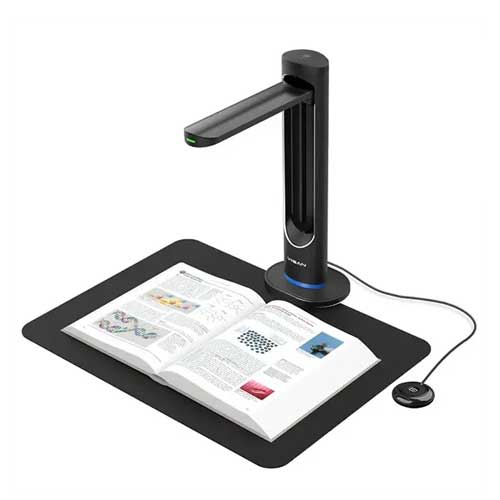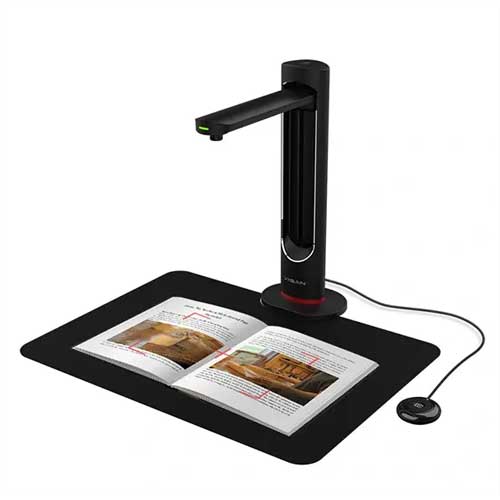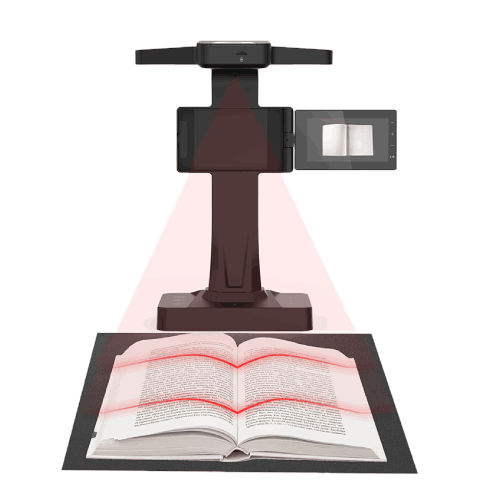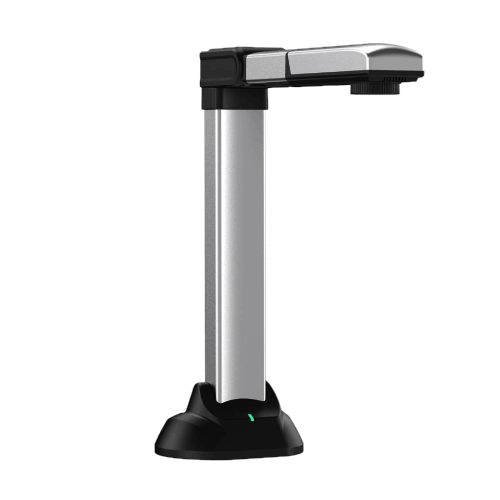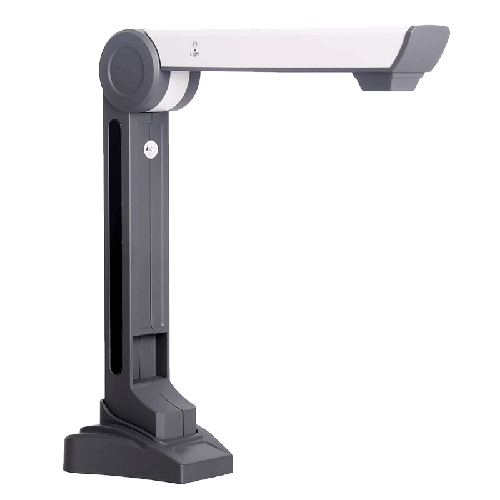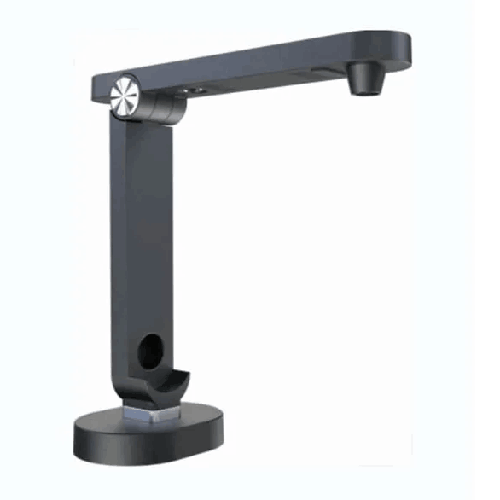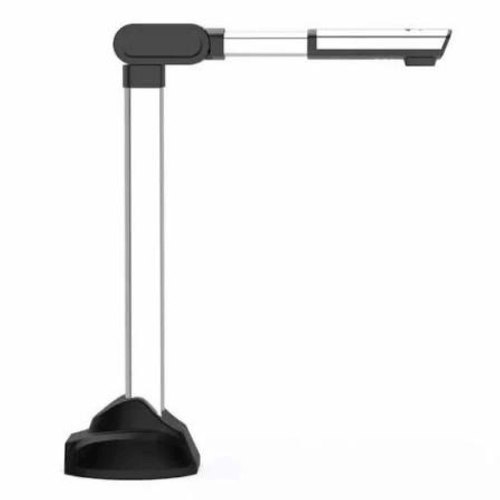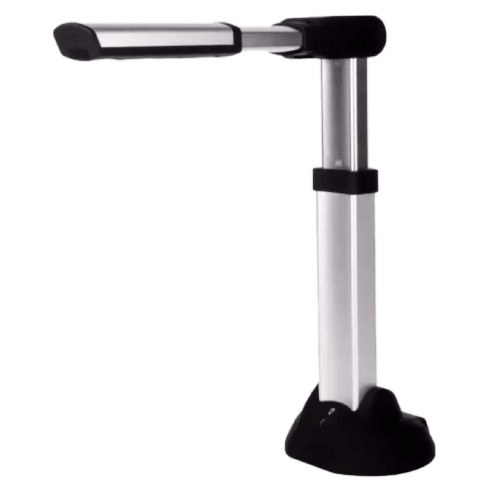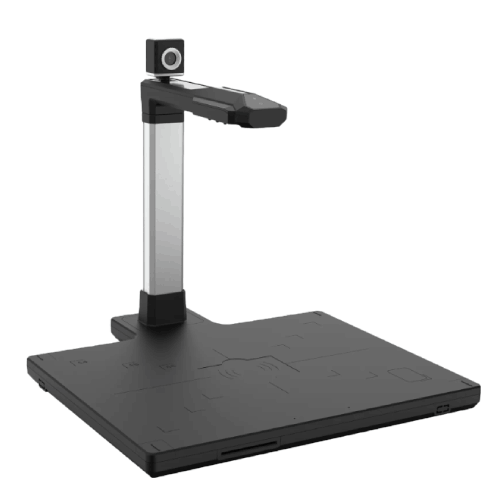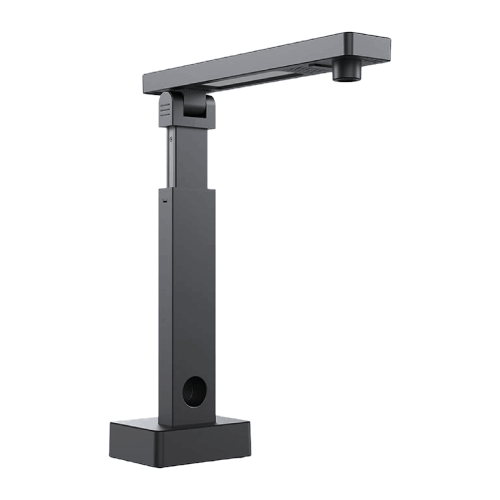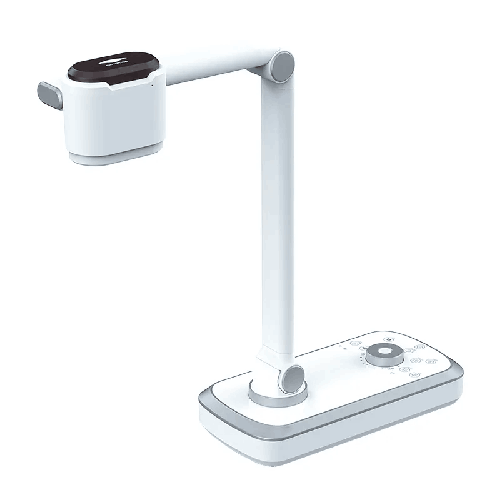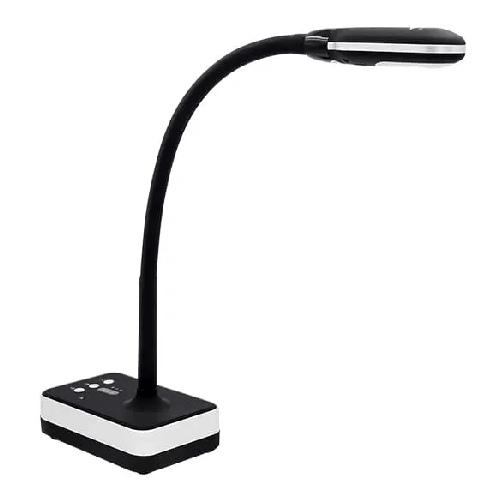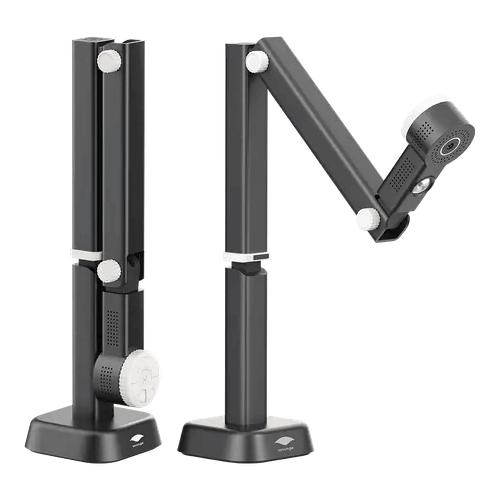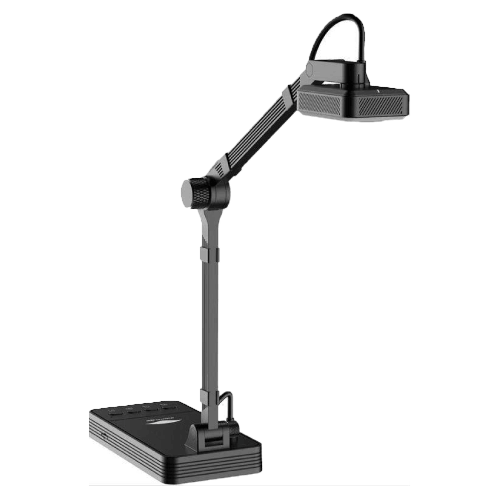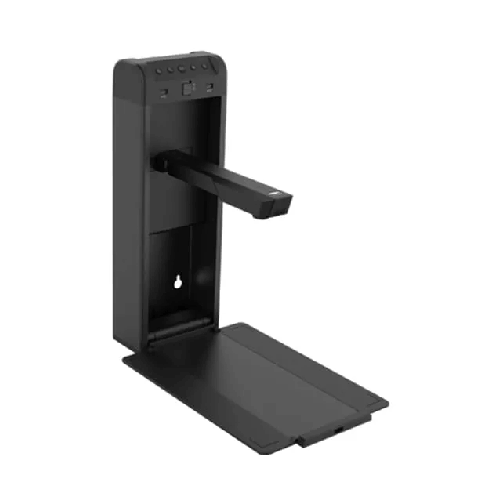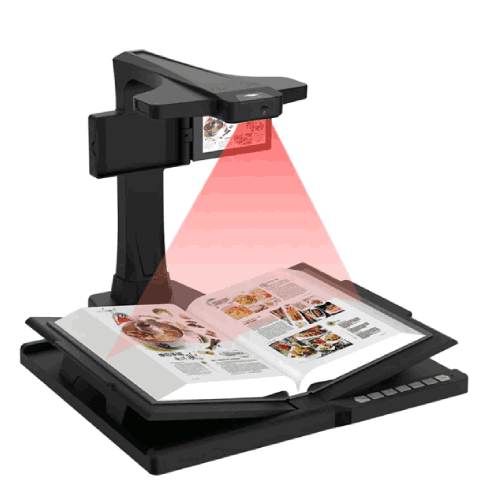
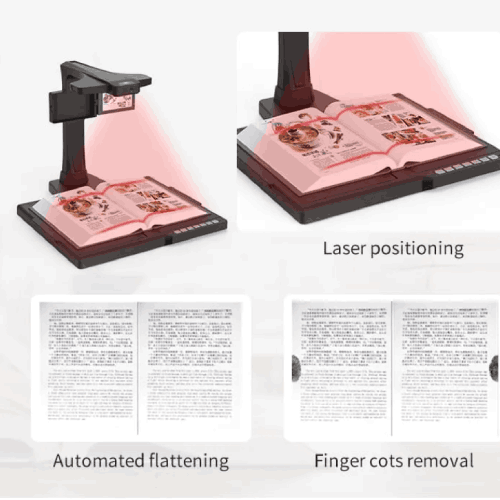
Eloam BS3000P High Resolution Portable Document Scanner
Regular Price:৳0.00Availability: SKU: 7.29.154.9469
Quick Overview
-
Support
Saturday – Thursday: 09 AM - 06 PM. -
Payment
Cash on Delivery | Card | Online Payment -
Shipping Cost
Inside Dhaka 100tk | Outside Dhaka 150tk -
Warranty Policy
Read More
Description
Eloam BS3000P High Resolution Portable Document Scanner in Bangladesh
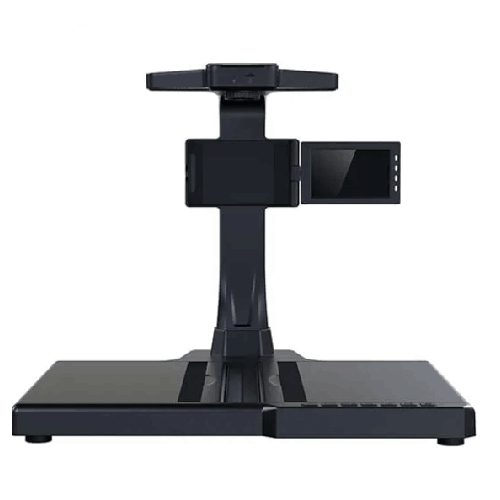
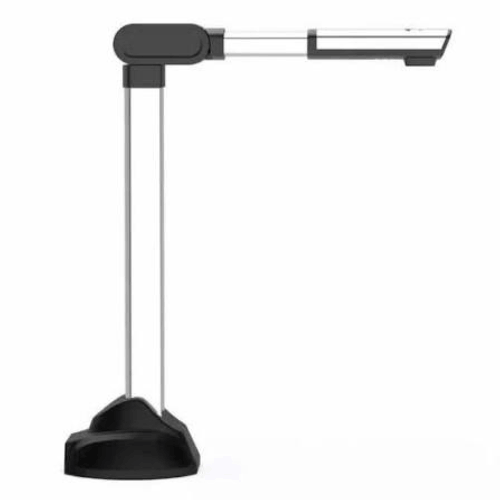
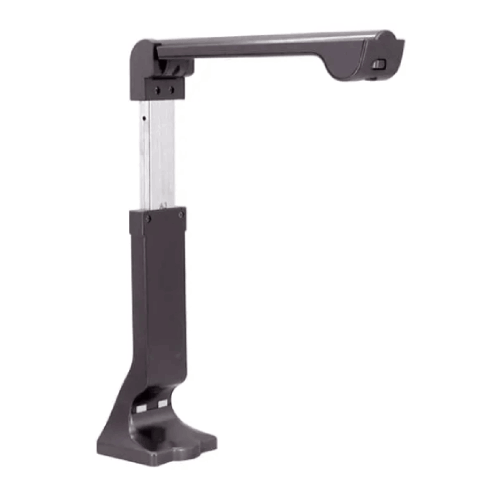
The Eloam BS3000P High Resolution Portable Document Scanner is designed for people in Bangladesh who need sharp, professional-quality scans but don’t want to be tied to a heavy desktop scanner. Slim, lightweight, and easy to carry, it transforms any desk—at home, in the office, in a classroom, or on the road—into a fast, efficient scanning station.
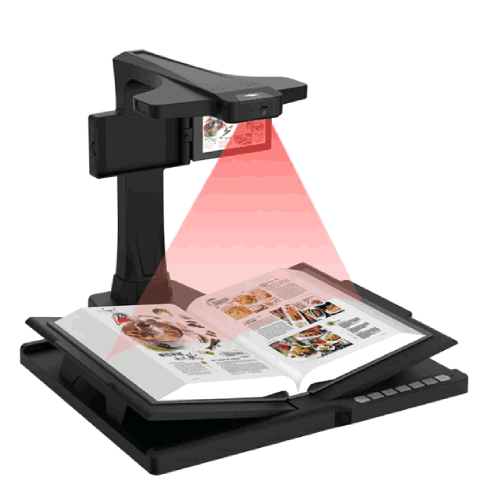
Instead of stacking documents beside a bulky flatbed scanner and waiting while each page slowly scans, you connect the Eloam BS3000P to your laptop or PC, place your document under the scanner head, and capture high-resolution images in seconds. It’s built to handle everything from office paperwork and classroom materials to travel documents and field reports.
For busy professionals, teachers, students, NGO staff, and freelancers across Bangladesh, the Eloam BS3000P offers a practical way to go digital: scan documents where you are, when you need to, without hunting for a shared office scanner.
High Resolution – Clear, Professional Scans Every Time
The defining characteristic of the Eloam BS3000P is its high resolution imaging. While precise DPI or megapixel values should be checked in the official spec sheet, the device is engineered to capture documents with enough clarity that small fonts, fine lines, and detailed graphics are easily readable on-screen and in print.
For real work in Bangladesh, this means:
- Office staff can scan contracts, letters, and forms with professional-grade detail.
- Teachers can digitize worksheets, question papers, and notes that students can later read clearly on mobile screens or printouts.
- Students and researchers can scan book pages and journal articles so diagrams and footnotes remain legible.
- NGO workers can capture field forms and reports for later data entry without losing handwriting clarity.
High resolution is especially important when documents will be used for official records, printed again, or enlarged on screen for presentation. Poor-quality scans waste time and can cause serious problems when text is hard to read. The BS3000P is built to avoid those issues by focusing on crisp capture quality.
True Portability for Work, Study, and Travel
The portable nature of the Eloam BS3000P sets it apart from traditional scanners. Instead of a large box that occupies permanent desk space, you get a slim device that easily fits into:
- A laptop bag
- A teacher’s backpack
- A corporate executive’s briefcase
- An NGO worker’s field kit
For many users in Bangladesh, work doesn’t happen in just one place. Teachers move between classrooms and campuses. Consultants and salespeople travel to client offices. Students study in libraries, dorms, and at home. NGO staff often shuttle between the field and the regional office. In all these scenarios, a fixed scanner is unreachable; a portable scanner like the BS3000P is exactly what they need.
Because it’s designed as a USB-connected device, you simply plug it into your laptop or desktop and it’s ready for use (after one-time driver/software setup). There’s no heavy external power brick to carry, and no complicated setup every time you change location.
Ideal for A4 and Everyday Documents
The Eloam BS3000P is optimized for common document sizes like A4 and similar formats widely used in Bangladesh:
- Application forms
- Office letters and memos
- Bills, invoices, and receipts
- School worksheets and exam papers
- Printed assignments and reports
- ID documents and small slips (when positioned correctly)
Most day-to-day paperwork in Bangladeshi offices and institutions is A4-based. The BS3000P’s design makes it extremely practical for this core use-case. You can lay your A4 document flat, align it within the scanning frame area, and capture a clean image very quickly.
For slightly smaller items—like bank slips, vouchers, or admitting cards—you can place them within the scan area and still get a high-quality image, which is helpful for digital record-keeping and reimbursement processes.
Fast Scanning for High-Volume Tasks
Time is often limited in busy workplaces and institutions. The Eloam BS3000P is a high-speed scanner relative to traditional flatbed workflow. Instead of opening and closing lids or waiting for slow passes, you place the document, trigger the scan, remove it, and repeat.
In practice, this higher throughput benefits:
- School and college offices scanning dozens or hundreds of application forms, admit cards, or student records.
- Accounts departments digitizing bills, receipts, and vouchers at month-end.
- NGOs turning field forms into digital images for database entry.
- Project managers and consultants scanning stacks of reference documents from clients or partners.
When combined with an organized file naming or folder system, the BS3000P can significantly reduce the time spent on paperwork, making digital archiving a realistic daily habit rather than an occasional chore.
Simple USB Connectivity – No Extra Power Hassle
The Eloam BS3000P is designed as a USB-connected scanner. Typically, a single USB cable handles both data transfer and power supply, which brings several benefits in Bangladesh’s environment:
- No need to find separate power outlets in crowded rooms.
- Less cable clutter on small desks.
- Easy setup in places with limited extension boards or when using laptops on battery.
- Portability between rooms, branches, or client sites is simpler.
For example, a teacher or corporate trainer can connect it to a laptop in a classroom without worrying about additional power sockets. An NGO worker in a district office can use it on a laptop powered by UPS when load-shedding hits, still completing scanning tasks without interruption.
Real Use Cases in Bangladesh
-
School Administration Office in Dhaka
During admission season, the school office receives hundreds of application forms and supporting documents. The Eloam BS3000P is used to quickly scan all forms, certificates, and ID copies into digital folders. This makes it easier to search for a student record later without digging through piles of files. -
University Student in Chattogram
A university student regularly visits the library to study reference books and journals. Carrying the BS3000P with her laptop, she scans important pages, tables, and diagrams instead of photocopying everything. She later organizes them into subject-wise folders on her PC. -
Corporate Accounts Department in Motijheel
An accounts officer uses the BS3000P to scan vendor bills, payment receipts, and bank statements for digital record-keeping and sending to auditors. Instead of maintaining only paper files, the company now has neat digital archives. -
NGO Field Office in Rangpur
Field facilitators bring back hand-filled survey forms. At the regional office, staff use the BS3000P to scan the forms into PDFs, which are then shared with the head office for analysis. Original documents remain safe in physical storage, while digital versions are accessible anytime. -
Freelance Consultant Traveling Across Cities
A consultant travels between Dhaka, Sylhet, and Khulna, attending client meetings. After each meeting, she scans signed agreements and key documents with the BS3000P in the hotel room and emails them to her team. They never have to wait for couriered copies to start work.
High Resolution for Archiving and Sharing
The “High Resolution” aspect of the BS3000P isn’t just about pretty images; it’s about reliable documentation. Many organizations in Bangladesh now require digital copies of:
- Legal agreements
- Financial records
- Academic certificates and transcripts
- Identity documentation
- Policy documents and circulars
Low-quality scans lead to disputes, misinterpretation, or extra work when recapturing documents. With the Eloam BS3000P, you get clear text and lines that preserve the integrity of the original document when viewed on screens, printed, or zoomed in.
For example, when scanning an employment contract or land document, fine print and signatures should remain clearly visible. When scanning an exam script for review or moderation, markers must be able to read every line.
Smooth Workflow with Scanning Software
The Eloam BS3000P typically works with dedicated or compatible scanning software running on a Windows PC or laptop. While exact software bundle and features depend on the model version and vendor, typical functions include:
- Previewing the scan area
- Capturing and saving images in common formats (e.g., JPEG, PNG, PDF)
- Adjusting brightness, contrast, and other basic parameters
- Managing scan resolution settings
Some setups may additionally support multi-page PDF creation (combining several pages into a single PDF), file compression, or basic cropping. In Bangladesh, this is invaluable for scanning multi-page documents like:
- Multi-page application forms
- Vendor payment packages (bill + challan + approval note)
- Training module booklets
- Project reports and proposals
Users can select a folder structure and filename convention that matches their institution’s workflow—by date, department, class, student name, or project name.
Maintenance and Durability in Local Conditions
The Eloam BS3000P is built for daily use, but like all electronics, benefits from sensible care, especially in a country like Bangladesh where dust and humidity are common:
- Keep the scanning area clean: Dust or debris on the scanner path or the document surface can show up as spots on scanned images. Wipe gently with a soft, dry cloth.
- Protect the optical path: Avoid touching the internal optical parts. If the scanner design exposes these during maintenance, follow official guidelines only.
- Store safely: When not in use, place the scanner in a case or keep it in a dry drawer or cabinet to protect it from dust and accidental drops.
- Avoid moisture: Don’t use or store it in very damp environments. Humidity can affect internal electronics over time.
- Handle cables carefully: Repeatedly bending cables sharply can cause damage. Coil them loosely when storing the device.
With these basic practices, schools, offices, and individuals can enjoy long-term use of the BS3000P without significant degradation in performance.
✅ Key Features
- High Resolution Scanning: Captures documents with clear, detailed images so small fonts and fine graphics remain sharp and easy to read.
- Portable and Lightweight Design: Slim, compact form factor that travels easily in a laptop bag, ideal for mobile professionals and educators.
- USB-Connected Operation: Simple USB connection to a PC or laptop handles data and power, reducing cable clutter and setup time.
- Optimized for Everyday Documents: Perfect for A4-sized paperwork such as forms, letters, bills, and exam papers commonly used in Bangladesh.
- Fast Scanning Workflow: Enables quick capture of multiple pages, saving time compared to traditional flatbed scanners.
- Ideal for Digital Archiving: Helps build electronic archives of contracts, records, and academic materials for easy retrieval and sharing.
- Space-Saving on Small Desks: Compact footprint suits crowded school offices, small cabins, and home workspaces.
- Flexible Use Across Sectors: Equally useful in education, corporate, NGO, government, and freelance environments.
- Easy Setup and Operation: User-friendly software and straightforward connection make it accessible to non-technical users.
✅ Usage / Applications
- School and College Administration: Scan admission forms, student records, certificates, and leave applications into digital archives.
- Teachers and Lecturers: Digitize worksheets, exam papers, and reference pages for reuse, online sharing, or LMS upload.
- University Students and Researchers: Scan book chapters, diagrams, and journal pages in libraries and labs.
- Corporate Offices and SMEs: Scan contracts, invoices, receipts, HR documents, and internal memos for record-keeping and auditing.
- Accounting and Finance Teams: Create digital copies of bills, vouchers, bank statements, and expense documents.
- NGOs and Development Projects: Digitize field survey forms, beneficiary records, training attendance sheets, and project documentation.
- Consultants and Freelancers: Scan client documents, agreements, and reference materials while traveling or working remotely.
- Government Departments: Build digital repositories of circulars, applications, and case files for quicker access and reduced paper load.
✅ Benefits of This Product?
- Reduces Paper Clutter: By digitizing documents, you free up physical storage space and reduce reliance on paper files.
- Speeds Up Administrative Work: High-speed scanning means staff spend less time managing paperwork and more time on core tasks.
- Improves Document Accessibility: Digital documents can be searched, shared, and backed up far more easily than physical files.
- Enables Work from Anywhere: Portable design allows scanning at home, in the office, in classrooms, or while traveling.
- Supports Digital Education and E-Office Initiatives: Aligns with smart classroom and paperless office goals in Bangladesh.
- Cost-Effective Alternative to Big Scanners: Offers professional-level scan quality without the size and cost of large departmental units.
- Enhances Professional Image: Clean, properly scanned documents look more professional than low-res photos taken by phone.
- User-Friendly for All Staff Levels: Easy enough for teachers, clerks, field workers, and executives to use with minimal training.
✅ Ideal For
The Eloam BS3000P High Resolution Portable Document Scanner is ideal for a wide range of users in Bangladesh who need reliable scanning in different locations.
It suits school and college administrative staff who handle large volumes of paper-based forms and need a practical way to build digital student records. Teachers and lecturers can use it to convert printed teaching materials into digital formats, ready to share with students via email, messaging apps, or learning management systems.
University students and researchers benefit from a portable scanner that can accompany them to libraries, labs, and reading rooms, allowing them to scan sections of books and articles without constantly using photocopiers. On the business side, SMEs, corporate offices, accountants, and consultants can streamline their paperwork and reduce manual file handling.
The BS3000P is also an excellent choice for NGOs, development projects, and government field programs that depend on collecting forms and reports from various regions and need to centralize them digitally. If your workflow involves paper documents and you want to move toward organized, high-quality digital storage without investing in large fixed scanners, this portable unit is a strong fit.
✅ Why Choose the Eloam BS3000P High Resolution Portable Document Scanner?
Choosing the Eloam BS3000P means choosing a scanner built around real-world flexibility. Unlike heavy, desk-bound scanners, it’s compact and easy to carry, yet still delivers high-resolution scanning suitable for official documents, academic materials, and business records.
The BS3000P directly supports the shift across Bangladesh toward digital documentation. It helps you convert critical paperwork into searchable, shareable digital files, whether you’re in a school office in Dhaka, an NGO hub in Khulna, or a corporate branch in Chattogram. By reducing dependence on paper, you reduce physical storage issues, minimize lost documents, and make collaboration smoother.
Another key reason to choose this model is its USB-based convenience. With simple connectivity and minimal setup, you can move it from desk to desk and building to building without technical headaches. This is particularly valuable in institutions where multiple people share the device.
Compared with simply photographing documents with a smartphone, the BS3000P offers more consistent framing, better resolution, and a more professional workflow. Images are properly aligned and lit, making them more suitable for official use, printing, or detailed review.
If you want a practical, mobile, and high-quality scanning solution that fits the daily realities of Bangladeshi schools, offices, and field operations, the Eloam BS3000P is a smart choice.
✅ Why Buy This Product from BME?
Purchasing the Eloam BS3000P from Business Machine & Equipment (BME) gives you access to a local IT and office solutions partner that understands the Bangladesh market.
BME emphasizes genuine product sourcing, so you can be confident that your scanner is an authentic Eloam unit with appropriate specifications. This reduces the risk of poor-quality copies or unsupported models that might appear in unofficial channels.
As a Bangladesh-focused seller, BME can also provide practical guidance tailored to your environment. Whether you are a school administrator, a corporate IT manager, or an NGO coordinator, they can help you understand how the BS3000P fits into your document workflow, what kind of computer setup you need, and how many units make sense for your team.
For organizations that require formal purchasing processes, BME can support B2B quotations and procurement documentation, which is important for institutions, NGOs, and government bodies. This makes it easier to include the scanner in budgets, tenders, or donor-funded projects.
BME also aims to offer supportive after-sales communication, helping with basic usage clarifications, compatibility questions, and general product-related guidance. While specific service and warranty terms should be confirmed at the time of purchase, working with an established Bangladesh-based supplier adds long-term value and reassurance.
✅ Buying Guide
When deciding whether the Eloam BS3000P High Resolution Portable Document Scanner is right for you, consider the following steps:
1. Assess Your Scanning Volume and Frequency
Estimate how many pages you scan in a typical week or month. If you frequently handle forms, bills, scripts, or reference materials, a dedicated high-resolution scanner like the BS3000P will save a lot of time compared to ad-hoc phone photos or occasional access to a shared scanner.
2. Identify Where You Scan
Think about whether you scan mainly in one office or in multiple locations (school office, home, library, client sites, field offices). If scanning happens in different places, a portable scanner gives you far more flexibility than a fixed unit.
3. Check Document Types and Sizes
List the common document types you scan—A4 forms, ID documents, receipts, book pages, etc. The BS3000P is ideal for standard paper sizes used in Bangladesh. If your work depends heavily on very large A3 plans or posters, you may need a separate large-format solution.
4. Consider Image Quality Needs
If scanned documents will be used for legal, academic, or audit purposes, high resolution matters. Blurry or low-quality scans can create problems later. The BS3000P is specifically designed for clear, detailed capture.
5. Evaluate Your Computer Environment
Check that you have laptops or desktops available with compatible operating systems (commonly Windows) and enough USB ports. Confirm with your IT team that installing the scanner’s software and drivers is permitted.
6. Plan Your Digital Filing System
Before deployment, decide how you’ll organize scanned files—by year, department, student ID, project name, etc. A clear folder structure and naming convention will make the scanner’s benefits much more tangible.
7. Train Key Users Briefly
Even though the scanner is easy to use, a short orientation for staff can ensure that everyone knows how to set resolution, save to the correct folders, and check image quality.
8. Avoid Common Pitfalls
- Don’t rely only on taking photos of documents with phones—results can be inconsistent and unprofessional.
- Don’t buy a large, expensive departmental scanner if most scanning will happen at individual desks or in the field.
- Don’t ignore the importance of resolution if you handle fine print or official records.
By walking through these steps, you can be confident whether the Eloam BS3000P is the right fit for your needs, and plan for a smooth integration into your daily workflow.
✅ Customers Ask About / Frequently Asked Questions
Q1: What type of documents can the Eloam BS3000P scan?
It is ideal for everyday office and academic documents such as A4 forms, letters, bills, exam papers, book pages, and similar paper sizes commonly used in Bangladesh.
Q2: Is the BS3000P suitable for school and college use?
Yes. It’s very useful for scanning admission forms, certificates, exam scripts, worksheets, and departmental records, making it a strong choice for educational institutions.
Q3: Can I carry this scanner with my laptop?
Yes. The BS3000P is a portable, lightweight unit designed to fit in a laptop bag, making it easy to carry between classrooms, branches, or client sites.
Q4: Does it need an external power adapter?
Typically, no. It operates via USB connection to your computer, which means power is supplied through the USB cable, simplifying setup.
Q5: Is it compatible with Windows PCs in Bangladesh?
Yes. It is generally designed for Windows PCs and laptops. You should confirm supported Windows versions and any driver requirements at the time of purchase.
Q6: Can I create PDF files from scans?
Yes. Using compatible scanning software, you can usually save scans as PDF or other standard formats. Multi-page PDF support depends on the software you use.
Q7: Is the scan quality good enough for official documents?
The BS3000P is a high resolution scanner, so it is designed to produce clear, detailed images suitable for official documentation, archiving, and printing.
Q8: How fast can it scan documents?
It is optimized for faster scanning compared to many flatbed scanners. Actual speed will depend on resolution settings and your computer’s performance.
Q9: Can it scan ID cards and smaller items?
Yes. You can place smaller items like ID cards or receipts within the scan area. Proper positioning ensures they are captured clearly.
Q10: What warranty is available in Bangladesh?
Warranty duration and terms can vary by batch and distributor. Please check with BME when you purchase to get accurate, up-to-date warranty information.
Q11: Is it difficult to install and use?
No. Installation typically involves installing drivers/software once and then connecting via USB. The interface is generally user-friendly for non-technical staff.
✅ Why Buy This Product
The Eloam BS3000P High Resolution Portable Document Scanner is a powerful tool for anyone in Bangladesh who wants to take control of their paperwork and move confidently toward digital workflows. It delivers high-quality scans, fast capture, and genuine portability in a form factor that fits into everyday life—whether that’s a school office in Dhaka, a university dorm room in Sylhet, or an NGO field desk in Barishal.
By using the BS3000P, you streamline processes that used to be slow and inconvenient: scanning forms, archiving records, sharing documents with colleagues or students, and backing up critical papers. You no longer need to depend on shared departmental scanners or inconsistent phone photos.
If your goals include better document organization, faster administration, and professional-looking digital files, this scanner is a strong, practical investment. Order the Eloam BS3000P High Resolution Portable Document Scanner from BME today and start building a cleaner, smarter digital document workflow across your school, office, or organization.
What is the price of Eloam BS3000P High Resolution Portable Document Scanner in Bangladesh?
Write a review
Question Answer
Have question about this product? Get specific details about this product from expert.