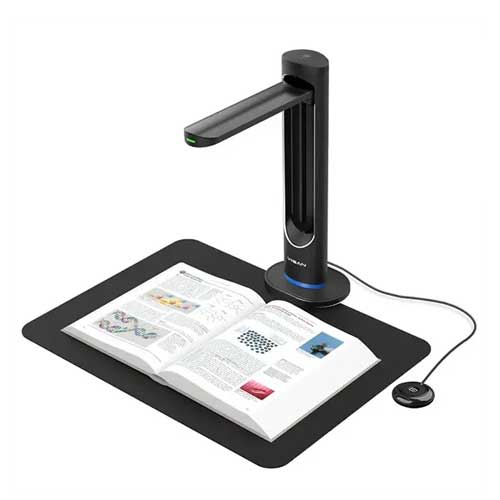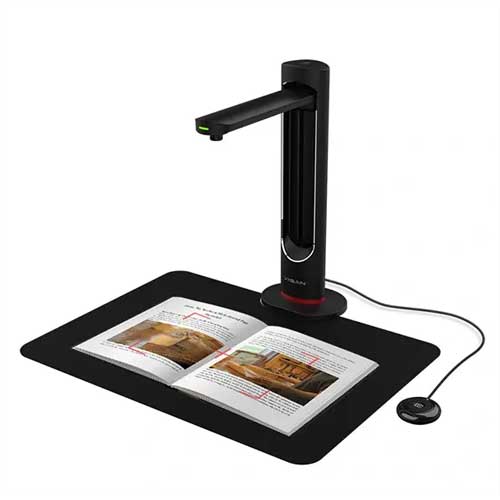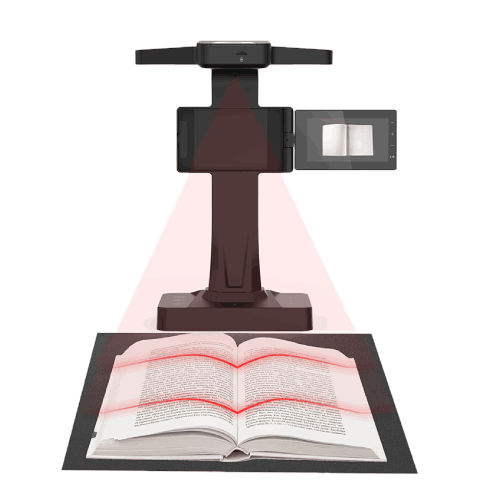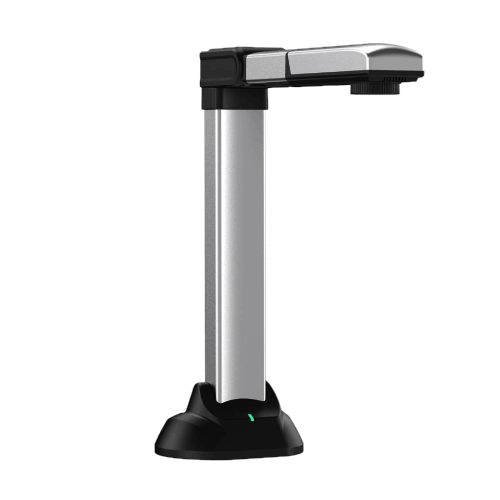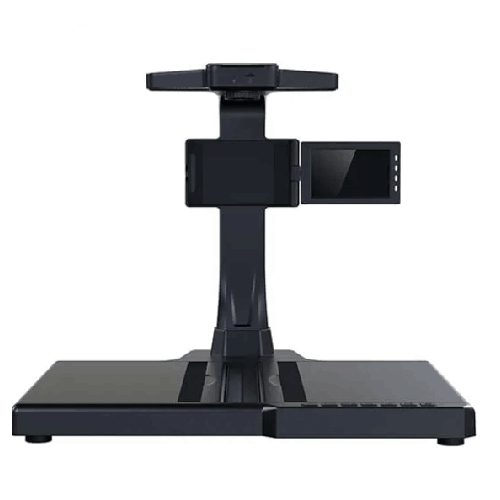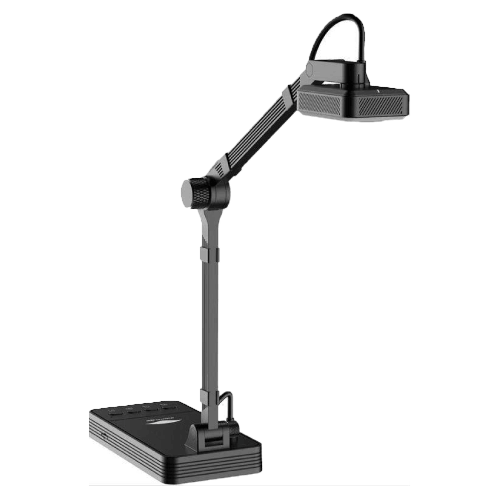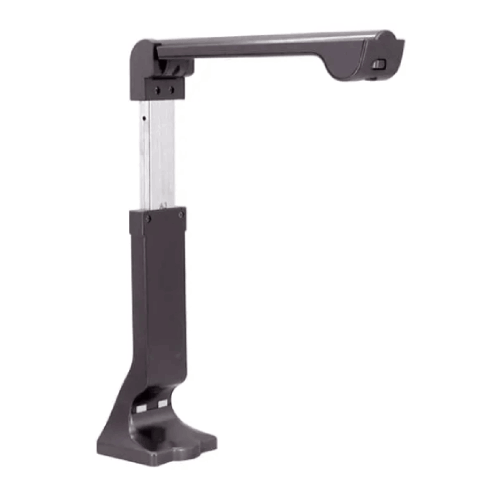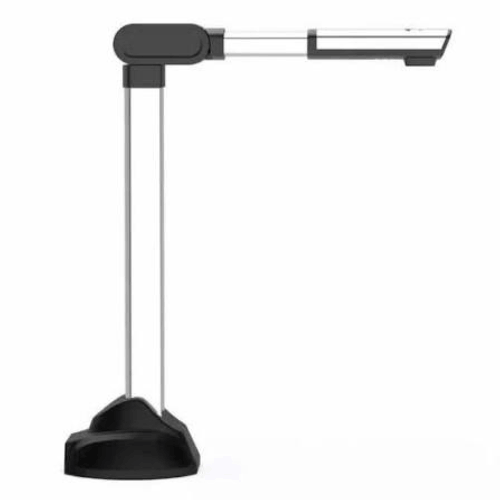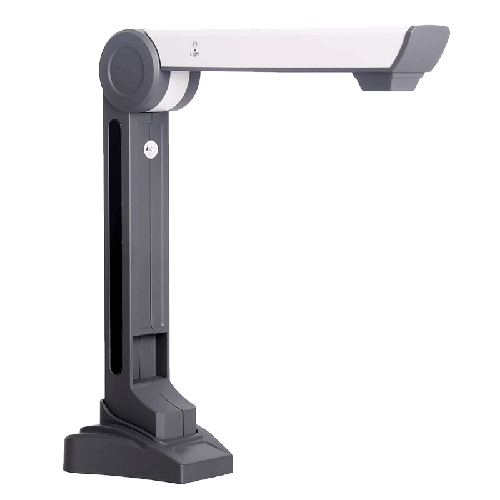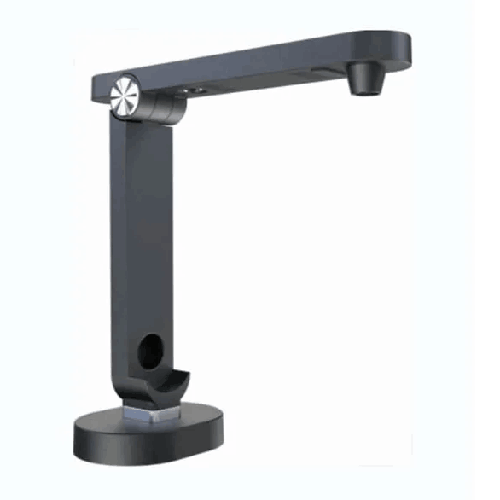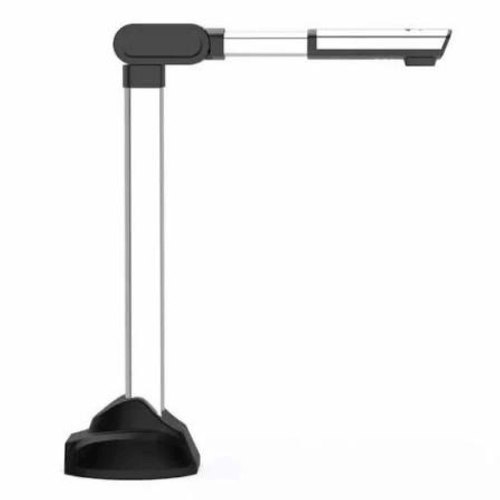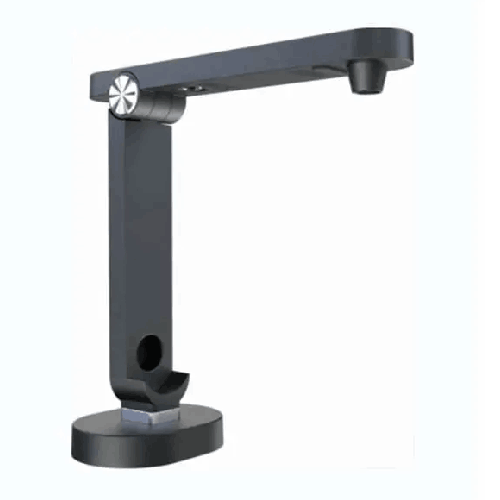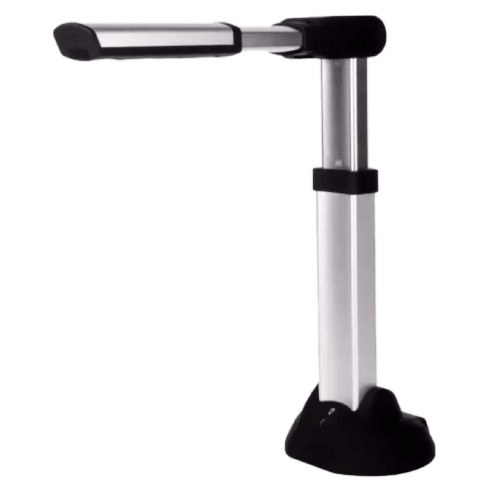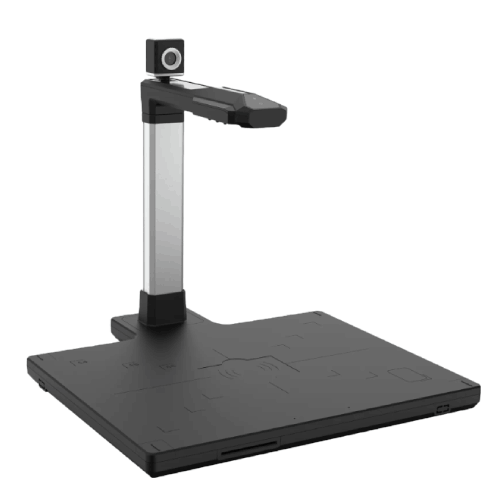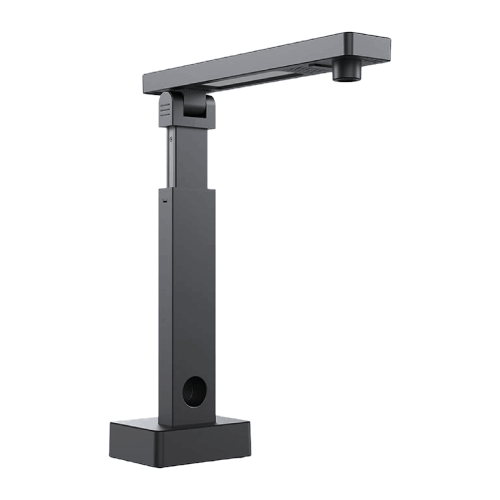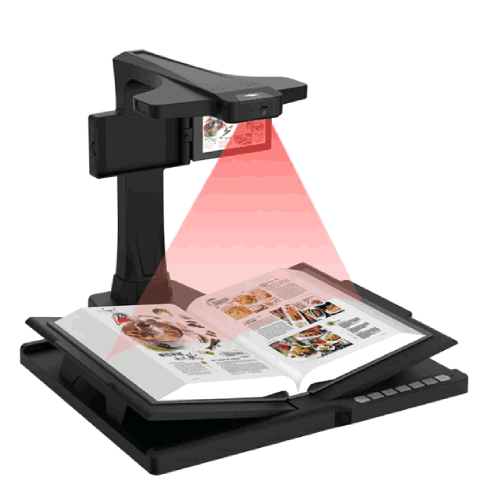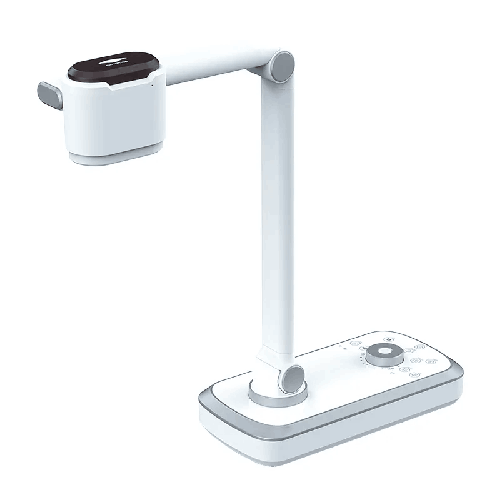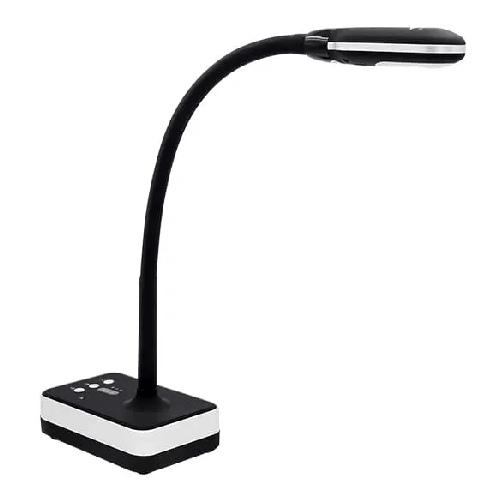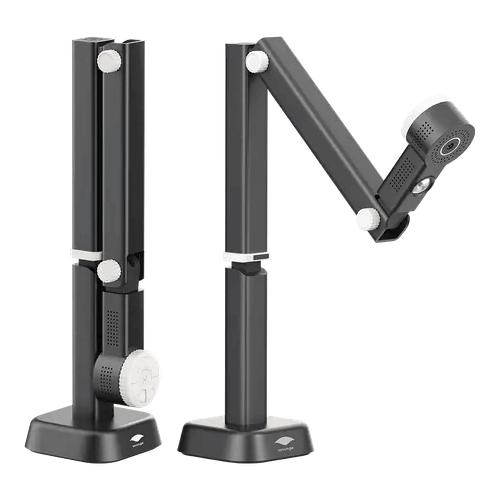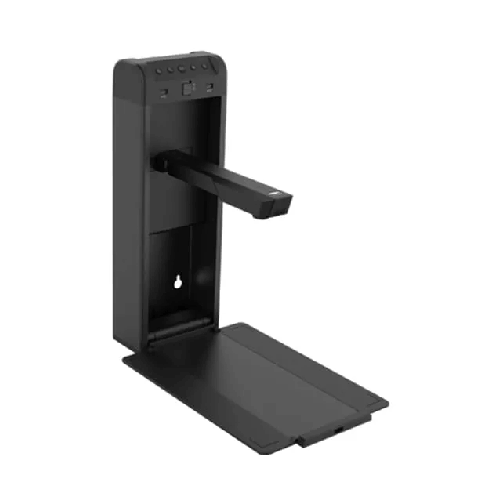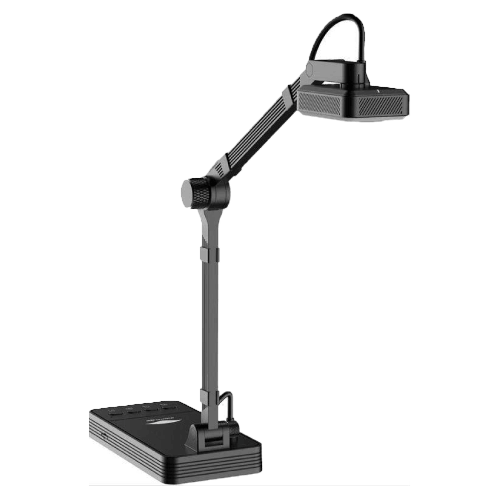
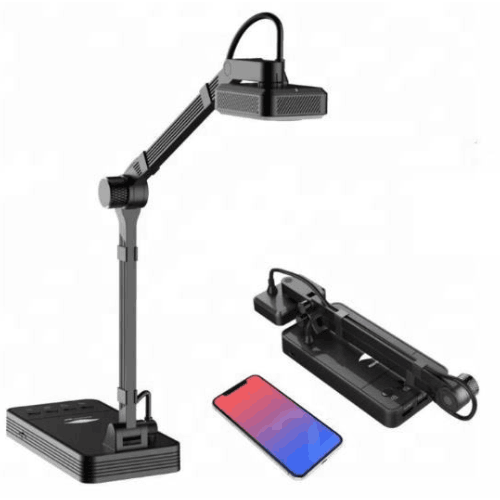
Eloam YL1050AF 10MP A3 Wireless Smart Education Document Camera Scanner
Regular Price:৳0.00Availability: SKU: 7.29.154.9465
Quick Overview
-
Support
Saturday – Thursday: 09 AM - 06 PM. -
Payment
Cash on Delivery | Card | Online Payment -
Shipping Cost
Inside Dhaka 100tk | Outside Dhaka 150tk -
Warranty Policy
Read More
Description
Eloam YL1050AF 10MP A3 Wireless Smart Education Document Camera Scanner in Bangladesh
The Eloam YL1050AF 10MP A3 Wireless Smart Education Document Camera Visualizer & Scanner OCR LED Lighting 30FPS is designed for modern classrooms, training rooms, and offices in Bangladesh that are moving toward digital teaching and paperless workflows. Instead of juggling printed sheets, books, and documents in front of a whiteboard or projector, this intelligent visualizer lets you place your material under the camera and instantly show it on a big screen, TV, projector, or computer for everyone to see—clearly and in real time.
For teachers in Bangladesh who conduct smart classes, blended learning, or online sessions via Zoom, Google Meet, or Microsoft Teams, this document camera works as a powerful teaching companion. You can display textbooks, handwritten notes, exam scripts, science experiments, diagrams, and even small objects like lab components or craft materials, all with high clarity and fluid 30FPS live video. The 10MP resolution offers sharp still images for scanning, archiving, and OCR-based text extraction.
For offices and businesses, the Eloam YL1050AF doubles as a high-quality A3 scanner with wireless connectivity and OCR functionality. Contracts, invoices, forms, drawings, and reports can be captured, converted to editable text, and stored digitally—reducing paperwork and speeding up workflows. Whether you’re a corporate training manager, government officer, NGO worker, or bank executive, this visualizer makes it easy to share physical documents in meetings and remote calls.
Because it supports A3 size, the Eloam YL1050AF can handle large documents such as ledger sheets, question papers, book spreads, certificates, and diagrams that do not fit easily on standard flatbed scanners. The integrated LED lighting helps to maintain consistent brightness, especially in Bangladeshi classrooms or offices where ambient lighting is not always ideal.
Instead of presenting with old overhead projectors, you can bring your teaching and presentations into the digital era—smoothly and professionally.
Key Technology and Main Features as a Real-World Experience
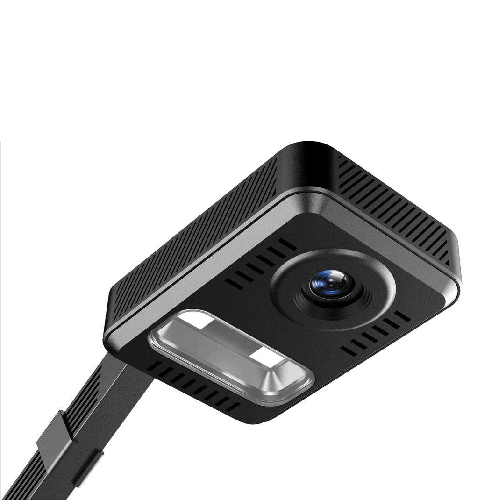
The heart of the Eloam YL1050AF is its 10-megapixel camera, tuned for document and object capture. This high resolution means text is crisp and readable on screen, even when zoomed in. For teachers, this translates to students at the back of a large classroom in Dhaka or Chattogram clearly seeing fine details—small fonts, mathematical symbols, labels in diagrams, or annotations on exam scripts.
The A3 capture area is one of the standout advantages. With many compact document cameras limited to A4, this model lets you open a full-size book, double-page spread, or large answer sheet and display it at once. In the context of Bangladesh, where board exam scripts, registers, and accounting ledgers are often large-format, this capability is extremely practical.
The 30FPS live video ensures that motion is smooth. When you turn pages, write notes under the camera, zoom in on particular sections, or demonstrate a step-by-step process, the video looks natural without choppy or laggy movement. This is especially important for:
- Live handwriting demonstrations
- Real-time math problem solving
- Demonstrations of artworks, crafts, or technical drawing
- Showing experiments or moving components during practical classes
The built-in LED lighting adds stability to the visual quality. In many Bangladesh schools and training centers, classroom lights may be weak or uneven. The Eloam YL1050AF’s LED light helps to minimize shadows and dark areas, so students and participants can clearly see what you are showing on the screen.
Performance, Speed, and Workflow Efficiency
Beyond image clarity, the Eloam YL1050AF is engineered for a fast, efficient workflow. When used with compatible software, you can capture images almost instantly, scan multiple pages one after another, and utilize OCR (optical character recognition) to convert printed text into editable and searchable digital text.
For educators, this means you can quickly build digital lesson materials from your printed textbooks and handouts. You can store scanned pages of question papers, answer keys, and notes, and reuse them for future batches, saving printing costs and preparation time. For offices, OCR allows printed contracts or forms to be turned into editable Word or searchable PDF files—very useful for organizations that are working on digitizing their archives.
The wireless capability helps keep your desk clean and flexible. Depending on supported modes and software, you can connect the visualizer to a PC, laptop, or network without heavy cabling. This makes movement easier—you can shift from one classroom to another or from a meeting room to another floor without re-routing multiple cables every time. For busy teachers who conduct classes in different rooms, this mobility is a big relief.
The camera’s ability to deliver a steady 30FPS helps during screen sharing sessions in Zoom or Google Meet. When you move an object or write under the camera, remote participants see fluid motion, which improves engagement and understanding. In a Bangladesh context, where many coaching centers and universities now run hybrid or fully online classes, this smooth video performance is crucial.
Smart Features, OCR, and Digital Teaching Tools
A key strength of the Eloam ecosystem is its emphasis on smart software features. While exact feature sets may vary depending on the software version and compatibility, Eloam document cameras are typically paired with applications that support:
- OCR (Optical Character Recognition)
- Auto-cropping and deskewing of documents
- Image enhancement (brightness, contrast, color tuning)
- Annotation tools and screen writing (depending on software used)
- Video recording and screen capture
With OCR, the Eloam YL1050AF becomes more than just a visualizer. You can scan a printed paragraph from a book and convert it into editable text for lesson notes or reports. This is particularly useful for teachers who want to extract content from various references and compile custom notes for students, or for office staff who need to digitize key clauses from printed contracts.
Auto-cropping and deskewing mean your scanned documents look straight and clean, even if you placed them a bit off-center under the camera. The software identifies the document edges and corrects perspective, making the final image professional and presentable. This is ideal for official documents, certificates, and forms that will be shared with clients or higher authorities.
When combined with interactive display software or common screen annotation tools, the Eloam YL1050AF becomes a live teaching board. You can freeze an image, highlight key sections, zoom in on a diagram, or annotate instructions while students follow along. This style of teaching is very effective in Bangladeshi coaching centers, medical colleges, engineering institutes, business schools, and language training centers.
Teaching, Training, and Professional Use Cases
The Eloam YL1050AF is purpose-built for smart education, but it also fits perfectly into other professional sectors in Bangladesh:
-
School and College Classrooms: Display textbook content, geography maps, science diagrams, class tests, and students’ answer scripts. Teachers can review answers live, explain corrections, and discuss best practices with the whole class.
-
University and Professional Institutes: Ideal for engineering diagrams, architectural drawings, accounting ledgers, research papers, and journal articles. Lecturers can show complex charts and equations while explaining each part.
-
Coaching Centers and Madrasas: Perfect for board exam preparation, showing question papers and solutions in real-time. For Madrasas, Arabic text and handwriting from Mushaf copies or Arabic grammar books can be displayed clearly.
-
Corporate Training Rooms: Trainers can present printed manuals, marketing materials, technical catalogs, process documents, and product samples. It’s easier to explain SOPs, flowcharts, and diagrams by placing them under the visualizer.
-
Banks, Insurance, and Financial Institutions: Documents such as forms, cheques, agreements, and ID copies can be viewed, discussed, or demonstrated during staff training and process briefings.
-
Government Offices and NGOs: Policies, circulars, forms, and field reports can be presented to teams during workshops and training programs, reducing the need for individual printouts for everyone.
-
Online Teaching and Remote Work: For teachers, trainers, and consultants who teach from home or office, the visualizer helps show a physical notebook, sketch, or printed material over a webcam feed. This is very useful for math tutoring, drawing classes, or any subject that benefits from handwritten demonstration.
Design, Build Quality, and Practicality for Bangladesh
The Eloam YL1050AF is designed with a foldable, space-saving form factor (typical of this category of document cameras). When not in use, you can fold it down and place it in a cupboard or drawer, saving space on small desks—especially important in compact classrooms, coaching center rooms, and small offices in cities like Dhaka and Narayanganj.
The materials and joints are generally made to withstand frequent folding and unfolding, as teachers often move and readjust the device many times a day. The arm structure allows you to position the camera at the right height and angle to cover A3 documents without difficulty.
The integrated LED light is aligned with the camera head to ensure the document below is illuminated evenly. In many Bangladeshi institutions, there may be load-shedding or low-light conditions in the late afternoon. While you will still need backup power (like IPS/UPS) for your PC and projector, the LED on the document camera itself helps maintain document visibility when ambient light fluctuates.
Cable management is relatively simple, especially with wireless capability reducing the number of cables on your desk. This minimises clutter, which is especially important in multi-purpose rooms where the same table may be used for teaching, meetings, and examinations.
Real-Life Scenarios in Bangladesh
Imagine a secondary school teacher in Dhaka conducting a chemistry class. Instead of writing out the entire periodic table or detailed reaction mechanisms on the board repeatedly, they can place the textbook under the Eloam YL1050AF, zoom into specific parts of the table, and highlight patterns in electronic configuration. Students can see a clean, printed layout on the projector while following along in their own books.
A coaching center in Chittagong preparing HSC candidates can use the visualizer to go through solved past papers. The teacher places a question paper under the camera, works through the answers step by step on a separate page, and switches between question and solution views. Because of 30FPS smoothness, the constant switching and handwriting is clear, and students can easily follow.
At a corporate office in Motijheel, a trainer uses the Eloam YL1050AF to demonstrate how to fill out a new compliance form. Instead of printing multiple copies, the trainer shows the form under the camera, writes sample data in each field, and everyone in the conference room sees it on the display.
In a university online class, a lecturer uses screen sharing to show a live view from the Eloam YL1050AF. While writing mathematical proofs or diagrams in a notebook, the camera captures every pen movement in real time. Students connected from different cities—Rajshahi, Sylhet, Barishal—see the explanation as if they were sitting in a physical classroom.
Compatibility and Ecosystem (General Overview)
While specific OS support and software features depend on official Eloam releases, document cameras like the Eloam YL1050AF are typically designed to work with Windows-based PCs and laptops, using dedicated driver and control software. Many such devices also work as standard USB cameras with common video conferencing platforms such as:
- Zoom
- Microsoft Teams
- Google Meet
- Skype
- Other conferencing tools that recognize standard camera sources
The wireless functionality can allow more flexible placement and possible network-based viewing/sharing, depending on the environment and configuration. This is handy in larger classrooms or halls where the teacher’s table is not near the main PC.
The device can also be used in combination with:
- Projectors and interactive whiteboards
- Large LED TVs in training rooms
- Screen recording or lecture capture systems
Before purchase, customers in Bangladesh should confirm OS compatibility (Windows version, possible macOS support if needed) and software features from the latest Eloam documentation or local seller details.
Maintenance and Care for Long-Term Use
To keep the Eloam YL1050AF operating smoothly, only basic, sensible care is needed:
- Keep the lens clean using a soft microfiber cloth. Dust or fingerprints on the lens can reduce clarity, especially when showing fine text.
- Avoid exposing the camera to direct sunlight or high humidity, which are common issues in tropical climates like Bangladesh.
- Always fold and unfold the arm gently, without applying unnecessary force.
- Store the device in a dry place, away from extreme temperature fluctuations.
- When cleaning the body, use a soft, slightly damp cloth—avoid harsh chemicals or sprays directly on the device.
- Ensure stable power and avoid frequent abrupt shutdowns of the connected computer or projector. Using a UPS for critical setups is helpful in load-shedding-prone areas.
By following these simple steps, schools and offices can expect stable performance for years.
✅ Key Features
- 10MP High-Resolution Camera: Delivers sharp, clear images of documents and objects so students and participants can read even small text easily.
- A3 Size Capture Area: Handles books, large answer scripts, maps, and ledgers up to A3 size, making it ideal for academic and office use in Bangladesh.
- 30FPS Smooth Live Video: Provides fluid motion when writing, turning pages, or showing experiments, perfect for teaching and live presentations.
- Wireless Connectivity: Reduces cable clutter and allows more flexible placement in classrooms and meeting rooms.
- Smart Education-Oriented Design: Built as a teaching visualizer for schools, colleges, universities, and training centers, supporting digital and hybrid learning.
- OCR (Optical Character Recognition) Support: Enables scanning of printed text and conversion to editable and searchable digital documents.
- Integrated LED Lighting: Ensures documents are well-lit and readable even in rooms with uneven or low ambient lighting.
- A3 Document Scanner Functionality: Works as a fast scanner for large documents, helping institutions digitize forms, question papers, and records.
- Foldable, Compact Form Factor: Space-saving design that folds down neatly for easy storage on crowded desks or shared classrooms.
- Versatile Presentation Tool: Suitable for showing books, handwritten notes, 3D objects, and small components in training and product demos.
- Easy Connection with PC and Display Devices: Designed to integrate smoothly with computers, projectors, and large screens for teaching and meetings.
- Education and Office Friendly Workflow: Helps teachers and professionals quickly capture, save, and share content without complex setup.
✅ Usage / Applications
- School and College Smart Classrooms: Display textbooks, answer scripts, diagrams, and exercises to the entire class through a projector or TV.
- University and Professional Institutes: Present research articles, engineering drawings, lab manuals, and process charts during lectures and labs.
- Coaching Centers and Private Tutors: Solve past papers, show step-by-step solutions, and review students’ copies in real time.
- Online and Hybrid Teaching: Use as a live camera source in Zoom or Google Meet to show handwriting, notes, and printed material from home or office.
- Corporate Training and Presentations: Demonstrate printed manuals, compliance forms, or marketing collateral in workshops and internal sessions.
- Bank and Financial Sector Training: Show filled sample forms, cheques, and policy documents to trainees during onboarding or refresher training.
- Government Offices and NGOs: Present circulars, project reports, field data sheets, and training materials in workshops and review meetings.
- Libraries and Archives: View and project pages from reference books, periodicals, and archival documents for group reading or explanations.
- Design, Art, and Craft Classes: Show sketching techniques, craft steps, and artwork details clearly to a whole classroom.
- Product Demonstrations and Service Training: Display small hardware components, tools, or device parts during technical training sessions.
✅ Benefits of This Product?
- Enhances Teaching Clarity: Students clearly see every detail of your materials, improving comprehension and classroom engagement.
- Reduces Dependence on Printed Handouts: Present and share content digitally, cutting down on photocopy and printing costs over time.
- Saves Preparation Time: Quickly use existing books and documents instead of rewriting or reprinting materials for each session.
- Supports Modern E-Learning: Works smoothly in digital classrooms and online teaching setups, aligning with Bangladesh’s growing e-learning trend.
- Improves Meeting Efficiency: Allows teams to view the same document on screen, making discussions and decisions faster and more transparent.
- Facilitates Digital Archiving: Scan and store important documents electronically, contributing to paperless workflows and easier retrieval.
- Boosts Professional Image: Using a modern visualizer during presentations creates a more polished, high-tech impression.
- Flexible Across Subjects and Departments: One device serves multiple departments—science, arts, commerce, HR, training, admin—maximizing investment value.
- Space-Saving and Portable: Compact, foldable design is easy to move between rooms or store in tight spaces.
- Adaptable for Different Light Conditions: LED lighting ensures consistent document visibility even if classroom lights are weak.
✅ Ideal For
The Eloam YL1050AF 10MP A3 Wireless Smart Education Document Camera is ideal for a wide range of users in Bangladesh who rely on physical documents and visual explanation.
It’s an excellent solution for school and college teachers who want to move beyond traditional chalk-and-duster to a more interactive, digital-friendly classroom. Mathematics, science, commerce, and language teachers can all benefit from its ability to show books, notes, and solutions clearly to large groups.
University lecturers, polytechnic instructors, and professional training providers will find it indispensable for explaining complex diagrams, formulas, engineering drawings, architectural layouts, and research articles. It is equally useful for coaching centers, where HSC, admission test, BCS, IELTS, and professional exam preparation can be made more engaging and efficient.
On the corporate and institutional side, the Eloam YL1050AF is highly suitable for corporate trainers, HR departments, banks, NGOs, and government organisations that frequently conduct workshops and training programs. Finally, freelance trainers, private tutors, and consultants conducting online or hybrid sessions will appreciate its ability to show handwritten notes and printed materials in real time to remote learners.
✅ Why Choose the Eloam YL1050AF 10MP A3 Wireless Smart Education Document Camera Visualizer & Scanner OCR LED Lighting 30FPS?
Choosing the Eloam YL1050AF means investing in a device specifically created to solve everyday teaching and presentation challenges in a modern, digital way. Many traditional projectors only display slides or videos from a computer, but can’t easily show printed materials, books, or real objects dynamically. This document camera bridges that gap elegantly.
The combination of 10MP resolution, A3 coverage, and 30FPS live video is particularly powerful. It lets you handle large documents without constant repositioning, and the live feed is smooth enough for writing, annotating, and demonstrating physical movements. In classrooms and meeting rooms across Bangladesh, this directly translates to better attention, easier note-taking, and reduced confusion.
The integrated OCR and scanning capability gives the Eloam YL1050AF an edge over standard webcams or basic visualizers. You’re not limited to just showing documents—you can also capture, digitize, and reuse them. This makes it more future-proof as institutions progressively digitize records and move towards blended learning and paperless processes.
Its wireless capability and compact design add practical convenience. Whether you’re a teacher moving between rooms or a trainer conducting sessions in different venues, you can carry and set it up easily. For organizations in Bangladesh that want to modernize their classrooms, labs, and training rooms with a single versatile tool, the Eloam YL1050AF stands out as a smart, long-term choice.
✅ Why Buy This Product from BME?
Buying the Eloam YL1050AF from Business Machine & Equipment (BME) means working with a Bangladesh-based specialist that understands local education and business environments. BME focuses on IT, office, and educational equipment, so the product is selected with the needs of Bangladeshi schools, universities, training centers, and offices in mind.
BME places strong emphasis on offering genuine, brand-sourced products, helping you avoid the risks associated with unofficial or low-quality imports. When you purchase from BME, you get clear product information, transparent pricing, and support-oriented guidance to help match the right solution to your environment—whether it’s a small coaching center or a large corporate training facility.
For organizations planning bulk purchases, BME can assist with B2B quotations and procurement-friendly documentation, making it easier for institutions, NGOs, and government offices to complete internal approval and purchase processes. The team is familiar with common requirements in Bangladesh such as institutional billing, tender participation support, and project-based deployments.
BME also aims to provide Bangladesh-ready customer communication and after-sales guidance—from basic usage instructions to helping you understand how the document camera fits into your existing classroom or meeting room setup. With local presence and market experience, BME is well-positioned to be your long-term partner for smart classroom and office equipment.
✅ Buying Guide
Selecting the right document camera like the Eloam YL1050AF for your institution or office in Bangladesh is easier if you follow a few clear steps.
1. Define Your Primary Use Case
Decide whether your main need is classroom teaching, online training, corporate presentations, document scanning, or a mix of all. If you frequently present physical books, large answer sheets, or maps, an A3-capable camera like the YL1050AF is more suitable than smaller alternatives.
2. Check Size and Coverage Requirements
Confirm the largest document size you typically use. Board exam scripts, architectural drawings, or ledgers often require A3 support. If your work involves only standard A4 sheets, smaller devices could be enough—but A3 gives you more flexibility and future-proofing.
3. Evaluate Resolution and Frame Rate
Higher resolution (10MP) is key for clear readability of small text when projected onto big screens. A smooth 30FPS frame rate is important if you plan to write, move objects, or perform live demos under the camera. For static-only use, frame rate is less critical, but for teaching and training it makes a big difference.
4. Consider Connectivity and Setup Environment
Assess whether wireless connectivity is important for your environment. In fixed classrooms or meeting rooms, USB connection to a dedicated PC may be adequate. For mobile teachers and trainers, wireless capability can simplify setup. Verify that your existing computers and displays support the required interfaces.
5. Check Software and Compatibility
Before buying, check which operating systems the Eloam YL1050AF supports (commonly Windows) and which features (like OCR, annotation, or recording) are available with its software. Make sure it fits your institution’s IT environment and policies.
6. Plan for Space, Mounting, and Viewing
Ensure there is enough desk space to place the document camera and documents up to A3 size. Think about where the projector or TV is positioned, and whether the teacher or presenter can comfortably control the visualizer and face the audience at the same time.
7. Power and Backup Considerations
In Bangladesh, load-shedding can disrupt classes and meetings. While the document camera itself doesn’t consume huge power, your PC and projector or TV should ideally be connected to a UPS or IPS if continuity is critical.
8. Avoid Common Mistakes
- Don’t choose a model without verifying document size support if you know you use large sheets.
- Don’t rely only on webcam-quality devices when you need to show detailed text and diagrams.
- Don’t ignore software requirements—ensure your IT team or admin can install and maintain the necessary applications.
- Don’t overlook training; plan a short familiarization session for teachers or staff to get full benefit from the device.
By methodically checking these points, you can confidently select the Eloam YL1050AF as a practical, efficient tool for your specific environment.
✅ Customers Ask About / Frequently Asked Questions
Q1: Is the Eloam YL1050AF suitable for Bangladesh classrooms and coaching centers?
Yes. Its A3 coverage, 10MP resolution, and 30FPS live video make it highly suitable for school, college, university, and coaching center use across Bangladesh.
Q2: Can I use the Eloam YL1050AF for online classes?
Yes. When connected to a compatible computer, it can typically be used as a camera source in platforms like Zoom, Google Meet, or Microsoft Teams, allowing you to show books and handwritten notes live.
Q3: Does the Eloam YL1050AF support OCR?
The model name itself highlights OCR capability, meaning it is designed to work with software that can convert printed text from scanned images into editable and searchable digital text.
Q4: What is the maximum document size it can capture?
The Eloam YL1050AF is designed for A3-size documents, which means it can handle large answer scripts, books, maps, and registers commonly used in Bangladeshi institutions.
Q5: Is it compatible with projectors and large TVs?
Yes. The Eloam YL1050AF is typically connected to a computer, and that computer’s output can be shown on a projector or large TV, making it ideal for classrooms and meeting rooms.
Q6: What kind of warranty should I expect in Bangladesh?
Warranty terms can vary by supplier and batch. It’s best to check with BME at the time of purchase for current warranty duration and coverage, as we do not state unverified details.
Q7: Does the built-in LED light work in low-light rooms?
Yes. The integrated LED lighting is designed to illuminate documents and reduce shadows, improving visibility in rooms with weak or uneven lighting.
Q8: Can I scan documents for archiving with this visualizer?
Yes. The Eloam YL1050AF can function as a document scanner, especially useful for digitizing question papers, forms, and records up to A3 size.
Q9: Is special training required to use this device?
Basic usage is straightforward—place your document, adjust focus/position, and view the output. However, a short familiarization session helps users take full advantage of OCR, scanning, and software tools.
Q10: What maintenance does it require?
Mainly gentle handling, keeping the lens clean with a soft cloth, and storing it in a dry, dust-protected place. No complex maintenance is typically needed.
Q11: How is it different from a normal webcam?
A normal webcam is designed for faces at close range. The Eloam YL1050AF is tuned for documents and objects, offering A3 coverage, higher resolution, integrated lighting, and a form factor optimized for teaching and scanning.
✅ Why Buy This Product
The Eloam YL1050AF 10MP A3 Wireless Smart Education Document Camera Visualizer & Scanner is a powerful upgrade for any classroom, training room, or office in Bangladesh that still relies heavily on paper. It bridges the gap between traditional paper-based teaching and modern digital presentations, allowing you to show books, scripts, diagrams, and real objects with clarity and ease.
With high-resolution imaging, 30FPS smooth live video, A3 coverage, LED lighting, and OCR capability, it delivers far more than a standard camera or projector setup. Teachers can keep students more engaged, trainers can explain processes more effectively, and offices can begin to digitize and share documents more efficiently.
If you’re planning to modernize your smart classroom, coaching center, or corporate training environment, this visualizer is a practical, future-focused choice. Order the Eloam YL1050AF 10MP A3 Wireless Document Camera Visualizer & Scanner from BME today and transform the way you teach, present, and share information—both in-person and online.
What is the price of Eloam YL1050AF 10MP A3 Wireless Smart Education Document Camera Scanner in Bangladesh?
Write a review
Question Answer
Have question about this product? Get specific details about this product from expert.