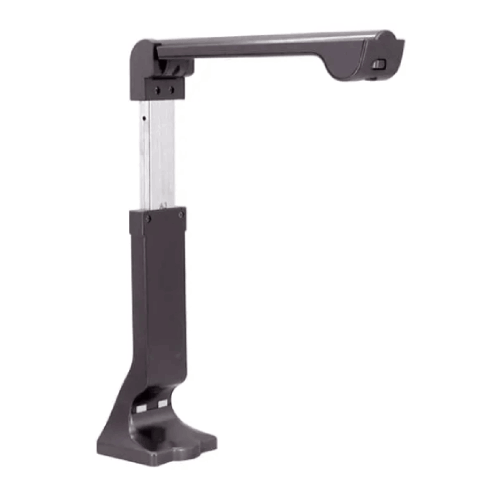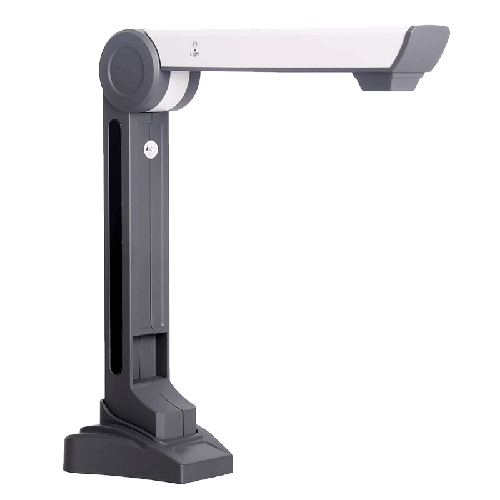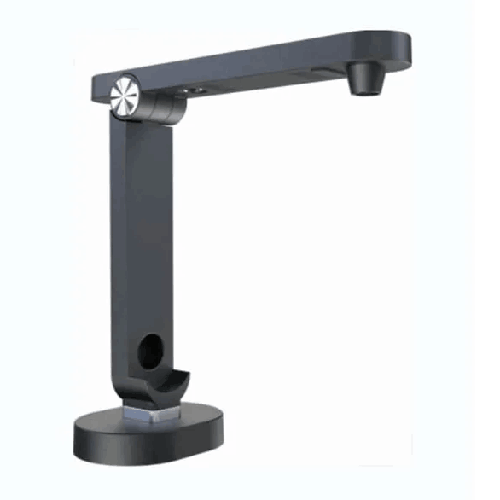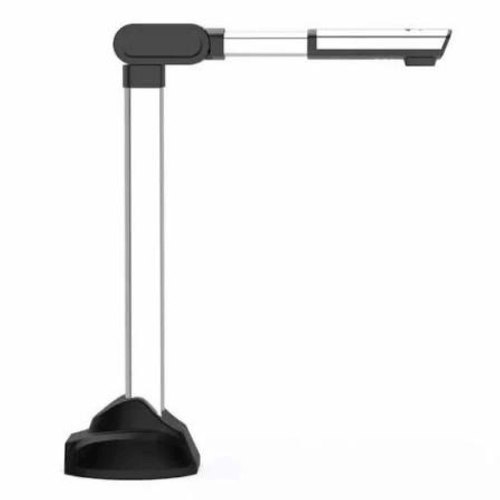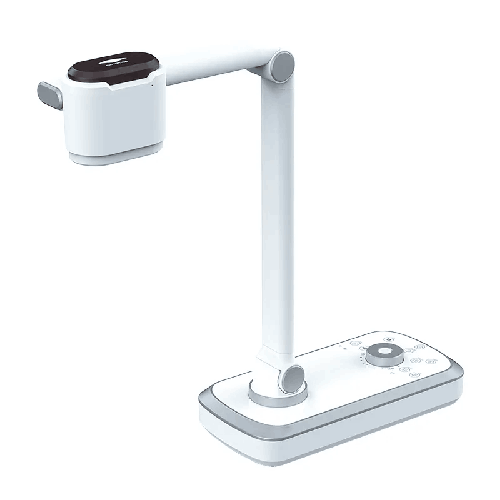
ELOAM V80 12X Optical Zoom Portable Document Scanner
Regular Price:৳0.00Availability: SKU: 7.29.154.9468
Quick Overview
-
Support
Saturday – Thursday: 09 AM - 06 PM. -
Payment
Cash on Delivery | Card | Online Payment -
Shipping Cost
Inside Dhaka 100tk | Outside Dhaka 150tk -
Warranty Policy
Read More
Description
ELOAM V80 12X Optical Zoom Portable Document Scanner in Bangladesh
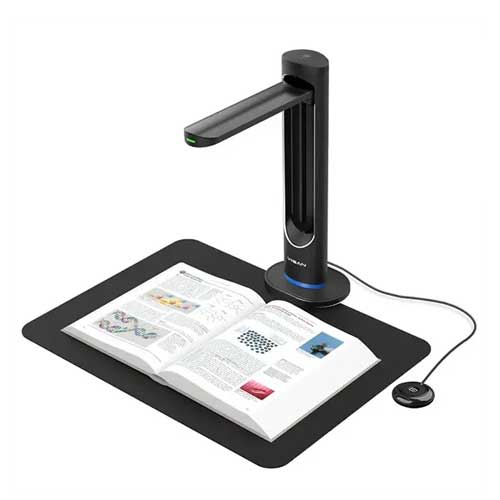
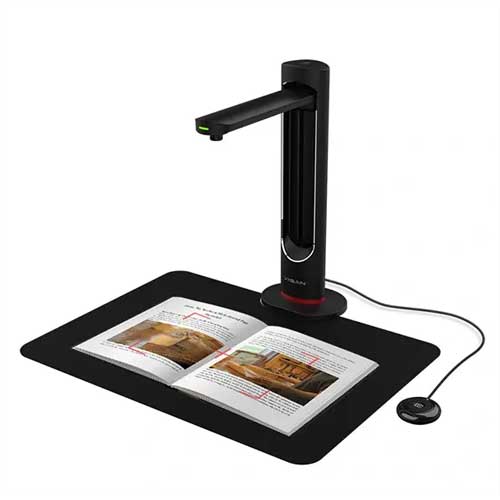
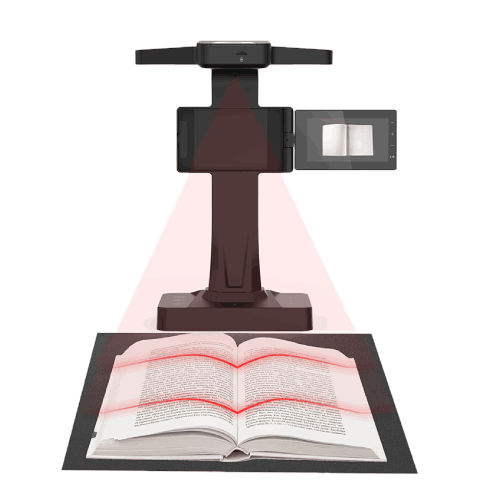
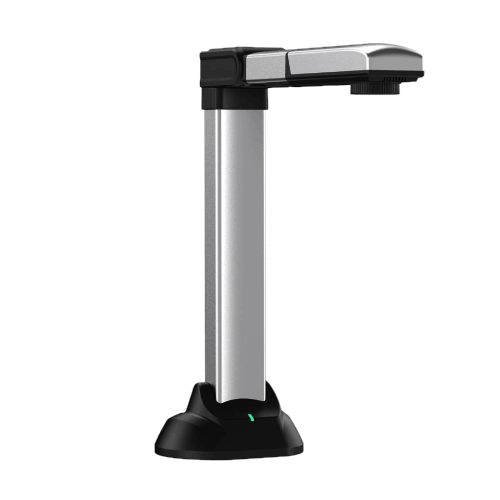
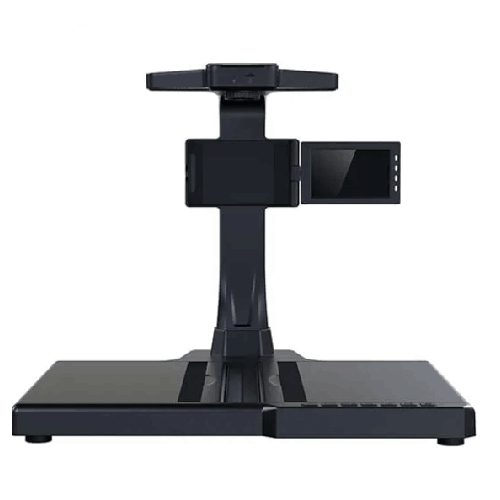
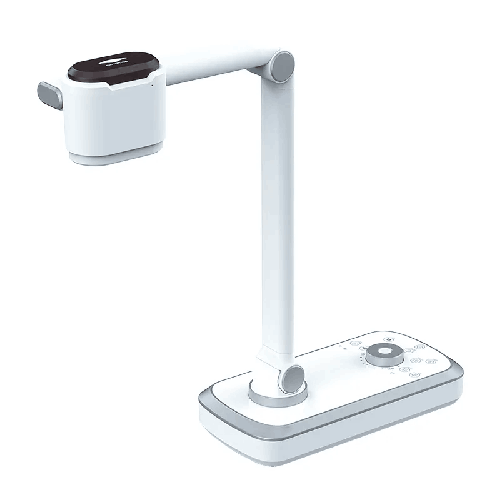
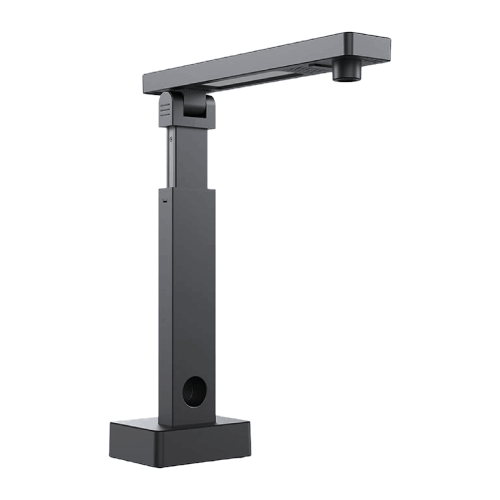
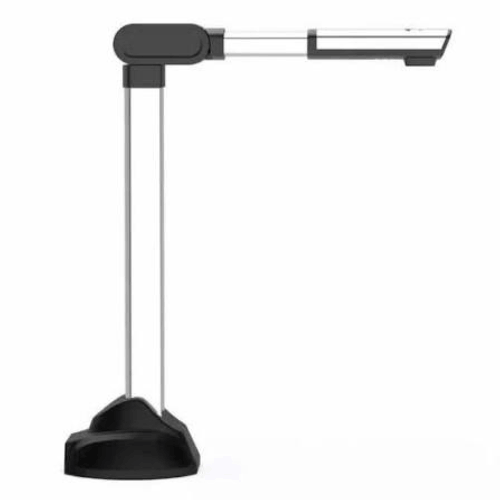
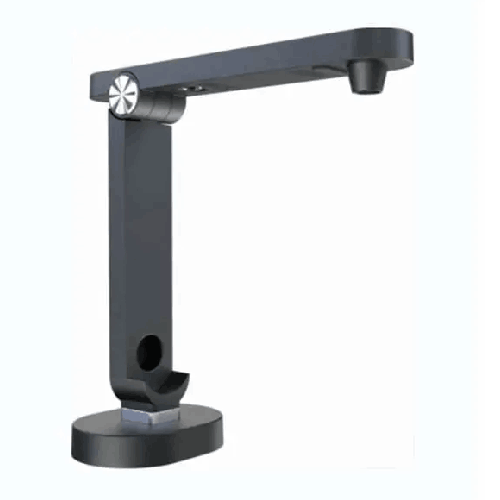
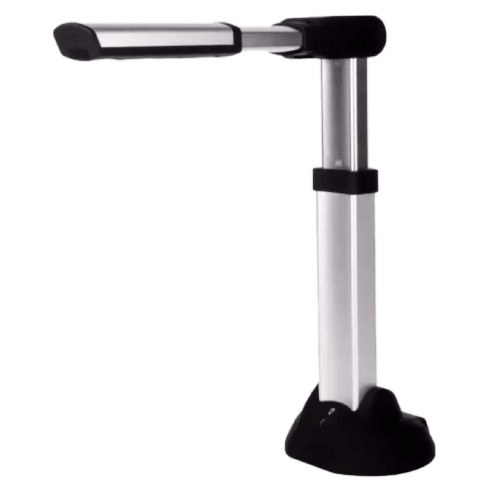
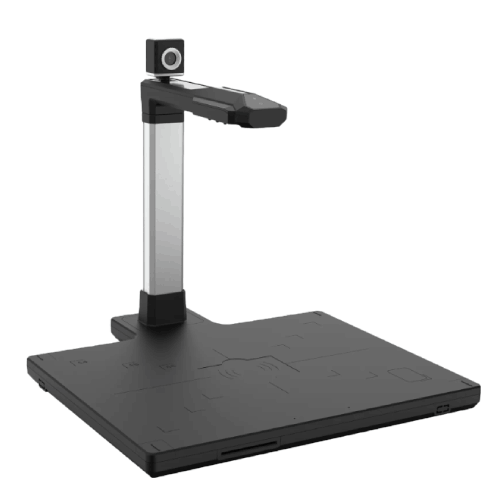
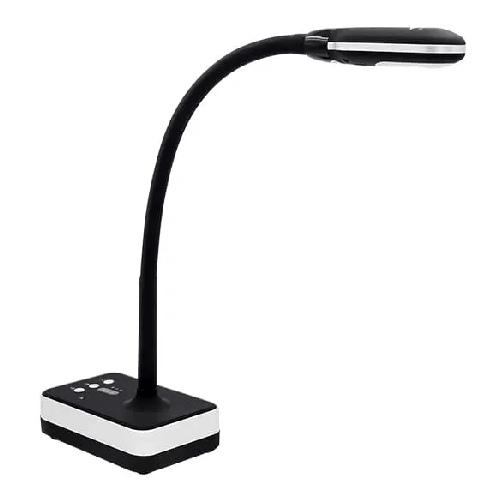
The ELOAM V80 12X Optical Zoom Portable Document Scanner is a powerful, flexible document camera and visual presenter built for modern classrooms, coaching centers, and professional environments in Bangladesh. With its 12X optical zoom lens, portable design, and document scanning capabilities, it bridges the gap between traditional paper-based content and digital display, allowing you to teach, present, and capture information more effectively.
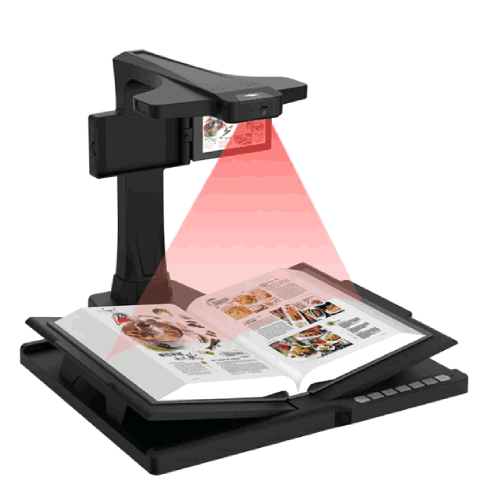
Instead of struggling to show a textbook to the entire class or holding paper up to a webcam, the ELOAM V80 lets you place your book, sheet, or object on the table and project it clearly onto a big screen or share it online. You can zoom in optically on tiny details—like small fonts, labels, graphs, and handwritten notes—without losing clarity the way you would with digital zoom alone.
For schools and colleges in Bangladesh adopting smart classrooms, and for coaching centers preparing SSC, HSC, admission, or professional exam candidates, the V80 offers a professional-grade yet portable solution. For businesses, trainers, and consultants, it doubles as a compact visual presenter, capable of showing printed documents, brochures, and physical items during meetings and training sessions.
12X Optical Zoom – Clarity Where It Matters Most
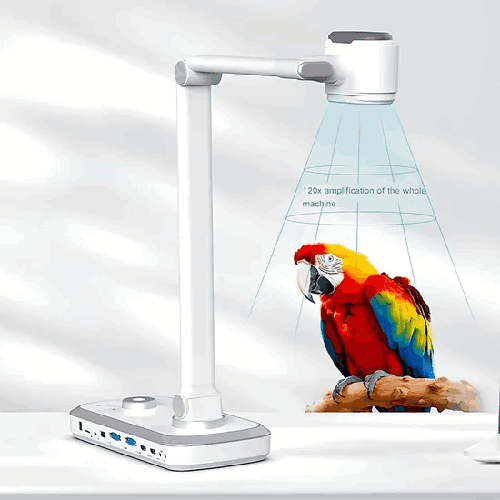
The standout feature of the ELOAM V80 is its 12X optical zoom. Optical zoom relies on the camera’s lens system to magnify the image, maintaining high clarity and detail even when you are zoomed in. This is far superior to simple digital zoom, which just enlarges pixels and quickly becomes blurry.
In real-world Bangladeshi classrooms and offices, this means:
- You can zoom into a small section of a textbook—like a paragraph, diagram, or table—and show it clearly on the projector.
- You can highlight small handwriting on answer scripts, practical notebooks, or lab reports so everyone in the room can read it.
- You can demonstrate tiny parts of an object—like components, connectors, or labels—during technical or product training sessions.
Teachers in large city schools where students sit far from the board, or in crowded coaching center rooms, know how difficult it is for students at the back to see small diagrams or handwritten notes. With the ELOAM V80, you can zoom into the exact part you are explaining, so the entire class sees it sharply on a projected display.
Portable Document Scanner and Visual Presenter in One Device
The ELOAM V80 is both a portable document scanner and a visualizer/document camera. Instead of using a separate scanner for digitizing documents and a separate visualizer for classroom projection, this device lets you:
- Scan documents into your computer for digital storage or sharing
- Show documents in real time during teaching or meetings
When used with compatible software, you can capture pages of:
- Question papers
- Answer sheets
- Worksheets
- Forms and letters
- Diagrams and charts
This dual-use design is particularly convenient for institutions and professionals in Bangladesh that want to cut down on device clutter and cost, while still enjoying advanced presentation features.
For example, a school admin can use the V80 to scan circulars, forms, and exam papers into PDFs. Later, a teacher in the same school can use the same device to project those materials in a class. Trainers in a company can scan signed attendance sheets after training, and also use the device during sessions to display handouts and examples.
Designed for Smart Education and Professional Presentations
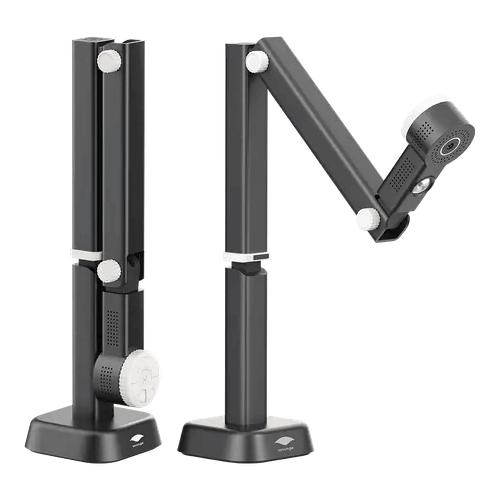
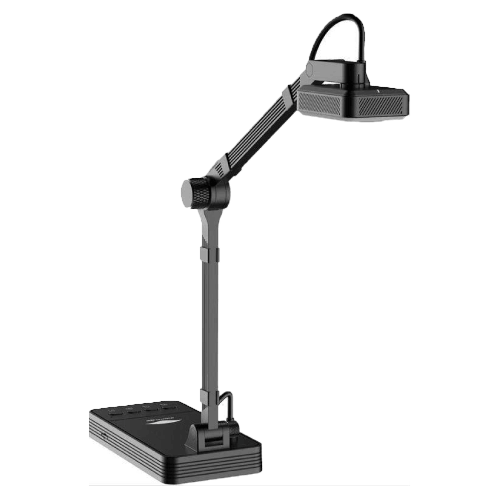
The ELOAM V80 is purpose-built for education and presentation scenarios rather than being just a generic webcam. Its adjustable arm and head are designed so the camera looks down at a document or object placed on the table, mimicking the functionality of an overhead projector but in a far more compact, digital form.
In Bangladeshi smart classrooms, where projectors, interactive boards, or large TVs are used, the V80 slots into the workflow naturally:
- Place the textbook, map, or exercise sheet under the camera
- Use optical zoom to focus on the part you want to explain
- Scroll or move the document slightly to cover more sections as the lesson progresses
Teachers don’t have to rewrite everything on the board; they can leverage existing materials, saving time and ensuring students see the original formatting and details.
In coaching centers, where teachers often cycle through different batches and rooms, the portable design means the same high-quality visualizer can be used across multiple classes. It’s especially effective when revising question papers and discussing detailed solutions.
For corporate meetings, sales presentations, and HR training, the V80 allows professionals to show printed contracts, marketing brochures, training manuals, sample forms, and even physical product samples. Zooming into key paragraphs or product features becomes as simple as turning a dial or pressing a button (depending on the control design).
Portable, Space-Saving Design for Bangladesh Classrooms and Offices
One of the issues with traditional visualizers and scanners is size—they’re often bulky, heavy, and difficult to move. The ELOAM V80 is built to be portable and compact, making it suitable for:
- Small classrooms and teacher desks
- Crowded coaching center rooms
- Shared university labs or seminar rooms
- Compact office cabins and meeting rooms
- Home setups for online teaching and remote work
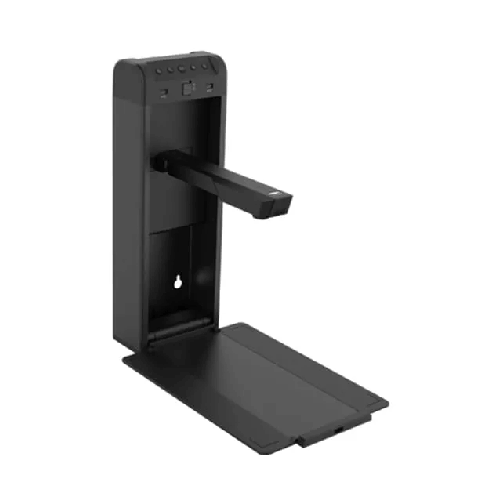
You can fold or collapse the device (depending on its arm design) and store it when not in use, freeing up table space for other tasks. For schools and centers that use multi-purpose spaces, this flexibility is crucial.
Teachers moving between floors or campuses in Dhaka, Chattogram, or other busy cities can carry the V80 with a laptop, set it up quickly, and turn any room into a smart teaching space. Corporate trainers and consultants can bring it along to client sites without worrying about heavy equipment.
Real Classroom and Workplace Scenarios in Bangladesh
-
Smart Classroom in Dhaka City School
A science teacher explains a complex diagram from an SSC textbook. With the ELOAM V80, she places the book under the camera and uses 12X optical zoom to focus on the heart, lungs, or any specific part of the diagram. Students watch on the projector while she points and explains, without having to redraw the diagram on the board. -
HSC Coaching Center in Sylhet
An HSC physics tutor goes through past questions. He puts a printed paper under the V80, zooms into each question, and discusses solution strategies. Then he shifts to his own handwritten solution sheet, showing step-by-step math clearly, even for students sitting at the back. -
University Seminar Room in Rajshahi
A lecturer displays research figures, tables, and notes from journals and books. Instead of making separate slides for all tables, she shows them directly through the ELOAM V80, zooming into sections and discussing data lines in detail. -
Corporate Training in Motijheel, Dhaka
A bank’s training officer explains a multi-page form to new recruits. Using the V80, he places the form pages one by one, zooms into each field, and points out what data is required. Everyone in the room sees the same view on the TV, reducing confusion. -
Product Demo for a Tech Company
A technical sales engineer uses the V80 to show a small electronic device and its connectors to a room full of clients. By zooming in optically, the audience can see pin details and port labels clearly on the big screen, without everyone crowding around the device.
Fast Setup and Simple Operation
The ELOAM V80 is designed to be user-friendly. While specific connector types and buttons vary, typical usage in Bangladesh will look like this:
- Connect the device to a PC or laptop (commonly via USB).
- Launch the associated viewer/scanning software.
- Place your document or object under the camera.
- Adjust positioning and use optical zoom to frame the desired area.
- Start scanning, projecting, or sharing the live view depending on your need.
This straightforward approach means even non-technical users—teachers, admin staff, or HR trainers—can operate it comfortably after a brief orientation. There’s no need for complex camera setups or unstable smartphone stands.
Digital Archiving and Document Management
As a portable document scanner, the ELOAM V80 supports a range of institutional workflows in Bangladesh that aim to move from paper to digital:
- Schools and colleges can scan question papers, student assignments, and administrative records for safe storage and faster retrieval.
- Offices can scan signed contracts, application forms, and invoices into PDFs for easier sharing, backup, and compliance purposes.
- NGOs can digitize training manuals, beneficiary forms, and field reports to build searchable archives.
When used with compatible scanning or OCR software (if supported by the software package), the V80’s captured images can be converted into searchable or editable documents. This is especially helpful for documentation-heavy organizations that need fast access to historical records.
Compatibility and Integration (General Overview)
The ELOAM V80 is typically used with a computer-based setup. Most document cameras of this class are designed primarily for Windows PCs and laptops. Once connected and configured with appropriate drivers/software, it can:
- Display a live stream on your computer, which you can project to a screen or share via an interactive display.
- Capture still images and documents for saving as image files or PDFs.
- Potentially integrate with OCR-capable applications (where available) to convert text.
For online classes or remote meetings, many users in Bangladesh share the viewer software window through:
- Zoom
- Google Meet
- Microsoft Teams
- Other conferencing platforms
This way, students or colleagues see in real-time what the V80 camera is capturing—books, notes, forms, or objects.
Before large-scale deployment, IT admins should verify:
- Supported operating systems and driver availability
- Minimum hardware requirements
- Whether any special permissions are needed for installation
Maintenance and Care
To keep the ELOAM V80 functioning reliably in Bangladesh’s environment, a few simple practices are recommended:
- Lens cleaning: Regularly clean the lens with a soft microfiber cloth. Do not use rough materials or harsh chemicals.
- Dust protection: When idle, cover the camera or store it in a bag or cabinet to minimize dust accumulation—important in dusty urban and semi-urban conditions.
- Gentle handling: Fold/unfold and adjust the arm with care. Avoid sudden force or twisting motions.
- Cable safety: Keep cables untangled and away from walkways to prevent tripping or accidental disconnection.
- Environment: Avoid exposing the device to high humidity, direct sunlight, or extreme temperature swings.
With basic care, the V80 can provide consistent service over many academic years or corporate training cycles.
✅ Key Features
- 12X Optical Zoom Lens: Allows precise, high-clarity zooming into small text, diagrams, and objects without pixelation, ideal for teaching and demos.
- Portable Document Scanner: Functions as a scanner to digitize pages for storage and sharing, supporting everyday academic and office documents.
- Visual Presenter / Document Camera: Acts as a live visualizer for classrooms and meeting rooms, projecting documents and objects in real time.
- Space-Saving Design: Compact, portable structure fits easily on crowded desks and can be stored quickly when not in use.
- Flexible Camera Positioning: Adjustable arm/head (design-dependent) enables comfortable framing of documents and 3D objects.
- Education and Training Focused: Built for schools, colleges, universities, coaching centers, and training rooms with heavy teaching needs.
- Supports Real-Time Projection: Connects to a computer that can output to projectors or large TVs for group viewing.
- Enhances Visual Detail in Classes: Makes it easy to highlight fine handwriting, tiny labels, or specific sections of a page.
- Ideal for Mixed Media: Handles books, loose sheets, manuals, and small products, offering strong versatility for different subjects and industries.
✅ Usage / Applications
- School and College Smart Classes: Show textbook pages, maps, graphs, and handwritten notes in real time.
- Coaching Centers and Private Tuition: Display question papers, sample answers, and handwritten solutions to groups.
- University Lectures and Seminars: Present research figures, diagrams, and book extracts to students in lecture halls.
- Corporate Training Sessions: Demonstrate printed policies, forms, brochures, and product features clearly to trainees.
- Sales and Product Demonstrations: Show small product parts, connector layouts, or component details during client presentations.
- Office Documentation Workflows: Scan and view contracts, forms, reports, and other paperwork for internal discussions.
- NGO and Government Workshops: Present training modules, forms, and guideline documents to groups in workshops.
- Library and Resource Centers: Display reference material and archival content to groups during orientation or study sessions.
✅ Benefits of This Product?
- Improves Classroom Engagement: Students see clear, zoomed-in views of real textbooks and notes, making lessons easier to follow.
- Saves Teacher and Trainer Time: Reduces the need to rewrite or redraw content on the board; simply show it via the camera.
- Enables Detailed Explanations: 12X optical zoom lets you focus on small parts of a document or object and explain them precisely.
- Supports Digital Archiving: Works as a scanner to digitize important academic or office documents for safe storage and quick access.
- Reduces Equipment Load: Combines document scanner and visual presenter into one portable device, cutting down on devices and clutter.
- Adaptable Across Departments: Useful for science labs, language classes, admin offices, HR training, and corporate presentations.
- Enhances Professional Image: Using a dedicated, optical-zoom visualizer looks more polished than improvised webcam or phone setups.
- Works Well in Limited Spaces: Compact design suits Bangladeshi classrooms and offices where space is at a premium.
✅ Ideal For
The ELOAM V80 12X Optical Zoom Portable Document Scanner is ideal for organizations and individuals in Bangladesh who demand high visual clarity and flexibility in a compact form.
It’s an excellent fit for school and college teachers who frequently refer to textbooks, maps, charts, and student scripts in class, and who want students—especially those at the back—to clearly see detailed content. Coaching center tutors and university lecturers benefit from its ability to zoom into complex diagrams, equations, and past question papers, making explanations more precise.
Corporate trainers, HR professionals, and sales teams can use the V80 to project printed materials and product details during training and presentations, ensuring everyone sees key paragraphs and features clearly. NGOs and government trainers running workshops in different locations will appreciate its portability and ability to handle various printed training resources.
If you are looking for a device that combines zoom-based visual clarity, scanning capability, and portability—and you regularly use physical documents or small objects in your teaching or presentations—the ELOAM V80 is a strong match.
✅ Why Choose the ELOAM V80 12X Optical Zoom Portable Document Scanner?
The ELOAM V80 offers a combination that many standard document cameras can’t match: true 12X optical zoom in a portable scanner/visualizer form factor. Optical zoom is crucial when your work demands clear visibility of fine details—common in textbooks, exam papers, engineering drawings, and small product parts. Instead of grainy digital zoom, the V80’s lens magnifies the subject optically, maintaining sharpness.
Its dual identity as a document scanner and live visual presenter means you’re not just projecting documents—you’re also building digital archives and sharing content quickly in electronic form. For schools and businesses in Bangladesh undergoing digital transformation, this is an efficient way to capture and present information with a single piece of equipment.
The portability and compact design make the V80 easy to integrate into dynamic, real-world environments: shared classrooms, multi-use seminar halls, hot-desking offices, and home-based teaching setups. You’re not locked to a single room or heavy platform.
Compared to cobbled-together setups using webcams or smartphones, the ELOAM V80 is purpose-built for document and object presentation. It looks professional, performs consistently, and is easier to operate in front of students, trainees, clients, or management.
If your goal is to raise the quality of visual explanation, streamline document handling, and maintain the flexibility to move between rooms and locations, the ELOAM V80 stands out as a smart, future-ready choice.
✅ Why Buy This Product from BME?
Buying the ELOAM V80 12X Optical Zoom Portable Document Scanner from Business Machine & Equipment (BME) ensures you work with a Bangladesh-based specialist that understands both the education and corporate sectors.
BME focuses on providing genuine, brand-sourced products, reducing risks associated with parallel imports or non-standard units that may lack proper support. With BME, you can expect clear product details and guidance tailored to how Bangladeshi schools, coaching centers, universities, NGOs, and businesses actually use document cameras and scanners.
For institutions planning multiple purchases, BME can assist with formal quotations and documentation to support procurement processes, whether you’re equipping a few smart classrooms or rolling out devices across an entire campus or organization. This is especially helpful for government projects, NGOs, and corporate training programs with structured approval flows.
BME also aims to offer local usage guidance and after-sales communication, helping customers understand best practices for setup, integration with PCs and projectors, and practical classroom or office usage. While specific service terms and warranty durations should be confirmed at purchase, you gain the advantage of a local partner familiar with Bangladesh’s power conditions, space constraints, and ICT infrastructure.
✅ Buying Guide
To decide if the ELOAM V80 12X Optical Zoom Portable Document Scanner is the right choice, consider these key points:
1. Zoom and Detail Requirements
Ask yourself how often you need to show fine detail. If you regularly present small text, intricate diagrams, or small objects, 12X optical zoom is a major advantage over basic fixed-lens or digital-only cameras.
2. Portability vs Fixed Installation
If you move between classrooms, branches, or client sites, a portable visualizer like the V80 is ideal. If you only ever present from one fixed room, a larger installed system might be considered—but portability gives you much more flexibility.
3. Document Sizes and Types
Review the types of documents you handle—textbooks, A4 sheets, forms, ID cards, small 3D objects. The V80 is well suited for typical academic and office-sized materials. If large A3 documents are your main focus, you might complement it with an A3-specific device.
4. Scanning Needs
If you not only want to show documents but also digitize them for storage, sharing, and archiving, the V80’s scanner function will be important. Consider how many pages you handle and how often you need digital copies.
5. Integration with Existing Equipment
Check that your existing PCs or laptops (typically Windows-based) can install the required software and that your projectors or TVs can display from those computers. Plan the physical layout so cables and positioning support comfortable teaching or presenting.
6. Training and Ease of Use
Consider your team’s comfort with technology. The V80 is designed to be straightforward, but scheduling a short training session for teachers or trainers ensures they use zoom, focus, and scanning effectively.
7. Budget and Device Consolidation
Since the V80 combines document camera and scanner functionality, it can reduce the need for separate devices. When budgeting, factor in this consolidation and the long-term value of more efficient presentations and scanning.
8. Avoid Common Mistakes
- Don’t rely on digital zoom-only solutions if clarity is crucial; optical zoom is far superior for fine detail.
- Don’t overlook mobility needs—fixed units can limit usage across multiple rooms or locations.
- Don’t ignore software and OS requirements; verify support before committing to large deployments.
By reviewing these points, you can confidently choose the ELOAM V80 if you need powerful zoom, portability, and scanning capability in one smart device.
✅ Customers Ask About / Frequently Asked Questions
Q1: What makes the ELOAM V80 different from basic document cameras?
The ELOAM V80 offers 12X optical zoom, which provides much clearer close-ups of text and objects compared to basic cameras that rely mainly on digital zoom.
Q2: Can the ELOAM V80 be used in Bangladeshi classrooms and coaching centers?
Yes. It’s designed for education environments and is ideal for schools, colleges, universities, and coaching centers across Bangladesh.
Q3: Is the V80 suitable for online classes?
Yes. When connected to a computer, you can share the viewer window in Zoom, Google Meet, or Microsoft Teams, allowing students to see books, notes, and objects in real time.
Q4: Does it work as a scanner as well?
Yes. It functions as a portable document scanner, letting you capture documents into digital files for storage or sharing.
Q5: What can I show under the camera?
You can show textbooks, loose sheets, notebooks, maps, small 3D objects, product samples, and more—anything that fits within the camera’s view area.
Q6: Is any special software required?
Yes. You typically use manufacturer-provided or compatible software to view, scan, and manage images from the V80. Confirm software availability and OS support when purchasing.
Q7: Is the ELOAM V80 portable enough for teachers who move between rooms?
Yes. It is designed to be compact and portable, making it convenient for teachers and trainers who switch classrooms or visit different branches.
Q8: Can it handle A3-sized documents?
The V80 is primarily optimized as a portable scanner/visualizer with zoom. For frequent A3 use, check official specs or consider using it alongside an A3-capable model if large documents are critical.
Q9: How do I connect it to a projector or TV?
You connect the V80 to a PC or laptop, then connect that computer to your projector or TV via HDMI, VGA, or other supported display output.
Q10: What warranty can I expect in Bangladesh?
Warranty terms depend on the batch and supplier. Please confirm the exact warranty details with BME at the time of purchase.
Q11: Is it difficult to learn how to use the zoom and focus?
No. Controls are designed to be straightforward. Most users become comfortable with basic zoom and framing within a short practice session.
✅ Why Buy This Product
The ELOAM V80 12X Optical Zoom Portable Document Scanner offers a powerful combination of optical zoom clarity, scanning capability, and portability that fits the real-world needs of Bangladesh’s classrooms, coaching centers, and corporate environments. It replaces cumbersome, fixed equipment with a smart, mobile device you can carry between rooms and even between cities.
With the V80, you can present textbooks, documents, and small objects in rich detail, making your explanations clearer and more engaging. At the same time, you can quickly digitize important paperwork, exam materials, and training documents, supporting paperless workflows and easier information sharing.
If you’re serious about improving visual communication in your teaching, training, or professional presentations, and you need a device that adapts easily to different spaces and usage scenarios, the ELOAM V80 is a compelling option. Order the ELOAM V80 12X Optical Zoom Portable Document Scanner from BME today and upgrade the way you show, zoom, and share information across your institution or business.
What is the price of ELOAM V80 12X Optical Zoom Portable Document Scanner in Bangladesh?
Write a review
Question Answer
Have question about this product? Get specific details about this product from expert.