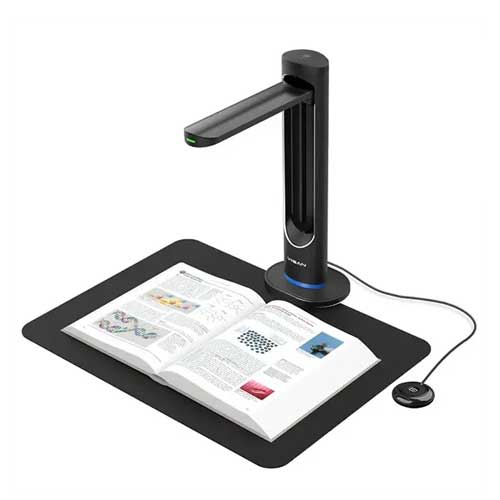
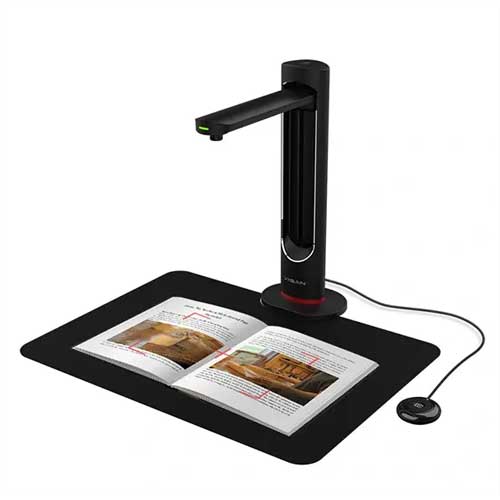
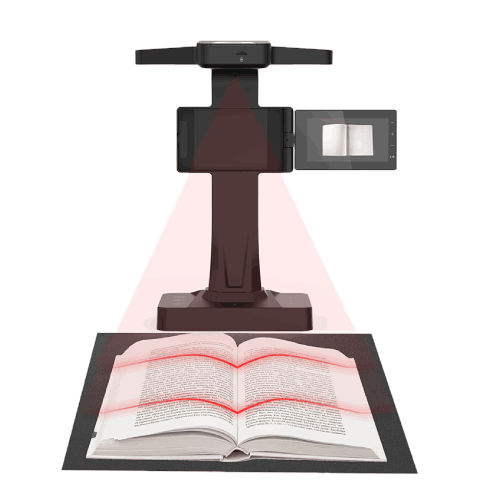
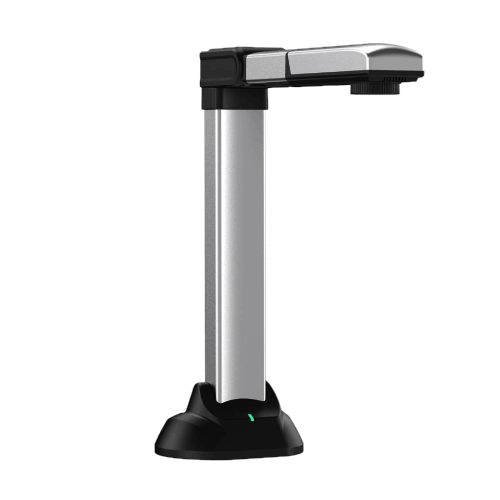
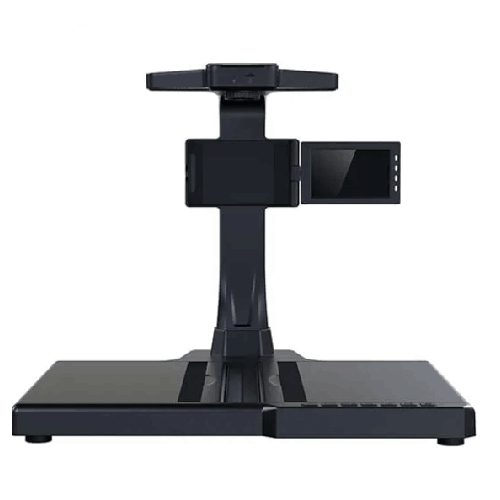
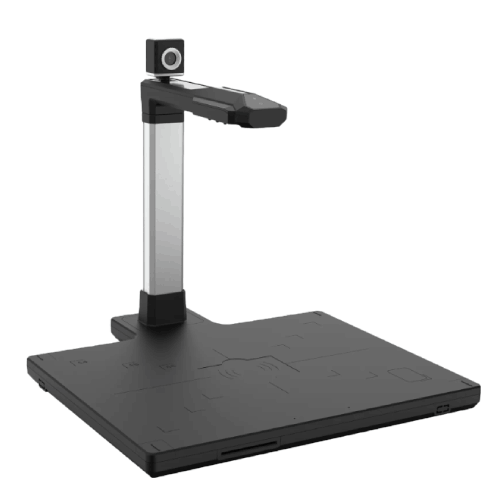
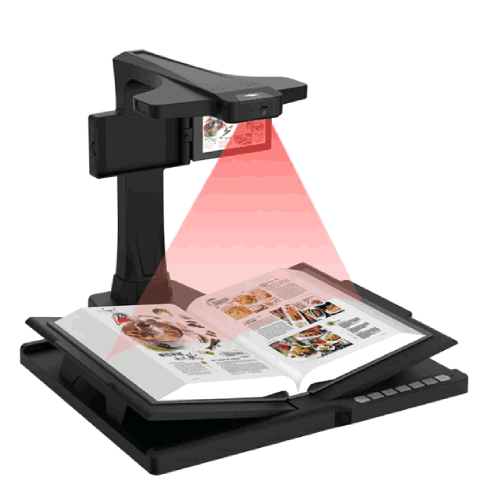
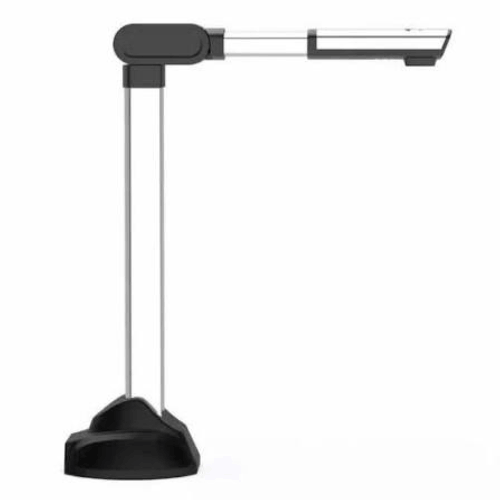
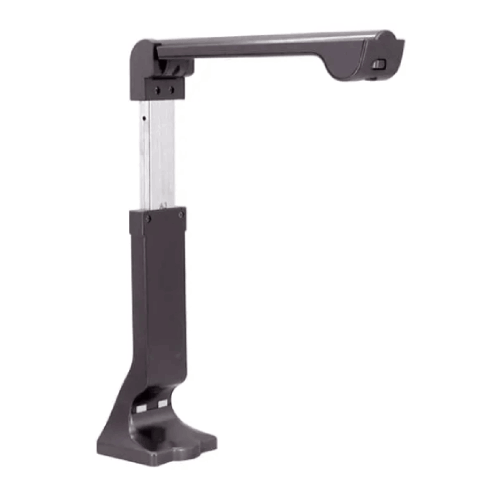
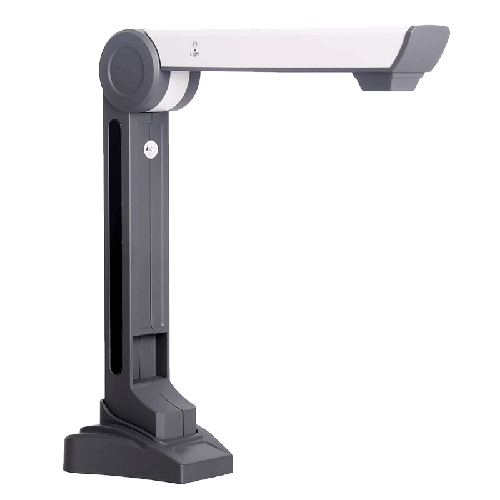
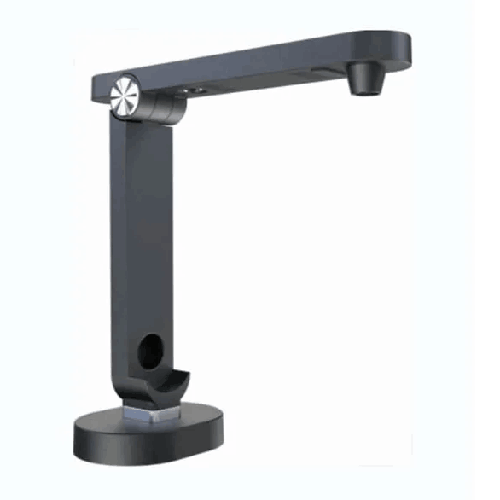
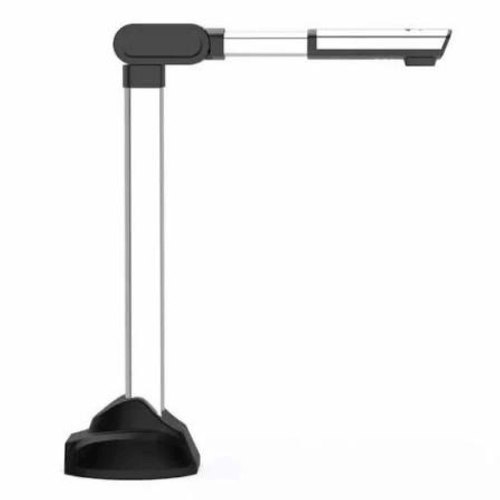
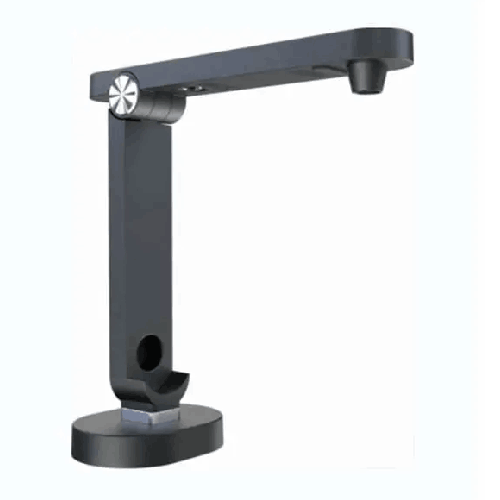
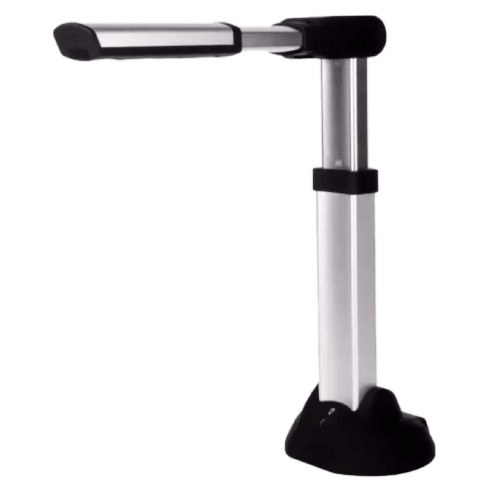
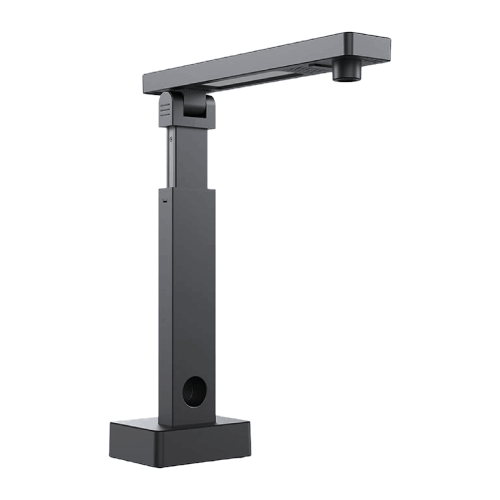
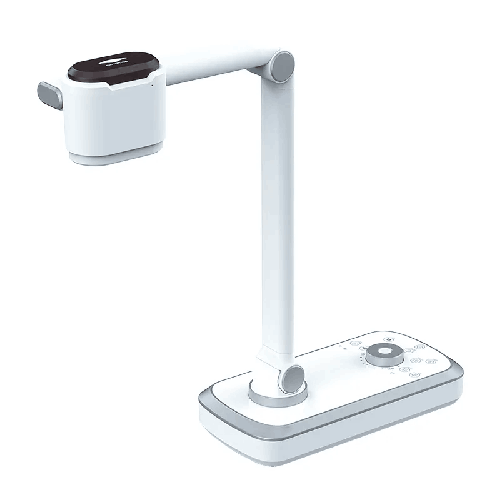
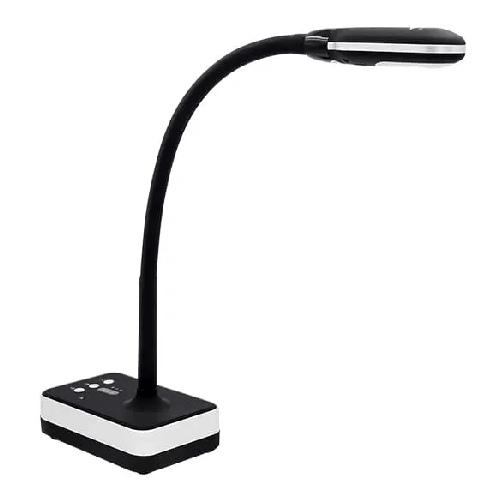
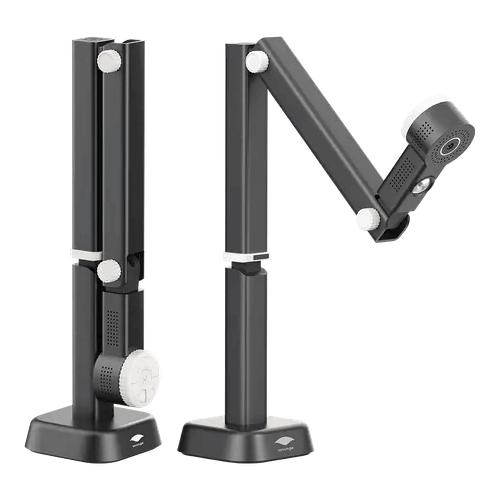
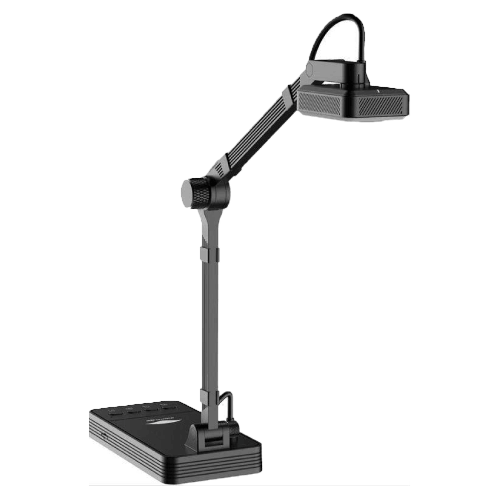
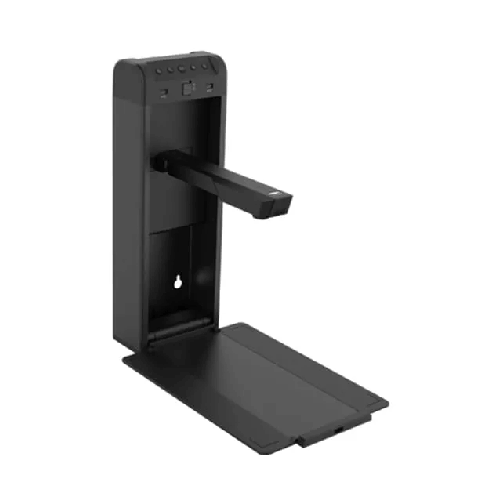
Eloam S1530A3AF 16MP A4 Document Camera Scanner
Regular Price:৳0.00Availability: SKU: 7.29.154.9471
Quick Overview
-
Support
Saturday – Thursday: 09 AM - 06 PM. -
Payment
Cash on Delivery | Card | Online Payment -
Shipping Cost
Inside Dhaka 100tk | Outside Dhaka 150tk -
Warranty Policy
Read More
Description
Eloam S1530A3AF 16MP A4 Document Camera Scanner in Bangladesh
The Eloam S1530A3AF 16MP A4 Document Camera Scanner is a high-resolution visualizer and scanner designed for modern education and professional environments in Bangladesh. With a 16-megapixel camera, flexible document capture up to A4 size (and often beyond, depending on placement), and fast autofocus, it gives teachers, trainers, and office staff a smarter way to show and scan paper documents.
Instead of lifting books in front of a webcam or relying only on old flatbed scanners, the Eloam S1530A3AF lets you place documents on the desk and instantly display them on a projector, TV, or online meeting. At the same time, you can capture crisp digital copies of question papers, answer scripts, forms, and reports directly into your computer.
For Bangladeshi schools, colleges, universities, coaching centers, NGOs, and offices that are moving toward smart classrooms and digital workflows, this combination of live visual presentation and document scanning is extremely practical.
16MP High-Resolution Imaging for Clear Text and Diagrams
At the core of the Eloam S1530A3AF is a 16-megapixel camera sensor. This high resolution is crucial when you’re projecting or scanning materials containing:
- Small text and fonts
- Detailed diagrams and graphs
- Handwritten notes and exam scripts
- Tables with numerical data
In a typical Bangladeshi classroom, students at the back rows often struggle to see small writing on a whiteboard. With 16MP capture projected onto a big screen or LED TV, the S1530A3AF ensures that text from textbooks, exercise sheets, or teachers’ handwritten solutions remains sharp and readable from anywhere in the room.
For office use, this resolution level means contracts, letters, invoices, HR policies, and internal circulars are scanned with enough clarity for later reference, reprinting, or digital archiving.
A4 Document Camera and Scanner – Optimized for Everyday Use
Most daily documents in Bangladesh are A4 size: question papers, admin forms, letters, legal notices, admission applications, and office files. The S1530A3AF is tuned to handle this size efficiently as both a document camera and a scanner:
- As a document camera, it displays A4 pages live on your screen or projector, perfect for teaching, training, and presentations.
- As a scanner, it captures A4 pages into image or PDF format, allowing quick conversion of paper files into digital documents.
This dual purpose is particularly useful in:
- School and college offices digitizing admission forms and student records.
- Coaching centers capturing and reusing printed question sheets.
- University departments scanning reference material for sharing with students.
- SMEs and corporate offices converting paper documents into soft copies for e‑mail, audit, or backup.
While the model name highlights A4, many Eloam document cameras can also frame slightly larger content by adjusting height and placement (though the optimal clarity is always best within rated sizes).
Autofocus for Fast, Hassle-Free Teaching and Scanning
The “AF” in S1530A3AF indicates autofocus capability. Autofocus is crucial for smooth, interruption-free sessions:
- When you change pages or move a document, the camera automatically adjusts focus.
- You don’t spend time manually turning focus dials between each sheet.
- Teachers and trainers can move quickly through materials without equipment getting in the way.
For example, a teacher in Dhaka can:
- Place a printed question paper under the camera.
- Show a specific question while students follow along.
- Switch to a handwritten solution sheet and continue the explanation.
Each time, autofocus keeps the image sharp. In busy coaching classes or large lecture halls, these small time savings add up to a smoother, more professional experience.
Visual Presenter for Smart Classrooms and Online Teaching
As a visual presenter, the Eloam S1530A3AF helps transform any classroom into a smart classroom:
- Place a book, worksheet, notebook, or object under the camera.
- Show it live via a projector or large display, connected through your PC.
- Zoom or reposition to highlight the part you want to explain.
This is especially powerful for:
- Mathematics and Science: Showing worked solutions, graphs, diagrams, and lab notes.
- Commerce and Accounting: Displaying ledger formats, balance sheets, and financial statements.
- Language and Literature: Showing passages from textbooks, poems, or essays and analyzing structure line by line.
- Geography and Social Science: Displaying maps, charts, and timelines.
For online classes, teachers and trainers in Bangladesh can use the S1530A3AF as a live document camera:
- Connect it to a laptop.
- Open the camera/scanner software window.
- Share that window via Zoom, Google Meet, Microsoft Teams, or similar platforms.
Students across the country—from Dhaka to Chattogram, Sylhet, Rajshahi, Khulna, and beyond—can see what’s under your camera as clearly as students sitting in a physical classroom.
Document Scanner for Digital Archiving and Sharing
Beyond presentation, the Eloam S1530A3AF acts as a document scanner to build digital archives:
- Scan A4 documents into PDFs or image files.
- Store them in shared folders, LMSs, or document management systems.
- Share by e‑mail or cloud services instead of photocopying and courier.
Examples in Bangladesh where this is highly beneficial:
- School administration: Digitizing admission forms, report cards, and disciplinary records.
- University offices: Scanning applications, transcripts, and thesis evaluation forms.
- Corporate HR teams: Scanning CVs, joining documents, and appraisal forms.
- NGOs: Digitizing beneficiary forms, field survey sheets, and training attendance lists.
High-resolution images from the 16MP sensor mean these digital files can be safely used for reference and, where needed, printed again at acceptable quality.
Suitable for Education, Offices, and NGOs
The flexibility of the S1530A3AF makes it suitable across multiple sectors in Bangladesh:
- Education: Teachers, lecturers, lab instructors, and exam departments.
- Coaching and Training: Coaching centers, IELTS/English academies, IT training, and corporate training rooms.
- Corporate and SMEs: Admin, HR, accounts, and management teams handling documentation and internal communication.
- NGOs and Government Projects: Field documentation, workshop training materials, and policy documents.
One device can be shared between departments to maximize usage. For instance, a school might use it in classrooms during lessons and later in the exam cell for scanning scripts.
Compact, Foldable, and Desk-Friendly Design
Space is often limited in Bangladeshi classrooms and offices. The Eloam S1530A3AF is designed as a compact, desk-friendly document camera:
- Fits easily on a standard teacher’s or trainer’s table.
- Can be folded or placed aside when not in use.
- Does not require a permanent large footprint like some flatbed scanners or overhead projectors.
This is ideal for:
- Multi-purpose rooms used for both regular classes and special sessions.
- Coaching center cubicles with small tables.
- Crowded office cabins where several people share desks.
- Home teaching setups for private tutors and online instructors.
Because it connects via USB to a computer, cable management is simple, and you don’t need a complex power arrangement every time you move it.
Real-Life Use Cases in Bangladesh
-
Secondary School Teacher in Dhaka
A science teacher uses the S1530A3AF to go through textbook diagrams. She places the book under the camera, uses the high resolution to show each part clearly on the projector, and explains labels while students copy notes. No need to redraw the entire diagram on the board. -
HSC Coaching Center in Chattogram
A commerce teacher solves Accountancy problems live. He places the question paper under the camera, then switches to his own ledger sheets and balance sheets as he completes the solution. The class follows the structured format easily. -
University Lecturer in Rajshahi
During a seminar, a lecturer uses the document camera to show tables and charts from printed research articles. Students see the actual journal pages projected, providing context and authenticity. -
NGO Training in Khulna
A trainer working with rural development programs shows printed posters, manuals, and forms under the S1530A3AF, so a group of facilitators can all see clearly in a hall. -
Corporate Meeting in Motijheel
An HR manager uses the visualizer to walk employees through a new leave policy document, going section by section, rather than sending long PDFs nobody reads thoroughly.
Compatibility and Software Integration
The Eloam S1530A3AF is a USB document camera and scanner, typically designed to work with Windows PCs and laptops using appropriate drivers and manufacturer-provided software. While specific OS support should always be confirmed from current documentation or the seller, typical functions include:
- Live preview of the document under the camera.
- Capture of still images or sequences.
- Control over resolution and image settings.
- Saving as images (JPEG/PNG) or PDFs.
- Possibly OCR integration depending on software bundle (to convert scanned text into editable/searchable form).
For live projection, the computer connects to:
- Multimedia projectors,
- Interactive whiteboards, or
- Large LED TVs and monitors.
For online sessions, you can share the software window via:
- Zoom,
- Microsoft Teams,
- Google Meet,
- Other web conferencing tools.
Before large-scale use, IT admins should verify:
- Supported Windows versions.
- Driver/software installation rights.
- Integration with existing classroom or boardroom setups.
Maintenance and Care for Long-Term Use
Maintaining the Eloam S1530A3AF in Bangladesh’s climate is straightforward:
- Clean the lens regularly with a soft microfiber cloth to prevent dust spots and maintain image clarity.
- Avoid touching the lens with fingers, as oils can affect image quality.
- Protect from dust by covering or storing the device when not in use, especially in dusty classrooms or offices.
- Handle moving parts carefully if the arm is foldable—do not force beyond their natural range.
- Keep cables organized, preventing accidental tugs that can knock the camera off the table.
- Minimize humidity exposure by avoiding very damp environments or open windows during heavy rains.
Following these basic steps helps ensure consistent performance and extends the life of the device.
✅ Key Features
- 16MP High-Resolution Camera: Delivers sharp, detailed images of documents, textbooks, and handwritten notes for crystal-clear viewing and scanning.
- A4 Document Camera and Scanner: Optimized for everyday A4 pages used in schools, coaching centers, and offices across Bangladesh.
- Autofocus (AF) Functionality: Automatically adjusts focus when documents are moved or changed, saving time and keeping images consistently sharp.
- Visual Presenter for Smart Classrooms: Works as a live document camera to project content through PCs and projectors or large displays.
- USB-Powered Connectivity: Connects to a PC or laptop via USB for power and data, simplifying setup and portability.
- Compact, Desk-Friendly Design: Fits on small teacher tables, office desks, and home workspaces without occupying excessive space.
- Ideal for Teaching and Training: Designed for school teachers, lecturers, trainers, and facilitators who depend on printed materials.
- Supports Digital Archiving: Scans documents into digital formats for storing, sharing, and backing up important paperwork.
- Versatile Across Sectors: Useful in education, corporate offices, NGOs, and government organizations that handle paper documents daily.
✅ Usage / Applications
- Classroom Teaching (School & College): Display textbooks, exam questions, model answers, and diagrams on projectors or TVs.
- Coaching Centers: Present past papers, solutions, and practice sheets to groups of students during exam preparation sessions.
- University Lectures & Seminars: Show printed research articles, book extracts, and illustrations in lecture halls.
- Online Classes & E-Learning: Use as a live document camera for Zoom, Google Meet, or Teams, replacing basic webcams when showing written material.
- Office and Corporate Use: Present policy documents, reports, forms, and internal memos during meetings and training sessions.
- NGO and Development Training: Display training manuals, forms, and posters to groups during workshops in field offices.
- Administration & Exam Departments: Scan answer scripts, application forms, and official records into digital archives.
- Libraries and Resource Centers: Demonstrate reference pages to groups and capture important pages for digital sharing.
✅ Benefits of This Product?
- Improves Teaching Clarity: Makes it easy for all students in the room to read the same book page or question paper simultaneously.
- Saves Preparation Time: Teachers and trainers can use existing printed materials instead of recreating everything in slides or on the board.
- Supports Hybrid and Online Learning: Enables natural, paper-based teaching styles to work effectively in digital classrooms.
- Streamlines Document Digitization: Allows offices and institutions to build organized digital archives without relying solely on slow flatbed scanners.
- Reduces Photocopying Costs: Digital sharing of scanned documents can cut down on printing and photocopying needs.
- Enhances Professional Image: A proper document camera/visualizer looks more polished in front of students and corporate audiences than improvised setups.
- Versatile for Multiple Departments: Can be shared among teaching, admin, HR, and training teams, maximizing investment value.
- Space-Efficient in Crowded Environments: Compact design fits neatly into Bangladesh’s typically small classrooms and office cabins.
✅ Ideal For
The Eloam S1530A3AF 16MP A4 Document Camera Scanner is ideal for a wide range of users across Bangladesh who rely heavily on printed documents but want to present and archive them digitally.
It’s especially suitable for school and college teachers who teach using textbooks, question papers, and handwritten solutions. Mathematics, science, commerce, language, and humanities teachers can all benefit from projecting these materials instead of rewriting them for every class.
Coaching center tutors and university lecturers will find it valuable for explaining past papers, sample answers, and reference articles. It’s also well-suited for corporate trainers, HR departments, NGOs, and government training units that frequently show printed forms, guidelines, and manuals in workshops.
Administrative teams and exam departments can leverage the S1530A3AF for scanning records and answer scripts, while libraries and resource centers can use it for occasional scanning and group viewings of reference content. If your workflow combines paper documents with digital communication, this device fits right in.
✅ Why Choose the Eloam S1530A3AF 16MP A4 Document Camera Scanner?
Choosing the Eloam S1530A3AF means choosing a device that’s purpose-built for the realities of classrooms and offices in Bangladesh. Its 16MP resolution offers a significant quality advantage over low-end cameras, ensuring that even small handwriting and fine print are clear when projected or scanned.
The A4-optimized design directly addresses the most common document size used in exams, administration, and daily office work. Instead of struggling with devices not tuned for documents, you get a tool tailored to your workflow.
Its autofocus (AF) system removes friction from teaching and scanning sessions. Frequent page changes, shifting between question and solution sheets, or moving from printed pages to notebooks all become seamless, without repeated manual adjustments.
Unlike using a basic webcam or smartphone, the S1530A3AF offers a stable, downward-facing camera layout specifically created for documents. This leads to better framing, less glare, and a far more professional experience for both in-person and remote audiences.
By combining visual presentation and scanning capabilities, it also saves money and table space compared to buying separate scanners and visualizers. For institutions undergoing digital transformation—smart classroom projects, paperless office initiatives, or blended learning programs—the Eloam S1530A3AF provides a reliable, future-friendly foundation.
✅ Why Buy This Product from BME?
Buying the Eloam S1530A3AF from Business Machine & Equipment (BME) means working with a Bangladesh-based supplier that understands local educational and corporate requirements.
BME focuses on genuine, brand-sourced products, which is especially important for document cameras and scanners where camera quality and software support matter. This significantly reduces the risk of substandard or incompatible units from informal channels.
With experience serving schools, colleges, universities, NGOs, corporate offices, and government organizations, BME can help you plan how the S1530A3AF will be used:
- How many classrooms or departments need coverage.
- How it will integrate with your existing PCs, projectors, and network.
- Whether it fits better in classrooms, admin departments, exam cells, or shared labs.
For institutional purchases, BME can provide formal quotations and procurement documentation, supporting internal approval processes, tenders, and donor-funded projects.
Additionally, BME aims to give Bangladesh-context support and guidance, from basic setup to practical usage tips—like positioning in small classrooms, managing scanning workflows, and integrating with online teaching platforms. While detailed service and warranty terms should be confirmed at purchase, partnering with BME offers peace of mind and long-term value.
✅ Buying Guide
To ensure the Eloam S1530A3AF 16MP A4 Document Camera Scanner is the right choice, consider the following points:
1. Define Your Primary Usage
Is your main need classroom teaching, online instruction, office presentations, or document scanning? The S1530A3AF is ideal if you need a balanced mix of presentation and scanning.
2. Check Document Size Requirements
Most day-to-day documents are A4. If you primarily handle A4 sheets and standard books, this model is a strong match. If you frequently work with A3 answer scripts or large plans, you may need an additional A3-capable device.
3. Evaluate Resolution Needs
If you often present or scan materials containing small text or detailed diagrams, 16MP resolution is particularly valuable. For serious teaching and archiving, higher resolution makes a clear difference.
4. Look at Your IT Environment
Confirm that your PCs or laptops—especially those connected to projectors—support the required software and drivers (typically Windows). Check USB port availability and any restrictions on installing third-party software.
5. Consider Teaching and Presentation Style
If your teaching style is heavily board-based, think how integrating a document camera could reduce repetitive writing and improve clarity. For trainers and HR staff, consider how showing real forms and documents can make sessions more concrete.
6. Plan Scanning and Storage Workflows
If you intend to use it for scanning, decide how digital files will be named, organized, and stored (folder structure, backup strategy, etc.). This is essential for exam departments, offices, and NGOs.
7. Think About Portability and Sharing
If the device will be shared between rooms or departments, the S1530A3AF’s compact, USB-based design is a plus. Decide whether you need one per building, per floor, or per department.
8. Avoid Common Mistakes
- Don’t rely solely on low-res webcams if you frequently show documents—text clarity will suffer.
- Don’t purchase a large flatbed scanner expecting it to replace a live visualizer; they serve different roles.
- Don’t ignore software requirements—verify OS compatibility in advance.
By carefully working through these points, you can confidently select the Eloam S1530A3AF as a practical, efficient solution for your document presentation and scanning needs.
✅ Customers Ask About / Frequently Asked Questions
Q1: What is the resolution of the Eloam S1530A3AF?
The Eloam S1530A3AF features a 16MP (16‑megapixel) camera sensor, designed for clear, detailed capture of documents and books.
Q2: Is it suitable for use in Bangladeshi classrooms and coaching centers?
Yes. It is well-suited for schools, colleges, universities, and coaching centers in Bangladesh where teachers regularly present textbooks, question papers, and handwritten notes.
Q3: Can I use this document camera for online classes?
Yes. You can use it as a document camera by connecting it to a PC or laptop and sharing the software window on platforms like Zoom, Google Meet, or Microsoft Teams.
Q4: What document size is it best for?
The S1530A3AF is optimized for A4 documents, which covers most everyday academic and office paperwork in Bangladesh.
Q5: Does it have autofocus?
Yes. The “AF” in the model name indicates autofocus, which automatically adjusts focus when you move or change documents.
Q6: Can it scan documents for archiving?
Yes. It can be used as a scanner to capture documents into digital image or PDF files for storage, sharing, and backup.
Q7: Is it compatible with Windows PCs?
It is generally designed to work with Windows PCs and laptops using provided drivers and software. Please confirm specific OS version support at the time of purchase.
Q8: Do I need a projector to use it in class?
You connect the camera to a PC, and then connect that PC to a projector or large TV for students to see the image. Without a projector/TV, it can still be used for scanning on the PC screen.
Q9: Is it easy for teachers to operate?
Yes. Basic operations like placing documents, adjusting position, and capturing or presenting are straightforward. Most teachers become comfortable after a short practice session.
Q10: What kind of warranty should I expect in Bangladesh?
Warranty terms vary by batch and supplier. Please check with BME when purchasing to get the latest and accurate warranty information.
Q11: Can it display small 3D objects as well as documents?
Yes. As long as the object fits within the camera’s view and is placed properly under the lens, the S1530A3AF can show small 3D items like components or tools for demonstrations.
✅ Why Buy This Product
The Eloam S1530A3AF 16MP A4 Document Camera Scanner is a powerful yet practical tool for Bangladesh’s evolving education, training, and office environments. It lets you merge the strengths of traditional paper-based teaching and official documentation with the flexibility of digital presentation and archiving.
By adopting this device, you:
- Upgrade classroom teaching with sharper, more engaging visual explanation.
- Simplify online classes and hybrid learning by showing real books and notes clearly.
- Speed up document scanning and sharing, reducing dependence on photocopies and manual file handling.
- Present policies, forms, and reports professionally in meetings and training rooms.
If you’re looking for a reliable, high-resolution document camera that fits everyday A4 workflows and helps you move toward smarter, more efficient use of paper and digital content, the Eloam S1530A3AF is an excellent choice. Order the Eloam S1530A3AF 16MP A4 Document Camera Scanner from BME today and modernize the way you present, teach, and manage documents across your institution or business.
What is the price of Eloam S1530A3AF 16MP A4 Document Camera Scanner in Bangladesh?
Write a review
Question Answer
Have question about this product? Get specific details about this product from expert.