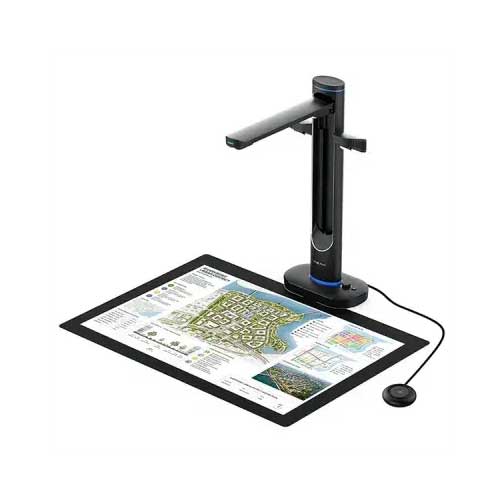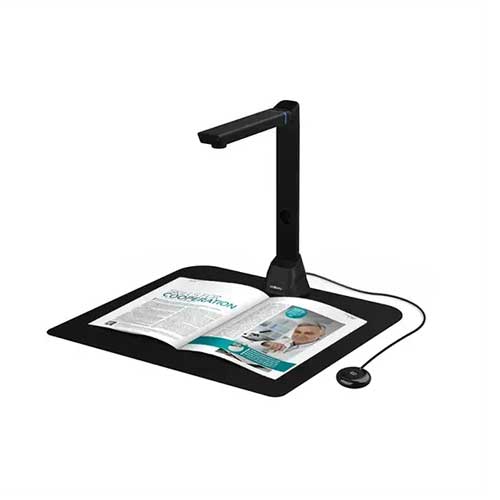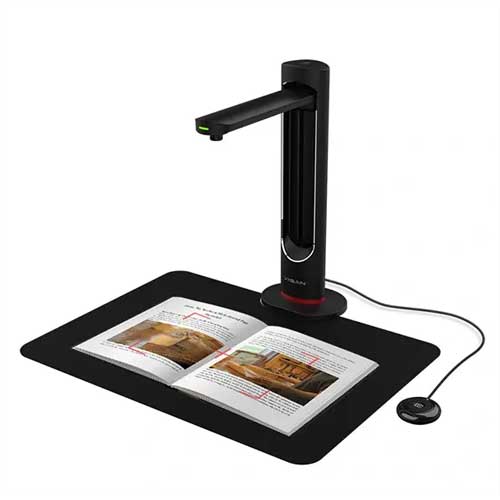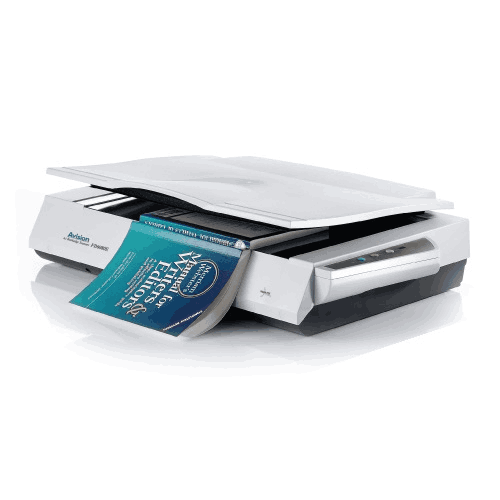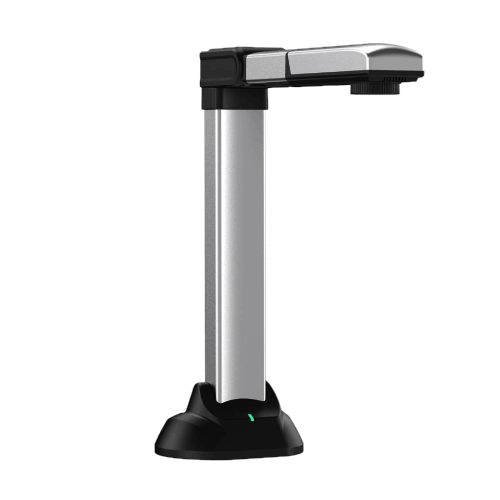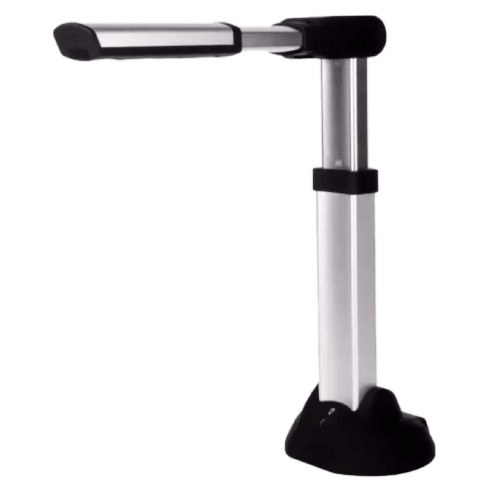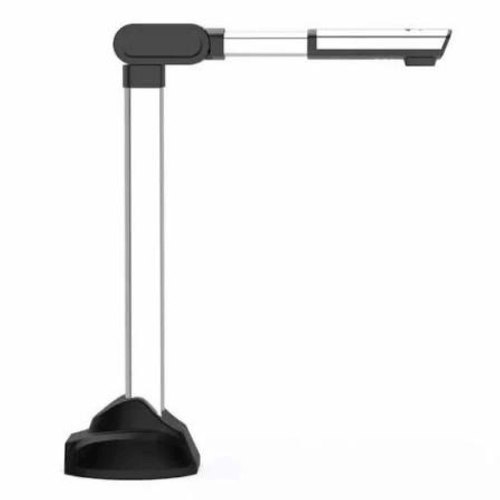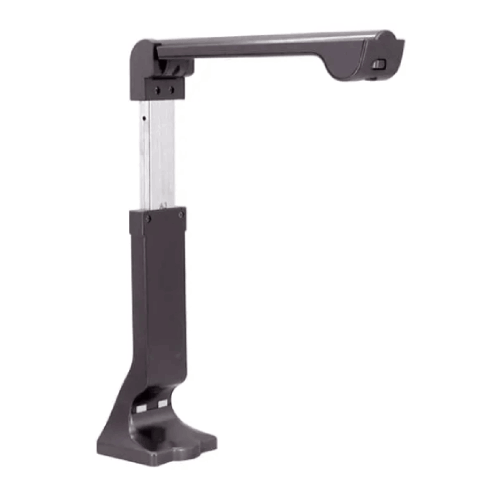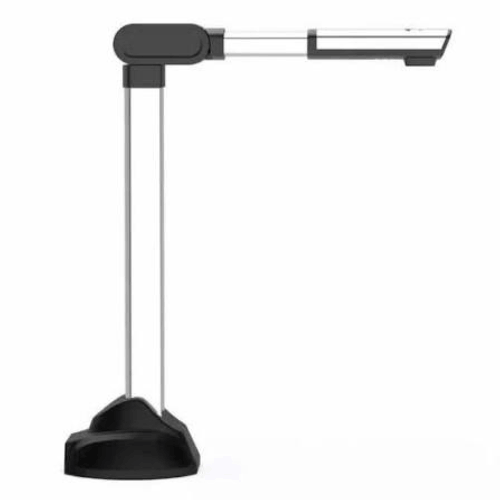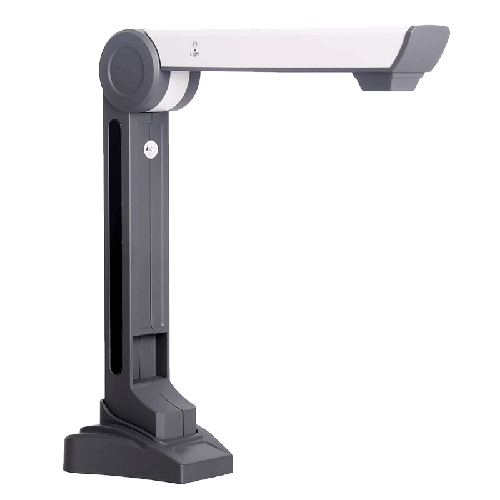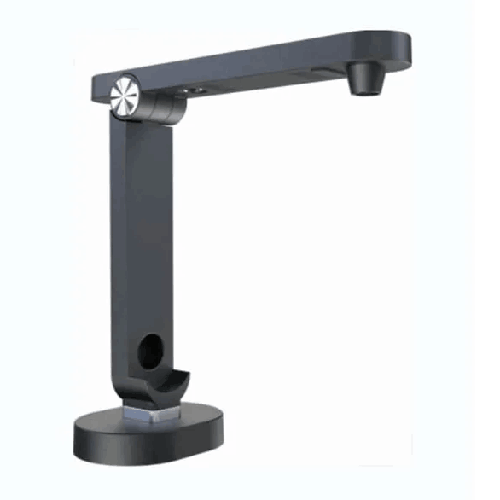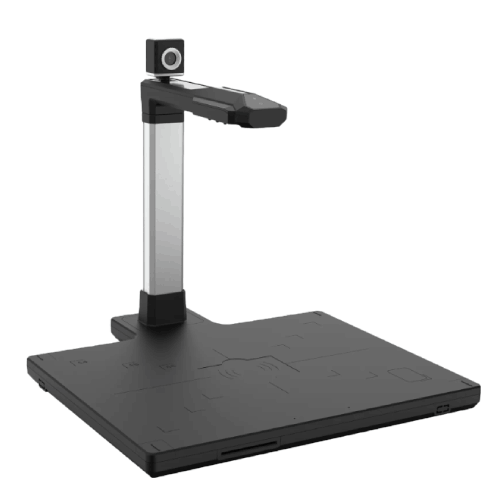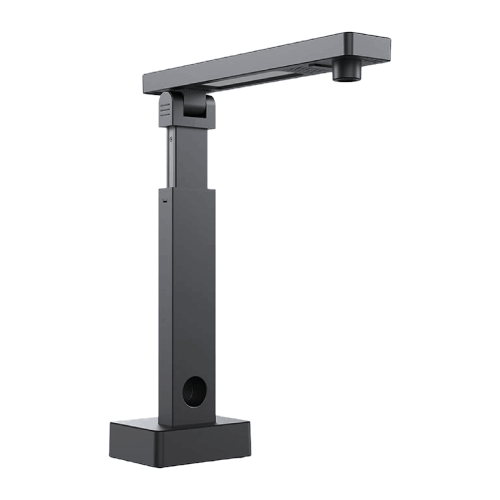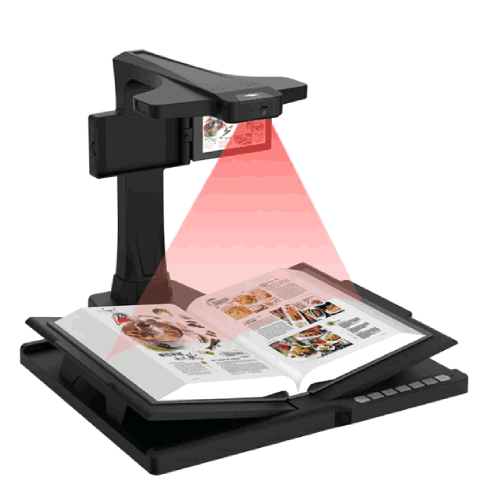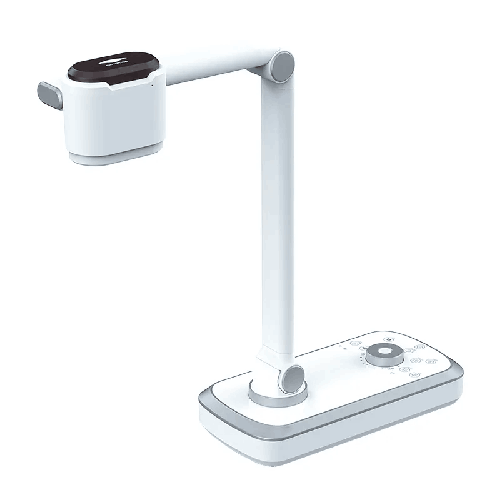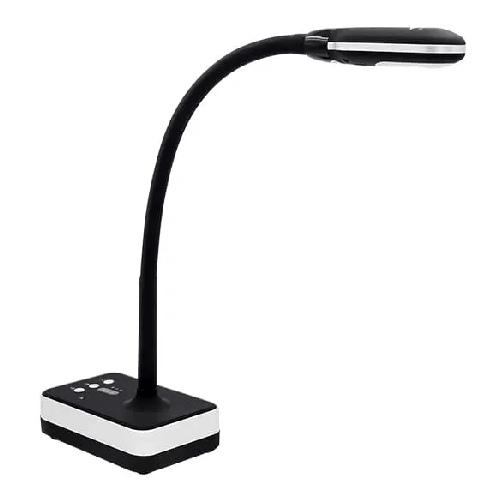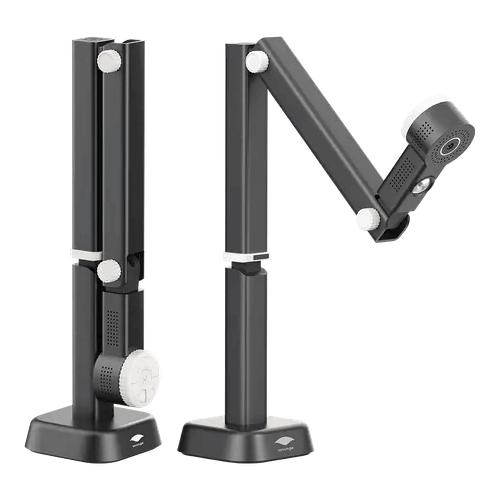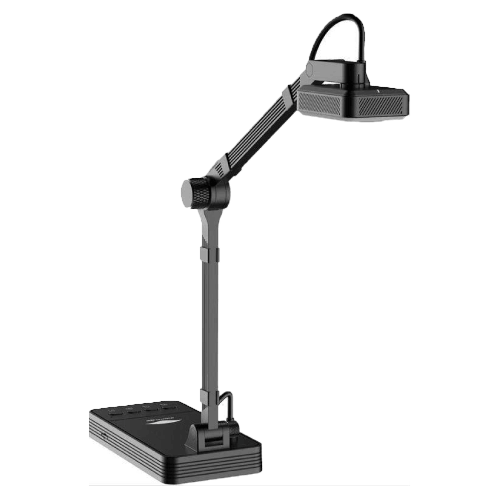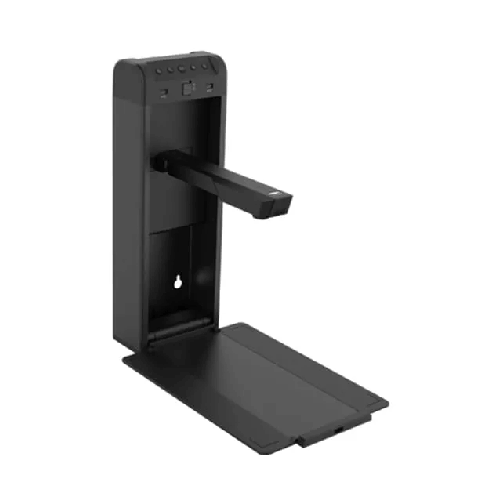
Eloam S600 Portable High-Speed Document and Book Scanner
Regular Price:৳0.00Availability: SKU: 7.29.154.9477
Quick Overview
-
Support
Saturday – Thursday: 09 AM - 06 PM. -
Payment
Cash on Delivery | Card | Online Payment -
Shipping Cost
Inside Dhaka 100tk | Outside Dhaka 150tk -
Warranty Policy
Read More
Description
Eloam S600 Portable High-Speed Document and Book Scanner in Bangladesh
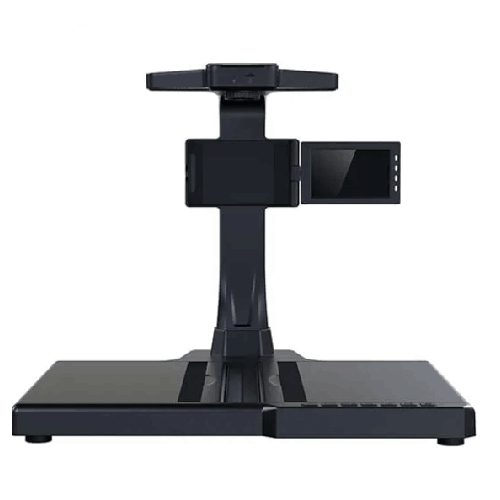
The Eloam S600 is a portable, high-speed USB document camera and overhead scanner designed for teachers, trainers, students, NGOs, and office professionals in Bangladesh who want fast, flexible document capture and live presentation without bulky equipment.
Instead of using a traditional flatbed scanner or pointing a basic webcam at papers, the Eloam S600 stands above your documents and books, capturing them from the top with a dedicated camera. Connected via USB to your PC or laptop, it works both as:
- A document camera / visual presenter for live display in classrooms, training rooms, and online sessions.
- An overhead scanner for turning paper documents and book pages into digital files in seconds.
If you regularly work with A4-size documents, exercise books, or reports—and you want a tool that you can carry between rooms, campuses, or offices—the Eloam S600 fits naturally into your daily workflow.
Portable Overhead Design – Scan and Present Anywhere
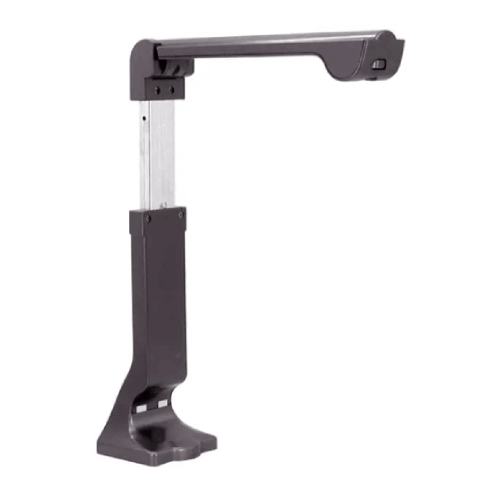
The biggest strength of the Eloam S600 is its portable overhead form factor. Unlike flatbed scanners that stay fixed on one desk, the S600 is:
- Slim and lightweight enough to travel in a laptop bag or backpack.
- Quick to set up on any flat surface—teacher’s table, office desk, library table, or field office desk.
- Easy to fold or collapse for storage when not in use (typical of this product class).
For Bangladesh, where classrooms, offices, and field sites are often shared spaces with limited room, this matters a lot. A teacher can carry the S600 between different floors; a trainer can bring it along to a client site; an NGO worker can use it at a temporary project office. As long as there’s a laptop or PC with a USB port, you can have a fully functional document camera and scanner.
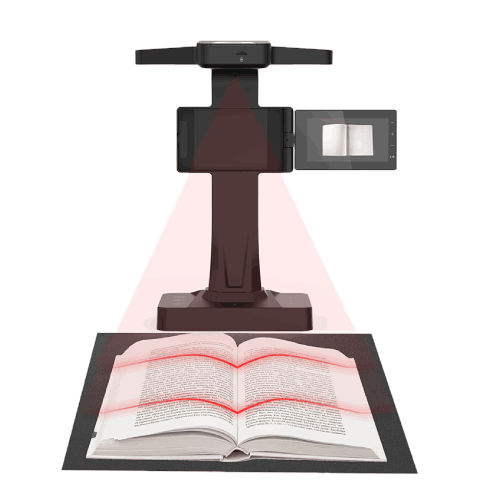
The overhead camera looks down on the document, giving a properly oriented, top-down view of pages and books. You avoid the awkward angle and instability you get when trying to use a regular webcam or phone for documents.
High-Speed USB Operation – Capture in a Click
The Eloam S600 is designed for high-speed operation, especially compared to consumer flatbed scanners. Since it captures an entire page in one shot:
- You place the document.
- Click or tap to capture.
- Replace with the next page.
No feeding pages through rollers, no waiting while a scanner head creeps from top to bottom. This means in a busy Bangladeshi environment:
- Teachers can scan multiple worksheets or test papers before class very quickly.
- Office staff can digitize forms, letters, or vouchers during normal work without long delays.
- NGO and project staff can scan field documents during short office visits between trips.
Connection is via USB, which handles both power and data:
- No need for a separate power adapter.
- Less cable clutter in already packed classrooms and small offices.
- Easy use even where power sockets are scarce—your laptop powers the device.
Document Camera for Classrooms, Coaching, and Online Teaching
As a document camera, the Eloam S600 becomes a powerful teaching and presentation tool:
- Place a textbook, worksheet, notebook, or form under the camera.
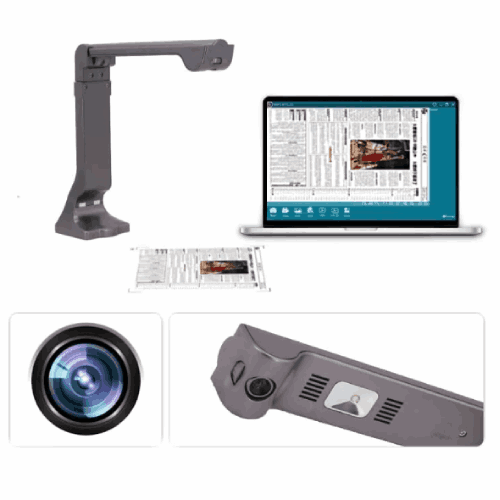
- The live image appears on your PC.
- From the PC, you project to a screen, mirror to a TV, or share via online meeting software.
In Bangladeshi classrooms and coaching centers, this is extremely practical. You can:
- Show textbook pages to a whole class without rewriting everything on the board.
- Demonstrate step-by-step solutions to math or science problems as you write under the camera.
- Display students’ answer scripts or assignments and discuss strengths and mistakes as a group.
- Explain how to fill out admission forms, job applications, or bank forms live.
For online classes and hybrid teaching:
- Connect the S600 to your laptop.
- Open the viewer software.
- Share that window on Zoom, Google Meet, Microsoft Teams, or similar platforms.
Students across Bangladesh—from Dhaka and Chattogram to rural areas—can see a clear, direct view of your notebook, textbook, or printed notes. This is far better than pointing a laptop camera at your table, which is usually unstable and low resolution.
Overhead Scanner for Everyday Documents and Books
In addition to live presentation, the Eloam S600 serves as an overhead scanner:
- Capture A4 pages and book spreads as images or PDFs.
- Save them directly to folders on your computer.
- Build a digital library of teaching materials, office forms, or project documents.
This is useful for:
- Teachers and lecturers who want to keep digital copies of question sheets, notes, and reference pages.
- Students who need to scan pages from library books or handwritten notes.
- Offices and SMEs converting paper forms and letters into digital records.
- NGOs and field projects storing scanned copies of attendance sheets, survey forms, or beneficiary lists.
Because it’s overhead and non-contact, you can also scan thin booklets, manuals, and exercise books without bending or damaging bindings.
Bangladesh-Specific Usage Scenarios
-
School Classroom in Dhaka
A mathematics teacher uses the Eloam S600 to teach algebra. He places the textbook under the camera, shows the question on screen, then replaces it with a notebook and solves the problem. Students see both the printed question and the handwritten solution clearly via projector. -
HSC Coaching Centre in Sylhet
An HSC Physics tutor demonstrates circuit diagrams and numerical solutions from printed question banks. With the S600, he moves quickly between question and answer sheets, keeping the flow of the class smooth and interactive. -
University Lecturer in Rajshahi
During a seminar, a lecturer shows printed graphs and tables from journal articles using the S600 as a document camera. Students see the actual data layouts and can ask detailed questions about axes, labels, and trends. -
Small Business in Motijheel
A trading firm uses the S600 to scan daily purchase bills, sales invoices, and receipts. The accountant stores them as PDFs, making audits easier and reducing dependence on paper files. -
NGO Regional Office in Rangpur
Field officers return with survey forms and training registers. A staff member uses the S600 to quickly digitize them before sending summaries and evidence to the head office in Dhaka.
Fits Small Desks and Shared Spaces
Many Bangladeshi workspaces are tight and shared:
- Teacher tables are small and often shared between multiple periods.
- Coaching centers have limited surface space in their rooms.
- Small offices and NGOs operate from compact rooms with many people.
The Eloam S600’s compact footprint means:
- It doesn’t dominate the desk like a big scanner.
- It can be set up and packed away quickly.
- It can be moved easily between rooms or even carried home by a teacher or trainer if needed.
This is ideal for:
- Schools with shared multimedia rooms.
- Coaching centers where rooms serve multiple tutors back-to-back.
- Offices that want scanning at many desks, not just one central scanner.
Simple PC Integration and Workflow
The Eloam S600 connects via USB to a PC or laptop (commonly Windows-based) and works with scanning/presentation software typically provided by the brand or local distributor. A normal workflow looks like this:
- Connect the S600 to your PC/laptop via USB.
- Launch the Eloam viewer/scanning software.
- Place your document or book under the camera.
- Adjust positioning while watching the live preview.
- Capture images/pages, or just use it live for teaching.
- Save files as images (JPG, PNG) or PDFs.
For classroom/meeting use, the PC then outputs to:
- A projector, or
- A large LED/LCD TV.
For online teaching, you share the application window over your conferencing platform.
Your IT team should confirm:
- Supported versions of Windows.
- Installation permissions for drivers/software.
- Storage locations and backup policy for important scanned files.
Maintenance and Care in Local Conditions
In Bangladesh’s dust- and humidity-prone environment, basic care keeps the Eloam S600 performing well:
- Clean the lens carefully with a microfiber cloth to prevent blur and spots.
- Cover or store the device in a drawer or bag when not in use to protect from dust.
- Avoid high humidity and direct sun—keep it away from open windows during monsoon and away from intense direct sunlight.
- Handle the stand/arm gently when folding or adjusting; don’t force it.
- Organize the USB cable to prevent tripping or accidental pulls that might drop the device.
These habits help maintain image quality and prolong lifespan in busy schools and offices.
✅ Key Features
- Portable Overhead Design: Lightweight, compact document camera and scanner that can be easily moved between classrooms, offices, and field sites.
- High-Speed Capture: Overhead single-shot scanning enables fast digitization of pages compared to traditional flatbed scanners.
- USB-Powered Operation: Runs from a PC or laptop via USB, eliminating the need for an external power adapter.
- Dual Function – Document Camera & Scanner: Works both as a live visual presenter and a practical overhead scanner for documents and books.
- Ideal for A4 Documents and Book Pages: Optimized for everyday document sizes commonly used in Bangladesh, including standard A4 sheets.
- PC-Based Live Preview and Control: Integrates with Windows PCs/laptops using software for live viewing, capturing, and file saving.
- Space-Saving Footprint: Designed to fit on small desks and shared tables in schools, coaching centers, and compact offices.
- Suitable Across Sectors: Supports education, corporate offices, NGOs, and government projects needing portable scanning and presentation.
✅ Usage / Applications
- School & College Classrooms: Present textbook pages, worksheets, and written solutions to students via projector or TV.
- Coaching Centers & Private Tutors: Display past papers, model answers, and tutorial notes in group sessions.
- University Lectures & Seminars: Show printed research material, diagrams, and tables during class discussions.
- Online Classes & Hybrid Learning: Use as a document camera to show books and handwritten notes in Zoom, Google Meet, or Teams.
- Office & SME Environments: Scan and occasionally present forms, letters, invoices, and proposals in meetings.
- NGO & Field Projects: Digitize survey forms, monitoring sheets, and training records in regional offices or temporary sites.
- Government & Local Bodies: Scan documents, forms, and sections of registers for digital storage and easy sharing.
- Libraries & Resource Centers: Capture important pages from reference books and present them to groups when needed.
✅ Benefits of This Product?
- Anywhere-Ready Scanning & Presentation: Because it is portable and USB-powered, you can use it wherever your laptop goes.
- Faster Than Traditional Scanners: Overhead high-speed capture reduces time spent on each page, especially in multi-page tasks.
- Supports Modern Teaching Styles: Fits naturally into smart classrooms and online teaching, making lessons more visual and engaging.
- Reduces Paper Dependence: Encourages users to keep digital copies of key documents, cutting down on storage pressure and photocopy costs.
- Better than Phone or Webcam Setups: Offers a stable, top-down view of documents with more consistent quality and framing.
- Multi-Department Utility: One device can serve teachers, admins, HR, accounts, and project staff at different times.
- Cost and Space Efficient: Replaces the need for both a dedicated flatbed scanner and a separate visualizer in many setups.
✅ Ideal For
The Eloam S600 Portable High-Speed USB Document Camera & Overhead Scanner is ideal for users in Bangladesh who need flexible scanning and presentation instead of a fixed, heavy machine.
It’s a great fit for:
- School and college teachers who move between classrooms and want to carry their own visualizer/scanner.
- Coaching center tutors who work in multiple branches or rented rooms with limited space.
- University faculty and students who scan and present content from books and printed papers in seminars and labs.
- NGO and development staff who operate across regional offices and need a simple, portable solution for document capture.
- Small businesses, auditors, consultants, and freelancers who work in different client offices and co-working spaces.
If your daily routine involves handling physical documents but you can’t rely on a single office-bound scanner, the Eloam S600 offers the mobility, speed, and versatility you need.
✅ Why Choose the Eloam S600 Portable, High-Speed USB Document Camera and Overhead Scanner?
The Eloam S600 stands out because it is specifically engineered for document-centric tasks in mobile and shared environments. Instead of forcing you to choose between a bulky scanner or a low-quality ad-hoc camera setup, it combines:
- The practicality of a true overhead scanner (fast, one-shot capture of pages).
- The flexibility of a document camera (live view for teaching and demonstrations).
- The convenience of USB power and portability.
For Bangladeshi institutions where space is tight and budgets are controlled, the S600 delivers strong functionality without requiring a dedicated scanning corner or a separate visualizer. One device can support teachers in the morning, office staff in the afternoon, and field workers the next day.
Compared to taking photos of documents with a phone, you gain much better alignment, easier saving to PC, and a consistent, repeatable scanning process. Compared to fixed scanners, you gain mobility and much easier sharing between departments.
If your goal is to modernize the way you show, share, and store paper documents without overcomplicating your infrastructure, the Eloam S600 is a sensible, user-friendly choice.
✅ Why Buy This Product from BME?
Buying the Eloam S600 from Business Machine & Equipment (BME) gives you access to a seller who understands how document cameras and scanners are actually used in Bangladesh.
BME focuses on genuine sourcing and clear specifications, which is crucial for devices where camera quality and software support make the difference between a smooth experience and daily frustration. With BME, you minimize the risk of incompatible or substandard units from unofficial channels.
Because BME supplies schools, colleges, universities, NGOs, corporates, and government organizations, the team can help you:
- Evaluate whether the S600 matches your class sizes, room setups, and field conditions.
- Plan how many units you need across departments or campuses.
- Integrate the S600 into your existing PC + projector or PC + TV setups.
For institutional buyers, BME offers formal quotations, VAT-compliant invoices, and procurement-friendly documentation, which simplifies internal approvals, tenders, or donor reporting.
You also gain local, context-aware guidance—from basic installation to simple suggestions on scanning workflows and using the S600 for online classes. Exact warranty and service details should be confirmed at purchase, but working with an experienced Bangladesh-based partner significantly improves long-term value and support.
✅ Buying Guide
To decide if the Eloam S600 Portable High-Speed USB Document Camera & Overhead Scanner is right for you, consider:
1. Mobility vs Fixed Use
Do you often change rooms or locations? If yes, a portable USB device like the S600 is better than a large, fixed scanner.
2. Document Sizes and Types
List the documents you handle: A4 pages, exercise books, small booklets, forms. The S600 works best for these standard sizes within its capture frame. If you heavily use A3/A2 registers or large maps, consider an additional large-format scanner.
3. Usage Balance: Presentation vs Scanning
If you only need to scan occasionally, and never present live, a simpler scanner might do. If you only present, a pure visualizer could work. If you need both regularly, the S600’s dual role is ideal.
4. PC and Software Environment
Make sure you have Windows PCs or laptops where you intend to use the device. Confirm that you can install drivers and the viewer/scanning software according to your organization’s IT policy.
5. File Management Plan
If scanning many documents, define:
- Where files will be stored (local vs network vs cloud).
- How they’ll be named (by date, student, client, project).
- Who will access them.
This planning is key for offices, NGOs, and admin departments.
6. Number of Units Needed
Decide whether you want one shared device or multiple units (for each floor, branch, or department). The S600 is portable, but heavy daily use may justify more than one.
7. Budget and Alternatives
Compare the S600’s cost and capabilities with:
- Flatbed scanners (less portable).
- Multi-function printers (not easy to carry).
- Cheap webcams (poor for documents).
- Phone cameras (inconsistent quality).
For many scenarios, the S600 strikes the best balance between cost, quality, and mobility.
8. Avoid Common Pitfalls
- Don’t underestimate the importance of a stable, top-down view; webcams and phones rarely match it.
- Don’t invest in a large departmental scanner if most scanning happens at individual desks or in the field.
- Don’t ignore software compatibility—check supported OS and required permissions first.
✅ Customers Ask About / Frequently Asked Questions
Q1: What is the Eloam S600 mainly designed for?
It is designed as a portable, high-speed USB document camera and overhead scanner for scanning and presenting documents and books.
Q2: Is the S600 suitable for Bangladeshi classrooms and coaching centers?
Yes. It is very suitable for teachers and tutors who want to show and scan A4 documents, textbooks, and notes in smart classrooms and coaching rooms.
Q3: Can I use it for online classes?
Yes. You can use it as a document camera by sharing its live view through platforms like Zoom, Google Meet, or Microsoft Teams after connecting it to a PC.
Q4: Does the S600 need an external power adapter?
No. It is typically USB-powered from the connected PC or laptop, so you only need the USB cable.
Q5: Can it scan books without damaging them?
Yes. As an overhead scanner, it scans pages from above without pressing books flat, which is gentler on bindings and pages.
Q6: What document sizes does it support best?
It is generally optimized for A4-sized documents and similar pages within its capture area. Smaller items can be scanned when placed appropriately.
Q7: Is it compatible with Windows PCs in Bangladesh?
Yes. It is designed to work with Windows-based PCs/laptops via USB and supporting software. Confirm specific OS version support with BME.
Q8: Is it fast enough for daily scanning tasks?
Yes. Overhead one-shot capture makes it significantly faster than many flatbed scanners for everyday, page-by-page scanning.
Q9: Can it also be used in offices and NGOs?
Yes. It’s suitable for scanning forms, letters, receipts, and field documents in corporate, NGO, and government environments.
Q10: Is setup and use difficult?
No. Setup usually involves installing the software once and connecting by USB. Operation—place, preview, and scan—is straightforward.
Q11: What warranty is available in Bangladesh?
Warranty terms depend on the batch and sourcing. Please check with BME at purchase time for accurate warranty details.
✅ Why Buy This Product
The Eloam S600 Portable High-Speed USB Document Camera & Overhead Scanner gives you a powerful, flexible way to work with physical documents in Bangladesh’s classrooms, offices, and field environments.
It replaces slow, fixed scanners and awkward webcam or phone setups with a device that is:
- Portable enough to go wherever you work.
- Fast enough to handle daily scanning tasks comfortably.
- Versatile enough to serve as both a scanner and a live document camera.
If you want to modernize how you teach, present, and archive documents—without committing to large, immovable equipment—the S600 is a smart, balanced investment. Order the Eloam S600 from Business Machine & Equipment (BME) today and start scanning and presenting your documents more clearly, quickly, and conveniently—anywhere in Bangladesh.
What is the price of Eloam S600 Portable High-Speed Document and Book Scanner in Bangladesh?
Write a review
Question Answer
Have question about this product? Get specific details about this product from expert.