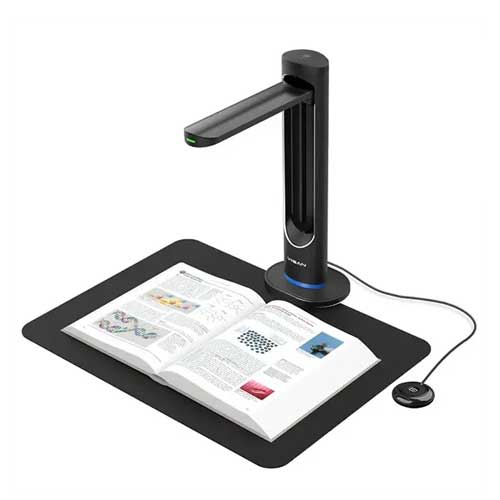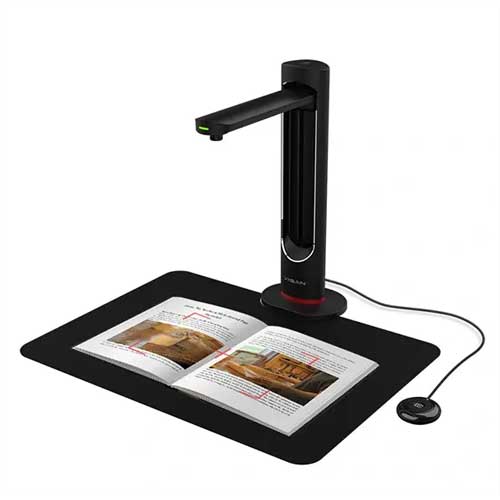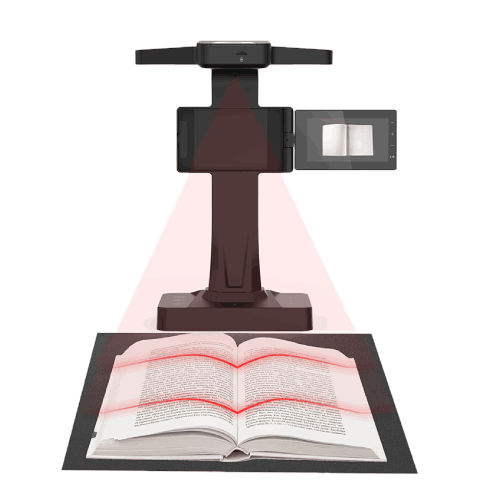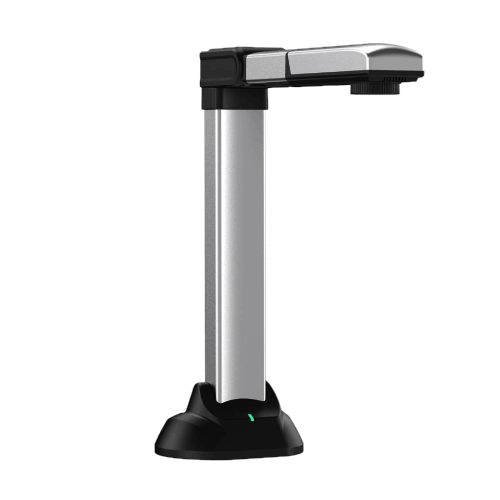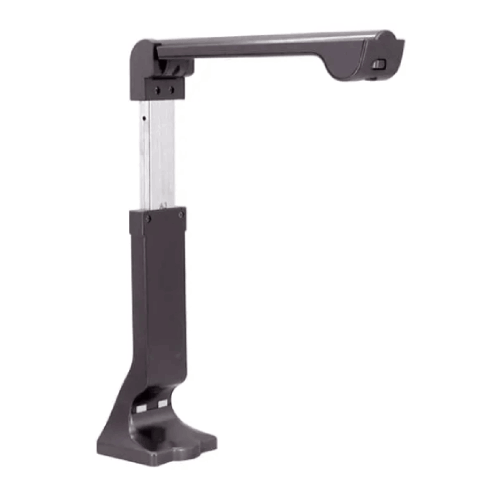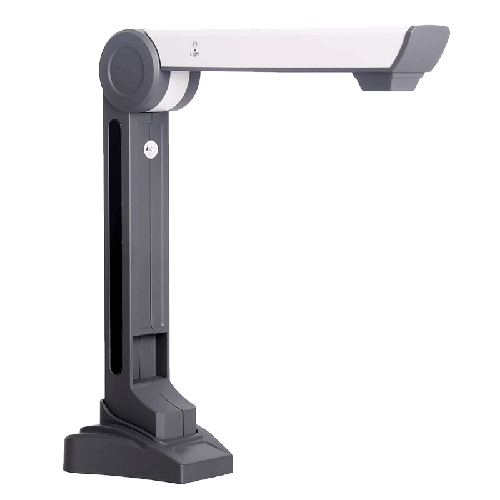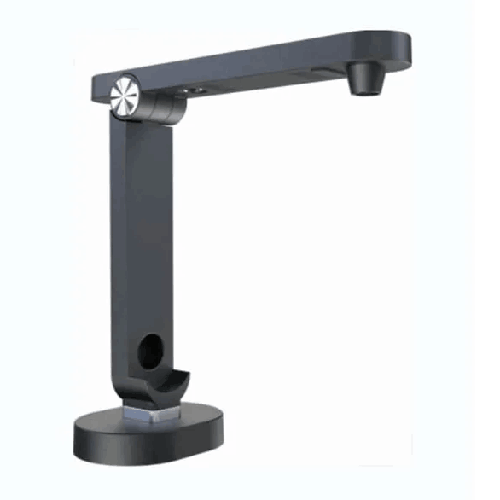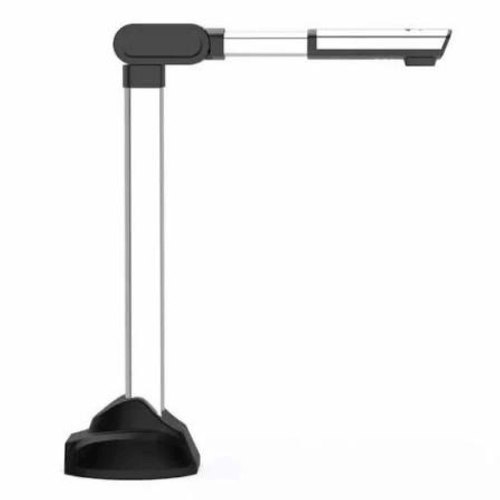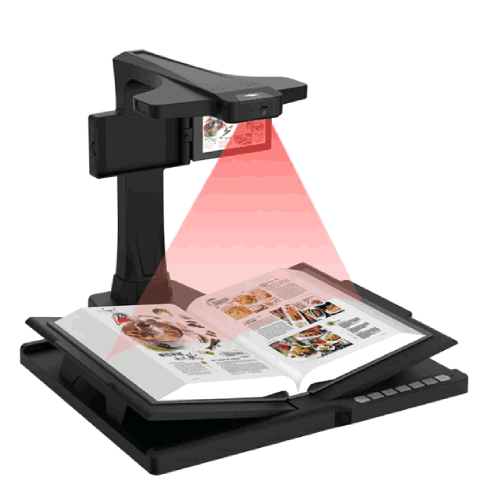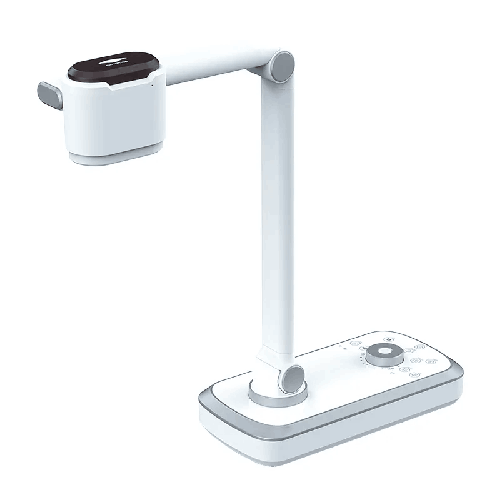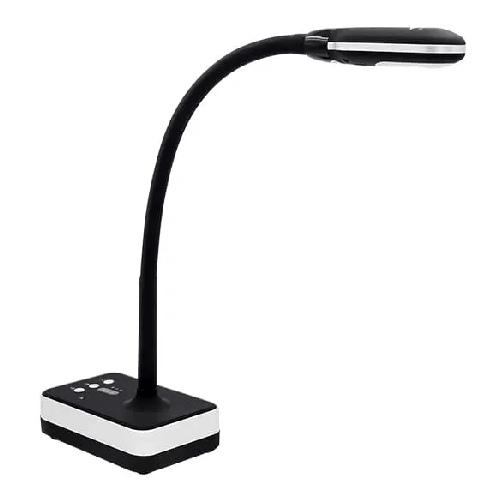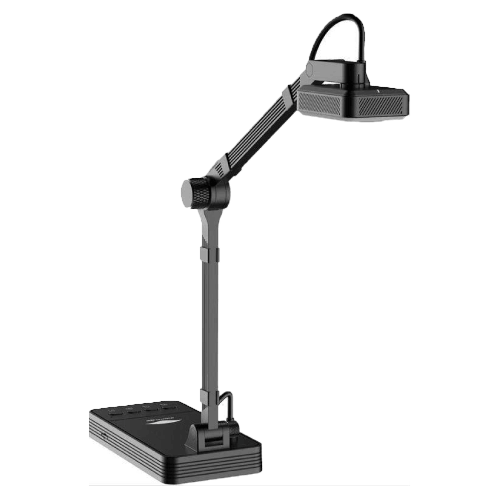
Eloam V1200A3AF High-Speed A3 Document Camera and Visual Presenter Scanner
Regular Price:৳0.00Availability: SKU: 7.29.154.9466
Quick Overview
-
Support
Saturday – Thursday: 09 AM - 06 PM. -
Payment
Cash on Delivery | Card | Online Payment -
Shipping Cost
Inside Dhaka 100tk | Outside Dhaka 150tk -
Warranty Policy
Read More
Description
Eloam V1200A3AF High-Speed A3 Document Camera and Visual Presenter Scanner in Bangladesh
The Eloam V1200A3AF High-Speed A3 Document Camera and Visual Presenter Scanner is built for institutions and businesses in Bangladesh that want serious speed, clarity, and convenience when presenting or digitizing documents. Whether you’re teaching a packed classroom, running a professional training session, or scanning stacks of paper for digital archiving, this A3 visualizer helps you move faster and work smarter.
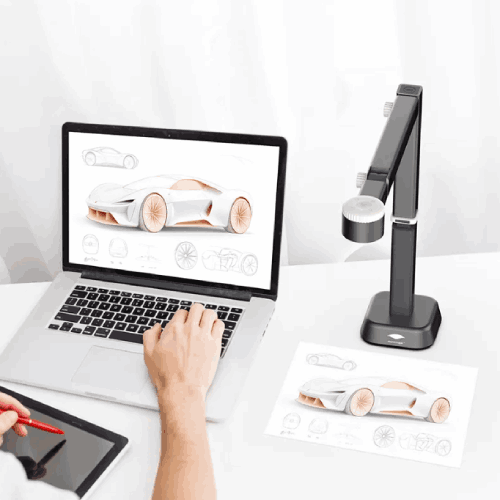
Instead of relying on slow flatbed scanners or struggling to show printed materials through a basic webcam, the Eloam V1200A3AF lets you place your book, sheet, or object under the camera and display it instantly on a projector, monitor, or interactive panel. Page changes are quick, focus is fast, and users can see crisp details—even from the back of a large hall.
In a Bangladeshi context, where schools, colleges, universities, coaching centers, NGOs, and corporate offices all deal with heavy paperwork and live training needs, a high-speed A3 document camera like the V1200A3AF can transform day-to-day workflows. Textbooks, exam scripts, maps, forms, certificates, contracts, and training materials can all be shown, captured, and stored with minimum friction.
At its core, the Eloam V1200A3AF is a combination of three tools in one:
- A visual presenter for real-time teaching and demonstrations
- A high-speed document camera for live display and sharing
- An A3 scanner for digitizing large documents and books
Instead of buying multiple devices, institutions can rely on this single platform for both presentation and scanning.
High-Speed Performance and A3 Coverage
The defining characteristic of the Eloam V1200A3AF is its high-speed operation, especially when handling larger A3-sized materials. Where flatbed scanners often require opening a lid, positioning a document, waiting for the scan, and then repeating the process, this document camera allows you to simply place a page under the lens, capture, turn the page, and continue.
For schools and colleges in Bangladesh, that means teachers can flip through textbooks, example sheets, and exam scripts while students watch in real time. There is no delay between page turns and display changes. For office staff digitizing records, high-speed capture reduces time per document and enables higher throughput in scanning tasks.
The A3 capture area is particularly important for local needs:
- Board exam answer sheets and OMR forms
- Registers, ledgers, and attendance books
- Architectural plans and engineering drawings (when folded sensibly)
- Two-page book spreads for literature or religious studies
- Legal documents that extend beyond standard A4
Having A3 support means you can display or scan these documents without awkward repositioning or image stitching. This is a major advantage for institutions in Bangladesh that deal with a mix of A4 and oversized paperwork.
Clarity, Autofocus, and Real-Time Presentation
As a high-speed visual presenter, the Eloam V1200A3AF is built to offer clear, readable imagery during live sessions. While exact sensor resolution may vary in documentation, the camera is engineered so that printed text, handwritten notes, and diagrams are legible on projected screens and large displays.
Autofocus capabilities—implied by the “AF” in the model name—help ensure that when you place a new document or object under the camera, the image sharpens quickly without manual adjustments. This is vital for smooth classroom and meeting experiences: teachers don’t want to waste time refocusing every time they switch from one sheet to another.
For schools in Dhaka, Chattogram, or Sylhet with larger classrooms, teachers often struggle to make sure students at the back can see small text or intricate diagrams on the board. With the Eloam V1200A3AF, content is enlarged on a projector or large TV, and the camera’s clarity helps everyone follow along.
Trainers in corporate environments benefit in the same way when explaining process charts, flow diagrams, or printed manuals. Everyone in the room sees the same detailed content clearly, which reduces confusion and improves engagement.
Scanner Functionality and Digital Workflow
Beyond live display, the Eloam V1200A3AF works as an efficient A3 scanner. Using compatible software, you can capture single pages or multi-page documents quickly. This is especially helpful for:
- Scanning question papers and answer scripts for digital storage
- Creating digital copies of registers, policies, and internal forms
- Storing meeting notes, signed documents, and contracts
- Building an electronic archive of training and reference material
For Bangladeshi institutions that are gradually moving toward paperless office and digital exam management, this capability is significant. Instead of outsourcing scanning tasks or using slow office scanners, staff can digitize on-site with a visualizer that also serves daily teaching and presentation functions.
When paired with OCR-enabled software (if supported), the V1200A3AF can also help convert printed text to digital text formats. That means policy documents, circulars, or textbook sections can be turned into searchable, editable files for easy retrieval and reuse. While OCR specifics depend on the software, the camera’s design supports this kind of workflow.
Smart Teaching, Training, and Demonstration Experience
The Eloam V1200A3AF is built specifically for smart education and professional training scenarios. Imagine walking into a classroom, placing a textbook under the document camera, and having your lesson materials projected onto the screen within seconds. You can zoom in on particular sections, highlight key points verbally, and flip pages quickly as students follow along.
In Bangladesh, where chalkboards and whiteboards are still common but increasingly supplemented with digital tools, this visual presenter acts as a powerful bridge technology. Teachers can:
- Display students’ answer scripts and discuss common mistakes in front of the class
- Show how to solve math problems step by step on paper under the camera
- Demonstrate science diagrams, graphs, or geography maps without redrawing them
- Display handwriting practice for language classes such as Bangla, English, or Arabic (even though we’re using English language here, the handwriting itself can be in any script)
For coaching centers preparing students for SSC, HSC, Admission tests, IELTS, or BCS exams, the V1200A3AF is a game-changer. Tutors can project previous year question papers, solve them live, and annotate explanations using pen and paper.
In the corporate world, HR trainers and department heads can use the visual presenter to:
- Walk new staff through complex forms and compliance documents
- Display printed process charts and workflow diagrams
- Show brochures, product catalogs, or printed marketing material during sales training
All of this happens without the need to pre-scan or digitize documents beforehand.
Design, Build, and Usability in Bangladeshi Environments
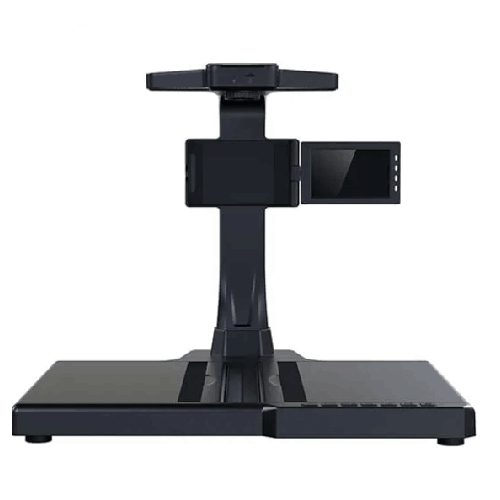
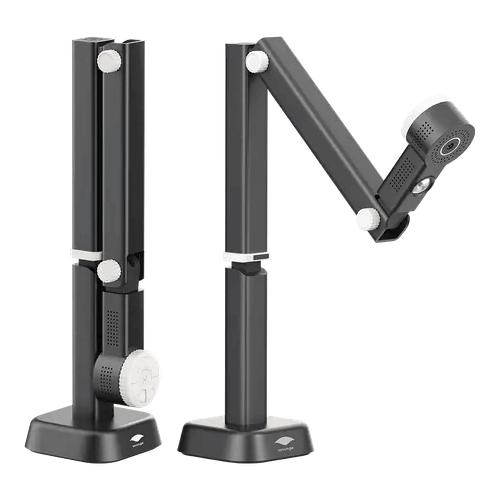
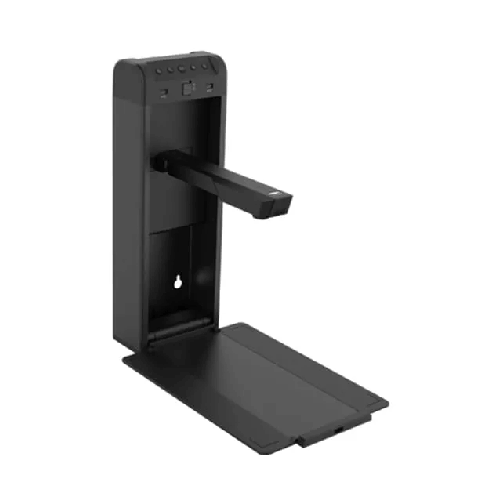
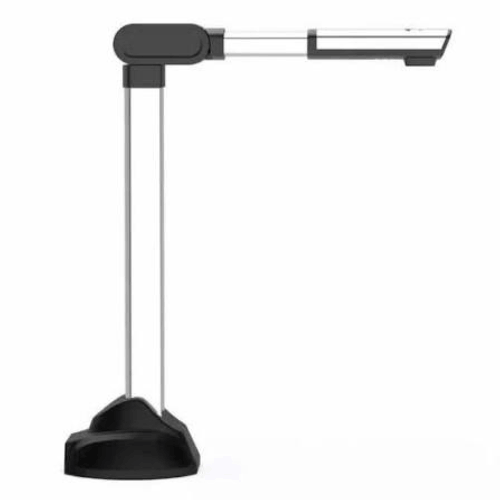
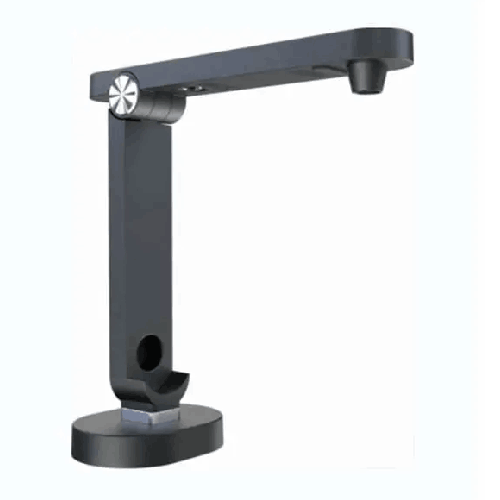
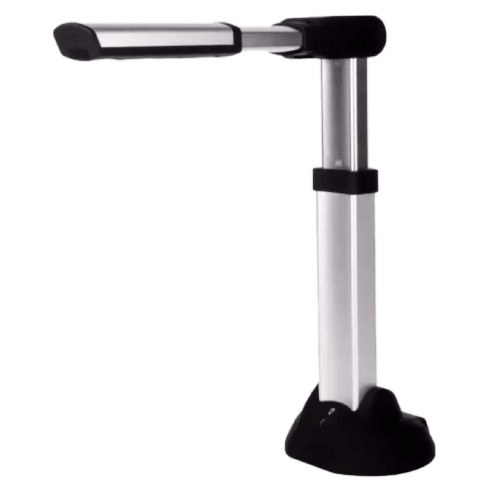
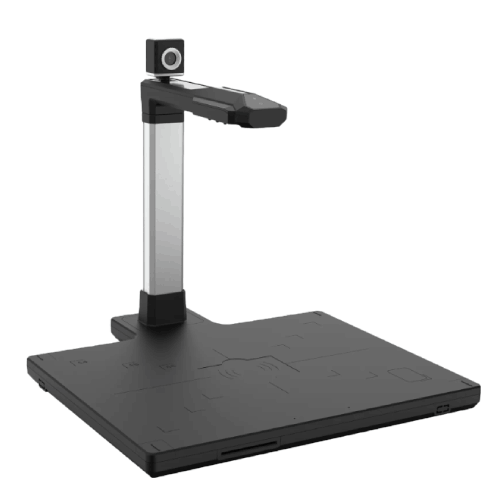
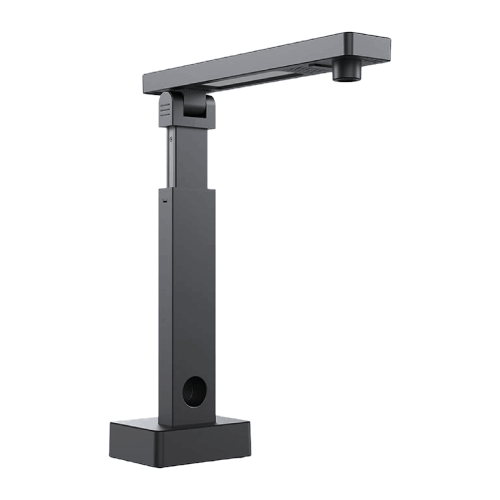
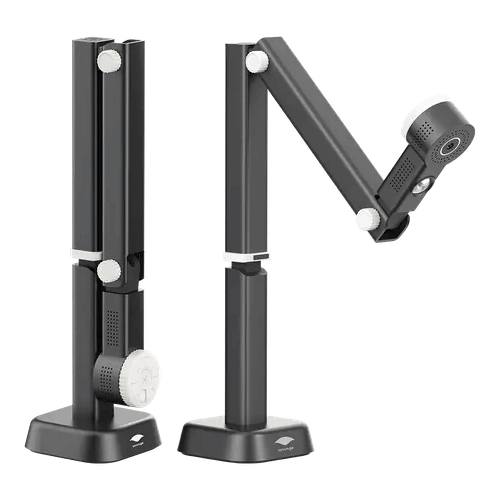
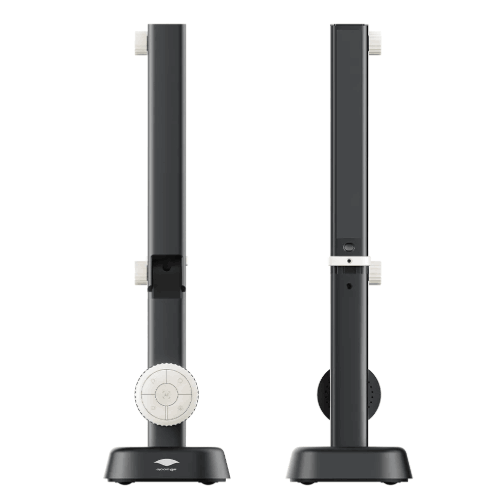
The Eloam V1200A3AF follows the typical design language of professional document cameras: a sturdy base, a vertical or articulated arm, and a camera head that looks down onto the document area. This foldable or space-aware design is very convenient for crowded classrooms and small offices where desk space is limited.
Because many institutions in Bangladesh share rooms between classes and events, equipment must be easy to pack away and re-deploy. The V1200A3AF can be placed beside a projector or on a teacher’s podium and folded when not in use. Its footprint is smaller than a full-sized flatbed scanner plus extra monitor, saving valuable surface area.
Build quality is geared towards frequent adjustment. Teachers and trainers can reposition the camera arm and head multiple times a day. The system is designed for this level of use, unlike improvised setups with standard webcams or phones, which can be unstable or fragile.
In many Bangladeshi setups, lighting is inconsistent—some classrooms have strong sunlight; others rely on tube lights or energy-saving bulbs. The V1200A3AF is typically equipped to work effectively under varied indoor lighting. When used with good ambient light or supplementary lighting, it provides a consistent, readable view that is far easier to manage than trying to hold a paper in front of a webcam.
Real-Life Use Cases in Bangladesh
-
Secondary School Classroom in Dhaka
A mathematics teacher uses the Eloam V1200A3AF to show worked examples from a test paper. Instead of writing every question on the board, she places the paper under the camera, explains each step on a separate answer sheet, and quickly switches between question and solution. Students get a clear, enlarged view, and the teacher saves time. -
HSC Coaching Center in Chattogram
A coaching center instructor prepares students for HSC Chemistry. He places the textbook, reference guide, and his own handwritten notes under the visual presenter during class. Complex reaction mechanisms, graphs, and tables appear clearly on the projector, and he can move rapidly across sections without delay. -
University Lecture Hall in Rajshahi
An engineering lecturer uses the V1200A3AF to show self-drawn diagrams, small mechanical components, and printed research figures. Instead of static slides only, students see real-time drawing and demonstration under the camera, which improves understanding of 3D concepts. -
Corporate Training in Motijheel, Dhaka
A bank’s HR training team uses the document camera to explain new account opening forms and compliance checklists to new recruits. They fill out sample sections under the camera, pointing out common mistakes and best practices with everyone viewing on a large screen. -
NGO Workshop in Khulna
A trainer for a development NGO uses the V1200A3AF to show field survey forms, printed guidelines, and picture-based training material to rural facilitators. This approach reduces printing needs and ensures everyone sees the same content clearly.
Compatibility and Integration
The Eloam V1200A3AF is designed to integrate into a typical PC + projector/TV setup used in classrooms and offices. While detailed OS support should always be checked in current documentation, Eloam document cameras are commonly compatible with Windows-based computers via USB and management software.
Once connected, the live camera feed can be projected onto:
- Multimedia projectors
- Interactive whiteboards
- Large LED or LCD TVs
- Lecture capture systems
For online teaching or remote meetings, the V1200A3AF’s video stream can often be shared using:
- Zoom
- Microsoft Teams
- Google Meet
- Skype or similar conferencing tools
by either using Eloam software window-sharing or a virtual camera integration, depending on the setup.
Before final deployment, institutions should consult IT administrators to check for:
- Required drivers or applications
- Supported versions of Windows (and any additional OS if applicable)
- Network and USB port availability
- Any security or installation policy considerations
Maintenance and Care
The Eloam V1200A3AF does not require complex maintenance, but good care will extend its service life:
- Lens cleaning: Use a soft microfiber cloth to gently clean the lens surface. Avoid paper tissues or rough cloth that might scratch.
- Dust protection: In dusty environments, cover the device when not in use or store it in a cabinet to prevent dust buildup in joints and on the camera head.
- Safe handling: Fold and unfold the arm smoothly. Do not force it beyond its designed movement range.
- Cable management: Keep cables organized to prevent accidental pulls, which could topple the device or damage connectors.
- Environment: Avoid exposing the unit to humidity, water, or direct heat sources. Store in a cool, dry place, which is important in Bangladesh’s humid climate.
- Power stability: Protect connected equipment with UPS or surge protection in areas affected by load-shedding and voltage fluctuations.
With these straightforward practices, schools and offices can expect reliable performance for many years.
✅ Key Features
- High-Speed Document Capture: Quickly captures and displays pages, making it ideal for fast-paced teaching and bulk document scanning.
- A3 Document Area: Supports large documents up to A3 size, perfect for exam scripts, ledgers, maps, and full book spreads used in Bangladeshi institutions.
- Autofocus Camera System: Automatically focuses when you place or move documents, ensuring clear images without constant manual adjustment.
- Visual Presenter for Live Teaching: Acts as a powerful visualizer for showing books, notes, 3D objects, and diagrams in classrooms and training rooms.
- Scanner Functionality: Works as an A3 scanner to digitize question papers, forms, policies, and other important documents for electronic storage.
- Smart Education Oriented Design: Tailored for schools, colleges, universities, and coaching centers that need modern teaching tools.
- Clear Image Reproduction: Produces crisp detail so small fonts, fine lines, and handwritten text are easily readable on large screens.
- Space-Efficient Structure: Compact design that fits comfortably on teacher desks and training tables, with foldable or adjustable components.
- Multi-Subject Versatility: Suitable for math, science, language, arts, technical training, and corporate presentations.
- Easy Integration with Projectors and Displays: Connects to computers that feed into projectors or large TVs for group viewing.
- Supports Digital Workflows: Enables educators and professionals to move toward paperless operations and digital archives.
✅ Usage / Applications
- School and College Classrooms: Display textbooks, answer scripts, geography maps, and science diagrams for large groups of students.
- University Lecture Halls: Present engineering drawings, research papers, numeric solutions, and lab notes with clarity.
- Coaching Centers and Private Tutoring: Solve and explain past papers, model tests, and practice sets in real time.
- Corporate Training and HR Sessions: Demonstrate how to fill forms, review policy documents, and showcase printed materials to staff.
- Banking and Financial Sector Training: Show sample account forms, vouchers, and compliance documents during onboarding and refresher courses.
- Government and NGO Workshops: Present field data forms, training manuals, and policy circulars to groups during workshops.
- Libraries and Academic Resource Centers: Project pages from reference books, journals, and archival documents during group study or seminars.
- Design, Art, and Craft Classes: Show sketching techniques, calligraphy, craft steps, and fine artistic details.
- Technical Training Institutes: Present small machine parts, tools, and printed diagrams together during technical demonstrations.
- Internal Meetings and Reviews: Share printouts, proposals, and signed documents in boardroom discussions and review sessions.
✅ Benefits of This Product?
- Streamlines Teaching and Training: Makes it easy to show any printed material or object instantly, enhancing lesson flow and training effectiveness.
- Saves Time Compared to Flatbed Scanners: High-speed capture lets you digitize or present pages rapidly, reducing preparation and scanning time.
- Improves Visual Clarity for Large Groups: Enlarged, sharp images ensure everyone can see details, even in big classrooms or halls.
- Reduces Paper Dependence: Encourages digital sharing and storage, helping institutions gradually reduce printing and photocopying costs.
- Enhances Professional Image: Using a dedicated visual presenter looks more polished and organized than improvised camera setups.
- Flexible for Many Departments: One device can serve teaching, admin, HR, and training needs, maximizing return on investment.
- Supports Digital Transformation: Helps organizations in Bangladesh transition towards smart classrooms and paperless offices.
- User-Friendly for Non-Technical Staff: Simple, intuitive operation means teachers and trainers can use it comfortably with minimal training.
- Adapts to Different Teaching Styles: Suitable for lecture-style notes, problem solving, group discussion of documents, and hands-on demonstrations.
✅ Ideal For
The Eloam V1200A3AF High-Speed A3 Document Camera and Visual Presenter Scanner is ideal for organizations and professionals across Bangladesh who routinely work with printed documents and need to display or digitize them quickly.
It’s an excellent match for schools, colleges, and universities that are upgrading to smart classrooms and multimedia-based teaching. Subject teachers in mathematics, science, commerce, humanities, and language departments all benefit from its ability to show textbooks, student scripts, and references in real time.
Coaching centers, private tutors, and training institutes that focus on competitive exams, professional certifications, or language training can use it to walk through question papers, model answers, and grammar or vocabulary notes.
On the professional side, the V1200A3AF is well-suited for corporate training departments, HR teams, banks, microfinance institutions, NGOs, and government offices that hold frequent workshops or need to explain complex printed forms and guidelines to staff.
Institutions aiming to digitize archives and move toward paperless workflows will particularly appreciate its high-speed A3 scanning capability. Whether you’re an educational leader, office administrator, trainer, or consultant, this document camera offers a strong balance of speed, size coverage, and everyday usability.
✅ Why Choose the Eloam V1200A3AF High-Speed A3 Document Camera and Visual Presenter Scanner?
The Eloam V1200A3AF stands out because it solves multiple real-world problems with one device. It doesn’t just show documents; it helps you move from analog to digital while maintaining speed and clarity. In classrooms and meeting rooms where time is precious, the high-speed capture and autofocus make a tangible difference—less waiting, more explaining.
Compared to basic webcams or low-cost visualizers that may struggle with A3 materials or deliver poor clarity, the V1200A3AF is designed for large document handling. For schools and offices in Bangladesh where A3 answer sheets, ledgers, or large-format forms are part of daily operations, this is a major advantage.
Its dual role as a visual presenter and scanner reduces your hardware footprint and investment. Instead of buying separate A3 scanners and teaching visualizers, you can get both functions in a single unit, simplifying procurement, setup, and maintenance.
The device also supports institutions in their digital transformation journey. With a visualizer that can capture documents in seconds, it becomes much easier to build electronic archives of question papers, reports, and official forms. This is particularly useful for organizations that want better record-keeping, faster access to documents, and reduced risk of physical file loss or damage.
Overall, if you are looking for a reliable, high-speed A3 document camera that can keep pace with modern teaching and office needs, the Eloam V1200A3AF offers strong performance, versatility, and long-term value.
✅ Why Buy This Product from BME?
Purchasing the Eloam V1200A3AF from Business Machine & Equipment (BME) means you’re working with a specialized IT and office equipment provider that understands the Bangladeshi education and corporate landscape.
BME focuses on sourcing genuine products from trusted channels, helping you avoid issues associated with low-quality or unofficial imports. This matters especially for devices like document cameras, which need to be reliable for daily classroom and training use.
As a Bangladesh-based seller, BME can provide context-aware guidance. Whether you’re equipping a single classroom or rolling out smart visualizers across an entire institution, their team can help you understand how the V1200A3AF will fit into your existing PCs, projectors, and network setup. This advisory approach can save you from mismatched purchases or underpowered solutions.
For schools, universities, NGOs, government offices, and corporate clients, BME can assist with B2B quotations and necessary documentation to support procurement processes and internal approvals. That makes it easier to include products like the Eloam V1200A3AF in tenders, projects, and institutional budgets.
BME also aims to offer supportive after-purchase communication, helping customers with basic setup understanding, feature clarifications, and product-related queries within the context of local usage. While specific service terms will depend on current policies, the intent is to be a dependable, accessible partner in Bangladesh for your classroom and office technology needs.
✅ Buying Guide
When selecting the Eloam V1200A3AF High-Speed A3 Document Camera and Visual Presenter Scanner or any similar product, consider the following steps to ensure it fits your exact needs:
1. Identify Your Main Purpose
Decide if your primary goal is live teaching/presentation, high-speed document scanning, or a balanced mix of both. If you need both, the V1200A3AF is well aligned with that requirement.
2. Confirm Document Size Requirements
Audit what sizes of documents you frequently use. If you handle A3 answer scripts, ledgers, or large forms, ensure the device supports A3 (as the V1200A3AF does). If your documents are mostly A4, A3 still offers more flexibility for future needs.
3. Evaluate Speed and Workflow
For scanning-heavy use, high-speed capture is critical. Ask how quickly the device can capture and process pages in your intended setup. In busy offices or crowded classrooms, you want minimal lag between placing pages and seeing them on-screen.
4. Consider Image Quality Needs
Think about whether you often display very small fonts, detailed drawings, or fine handwriting. A high-quality sensor and clear optics are vital in those cases. Prioritize models optimized for document clarity rather than generic webcams.
5. Check Software and OS Compatibility
Confirm which operating systems (e.g., Windows) and software tools are supported. If you plan to use OCR, screen recording, or other advanced features, verify that the accompanying software can handle these tasks and that your IT environment permits installation.
6. Review Connectivity and Room Setup
Look at where your projector or TV is installed and where your PC or laptop will sit. Ensure cable lengths and port availability are adequate. For large training rooms, consider how the trainer will control the visualizer and still interact with participants.
7. Plan for Power and Backup
In many parts of Bangladesh, power outages are common. Ideally, connect your PC, projector/TV, and network equipment to a UPS or IPS if you need continuity during classes and meetings. The camera itself consumes modest power but depends heavily on connected devices.
8. Allocate Training Time
Schedule a short orientation session for teachers or staff once the device arrives. Even though operation is simple, learning scanning workflows, shortcuts, and best placement practices will boost the return on your investment.
9. Avoid Common Pitfalls
- Don’t underestimate document size needs—A3 matters for many official and exam documents.
- Don’t assume all cameras can read fine text; choose a device designed for documents.
- Don’t ignore IT compatibility—confirm software and driver requirements before bulk purchase.
- Don’t store the device carelessly; protect it from dust and rough handling.
By following these steps, you can confidently choose the Eloam V1200A3AF as a central tool in your smart classroom or digital office strategy.
✅ Customers Ask About / Frequently Asked Questions
Q1: What is the main advantage of the Eloam V1200A3AF?
Its main advantages are high-speed document capture and A3-size support, making it excellent for both live presentation and quick scanning of large documents.
Q2: Is the V1200A3AF suitable for Bangladeshi classrooms and coaching centers?
Yes. It is specifically well suited for schools, colleges, universities, and coaching centers in Bangladesh that want clear, fast display of books, answer scripts, and notes.
Q3: Can I use this document camera for online classes?
Yes. When connected to a compatible computer, you can share its live feed in platforms like Zoom, Google Meet, or Microsoft Teams by sharing the camera window or using supported integrations.
Q4: What is the maximum document size it can handle?
The Eloam V1200A3AF is designed to handle documents up to A3 size, which includes large exam scripts, maps, registers, and book spreads.
Q5: Does it replace a flatbed scanner?
For many tasks, yes. It works as a high-speed scanner, especially for A3 documents, and is often faster than traditional flatbed scanners. However, for some specialized high-resolution or photo scanning requirements, a dedicated scanner may still be used alongside.
Q6: Is any special software required to use the scanner features?
Yes. You typically use the manufacturer’s or compatible scanning/management software to capture, save, and possibly run OCR on documents. Check the current software bundle and OS support with BME.
Q7: Will it work with my existing projector or LED TV?
Yes. The device connects to a computer, and that computer’s output is then shown on your projector or TV via HDMI, VGA, or other supported display connections.
Q8: What about warranty in Bangladesh?
Warranty terms can vary by batch and distributor. Please check with BME at the time of purchase for the latest and accurate warranty information rather than assuming a specific period.
Q9: Is it complicated for teachers to learn?
No. Basic use is straightforward: place the document, adjust position if needed, and present. Some additional time may be needed to learn scanning workflows and software options.
Q10: Can it show 3D objects as well as documents?
Yes. You can place small 3D objects—such as components, tools, or models—under the camera for live demonstration, as long as they fit within the capture area.
Q11: How can I maintain the device for long-term use?
Keep the lens clean, protect it from dust and humidity, avoid rough handling of the arm, and store it safely when not in use. Using UPS protection for your overall system is also recommended in areas with unstable power.
✅ Why Buy This Product
The Eloam V1200A3AF High-Speed A3 Document Camera and Visual Presenter Scanner is a powerful investment for any Bangladeshi institution that wants to modernize teaching, training, and document handling. It replaces slow, manual methods with a fast, convenient system that displays and digitizes documents in seconds.
By adopting this visual presenter, schools and coaching centers can offer more engaging lessons, corporate trainers can run more effective workshops, and offices can streamline their document workflows. The ability to handle A3 documents makes it particularly relevant to local needs, where large scripts, registers, and forms are common.
Instead of juggling multiple devices or struggling with improvised setups, you get a single, professional-grade solution designed for real-world classroom and office environments. Order the Eloam V1200A3AF from BME today to unlock faster document presentation, clearer communication, and smoother digital workflows across your institution.
What is the price of Eloam V1200A3AF High-Speed A3 Document Camera and Visual Presenter Scanner in Bangladesh?
Write a review
Question Answer
Have question about this product? Get specific details about this product from expert.