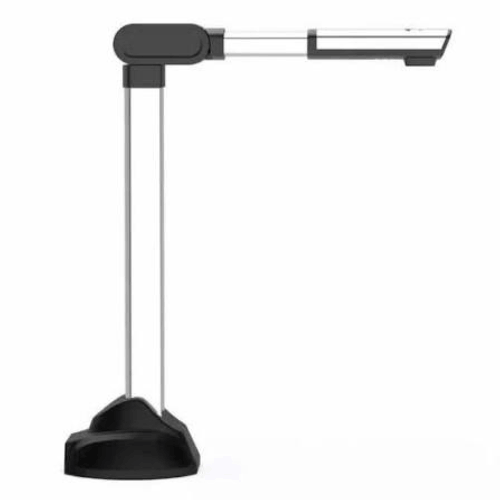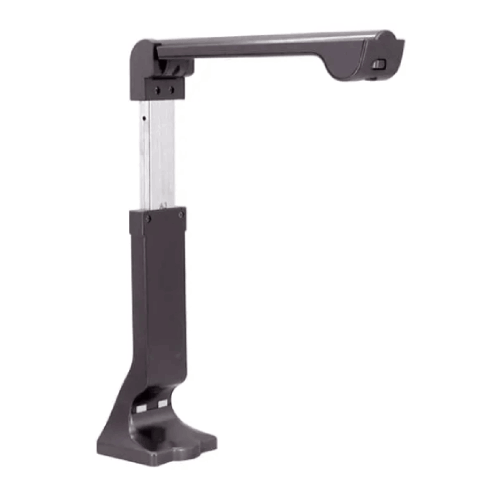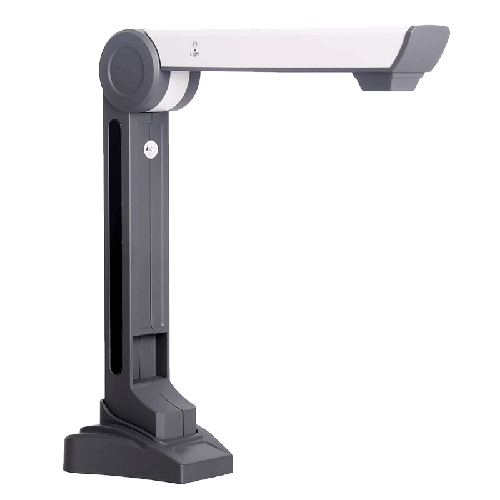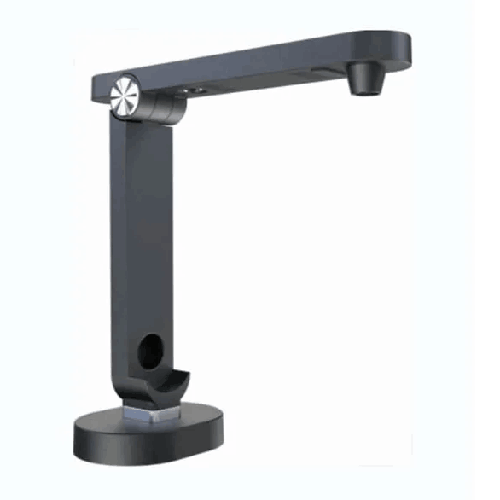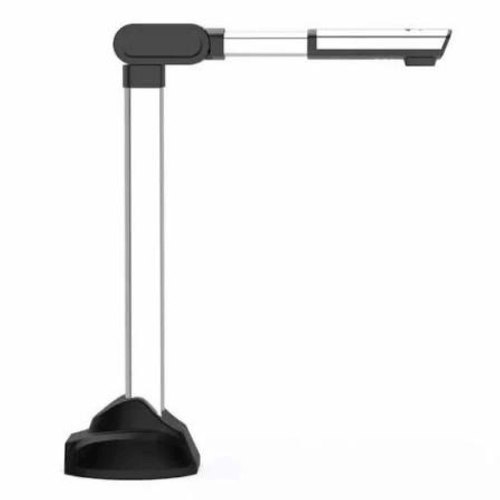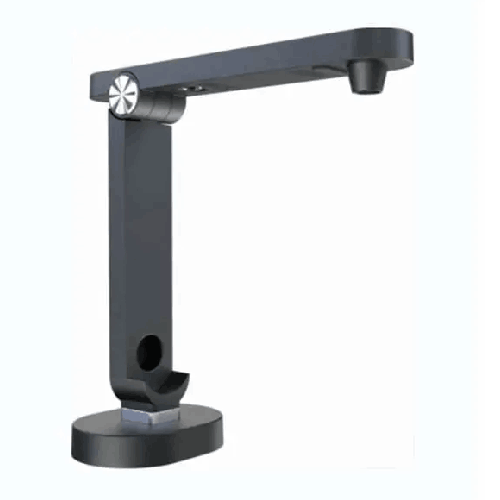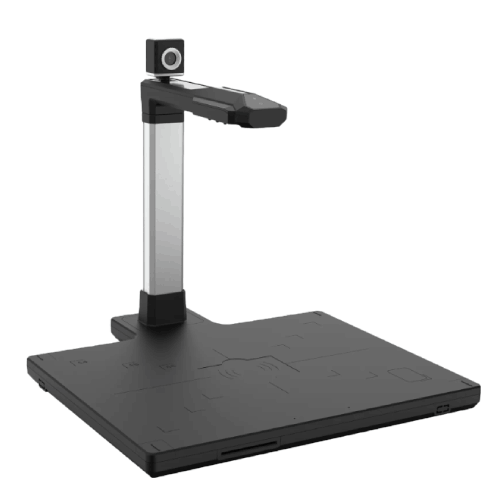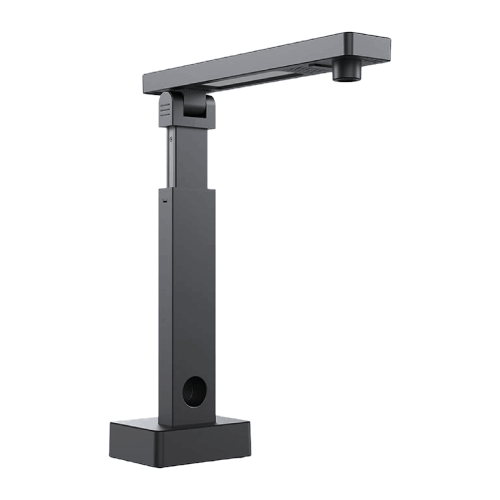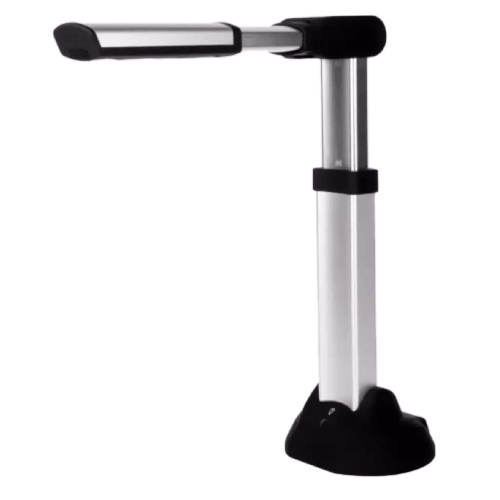

ELOAM S1000A3 8MP A3 Size Book Scanner
Regular Price:৳0.00Availability: SKU: 7.29.154.9472
Quick Overview
-
Support
Saturday – Thursday: 09 AM - 06 PM. -
Payment
Cash on Delivery | Card | Online Payment -
Shipping Cost
Inside Dhaka 100tk | Outside Dhaka 150tk -
Warranty Policy
Read More
Description
ELOAM S1000A3 8MP A3 Size Book Scanner in Bangladesh
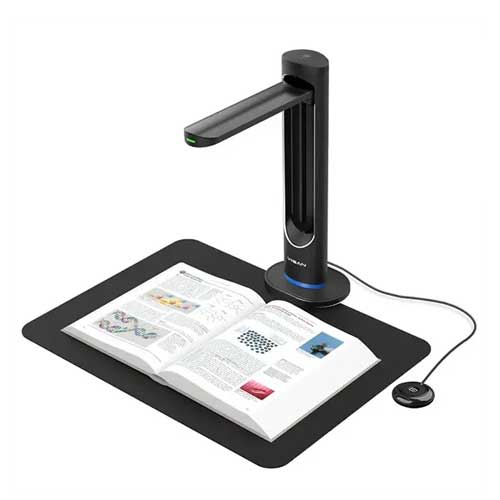
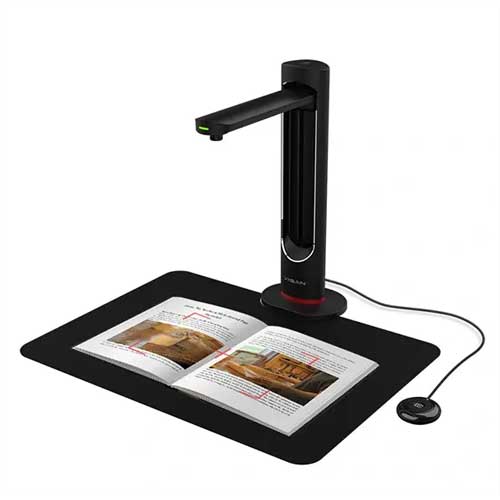
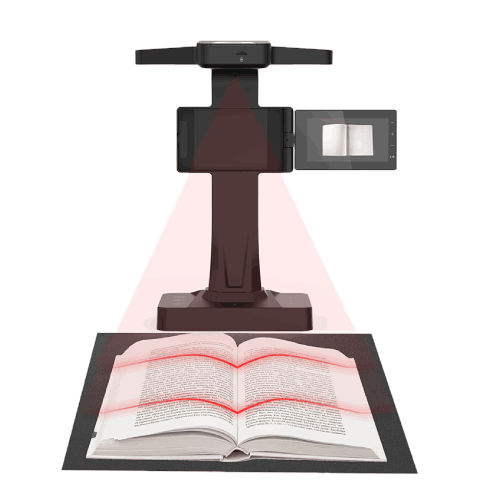
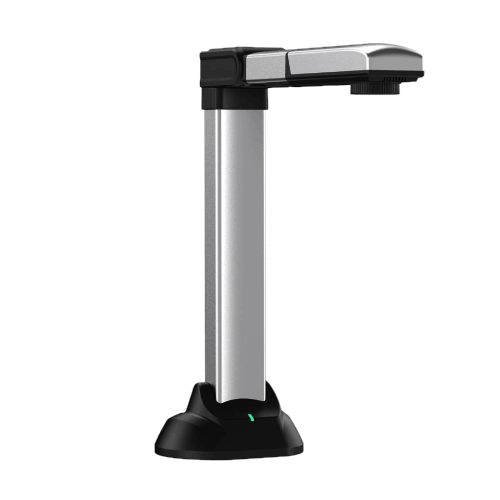
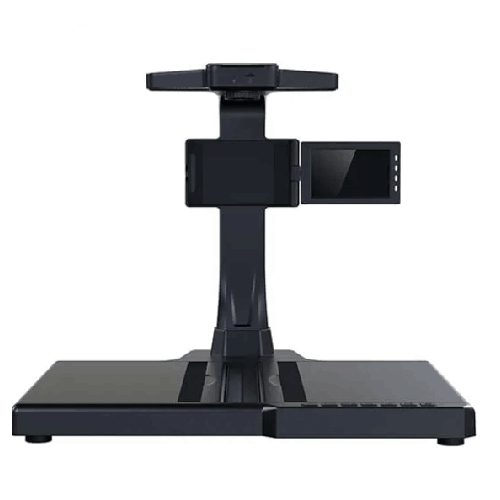
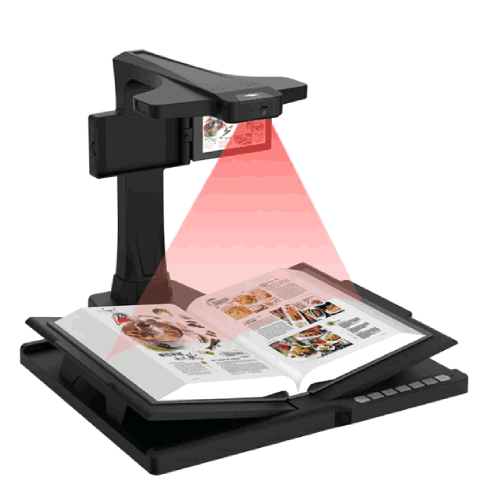
The ELOAM S1000A3 8MP A3 Size Book Scanner is an overhead scanning solution designed for schools, universities, libraries, government offices, NGOs, and businesses in Bangladesh that need to digitize large documents, books, and A3-size papers quickly and conveniently. With its 8‑megapixel camera and A3 coverage area, it captures pages from above, allowing you to scan bound books, ledgers, maps, and exam scripts without cutting or damaging them.
Instead of wrestling with flatbed scanners where you press books against glass, or using low‑quality phone photos that look uneven and distorted, the S1000A3 sits above your document and captures a clean image in a single click. It is ideal wherever you need fast, non-contact scanning of A3 and A4 documents.
In Bangladesh—where institutions still depend heavily on physical registers, large exam answer sheets, ledger books, and bound reports—this type of overhead book scanner is far more practical than consumer flatbed units.
Designed for A3 Size – Made for Large Documents
The core strength of the ELOAM S1000A3 is right in the name: A3 size. Many common heavy-duty documents in Bangladesh are larger than A4:
- Board exam answer scripts and mark sheets
- Class registers and attendance books
- Accounting ledgers and cash books
- Large forms, charts, and certificates
- Maps and technical diagrams
Traditional A4 scanners simply can’t handle this content in a single pass. Users are forced to scan in parts, stitch images, or leave edges out. The S1000A3 solves that by providing a scanning area big enough for A3 documents, capturing the entire page in one shot.
That means:
- Complete answer scripts can be digitized as single images.
- Ledger pages are captured with all columns visible at once.
- Maps and diagrams can be preserved without cropping.
In practical terms, that’s less time spent scanning, fewer mistakes, and more accurate digital records.
8MP Overhead Camera – Clear, Readable Scans
The 8‑megapixel camera in the ELOAM S1000A3 is tuned for document clarity. While it may not sound as high as 16MP or 22MP sensors used in some smaller-format document cameras, in an A3 overhead context 8MP is a smart balance: enough resolution for clear text and tables over a large area, while keeping file sizes manageable and scanning speeds fast.
For real‑world use in Bangladesh:
- Text on A3 exam scripts remains legible.
- Handwriting in registers and ledgers is clear enough for digital review.
- Printed content in books, magazines, and bound reports is easy to read on-screen.
- Stamps, signatures, and main markings on official documents are visible.
For institutions where the primary goal is documentation, archiving, and review rather than art-grade printing, 8MP is a strong, work-ready resolution.
Overhead Book Scanning – Non-Destructive and Fast
One of the biggest advantages of the ELOAM S1000A3 is that it acts as an overhead book scanner. Instead of forcing a book flat onto glass:
- You lay the open book on the desk.
- The scanner stands above it.
- You capture each spread (or page) from above, without stressing the binding.
This is especially critical for:
- Older, fragile books in university or public libraries.
- Rare or reference volumes that shouldn’t be damaged by rough handling.
- Thick, bound reports and dissertations.
- Religious and heritage texts that you want to protect.
Scanning this way not only protects materials; it’s also faster. You turn a page, click to capture, turn again, click again—much smoother than repeatedly opening and closing a flatbed scanner lid.
For Bangladesh libraries and archives, this overhead method can greatly speed up digitization efforts.
Ideal for Exam Scripts, Registers, and Ledgers
Many educational and government workflows in Bangladesh rely heavily on A3-sized exam scripts, registers, and ledgers. The S1000A3 is an excellent fit for these scenarios:
- Exam departments can scan answer scripts for moderation, recheck processes, or long-term storage.
- School and college offices can digitize attendance registers and academic ledgers.
- Accounts and finance offices can capture large ledger books and payment registers for digital audit trails.
- Government departments and NGOs can digitize field registers, log books, and project records.
Instead of physically moving heavy books to specialized scanning centers, staff can perform scanning in‑house, right in the office or exam cell.
Document Camera Mode – Live Display (Where Needed)
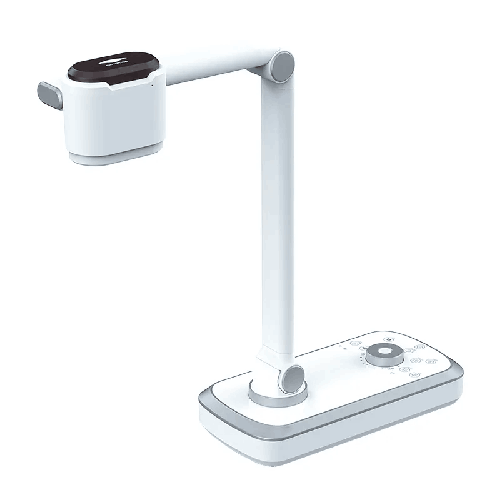
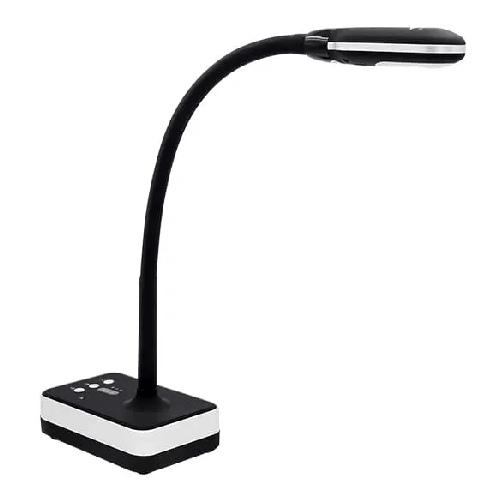
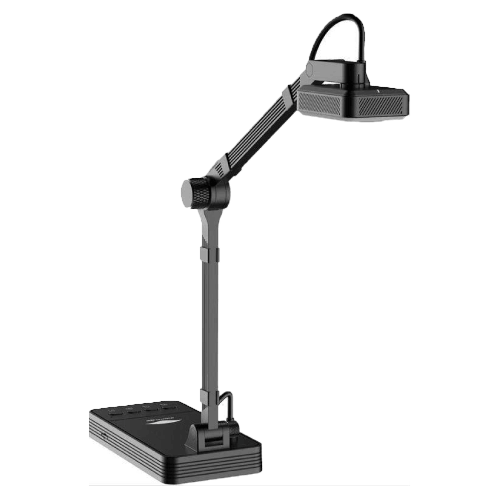
Although the ELOAM S1000A3 is primarily marketed and used as a book scanner, an overhead A3 device like this can often act as a document camera for live display via its PC software:
- You position the document or book under the scanner.
- The live feed appears on your PC screen.
- Your PC output goes to a projector or large display.
This can be useful in:
- Training rooms when you want to show a large form or ledger to a group.
- Workshops and seminars where you walk through printed manuals or reports.
- Library orientations where you show how to use printed reference tools.
It’s not as dynamic as a fully articulated classroom visualizer, but for many institutions that mostly care about scanning and occasional live viewing, the S1000A3 provides good flexibility.
Digitization and Archiving Workflows in Bangladesh
The ELOAM S1000A3 fits perfectly into document digitization projects across Bangladesh:
- Schools and colleges: Scan cumulative registers, result sheets, and old records.
- Universities: Digitize bound theses, research reports, lab log books, and departmental records.
- Government offices: Convert case files, register books, and A3 forms into digital images.
- Banks and financial institutions: Scan large ledgers and backfiles for audit and compliance.
- NGOs and development projects: Archive training registers, monitoring logs, and project documentation.
The overhead approach—scanning pages from above—means bulk jobs move faster:
- Place the ledger or book open.
- Capture left/right page or double spread (depending on layout).
- Turn page and repeat.
- Use provided software to name, save, and possibly combine into multi-page PDFs.
Over time, this builds a digital archive that is much easier to backup, search (with manual naming or external OCR tools), and share.
Real Use Scenarios in Bangladesh
-
College Exam Cell in Dhaka
After board exams, the exam cell receives bundles of answer scripts. Using the ELOAM S1000A3, staff scan selected scripts for re-evaluation requests and moderation panels. The digital copies are shared securely without moving original papers around. -
University Library in Rajshahi
The library begins digitizing old bound journals and bulletins from the 1980s. With the S1000A3, they scan each issue from above, protecting delicate bindings and building a searchable digital archive. -
Secondary School Accounts Office in Chattogram
The accounts officer uses the S1000A3 to scan annual ledgers into PDFs for the audit firm. Large A3 pages with multiple columns are captured completely, which is hard to do on regular A4 scanners. -
NGO Regional Office in Khulna
An NGO managing rural programs scans A3 training attendance registers and monitoring forms for each union. Digital copies are sent weekly to the Dhaka head office, improving central visibility and reducing file transport. -
Government Land Office in a District Town
Officials scan A3 land records and large forms into an internal system. Even if full digital land records are still in progress, scanned images help speed up verification and reduce handling of original documents.
Compatibility and Software (General Overview)
The ELOAM S1000A3 is a USB-connected overhead scanner that works with a PC (typically Windows) and dedicated scanning software. While exact features depend on the version and bundle, common functions for this class of scanner include:
- Live preview of the scanning area.
- Single or batch image capture.
- Output formats like JPEG, PNG, multi-page PDF.
- Basic cropping, rotation, and image adjustment.
In some setups, additional OCR tools can be added to extract text from scanned pages, but OCR is not inherent to the 8MP hardware—it depends on the software you choose and the quality of your scans.
Before rolling out in your institution, your IT team should confirm:
- Supported Windows versions.
- Driver/software installation rights on your computers.
- Where scanned files will be stored (local drives, network shares, cloud).
- Backup procedures for critical digital archives.
Maintenance and Care in Bangladeshi Conditions
To keep the ELOAM S1000A3 8MP A3 Size Book Scanner operating reliably:
- Keep the lens and camera head clean: Dust is common in Bangladesh. Gently wipe with a microfiber cloth to avoid spots and blur.
- Clean the scanning surface regularly: Since documents and books sit below the scanner, make sure the surface is free from dirt that might show up or damage pages.
- Avoid high humidity and direct sunlight: Do not place it near open windows during monsoon or under intense sunlight.
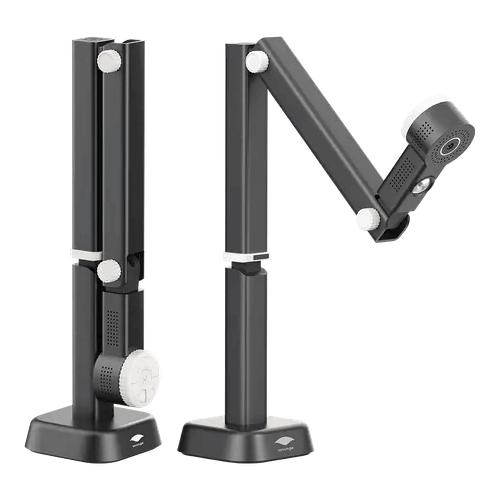
- Handle moving arms/joints gently: If the scanner has a foldable arm, avoid forcing it beyond its range.
- Cover or store when not in use: A simple cover or cabinet reduces dust buildup and accidental knocks in busy offices.
- Organize cables neatly: Prevent tripping hazards and accidental disconnection, especially in cramped exam cells or library back rooms.
These basic steps significantly improve lifespan and maintain consistent scan quality.
✅ Key Features
- A3 Size Scanning Area: Captures full A3 documents such as exam scripts, ledgers, maps, and large forms in a single shot.
- 8MP Overhead Camera: Provides clear, readable scans suitable for documentation, archiving, and review.
- Book-Friendly Overhead Design: Scans bound books and registers without damaging spines or pages, ideal for libraries and archives.
- Fast, Non-Contact Scanning: Speeds up digitization by scanning from above without opening/closing scanner lids.
- USB-Connected Operation: Connects to a PC or laptop via USB for power and data, simplifying setup and portability.
- Ideal for Exam, Accounts, and Admin Records: Especially suited for scanning A3 answer scripts, registers, and ledger books.
- Can Act as Document Camera: When needed, can be used to display large documents live on screen via PC software.
- Space-Saving Footprint: Overhead design fits on standard desks in exam cells, offices, and library digitization corners.
✅ Usage / Applications
- Exam Departments and Boards: Scan A3 answer scripts, mark sheets, and evaluation forms for digital moderation and record-keeping.
- School and College Offices: Digitize attendance registers, academic ledgers, and large-format documents.
- University Libraries: Scan bound journals, theses, bulletins, and reference books into digital archives.
- Corporate and SME Accounts: Capture A3 ledgers and financial records for audit and compliance documentation.
- Government Offices: Scan land records, case registers, and A3 forms for easier access and backup.
- NGOs and Development Programs: Digitize A3 training registers, monitoring logs, and reporting forms from field projects.
- Technical and Engineering Departments: Scan large diagrams, schematics, and site reports (within A3 size) for electronic storage.
- Training and Workshops: Display large documents or forms on projectors during training sessions using the live view.
✅ Benefits of This Product?
- Handles A3 Documents Easily: Eliminates the need to cut, fold, or scan in pieces when working with large sheets.
- Protects Valuable Books and Registers: Overhead, non-contact scanning reduces wear and tear on bindings and pages.
- Speeds Up Digitization Projects: Significantly faster scanning workflow than traditional flatbed scanners for multi-page books and ledgers.
- Improves Record Security and Access: Digital copies can be backed up, searched (with proper naming/OCR), and shared more safely than physical-only records.
- Supports Audit and Compliance Needs: Clear digital images of ledgers and scripts are invaluable during audits, rechecks, and verifications.
- Reduces Physical Storage Pressure: Over time, scanned archives can reduce dependence on large paper storerooms.
- Flexible for Occasional Live Display: Can double as a document camera to show large documents to groups when needed.
- Fits Bangladeshi Institutional Reality: Specifically aligns with the A3-heavy nature of exams, registers, and accounting records here.
✅ Ideal For
The ELOAM S1000A3 8MP A3 Size Book Scanner is ideal for organizations and departments in Bangladesh that routinely handle large-format documents and bound volumes.
It is a perfect fit for exam cells and examination boards that manage A3 answer scripts and mark sheets; for school and college administration offices that maintain bulky registers; and for university and public libraries that want to digitize A3 or large-page books, journals, and archival materials.
Corporate accounts departments, SMEs, banks, and financial institutions that maintain traditional A3 ledger books will also benefit greatly from the S1000A3 when moving toward digital archiving and audit-ready documentation.
Similarly, NGOs, government departments, land offices, and development projects—anywhere that uses A3 forms, registers, or large reports—can use this scanner to build accessible, backed-up digital records. If A3 is part of your daily paperwork, and you need a practical, non-destructive way to scan it, this scanner is tailored for you.
✅ Why Choose the ELOAM S1000A3 8MP A3 Size Book Scanner?
Choosing the ELOAM S1000A3 means you’re investing in a scanner built around the real, large-format documents that many Bangladeshi institutions rely on. Instead of struggling to squeeze A3 content into A4 devices, or patching together mobile-phone photos, this overhead scanner gives you:
- True A3 coverage in a single shot.
- 8MP clarity tuned for documents and handwriting across a large page.
- Non-contact scanning that respects and preserves bound materials.
For bulk scanning of ledgers, register books, and exam scripts, the S1000A3’s workflow is significantly more efficient than flatbed scanners. Every second saved per page compounds into big time savings over thousands of pages.
Because it’s USB-connected and desk-friendly, you can deploy it directly where the documents live—in exam cells, accounts rooms, and library back-offices—reducing the need to physically move heavy registers. That lowers the risk of document loss or damage during handling.
Compared with ad-hoc solutions (like using a smartphone or office copier), the S1000A3 offers more consistent framing, better readability, and a proper archiving workflow. If you are serious about long-term digital preservation of A3 documents and books, it provides a much more robust foundation.
✅ Why Buy This Product from BME?
Buying the ELOAM S1000A3 8MP A3 Size Book Scanner from Business Machine & Equipment (BME) connects you with a Bangladesh-based specialist in office, education, and digitization hardware.
BME focuses on sourcing genuine, brand-aligned products, which is particularly important for specialized devices like A3 overhead scanners where sensor quality, build, and software support directly affect your digitization results.
With extensive experience serving schools, colleges, universities, NGOs, corporate offices, and government agencies, BME can help you design a realistic deployment plan:
- How many S1000A3 units you might need (per exam cell, per library, per accounts section).
- How to integrate them into your existing IT setup and storage infrastructure.
- How to phase digitization work so it doesn’t disrupt daily operations.
BME can provide formal quotations and procurement documents to support tenders, donor-funded projects, and internal approval processes. That’s particularly helpful for public sector bodies, NGOs, and large educational institutions.
You also gain access to Bangladesh-context advice—positioning scanners in small rooms, planning cable and power arrangements in older buildings, and organizing basic training for staff to use the scanner effectively. While you should confirm exact warranty and service terms at purchase time, having a reliable local partner like BME adds significant long-term value and confidence.
✅ Buying Guide
To decide if the ELOAM S1000A3 8MP A3 Size Book Scanner is the right choice for your institution or business, consider the following:
1. Assess Your Document Sizes
List which documents you scan most: A4 forms vs. A3 answer scripts, ledgers, registers, and maps. If you regularly use A3 or larger, an A3 overhead scanner is almost essential.
2. Define Your Main Objective
Is your focus on book scanning, register/ledger digitization, exam script archiving, or a mix? The S1000A3 excels at all these A3-centric tasks.
3. Estimate Scanning Volume
Think about how many pages you want to digitize per month. For high volumes, the fast overhead method of the S1000A3 is far more efficient than a conventional flatbed scanner.
4. Check IT Infrastructure
Ensure you have compatible Windows PCs/laptops available, plus suitable storage (local server, NAS, or cloud). Confirm your IT policy allows installing scanner software and saving large batches of images/PDFs.
5. Plan File Organization
Develop a folder and naming system before you start large-scale scanning (e.g., by year, department, exam session, ledger type). This is key to actually finding your digital files later.
6. Determine Placement and Workflow
Decide where the scanner will sit—exam cell, accounts room, library digitization area—and who will operate it. Plan a simple workflow so staff know how to handle originals, scanning, and file storage.
7. Budget for Present and Future Needs
If current A3 scanning needs are modest but expected to grow (e.g., new digitization projects, compliance requirements), investing in an A3 scanner now can save future headaches.
8. Avoid Common Mistakes
- Don’t try to handle A3 work only with A4 flatbeds; the labor cost and risk of error are high.
- Don’t rely on random phone photos for serious archives; consistency and quality will suffer.
- Don’t start scanning at low quality “to save space” if long-term legibility is important.
By carefully reviewing these points, you can make a confident decision about adopting the ELOAM S1000A3 as a central tool in your A3 document and book digitization strategy.
✅ Customers Ask About / Frequently Asked Questions
Q1: Can the ELOAM S1000A3 scan full A3 pages in one shot?
Yes. It is designed as an A3 size overhead scanner, capturing full A3 pages such as exam scripts, ledgers, and large forms in a single image.
Q2: Is 8MP enough resolution for A3 documents?
For documentation and archiving of text-based A3 materials, 8MP is typically sufficient to produce clear, readable scans, balancing quality and file size.
Q3: Can it scan bound books without damaging them?
Yes. As an overhead book scanner, the S1000A3 allows you to lay books open on a desk and scan from above without pressing them flat, which helps protect bindings.
Q4: Is the S1000A3 suitable for Bangladeshi exam departments?
Yes. It is very suitable for exam cells and boards that process A3 answer scripts and mark sheets, making digital archiving and recheck workflows much easier.
Q5: Does it need a special power adapter?
It is typically a USB-connected device that draws power from the PC. Check the current product documentation or with BME, but generally no large external adapter is required.
Q6: Can I use it for live display in a classroom or training room?
Yes. By using its software’s live preview on a PC and then projecting the PC’s output, you can show large documents on a screen for group viewing.
Q7: Is it compatible with Windows PCs in Bangladesh?
Yes. It is designed for use with Windows PCs/laptops via dedicated drivers and software. Confirm supported Windows versions with BME at purchase.
Q8: Does it support OCR?
OCR depends on the software used alongside the scanner. The hardware provides clear images; OCR functionality can be added with compatible software if required.
Q9: How fast can it scan?
Overhead scanning is generally much faster than flatbed—capture is nearly instantaneous per page. Total speed depends on operator workflow and PC performance.
Q10: What warranty can I expect in Bangladesh?
Warranty terms vary by batch and channel. Please confirm the exact warranty period and conditions with BME at the time of purchase.
Q11: Is training required to operate it?
Basic use is simple. A short training session for staff on placement, capture, and file management is recommended to ensure consistent results.
✅ Why Buy This Product
The ELOAM S1000A3 8MP A3 Size Book Scanner delivers exactly what many Bangladeshi institutions need but rarely find in standard office scanners: fast, non-destructive scanning of A3 books, registers, ledgers, and exam scripts. It replaces slow, awkward, and sometimes damaging methods with a smooth overhead capture process.
By deploying this scanner, you make it realistic to digitize large-format records that once seemed “too big a job”—whether that’s years of exam scripts, decades of ledger books, or shelves of bound journals. You gain better security, easier access, and a more professional digital archive, ready for audits, analyses, or online sharing.
If you handle A3 documents regularly and you want an efficient, purpose-built tool instead of constant compromise with A4 devices or makeshift phone photos, the S1000A3 is a smart, long-term investment. Order the ELOAM S1000A3 8MP A3 Size Book Scanner from BME today and take a major step toward reliable, large-format document digitization in your school, office, or organization.
What is the price of ELOAM S1000A3 8MP A3 Size Book Scanner in Bangladesh?
Write a review
Question Answer
Have question about this product? Get specific details about this product from expert.