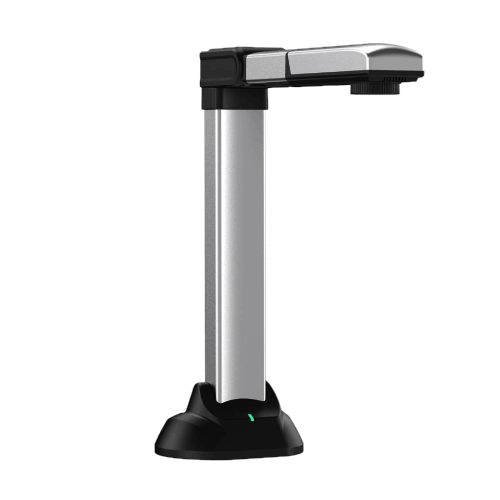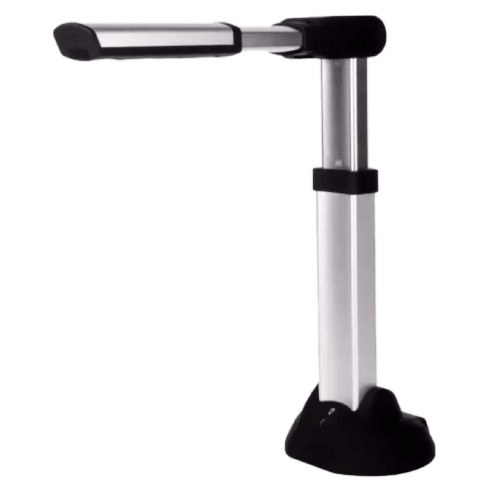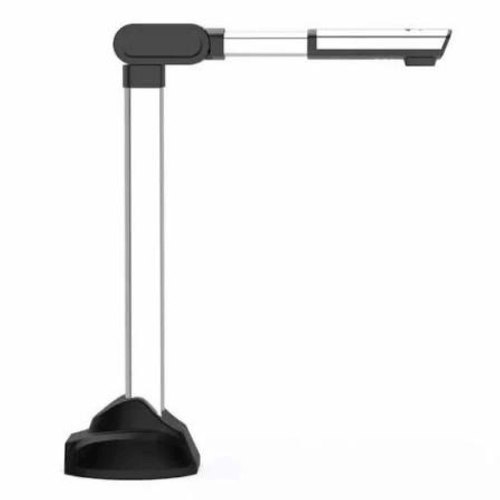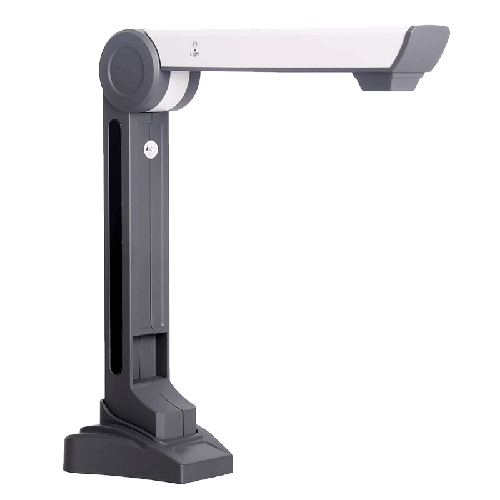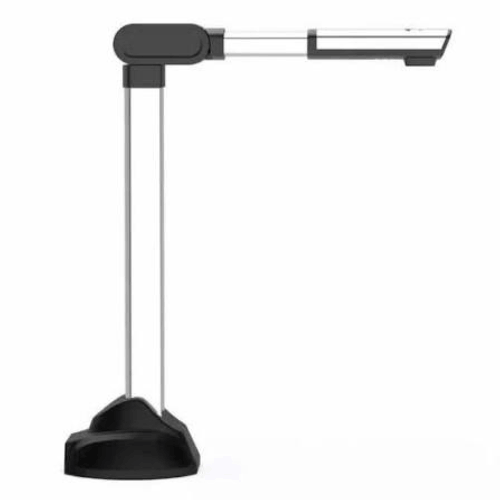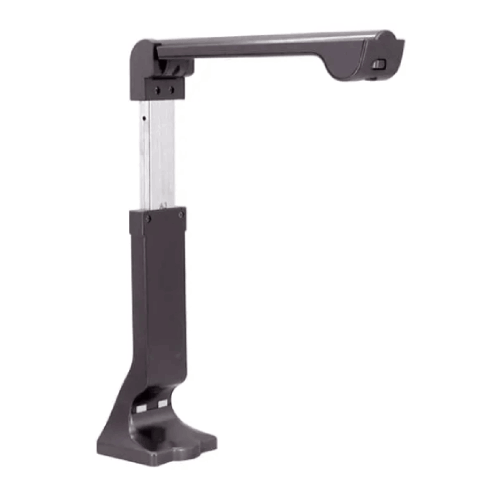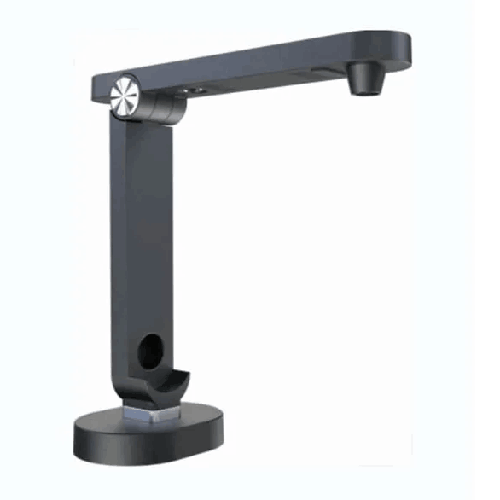
Eloam S500P Portable High-Speed Document and Book Scanner
Regular Price:৳0.00Availability: SKU: 7.29.154.9476
Quick Overview
-
Support
Saturday – Thursday: 09 AM - 06 PM. -
Payment
Cash on Delivery | Card | Online Payment -
Shipping Cost
Inside Dhaka 100tk | Outside Dhaka 150tk -
Warranty Policy
Read More
Description
Eloam S500P Portable High-Speed Document and Book Scanner in Bangladesh
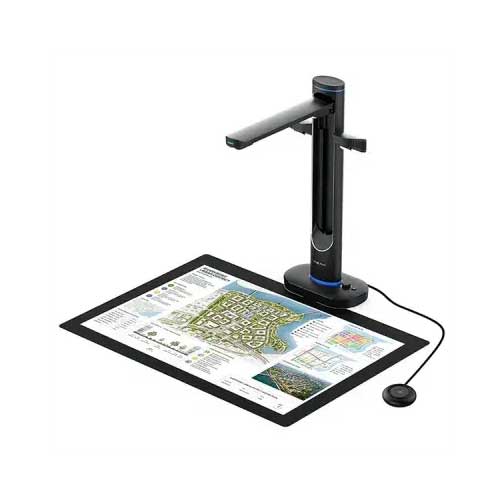
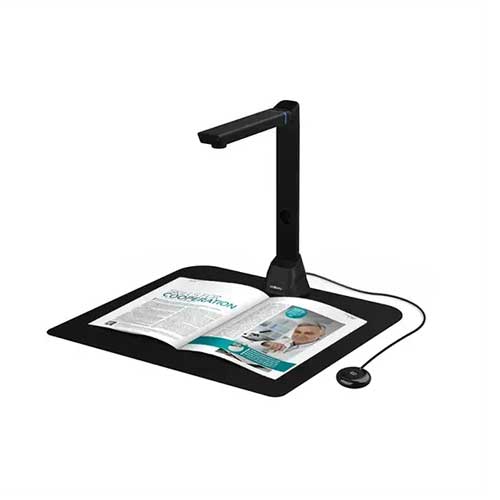
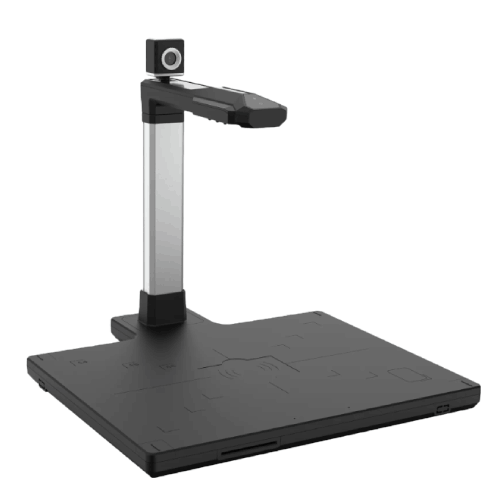
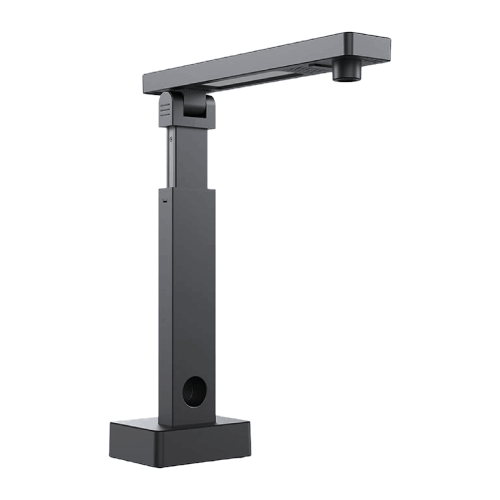
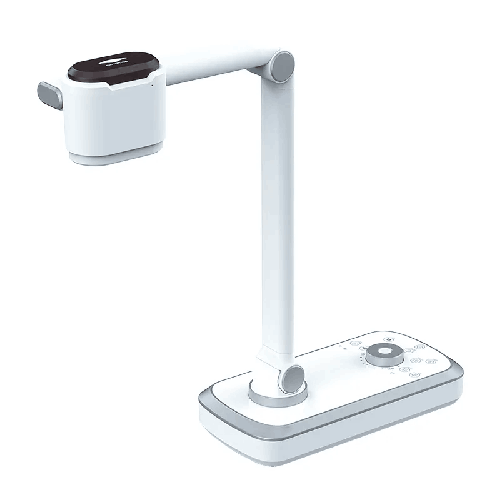
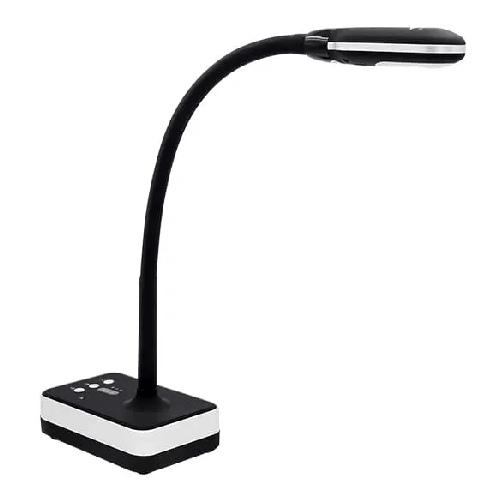
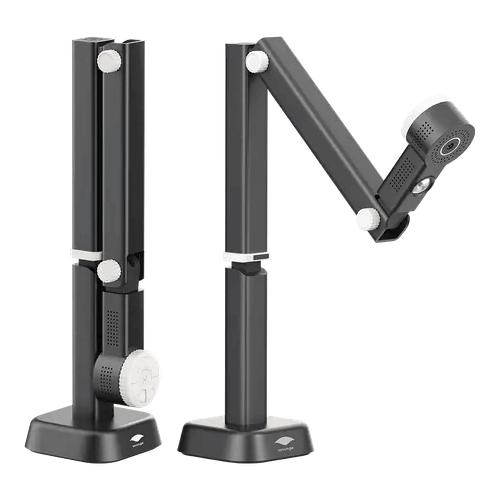
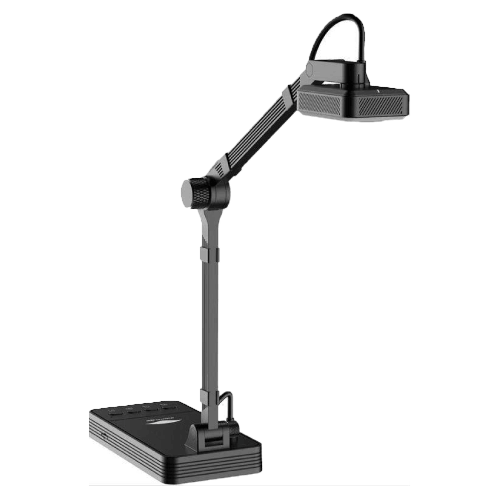
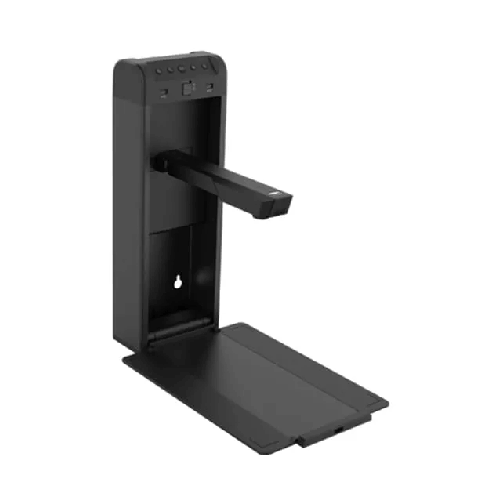
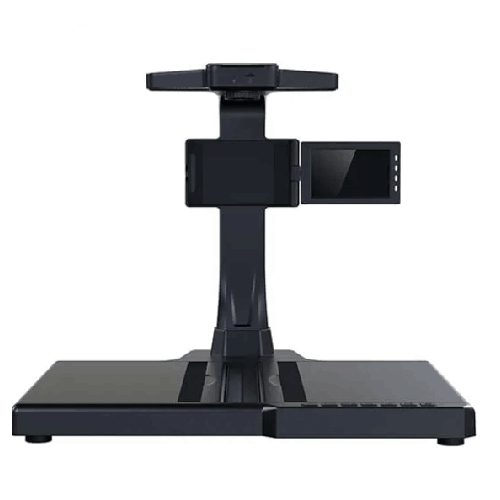
The Eloam S500P Portable Document Scanner is a compact, high-speed overhead USB document and book scanner built for people and organizations in Bangladesh who need fast digitization without a bulky machine. Instead of a traditional flatbed scanner that takes up half your desk, the S500P stands neatly over your documents, capturing them from above in seconds.
You place your page or book under the scanner, click to scan, and the Eloam S500P turns it into a crisp digital image. It is powered via USB, so no extra power brick is needed, and its portable form factor means you can carry it between classrooms, branches, client offices, or even to the field.
For teachers, students, NGO workers, corporate staff, and small business owners across Bangladesh, this scanner is a practical way to move from piles of paper to well-organized digital files.
Compact, Overhead, and Truly Portable
The defining qualities of the Eloam S500P are portability and overhead design.
Unlike flatbed scanners that are heavy and stationary, the S500P:
- Is compact enough to fit easily in a laptop bag or backpack
- Sets up in seconds on any flat table
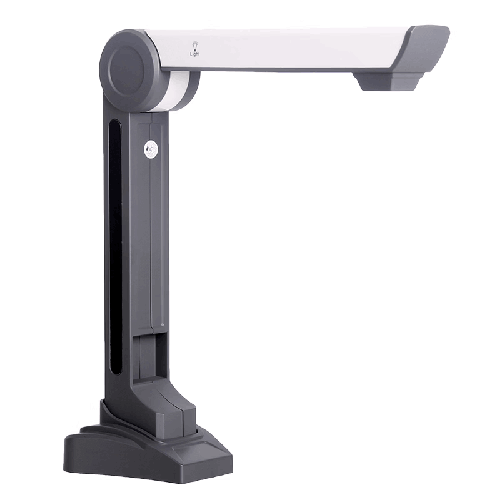
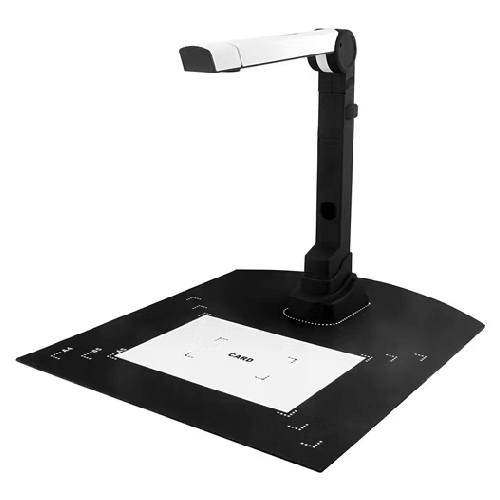
- Folds or collapses (depending on exact physical design) for easy transport and storage
- Draws power directly from your computer via USB
For users in Bangladesh who move frequently between locations—teachers going to different campuses, NGO staff going between field offices, consultants traveling for client meetings—this is a big advantage. Wherever you can open your laptop, you can set up a mini scanning station.
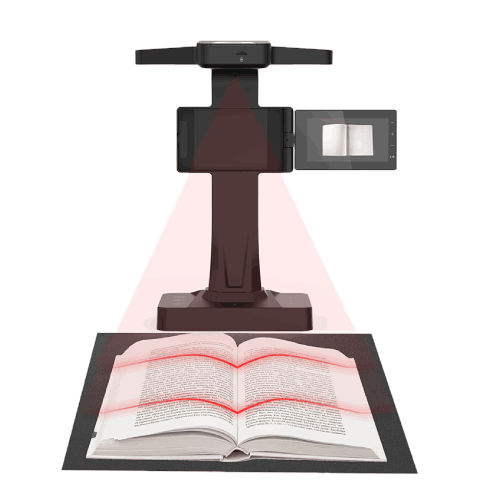
The overhead scanning style means the camera looks down onto your document. You don’t need to feed papers into a slot or open and close any lid. Place the page, scan, and replace with the next—simple and fast.
High-Speed USB Document and Book Scanning
The Eloam S500P is designed as a high-speed scanner, especially for single sheets and book pages. Instead of slowly sliding a sensor across the paper, the overhead camera captures the entire area in one shot. That means:
- Very quick scans—almost like taking a photo
- Much less waiting between pages
- A comfortable workflow for multi-page jobs
For practical everyday use in Bangladesh:
- A teacher can quickly scan several worksheets or test papers before class.
- An office staff member can digitize a stack of forms or letters in a fraction of the time needed by older flatbeds.
- An NGO officer can capture pages from field registers or training manuals during a short office stop.
Although exact pages-per-minute depend on computer speed and resolution settings, the S500P’s overhead method fundamentally speeds up the process compared to ordinary consumer scanners.
USB-Powered Convenience – One Cable, No Hassle
The USB connectivity of the Eloam S500P makes it especially convenient:
- No extra power adapter to carry
- Fewer cables on crowded desks
- Simple plug-and-scan setup with a laptop or PC
In Bangladesh, where available power points are often limited and extension boards are overloaded, this matters. In a classroom, you might have only one socket for your laptop and projector; in a field office, power might come from a small UPS or generator. The S500P only needs to plug into your computer—nothing else.
It is ideal for:
- Mobile teams who always work from laptops
- Coaching centers where teachers swap rooms frequently
- Temporary offices set up for projects or events
- Home offices where people don’t want extra cables and adapters
Overhead Book Scanner – Non-Destructive and Easy
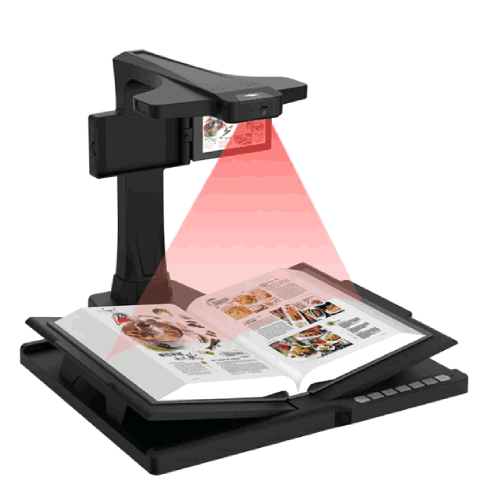
The Eloam S500P is not only for loose sheets. As an overhead book scanner, it can scan pages from:
- Textbooks
- Reference books
- Reports and bound notebooks
- Training manuals
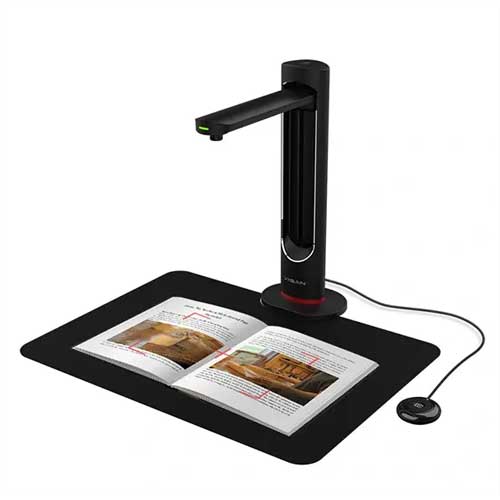
Because the camera looks down from above, you don’t need to flatten books against glass. You can gently open the book and let it rest naturally on the table, then capture the pages.
For:
- Students and researchers, this is a simple way to digitize important pages from library books.
- Teachers, a quick way to capture key diagrams or passages for digital notes.
- NGOs and trainers, an easy way to scan training material from printed manuals.
Non-destructive scanning is particularly important for valuable or frequently-used books that you don’t want to damage by pressing flat.
Real-World Use in Bangladesh
-
University Student in Dhaka
A student regularly needs to scan pages from engineering reference books that cannot be borrowed. With the Eloam S500P in her bag, she sets it up at a library table, connects it to her laptop, and scans the required chapters. She organizes the digital pages into subject-wise folders on her computer for later study. -
SSC Coaching Tutor in Chattogram
A tutor preparing SSC students uses the S500P to scan selected past questions, notes, and solutions overnight. The next day, he can project those PDFs in class or send them to students via messaging apps. -
Small Office in Motijheel, Dhaka
A small business uses the S500P as a daily scanner. Bills, challans, sale notes, and customer forms are scanned and stored digitally, making audits easy and freeing the office from overflowing files. -
NGO Field Worker in Rangpur
After a field visit, an NGO staff member returns to a regional office and scans training attendance sheets and survey forms with the S500P. Digital copies go to the head office by email the same day, while original papers are safely filed locally. -
Government Project Office
A local government project team uses the portable scanner to digitize A4 project documents and selected pages from larger registers, especially when working in temporary project offices in upazilas.
Perfect for Shared and Space-Constrained Environments
Bangladeshi institutions often run on shared spaces and small tables:
- Many teachers share the same staffroom desk
- Coaching rooms are tiny, with barely enough space for a laptop
- Field offices are cramped and multi-purpose
The S500P is a space-efficient scanner:
- Small footprint
- Light weight
- Easy to pack away when not in use
This makes it suitable for:
- Crowded school offices where a large flatbed would be inconvenient
- Coaching centers where equipment cannot be permanently placed
- Co-working spaces used by freelancers and startups
- Temporary training centers set up for projects or seminars
You use it when needed, then fold it and store it—leaving desks clear for other tasks.
Simple PC-Based Workflow
The Eloam S500P integrates with a Windows PC or laptop via USB. With Eloam or compatible scanning software (as provided by the seller):
- You see a live preview of what’s under the scanner
- You can adjust document position and zoom (if available)
- You capture images or build PDFs
- You save files into your desired folders
Typical functions for users in Bangladesh include:
- Choose resolution depending on quality vs. file size needs
- Save in common formats (JPEG, PNG, PDF)
- Combine multiple pages into a single PDF for a booklet or report
- Perform basic image adjustments (rotate, crop, brightness)
Once scanned, you can:
- Email the files to colleagues, students, or head office
- Upload them to Google Drive, OneDrive, Dropbox, or an LMS
- Store them on a shared office server or NAS
Before deployment, check with your IT team for:
- Software installation permissions
- Supported Windows versions
- Recommended storage locations and backup routines
Maintenance and Care
To keep the Eloam S500P Portable Document Scanner running reliably in Bangladesh’s conditions:
- Clean the lens gently: Use a microfiber cloth; avoid rough fabric or chemicals. Dust and fingerprints can blur scans.
- Protect from dust: Place it in a pouch, drawer, or case when not in use, especially in dusty rooms.
- Avoid moisture: Keep it away from open windows during rain and don’t use or store it in very damp spaces.
- Handle folding parts with care: If it has a collapsible arm, don’t force hinges or twist unnaturally.
- Manage cables: Coil the USB cable loosely; avoid sharp bends and tugs.
Following these simple habits will extend its life and keep scan quality consistent.
✅ Key Features
- Compact, Portable Design: Lightweight and easy to carry, ideal for mobile teachers, students, field workers, and consultants.
- High-Speed Overhead Scanning: Captures pages quickly from above, reducing time spent on each document compared to flatbed scanning.
- USB-Powered Operation: One USB cable handles power and data, simplifying setup on laptops and PCs.
- Document and Book Scanning: Suitable for loose sheets and bound materials like textbooks and reports without damaging bindings.
- PC-Based Preview and Capture: Works with Windows PCs/laptops using scanning software for live view, capture, and saving.
- Space-Saving Footprint: Perfect for small desks, crowded classrooms, compact offices, and temporary project spaces.
- Flexible for Many Sectors: Designed to support education, office, NGO, and government workflows that depend on paper.
✅ Usage / Applications
- Teachers & Lecturers: Scan worksheets, exam papers, and notes to distribute digitally or reuse in future batches.
- Students & Researchers: Capture pages from library books, references, and research materials for personal study.
- Coaching Centers: Create soft copies of question banks, model tests, and solutions for easy sharing.
- Small Offices & SMEs: Digitize invoices, bills, receipts, forms, and agreements for record-keeping and audits.
- NGOs & Field Projects: Scan survey forms, attendance sheets, and beneficiary documentation at regional offices.
- Government & Local Projects: Digitize project records, forms, and selected pages from registers in upazila or district offices.
- Freelancers & Consultants: Carry a portable scanner to client sites to scan contracts and reference documents on the spot.
- Libraries & Training Centers: Offer basic self-service or staff-assisted scanning of reference materials.
✅ Benefits of This Product?
- Portable Scanning Anywhere: Enables scanning wherever you work—classroom, office, library, or field location.
- Saves Time and Effort: High-speed overhead capture is faster than feeding pages or using flatbed scanners.
- Reduces Paper Dependency: Makes it practical to keep digital copies instead of filing everything in heavy folders.
- Supports Study and Teaching: Helps teachers and students build organized digital notes from physical books.
- Improves Record Organization: Offices and NGOs can maintain cleaner, more accessible archives of important documents.
- Cost-Effective Setup: Replaces the need for a bulky dedicated scanner in environments where space and budget are limited.
- Professional-Quality Scans vs Phone Photos: Delivers more consistent alignment and quality than handheld phone pictures of documents.
✅ Ideal For
The Eloam S500P Portable Document Scanner is ideal for people in Bangladesh who need scanning flexibility and mobility, rather than a fixed heavy machine.
It’s a strong fit for teachers, lecturers, and coaching tutors who move between classrooms and campuses and want to carry their own scanner instead of depending on shared office machines. Students and researchers who spend long hours in libraries or labs can use it to collect pages from books and research materials efficiently.
For organizations, the S500P is well-suited to small and medium offices, NGOs, and project teams that manage paperwork across multiple locations. It’s also a solid choice for field-level staff, consultants, and auditors who prefer to digitize documents immediately instead of carrying large stacks of paper back to the main office.
If you work with paper regularly and value the ability to scan quickly wherever you are, this compact overhead scanner is a very practical solution.
✅ Why Choose the Eloam S500P Portable Document Scanner?
The Eloam S500P stands out because it combines true portability, high-speed overhead scanning, and book/document flexibility in a single, compact device.
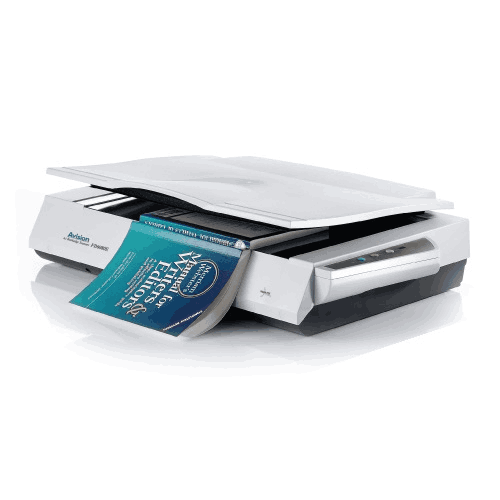
Compared to a flatbed scanner:
- It’s far easier to carry and set up on any desk.
- It scans faster by capturing entire pages in one shot.
- It handles books and bound materials more gently.
Compared to taking document photos with a phone:
- It offers a stable, aligned scanning surface.
- It connects directly to your PC, making file saving and naming easier.
- It avoids perspective distortion and inconsistent lighting that often plague phone images.
Because it is USB-powered and compact, it fits naturally into laptop-based workflows in Bangladesh, where many professionals, NGO workers, and students already rely on notebooks for daily tasks. The S500P simply adds professional-grade scanning to that mobile toolkit.
If you want a reliable, portable, and efficient scanner that helps you move from paper piles to organized digital files—without sacrificing mobility—the Eloam S500P is a sensible, user-friendly choice.
✅ Why Buy This Product from BME?
Buying the Eloam S500P Portable Document Scanner from Business Machine & Equipment (BME) gives you the benefit of a Bangladesh-focused technology partner that understands local workflows and constraints.
BME emphasizes genuine product sourcing, which is crucial for scanners and overhead devices where optics, build quality, and compatible software greatly affect your experience. This helps you avoid poor-quality or unofficial units that might fail early or lack proper driver support.
Because BME works closely with schools, universities, NGOs, SMEs, and government offices across Bangladesh, the team can help you:
- Decide if the S500P is right for your specific use-case
- Plan how many units you need for classrooms, branches, or field teams
- Understand how it fits into your current PC, laptop, and storage setup
For institutional and corporate buyers, BME can provide formal quotations, VAT-compliant invoices, and procurement-friendly documentation, making internal approval processes smoother.
You also gain access to local guidance—practical advice on basic setup, recommended workflows (e.g., naming and storing scanned files), and how to get the most day-to-day value from a portable scanner. While exact warranty and support terms should be confirmed at purchase, having a local, experienced seller adds trust and long-term peace of mind.
✅ Buying Guide
Before choosing the Eloam S500P Portable Document Scanner, consider the following factors:
1. Mobility Requirements
Do you need to scan only at one fixed desk, or in multiple classrooms, branches, or field locations? If you often work away from a central office, a portable USB scanner like the S500P is far more appropriate than a fixed machine.
2. Document Types and Sizes
List the documents you commonly scan: A4 forms, book pages, small slips, etc. The S500P is ideal for standard paper sizes and book pages placed under its capture area. If you often handle large A3 ledgers or maps, consider if you also need a larger-format scanner.
3. Scanning Volume
Estimate how many pages you scan per week or month. The S500P is excellent for moderate daily workloads and frequent small batches. For extremely high-volume, centralized backfile scanning, you may still use larger departmental scanners as well.
4. Laptop/PC Availability
Ensure you have a Windows laptop or PC available wherever you intend to use the scanner, with free USB ports and permission to install required software.
5. Desired Workflow
Think through:
- Where will you save scanned files?
- How will you name them (by date, client, student, project)?
- Do they need to be shared by email, stored on a server, or uploaded to the cloud?
A simple but clear plan makes scanning much more productive.
6. User Skill Levels
Consider who will use the scanner. Teachers, field staff, and admin employees usually adapt quickly if the process is straightforward. A short demonstration session can help everyone get comfortable.
7. Budget and Alternatives
Compare the S500P with:
- Flatbed scanners (less portable, slower for multiple pages)
- Multi-function printer scanners (bulkier, not easy to move)
- Relying on phone photos (inconsistent and unprofessional)
For many mobile and mixed environments, the S500P is a better fit despite compact size.
8. Avoid Common Mistakes
- Don’t buy a heavy, non-portable scanner if most of your work is mobile.
- Don’t rely solely on smartphone photos when scan quality and alignment matter.
- Don’t start scanning large numbers of documents without planning basic file organization.
By going through these points, you can decide confidently whether the Eloam S500P suits your real-day scenarios.
✅ Customers Ask About / Frequently Asked Questions
Q1: What is the Eloam S500P mainly used for?
It is mainly used as a portable, high-speed overhead USB document and book scanner for digitizing A4 documents, book pages, and similar materials.
Q2: Is the S500P suitable for teachers and students in Bangladesh?
Yes. It’s very suitable for teachers and students who need to scan or share pages from textbooks, notes, and worksheets in classrooms, libraries, and at home.
Q3: Can it scan books without damaging them?
Yes. As an overhead scanner, it captures pages from above, so you don’t need to press books flat. This is gentler on bindings and pages.
Q4: Does it need external power?
No separate power adapter is usually needed; it is USB-powered from your PC or laptop, making it easy to use in various locations.
Q5: Is it compatible with Windows PCs in Bangladesh?
Yes. It is designed to work with Windows PCs/laptops via USB and dedicated software. Confirm supported Windows versions with BME before purchase.
Q6: Can it scan small documents like receipts and ID cards?
Yes. You can place smaller items centrally under the scanner and capture them as images or part of a PDF.
Q7: Is it fast enough for everyday use?
Yes. Overhead scanning is generally faster than flatbed scanning for page-by-page work, making the S500P suitable for regular daily tasks.
Q8: Can it be used for live presentations?
Primarily it’s for scanning, but the live preview on your PC can be shared or projected if you want to show a document while you scan it.
Q9: Is it difficult to set up and use?
No. Setup usually involves installing software and connecting via USB. Operation is straightforward: place the document, preview, and scan.
Q10: What warranty is available in Bangladesh?
Warranty terms can vary. Check with BME at the time of purchase for the current warranty period and coverage.
Q11: Is this scanner good for field and project work?
Yes. Its compact size and USB power make it a great choice for field offices, project sites, and temporary setups.
✅ Why Buy This Product
The Eloam S500P Portable Document Scanner is a powerful tool for anyone in Bangladesh who needs to digitize documents quickly, reliably, and on the move. It combines:
- True portability
- High-speed, overhead capture
- USB-powered simplicity
- Ability to handle both loose sheets and book pages
This makes it ideal for teachers, students, NGOs, small businesses, and government project teams—anyone who wants to transform physical paperwork into well-organized digital files without being tied to a large scanner.
Instead of compromise solutions like photographing documents by phone or waiting in line for a shared machine, you can carry your own professional-grade scanner in your bag. Order the Eloam S500P Portable Document Scanner from BME today and start scanning smarter—wherever your work takes you in Bangladesh.
What is the price of Eloam S500P Portable High-Speed Document and Book Scanner in Bangladesh?
Write a review
Question Answer
Have question about this product? Get specific details about this product from expert.