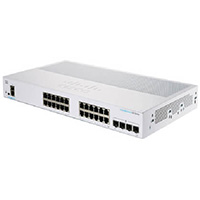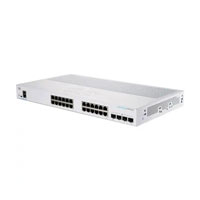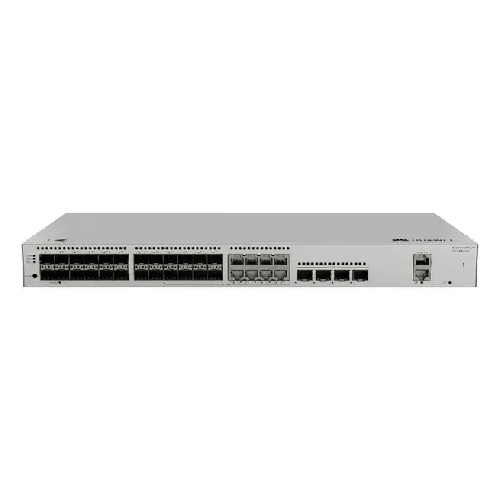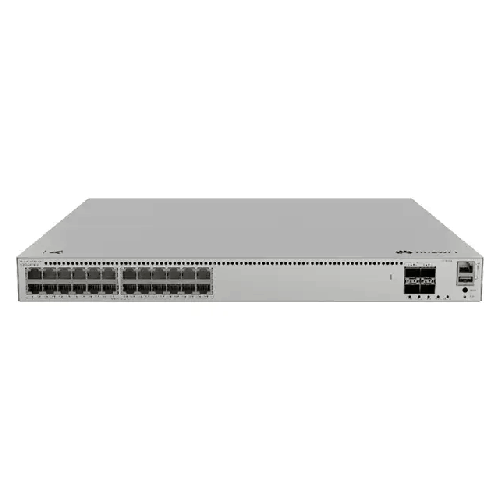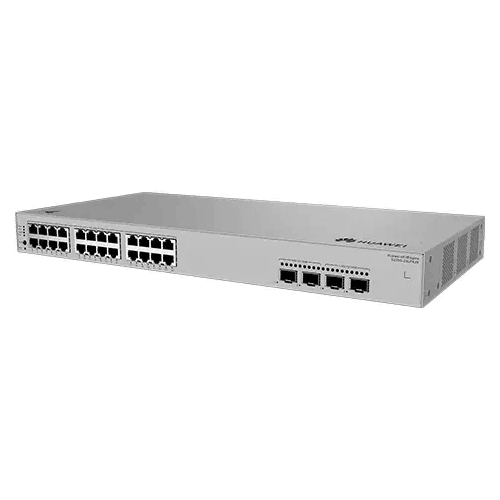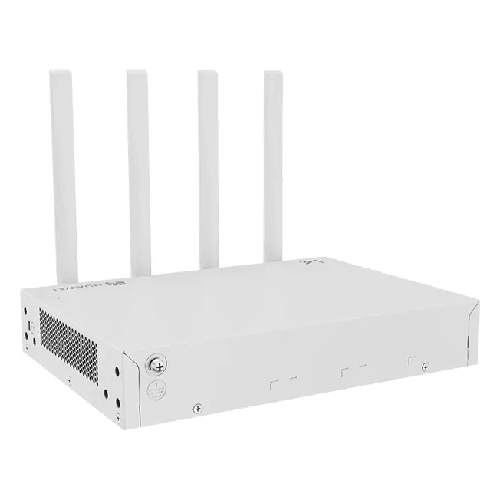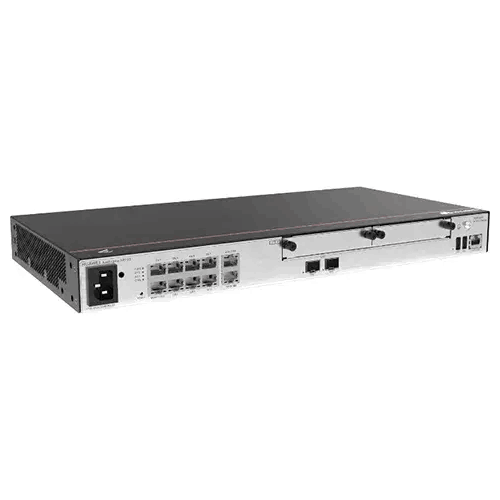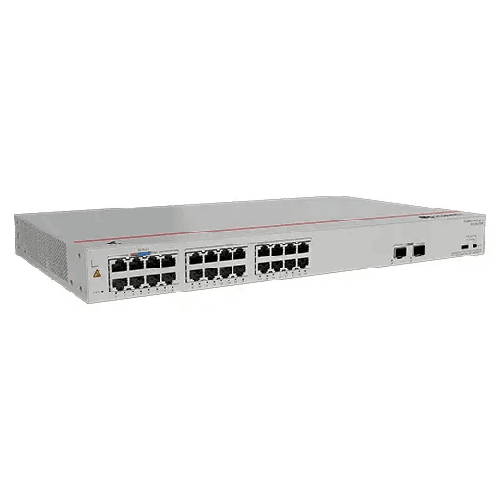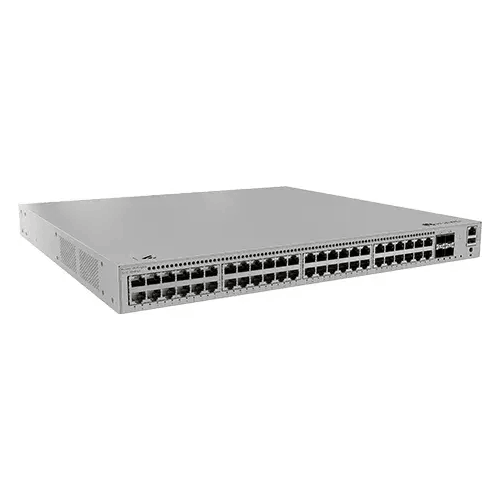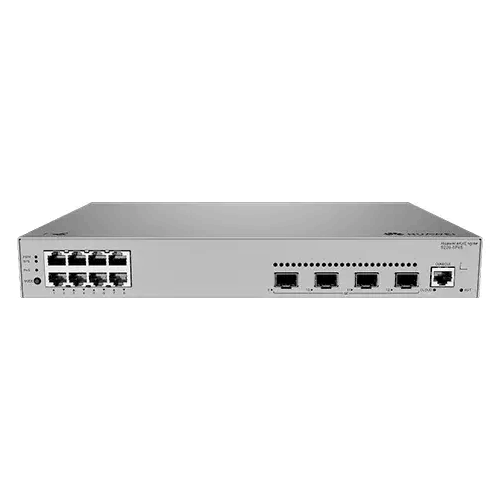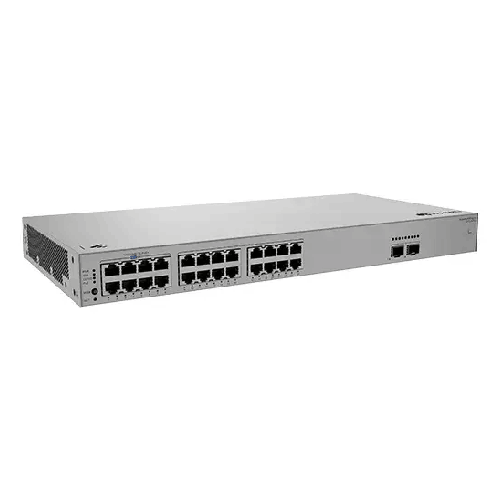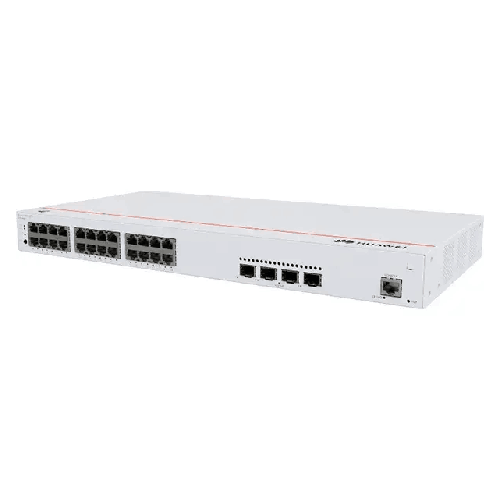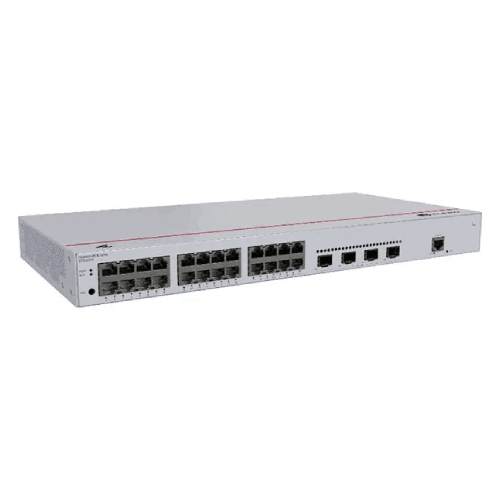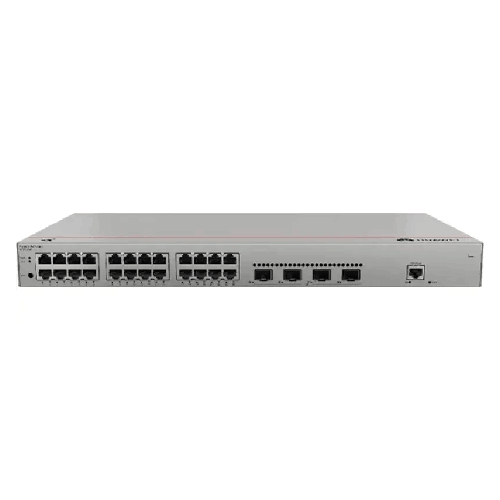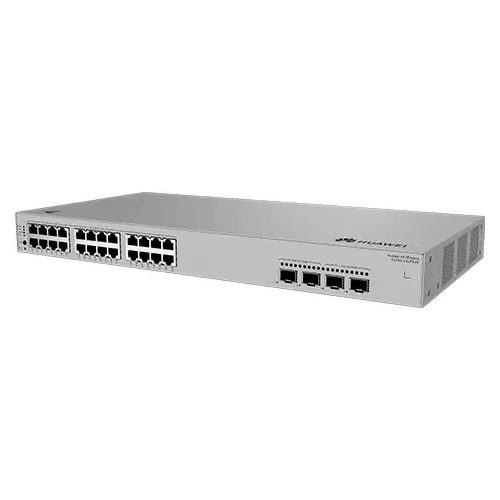
Huawei eKitEngine S220S-24LP4JX Layer 2 Managed 24-Port PoE+ 2.5GE Access Switch
Regular Price:৳0.00Availability: SKU: 6.54.130.9163
Quick Overview
-
Support
Saturday – Thursday: 09 AM - 06 PM. -
Payment
Cash on Delivery | Card | Online Payment -
Shipping Cost
Inside Dhaka 100tk | Outside Dhaka 150tk -
Warranty Policy
Read More
Description
Huawei eKitEngine S220S-24LP4JX Layer 2 Managed 24-Port PoE+ 2.5GE Access Switch Price in Bangladesh
The Huawei eKitEngine S220S-24LP4JX Layer 2 Managed 24-Port PoE+ 2.5GE Access Switch is a compact, high-performance access-layer networking solution designed for businesses, offices, educational institutions, hotels, retail environments, smart buildings, and other professional network deployments. It combines 24 Gigabit Ethernet PoE+ access ports with dedicated high-speed uplink interfaces, including two 10GE SFP+ ports and two 2.5GE SFP ports.
Huawei's official product information identifies the S220S-24LP4JX as a switch with 24 × 10/100/1000BASE-T PoE+ ports, 2 × 10GE SFP+ ports, and 2 × 2.5GE SFP ports. The model provides a 195W maximum PoE power budget, 98 Gbit/s switching capacity, and 73 Mpps packet forwarding performance.
This combination gives the Huawei S220S-24LP4JX a practical role in access networks where multiple wired devices need Gigabit connectivity while selected endpoints also require power over Ethernet. At the same time, the 10GE and 2.5GE uplink options allow the switch to connect to higher-speed network infrastructure without relying exclusively on conventional Gigabit uplinks.
The switch is part of Huawei's eKitEngine S220S family, a product line positioned for SME and access-network environments. Huawei's current solution portfolio also uses S220S switches in office and campus networking scenarios, demonstrating their role within broader access-layer architectures.
24-Port Gigabit PoE+ Access Connectivity
The central feature of the Huawei S220S-24LP4JX is its 24 × 10/100/1000BASE-T PoE+ ports. These RJ45 interfaces support Gigabit Ethernet as well as 100Mbps and 10Mbps connectivity for compatible devices. Huawei confirms that all 24 access interfaces support PoE+.
This port configuration is useful for organizations with a substantial number of network endpoints concentrated in a particular access area. Instead of using separate switches for ordinary Ethernet and PoE devices, a single S220S-24LP4JX can provide network connectivity and PoE capability across its access ports.
Typical compatible endpoints may include IP cameras, wireless access points, IP phones, and other PoE-enabled network devices. The exact number of devices that can be powered simultaneously depends on their individual power requirements and the switch's available PoE budget.
For conventional wired devices that do not require PoE, the RJ45 interfaces can still provide standard Ethernet connectivity. This makes the switch practical for mixed environments where some devices require power and others only require data connectivity.
195W PoE+ Power Budget
The S220S-24LP4JX provides a 195W maximum PoE power budget.
This capacity allows the switch to supply power to multiple compatible PoE endpoints without requiring a separate power adapter at every device location. For example, an organization could use the switch to support a combination of wireless access points, IP cameras, and PoE-enabled telephones, provided their combined power requirements remain within the available budget.
PoE planning is important when designing a network around this switch. The number of ports alone does not determine how many devices can be powered. Instead, the administrator should calculate the actual power requirements of every planned PoE endpoint.
For example, a deployment containing several low-power access points may use the available PoE capacity differently from a surveillance installation containing cameras with higher power requirements. Maintaining reasonable power headroom is also useful if additional devices may be added later.
The 195W PoE budget therefore makes the S220S-24LP4JX suitable for moderate PoE deployments while keeping the chassis compact and relatively lightweight.
Two 10GE SFP+ Uplink Ports
One of the distinguishing features of the S220S-24LP4JX is its 2 × 10GE SFP+ ports. Huawei specifies these interfaces as supporting 10G/1G/100M connectivity.
The availability of 10GE SFP+ uplinks gives network designers additional bandwidth options when connecting the access switch to an aggregation or distribution layer. This can be particularly useful in environments where many Gigabit access ports converge toward an upstream network device.
A 10GE uplink can also provide additional capacity for traffic generated by multiple connected endpoints. The actual network performance will depend on the complete topology, traffic patterns, transceiver or cable selection, and capabilities of the upstream equipment.
The SFP+ design also gives greater flexibility than a fixed copper-only uplink. Network administrators can select compatible optical or direct-attach connectivity according to the installation requirements and supported Huawei components.
Two 2.5GE SFP Ports
In addition to the 10GE SFP+ interfaces, the Huawei S220S-24LP4JX includes 2 × 2.5GE SFP ports. Huawei specifies support for 2.5G/1G/100M connectivity on these ports.
These interfaces provide another uplink-speed option for network environments where 2.5Gbps connectivity is appropriate. This can be useful when connecting the switch to network infrastructure that supports 2.5GE but does not require a 10GE link for every connection.
The combination of 10GE SFP+ and 2.5GE SFP interfaces gives the S220S-24LP4JX a versatile uplink configuration. Network administrators can plan different links according to the requirements of each part of the infrastructure.
It is important to distinguish these interfaces from the 24 copper access ports. The RJ45 ports provide 10/100/1000Mbps Ethernet access with PoE+, while the SFP and SFP+ interfaces are designed for higher-speed uplink connectivity.
98 Gbit/s Switching Capacity
Huawei specifies a 98 Gbit/s switching capacity for the S220S-24LP4JX.
Switching capacity is an important specification when evaluating the internal traffic-handling capability of a network switch. It indicates the capacity of the switching architecture to handle network traffic across its interfaces.
For a 24-port access switch, this level of switching capacity provides a platform designed to handle traffic from multiple connected Ethernet devices. Nevertheless, network administrators should evaluate switching capacity together with uplink bandwidth, endpoint traffic, PoE requirements, and the overall topology.
A well-designed network avoids creating unnecessary bottlenecks between the access layer and upstream equipment. The S220S-24LP4JX's combination of Gigabit access ports and high-speed SFP/SFP+ interfaces provides several options for designing those connections.
73 Mpps Packet Forwarding Rate
The Huawei S220S-24LP4JX is specified with a 73 Mpps packet forwarding rate.
Packet forwarding rate represents the switch's ability to process and forward network packets. It becomes particularly relevant in environments where the network carries many simultaneous connections and smaller packets.
Together with the 98 Gbit/s switching capacity, the 73 Mpps forwarding rate provides a useful technical reference when evaluating the switch for access-layer networking.
However, these headline specifications should not be interpreted as a guarantee of identical real-world throughput under every network condition. Actual application performance depends on traffic patterns, configuration, connected hardware, uplink design, and network architecture.
Layer 2 Managed Networking
The S220S-24LP4JX is designed as a Layer 2 managed switch, making it appropriate for organizations that require greater network control than an unmanaged switch provides.
Huawei's S220S-series datasheet lists Layer 2 capabilities including MAC address learning and aging, VLAN functionality, and other access-switch management features. The series supports up to 16K MAC address entries and up to 4094 VLANs according to Huawei's current S220S documentation.
VLAN capability can be particularly useful when an organization needs logical separation between different categories of devices. For example, an administrator may create separate network segments for office computers, surveillance equipment, voice devices, wireless infrastructure, or guest access according to the overall network architecture.
Managed switching also makes the device more appropriate for structured business networks where administrators need to configure and maintain network behavior rather than simply connect devices.
MAC Address Management
Huawei's S220S-series documentation specifies support for MAC address learning and aging, as well as static, dynamic, and blackhole MAC address entries. The series supports up to 16K MAC address entries.
MAC address management is a fundamental component of Ethernet switching. The switch learns where network devices are connected and uses that information to forward frames toward the appropriate interface.
For business networks, these capabilities provide a foundation for structured Layer 2 administration. Static and other MAC-related configurations can be used where the network architecture requires specific control over address behavior.
This is another reason a managed switch can be more appropriate than a basic plug-and-play Ethernet switch for professional installations.
VLAN Support for Network Segmentation
The S220S series supports up to 4094 VLANs, according to Huawei's official datasheet.
VLANs allow administrators to create logical network segments over the same physical switching infrastructure. This can be useful in environments where different departments, services, or device categories need to be separated.
For example, an office might logically separate employee computers from guest Wi-Fi traffic. A surveillance network could also be separated from ordinary user traffic according to the organization's security and network design requirements.
VLAN configuration should be planned together with the upstream router, firewall, gateway, or Layer 3 switch. Proper VLAN design is essential to avoid connectivity problems and unintended traffic paths.
1U Rack-Friendly Design
The S220S-24LP4JX uses a compact 1U chassis. Huawei's S220S-series datasheet specifies dimensions of approximately 43.6mm × 442mm × 220mm, corresponding to a standard 1U-height form factor.
Huawei's current product page specifies a maximum depth of approximately 227mm when rear protrusions are included.
This relatively compact design makes the switch suitable for network racks where space management matters. It can also be deployed outside a traditional rack because Huawei supports desktop and wall mounting.
The physical installation method should be selected according to the network room, cabinet, cable routing, ventilation, and accessibility requirements.
Rack, Desktop and Wall Installation
The S220S-24LP4JX supports rack mounting, desk mounting, and wall mounting.
This flexibility can be useful for distributed network installations. A switch located in a centralized equipment room may be rack-mounted, while a smaller branch office or local network point may use desktop or wall installation.
Regardless of the selected method, adequate airflow should be maintained around the device. Network equipment should not be placed in a location where ventilation openings are obstructed.
The installation environment should also provide suitable protection from excessive dust, moisture, heat, and other conditions that could affect networking hardware.
Metal Chassis
Huawei specifies a metal chassis for the S220S-24LP4JX.
A metal enclosure provides a solid physical housing for the internal networking components and is consistent with professional network equipment intended for structured installations.
The switch weighs approximately 2.8kg without packaging, according to Huawei's current specifications.
This combination of metal construction and compact dimensions provides a practical physical platform for office and professional access-network deployments.
Built-In AC Power Supply
The Huawei S220S-24LP4JX uses a built-in AC power supply. Huawei specifies an AC input range of 90V to 290V and 45Hz to 65Hz in its current product information.
The latest S220S-series datasheet also lists a rated AC input of 100V to 240V at 50/60Hz, along with high-voltage DC input support.
This makes the switch suitable for standard AC-powered network installations when the site's electrical system is compatible with the specified input requirements.
The installation should always follow appropriate electrical safety practices, including suitable power protection and grounding according to the local installation environment.
Efficient Power Characteristics
The S220S-24LP4JX has a specified static power consumption of 18.74W and typical power consumption of 33.32W under Huawei's stated conditions. Its maximum power consumption is 38.58W without PoE and 277.55W at full PoE load, including a 195W PoE allocation.
These figures are useful when planning electrical capacity and estimating network equipment consumption.
The difference between switch consumption and total consumption under PoE load is particularly important. When powered endpoints are connected, the switch's electrical demand increases because the device is also supplying power through its Ethernet ports.
For a network deployment, power planning should therefore consider both the switch itself and the expected PoE load.
Two Built-In Fan Modules
Huawei specifies two fan modules for the S220S-24LP4JX. The switch uses air cooling with intelligent fan-speed adjustment.
Huawei also specifies airflow entering from the left and front and exhausting from the right.
This airflow pattern should be considered when the switch is installed inside a rack or cabinet. Other equipment should not block the intake or exhaust areas.
Good airflow management becomes particularly important when PoE loads are high because both switching activity and power delivery contribute to heat generation.
Operating Environment
Huawei specifies a long-term operating temperature of –5°C to +45°C at altitudes from 0 to 1800 meters and a long-term relative humidity range of 5% to 95%, non-condensing.
For Bangladesh deployments, environmental planning is important because network rooms can become warm, particularly when several switches, servers, UPS systems, and other equipment operate in the same space.
Keeping the network area properly ventilated and maintaining the manufacturer's environmental limits can help provide a more suitable operating environment.
The switch should also be protected from direct water exposure and excessive humidity that could lead to condensation.
Suitable for Office Networking
The S220S-24LP4JX can serve as an access switch for office networks where employees need wired Gigabit connectivity and the organization also operates PoE-powered devices.
A single switch can connect workstations, network printers, IP phones, wireless access points, surveillance devices, and other Ethernet equipment according to the available port and power budget.
The two 10GE SFP+ and two 2.5GE SFP ports provide options for connecting the access layer to higher-level networking infrastructure.
This makes the switch relevant to offices that want a more structured network architecture rather than a collection of basic unmanaged switches.
Useful for Wi-Fi Infrastructure
Wireless access points are a common application for PoE networking. When an access point supports compatible PoE standards, it can receive power through the Ethernet connection rather than requiring a separate power adapter at the installation point.
Huawei's own intelligent campus network solution includes S220S switches as PoE switches in its typical campus configuration.
Huawei also uses S220S in an intelligent interactive classroom solution alongside high-density wireless access points.
These examples illustrate how S220S-series switches can form part of structured wireless access deployments.
Suitable for IP Surveillance
The 24 PoE+ Gigabit access ports can also make the S220S-24LP4JX useful for compatible IP surveillance equipment.
An IP camera that supports the required PoE standard can receive power and network connectivity through one Ethernet cable. This can simplify cabling compared with installations where every camera requires a separate electrical connection.
However, surveillance network planning should consider camera resolution, bitrate, recording architecture, storage requirements, VLAN configuration, and uplink bandwidth in addition to PoE power.
The 195W PoE budget should also be compared against the combined power requirements of all cameras and other PoE devices.
Suitable for Educational Institutions
Educational environments can contain a mixture of wired computers, wireless access points, IP phones, surveillance equipment, and other network-connected devices.
The S220S-24LP4JX can function as an access-layer switch in such an environment, especially where PoE-powered wireless infrastructure is required.
Huawei's campus solution specifically lists S220S PoE switches in its typical equipment configuration.
For classrooms and offices, VLAN segmentation can also help administrators organize different categories of network traffic.
Suitable for Hotels and Retail
Hotels and retail businesses can also benefit from centralized PoE access switching.
In a hotel, compatible access points, IP phones, surveillance cameras, and other network devices can be connected through structured Ethernet infrastructure.
In retail environments, network connectivity may be required for POS systems, cameras, wireless access, back-office computers, and other connected devices.
The appropriate number of switches depends on the size of the deployment, cable distances, endpoint count, PoE requirements, and uplink architecture.
✅ Key Features
- 24 × Gigabit PoE+ Ports: Provides 24 × 10/100/1000BASE-T access ports with PoE+ support for compatible network endpoints.
- 195W PoE Budget: Provides up to 195W of PoE power for supported connected devices.
- 2 × 10GE SFP+ Ports: Provides high-speed 10G/1G/100M SFP+ connectivity for suitable uplink applications.
- 2 × 2.5GE SFP Ports: Supports 2.5G/1G/100M connectivity for flexible high-speed uplink deployment.
- 98 Gbit/s Switching Capacity: Provides substantial internal switching capacity for a 24-port access switch.
- 73 Mpps Forwarding Rate: Supports high-speed packet processing for access-layer traffic.
- Layer 2 Management: Provides managed Ethernet networking for structured business deployments.
- 16K MAC Entries: The S220S-series supports up to 16K MAC address entries.
- Up to 4094 VLANs: Provides VLAN capacity for logical network segmentation.
- Built-In AC Power: Integrates the AC power supply into the switch chassis.
- Flexible Installation: Supports rack, desktop, and wall mounting.
- Intelligent Fan Cooling: Uses two fan modules with intelligent fan-speed adjustment for thermal management.
✅ Usage / Applications
- Office Networks: Connect computers, printers, IP phones, wireless access points, and other business devices.
- IP Surveillance: Provide network connectivity and PoE power to compatible IP cameras.
- Wi-Fi Access Networks: Power compatible PoE wireless access points.
- Educational Institutions: Support wired and wireless network access in schools, colleges, and other learning environments.
- Campus Networks: Operate as an access-layer PoE switch within a larger campus architecture.
- Hotels: Connect compatible access points, IP phones, cameras, and other network devices.
- Retail Stores: Support POS-related connectivity, wireless networking, surveillance, and office equipment.
- Smart Buildings: Provide managed Ethernet access for compatible network-connected infrastructure.
- SME Networks: Deliver Gigabit PoE+ access with 10GE and 2.5GE uplink options.
- Meeting and Conference Areas: Support wired endpoints and compatible PoE wireless infrastructure.
- Branch Offices: Provide a compact access-layer platform where several PoE devices are required.
- Structured Network Cabinets: Use the 1U chassis in rack-mounted network installations.
✅ Benefits of This Product?
- 24-Port PoE+ Connectivity: Connects a substantial number of Gigabit Ethernet endpoints through one managed access switch.
- Centralized PoE Power: Allows compatible devices to receive power through Ethernet cabling.
- 195W PoE Capacity: Provides useful power capacity for moderate multi-device PoE deployments.
- High-Speed Uplinks: Combines 10GE SFP+ and 2.5GE SFP interfaces in the same access switch.
- Layer 2 Network Control: Provides a managed platform for structured network administration.
- VLAN Support: Allows logical network segmentation according to the organization's architecture.
- Compact 1U Form Factor: Makes the switch practical for standard rack environments.
- Flexible Installation: Rack, desktop, and wall mounting options support different deployment layouts.
- Professional Metal Construction: Provides a solid chassis for business networking installations.
- Suitable for Multiple Applications: Can support office, Wi-Fi, surveillance, education, hospitality, and retail networks.
- Built-In AC Power: Simplifies the physical power arrangement compared with an external power-adapter design.
- Flexible Uplink Planning: Allows administrators to select 10GE or 2.5GE connectivity according to network requirements.
✅ Ideal For
The Huawei eKitEngine S220S-24LP4JX is ideal for organizations that need a 24-port Gigabit PoE+ access switch with higher-speed uplink options. Its combination of 24 PoE+ RJ45 ports, two 10GE SFP+ interfaces, and two 2.5GE SFP interfaces makes it particularly useful for structured access networks where multiple endpoints converge toward an upstream network.
It can be considered for offices, educational institutions, hotels, retail businesses, surveillance deployments, wireless networks, and smart-building environments. Huawei's own solution materials include S220S switches in campus, classroom, and SME office networking configurations.
The 195W PoE budget is suitable for moderate PoE deployments, while the 10GE SFP+ interfaces provide a path for higher-bandwidth uplinks where supported by the rest of the network.
It is especially appropriate for customers who need more than basic Gigabit switching but do not necessarily require a larger switch with a substantially higher PoE budget. Before purchase, the required PoE load, uplink speeds, port count, VLAN design, physical installation location, and environmental conditions should be evaluated.
✅ Why Choose the Huawei eKitEngine S220S-24LP4JX?
The Huawei eKitEngine S220S-24LP4JX combines several features that are useful in a modern access-layer network: 24 Gigabit PoE+ ports, 195W PoE capacity, two 10GE SFP+ ports, and two 2.5GE SFP ports.
The combination of different uplink speeds is particularly useful when a network has varying connectivity requirements. The 10GE SFP+ ports can be used for higher-bandwidth upstream connections, while the 2.5GE SFP interfaces provide an intermediate high-speed option. Huawei specifies support for 10G/1G/100M on the SFP+ interfaces and 2.5G/1G/100M on the 2.5GE SFP interfaces.
The 24 PoE+ Gigabit ports also make the switch suitable for deployments where network connectivity and centralized power delivery are both important. With a 195W PoE budget, it can support multiple compatible powered endpoints without requiring separate local power adapters for every device.
From a network-management perspective, the S220S-series supports Layer 2 functions including MAC address management and VLANs. Huawei documents up to 16K MAC address entries and 4094 VLANs for the series.
The physical design is equally practical. The 1U metal chassis supports rack, desktop, and wall mounting, while built-in AC power and intelligent fan cooling make it suitable for structured professional installations.
For organizations planning a PoE access network with a need for both 10GE and 2.5GE uplink flexibility, these specifications provide a balanced technical platform.
✅ Why Buy This Product from BME?
Business Machine & Equipment (BME) provides a Bangladesh-focused platform for professional IT, networking, business technology, and infrastructure equipment. For a managed network switch such as the Huawei eKitEngine S220S-24LP4JX, selecting the exact model is important because closely related Huawei eKitEngine models can have different PoE budgets, uplink configurations, dimensions, and performance specifications.
When purchasing this model, customers should identify the exact product name and model number—S220S-24LP4JX—before placing an order. This helps avoid confusion with models such as the S220S-24P4JX, which has the same basic port arrangement but a substantially higher 400W PoE budget. Huawei's official specifications show the S220S-24P4JX with 400W PoE, while the S220S-24LP4JX provides 195W.
For business and institutional projects, it is also important to match the switch to the network design. The number of PoE devices, their power requirements, required uplink bandwidth, VLAN architecture, rack space, and electrical environment should all be reviewed before finalizing the equipment.
BME can be used as a starting point for evaluating this Huawei switch against other networking options according to the requirements of your deployment.
For larger projects, customers should also consider the complete network topology rather than selecting a switch based only on port count. Proper planning can help ensure that PoE capacity, uplink bandwidth, and access-layer requirements remain aligned.
✅ Buying Guide
1. Confirm the Exact Model:
Make sure the required model is Huawei eKitEngine S220S-24LP4JX. This is important because Huawei offers closely related S220S models with different PoE capacities and interface configurations.
2. Check the Number of Access Devices:
The switch provides 24 × 10/100/1000BASE-T PoE+ ports. Confirm that this meets the required endpoint count.
3. Calculate Total PoE Demand:
Add the power requirements of all PoE devices. The maximum PoE budget is 195W.
4. Review Uplink Requirements:
The switch provides two 10GE SFP+ ports and two 2.5GE SFP ports. Confirm which uplink speed is appropriate for the upstream equipment.
5. Check Transceiver and Cable Compatibility:
Select compatible SFP/SFP+ modules, fiber, or other supported connectivity according to the network design and required transmission distance.
6. Plan VLANs:
If the network will separate users, cameras, phones, guest access, or other services, design the VLAN architecture before configuration.
7. Review Rack Space:
The switch is approximately 43.6mm high and 442mm wide, with a basic depth of 220mm. Allow additional space for cables and airflow.
8. Consider PoE Headroom:
Avoid designing a deployment exactly at the 195W limit if additional PoE devices may be added later.
9. Check Electrical Requirements:
Huawei specifies built-in AC power and an input range of 90V to 290V AC. Verify the local electrical installation before deployment.
10. Plan Cooling and Airflow:
The switch uses two fan modules and draws air from the left and front while exhausting from the right. Keep these airflow paths clear.
11. Consider the Network Layer:
The S220S-24LP4JX is a Layer 2 managed access switch. Make sure the broader network provides the required Layer 3 routing, gateway, firewall, or other higher-layer functions where necessary.
12. Compare PoE Models Carefully:
If the planned deployment requires more than 195W of PoE capacity, compare the S220S-24LP4JX with higher-PoE Huawei models instead of assuming all 24-port S220S models have the same power budget.
✅ Customers Ask About / Frequently Asked Questions
Q1. What is the Huawei S220S-24LP4JX?
The Huawei eKitEngine S220S-24LP4JX is a Layer 2 managed access switch with 24 Gigabit PoE+ ports, two 10GE SFP+ ports, and two 2.5GE SFP ports.
Q2. How many PoE ports does the S220S-24LP4JX have?
It has 24 × 10/100/1000BASE-T PoE+ ports.
Q3. What is the PoE budget?
The maximum PoE power budget is 195W.
Q4. Does the switch support 10GE uplinks?
Yes. It has 2 × 10GE SFP+ ports supporting 10G/1G/100M connectivity.
Q5. Does it support 2.5GE?
Yes. The S220S-24LP4JX provides 2 × 2.5GE SFP ports, supporting 2.5G/1G/100M.
Q6. What is the switching capacity?
Huawei specifies 98 Gbit/s switching capacity.
Q7. What is the packet forwarding rate?
The specified packet forwarding rate is 73 Mpps.
Q8. Can it be used for IP cameras?
Yes. Compatible PoE-enabled IP cameras can be connected to its PoE+ access ports, subject to their power and network requirements.
Q9. Can it power Wi-Fi access points?
Yes. Compatible PoE-powered wireless access points can receive power through the switch's PoE+ ports. The total number depends on their individual power requirements and the 195W PoE budget.
Q10. Is the S220S-24LP4JX suitable for an office network?
Yes. Its 24 Gigabit access ports, PoE+, Layer 2 management, and high-speed uplink interfaces make it suitable for structured office access networks.
Q11. Can it be rack mounted?
Yes. Huawei specifies rack mounting, desktop mounting, and wall mounting.
Q12. What is the chassis material?
Huawei specifies a metal chassis.
Q13. How many VLANs does the S220S series support?
Huawei's S220S-series datasheet specifies support for up to 4094 VLANs.
Q14. How many MAC address entries are supported?
Huawei's S220S-series documentation specifies up to 16K MAC address entries.
Q15. Does it have built-in fans?
Yes. Huawei specifies two fan modules with intelligent fan-speed adjustment.
Q16. What is the operating temperature?
Huawei specifies a long-term operating temperature of –5°C to +45°C at altitudes from 0 to 1800 meters on the current product page.
Q17. What is the difference between S220S-24LP4JX and S220S-24P4JX?
Both models have 24 Gigabit PoE+ ports, two 10GE SFP+ ports, and two 2.5GE SFP ports. The key difference is PoE capacity: the S220S-24LP4JX provides 195W, while the S220S-24P4JX provides 400W.
✅ Why Buy This Product
The Huawei eKitEngine S220S-24LP4JX Layer 2 Managed 24-Port PoE+ 2.5GE Access Switch combines 24 Gigabit PoE+ access ports with both 10GE SFP+ and 2.5GE SFP uplink connectivity.
Its 195W PoE budget provides centralized power for compatible network devices, while the two 10GE SFP+ ports offer higher-speed uplink options for networks where Gigabit-only uplinks may not be sufficient. The two 2.5GE SFP ports add another flexible connectivity tier for compatible network infrastructure.
With 98 Gbit/s switching capacity, 73 Mpps forwarding performance, Layer 2 management, VLAN support, and a compact 1U metal chassis, the switch is designed for structured access-layer deployments.
It can be considered for offices, schools, campuses, hotels, retail environments, surveillance networks, wireless deployments, and smart-building projects.
If you are searching for a Huawei 24-port PoE+ managed switch in Bangladesh with both 10GE SFP+ and 2.5GE SFP uplinks, the S220S-24LP4JX provides a clearly defined combination of access ports, PoE capacity, uplink flexibility, and Layer 2 networking capabilities.
What is the price of Huawei eKitEngine S220S-24LP4JX Layer 2 Managed 24-Port PoE+ 2.5GE Access Switch in Bangladesh?
Write a review
Question Answer
Have question about this product? Get specific details about this product from expert.